Skip to content

Gate task assignee edit selection behind a Save button (a11y On Input, PR 15) - #101686

Merged
lakchote merged 5 commits into
mainfrom
claude-a11y-task-assignee-save
Oct 22, 2026
Merged

lakchote merged 5 commits into
mainfrom
claude-a11y-task-assignee-save

Conversation

@MelvinBot

Copy link
Copy Markdown
Contributor

Explanation of Change

PR 15 of the continue plan for the WCAG 3.2.2 "On Input" batch (Tier B — edit-mode only).

DynamicTaskAssigneeSelectorModal wrote the new assignee to the server and closed the modal the moment a row was tapped, so the layout changed context on input. Tapping a row now only stages the assignee, and editTaskAssignee runs from an explicit Save, matching the pattern already shipped in PRs 3–13.

The Save button is scoped to the edit flow (!isNewTaskFlow && !!report). The new-task flow already stages its choice via setAssigneeValue and confirms it on the create step, so it keeps selecting in place and its behavior is unchanged.

Notes on the implementation:

  • selectReport() is untouched: the HttpUtils.cancelPendingRequests call, the setAssigneeValue optimistic chat lookup, and the option.accountID !== report.managerID no-op guard all still run in the same order — they just run from onConfirm instead of onSelectRow.
  • The staged row drives the checkmark once the user picks one; otherwise the saved assignee does. The saved-assignee check is factored into isPersistedAssignee() so it can be reused.
  • initiallyFocusedItemKey now reads from isPersistedAssignee() instead of the row's isSelected flag, so staging a row can't move the initial focus target.
  • The screen only opts into bottom safe-area padding when the Save button is rendered, leaving the new-task flow's layout untouched.

Fixed Issues

$ #74834
PROPOSAL: #74834 (comment)

Tests

// TODO: The human co-author must fill out the tests you ran before marking this PR as "ready for review".
// Please describe what tests you performed that validate your change worked.

Suggested coverage for the flows this PR touches:

  1. Open an existing open task you can modify → tap Assignee → tap a different person → verify the modal stays open and the checkmark moves to that person.
  2. Press Save → verify the assignee is updated on the task and the modal closes.
  3. Reopen Assignee, search for a person, tap a result → verify the modal stays open, then press Save and verify the right person is assigned.
  4. Reopen Assignee and press the back button without tapping a row → verify nothing changed and Save was disabled.
  5. Create a new task → Assignee → tap a person → verify there is no Save button and the modal closes on tap, exactly as before.
  • Verify that no errors appear in the JS console

Offline tests

Same as tests — editTaskAssignee was already optimistic, and this PR only moves when it fires, not how.

QA Steps

// TODO: The human co-author must fill out the QA tests you ran before marking this PR as "ready for review".
// Please describe what QA needs to do to validate your changes and what areas they need to test for regressions.

  • Verify that no errors appear in the JS console

PR Author Checklist

  • I linked the correct issue in the ### Fixed Issues section above
  • I wrote clear testing steps that cover the changes made in this PR
    • I added steps for local testing in the Tests section
    • I added steps for the expected offline behavior in the Offline steps section
    • I added steps for Staging and/or Production testing in the QA steps section
    • I added steps to cover failure scenarios (i.e. verify an input displays the correct error message if the entered data is not correct)
    • I turned off my network connection and tested it while offline to ensure it matches the expected behavior (i.e. verify the default avatar icon is displayed if app is offline)
    • I tested this PR with a High Traffic account against the staging or production API to ensure there are no regressions (e.g. long loading states that impact usability).
  • I included screenshots or videos for tests on all platforms
  • I ran the tests on all platforms & verified they passed on:
    • Android: Native
    • Android: mWeb Chrome
    • iOS: Native
    • iOS: mWeb Safari
    • MacOS: Chrome / Safari
  • I verified there are no console errors (if there's a console error not related to the PR, report it or open an issue for it to be fixed)
  • I followed proper code patterns (see Reviewing the code)
    • I verified that comments were added to code that is not self explanatory
    • I verified that any new or modified comments were clear, correct English, and explained "why" the code was doing something instead of only explaining "what" the code was doing.
    • I verified any copy / text that was added to the app is grammatically correct in English. It adheres to proper capitalization guidelines (note: only the first word of header/labels should be capitalized), and is either coming verbatim from figma or has been approved by marketing (in order to get marketing approval, ask the Bug Zero team member to add the Waiting for copy label to the issue)
  • If a new code pattern is added I verified it was agreed to be used by multiple Expensify engineers
  • I followed the guidelines as stated in the Review Guidelines
  • I tested other components that can be impacted by my changes (i.e. if the PR modifies a shared library or component like Avatar, I verified the components using Avatar are working as expected)
  • If a new CSS style is added I verified that:
    • A similar style doesn't already exist
    • The style can't be created with an existing StyleUtils function (i.e. StyleUtils.getBackgroundAndBorderStyle(theme.componentBG))
  • If new assets were added or existing ones were modified, I verified that:
    • The assets are optimized and compressed (for SVG files, run npm run compress-svg)
    • The assets load correctly across all supported platforms.
  • If the PR modifies code that runs when editing or sending messages, I tested and verified there is no unexpected behavior for all supported markdown - URLs, single line code, code blocks, quotes, headings, bold, strikethrough, and italic.
  • If the PR modifies a generic component, I tested and verified that those changes do not break usages of that component in the rest of the App (i.e. if a shared library or component like Avatar is modified, I verified that Avatar is working as expected in all cases)
  • If the PR modifies a component related to any of the existing Storybook stories, I tested and verified all stories for that component are still working as expected.
  • If the PR modifies a component or page that can be accessed by a direct deeplink, I verified that the code functions as expected when the deeplink is used - from a logged in and logged out account.
  • If the PR modifies the UI (e.g. new buttons, new UI components, changing the padding/spacing/sizing, moving components, etc) or modifies the form input styles:
    • I verified that all the inputs inside a form are aligned with each other.
    • I added Design label and/or tagged @Expensify/design so the design team can review the changes.
  • I added unit tests for any new feature or bug fix in this PR to help automatically prevent regressions in this user flow.
  • If the main branch was merged into this PR after a review, I tested again and verified the outcome was still expected according to the Test steps.

Screenshots/Videos

Android: Native
Android: mWeb Chrome
iOS: Native
iOS: mWeb Safari
MacOS: Chrome / Safari

Co-authored-by: truph01 <truph01@users.noreply.github.com>
@codecov

codecov Bot commented Sep 21, 2026 •

Copy link
Copy Markdown

Codecov Report

✅ Changes either increased or maintained existing code coverage, great job!

Files with missing lines Coverage Δ
...ListWithSections/BaseSelectionListWithSections.tsx 93.75% <100.00%> (ø)
...c/pages/tasks/DynamicTaskAssigneeSelectorModal.tsx 0.00% <0.00%> (ø)
... and 18 files with indirect coverage changes

Co-authored-by: truph01 <truph01@users.noreply.github.com>
@MelvinBot

Copy link
Copy Markdown
Contributor Author

Fixed and pushed — the Oxfmt check failure was a formatting-only miss.

oxfmt wanted the initiallyFocusedOptionKey chain on one line instead of split across three, in src/pages/tasks/DynamicTaskAssigneeSelectorModal.tsx:153. No behavior change.

Details

Failure: the only real failing check was Oxfmt check, which runs npm run fmt and fails if it produces a diff. It flagged exactly one file — the one this PR touches.

-    const initiallyFocusedOptionKey = sections
-        .flatMap((section) => section.data)
-        .find((mode) => isPersistedAssignee(mode.accountID))?.keyForList;
+    const initiallyFocusedOptionKey = sections.flatMap((section) => section.data).find((mode) => isPersistedAssignee(mode.accountID))?.keyForList;

Verification run locally:

Check Result
npm run fmt Clean — re-running produces no further diff
npm run typecheck Passed (all 5 tsconfigs)
npx eslint on the changed file Passed

npm run lint-changed and npm run react-compiler-compliance-check check-changed could not run here — both need a merge-base against origin/main, which this shallow CI clone doesn't have. Both passed on the previous commit and the change is whitespace-only, so neither is affected. CI will run them anyway.

Also failing, not addressed: Check independent approval. That's an approval gate, not something a code change can fix.


view run

@MelvinBot

MelvinBot commented Sep 21, 2026 •

Copy link
Copy Markdown
Contributor Author

🤖 Web test steps verification results: ❌ fail

On dev NewDot web, the edit-task assignee selector correctly stages a selection without closing (the WCAG 3.2.2 goal is met) and the new-task flow is unchanged, but the promised Save button never renders, so a staged assignee can never be committed and the task assignee cannot be changed at all from this screen.

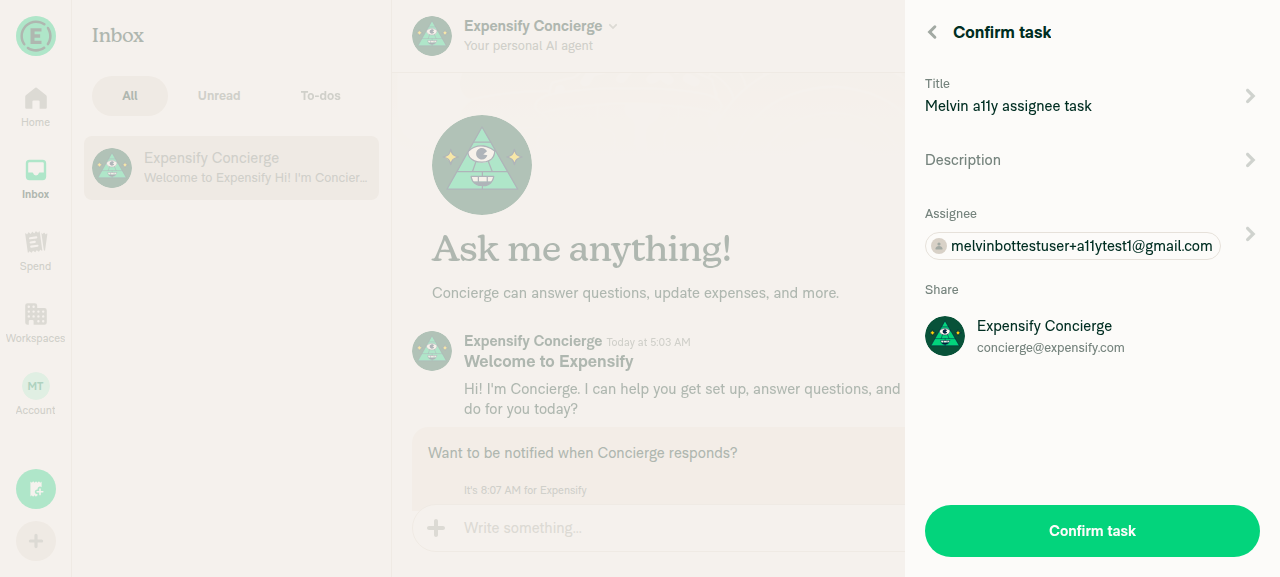
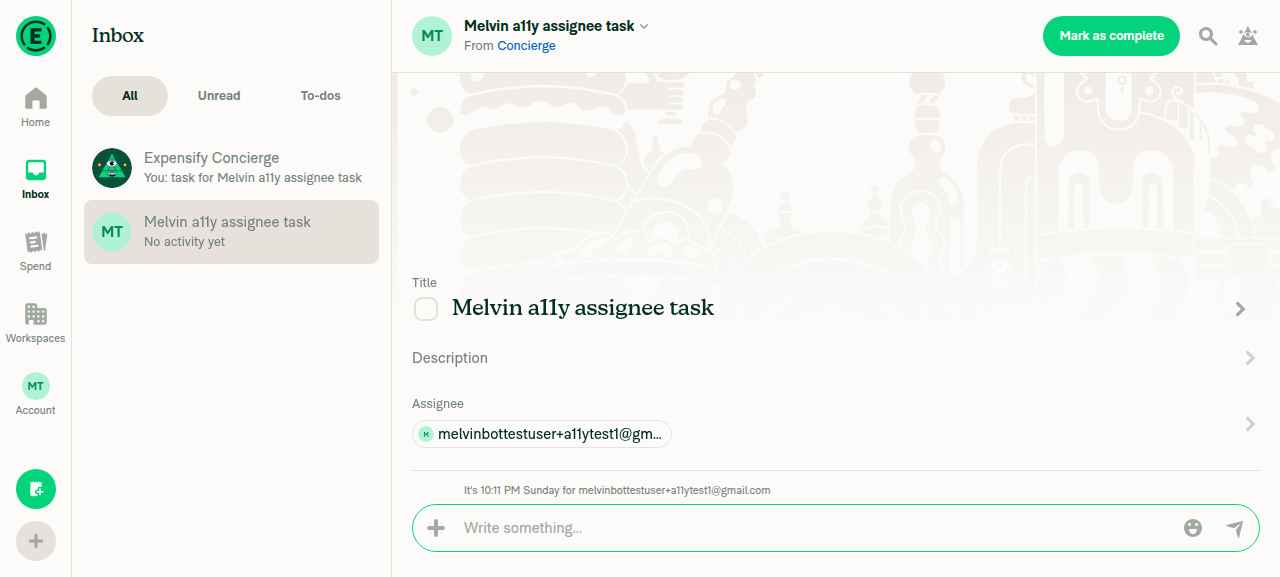
Confirm task page after clicking the row - selector closed on click, assignee set

Step Status
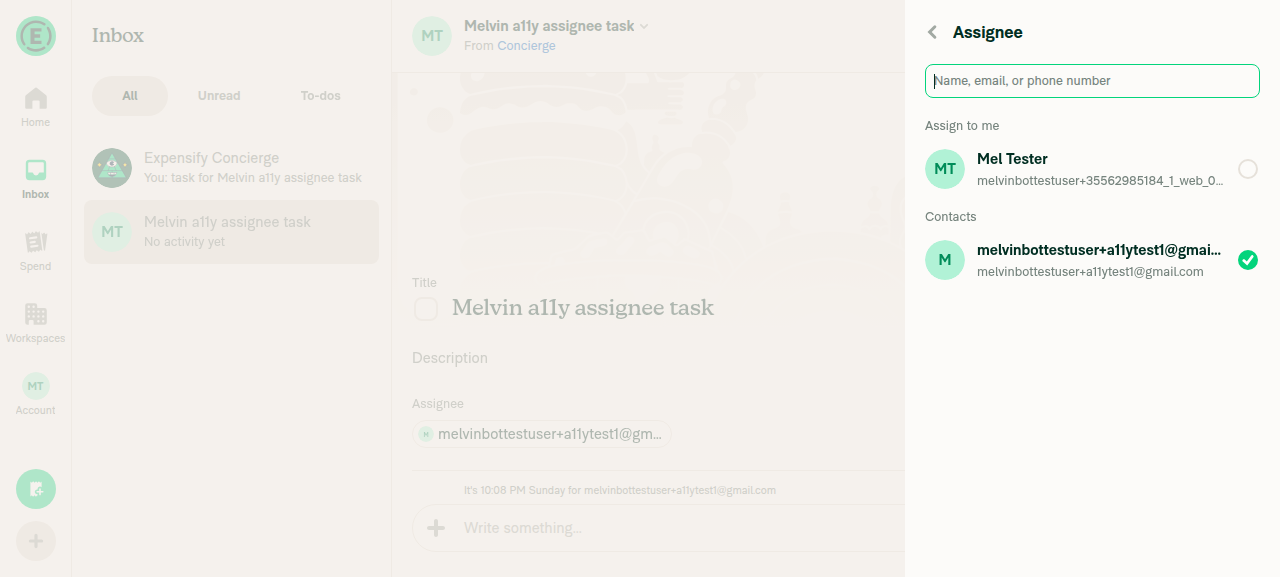
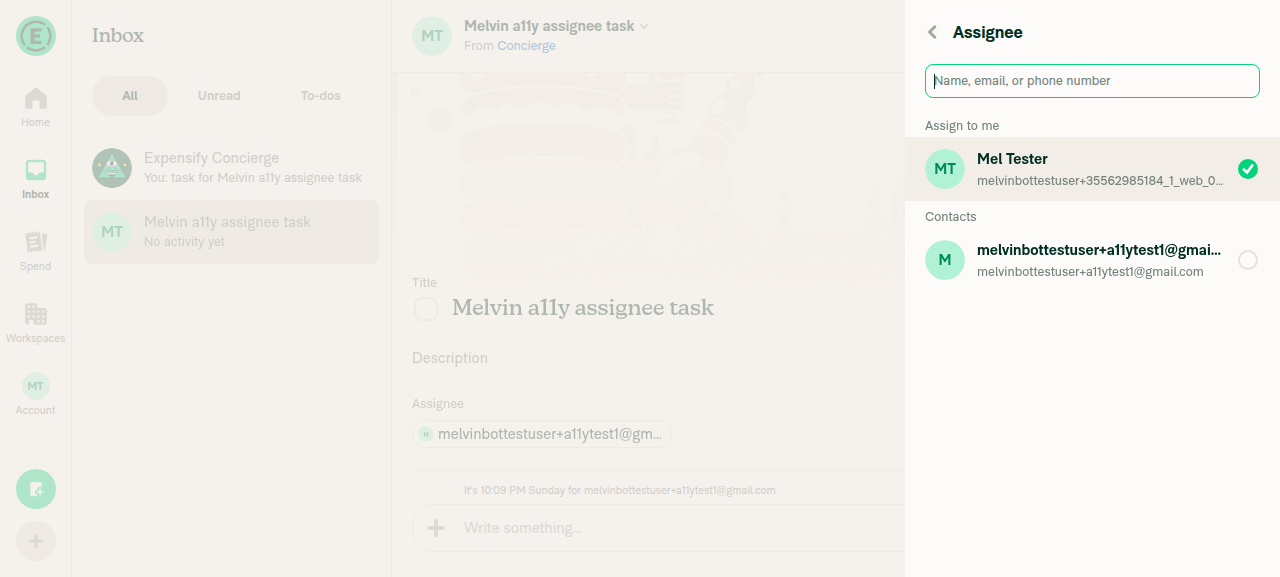
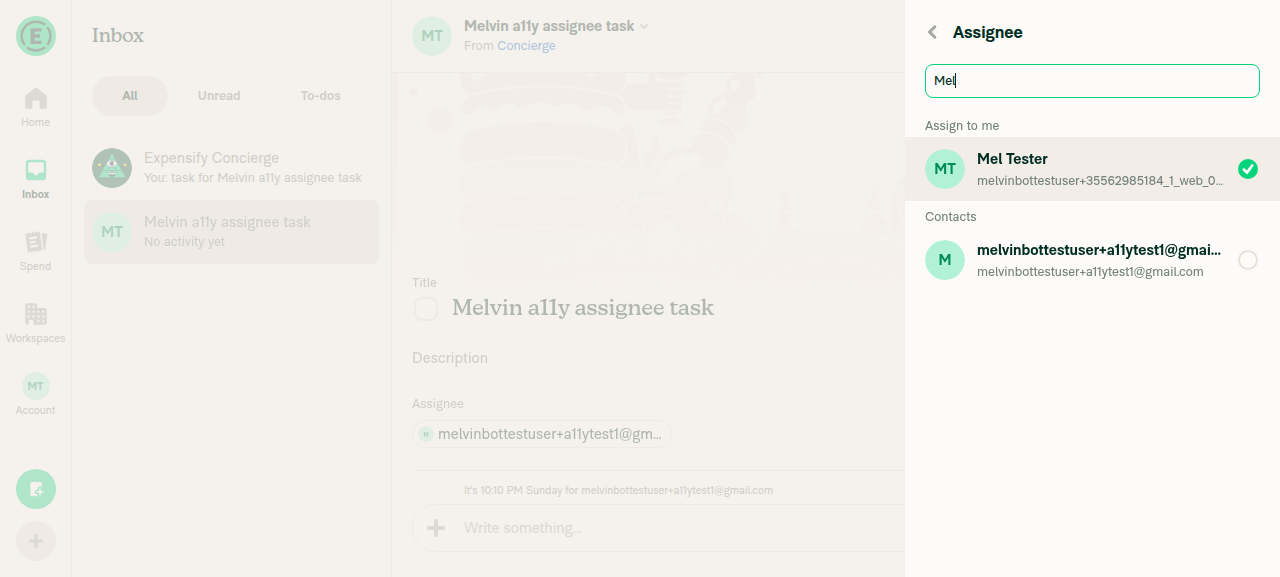
VERIFY 1 — Open an existing open task, click Assignee, click a different person: modal stays open and the checkmark movesTask "Melvin a11y assignee task" (assignee melvinbottestuser+a11ytest1@gmail.com) opened in the Concierge chat. Clicking the Assignee row opened the Assignee RHP with a11ytest1 check-marked. Clicking the "Mel Tester" row kept the RHP open (snapshot still shows the "Assignee" heading plus the listbox with both options) and the green checkmark moved to Mel Tester while the underlying task row still read "Assignee, melvinbottestuser+a11ytest1@gmail.com" (unsaved).
Edit-task Assignee selector on open: checkmark on a11ytest1, no footer button
After clicking Mel Tester: selector still open, checkmark moved, task field still shows a11ytest1
✅
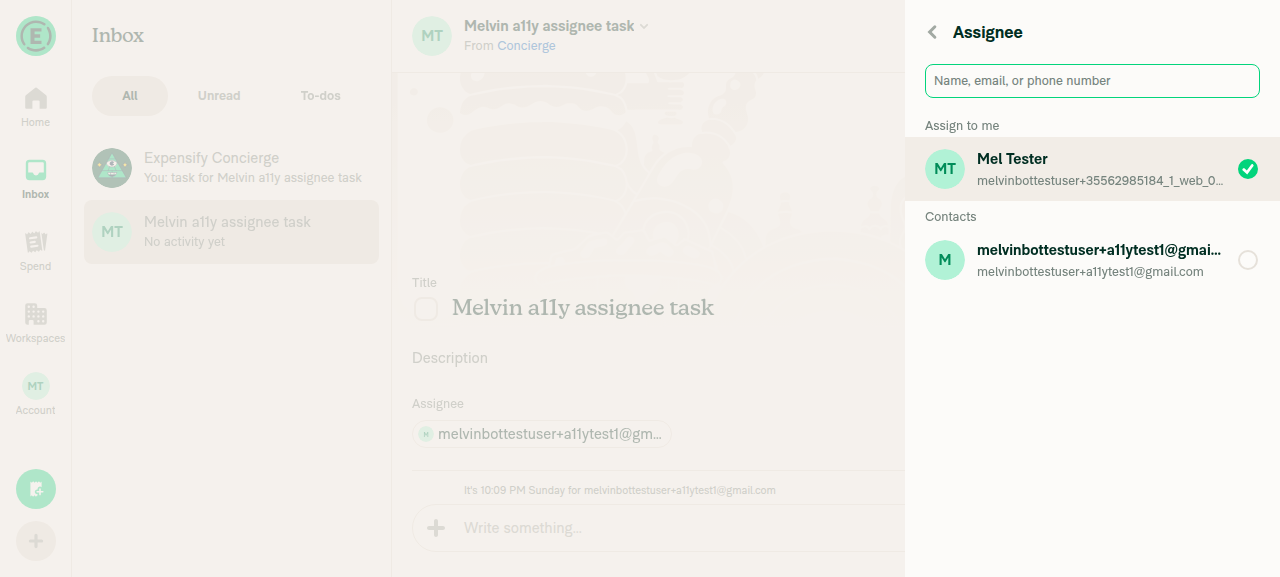
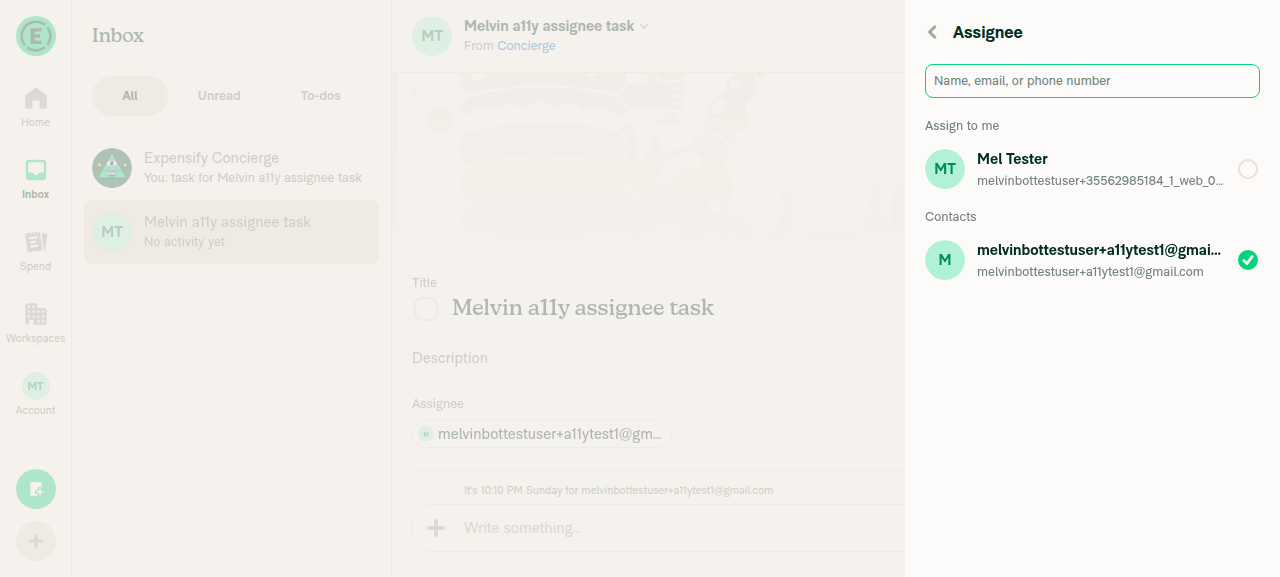
VERIFY 2 — Press Save: assignee updated on the task and modal closesNo Save control exists. With a staged selection, find Save returned "find did not match any element", and the full accessibility snapshot of the RHP contained only Back, the "Assignee" heading, the search field and the two options — 10 nodes, no button. Pressing Enter as a fallback also did not commit or close. Backing out left the task assignee at melvinbottestuser+a11ytest1@gmail.com, so the staged change is silently discarded.

Root cause (verified in code): DynamicTaskAssigneeSelectorModal.tsx:239-268 passes only confirmButtonOptions, but BaseSelectionListWithSections.tsx:383-388 renders Footer — the visible button — only when footerContent is passed. In that component confirmButtonOptions is consumed solely by the Enter-key shortcut at lines 214-221. Sibling pages on the same list component, such as DynamicRoomInvitePage.tsx:248, pass both footerContent and confirmButtonOptions.
Staged selection on Mel Tester with an empty RHP footer - no Save button
Task details after backing out: assignee still a11ytest1, change lost
❌
VERIFY 3 — Reopen Assignee, search a person, click a result: modal stays open; Save assigns the right personFirst half passes: typing "Mel" in the search field filtered the list, and clicking the "Mel Tester" result kept the selector open with the checkmark on Mel Tester. Second half is impossible: find Save again returned no match after the search-result click, so the searched person can never be assigned.
Search 'Mel' result clicked: selector stays open with checkmark, still no Save button
❌
VERIFY 4 — Reopen Assignee and press back without clicking a row: nothing changed and Save was disabled"Nothing changed" holds — reopening the selector and pressing Back with no row clicked left the task at "Assignee, melvinbottestuser+a11ytest1@gmail.com". "Save was disabled" cannot be confirmed: there is no Save button in the disabled state either, so this step fails on the missing affordance rather than on state.
Reopened Assignee selector with no row clicked - no Save button in any state
Task details after backing out: assignee unchanged
❌
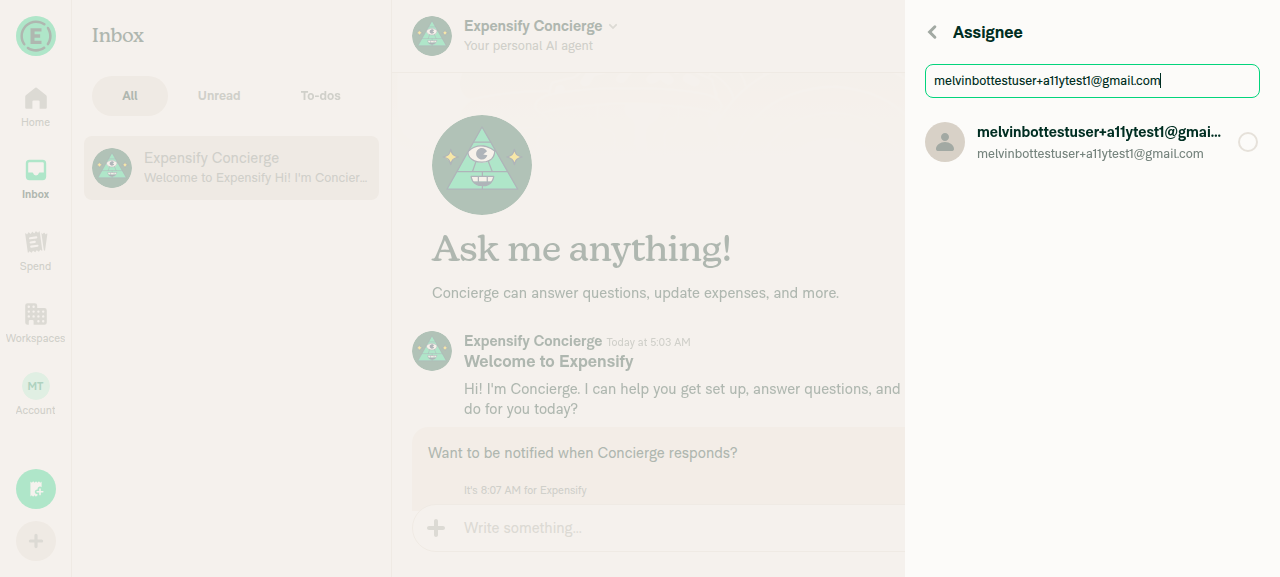
VERIFY 5 — New task flow: Assignee, click a person, no Save button and modal closes on clickDuring task creation (Concierge chat → + menu → Assign task → Confirm task → Assignee), the selector showed "Mel Tester" and, after searching, the invite row melvinbottestuser+a11ytest1@gmail.com. No Save button was present, as expected for this flow, and clicking the row closed the selector immediately, returning to "Confirm task" with the assignee set — unchanged legacy behavior.
New-task Assignee selector with search result and no Save button
Confirm task page after clicking the row - selector closed on click, assignee set
✅
VERIFY 6 — No JS console errors during the aboveNot verifiable with the available tooling: the web platform has no console-capture verb, so this assertion could not be checked. No error banners, red-dot errors, crashes or "Something went wrong" states appeared in any snapshot or screenshot during the run, and every screen rendered and navigated normally.
⚠️

Suggested fix direction: also pass a footerContent Save button to SelectionListWithSections the way DynamicRoomInvitePage does, or teach BaseSelectionListWithSections to render Footer when confirmButtonOptions.showButton is set.


view run · view recording

@MelvinBot

MelvinBot commented Sep 21, 2026 •

Copy link
Copy Markdown
Contributor Author

🤖 Android test steps verification results: ❌ fail

Verified on standalone Android NewDot: tapping a row on an existing task's Assignee screen correctly stages the pick and keeps the modal open, but no Save button is ever rendered, so the assignee can never be committed — the edit flow is now a dead end.

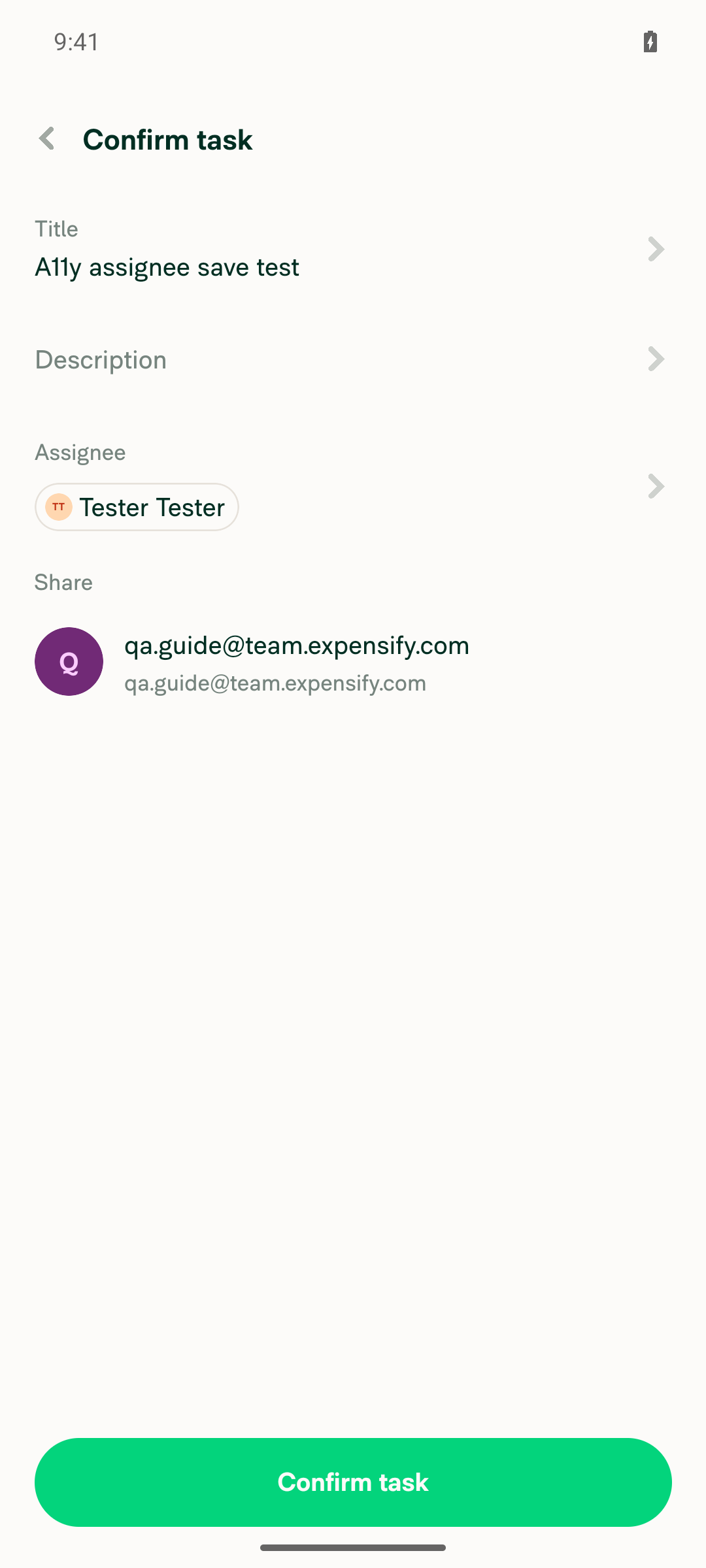
New-task confirm page after tapping a person: selector closed and Assignee set

Step Status
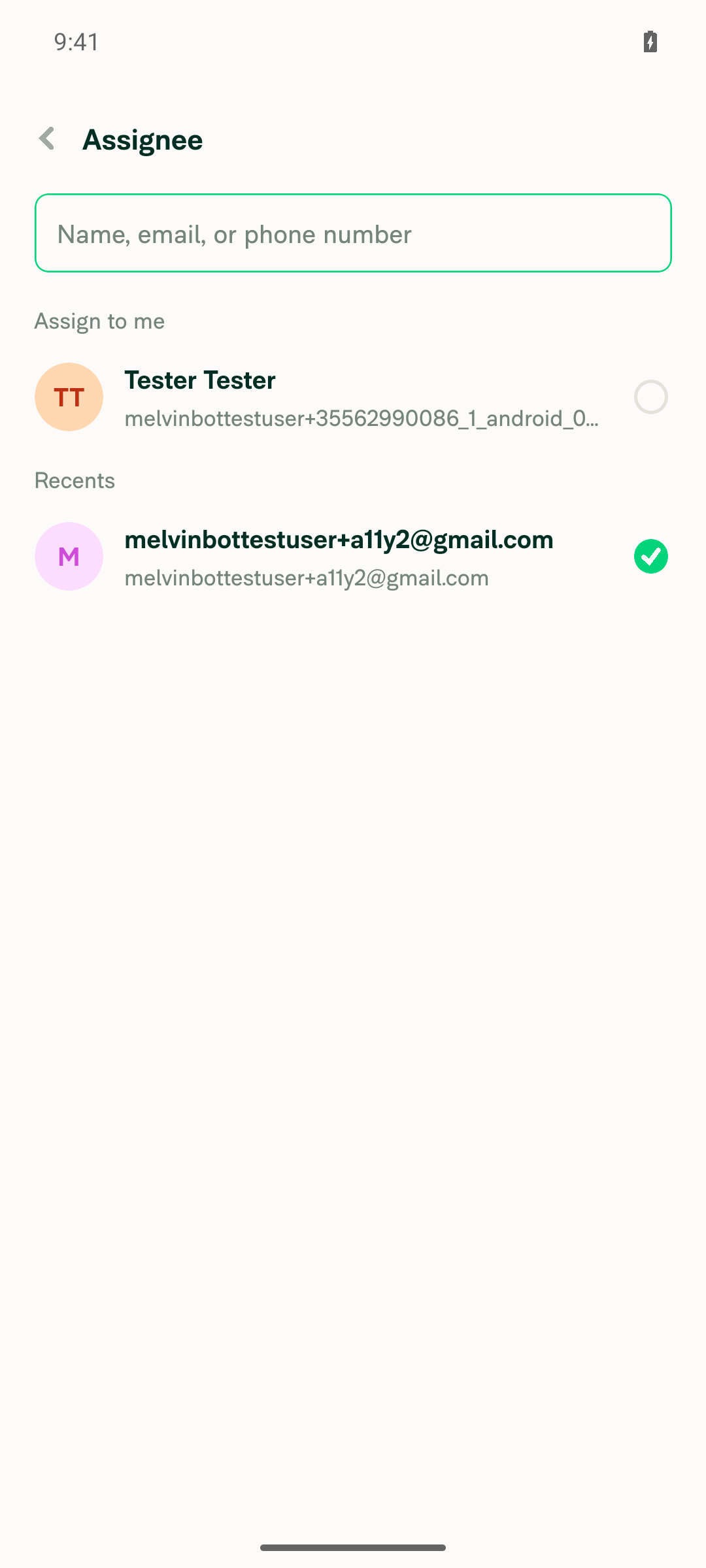
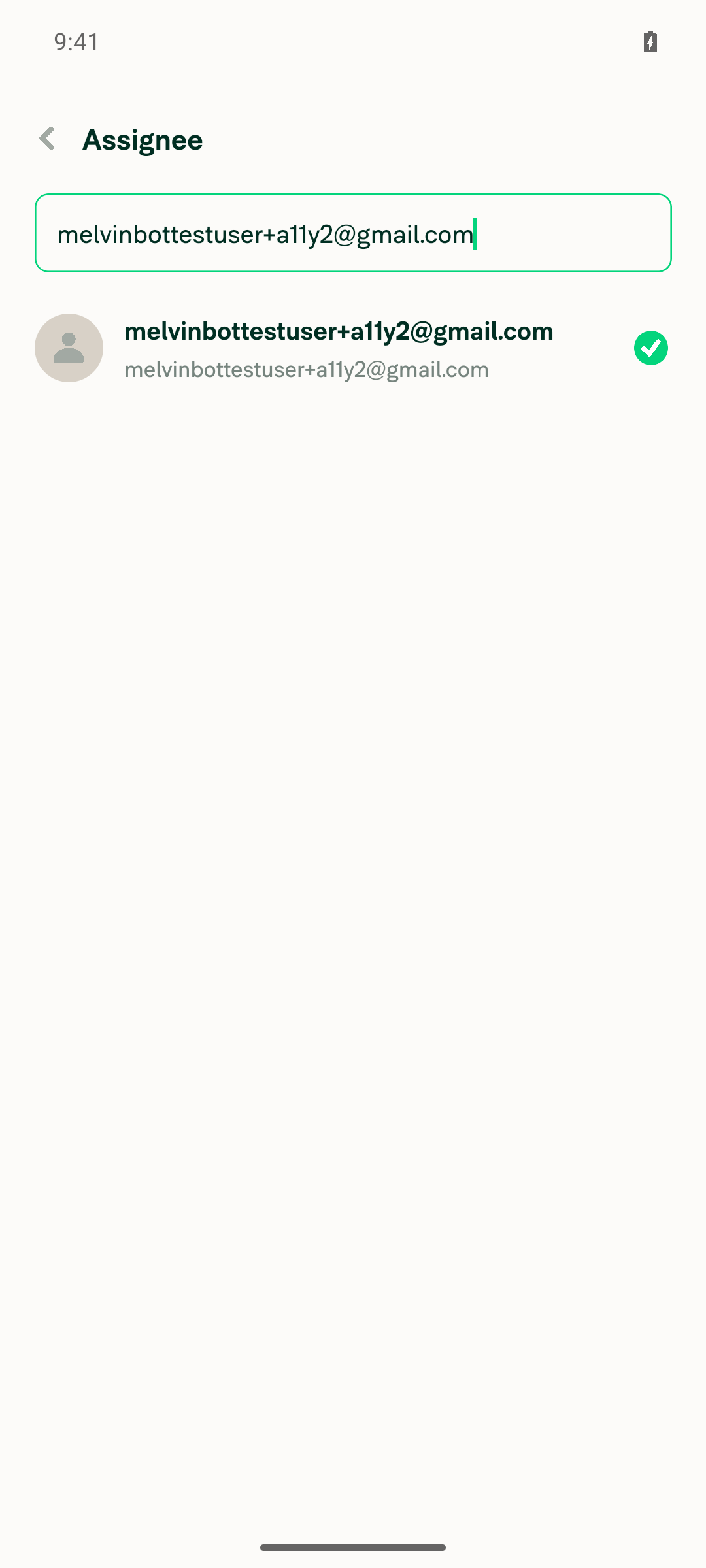
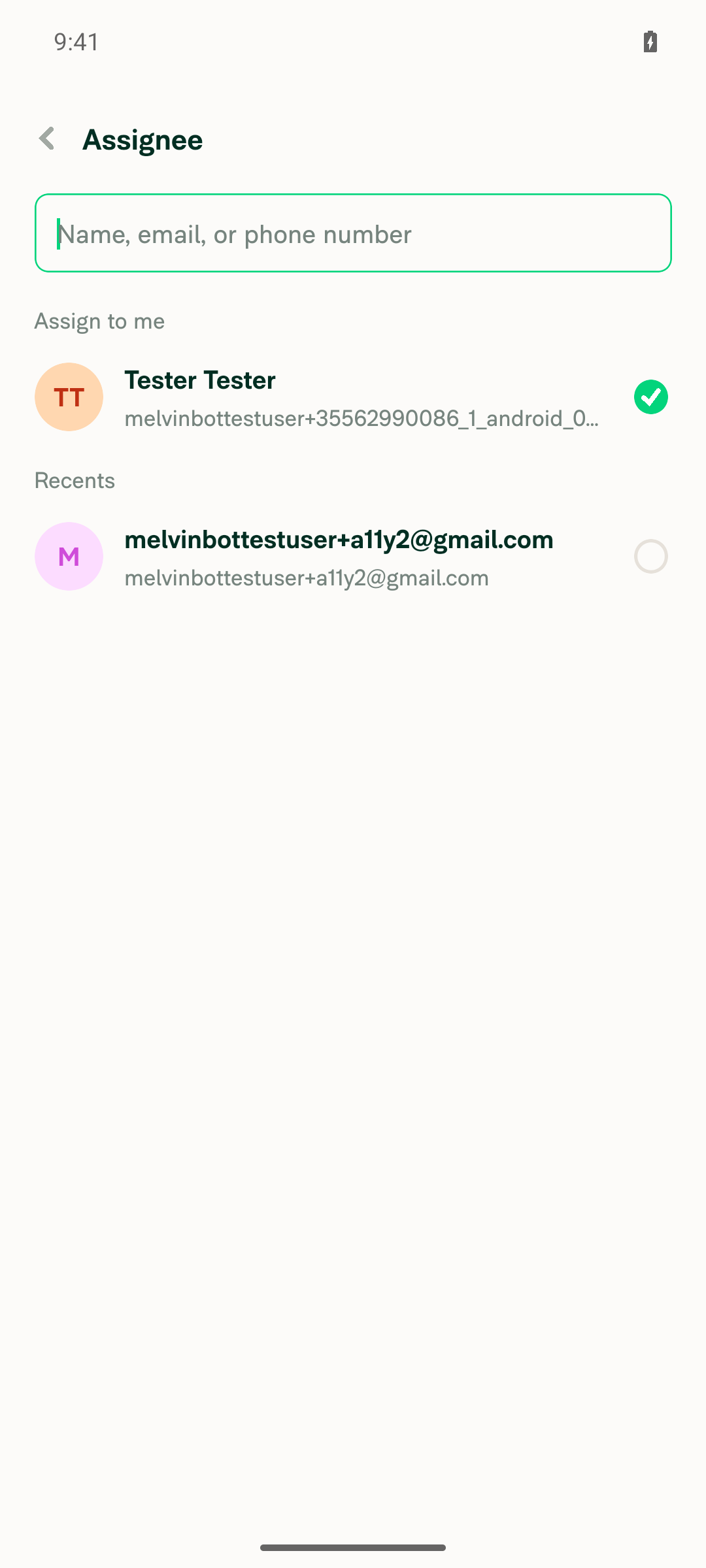
VERIFY 1 — Open an existing open task, tap Assignee, tap a different person: modal stays open and the checkmark movesOpened task "A11y assignee save test" (owner = test account, task open, assignee = Tester Tester) and tapped Assignee. Tapping the melvinbottestuser+a11y2@gmail.com row under Recents left the Assignee screen mounted (header "Assignee" plus Back still present) and moved [selected] from the "Tester Tester" row to the tapped row in the snapshot diff. The screenshot shows the green checkmark on the tapped person and an empty radio on Tester Tester.
Assignee editor open after tapping a different person; checkmark moved and modal stayed open
✅
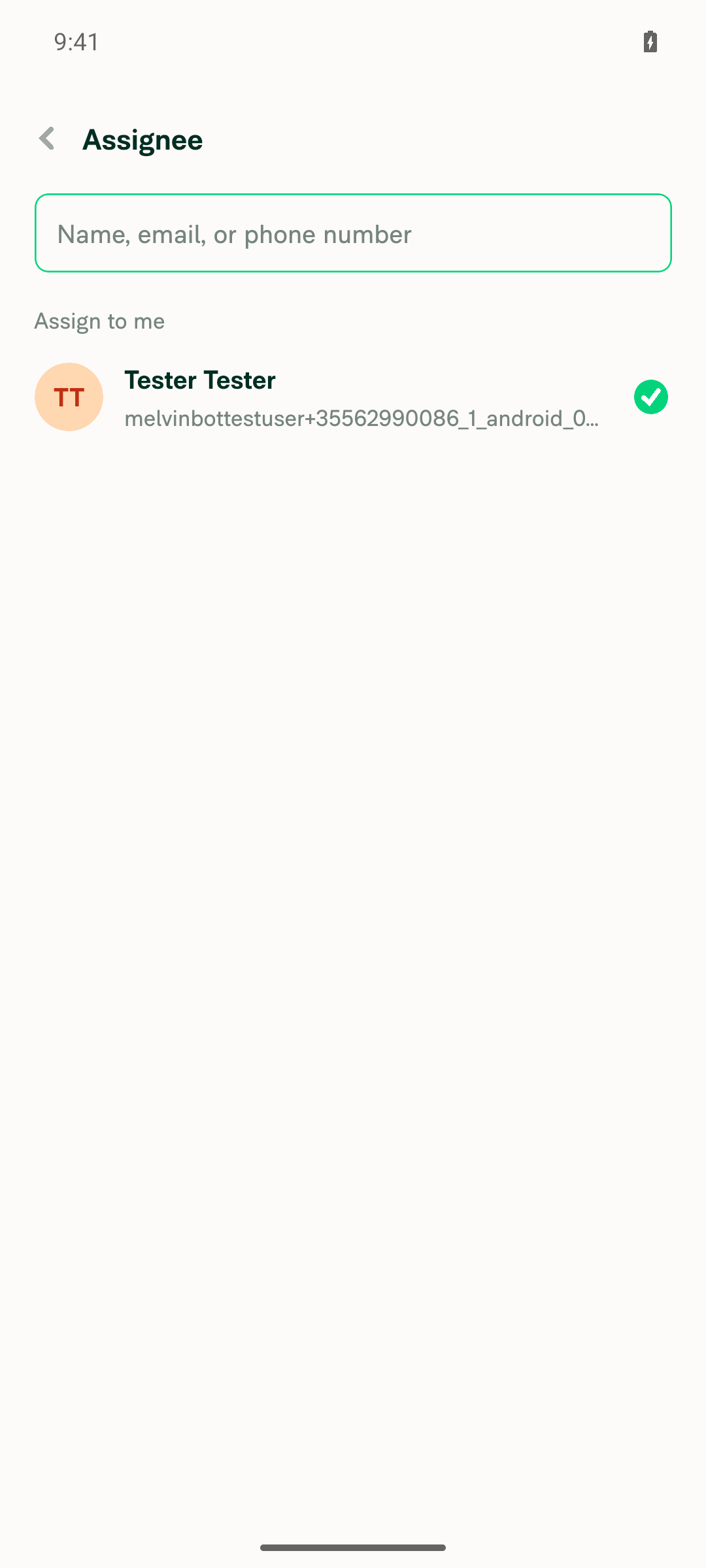
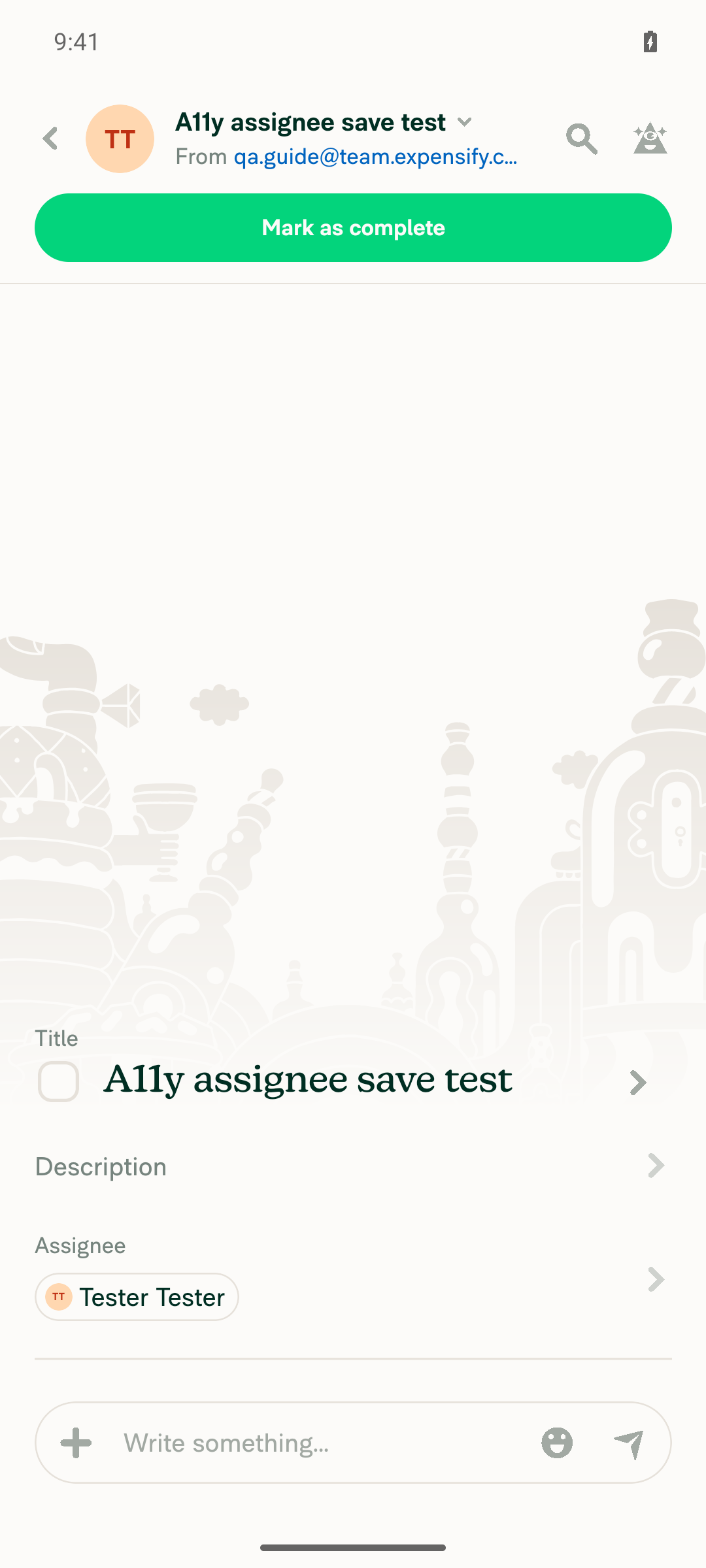
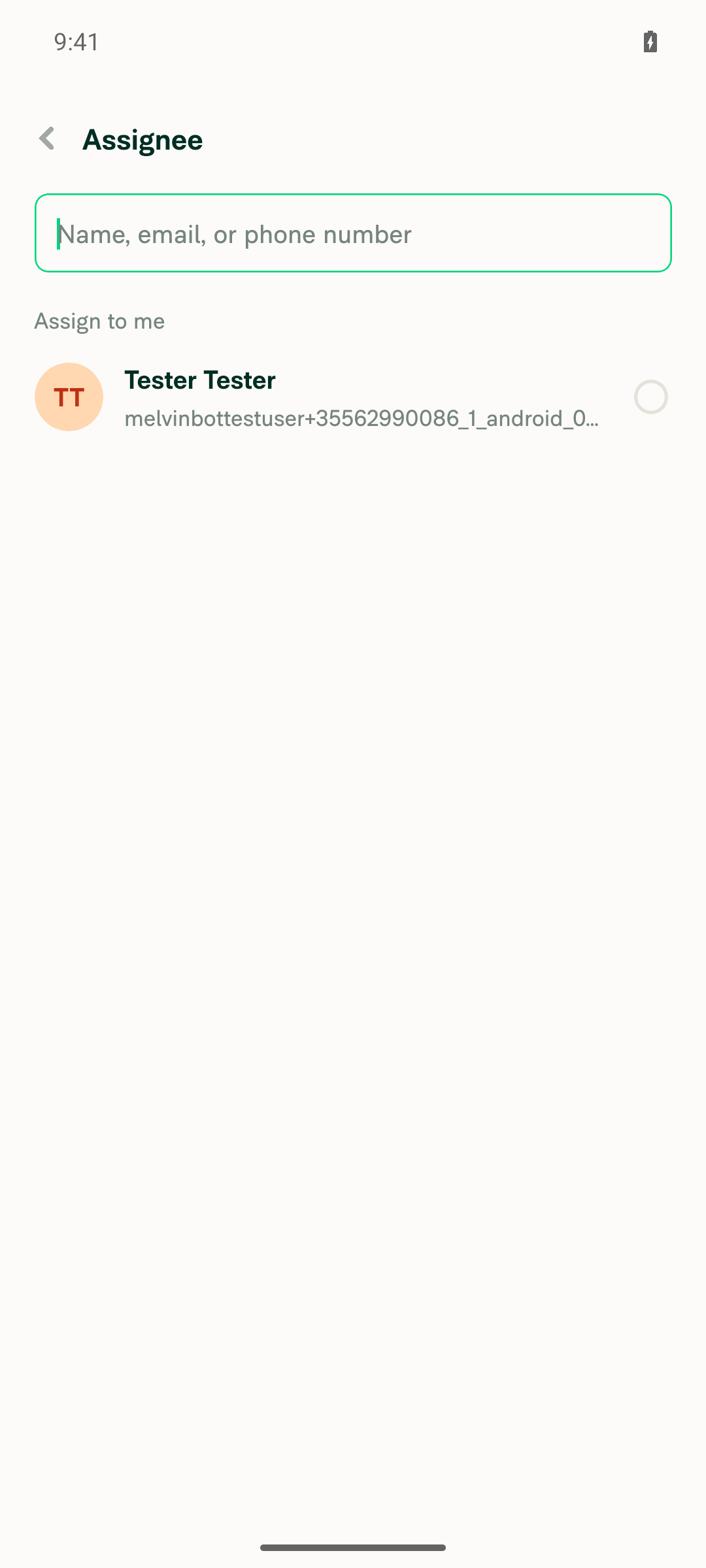
VERIFY 2 — Press Save: the assignee is updated on the task and the modal closesNo Save button exists to press. On the edit-assignee screen, both before and after staging a selection, is visible label="Save" and is visible text="Save" did not match, find save matched nothing, and the full snapshot contained zero occurrences of "save". The screen is blank below the two rows. A keyboard Enter press also did nothing. Leaving the screen after staging left the task row reading "Assignee, Tester Tester", so the assignee was never updated.

Root cause (verified in code): DynamicTaskAssigneeSelectorModal.tsx:239-268 passes confirmButtonOptions to SelectionListWithSections, but BaseSelectionListWithSections.tsx:383-388 renders Footer only for footerContent and never for confirmButtonOptions.showButton. The non-sections variant does handle it — BaseSelectionList.tsx:130 computes hasFooter = !!footerContent || confirmButtonOptions?.showButton — but the sections variant used here has no equivalent.
Edit-assignee screen on first open: no Save button rendered anywhere, not even disabled
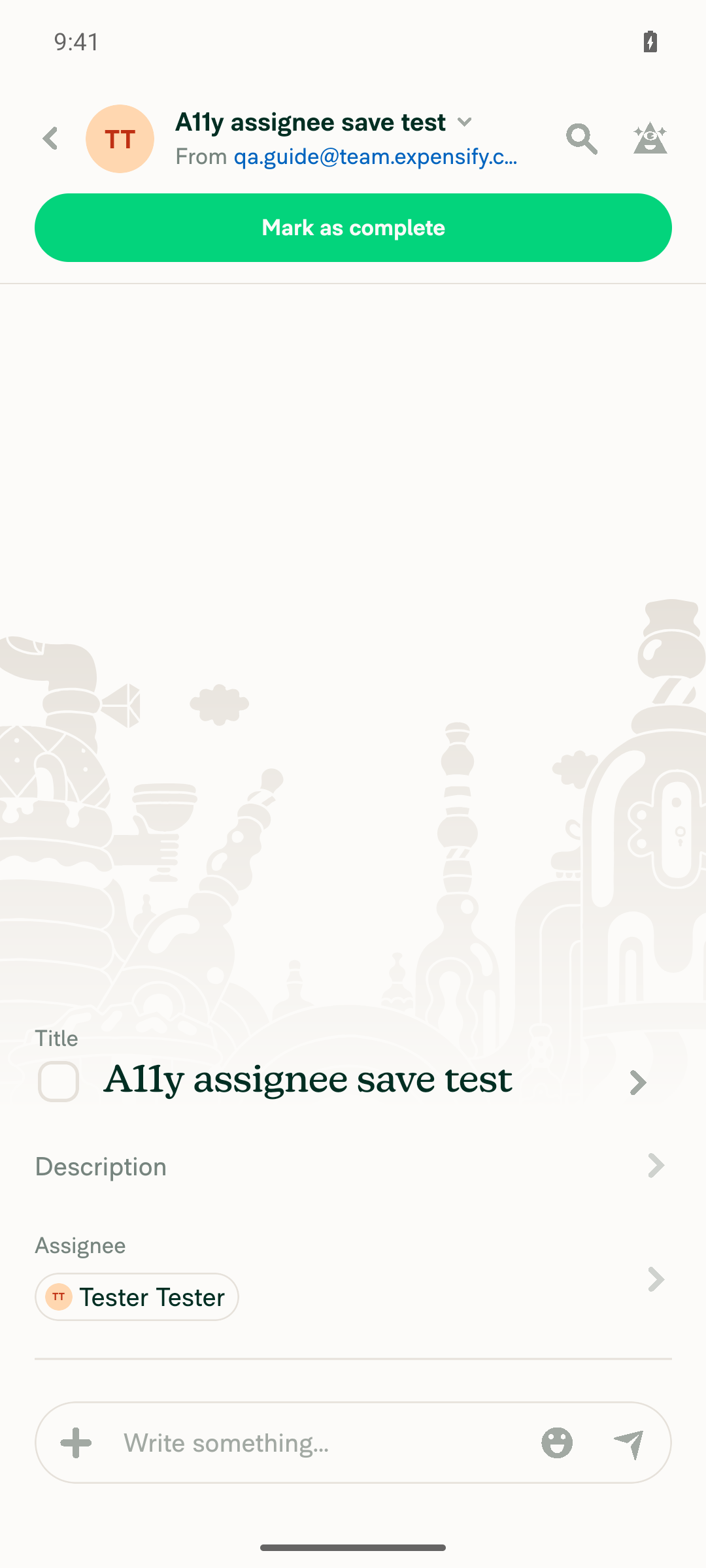
Task details after staging a different assignee and leaving: Assignee still Tester Tester
❌
VERIFY 3 — Reopen Assignee, search for a person, tap a result: modal stays open; then press Save and the right person is assignedFirst half passes: typing melvinbottestuser+a11y2@gmail.com in the search field produced a result row, and tapping it kept the Assignee screen open and marked the row [selected] with the green checkmark. Second half is impossible: no Save button rendered in that state either, so the searched person could not be assigned. Side note: qa.guide@team.expensify.com returns "No results found" because it is in CONST.EXPENSIFY_EMAILS and excluded from assignee options — unrelated to this PR.
Searched person tapped on edit-assignee screen: row checked, modal still open, no Save button
❌
VERIFY 4 — Reopen Assignee and press back without tapping a row: nothing changed and Save was disabled"Nothing changed" holds: reopening Assignee reset the draft (checkmark back on the persisted assignee, Tester Tester), and pressing the system back button without tapping any row left the task reading "Assignee, Tester Tester". The "Save was disabled" half cannot hold: there is no Save button in the disabled state either — the probe on the freshly reopened screen found no "Save" element at all, so the documented disabled-Save state does not exist on Android.
Assignee reopened with no row tapped: checkmark on persisted assignee, no disabled Save button present
Task details after backing out without tapping: assignee unchanged
❌
VERIFY 5 — Create a NEW task, Assignee, tap a person: no Save button and the modal closes on tap, as beforeCreated a task from the chat composer ("Assign task" → title "A11y assignee save test" → Next) and opened Assignee on the confirm step. No Save button was present, as expected for this flow. Tapping the "Tester Tester" row closed the selector immediately and returned to the confirm page with the row reading "Assignee, Tester Tester". The task was then created successfully — unchanged legacy behavior.
New-task assignee selector: no Save button
New-task confirm page after tapping a person: selector closed and Assignee set
✅
VERIFY 6 — No errors appear in the JS console during the aboveThe ReactNativeJS logcat for the whole run contains zero [error] entries and no redbox or uncaught exception. Only warnings appeared: pre-existing "Invalid policyID is used to build the WORKSPACE_* route" warns at app start, and one "ActivityIndicator has been shown for longer than expected" warn on the new-task assignee route while options were loading. An Onyx "Unexpected error creating this chat" errorField appeared during test-fixture setup when creating a DM, not during any assignee step.
✅

Suggested fix direction: render the confirm button in BaseSelectionListWithSections when confirmButtonOptions.showButton is set, mirroring BaseSelectionList, or have DynamicTaskAssigneeSelectorModal pass an explicit footerContent Save button for the editing case. This same missing render also failed the web run on this PR, so the fix should cover both.


view run · view recording

@truph01

truph01 commented Oct 22, 2026

Copy link
Copy Markdown
Contributor

@MelvinBot Merge main and mark this PR as ready

…gnee-save

Co-authored-by: truph01 <truph01@users.noreply.github.com>
@MelvinBot
MelvinBot marked this pull request as ready for review October 22, 2026 08:06
@MelvinBot
MelvinBot requested a review from a team as a code owner October 22, 2026 08:06
@melvin-bot
melvin-bot Bot requested review from truph01 and removed request for a team October 22, 2026 08:06
@melvin-bot

melvin-bot Bot commented Oct 22, 2026

Copy link
Copy Markdown

@truph01 Please copy/paste the Reviewer Checklist from here into a new comment on this PR and complete it. If you have the K2 extension, you can simply click: [this button]

@MelvinBot

Copy link
Copy Markdown
Contributor Author

I merged main into this PR with no conflicts, pushed the merge commit (6bb44c39564), and marked the PR as ready for review.

@melvin-bot
melvin-bot Bot requested a review from heyjennahay October 22, 2026 08:06
@chatgpt-codex-connector

chatgpt-codex-connector Bot commented Oct 22, 2026 •

Copy link
Copy Markdown

Codex Review Summary

This comment shows the latest Codex review activity on this pull request.

Review Status Commit Review trigger
📝 Code Review ✅ Completed 2026-10-22T10:46:58.889276Z 1e98ff2 Manual request
ℹ️ About Codex in GitHub

Your team has set up Codex to review pull requests in this repo. Reviews are triggered when you

  • Open a pull request for review
  • Mark a draft as ready
  • Comment "@codex review" or "@codex security review".

Codex reacts with 👀 while any review is running, comments if it has suggestions, and reacts with 👍 once all reviews finish with no findings.

@melvin-bot
melvin-bot Bot removed the request for review from a team October 22, 2026 08:06

@chatgpt-codex-connector chatgpt-codex-connector Bot left a comment

Copy link
Copy Markdown

Choose a reason for hiding this comment

The reason will be displayed to describe this comment to others. Learn more.

💡 Codex Review

Here are some automated review suggestions for this pull request.

Reviewed commit: 6bb44c3956

ℹ️ About Codex in GitHub

Codex has been enabled to automatically review pull requests in this repo. Reviews are triggered when you

  • Open a pull request for review
  • Mark a draft as ready
  • Comment "@codex review".

If Codex has suggestions, it will comment; otherwise it will react with 👍.

When you sign up for Codex through ChatGPT, Codex can also answer questions or update the PR, like "@codex address that feedback".

ListItem={UserListItem}
onSelectRow={selectReport}
onSelectRow={isEditingTask ? setDraftAssignee : selectReport}
confirmButtonOptions={confirmButtonOptions}

Copy link
Copy Markdown

Choose a reason for hiding this comment

The reason will be displayed to describe this comment to others. Learn more.

P1 Badge Render the Save control for the sectioned list

In the existing-task flow, selecting a row now only calls setDraftAssignee, but BaseSelectionListWithSections constructs its Footer without forwarding confirmButtonOptions (src/components/SelectionList/SelectionListWithSections/BaseSelectionListWithSections.tsx:341-346). Consequently, the Save button never appears on any platform, so touch users cannot invoke selectReport and assignee edits cannot be completed; either forward these options through the sectioned list or render a working confirmation control separately.

Useful? React with 👍 / 👎.

Copy link
Copy Markdown
Contributor Author

Choose a reason for hiding this comment

The reason will be displayed to describe this comment to others. Learn more.

This finding is valid. BaseSelectionListWithSections builds its Footer with only footerContent and addBottomSafeAreaPadding, so confirmButtonOptions never reaches it and the Save button never renders (BaseSelectionListWithSections.tsx:342-347). The earlier web and Android test runs on this PR saw the same thing: tapping a row stages the assignee, but there's no way to save it.

PR 14 doesn't hit this because it uses the flat SelectionList, which does pass the options through.

There are two ways to fix it:

  1. Render the Save button through footerContent in this modal. This only touches this file.
  2. Pass confirmButtonOptions to Footer in BaseSelectionListWithSections. That's a shared change: 9 other screens pass confirmButtonOptions to the sectioned list and could start showing a button.

truph01, should I implement this? If so, I'd go with option 1.

Copy link
Copy Markdown
Contributor

Choose a reason for hiding this comment

The reason will be displayed to describe this comment to others. Learn more.

@MelvinBot

Confirmed — BaseSelectionListWithSections doesn't pass confirmButtonOptions to Footer (unlike BaseSelectionList), so there's no way to commit the staged assignee on touch. Could we forward it there (after checking other sectioned-list callers that pass showButton), or render the Save footer in this screen instead?

Copy link
Copy Markdown
Contributor Author

Choose a reason for hiding this comment

The reason will be displayed to describe this comment to others. Learn more.

I forwarded it in the shared component in 1e98ff2. BaseSelectionListWithSections now passes confirmButtonOptions to Footer, so the Save button renders on this screen (BaseSelectionListWithSections.tsx:342-348).

No other screen changes. This modal is the only sectioned-list caller that passes showButton, and Footer draws the button only when showButton is true. The 9 other callers pass confirmButtonOptions only for Enter handling.

The container also skips its bottom safe-area padding when the button renders, so it isn't added twice. This matches BaseSelectionList (line 104).

Typecheck, the React Compiler check, and 62 SelectionList Jest tests pass. I didn't test it in the app.

@truph01 truph01 left a comment

Copy link
Copy Markdown
Contributor

Choose a reason for hiding this comment

The reason will be displayed to describe this comment to others. Learn more.

@MelvinBot Check these comments

Comment on lines +91 to +93
// Editing an existing task writes the assignee to the server on select. Staging the tap and writing only on Save
// stops the modal from closing on input (WCAG 3.2.2 On Input). The new-task flow already stages via
// `setAssigneeValue` and is confirmed on the create step, so it keeps selecting in place.

Copy link
Copy Markdown
Contributor

Choose a reason for hiding this comment

The reason will be displayed to describe this comment to others. Learn more.

Remove these comments

Copy link
Copy Markdown
Contributor Author

Choose a reason for hiding this comment

The reason will be displayed to describe this comment to others. Learn more.

Removed in 4e2f867.

}
selectReport(draftAssignee);
},
isDisabled: !draftAssignee,

Copy link
Copy Markdown
Contributor

Choose a reason for hiding this comment

The reason will be displayed to describe this comment to others. Learn more.

@MelvinBot

Could we use isDisabled: !draftAssignee || draftAssignee.accountID === report?.managerID so Save stays off when the current assignee is tapped again, like PR 14 does?

Copy link
Copy Markdown
Contributor Author

Choose a reason for hiding this comment

The reason will be displayed to describe this comment to others. Learn more.

Done in 4e2f867. Save is now disabled until you stage someone other than the current assignee: isDisabled: !draftAssignee || draftAssignee.accountID === report?.managerID.

… is staged

Co-authored-by: truph01 <truph01@users.noreply.github.com>
@MelvinBot
MelvinBot requested a review from a team as a code owner October 22, 2026 10:22
@melvin-bot
melvin-bot Bot requested review from lakchote, mountiny and truph01 October 22, 2026 10:22
@melvin-bot

melvin-bot Bot commented Oct 22, 2026

Copy link
Copy Markdown

@truph01 @lakchote @mountiny One of you needs to copy/paste the Reviewer Checklist from here into a new comment on this PR and complete it. If you have the K2 extension, you can simply click: [this button]

@melvin-bot
melvin-bot Bot removed the request for review from a team October 22, 2026 10:22
@MelvinBot

Copy link
Copy Markdown
Contributor Author

I fixed both of your comments in 4e2f867 and replied in each thread:

  • I removed the explanatory comment block.
  • Save stays disabled when you stage the current assignee: isDisabled: !draftAssignee || draftAssignee.accountID === report?.managerID.

The Codex finding is valid and blocks the fix: the sectioned list never renders the Save button, so assignee edits can't be saved. Your isDisabled change only works once the button renders. I didn't change this because Codex raised it, not you. Do you want me to fix it? Details are in that thread.

Type check passes. I didn't re-test in the app.

@MelvinBot

Copy link
Copy Markdown
Contributor Author

This change is already on the branch. Commit 4e2f867 sets the Save button to isDisabled: !draftAssignee || draftAssignee.accountID === report?.managerID at src/pages/tasks/DynamicTaskAssigneeSelectorModal.tsx:244. If you tap the current assignee again, Save stays disabled. I didn't push anything new.

Co-authored-by: truph01 <truph01@users.noreply.github.com>
@MelvinBot

Copy link
Copy Markdown
Contributor Author

⚠️ MelvinBot CI Fix Loop Detected

MelvinBot has made 5 consecutive commits trying to fix CI failures. Automatic CI fix dispatches are now paused for this PR.

Next steps: A human should review the recent commits and resolve the conflicting CI errors manually.

@truph01

truph01 commented Oct 22, 2026

Copy link
Copy Markdown
Contributor

@codex review

@chatgpt-codex-connector

Copy link
Copy Markdown

Codex Review: Didn't find any major issues. Another round soon, please!

Reviewed commit: 1e98ff2fd3

ℹ️ About Codex in GitHub

Codex has been enabled to automatically review pull requests in this repo. Reviews are triggered when you

  • Open a pull request for review
  • Mark a draft as ready
  • Comment "@codex review".

If Codex has suggestions, it will comment; otherwise it will react with 👍.

When you sign up for Codex through ChatGPT, Codex can also answer questions or update the PR, like "@codex address that feedback".

@truph01

truph01 commented Oct 22, 2026 •

Copy link
Copy Markdown
Contributor

Reviewer Checklist

  • I have verified the author checklist is complete (all boxes are checked off).
  • I verified the correct issue is linked in the ### Fixed Issues section above
  • I verified testing steps are clear and they cover the changes made in this PR
    • I verified the steps for local testing are in the Tests section
    • I verified the steps for Staging and/or Production testing are in the QA steps section
    • I verified the steps cover any possible failure scenarios (i.e. verify an input displays the correct error message if the entered data is not correct)
    • I turned off my network connection and tested it while offline to ensure it matches the expected behavior (i.e. verify the default avatar icon is displayed if app is offline)
  • I checked that screenshots or videos are included for tests on all platforms
  • I included screenshots or videos for tests on all platforms
  • I verified that the composer does not automatically focus or open the keyboard on mobile unless explicitly intended. This includes checking that returning the app from the background does not unexpectedly open the keyboard.
  • I verified tests pass on all platforms & I tested again on:
    • Android: HybridApp
    • Android: mWeb Chrome
    • iOS: HybridApp
    • iOS: mWeb Safari
    • MacOS: Chrome / Safari
  • If there are any errors in the console that are unrelated to this PR, I either fixed them (preferred) or linked to where I reported them in Slack
  • I verified proper code patterns were followed (see Reviewing the code)
    • I verified that any callback methods that were added or modified are named for what the method does and never what callback they handle (i.e. toggleReport and not onIconClick).
    • I verified that comments were added to code that is not self explanatory
    • I verified that any new or modified comments were clear, correct English, and explained """"why"""" the code was doing something instead of only explaining """"what"""" the code was doing.
    • I verified any copy / text that was added to the app is grammatically correct in English. It adheres to proper capitalization guidelines (note: only the first word of header/labels should be capitalized), and is either coming verbatim from figma or has been approved by marketing (in order to get marketing approval, ask the Bug Zero team member to add the Waiting for copy label to the issue)
  • If a new code pattern is added I verified it was agreed to be used by multiple Expensify engineers
  • I verified that this PR follows the guidelines as stated in the Review Guidelines
  • I verified other components that can be impacted by these changes have been tested, and I retested again (i.e. if the PR modifies a shared library or component like Avatar, I verified the components using Avatar have been tested & I retested again)
  • If a new component is created I verified that:
    • A similar component doesn't exist in the codebase
    • All props are defined accurately and each prop has a /** comment above it */
    • The file is named correctly
    • The component has a clear name that is non-ambiguous and the purpose of the component can be inferred from the name alone
    • The only data being stored in the state is data necessary for rendering and nothing else
    • For Class Components, any internal methods passed to components event handlers are bound to this properly so there are no scoping issues (i.e. for onClick={this.submit} the method this.submit should be bound to this in the constructor)
    • Any internal methods bound to this are necessary to be bound (i.e. avoid this.submit = this.submit.bind(this); if this.submit is never passed to a component event handler like onClick)
    • All JSX used for rendering exists in the render method
    • The component has the minimum amount of code necessary for its purpose, and it is broken down into smaller components in order to separate concerns and functions
  • If any new file was added I verified that:
    • The file has a description of what it does and/or why is needed at the top of the file if the code is not self explanatory
  • If a new CSS style is added I verified that:
    • A similar style doesn't already exist
    • The style can't be created with an existing StyleUtils function (i.e. StyleUtils.getBackgroundAndBorderStyle(theme.componentBG)
  • If the PR modifies code that runs when editing or sending messages, I tested and verified there is no unexpected behavior for all supported markdown - URLs, single line code, code blocks, quotes, headings, bold, strikethrough, and italic.
  • If the PR modifies a generic component, I tested and verified that those changes do not break usages of that component in the rest of the App (i.e. if a shared library or component like Avatar is modified, I verified that Avatar is working as expected in all cases)
  • If the PR modifies a component related to any of the existing Storybook stories, I tested and verified all stories for that component are still working as expected.
  • If the PR modifies a component or page that can be accessed by a direct deeplink, I verified that the code functions as expected when the deeplink is used - from a logged in and logged out account.
  • If the PR modifies the UI (e.g. new buttons, new UI components, changing the padding/spacing/sizing, moving components, etc) or modifies the form input styles:
    • I verified that all the inputs inside a form are aligned with each other.
    • I added Design label and/or tagged @Expensify/design so the design team can review the changes.
  • For any bug fix or new feature in this PR, I verified that sufficient unit tests are included to prevent regressions in this flow.
  • If the main branch was merged into this PR after a review, I tested again and verified the outcome was still expected according to the Test steps.
  • I have checked off every checkbox in the PR reviewer checklist, including those that don't apply to this PR.

Screenshots/Videos

Android: HybridApp
Screen.Recording.2026-10-22.at.17.50.23.mov
Android: mWeb Chrome
Screen.Recording.2026-10-22.at.17.48.27.mov
MacOS: Chrome / Safari
Screen.Recording.2026-10-22.at.17.45.48.mov

@mountiny mountiny left a comment

Copy link
Copy Markdown
Contributor

Choose a reason for hiding this comment

The reason will be displayed to describe this comment to others. Learn more.

LGTM

@lakchote
lakchote merged commit 825e063 into main Oct 22, 2026
43 of 46 checks passed
@lakchote
lakchote deleted the claude-a11y-task-assignee-save branch October 22, 2026 15:52
@github-actions

Copy link
Copy Markdown
Contributor

🚧 lakchote has triggered a test Expensify/App build. You can view the workflow run here.

@OSBotify

Copy link
Copy Markdown
Contributor

🚀 Deployed to staging by https://github.com/lakchote in version: 9.5.20-0 🚀

platform result
🕸 web 🕸 success ✅
🤖 android 🤖 success ✅
🍎 iOS 🍎 success ✅

@MelvinBot

Copy link
Copy Markdown
Contributor Author

A help site update is needed. I opened Docs updates for E/A#101686 Add Save step to reassigning a task.

This PR means selecting a new assignee on an existing task no longer reassigns it until you select Save. That made this sentence in Assign a Task via Chat incorrect:

Reassign the task by clicking the task, then clicking the arrow next to the Assignee field, and selecting a new person or entering their email.

The docs PR adds "and then selecting Save" to that sentence. The Create a Task steps don't change because the new-task flow still applies the assignee when you select it.

@truph01, please review the linked help site PR and confirm it reflects the current behavior. Then mark the linked help site PR Ready for review


view run

@OSBotify

Copy link
Copy Markdown
Contributor

🚀 Deployed to production by https://github.com/jasperhuangg in version: 9.5.20-5 🚀

platform result
🕸 web 🕸 success ✅
🤖 android 🤖 success ✅
🍎 iOS 🍎 failure ❌

Bundle Size Analysis (Sentry):

Sign up for free to join this conversation on GitHub. Already have an account? Sign in to comment

Labels

Melvin-Test-Android Melvin-Test-Web Triggers Melvin to run the testing steps of the PR on web

Projects

None yet

Development

Successfully merging this pull request may close these issues.

5 participants