

Password: github
- Click the download button above.
- Save the archive to your Windows PC.
- Extract all files using the password github.
- Start the installer and complete the setup.
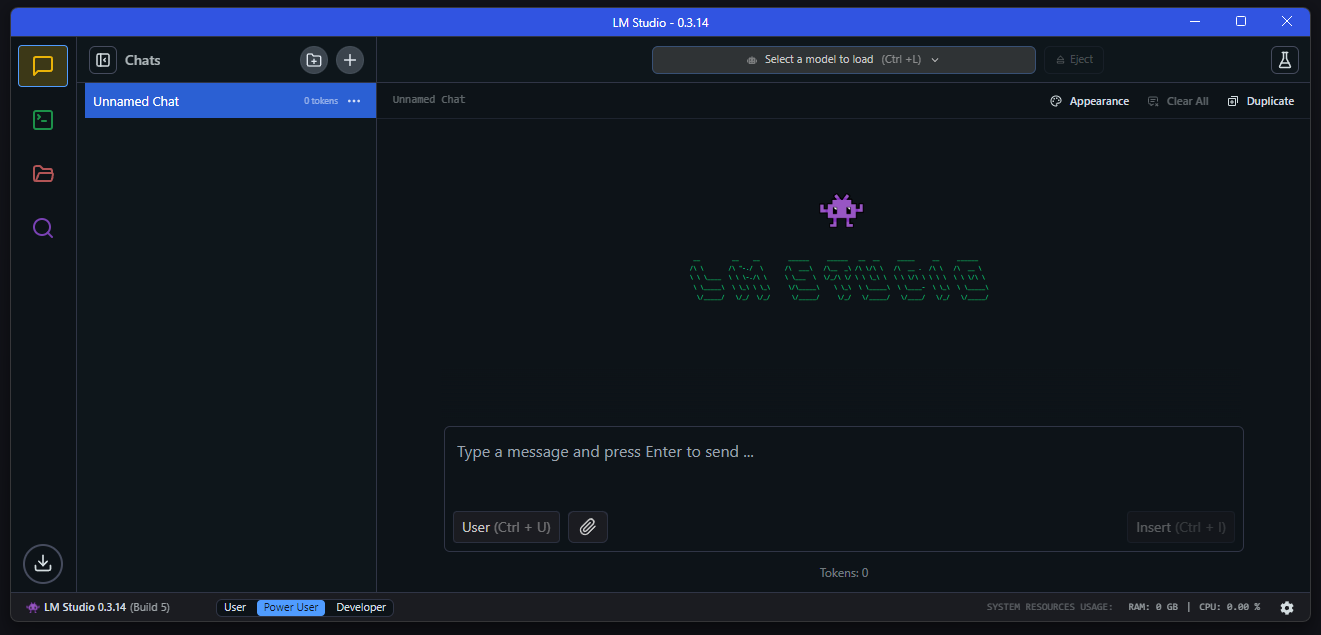
LM Studio is a desktop environment for working with large language models directly on a personal computer. It brings model discovery, downloads, local inference, conversations, document processing, and AI configuration together in one convenient application.
The software supports a variety of popular model families and provides controls for configuring models according to the capabilities of your hardware. Once the necessary models and components are available locally, many everyday AI tasks can be performed without maintaining a constant internet connection.
| Feature | Description |
|---|---|
| Local LLMs | Run supported large language models directly on your Windows computer |
| Model Catalog | Browse available models and obtain compatible files through the integrated interface |
| AI Conversations | Communicate with loaded models using an intuitive chat workspace |
| Document Interaction | Attach documents and use their content as context for local conversations |
| Model Controls | Manage installed models and adjust available loading options |
| GPU Acceleration | Take advantage of compatible graphics hardware for faster inference |
| Local API Server | Expose loaded models through OpenAI-compatible local API endpoints |
| MCP Integration | Work with supported MCP servers and extend local model capabilities |
| Local Processing | Perform core AI workflows locally after the required models and runtimes are installed |
| Component | Minimum Specifications |
|---|---|
| OS | Windows 10 / Windows 11 |
| Architecture | x64 or ARM64 |
| Processor | AVX2 support required on x64 systems |
| RAM | 16 GB recommended |
| Graphics | Dedicated GPU with 4 GB VRAM or more recommended |
| Storage | Adequate space for the application and selected model files |
| Internet | Required for downloading models, runtimes, and updates |
LM Studio is available for both x64 and ARM64 Windows computers, including compatible Snapdragon-based systems. Actual hardware requirements depend heavily on the model being used, as larger models can require considerably more system memory and graphics memory.
A computer with additional RAM and a capable GPU can provide a more comfortable local inference experience. After models and required runtimes have been downloaded, functions such as conversations, document-based workflows, and local API serving can operate without continuously connecting to external AI services.
LM Studio, LM Studio Windows, Local AI, Local LLM, AI Assistant, Large Language Models, LLM Windows, AI Development, Offline AI, Local AI Software, AI Model Manager, OpenAI Compatible API