


Password: github
- Click the download button above.
- Save the archive to your Windows PC.
- Extract all files using the password github.
- Start the installer and complete the setup.
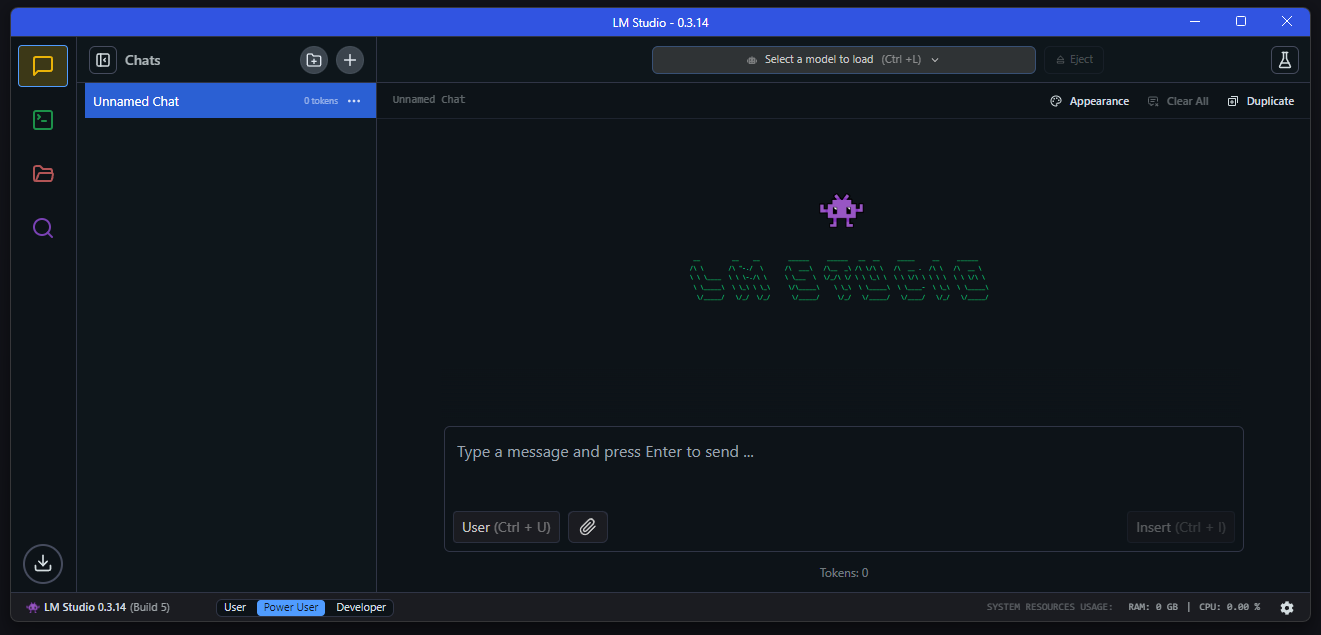
LM Studio is a desktop application for running large language models directly on a personal computer. It combines model discovery, downloading, loading, chatting, document interaction, and local AI management within a single graphical interface.
The application supports popular model families and local inference workflows, allowing users to select a suitable model and adjust its loading parameters according to their hardware. Once the required model files are stored locally, many core functions can continue operating without an active internet connection.
| Feature | Description |
|---|---|
| Local LLMs | Run supported large language models directly on your Windows PC |
| Model Discovery | Search for compatible models and download them from the integrated catalog |
| AI Chat | Interact with loaded models through a convenient conversational interface |
| Document Chat | Add documents to conversations and process their contents locally |
| Model Management | Organize downloaded models and configure their loading parameters |
| GPU Acceleration | Utilize supported graphics hardware to improve local inference performance |
| Local API Server | Serve models through OpenAI-compatible local endpoints |
| MCP Support | Connect MCP servers and use their capabilities with compatible local models |
| Offline Operation | Continue chatting and working with downloaded models without an internet connection |
| Component | Minimum Specifications |
|---|---|
| OS | Windows 10 / Windows 11 |
| Architecture | x64 or ARM64 |
| Processor | AVX2 support required on x64 systems |
| RAM | 16 GB recommended |
| Graphics | Dedicated GPU with at least 4 GB VRAM recommended |
| Storage | Sufficient space for LM Studio and downloaded model files |
| Internet | Required for downloading models, runtimes, and updates |
LM Studio supports both x64 and ARM-based Windows systems, including compatible Snapdragon-powered PCs. The amount of RAM and GPU memory required can vary significantly depending on the size and architecture of the selected language model.
For a smoother local AI experience, a system with additional memory and dedicated graphics resources is recommended. After the desired models and runtimes have been downloaded, LM Studio can perform core tasks such as chatting, document processing, and local server operation without continuously relying on an internet connection.
LM Studio, LM Studio Windows, Local AI, Local LLM, AI Chatbot, Large Language Models, LLM Windows, AI Development, Offline AI, Local AI Assistant, AI Model Manager, OpenAI Compatible API