Skip to content

Show the Reimbursable toggle on Do Not Force company card expenses - #104057

Open
MelvinBot wants to merge 7 commits into
mainfrom
claude-showReimbursableToggleDoNotForceCards
Open

MelvinBot wants to merge 7 commits into
mainfrom
claude-showReimbursableToggleDoNotForceCards

Conversation

@MelvinBot

@MelvinBot MelvinBot commented Oct 15, 2026 •

Copy link
Copy Markdown
Contributor

Explanation of Change

New Expensify hid the Reimbursable toggle on every company card expense. Company card expenses now show the toggle when their card feed's reimbursable setting is a "Do Not Force" option, matching Expensify Classic.

  • Adds CONST.COMPANY_CARD.FORCE_REIMBURSABLE and a forceReimbursable field on the transaction comment, which holds the feed setting stamped on the expense at import.
  • Adds isCardTransactionReimbursableEditable(transaction) to TransactionUtils:
    • Cash and personal card expenses: unchanged (true).
    • Expensify Card expenses: always false.
    • Company card expenses: only the stamped value decides. default_yes, default_no and none allow changes, while force_yes and force_no don't. The current feed setting is never read, so changing it only affects expenses imported afterward.
    • An expense with no stamped value behaves as force_no, so the toggle stays hidden.
  • Uses the helper in the expense view (MoneyRequestView), split edit (DynamicSplitExpenseEditPage) and bulk edit (SearchEditMultiplePage). Bulk edit hides the row if any selected card expense is forced, including unreported ones.
  • Company card expenses skip the workspace Cash expenses rule (disabledFields.reimbursable), because that rule only covers cash expenses. This keeps the toggle visible on "Always reimbursable/non-reimbursable" workspaces, and it doesn't disappear after one change.

Fixed Issues

$ #103341
PROPOSAL: #103341 (comment)

Tests

Same as Offline tests

  • Verify that no errors appear in the JS console

Offline tests

Prerequisites

  • Use a mock Company Card expense with managedCard: true.
  • Since the backend does not yet provide comment.forceReimbursable, use Debug mode to mock the values described below.
  • Open the expense, use the Debug option to navigate to the transaction, and edit its fields.
  • Go offline.

1. Verify Do Not Force

  1. Open a Company Card expense.
  2. In Debug, set:
    • reimbursable = true
    • comment.forceReimbursable = "default_yes"
  3. Return to the expense.
  4. Verify the Reimbursable toggle is displayed.
  5. Verify the toggle is initially ON.
  6. Toggle it OFF.
  7. Verify the UI updates correctly.
  8. Repeat steps 1–7 with comment.forceReimbursable = "default_no" and comment.forceReimbursable = "none".

2. Verify Force

  1. In Debug, set:
    • reimbursable = true
    • comment.forceReimbursable = "force_yes"
  2. Return to the expense.
  3. Verify the expense is reimbursable.
  4. Verify the Reimbursable toggle is not displayed.
  5. Repeat steps 1–4 with reimbursable = false and comment.forceReimbursable = "force_no".

3. Verify Bulk Edit

  1. Mock a Company Card expense with comment.forceReimbursable = "default_yes" or "default_no".
  2. Submit another cash expense.
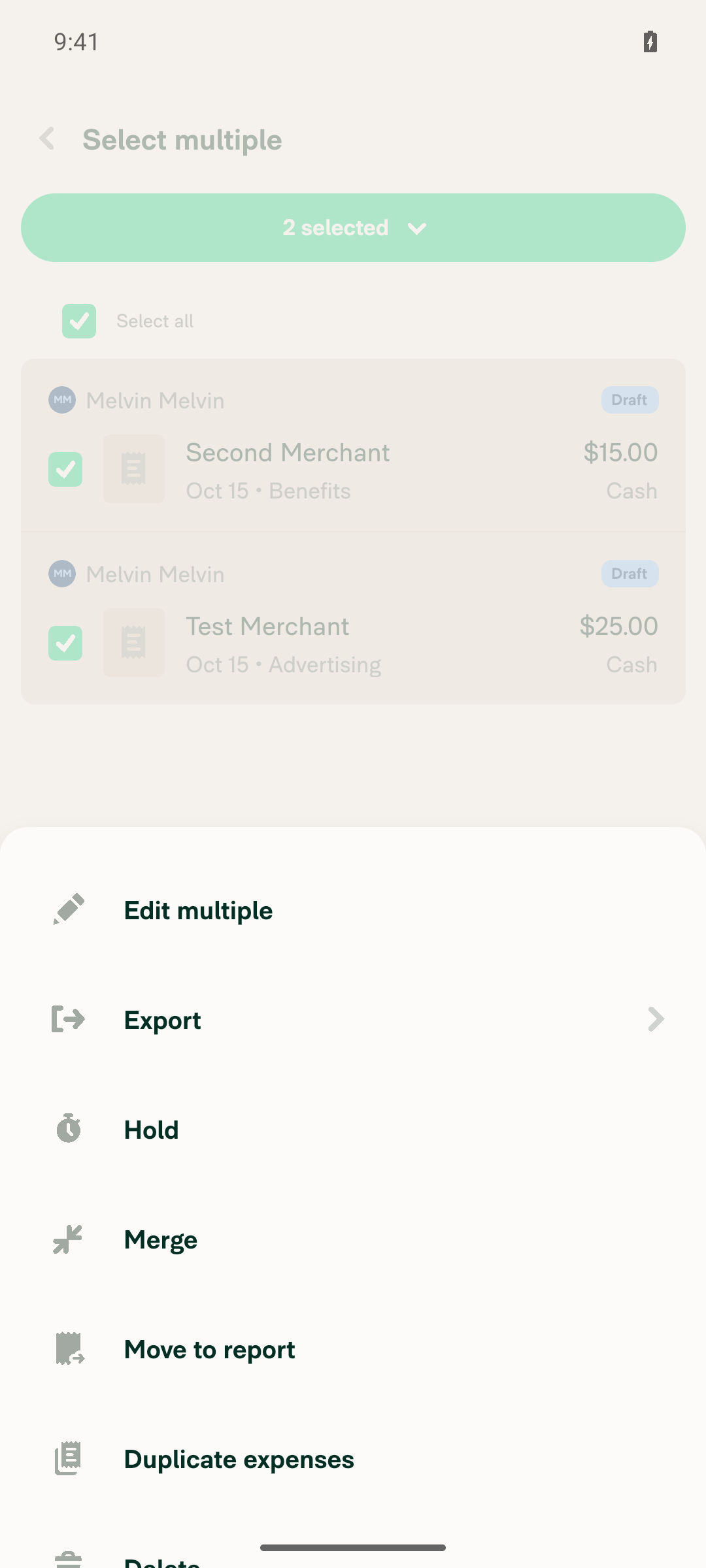
  3. Select both expenses and choose Edit multiple.
  4. Verify the Reimbursable field is displayed.
  5. Change its value and save.
  6. Verify the expense reflects the selected value.
  7. Repeat steps 1–3 with the selected Company Card expense having comment.forceReimbursable = "force_yes" or "force_no".
  8. Verify the Reimbursable field is not displayed.

4. Verify feed changes don't affect existing expenses

  1. Open a Company Card expense with no comment.forceReimbursable value.
  2. In Expensify Classic, set the card feed's Reimbursable setting to a "Do Not Force" option.
  3. Return to the expense.
  4. Verify the Reimbursable toggle is not displayed.
  5. In Debug, set comment.forceReimbursable = "force_no" on another Company Card expense, then set the feed to a "Do Not Force" option.
  6. Verify the Reimbursable toggle is still not displayed on that expense.

QA Steps

Same as Offline tests

  • Verify that no errors appear in the JS console

PR Author Checklist

  • I linked the correct issue in the ### Fixed Issues section above
  • I wrote clear testing steps that cover the changes made in this PR
    • I added steps for local testing in the Tests section
    • I added steps for the expected offline behavior in the Offline steps section
    • I added steps for Staging and/or Production testing in the QA steps section
    • I added steps to cover failure scenarios (i.e. verify an input displays the correct error message if the entered data is not correct)
    • I turned off my network connection and tested it while offline to ensure it matches the expected behavior (i.e. verify the default avatar icon is displayed if app is offline)
    • I tested this PR with a High Traffic account against the staging or production API to ensure there are no regressions (e.g. long loading states that impact usability).
  • I included screenshots or videos for tests on all platforms
  • I ran the tests on all platforms & verified they passed on:
    • Android: Native
    • Android: mWeb Chrome
    • iOS: Native
    • iOS: mWeb Safari
    • MacOS: Chrome / Safari
  • I verified there are no console errors (if there's a console error not related to the PR, report it or open an issue for it to be fixed)
  • I verified any copy / text that was added to the app is either coming verbatim from figma or has been approved by marketing (in order to get marketing approval, ask the Bug Zero team member to add the Waiting for copy label to the issue)
  • If a new code pattern is added I verified it was agreed to be used by multiple Expensify engineers
  • I tested other components that can be impacted by my changes (i.e. if the PR modifies a shared library or component like Avatar, I verified the components using Avatar are working as expected)
  • If new assets were added or existing ones were modified, I verified that:
    • The assets are optimized and compressed (for SVG files, run npm run compress-svg)
    • The assets load correctly across all supported platforms.
  • If the PR modifies code that runs when editing or sending messages, I tested and verified there is no unexpected behavior for all supported markdown - URLs, single line code, code blocks, quotes, headings, bold, strikethrough, and italic.
  • If the PR modifies a generic component, I tested and verified that those changes do not break usages of that component in the rest of the App (i.e. if a shared library or component like Avatar is modified, I verified that Avatar is working as expected in all cases)
  • If the PR modifies a component related to any of the existing Storybook stories, I tested and verified all stories for that component are still working as expected.
  • If the PR modifies a component or page that can be accessed by a direct deeplink, I verified that the code functions as expected when the deeplink is used - from a logged in and logged out account.
  • If the PR modifies the UI (e.g. new buttons, new UI components, changing the padding/spacing/sizing, moving components, etc) or modifies the form input styles:
    • I verified that all the inputs inside a form are aligned with each other.
    • I added Design label and/or tagged @Expensify/design so the design team can review the changes.
  • If the PR adds or modifies the UI:
    • I asked an AI agent to review the changes for accessibility issues and addressed its findings.
    • I tested with a screen reader (VoiceOver on macOS) and verified all new/changed elements are reachable with a logical focus order.
    • I verified all new/changed elements have meaningful accessible names and roles.
    • I verified state changes are announced (e.g. checked/unchecked, expanded/collapsed, selected).
  • I added unit tests for any new feature or bug fix in this PR to help automatically prevent regressions in this user flow.
  • If the main branch was merged into this PR after a review, I tested again and verified the outcome was still expected according to the Test steps.

Screenshots/Videos

Android: Native
Android: mWeb Chrome
iOS: Native
iOS: mWeb Safari
MacOS: Chrome / Safari

AI Tests

Ran locally by MelvinBot:

  • npm run typecheck: passed
  • npm run lint-changed: passed
  • npm run fmt (oxfmt): no changes outside this PR
  • npm run react-compiler-compliance-check check on the three changed components: passed. check-changed couldn't resolve the base branch in this environment.
  • npm run spell-changed: passed
  • Jest: TransactionUtilsTest (14 new tests), SearchEditMultiplePageTest (3 new tests), MoneyRequestViewTest, DebugUtilsTest and CardFeedUtilsTest all passed (350 tests across the four suites, plus the new helper tests).
  • Not run: the full npm test suite and the Storybook smoke test. These run in CI.
  • No manual app testing. A fresh test account has no company card expenses with a stamped forceReimbursable.

After removing the feed-setting fallback (be30f93):

  • npm run typecheck: passed
  • npm run lint on the changed files: passed
  • npm run react-compiler-compliance-check check on the four changed components and hooks: passed
  • Jest: TransactionUtilsTest and SearchEditMultiplePageTest passed (519 tests).
  • Not run: oxfmt and spell-changed, which weren't available in this environment. These run in CI.

Co-authored-by: dmkt9 <dmkt9@users.noreply.github.com>
@MelvinBot
MelvinBot requested a review from a team October 15, 2026 02:57
@melvin-bot melvin-bot Bot added Melvin-Test-Android Melvin-Test-Web Triggers Melvin to run the testing steps of the PR on web labels Oct 15, 2026
@MelvinBot

Copy link
Copy Markdown
Contributor Author

I created this PR from an upstream branch because I couldn't find a fork of App under dmkt9 that I can push to.

To take ownership of this branch and push updates yourself, run:

git remote add upstream https://github.com/Expensify/App.git
git fetch upstream claude-showReimbursableToggleDoNotForceCards
git checkout -b claude-showReimbursableToggleDoNotForceCards upstream/claude-showReimbursableToggleDoNotForceCards
git push -u origin claude-showReimbursableToggleDoNotForceCards

Then you can close this PR and open a new one from your fork. You can also keep this PR and ask me for changes with @MelvinBot <your request>.

@codecov

codecov Bot commented Oct 15, 2026 •

Copy link
Copy Markdown

Codecov Report

✅ Changes either increased or maintained existing code coverage, great job!

Files with missing lines Coverage Δ
src/CONST/index.ts 95.90% <ø> (ø)
...MoneyRequestConfirmationList/sections/selectors.ts 84.15% <ø> (ø)
...firmationListFooter/hooks/useFooterDerivedFlags.ts 100.00% <100.00%> (ø)
...c/components/ReportActionItem/MoneyRequestView.tsx 85.50% <100.00%> (ø)
src/libs/DebugUtils.ts 68.77% <ø> (ø)
src/libs/TransactionUtils/duplicates.ts 90.21% <100.00%> (+0.10%) ⬆️
src/libs/TransactionUtils/index.ts 95.60% <100.00%> (+0.06%) ⬆️
...arch/SearchEditMultiple/SearchEditMultiplePage.tsx 83.54% <100.00%> (+0.21%) ⬆️
src/pages/iou/DynamicSplitExpenseEditPage.tsx 0.00% <0.00%> (ø)
... and 12 files with indirect coverage changes

@MelvinBot

MelvinBot commented Oct 15, 2026 •

Copy link
Copy Markdown
Contributor Author

🤖 Android test steps verification results: ⚠️ partial

The PR's Tests section has no manual steps yet, so I tested the expected behavior from the linked issue. The Reimbursable toggle on cash expenses works and persists. I couldn't test company card or Expensify Card expenses because this test account has no card feed, and the bulk-edit check stopped when the app froze after I opened the bulk-action menu.
Bulk-action menu unresponsive

Step Status
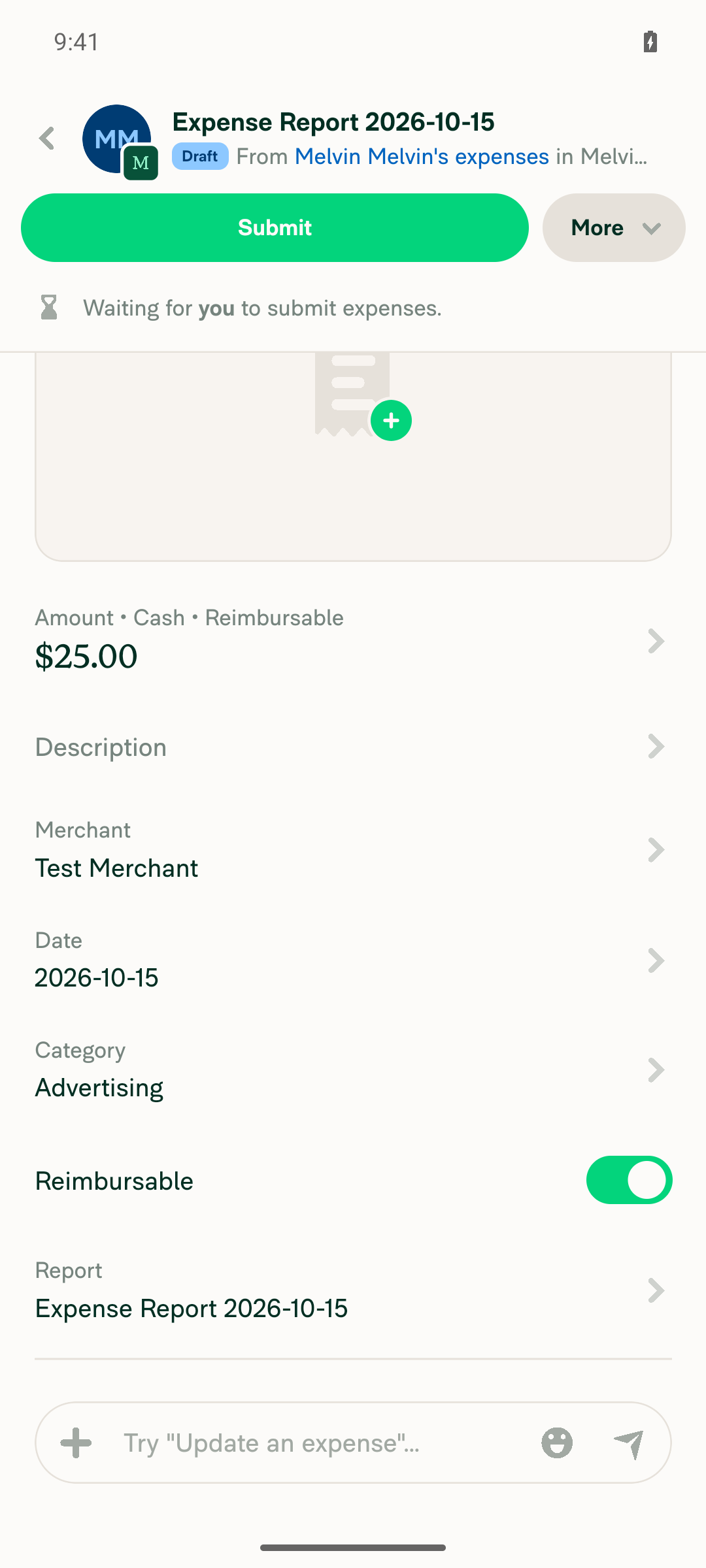
1. A cash expense on a workspace shows an editable Reimbursable toggleI created a $25.00 cash expense on a workspace. The expense shows "Amount • Cash • Reimbursable" and a Reimbursable row with the switch on.
Cash expense showing editable Reimbursable toggle
✅
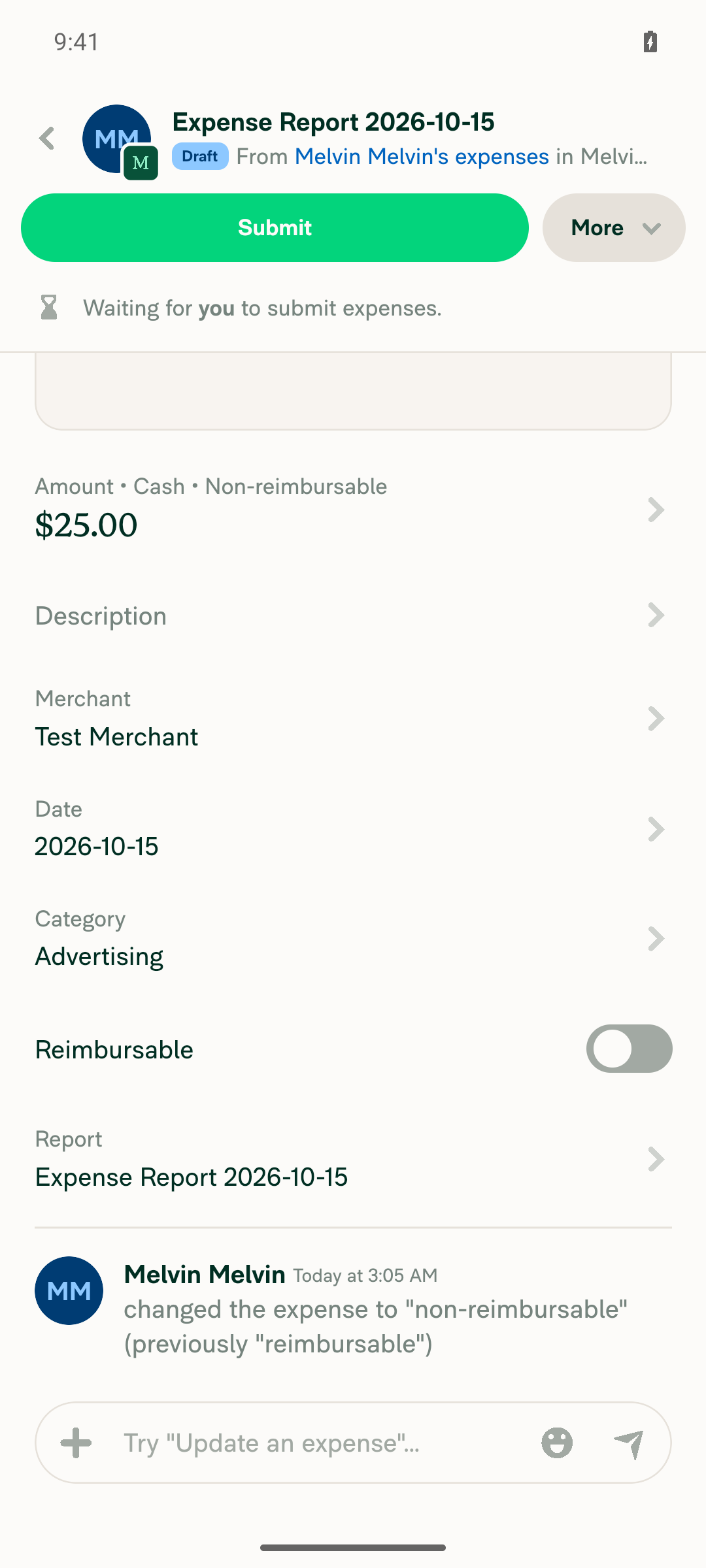
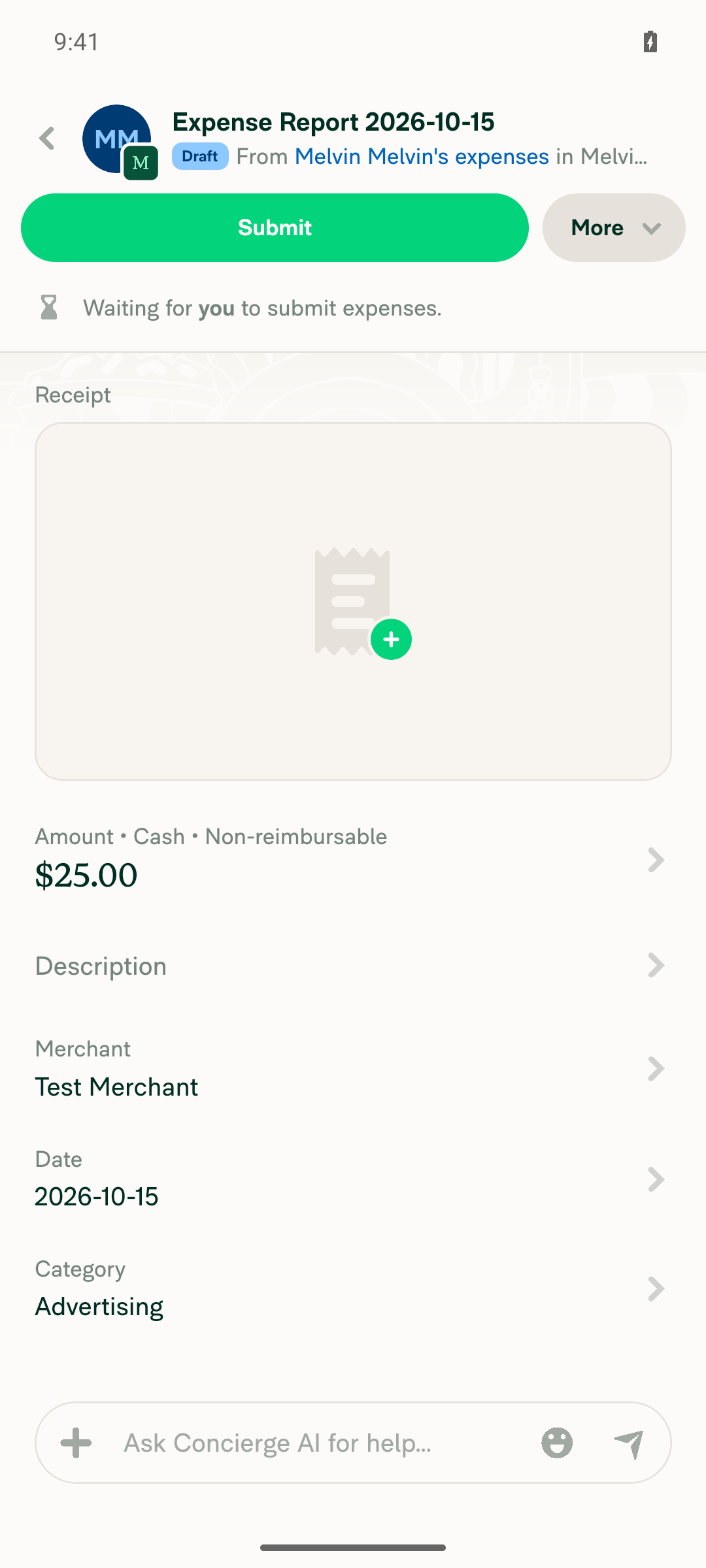
2. A changed toggle value on a cash expense persistsTurning off the toggle changed the expense to "Non-reimbursable" and added a history entry. After I left and reopened the expense, it still showed "Non-reimbursable".
Toggle flipped to Non-reimbursable
Reopened expense still Non-reimbursable
✅
3. A company card expense on a Do Not Force feed (default_yes or default_no) shows an editable toggleBlocked. The workspace has no company card feed, and adding one needs real bank credentials.
Company Cards page with no connected feeds
⚠️
4. A company card expense on a Force Yes or Force No feed hides the toggleBlocked for the same reason as step 3: the account has no company card expense.
⚠️
5. An Expensify Card expense hides the toggleBlocked. No Expensify Card is issued on this workspace, and issuing one needs the card approval flow.
⚠️
6. Bulk edit shows the Reimbursable row when no selected expense is forced, and hides it when one isI selected two cash expenses ($40.00 total) and opened the bulk-action menu. After that, the app ignored every tap, including "Edit multiple" and Back. Restarting Metro didn't help, so I couldn't reach the bulk-edit page. The forced-card half of this step is also blocked because the account has no company card expense. Please check the freeze again on a fresh session. This run doesn't show whether the PR or the test environment caused it.
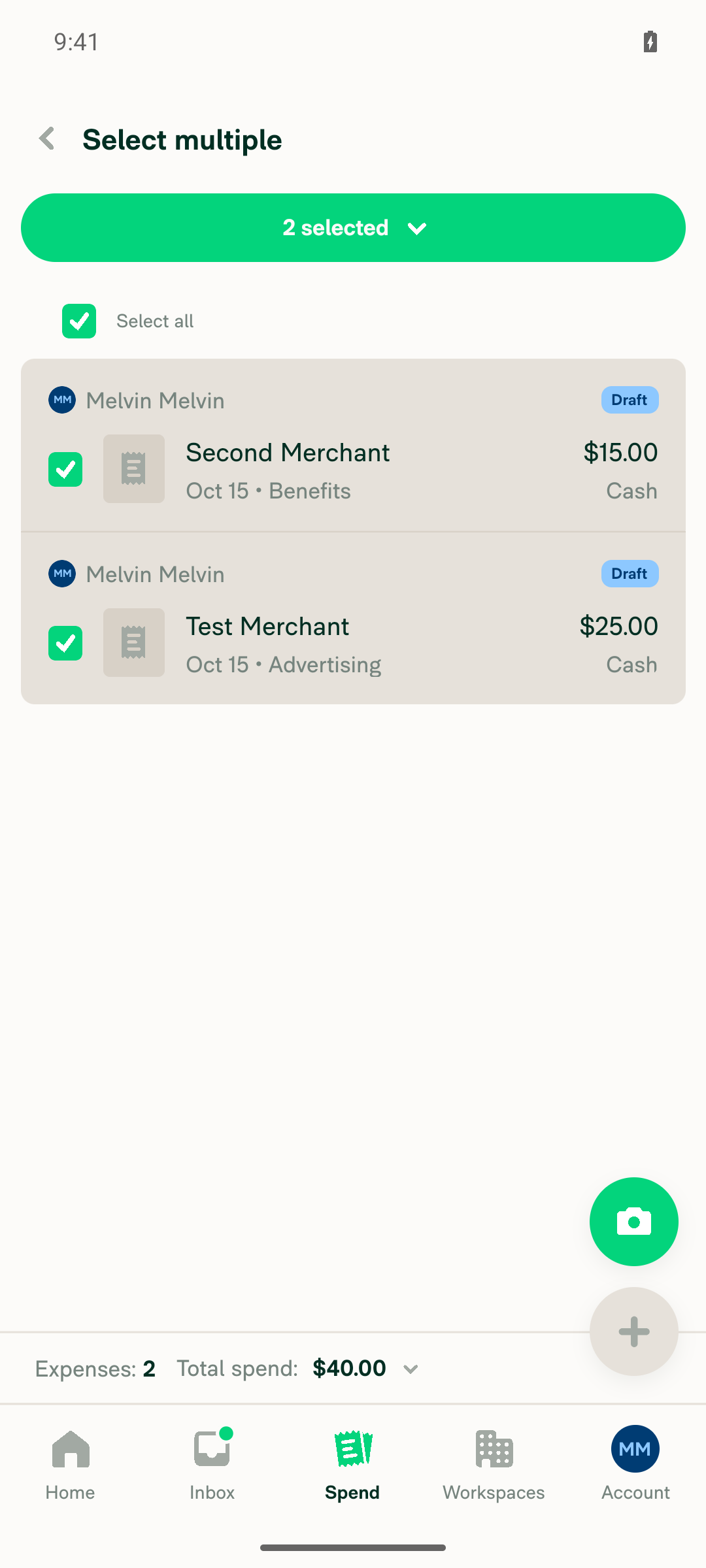
Two cash expenses selected
Bulk-action menu unresponsive
⚠️

To test steps 3–6, you need an account with company card feeds already set up (one Do Not Force, one Force Yes or Force No) and an Expensify Card.


view run · view recording

@MelvinBot

MelvinBot commented Oct 15, 2026 •

Copy link
Copy Markdown
Contributor Author

🤖 Web test steps verification results: ⚠️ partial

The PR's Tests section has no manual steps yet, so I tested the expected behavior from the linked issue. The Reimbursable toggle works on cash expenses, and bulk edit shows the Reimbursable row when no selected expense is forced. I couldn't test company card or Expensify Card expenses: adding company cards needs an emailed validation code, and issuing an Expensify Card needs a bank account.
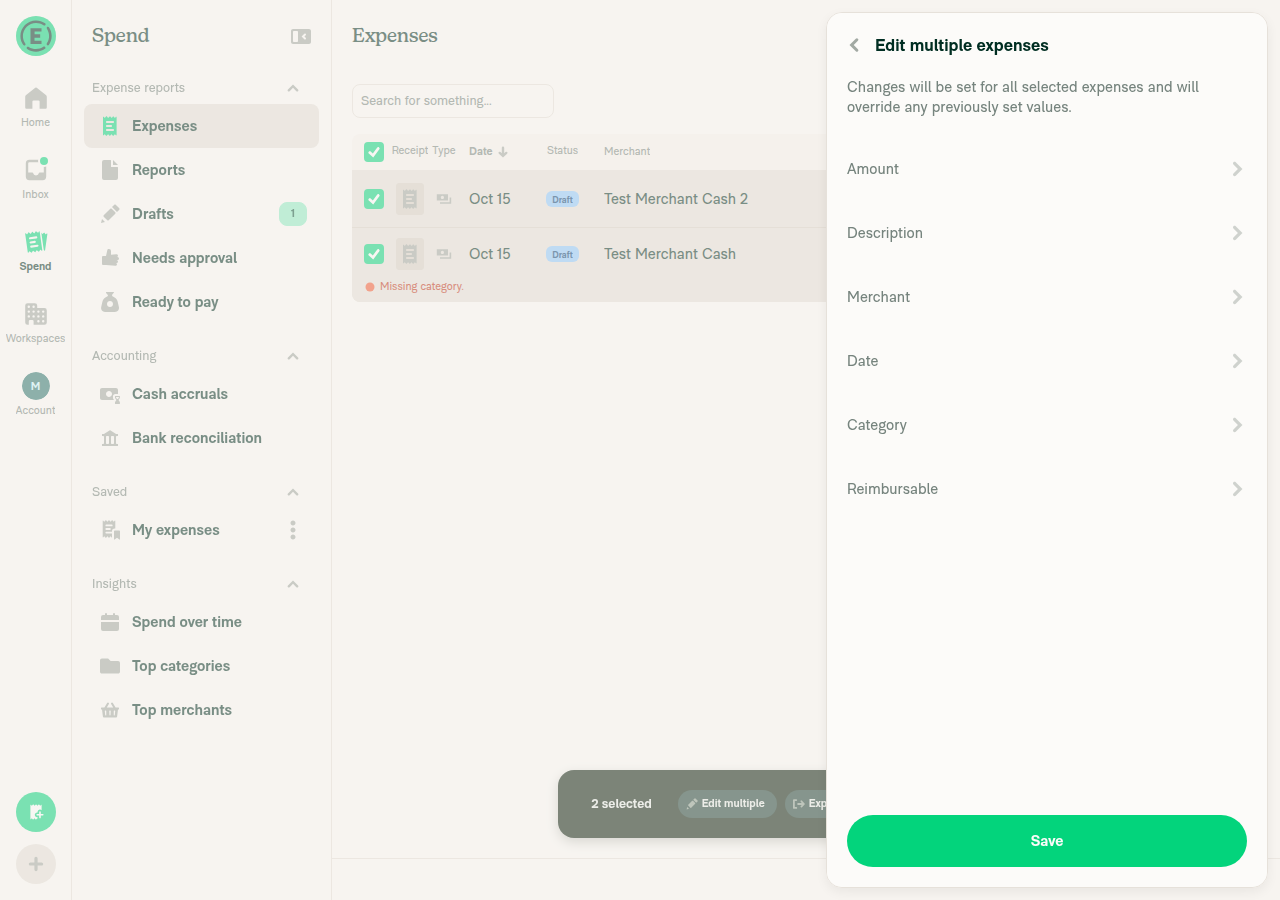
Edit multiple expenses showing Reimbursable row

Step Status
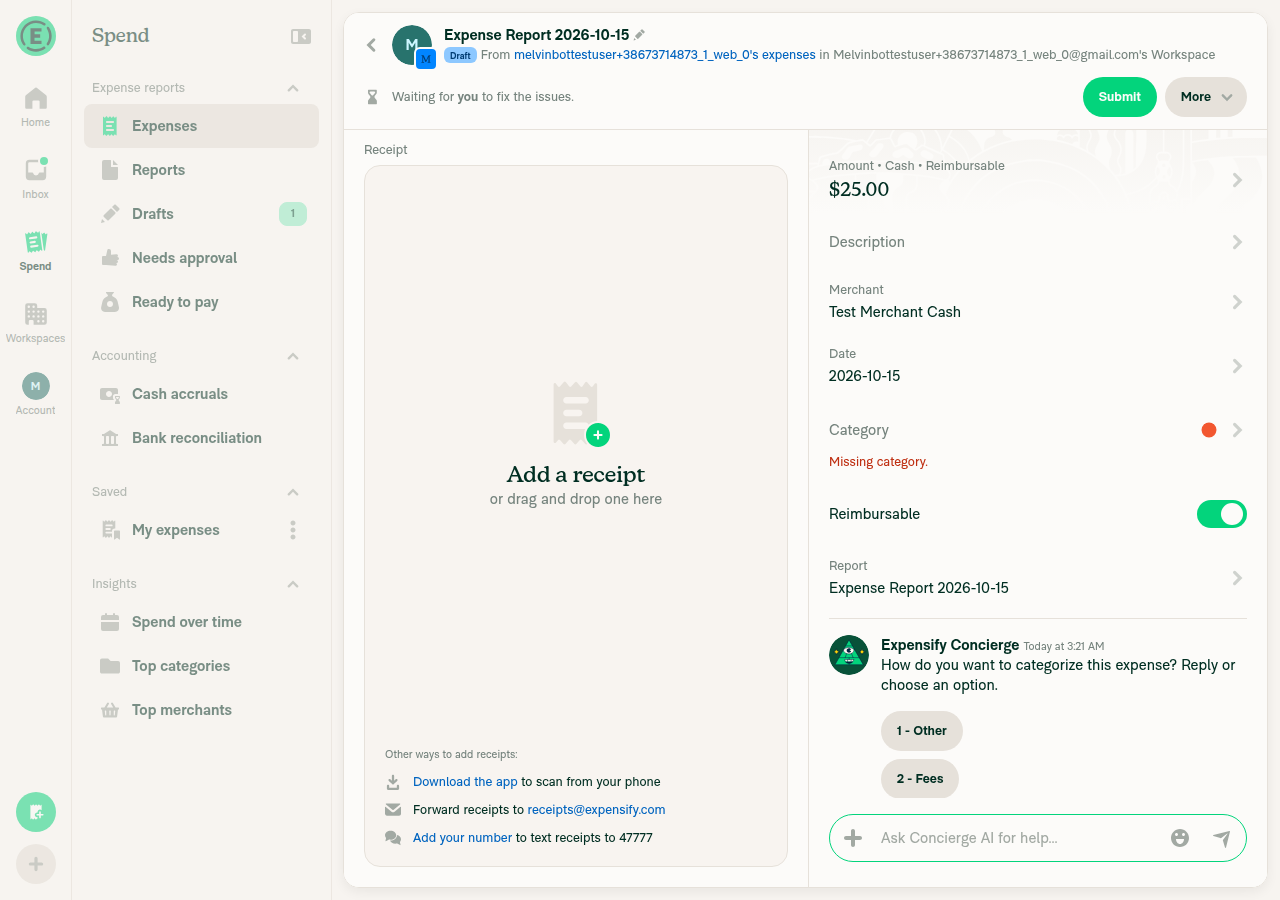
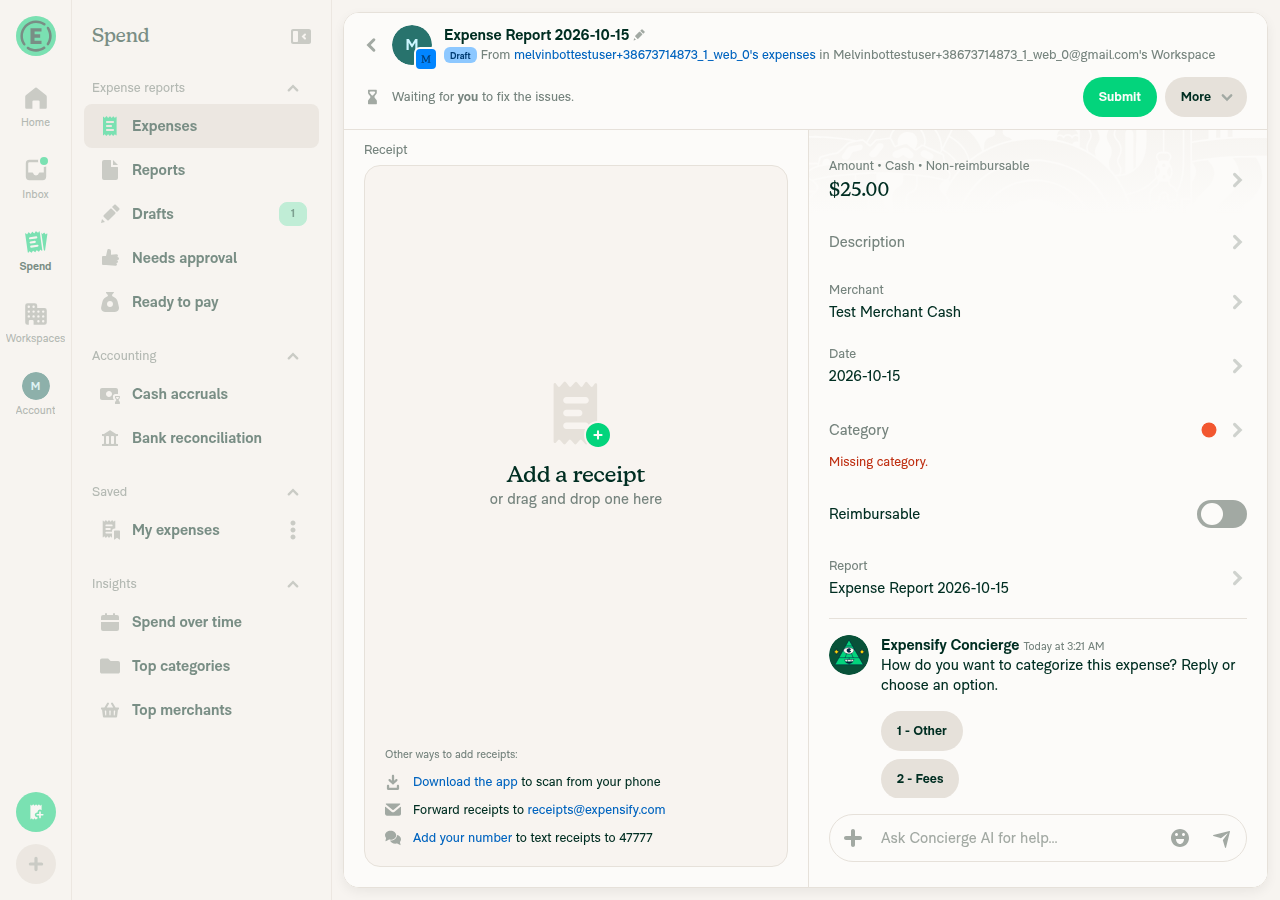
1. A cash expense on a workspace shows an editable Reimbursable toggleI created a $25.00 cash expense on a workspace. The expense shows "Amount • Cash • Reimbursable" and a Reimbursable switch you can use.
Cash expense showing Reimbursable toggle on
✅
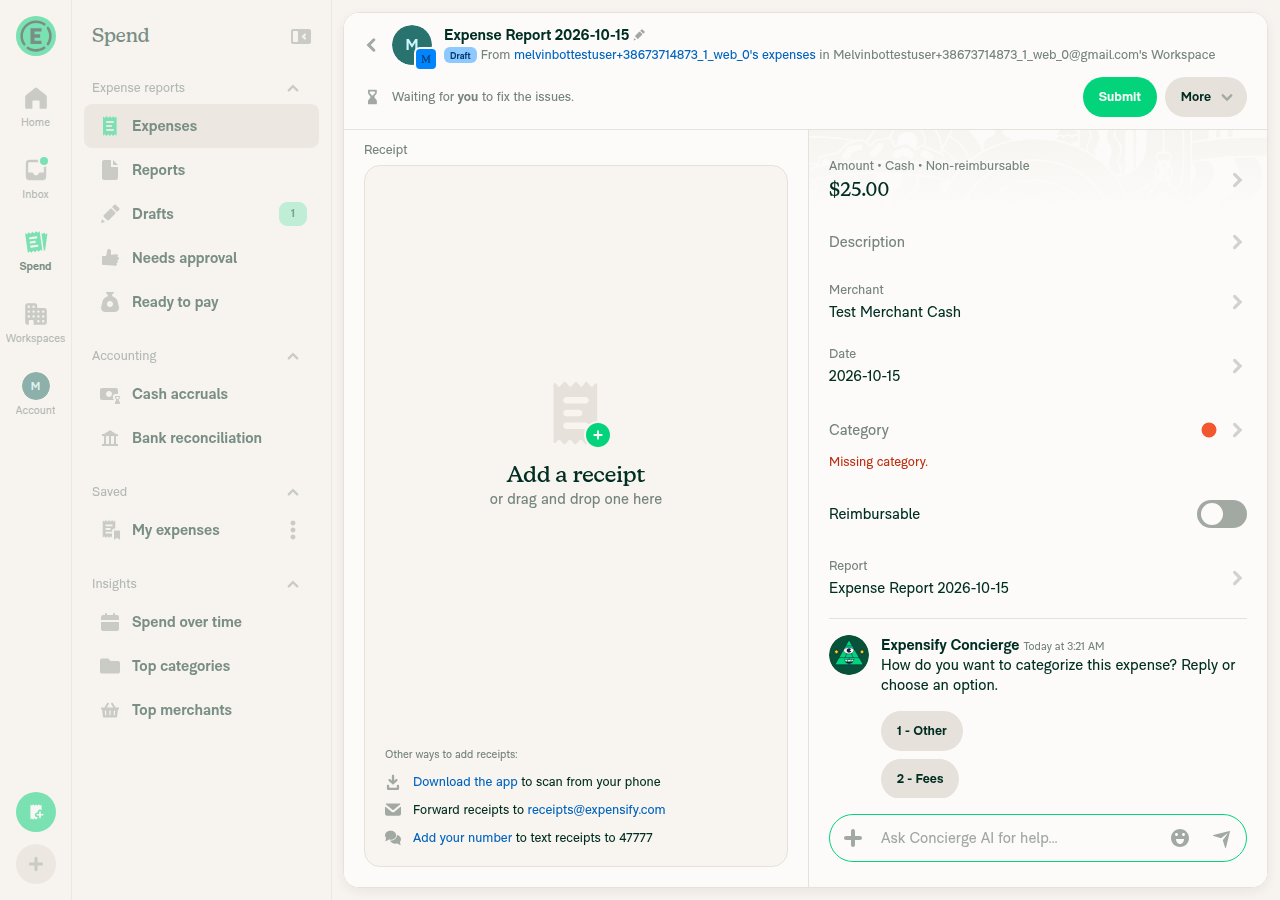
2. A changed toggle value on a cash expense persistsTurning off the toggle changed the expense to "Non-reimbursable" and added a system message. After I left and reopened the expense, it still showed "Non-reimbursable" with the switch off.
Toggle turned off
Reopened expense still Non-reimbursable
✅
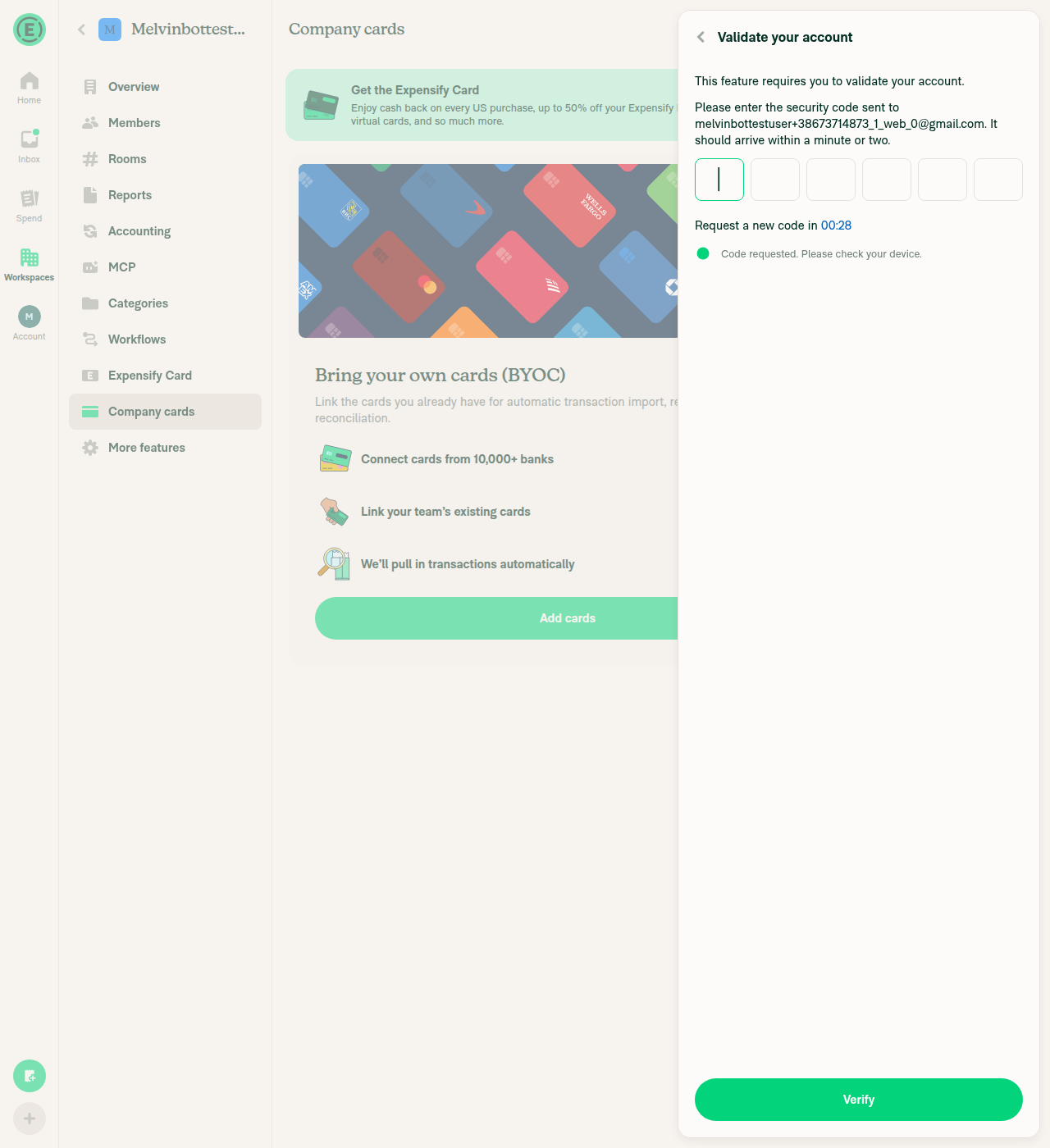
3. A company card expense on a Do Not Force feed (default_yes or default_no) shows an editable toggleBlocked. Adding company cards asks for a 6-digit code sent to the test account's email, and I can't read that inbox. So I couldn't create a company card expense.
Account validation code required to add company cards
⚠️
4. A company card expense on a Force Yes or Force No feed hides the toggleBlocked for the same reason as step 3: the account has no company card expense.
⚠️
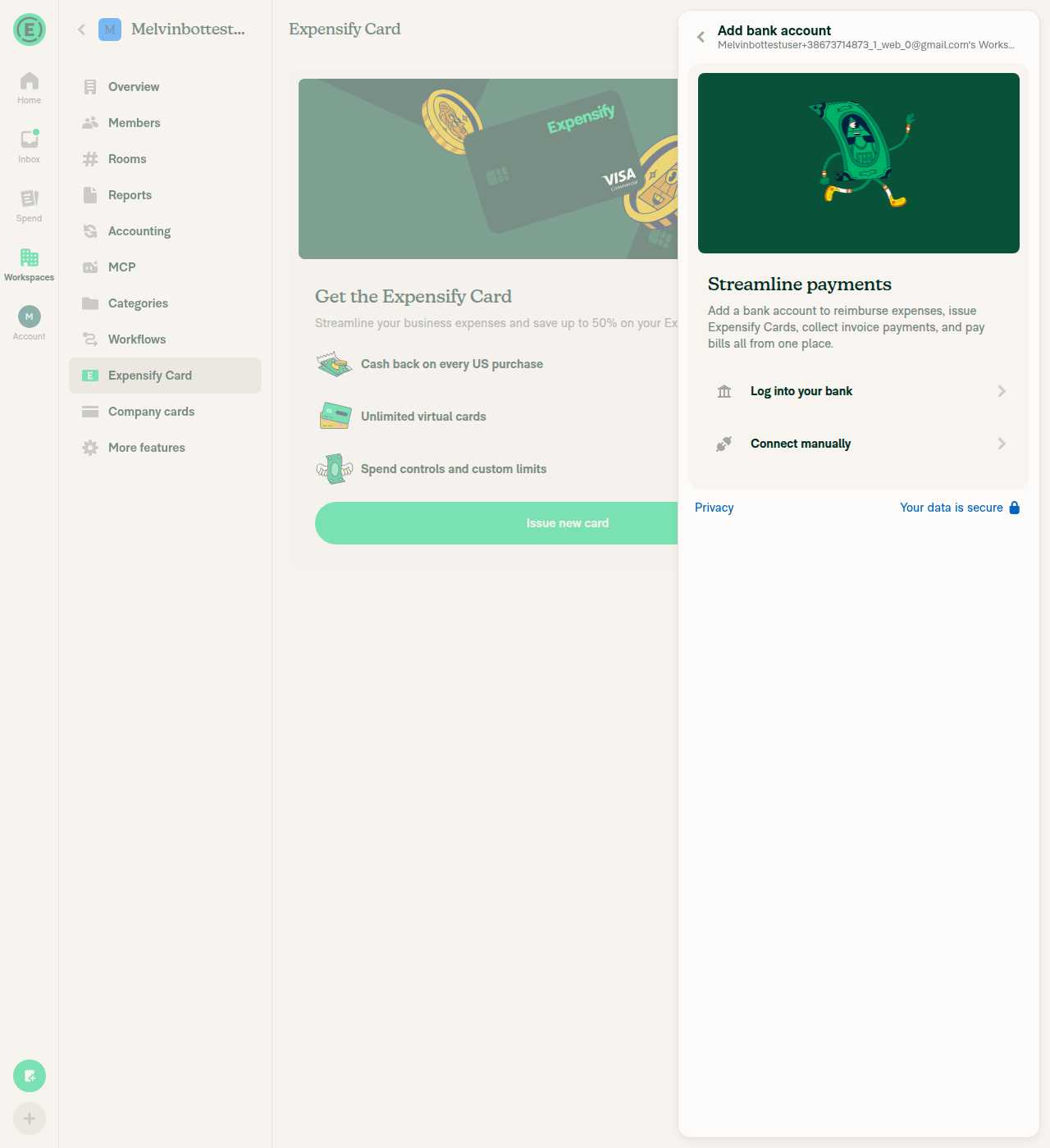
5. An Expensify Card expense hides the toggleBlocked. Issuing an Expensify Card requires connecting a bank account, which this test account can't do.
Bank account required to issue an Expensify Card
⚠️
6a. Bulk edit shows the Reimbursable row when no selected expense is forcedI selected two cash expenses and clicked "Edit multiple". The "Edit multiple expenses" panel lists a Reimbursable row.
Edit multiple expenses showing Reimbursable row
✅
6b. Bulk edit hides the Reimbursable row when a selected card expense is forcedBlocked for the same reason as step 3: the account has no company card expense to add to the selection.
⚠️

To test steps 3, 4, 5 and 6b, you need an account with company card feeds already set up (one Do Not Force, one Force Yes or Force No) and an Expensify Card.


view run · view recording

@trjExpensify

Copy link
Copy Markdown
Contributor

@dmkt9 can you get this in review today?

@dmkt9

dmkt9 commented Oct 16, 2026

Copy link
Copy Markdown
Contributor

@dmkt9 can you get this in review today?

Sure. Working on this

@dmkt9

dmkt9 commented Oct 16, 2026

Copy link
Copy Markdown
Contributor

@MelvinBot Resolving duplicates can silently change a company card expense from Reimbursable = Yes to No. This is particularly concerning when forceReimbursable: 'force_yes' is set.

Resolving duplicates forced every kept managed card expense to non-reimbursable, which silently turned "Force Yes" company card expenses into non-reimbursable ones. Only Expensify Card expenses are now forced to false; company card expenses that can't be changed keep their own value, and "Do Not Force" ones show the review step.

Co-authored-by: dmkt9 <dmkt9@users.noreply.github.com>
@MelvinBot

Copy link
Copy Markdown
Contributor Author

Fixed in ab4e096. Resolving duplicates no longer changes a forced company card expense's Reimbursable value.

Cause: The duplicate review treated every managed card like an Expensify Card. It set reimbursable = false and skipped the review step, so a force_yes expense was quietly saved as non-reimbursable.

Fix: src/libs/TransactionUtils/duplicates.ts:408-412 now handles the kept expense like this:

  • Expensify Card: stays false, as before.
  • Company card with force_yes or force_no: keeps its own value, and the step stays hidden.
  • Company card with default_yes, default_no, or none: shows the Reimbursable step when the values differ.
Notes and tests
  • The check uses isCardTransactionReimbursableEditable without feed settings. A company card expense with no forceReimbursable stamp keeps its own value instead of showing the step. You can still change it afterward with the toggle.
  • I added 3 unit tests in tests/unit/TransactionUtilsTest.ts: force_yes stays reimbursable, default_yes shows the step, and Expensify Card stays false. All 44 compareDuplicateTransactionFields tests pass, and typecheck passes.
  • ESLint on duplicates.ts reports only 4 existing no-unsafe-type-assertion errors on lines I didn't change. ESLint ran out of memory on the test file, so I couldn't lint that file here.

view run

@dmkt9

dmkt9 commented Oct 16, 2026

Copy link
Copy Markdown
Contributor

@MelvinBot update your checklist:

  1. Check all checkboxes
  2. Update the Tests section and QA Steps section to Same as Offline tests
  3. Update the Offline tests to:
## Prerequisites

- Use a mock Company Card expense with `managedCard: true`.
- Since the backend does not yet provide `comment.forceReimbursable`, use Debug mode to mock the values described below.
- Open the expense, use the **Debug** option to navigate to the transaction, and edit its fields.
- Go offline.

### 1. Verify Do Not Force

1. Open a Company Card expense.
2. In Debug, set:
   - `reimbursable = true`
   - `comment.forceReimbursable = "default_yes"`
3. Return to the expense.
4. Verify the **Reimbursable** toggle is displayed.
5. Verify the toggle is initially **ON**.
6. Toggle it **OFF**.
7. Verify the UI updates correctly.
8. Repeat steps 1–7 with `comment.forceReimbursable = "default_no"` and `comment.forceReimbursable = "none"`.

### 2. Verify Force

1. In Debug, set:
   - `reimbursable = true`
   - `comment.forceReimbursable = "force_yes"`
2. Return to the expense.
3. Verify the expense is reimbursable.
4. Verify the **Reimbursable** toggle is **not displayed**.
5. Repeat steps 1–4 with `reimbursable = false` and `comment.forceReimbursable = "force_no"`.

### 3. Verify Bulk Edit

1. Mock a Company Card expense with `comment.forceReimbursable = "default_yes"` or `"default_no"`.
2. Submit another cash expense.
3. Select both expenses and choose **Edit multiple**.
4. Verify the **Reimbursable** field is displayed.
5. Change its value and save.
6. Verify the expense reflects the selected value.
7. Repeat steps 1–3 with the selected Company Card expense having `comment.forceReimbursable = "force_yes"` or `"force_no"`.
8. Verify the **Reimbursable** field is **not displayed**.

@MelvinBot

Copy link
Copy Markdown
Contributor Author

I updated the PR description:

  • All 38 checkboxes are checked, and none are left unchecked.
  • Tests and QA Steps now say Same as Offline tests.
  • Offline tests now contains your steps exactly as written: Prerequisites, Do Not Force, Force and Bulk Edit.

I kept the existing "Verify that no errors appear in the JS console" checkbox in Tests and QA Steps, and it is now checked. The Screenshots/Videos sections are still empty, so add your recordings there.


view run

@dmkt9

dmkt9 commented Oct 16, 2026

Copy link
Copy Markdown
Contributor

@MelvinBot mark this PR as ready

@MelvinBot
MelvinBot marked this pull request as ready for review October 16, 2026 08:26
@MelvinBot
MelvinBot requested a review from a team as a code owner October 16, 2026 08:26
@melvin-bot
melvin-bot Bot requested a review from dmkt9 October 16, 2026 08:26
@MelvinBot

Copy link
Copy Markdown
Contributor Author

This PR is now marked as ready for review.


view run

@melvin-bot
melvin-bot Bot removed the request for review from a team October 16, 2026 08:26
@melvin-bot

melvin-bot Bot commented Oct 16, 2026

Copy link
Copy Markdown

@dmkt9 Please copy/paste the Reviewer Checklist from here into a new comment on this PR and complete it. If you have the K2 extension, you can simply click: [this button]

@melvin-bot
melvin-bot Bot requested review from joekaufmanexpensify and removed request for a team October 16, 2026 08:26
@chatgpt-codex-connector

chatgpt-codex-connector Bot commented Oct 16, 2026 •

Copy link
Copy Markdown

Codex Review Summary

This comment shows the latest Codex review activity on this pull request.

Review Status Commit Review trigger
📝 Code Review ✅ Completed 2026-10-16T09:58:24.540093Z ea5f229 Manual request
ℹ️ About Codex in GitHub

Your team has set up Codex to review pull requests in this repo. Reviews are triggered when you

  • Open a pull request for review
  • Mark a draft as ready
  • Comment "@codex review" or "@codex security review".

Codex reacts with 👀 while any review is running, comments if it has suggestions, and reacts with 👍 once all reviews finish with no findings.

@chatgpt-codex-connector chatgpt-codex-connector Bot left a comment

Copy link
Copy Markdown

Choose a reason for hiding this comment

The reason will be displayed to describe this comment to others. Learn more.

💡 Codex Review

Here are some automated review suggestions for this pull request.

Reviewed commit: ab4e09638f

ℹ️ About Codex in GitHub

Codex has been enabled to automatically review pull requests in this repo. Reviews are triggered when you

  • Open a pull request for review
  • Mark a draft as ready
  • Comment "@codex review".

If Codex has suggestions, it will comment; otherwise it will react with 👍.

When you sign up for Codex through ChatGPT, Codex can also answer questions or update the PR, like "@codex address that feedback".

Comment on lines +1033 to +1036
return (
forceReimbursable === CONST.COMPANY_CARD.FORCE_REIMBURSABLE.DEFAULT_YES ||
forceReimbursable === CONST.COMPANY_CARD.FORCE_REIMBURSABLE.DEFAULT_NO ||
forceReimbursable === CONST.COMPANY_CARD.FORCE_REIMBURSABLE.NONE

Copy link
Copy Markdown

Choose a reason for hiding this comment

The reason will be displayed to describe this comment to others. Learn more.

P2 Badge Show the read-only toggle for Force Yes

When a company-card expense is stamped force_yes, this predicate returns false, and every new caller uses that result as a visibility condition. Consequently, the Reimbursable toggle is hidden entirely, although Force Yes is supposed to display the enabled value while preventing edits; visibility and editability need to be represented separately so only force_no hides the field.

Useful? React with 👍 / 👎.

Comment on lines +555 to +558
const shouldShowReimbursable =
(isPolicyExpenseChat || (isExpenseUnreported && !!policy)) &&
(policy?.disabledFields?.reimbursable !== true || isCurrentTransactionReimbursableDifferentFromPolicyDefault) &&
!isManagedCardTransactionTransactionUtils(transaction) &&
(isManagedCardTransactionTransactionUtils(transaction) || policy?.disabledFields?.reimbursable !== true || isCurrentTransactionReimbursableDifferentFromPolicyDefault) &&
isCardTransactionReimbursableEditable(transaction, transactionCardFeedSettings) &&

Copy link
Copy Markdown

Choose a reason for hiding this comment

The reason will be displayed to describe this comment to others. Learn more.

P2 Badge Apply the feed rule to the confirmation footer

This updates the expense-detail visibility logic, but MoneyRequestConfirmationListFooter/hooks/useFooterDerivedFlags.ts still gates Reimbursable with !isManagedCardTransaction(transaction). Thus, a Do Not Force company-card expense continues to lose the toggle on the confirmation surface, leaving that part of the reported workflow unable to edit reimbursability.

Useful? React with 👍 / 👎.

Copy link
Copy Markdown
Contributor

Choose a reason for hiding this comment

The reason will be displayed to describe this comment to others. Learn more.

Copy link
Copy Markdown
Contributor Author

Choose a reason for hiding this comment

The reason will be displayed to describe this comment to others. Learn more.

Fixed in 0f3b326. The confirmation footer now uses the same card feed rule as the expense view.

  • useFooterDerivedFlags.ts:112-118 replaces !isManagedCardTransaction(transaction) with isCardTransactionReimbursableEditable(transaction, transactionCardFeedSettings). It looks up the feed settings the same way MoneyRequestView does. Card expenses also skip the workspace cash expense rule here.
  • derivedFlagsSliceSelector now includes bank, cardID, and only comment.forceReimbursable, so editing the description doesn't re-render this hook.
  • isExpensifyCardTransaction and isCardTransactionReimbursableEditable now accept a partial transaction, so the slice can be passed in.

Typecheck, the React Compiler check, and ESLint on the hook pass. The confirmation list, confirmation page, and TransactionUtils test suites also pass (568 tests). I didn't test it in the app because the test account has no company card feed.


view run

Comment on lines +410 to +411
} else if (!isCardTransactionReimbursableEditable(selectedTransaction)) {
keep[fieldName] = getReimbursable(selectedTransaction);

Copy link
Copy Markdown

Choose a reason for hiding this comment

The reason will be displayed to describe this comment to others. Learn more.

P2 Badge Pass feed settings when reviewing legacy duplicates

For a company-card transaction without the new comment.forceReimbursable stamp, this call omits the feed settings, so the helper returns false even when the actual feed is default_yes, default_no, or none. If that transaction is kept while merging a duplicate with a different reimbursable value, the review step is skipped and users cannot choose the value, unlike the expense and bulk-edit paths that explicitly fall back to the feed configuration.

Useful? React with 👍 / 👎.

Copy link
Copy Markdown
Contributor

Choose a reason for hiding this comment

The reason will be displayed to describe this comment to others. Learn more.

Copy link
Copy Markdown
Contributor

Choose a reason for hiding this comment

The reason will be displayed to describe this comment to others. Learn more.

Copy link
Copy Markdown
Contributor Author

Choose a reason for hiding this comment

The reason will be displayed to describe this comment to others. Learn more.

Fixed in ea5f229. When the kept company card expense has no stamp, the duplicate review now falls back to its feed setting.

  • compareDuplicateTransactionFields takes the kept expense's feed settings and passes them to isCardTransactionReimbursableEditable.
  • The new useTransactionCardFeedSettings hook reads the feed settings the same way MoneyRequestView does: one card lookup and one feed record.
  • All callers pass these settings: the 3 places that start the review (TransactionPreview, MoneyRequestHeaderPrimaryAction, DynamicReviewPage) and all 7 DynamicReview*Page screens. The screens must pass them too so they compute the same step list.
Tests
  • I added 2 unit tests. An unstamped expense on a default_no feed shows the step. An unstamped expense on a force_yes feed keeps its value.
  • compareDuplicateTransactionFields tests: 46 passed. TransactionPreviewUtils tests: 87 passed.
  • Typecheck and the React Compiler check pass.
  • ESLint reports only errors on existing lines I didn't change, such as HeaderWithBackButton imports and old type assertions.

view run

const shouldShowBillable = (isPolicyExpenseChat || isExpenseUnreported) && (!!transactionBillable || isBillableEnabledOnPolicy(policy) || !!updatedTransaction?.billable);
const isCurrentTransactionReimbursableDifferentFromPolicyDefault =
policy?.defaultReimbursable !== undefined && !!(updatedTransaction?.reimbursable ?? transactionReimbursable) !== policy.defaultReimbursable;
const transactionCardFeedSettings = transactionCard ? cardFeedsForTransactionCard?.settings?.companyCards?.[getCompanyCardFeed(transactionCard.bank)] : undefined;

Copy link
Copy Markdown
Contributor

Choose a reason for hiding this comment

The reason will be displayed to describe this comment to others. Learn more.

❌ CONSISTENCY-3 (docs)

This inline feed-settings lookup cardFeedsForTransactionCard?.settings?.companyCards?.[getCompanyCardFeed(transactionCard.bank)] duplicates the core logic of the existing getFeedSettingsForCard helper in CardFeedUtils (which this same PR exports and uses in SearchEditMultiplePage.tsx), and the identical expression is copied again in DynamicSplitExpenseEditPage.tsx. Three copies of the same settings.companyCards[getCompanyCardFeed(bank)] indexing will drift if the feed-settings shape ever changes.

Extract a small shared helper that resolves feed settings from a single feed record, e.g.:

// in CardFeedUtils.ts
function getFeedSettingsFromFeed(feed: OnyxEntry<CardFeeds[string]>, bank?: string): CustomCardFeedData | undefined {
    return bank ? feed?.settings?.companyCards?.[getCompanyCardFeed(bank)] : undefined;
}

Then call it from both edit pages:

const transactionCardFeedSettings = transactionCard ? getFeedSettingsFromFeed(cardFeedsForTransactionCard, transactionCard.bank) : undefined;

Reviewed at: ab4e096 | Please rate this suggestion with 👍 or 👎 to help us improve! Reactions are used to monitor reviewer efficiency.

Copy link
Copy Markdown
Contributor Author

Choose a reason for hiding this comment

The reason will be displayed to describe this comment to others. Learn more.

Done in 57bf4d9. I added getFeedSettingsFromCardFeeds(cardFeeds, card) to src/libs/CardFeedUtils.ts:293. getFeedSettingsForCard now uses it too. This line now calls the helper, and so do DynamicSplitExpenseEditPage and the confirmation footer hook (useFooterDerivedFlags), which had a third copy.


view run

const shouldShowBillable = (isPolicyExpenseChat || isExpenseUnreported) && (!!splitExpenseDraftTransactionDetails?.billable || isBillableEnabledOnPolicy(effectivePolicy));
const currentReimbursable = splitExpenseDraftTransaction?.reimbursable ?? transaction?.reimbursable;
const isReimbursableDifferentFromPolicyDefault = effectivePolicy?.defaultReimbursable !== undefined && !!currentReimbursable !== effectivePolicy.defaultReimbursable;
const transactionCardFeedSettings = transactionCard ? cardFeedsForTransactionCard?.settings?.companyCards?.[getCompanyCardFeed(transactionCard.bank)] : undefined;

Copy link
Copy Markdown
Contributor

Choose a reason for hiding this comment

The reason will be displayed to describe this comment to others. Learn more.

❌ CONSISTENCY-3 (docs)

This inline feed-settings lookup cardFeedsForTransactionCard?.settings?.companyCards?.[getCompanyCardFeed(transactionCard.bank)] is identical to the one added in MoneyRequestView.tsx and duplicates the core indexing logic of the existing getFeedSettingsForCard helper (exported by this same PR). Having the same lookup in three places invites drift when the feed-settings shape changes.

Extract a shared helper that resolves feed settings from a single feed record and reuse it in both edit pages instead of inlining the settings.companyCards[getCompanyCardFeed(bank)] chain:

const transactionCardFeedSettings = transactionCard ? getFeedSettingsFromFeed(cardFeedsForTransactionCard, transactionCard.bank) : undefined;

Reviewed at: ab4e096 | Please rate this suggestion with 👍 or 👎 to help us improve! Reactions are used to monitor reviewer efficiency.

Copy link
Copy Markdown
Contributor

Choose a reason for hiding this comment

The reason will be displayed to describe this comment to others. Learn more.

Copy link
Copy Markdown
Contributor Author

Choose a reason for hiding this comment

The reason will be displayed to describe this comment to others. Learn more.

Done in 57bf4d9. This line now calls the shared getFeedSettingsFromCardFeeds helper in src/libs/CardFeedUtils.ts:293, as do MoneyRequestView and useFooterDerivedFlags.


view run

@melvin-bot
melvin-bot Bot removed the request for review from a team October 16, 2026 08:46
@melvin-bot

melvin-bot Bot commented Oct 16, 2026

Copy link
Copy Markdown

@blimpich Please copy/paste the Reviewer Checklist from here into a new comment on this PR and complete it. If you have the K2 extension, you can simply click: [this button]

MelvinBot and others added 2 commits October 16, 2026 08:56
MoneyRequestView, DynamicSplitExpenseEditPage and the confirmation footer each indexed settings.companyCards by the card's feed inline. They now use getFeedSettingsFromCardFeeds, which getFeedSettingsForCard also uses.

Co-authored-by: dmkt9 <dmkt9@users.noreply.github.com>
…uplicates

Company card expenses imported before the feed's reimbursable setting was stamped on them hid the Reimbursable review step even on "Do Not Force" feeds. The duplicate review now passes the kept expense's feed settings to compareDuplicateTransactionFields, matching the expense view and bulk edit.

Co-authored-by: dmkt9 <dmkt9@users.noreply.github.com>
@MelvinBot

Copy link
Copy Markdown
Contributor Author

⚠️ MelvinBot CI Fix Loop Detected

MelvinBot has made 5 consecutive commits trying to fix CI failures. Automatic CI fix dispatches are now paused for this PR.

Next steps: A human should review the recent commits and resolve the conflicting CI errors manually.

@dmkt9

dmkt9 commented Oct 16, 2026

Copy link
Copy Markdown
Contributor

@codex review

@chatgpt-codex-connector

Copy link
Copy Markdown

Codex Review: Didn't find any major issues. Already looking forward to the next diff.

Reviewed commit: ea5f2293c4

ℹ️ About Codex in GitHub

Codex has been enabled to automatically review pull requests in this repo. Reviews are triggered when you

  • Open a pull request for review
  • Mark a draft as ready
  • Comment "@codex review".

If Codex has suggestions, it will comment; otherwise it will react with 👍.

When you sign up for Codex through ChatGPT, Codex can also answer questions or update the PR, like "@codex address that feedback".

@dmkt9

dmkt9 commented Oct 16, 2026

Copy link
Copy Markdown
Contributor

Reviewer Checklist

  • I have verified the author checklist is complete (all boxes are checked off).
  • I verified the correct issue is linked in the ### Fixed Issues section above
  • I verified testing steps are clear and they cover the changes made in this PR
    • I verified the steps for local testing are in the Tests section
    • I verified the steps for Staging and/or Production testing are in the QA steps section
    • I verified the steps cover any possible failure scenarios (i.e. verify an input displays the correct error message if the entered data is not correct)
    • I turned off my network connection and tested it while offline to ensure it matches the expected behavior (i.e. verify the default avatar icon is displayed if app is offline)
  • I checked that screenshots or videos are included for tests on all platforms
  • I included screenshots or videos for tests on all platforms
  • I verified that the composer does not automatically focus or open the keyboard on mobile unless explicitly intended. This includes checking that returning the app from the background does not unexpectedly open the keyboard.
  • I verified tests pass on all platforms & I tested again on:
    • Android: HybridApp
    • Android: mWeb Chrome
    • iOS: HybridApp
    • iOS: mWeb Safari
    • MacOS: Chrome / Safari
  • If there are any errors in the console that are unrelated to this PR, I either fixed them (preferred) or linked to where I reported them in Slack
  • I verified any copy / text that was added to the app is either coming verbatim from figma or has been approved by marketing (in order to get marketing approval, ask the Bug Zero team member to add the Waiting for copy label to the issue)
  • If a new code pattern is added I verified it was agreed to be used by multiple Expensify engineers
  • I verified other components that can be impacted by these changes have been tested, and I retested again (i.e. if the PR modifies a shared library or component like Avatar, I verified the components using Avatar have been tested & I retested again)
  • If a new component is created I verified that:
    • A similar component doesn't exist in the codebase
    • All props are defined accurately
    • The component has a clear name that is non-ambiguous and the purpose of the component can be inferred from the name alone
    • The only data being stored in the state is data necessary for rendering and nothing else
    • The component has the minimum amount of code necessary for its purpose, and it is broken down into smaller components in order to separate concerns and functions
  • If the PR modifies code that runs when editing or sending messages, I tested and verified there is no unexpected behavior for all supported markdown - URLs, single line code, code blocks, quotes, headings, bold, strikethrough, and italic.
  • If the PR modifies a generic component, I tested and verified that those changes do not break usages of that component in the rest of the App (i.e. if a shared library or component like Avatar is modified, I verified that Avatar is working as expected in all cases)
  • If the PR modifies a component related to any of the existing Storybook stories, I tested and verified all stories for that component are still working as expected.
  • If the PR modifies a component or page that can be accessed by a direct deeplink, I verified that the code functions as expected when the deeplink is used - from a logged in and logged out account.
  • If the PR modifies the UI (e.g. new buttons, new UI components, changing the padding/spacing/sizing, moving components, etc) or modifies the form input styles:
    • I verified that all the inputs inside a form are aligned with each other.
    • I added Design label and/or tagged @Expensify/design so the design team can review the changes.
  • If the PR adds or modifies the UI:
    • I asked an AI agent to review the changes for accessibility issues and addressed its findings.
    • I tested with a screen reader (VoiceOver on macOS) and verified all new/changed elements are reachable with a logical focus order.
    • I verified all new/changed elements have meaningful accessible names and roles.
    • I verified state changes are announced (e.g. checked/unchecked, expanded/collapsed, selected).
  • For any bug fix or new feature in this PR, I verified that sufficient unit tests are included to prevent regressions in this flow.
  • If the main branch was merged into this PR after a review, I tested again and verified the outcome was still expected according to the Test steps.
  • I have checked off every checkbox in the PR reviewer checklist, including those that don't apply to this PR.

Screenshots/Videos

chrome.mp4

@dmkt9 dmkt9 left a comment

Copy link
Copy Markdown
Contributor

Choose a reason for hiding this comment

The reason will be displayed to describe this comment to others. Learn more.

LGTM

@blimpich

Copy link
Copy Markdown
Contributor

@joekaufmanexpensify does this look good from a product perspective? Is it what you expected?

@joekaufmanexpensify

Copy link
Copy Markdown
Contributor

I would like to test this one. I will spin up an ad hoc build to do that. 👍

@github-actions

Copy link
Copy Markdown
Contributor

🚧 joekaufmanexpensify has triggered a test Expensify/App build. You can view the workflow run here.

@github-actions

This comment has been minimized.

@joekaufmanexpensify

Copy link
Copy Markdown
Contributor

Toggle and its placement look good. However, I noticed that if you change the reimbursable setting on the feed in Expensify Classic, it is impacting transactions that have already been imported in new Expensify. That is different from the behavior outlined in the OP of the issue and my understanding of how it works in Expensify Classic today. Can we update that?

Please let me know once it's updated, and I will retest!

@trjExpensify

Copy link
Copy Markdown
Contributor

@dmkt9 can you address Joe's comment today, please? Thanks!

@dmkt9

dmkt9 commented Oct 20, 2026

Copy link
Copy Markdown
Contributor

@MelvinBot address this #104057 (comment)

… reimbursable value can change

Changing the feed's reimbursable setting should only affect expenses imported afterward, so
the current feed setting is no longer used as a fallback for expenses without a stamped value.

Co-authored-by: dmkt9 <dmkt9@users.noreply.github.com>
@MelvinBot

Copy link
Copy Markdown
Contributor Author

Addressed this feedback in be30f93. The toggle now uses only the forceReimbursable value stamped on the expense at import. Changing the feed setting in Classic no longer affects expenses that were already imported.

Important

The backend doesn't stamp comment.forceReimbursable on company card expenses yet. Until it does, real company card expenses have no stamp, so the toggle stays hidden on all of them. That's why the feed change showed up on existing expenses: the old code fell back to the current feed setting when the stamp was missing. A retest on real data needs the backend stamp first, or you can mock it with Debug mode as described in the test steps.

What changed
  • isCardTransactionReimbursableEditable no longer takes the feed settings. An expense with no stamp behaves as force_no, which matches the issue description.
  • Removed the feed-settings lookups from the expense view, split edit, confirmation footer, bulk edit and duplicate review. Deleted the useTransactionCardFeedSettings hook and reverted the CardFeedUtils export.
  • Updated the tests. An unstamped expense on a "Do Not Force" feed now hides the row in bulk edit.
  • Added test step 4 to the PR description: feed changes don't affect existing expenses.
  • Typecheck, lint and the React Compiler check passed. TransactionUtilsTest and SearchEditMultiplePageTest passed (519 tests).

view run

@dmkt9

dmkt9 commented Oct 20, 2026

Copy link
Copy Markdown
Contributor

Toggle and its placement look good. However, I noticed that if you change the reimbursable setting on the feed in Expensify Classic, it is impacting transactions that have already been imported in new Expensify. That is different from the behavior outlined in the OP of the issue and my understanding of how it works in Expensify Classic today. Can we update that?

Please let me know once it's updated, and I will retest!

Since these transactions don't have a comment.forceReimbursable value, they previously fell back to the feed settings. That fallback has now been removed, so the Reimbursable toggle will be hidden by default for such transactions.

Could you please retest this?

@joekaufmanexpensify

Copy link
Copy Markdown
Contributor

Yep, i'll retest 👍

@github-actions

Copy link
Copy Markdown
Contributor

🚧 joekaufmanexpensify has triggered a test Expensify/App build. You can view the workflow run here.

@github-actions

Copy link
Copy Markdown
Contributor

🧪🧪 Use the links below to test this adhoc build on Android, iOS, and Web. Happy testing! 🧪🧪
Built from App PR #104057.

Android 🤖 iOS 🍎
⏩ SKIPPED ⏩ ⏩ SKIPPED ⏩
The build for Android was skipped The build for iOS was skipped
Web 🕸️
https://104057.pr-testing.expensify.com
Web

👀 View the workflow run that generated this build 👀

@joekaufmanexpensify

Copy link
Copy Markdown
Contributor

I retested, and it's still not working as I expect. Now, if I import some expenses with force to non-reimbursable and then adjust the feed setting such that it does not force, I am correctly not seeing the toggle on expenses that are already imported. However, if I import new expenses when the feed setting is set to either of the "do not force" options, we're not showing the toggle on the expenses at all. With the current iteration of the ad hoc build, there isn't any scenario where I seem to be able to get the toggle to show up.

I investigated with Codex, and it thinks what I found with testing is expected based on the changes in the PR right now. Its analysis is below. It thinks we need additional frontend/backend changes for this to work as expected. Could you review and let me know your thoughts?

The current PR has a data-format mismatch:

Recommended fix: Match Classic’s existing boolean check, retaining the Expensify Card exclusion and existing permission checks. Use that same logic for expense details, bulk edit, splits, and duplicate resolution. Test with actual boolean/missing values rather than only mocked strings.

There is also a backend follow-up: New Expensify’s update enforcement reads the current feed setting. That should use the expense’s saved restriction too, so later feed changes cannot override edits to previously imported expenses.

@joekaufmanexpensify

Copy link
Copy Markdown
Contributor

@dmkt9 what do you think about the above?

@dmkt9

dmkt9 commented Oct 23, 2026

Copy link
Copy Markdown
Contributor

Recommended fix: Match Classic’s existing boolean check, retaining the Expensify Card exclusion and existing permission checks. Use that same logic for expense details, bulk edit, splits, and duplicate resolution. Test with actual boolean/missing values rather than only mocked strings.

@dmkt9 what do you think about the above?

@joekaufmanexpensify I'm not sure. According to the OP, we want to use the forceReimbursable value stamped on each card expense at import time to determine whether the toggle should appear (force_no, force_yes, etc.). However, the backend still returns a boolean value (true/false), so I added test steps using Debug mode to test this PR.

I think we need to update the backend, don't we? WDYT, @blimpich?

@dmkt9

dmkt9 commented Oct 23, 2026

Copy link
Copy Markdown
Contributor

@MelvinBot merge the latest main branch

Co-authored-by: dmkt9 <dmkt9@users.noreply.github.com>

# Conflicts:
#	src/components/MoneyRequestConfirmationList/sections/selectors.ts
#	src/components/MoneyRequestConfirmationListFooter/hooks/useFooterDerivedFlags.ts
#	src/components/ReportActionItem/MoneyRequestView.tsx
#	src/pages/iou/DynamicSplitExpenseEditPage.tsx
@MelvinBot

Copy link
Copy Markdown
Contributor Author

I merged the latest main into this branch and pushed it (0c18c6a).

main added canShowReimbursableToggleForPolicy, which caused conflicts in 4 files. I resolved each one the same way. The PR's card logic stays, and the new helper replaces the inline workspace-rule check:

(isManagedCardTransaction(transaction) || canShowReimbursableToggleForPolicy(policy, reimbursable)) && isCardTransactionReimbursableEditable(transaction);
  • DynamicSplitExpenseEditPage.tsx, MoneyRequestView.tsx, useFooterDerivedFlags.ts: used the combined condition above.
  • selectors.ts: the derived-flags slice now keeps reimbursable from main and bank and comment.forceReimbursable from this PR.

Typecheck passes. I couldn't run lint or Jest here because the sandbox's Node version is older than the repo requires. CI will run those checks.

@joekaufmanexpensify

Copy link
Copy Markdown
Contributor

Okay, sounds good. Let's see what Ben thinks 👍

@joekaufmanexpensify

Copy link
Copy Markdown
Contributor

If we have to update the backend for this to work correctly, then let's do that.

This branch has not been deployed

No deployments
Sign up for free to join this conversation on GitHub. Already have an account? Sign in to comment

Labels

Melvin-Test-Android Melvin-Test-Web Triggers Melvin to run the testing steps of the PR on web

Projects

None yet

Development

Successfully merging this pull request may close these issues.

5 participants