Below is a general description of the project, you can find indications about how to test it afterwatds:
A smart journaling desktop application to help you track your mood and take better care of your mental health.
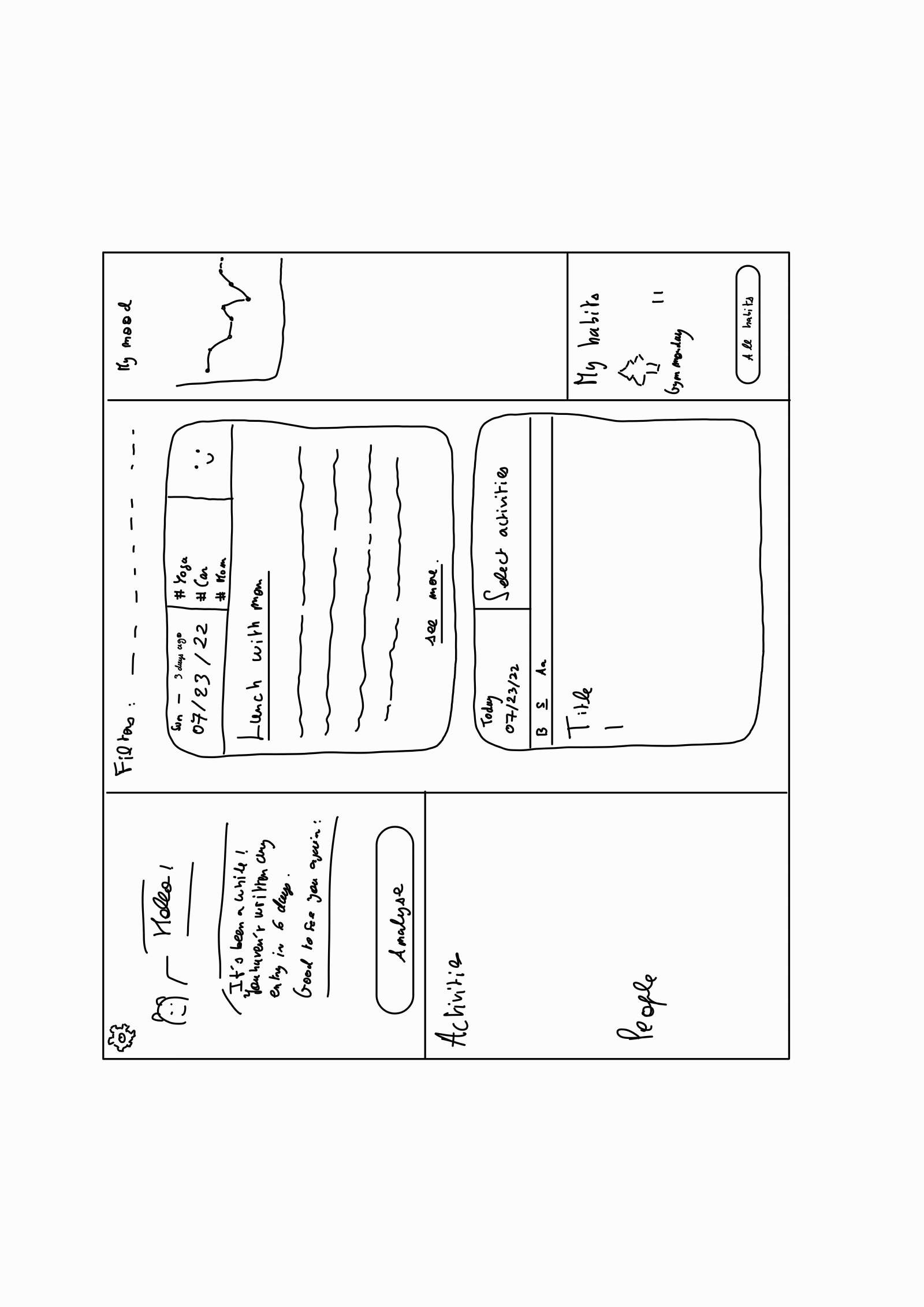
It starts with a journalling app. Everyday, the user can write entries to their journal to put on paper their thoughts or feelings. He/She can also click on some activities (like playing sports, studying etc) to add them to their daily entry. Likewise, they can add the people they spent time with. The user is then asked to evaluate their mood/day with a slider (from worst to best day of their life). It is then possible for them to see the evolution of their mood in time. This is for the regular journaling part.
The specificity of the project is that the data that the user creates by writing the journal is analysed to find trends or patterns in their mood and give them some insights about them.
The trends and patterns that it analyses can be numerous. For example, the app will be able to tell to the user that every Thursday of the mont month they are experiencing a decrease of mood. Many metrics can be tracked, as sleep or physical activity, and anomalies in these metrics can be detected and correlated to changes in mood. With this information, the user will then be able to figure out what is going wrong and causes them this stress.
Thus PaperFriend helps you introspect to understand what makes you happy, stressed or depressed and keeps an eye on your mood and mental health.
As an extension, if we have the time, Paper Friend can even help you with other aspects of your life. We implemented a habit tracker in the app. The user could tell the app that they want to go to the gym every monday and the app would ask them if they did so every monday.
Based on the same model the user the personal journal to a project-oriented journal. The user would not track their mood anymore but rather their performance or the advancement of their project.
Here is an example of the application's UI:
- Romain Puech, Romain-Puech-BX24, project leader
- Luigi Massacci, luigi-massacci, git leader
- Octave Gaspard, Elyndrium, data analysis subteam leader
- Bogdana Kolic, bogdanaKolic, frontedn subteam leader
- Artem Mamichev, artem-mamichev
- Junyuan (Frank) Wang, frank2002
- Brook Nigatu, Brook-B-Nigatu
- Michaela Gledacheva, mihaelagledacheva
- Yubo Cai, yubocai-poly
- Safaa Arbai, safaa-40
- Ahmed Benchekroun, ahmedbchk
- Thomas Turkieh, thomas-Turkieh
- Liam Loughman, liamloughman
Notice that the teams changed during the advancement of the project
- Octave
- Brook
- Artem
Codes the desktop app GUI and user functionalities.
Glues components together and organise the frontend.
- Luigi
- Michaela
- Safaa
- Ahmed
Creates specific components.
- Romain
- Bogdana
- Liam
- Yubo
Handles the saving, loading and encryption of files.
- Thomas
- Frank
As we used Qt creator, you simply need to clone the repository, open the .pro file and build/run the project with Ctr+R or using the green arrow button. You need to download Qt Charts. In case it's needed, here is how we downloaded it
Alternatively for linux (tested on Ubuntu 20.04 and 22.04) it is possible to build the program via shell. make and qmake are the only pckages required, but they usually come with most installs of Anaconda/Qt/OpenCV/etc, so they are probably already there. From inside the Code/PaperFriend folder, run qmake and then make. One can then run the file as ./PaperFriend. (Note: another destination for the executable may be specified if desired, but it is not necessary, the executable will create its own cache folders wherever it is located.)
The app can run on all OS (Linux, Windows and MacOS) It has been more tested on Windows. The NLP analysis of the text of the entry, which is an experimental feature that we still though relevant to show, is only working on MacOS
-
You can modify today's entry using the "modify" button of the example entry. Every day (you may change the date of you computer) you can create a new entry by clicking on the "today's entry button". The text editor allowes you to extensivelt style your writing. You can try putting the text as bold, italic, create lists, tables etc...
-
You can create custom activities by clisking on the "All Activities" button. You can then add these activities to any entry by modifying the entry and ticking the corresponding activities in the upper part of the card.
-
You can log your mood by using the slider at the top right corner of the entry card.
-
You may use the "Test" button to generate a lot of sample entries. Use this button only once. This button is only here to help you test the app and would not be here if you were a regular user and not a testor. When you use it, a lot of entries are created. It will take some time. You may sort them to display only the last 30 using the filters. Notice that by default only the 30 first are shown but this is not the case after using the test button (again, it is not a regular button that would be in the app). Click on the menu with default value "mood" at the top of the entries to choose your filter, then click "add" to add the filter.) You may want to create first some custom activities to have them added to your sample generated entries.
-
You may create habits using the all habits button
-
Every Sunday, last day of month or of year, a weekly/montly/yearly recap is generated. You may want to set your PC's date to december 31st, 2023, and hit the test button, then write an entry. That way you can generate at the same time a weekly, montly and yearly recap to test them all.
-
For testing purposes, you can delete entries and recaps by deleting the content of the folders "Entries" and "Entry_recaps" in the build folder.
-
You can use the settings at the top left corner to prevent the creation of a recap.
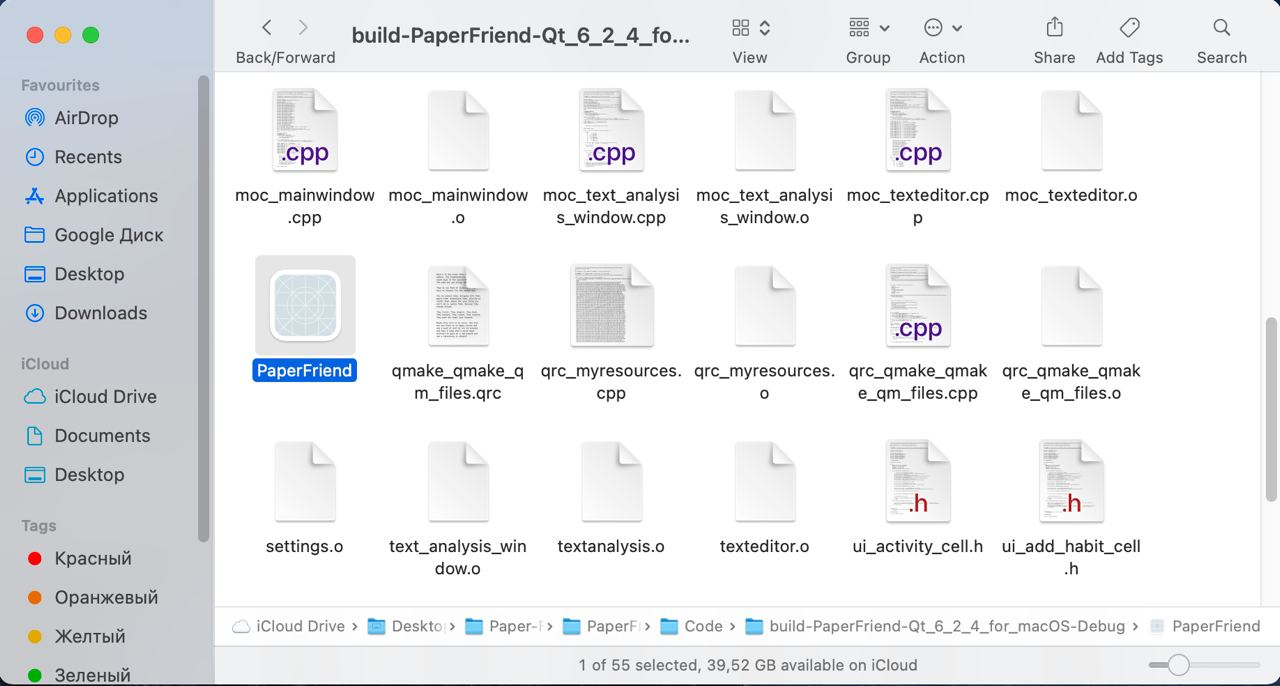
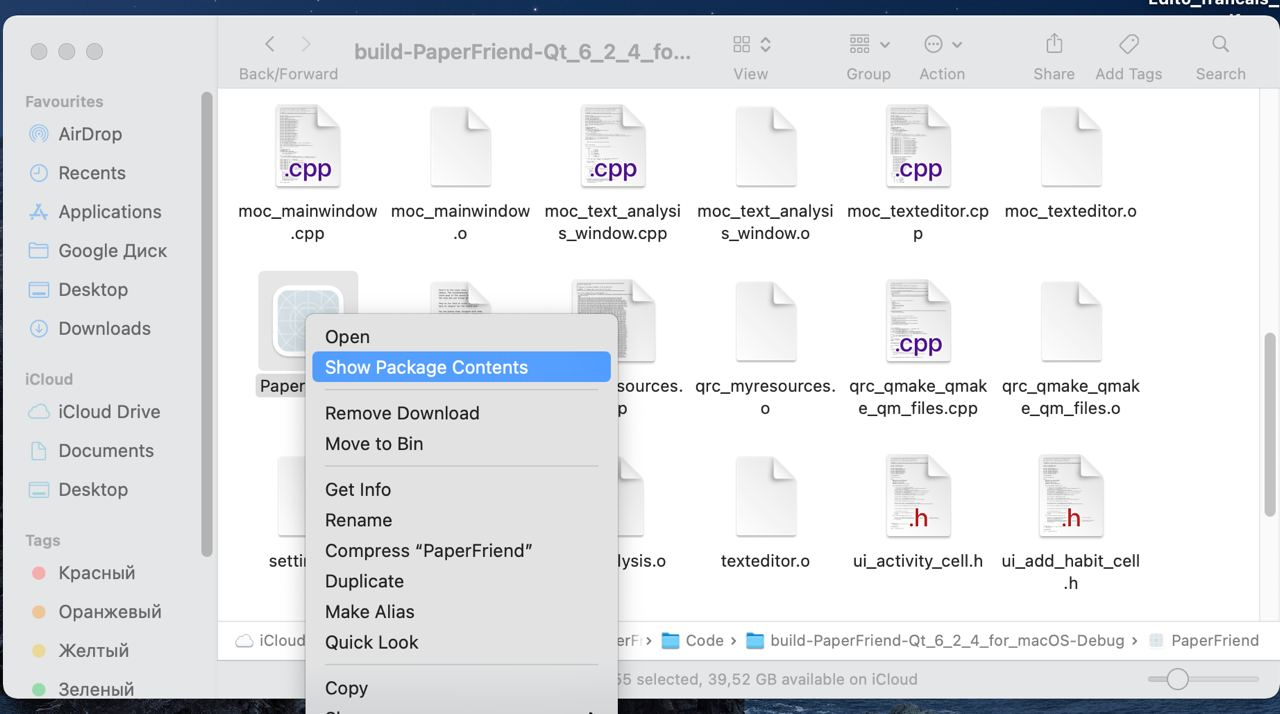
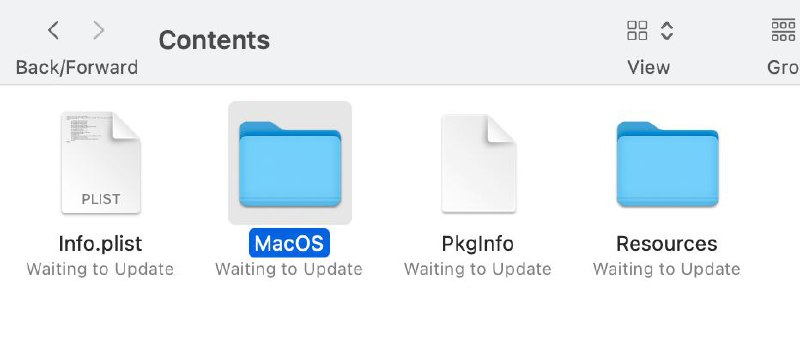
Here are additional steps if you want to test the NLP algorithm that we showed during the presentation (only on mac):
-
step 1:
-
step 2:
-
step 3:
-
step 4: put the 3 files there
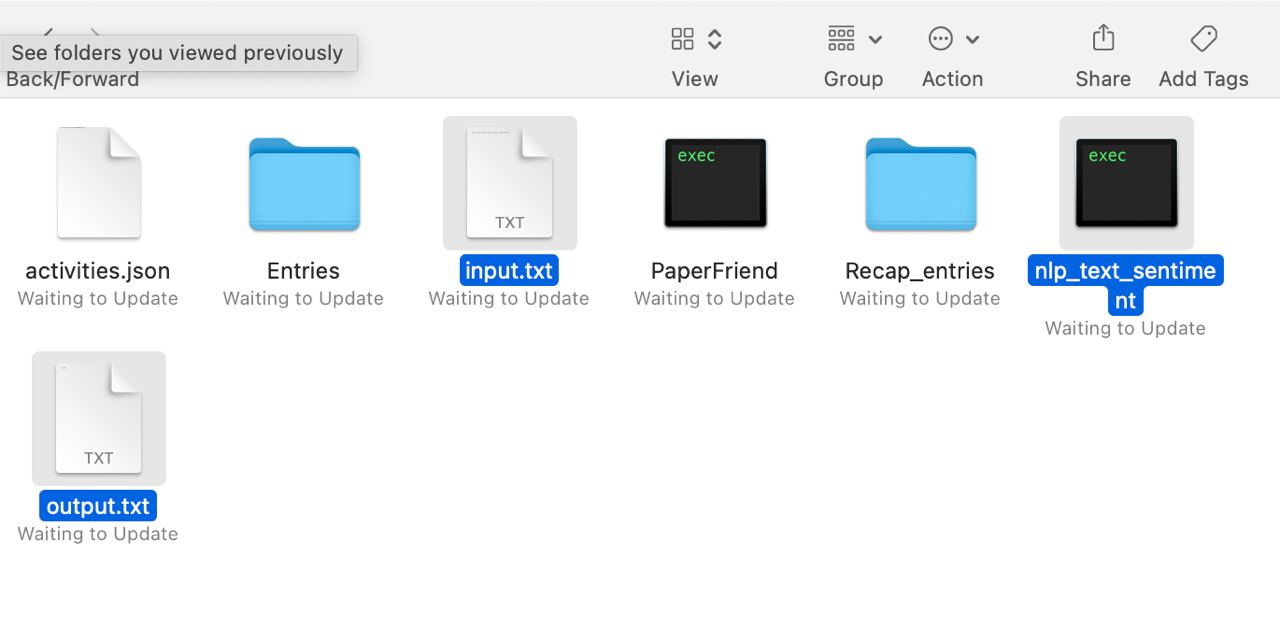
You can create input.txt and output.txt. You can download the exe of the nlp algorithm at this link: https://fex.net/ru/s/ytn5xfy Artem used this website to host the file as it was too heavy for github. You can then test it by writing a title and a text in your entry and pressing the button analyze.