The highlight theme Dark+ for maple is based on the vscode default Dark+ theme, added some color settings for the maple elements.
To change the theme, you can press ctrl+shift+P and search Theme, click Preference: Color Theme, and select the Maple Dark+ or Maple Light+.
If you don't like the color, you can change it in ./themes/maple_dark.json or ./themes/maple_light.json.

Support elements include:
- line comment:
# - block comment:
(**) - keywords
- string: surround with
"", and handled escaping but ignore its correctness. - quoted names: surround with
``, and handled escaping but ignore its correctness. - unevaluated expressions: the
''can be used as()for expressions, so it's difficult to match these expressions, this extension just support mult-quoted unevaluated expressions such as'x'and''x'', expressions like''x'+y'can not be highlighted correctly. - preprocessor: such as
$include. Notice: In Maple, the introducer$must appear as the first character of a line to be recognized as a preprocessor directive. - proc and module options. But deleted
traceoption, because it is rarely used, and can be instead of thetracefunction. - maple functions.
- support extensions: mpl,mm,mi .

Support Maple proc/module outline:
- support proc/module names like
abc,abcor'abc'. - support proc/module names in the form of
:-name,name[anything],name[name2][name3],name:-name2:-name3. - do NOT support proc/module names in the form of
name[[...]]. - MUST use the grammer of
proc() ... end procormodule() ... end module. - Compatible with older syntax, MUST end with
;or;.proc() ... end:module() ... end:- do NOT use
try ... end, usetry ... end tryinstead. - do NOT use
if ... endordo ... end

Simple snippets including:
- if
- elif
- else
- proc
- module
- for
- while
- do
- use
- try
- ifndef - define - endif
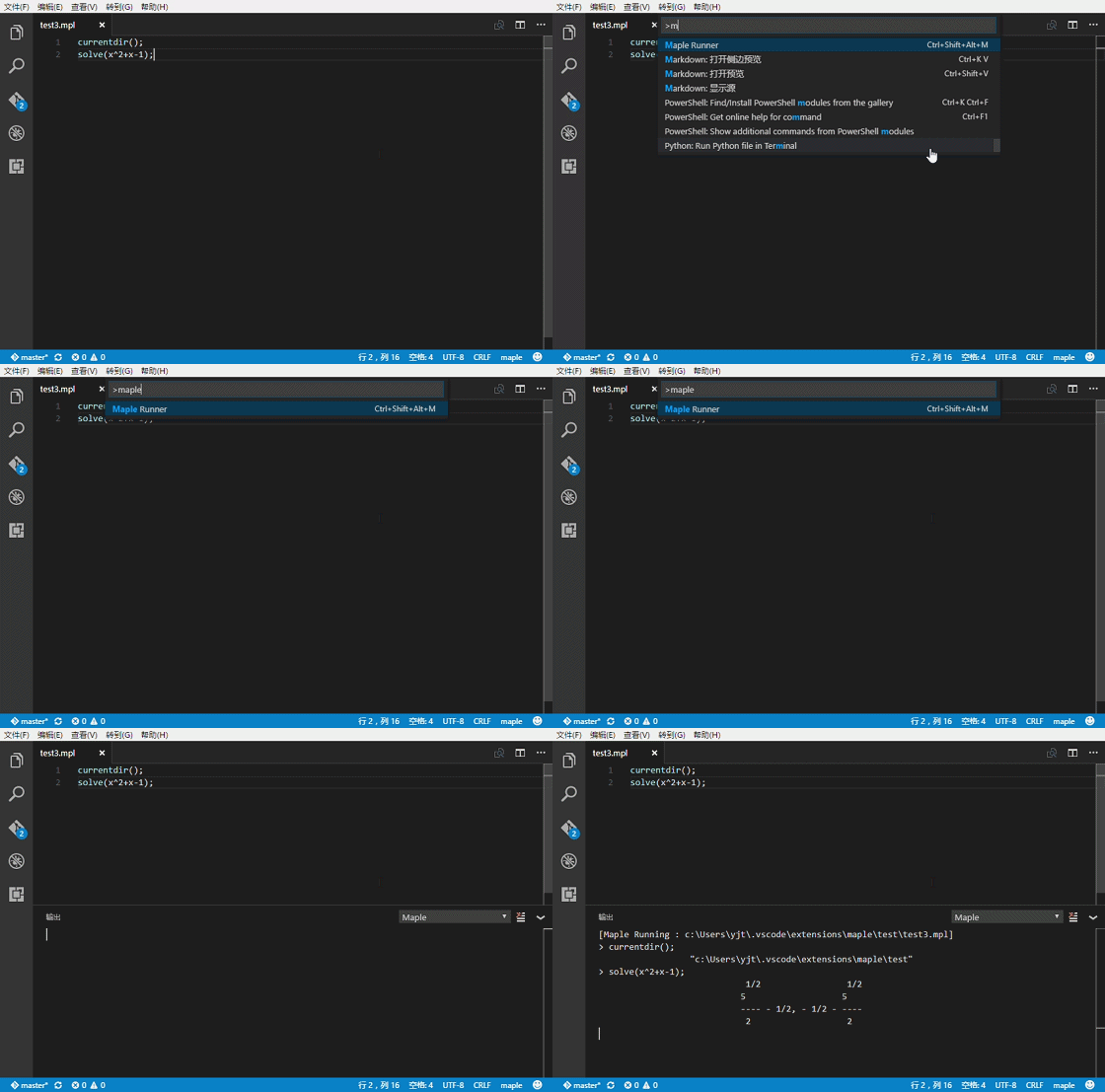
Firstly, you should set the path of cmaple.exe.
"maple.cmaplePath":"${Maple Install Path}/bin/cmaple.exe"
And you can set the output option maple.isPrettyPrint to be true or false (default is false).
"maple.isPrettyPrint":true or false
Example for true
> solve(x^2+x-1);
                   1/2                 1/2
                  5                   5
                  ---- - 1/2, - 1/2 - ----
                   2                   2
Example for false
> solve(x^2+x-1);
1/2*5^(1/2)-1/2, -1/2-1/2*5^(1/2)
To run maple code, you can right click and select the Maple Runner menu. Or, you can press ctrl+shift+alt+m.
While there is any code selected, it will run the selected code instead of run the whole file.
Notice:
- it only support codes that can run in
cmaple.exe. - every line should end with
;or:. - not support preprocessor commands.