A browser workspace for OpenSpec projects. See what to build next, watch progress live while your coding agent works, and manage changes, tasks, and specs — without leaving the browser.


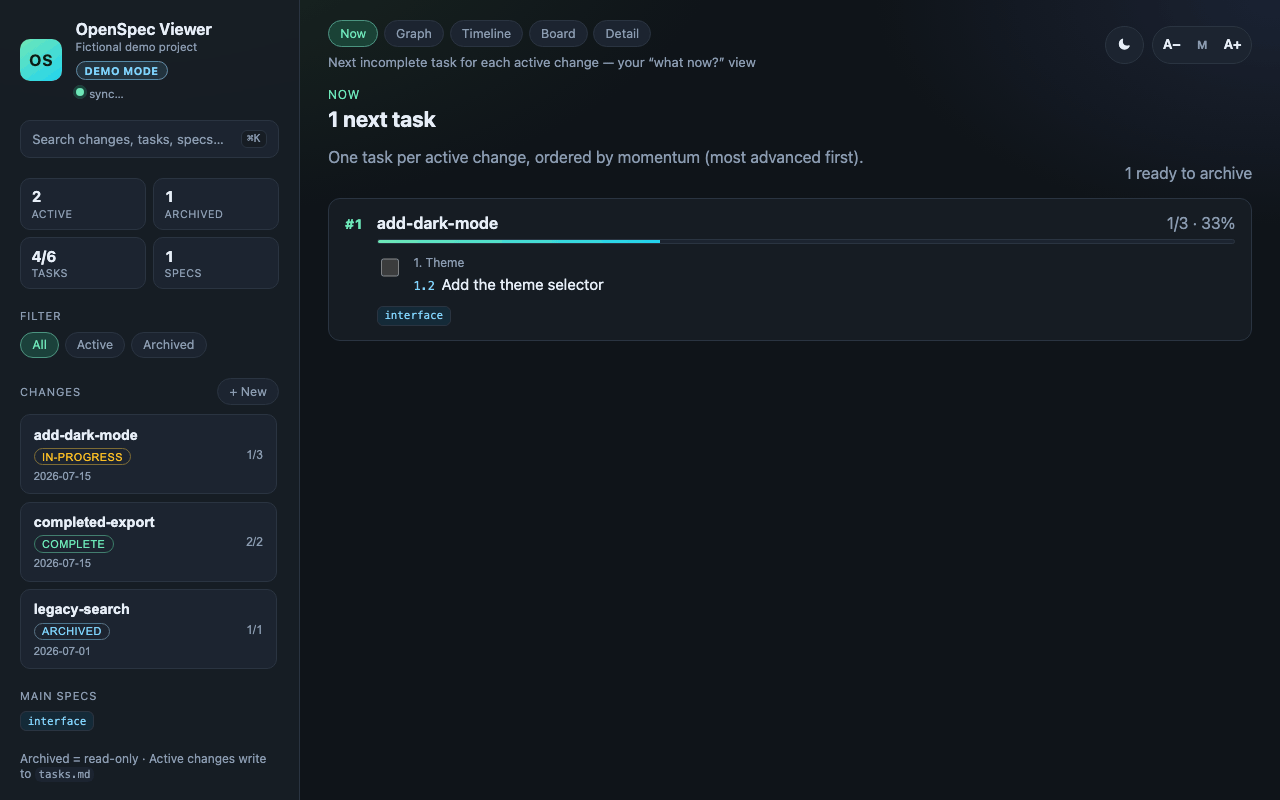
Try the live demo → — a read-only build with fictional data. Nothing to install.
# in a project that contains openspec/
npx @warsclon/openspec-viewer

# no OpenSpec project yet? Explore a fictional one
npx @warsclon/openspec-viewer --demo
The CLI starts a local server on 127.0.0.1, opens your browser, and live-reloads as files change on disk. Everything runs on your machine; nothing is uploaded anywhere.
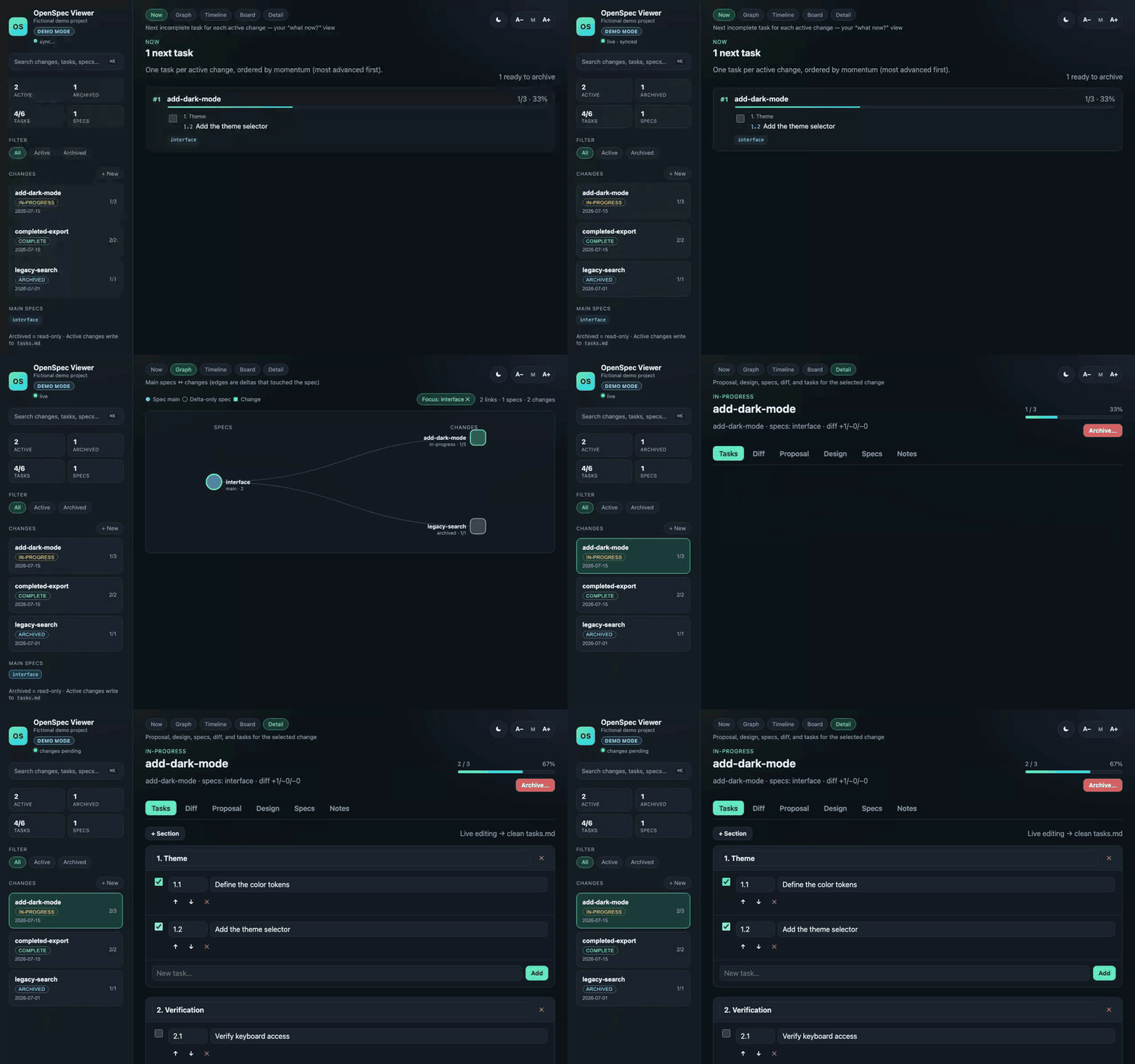
- Answer "what now?" — the Now view surfaces the next incomplete task for every active change, ordered by momentum.
- See the shape of the project — the Graph view links specs to the changes that touch them; Timeline and Board show history and status at a glance.
- Work on artifacts in place — edit proposal, design, and tasks with markdown preview; add, reorder, and check off tasks and get clean
tasks.mdwrites. - Follow your agent live — file watching plus Server-Sent Events update the UI the moment a task is checked or an artifact changes.
- Find anything — global search (
⌘K/Ctrl+K) across changes, tasks, proposals, designs, and specs. - Inspect spec deltas — the Diff tab shows ADDED / MODIFIED / REMOVED requirements per change.
- Keep private context — per-change local notes live under
.openspec-viewer/(gitignored), even for archived changes.
OpenSpec ships openspec view, a terminal dashboard. Both read the same openspec/ directory; they fit different moments:
| Workflow | openspec view |
OpenSpec Viewer |
|---|---|---|
| Quick status check in the terminal | ✅ Instant, no server | Runs a local server first |
| Watching progress while an agent works | Re-run to refresh | ✅ Live reload via SSE |
| Editing proposal / design / tasks | Use your editor | ✅ In-place editing with preview |
| Navigating spec ↔ change relationships | Text listing | ✅ Interactive graph with deep links |
| Sharing a view with a deep link | — | ✅ #/graph?spec=…, #/change/<name>/diff |
If you live in the terminal and just want status, openspec view is great. Reach for the browser workspace when you're editing artifacts, tracking live activity, or exploring the graph.
| Surface | Supported |
|---|---|
| Node.js runtime | 20 and 22 release lines (>=20) |
| OpenSpec CLI integration | Validated against OpenSpec 1.6.0 and 1.7.0 |
The viewer reads compatible OpenSpec filesystem layouts directly and does not require the OpenSpec CLI. Installing @fission-ai/openspec enables the optional create-change and archive integrations. Other OpenSpec versions may work but are not part of the support claim.
- Demo mode (
--demo) copies a bundled fictional project into a temporary directory and opens it with a visible "Demo mode" badge. Edits affect only that isolated copy and are discarded on exit — your working directory is never touched, and the temporary machine path is never displayed. - Hosted read-only demo — a static build of the same fictional project, for exploring the UI without installing anything. It is clearly labeled "Read-only demo" and every mutation control is removed; only the local CLI writes files.
- Privacy — local-first by design. The server binds to
127.0.0.1, there is no telemetry, no analytics, no network calls beyond your own browser talking to your own machine, and the published package has zero runtime dependencies. - What gets written where — active changes write to their own
proposal.md,design.md, andtasks.md. Archived changes are read-only. Local notes go to.openspec-viewer/in the project root (gitignored).
# one-off
npx @warsclon/openspec-viewer

# or globally
npm install -g @warsclon/openspec-viewer
openspec-viewer
From source:
git clone https://github.com/warsclon/openspec-viewer.git
cd openspec-viewer
npm install
npm run build
npm link# inside a project that contains openspec/
openspec-viewer
# point at another project
openspec-viewer /path/to/project
openspec-viewer --path ../my-app --port 5173
openspec-viewer --no-open
openspec-viewer --no-archive # hide archived changes
# explore fictional data without an existing OpenSpec project
openspec-viewer --demoDevelopment (TypeScript, no build step):
npm run dev -- --path /path/to/project| Option | Description |
|---|---|
[path] / --path <dir> |
Project root to scan (default: cwd) |
-p, --port <n> |
Port (default: 4321; use 0 for an ephemeral port) |
--host <host> |
Host (default: 127.0.0.1) |
--demo |
Open the bundled fictional project in an isolated temporary copy |
--no-archive |
Hide archived changes |
--no-open |
Do not open the browser |
-h, --help |
Help |
-V, --version |
Version |
| Method | Path | Description |
|---|---|---|
GET |
/api/project |
Project paths |
GET |
/api/changes |
Changes + overview + graph + next-up |
GET |
/api/changes/:name |
Detail, tasks, spec diffs, notes |
POST |
/api/changes |
Create change { name, description? } |
POST |
/api/changes/:name/archive |
Archive { confirm: true, skipSpecs? } |
PUT |
/api/changes/:name/proposal |
Write proposal.md |
PUT |
/api/changes/:name/design |
Write design.md |
PUT |
/api/changes/:name/tasks |
Replace tasks (content or sections) |
POST |
/api/changes/:name/tasks/mutate |
Add/update/delete/move tasks |
POST |
/api/changes/:name/tasks/toggle |
Toggle checkbox |
GET/PUT |
/api/changes/:name/notes |
Local notes |
GET |
/api/search?q= |
Global search |
GET |
/api/events |
SSE live reload stream |
Archived changes are read-only for OpenSpec artifacts. Local notes remain editable.
JSON API responses use these status classes:
| Status | Meaning |
|---|---|
200 / 201 |
The read or mutation completed successfully |
400 |
The URL encoding, JSON body, or required input is invalid |
404 |
The route, change, or task does not exist |
409 |
The mutation conflicts with existing or archived project state |
500 |
A local operation or OpenSpec subprocess failed |
#/next
#/graph
#/graph?spec=billing-quotas
#/timeline
#/board
#/change/my-feature
#/change/my-feature/diff
#/change/archive%2F2026-07-19-my-feature/tasks
npm ci
npm run typecheck
npm test
npm run build| Script | Purpose |
|---|---|
npm run dev |
Run CLI via tsx |
npm run build |
Compile TypeScript + copy UI assets |
npm test |
Run all unit and integration tests (Vitest) |
npm run test:unit |
Run focused unit tests |
npm run test:integration |
Run filesystem and HTTP integration tests |
npm run test:coverage |
Run Node-source coverage with V8 |
npm run test:browser |
Run critical UI journeys in deterministic Chromium |
npm run test:openspec |
Strictly validate active changes and the fictional fixture |
npm run test:package |
Pack, clean-install, and smoke-test the published CLI |
npm run capture:media |
Regenerate launch media from the demo fixture |
npm run prepublishOnly |
Run the complete package validation gate |
npm run typecheck |
tsc --noEmit |
src/
  cli.ts              # CLI entrypoint
  server.ts           # HTTP + SSE API
  openspec/           # parsers, graph, search, mutate, notes
  ui/                 # static web UI
test/                 # unit tests
- OpenSpec — spec-driven development for AI coding assistants
- OpenSpec terminal dashboard:
openspec view
See CONTRIBUTING.md for setup and the checks a pull request
has to pass, and ROADMAP.md for what is committed next versus what
is still an idea. Issues labeled
good first issue
are scoped to be finished independently.
Please follow the Code of Conduct. Security issues should be reported privately according to the Security Policy.