

Launch and organize everything, perfectly.
App Launcher · Windows 10/11 · x64 · ~5 MB · Free for personal use
⬇ Download FlowDesk 1.0.4 · tapatch.com/tools/flowdesk

Built because no launcher did everything without compromise. FlowDesk does.
FlowDesk is a unified task launcher and scheduler. Pin apps, scripts, folders, and URLs, organise them into categories, and schedule anything to run at a time or interval — with optional UAC elevation. Import and export your setup as JSON. Everything in one tight interface, nothing in the system tray you didn't ask for.
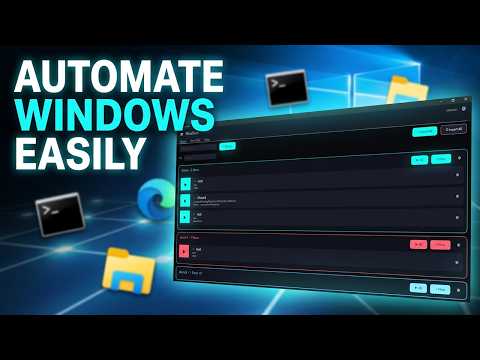
Built to handle everything you throw at it. Here are the highlights.
🚀 App launcher
Pin apps, scripts, folders, and URLs for one-click launch. Search through everything instantly as your list grows.
🕐 Scheduler
Schedule any item to run at a specific time, on an interval, or at startup. Set it once and forget it.
🛡️ UAC elevation
Run any launcher item as administrator with built-in elevation support.
📁 Categories
Organise launchers into labelled groups. Collapse, reorder, and customise to match how you actually work.
📦 Import / Export
Save your entire launcher setup to a JSON file. Restore it on a new machine or share it with your team.
🔍 App search
Search installed apps directly from FlowDesk without opening the Start menu or typing in Explorer.
- Scheduled tasks only run while FlowDesk is open. For persistent background scheduling, add FlowDesk itself to Windows startup.
- The admin helper only takes requests from FlowDesk itself, so other programs can't use it to run things as administrator
- Stopping a flow only closes what that flow started, not every program with the same name (like all of Chrome)
- Stopping one admin flow no longer stops your other admin flows
- Imported flows get their own IDs, so starting or stopping one no longer affects another
Release notes for every version are on the Releases page and in release-notes/.
- Download FlowDesk-Setup-1.0.4.exe from the latest release or from tapatch.com.
- Run it. The installer and the app come in 10 languages.
- Accept the Terms of Service on first launch.
Windows may show a SmartScreen warning for new downloads. Click More info → Run anyway.
Or with Scoop:
scoop bucket add tapatch https://github.com/tapatchUSA/packages
scoop install tapatch/flowdesk| Version | Released | Installer | VirusTotal | SHA-256 |
|---|---|---|---|---|
| 1.0.4 | 2026-10-18 | FlowDesk-Setup-1.0.4.exe | 2 / 71 | db3dd5bad488f476… |
| 1.0.3 | 2026-10-17 | FlowDesk-Setup-1.0.3.exe | 2 / 70 | efdb9550689ce2a2… |
| 1.0.2 | 2026-10-01 | FlowDesk-Setup-1.0.2.exe | 1 / 70 | 8a6c6ce4c3ae5798… |
| 1.0.1 | 2026-09-30 | FlowDesk-Setup-1.0.1.exe | 2 / 69 | 85520c658f855372… |
| 1.0.0 | 2026-04-11 | FlowDesk-Setup-1.0.0.exe | 2 / 71 | 658428e92fae27ad… |
Every installer is scanned on VirusTotal before release. FlowDesk 1.0.4: 2 / 71 engines flag it · view report
SHA-256
db3dd5bad488f476768a30a214e8dc9d9561dcd3f0d82e929082e88b989f640e
Rust · egui · eframe · serde · rfd
Free for personal use. Business or commercial use requires a paid license (see tapatch.com/terms). Full terms: tapatch.com/terms/software.
This repository holds the official installers and release notes.
tapatch.com: small tools, serious quality. Built solo, shipped with care.