


Type-safe Flutter localization (i18n / l10n) from your ARB files — code generation, multi-flavor support, plurals and parameters, plus optional over-the-air translation updates so you can ship copy changes without an app release.
A complete Flutter localization solution that combines:
- CLI tool for generating type-safe localization code from ARB files
- Live updates via flutterlocalisation.com (optional, paid feature)
- Flavor-based localization structure for multi-environment apps
🧰 Free online tools (no signup): ARB Editor · ARB Diff · l10n.yaml Generator · Locale Explorer
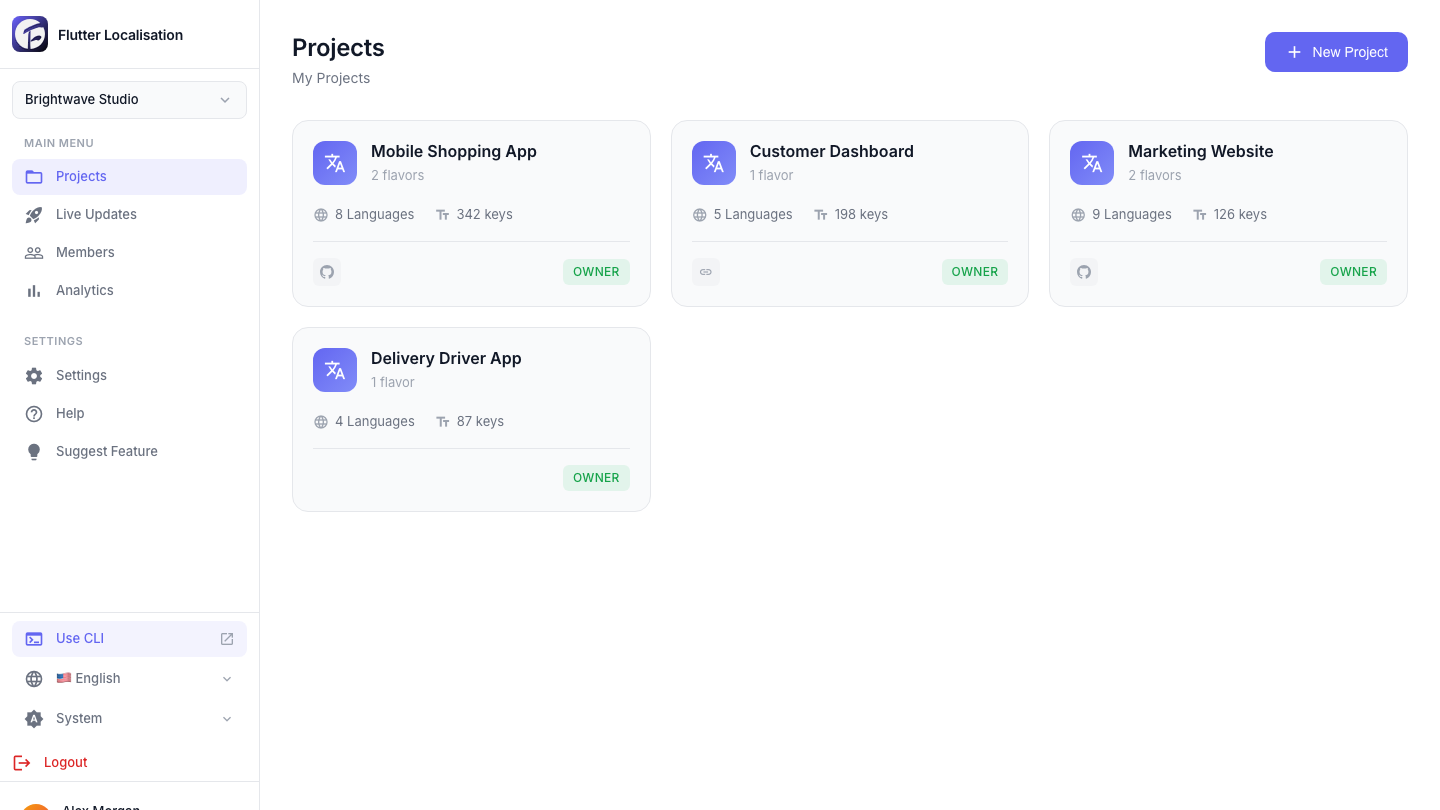
Three steps to ship multilingual apps:
| 1. Connect your repo | 2. Translate with AI | 3. Sync to Git |
|---|---|---|
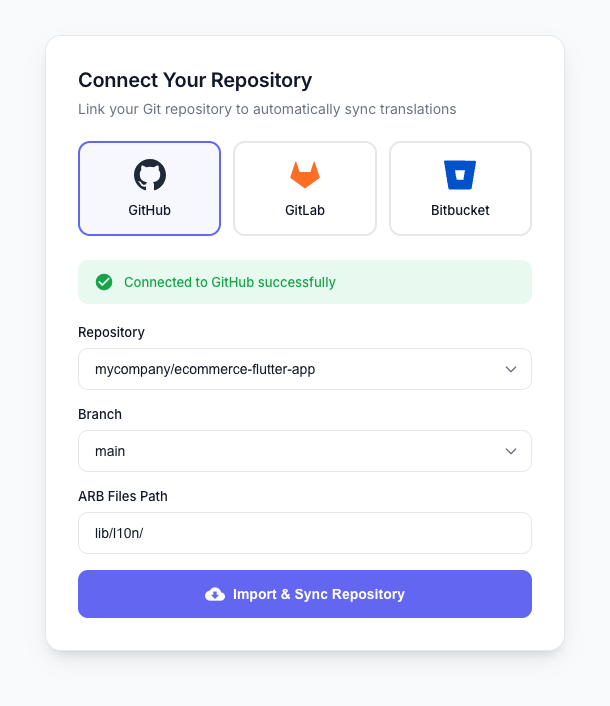 |
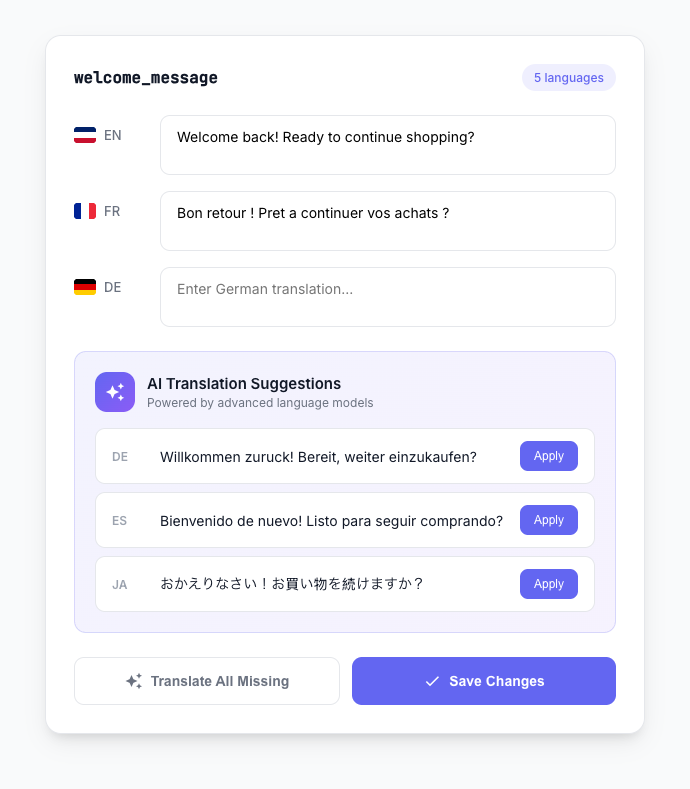 |
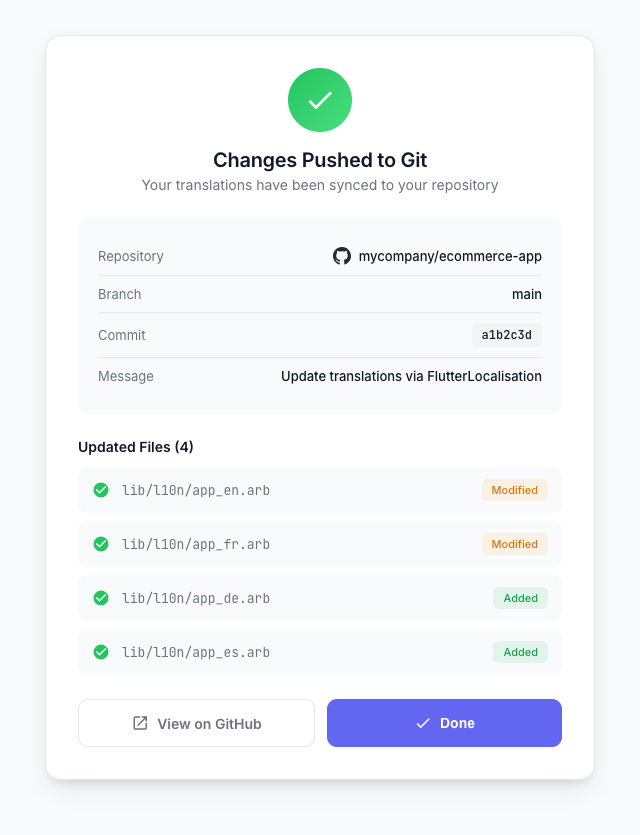 |
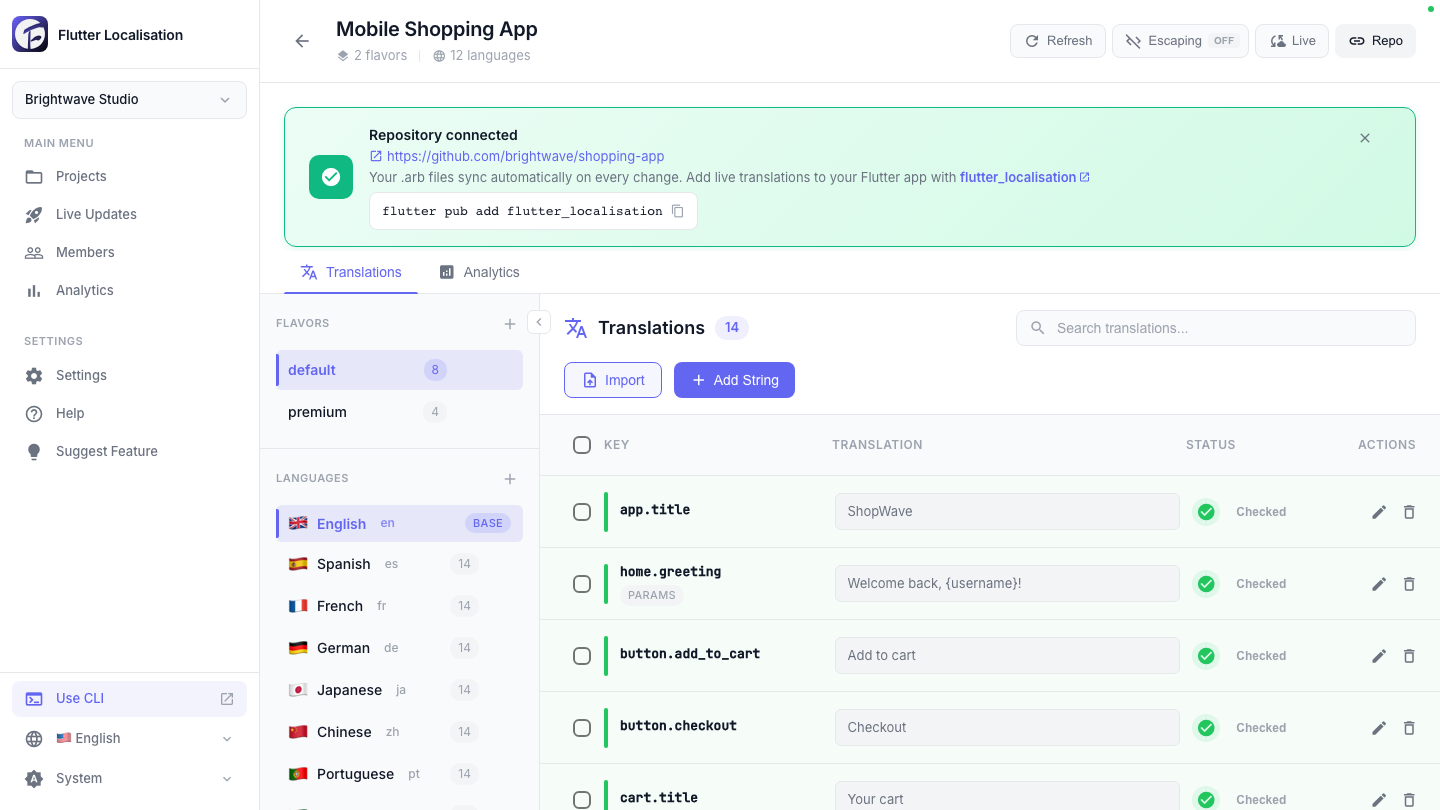
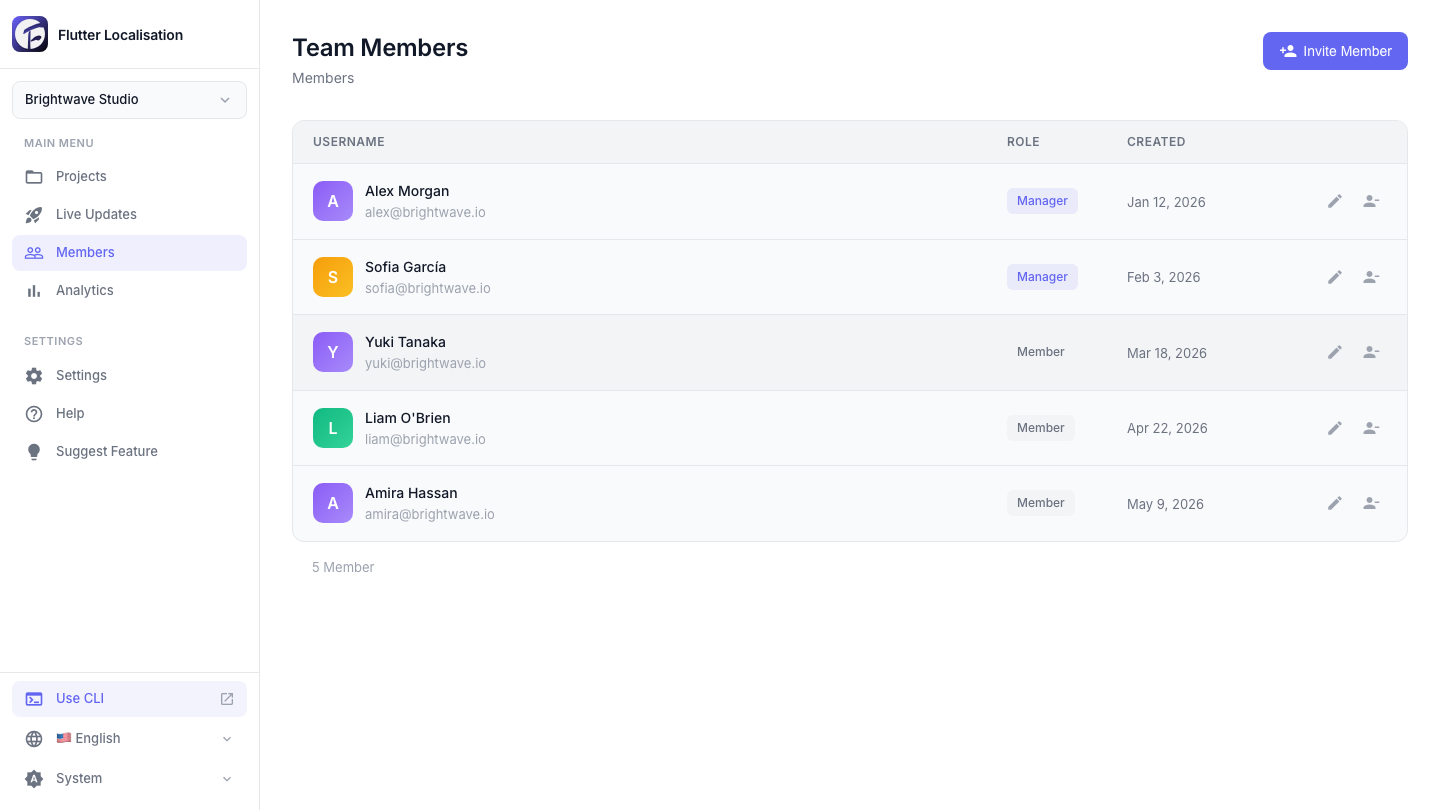
| Visual translation editor | Team collaboration |
|---|---|
 |
 |
- Generate strongly typed localization classes from ARB files
- Support for multiple flavors (dev, staging, production, etc.)
- Automatic code generation with type-safe methods
- Plural handling and parameterized strings
- Works completely offline
- Manage translations via web dashboard with your team
- Live updates - update translations without app releases
- Git integration - automatic ARB file sync (GitHub, GitLab, Bitbucket)
- Translation memory and AI-assisted translation
- Team collaboration with granular permissions
- Multi-project and multi-flavor management
dart pub global activate flutter_localisationAdd this to your shell config (.bashrc, .zshrc, etc.):
export PATH="$PATH":"$HOME/.pub-cache/bin"# pubspec.yaml
dependencies:
flutter_localisation: ^2.1.2
flutter_localizations:
sdk: flutter
intl: any
flutter:
generate: trueThen run:
flutter pub get- Sign up at flutterlocalisation.com and create a project
- Add languages and translation keys via the web interface
- Connect your Git repository (GitHub, GitLab, or Bitbucket)
- The backend automatically generates ARB files and pushes them to your connected Git repo
cd your_flutter_project
git clone <your-arb-repository-url> arbs
Your structure will look like:
your_project/
├── arbs/
│   ├── production/
│   │   ├── app_en.arb
│   │   ├── app_es.arb
│   └── staging/
│       ├── app_en.arb
│       ├── app_es.arb
Run the CLI tool to generate type-safe Dart code from the ARB files:
flutter_localisation arbs productionReplace production with your flavor name. This generates all the necessary localization code.
import 'package:flutter/material.dart';
import 'package:flutter_localizations/flutter_localizations.dart';
import 'package:flutter_localisation/flutter_localisation.dart';
import 'package:your_app/localization/generated/app_localizations.dart';
import 'package:your_app/generated_translation_methods.dart';

void main() {
  final translationService = TranslationService(
    config: TranslationConfig.freeUser(),
  );

  runApp(MyApp(translationService: translationService));
}

class MyApp extends StatelessWidget {
  final TranslationService translationService;

  const MyApp({required this.translationService});

  @override
  Widget build(BuildContext context) {
    return MaterialApp(
      localizationsDelegates: const [
        AppLocalizations.delegate,
        GlobalMaterialLocalizations.delegate,
        GlobalWidgetsLocalizations.delegate,
        GlobalCupertinoLocalizations.delegate,
      ],
      supportedLocales: AppLocalizations.supportedLocales,
      home: Builder(
        builder: (context) {
          final localizations = AppLocalizations.of(context);
          return TranslationProvider(
            service: translationService,
            generatedLocalizations: localizations,
            child: HomePage(),
          );
        },
      ),
    );
  }
}If you have a paid plan and want live updates at runtime:
-
Get your API credentials from the dashboard:
- Go to workspace settings and copy your Live Update API Key (
sk_live_...) - Note your Project ID from project settings
- Go to workspace settings and copy your Live Update API Key (
-
Update your configuration:
void main() async {
  WidgetsFlutterBinding.ensureInitialized();

  final translationService = TranslationService(
    config: TranslationConfig.paidUser(
      secretKey: 'sk_live_your_key_here',
      projectId: 31,
      flavorName: 'production',
      supportedLocales: ['en', 'es', 'fr'],
      enableLogging: true,
    ),
  );

  // Initialize to enable live updates
  await translationService.initialize();

  runApp(MyApp(translationService: translationService));
}class HomePage extends StatelessWidget {
@override
Widget build(BuildContext context) {
return Scaffold(
appBar: AppBar(
title: Text(context.tr.appTitle),
),
body: Column(
children: [
// Simple string
Text(context.tr.hello("World")),
// Plurals
Text(context.tr.itemCount(5)),
// Manual refresh button
ElevatedButton(
onPressed: () {
context.translations?.fetchAndApplyUpdates();
},
child: Text('Refresh Translations'),
),
],
),
);
}
}When you need to update translations:
- Edit translations on the dashboard at flutterlocalisation.com
- Changes are automatically pushed to Git
- Run:
flutter_localisation arbs production(handles everything automatically) - Fully stop and restart your app (hot reload/restart will NOT work)
- For paid plans with live updates, your app can also fetch changes automatically at runtime
Whenever you update ARB files:
flutter_localisation arbs your_flavor_nameThis single command does everything needed:
- Pulls latest changes from Git (if the ARB folder is a Git repository)
- Regenerates standard Flutter localization files in
lib/localization/generated/ - Generates extension methods file at
lib/generated_translation_methods.dart - Invalidates Dart analysis cache (
.dart_tool/) - Runs
flutter pub getto refresh dependencies
Important: After running this command, you must fully stop and restart your app. Hot reload (r) or hot restart (R) will NOT work because the compiled code needs to be rebuilt with the new translations.
TranslationConfig({
  String? secretKey,              // API key from dashboard (paid only)
  int? projectId,                 // Project ID from dashboard (paid only)
  String? flavorName,             // Flavor name (e.g., 'production')
  List<String>? supportedLocales, // Languages to fetch updates for
  bool enableLogging = true,      // Debug logs
})// For free users (local only)
TranslationService.freeUser()
// For paid users (manual config)
TranslationService(config: TranslationConfig(...)){
"key": "value"
}{
"greeting": "Hello {name}!",
"@greeting": {
"placeholders": {
"name": {"type": "String"}
}
}
}{
"itemCount": "{count, plural, =0{No items} =1{One item} other{{count} items}}",
"@itemCount": {
"placeholders": {
"count": {"type": "int"}
}
}
}- You create ARB files locally
- CLI tool generates type-safe Dart code
- Translations are bundled with your app
- Everything works offline
- You manage translations on flutterlocalisation.com
- Translations sync to Git automatically
- CLI tool generates code from ARB files
- At runtime, app checks for updates via API
- If updates exist, they override bundled translations
- Updates are cached for offline use
- Falls back to bundled translations if API unavailable
Add, edit, delete, and AI-translate keys without opening the dashboard — from your terminal or
from Claude — then git pull the ARBs. Both tools ship with this package and use a scoped
flk_live_… API token you create in the dashboard under API Keys.
The token is read from
--token, theFL_API_TOKENenvironment variable, or~/.config/flutterlocalisation/credentials.json(chmod 600). It is never embedded in your app — keep it on your dev machine / CI / MCP host only. Give it just the scopes it needs (strings:read,strings:write,translate).
dart pub global activate flutter_localisation

# Project config: flutterlocalisation.json in your project root
# { "base_url": "https://api.flutterlocalisation.com", "project_id": 31, "flavor": "production" }

fl login --token flk_live_xxx           # stores the token (chmod 600)
fl projects                             # list your projects (pick by name, not id)
fl add greeting --value "Hello" --translate   # add key + AI-fill every other locale
fl edit greeting --locale fr --value "Bonjour"
fl translate greeting --missing         # fill only empty locales
fl status                               # completion % per locale
fl delete greeting                      # all locales (or --locale fr for one)
fl pull                                 # git pull the ARB repo
You don't need to know a numeric project id. flutterlocalisation.json may set
"project": "<name>" (or omit it entirely if the workspace has one project), and any command
takes --project "<name or id>".
Add --dry-run to preview any command, or --json for machine-readable output. Run
dart run flutter_localisation:fl --help from within a project without global activation.
fl_mcp is a Model Context Protocol server so Claude can manage your translations. Mutating
tools are preview-by-default — they only write when called with apply: true. Configure it
in your MCP client:
{
  "mcpServers": {
    "flutter-localisation": {
      "command": "dart",
      "args": ["pub", "global", "run", "flutter_localisation:fl_mcp"],
      "env": { "FL_API_TOKEN": "flk_live_xxx" }
    }
  }
}
The token is workspace-scoped, so Claude discovers projects itself — no numeric id needed. Ask
things like "list my projects", then "in the Shopping App, add a key checkout_button =
'Buy now' and translate it to all locales." Optionally set FL_PROJECT / FL_FLAVOR for a
default. Tools: list_projects, list_status, add_string, edit_string, delete_string,
translate_key (each takes an optional project/flavor by name).
- Go to workspace settings
- Click "Add Member"
- Enter email and set permissions:
- Manager: Full access to all projects
- Member: Granular access per project/flavor
- Set read/write permissions per flavor
- Owner: Full workspace access
- Manager: Can manage members and edit all projects
- Member: Custom access per project with optional write permissions
Use flavors to manage different environments:
arbs/
├── development/
│   ├── app_en.arb
│   └── app_es.arb
├── staging/
│   ├── app_en.arb
│   └── app_es.arb
└── production/
    ├── app_en.arb
    └── app_es.arb
Generate for specific flavor:
flutter_localisation arbs development
flutter_localisation arbs staging
flutter_localisation arbs production
Configure your app:
TranslationService(
  config: TranslationConfig(
    flavorName: 'production',  // Changes based on build flavor
    // ...
  ),
)| Feature | Free | Starter | Growth | Business |
|---|---|---|---|---|
| Projects | 2 | 6 | 20 | Unlimited |
| Translations | 1,000 | 15,000 | 75,000 | 300,000 |
| Team Members | 3 | 8 | 25 | 100 |
| Live Updates | ✗ | ✓ | ✓ | ✓ |
| Git Integration | Manual | ✓ | ✓ | ✓ |
| AI Translation | Limited | ✓ | ✓ | ✓ |
Visit flutterlocalisation.com/pricing for current pricing.
Check out the example folder for a complete working implementation with:
- Multiple languages (English, Spanish, French)
- Multiple flavors (USA, Mexico)
- Live updates integration
- Language switching
- All translation types (simple, parameters, plurals)
- Ensure the path is correct:
flutter_localisation <folder> <flavor> - Check that ARB files exist in the specified flavor folder
- ARB files must be named like
app_en.arb,app_es.arb, etc.
- The CLI tool automatically handles cache invalidation
- If still having issues, ensure
flutter: generate: trueis inpubspec.yaml - Check that
l10n.yamlexists and points to correct ARB directory - As a last resort, manually run
flutter clean && flutter pub get
- Verify your API key is correct (starts with
sk_live_) - Check project ID matches your dashboard
- Ensure you have a paid subscription
- Check network connectivity
- Enable logging to see detailed error messages
- Simply run:
flutter_localisation arbs your_flavor- This automatically pulls from Git, regenerates code, and clears caches
- Hot restart (press
R) or fully restart your app - No manual cache clearing or pub get needed!
// Access translator
context.tr.yourTranslationKey

// Access service
context.translations?.fetchAndApplyUpdates()// Initialize service
await service.initialize()
// Fetch updates from API
await service.fetchAndApplyUpdates()
// Check if translation exists in cache
service.hasOverride('key', 'locale')
// Get cached translation
service.getOverride('key', 'locale')
// Get cache status
service.getCacheStatus()Contributions are welcome! Please visit our GitHub repository.
- Documentation: This README
- Example App: ./example
- Issues: GitHub Issues
- Website: flutterlocalisation.com
This project is licensed under the MIT License. See LICENSE for details.