





Routewell shows you what your GL.iNet router is doing, in real time. See the health of your network at a glance. Find every device on your network. Set up and tune your Wi‑Fi, see every DNS request, and control AdGuard Home from your Mac.
Routewell talks directly to your router on your local network. It has no account and no cloud service.
Download the latest beta · macOS 26 or later · tested on the GL.iNet Flint 4 with firmware 4.9.1
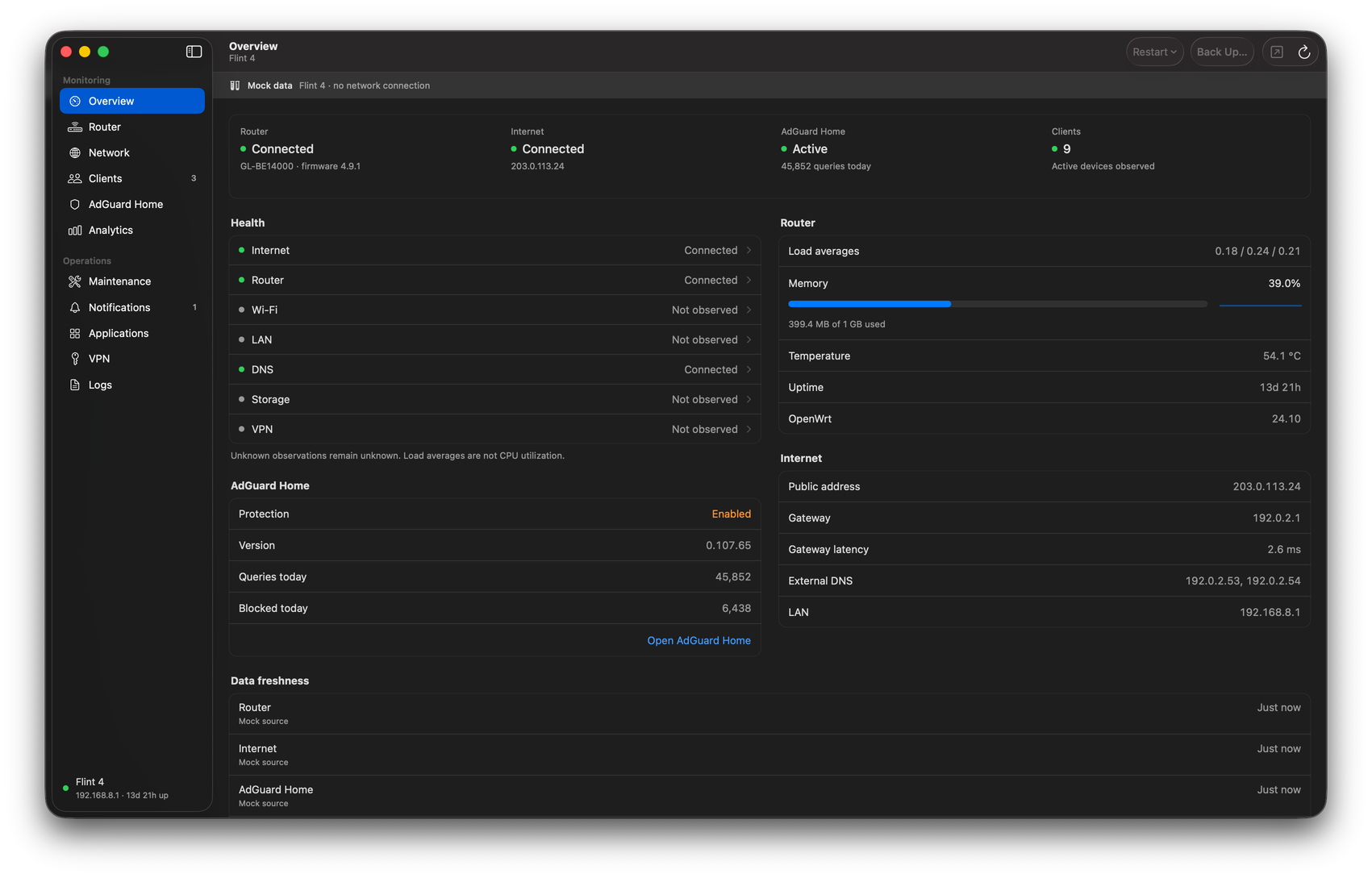
- See everything at a glance. The Overview shows your router, internet connection, AdGuard Home, and connected devices. It also shows load, memory, temperature, and uptime.
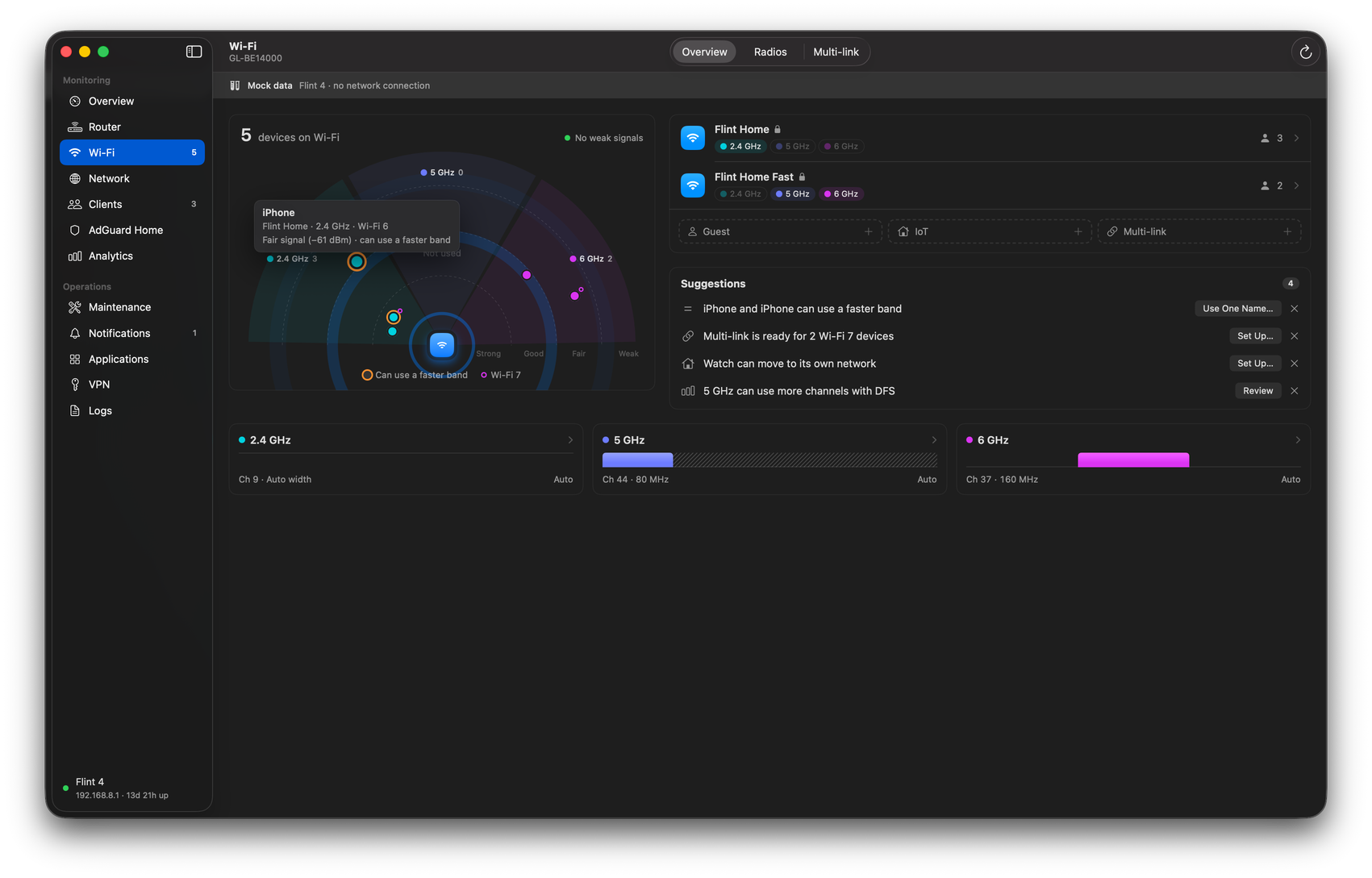
- See your Wi‑Fi. A map shows each Wi‑Fi device by band and signal strength. Routewell suggests changes, for example a faster band for a device, or a separate network for smart home devices.
- Change your Wi‑Fi safely. Edit names, passwords, security, and bands. Set the channel, width, and power of each radio. Before you apply a change, Routewell tells you which radios restart and which devices must join again.
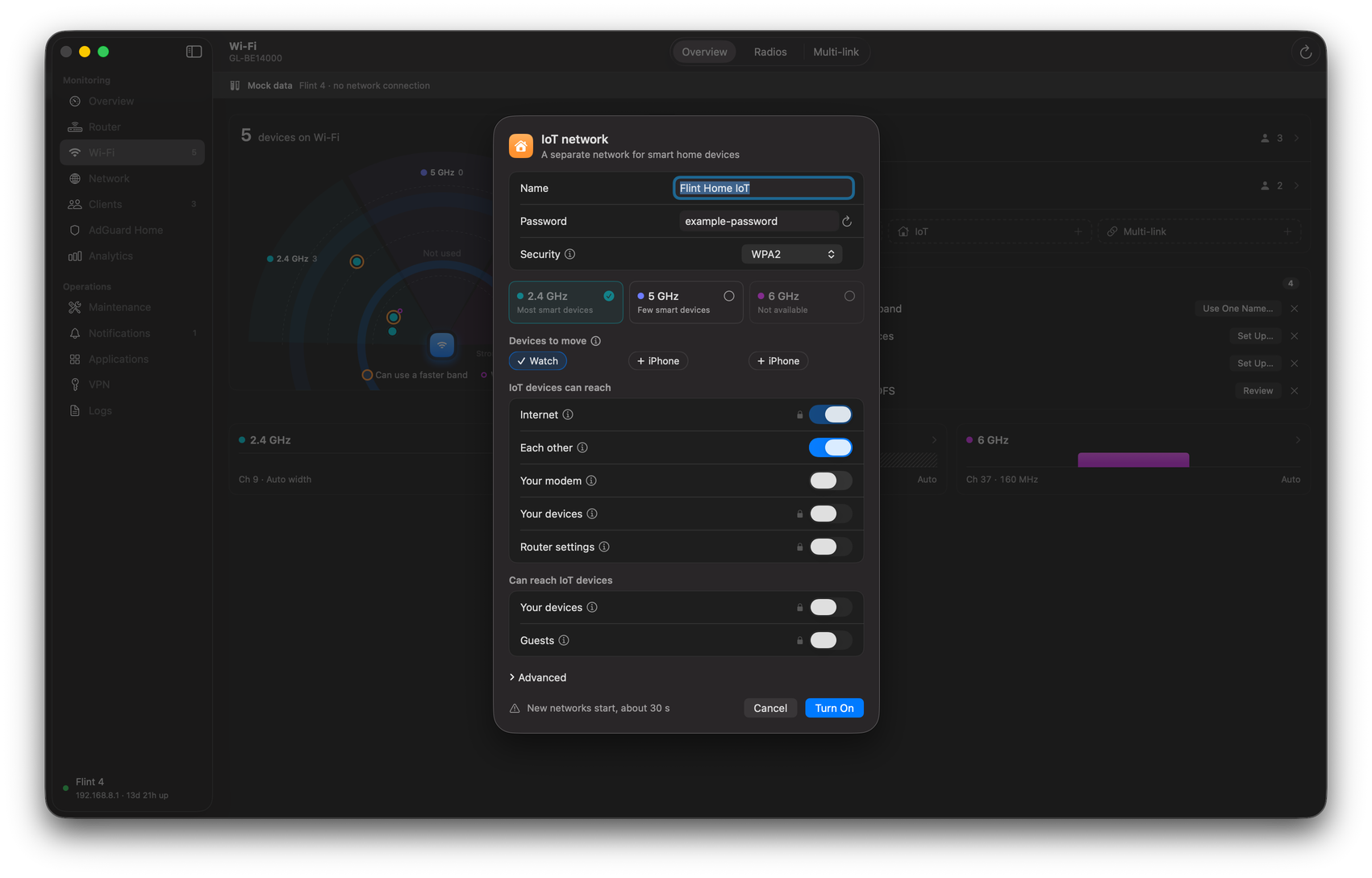
- Add guest, IoT, and multi-link networks. Choose what each network can reach, and share it with a QR code. Turn on multi-link for Wi‑Fi 7 devices.
- Know every device. The Clients screen lists each device with its IP address, connection, Wi‑Fi signal, and DNS queries. Routewell tells you when a new device joins.
- Look closer at one device. See when it was online, which domains it asks for, and which requests AdGuard blocked. Give it a name, a category, and notes. Ping it or wake it.
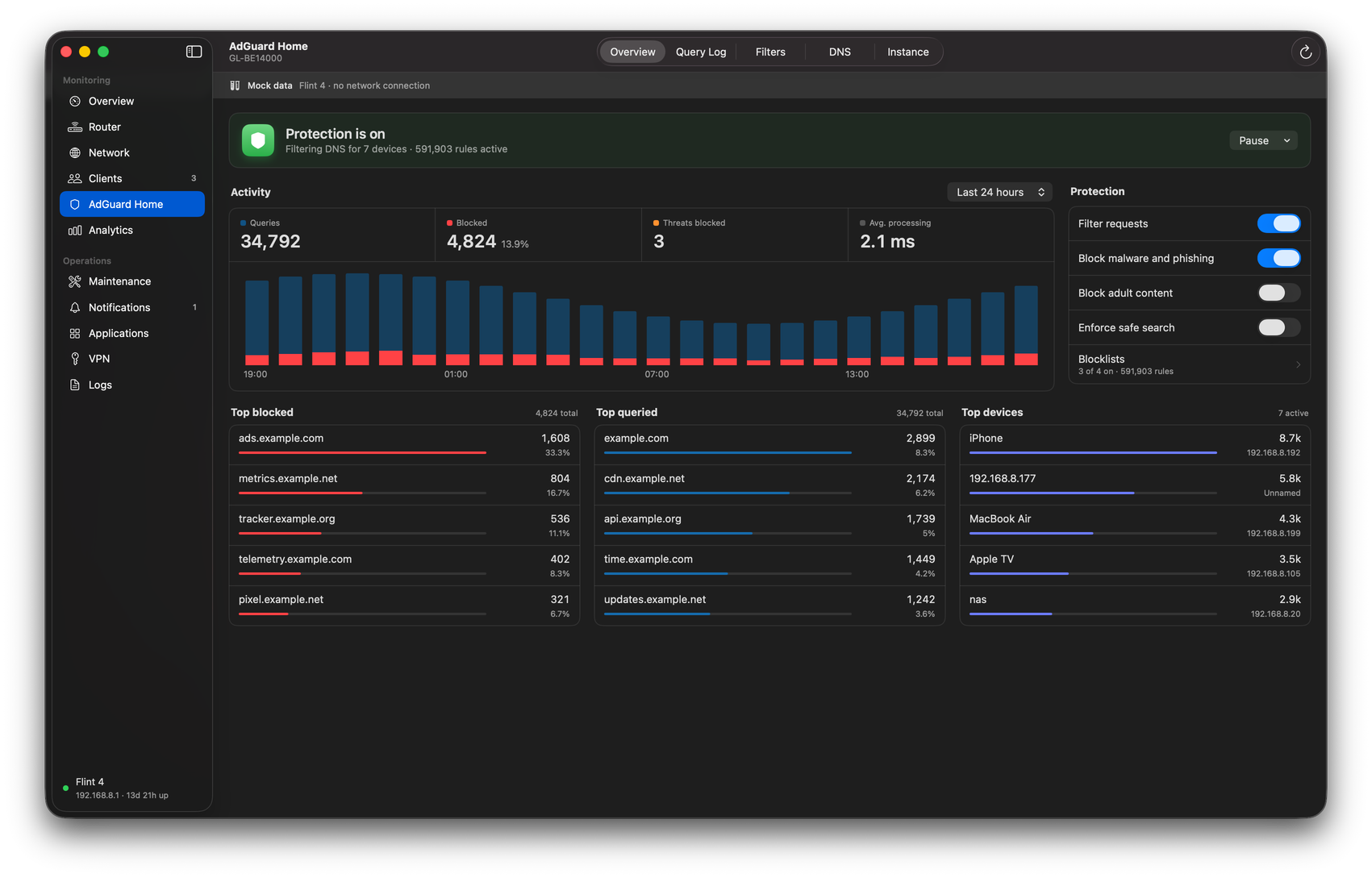
- Control AdGuard Home. See queries, blocks, and the top blocked domains and devices. Turn protection on or off, or pause it. Manage blocklists, allowlists, and custom rules. Set upstream DNS servers and the cache.
- Watch every DNS request. Read the query log live. Search it, filter it by device, and block or unblock a domain from a request.
- Keep AdGuard Home safe. With SSH on, back up and restore its settings.
- Check your router. See performance, DNS, SQM, and firmware updates. With SSH on, you can also see ports, storage, and system logs.
- Stay in the menu bar. Check your network status without opening the main window.
 |
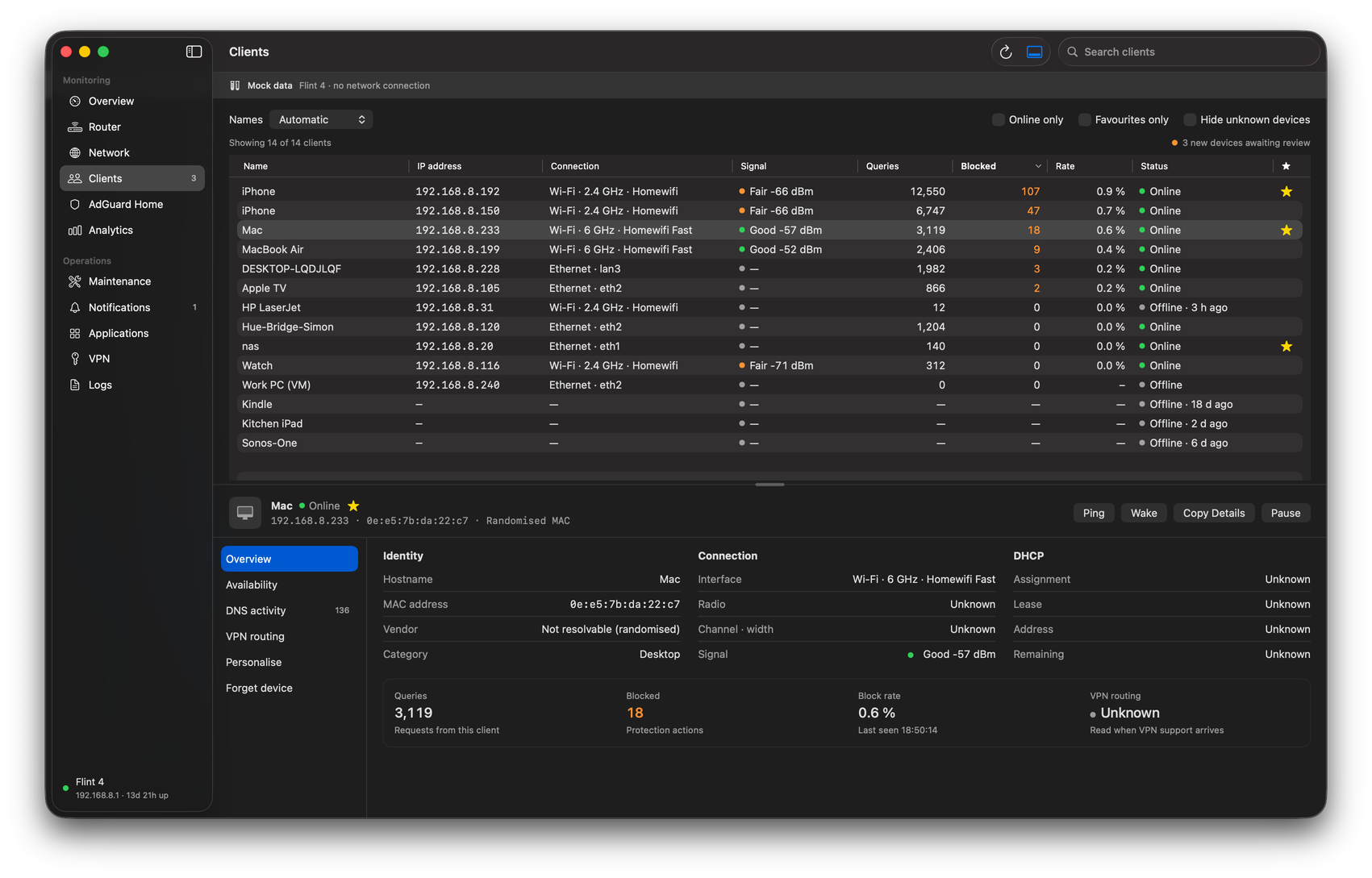 |
| A separate network for smart home devices, with the access you choose | Every device on your network, with signal and DNS counts |
 |
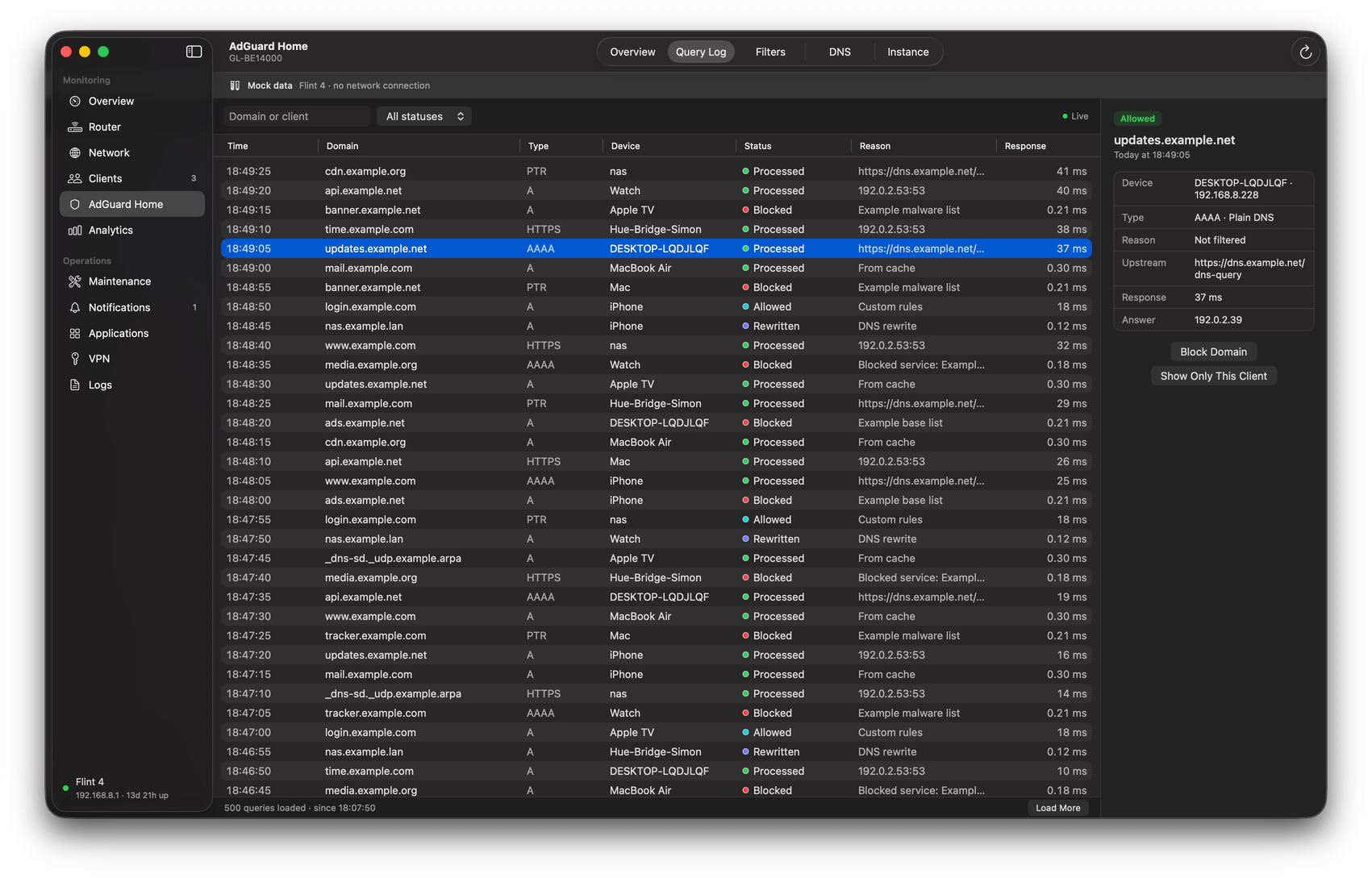 |
| AdGuard Home activity, protection, and top domains | Every DNS request, live, with the reason it was blocked or allowed |
- Native. Routewell is a SwiftUI app for macOS 26. It looks and works like the other apps on your Mac, in light and dark mode.
- Private. Routewell talks only to your router, on your own network. It has no account, no cloud service, and no tracking.
- Secure. Your router password stays in the macOS Keychain, and the app runs in the macOS sandbox. Optional SSH access uses your keys but never sees them.
Next on the list: network settings, maintenance tasks, notifications, analytics, VPN, and applications.
Warning
Routewell is in beta. Some screens are not finished, and you can find bugs. It has been tested on one router only: the GL.iNet Flint 4 (GL-BE14000) with firmware 4.9.1. Do not rely on it to manage a network that other people depend on.
Download the latest beta from the Releases page. The app is signed and notarized by Apple. Unzip it and move Routewell to your Applications folder.
Routewell needs macOS 26 or later.
When you open Routewell for the first time, a setup assistant finds your router. Sign in with your router's admin password. AdGuard Home and SSH are optional, and you can set up SSH later.
To build Routewell from source, see Building Routewell.
Routewell is heavily inspired by RouterPilot, created by Tristan and its contributors.
Copyright © 2026 Simon Solts. Routewell is licensed under the GNU General Public License v3.0 only, with one additional term under Section 7(b): you must keep the attribution to the author. See LICENSE, NOTICE and COPYRIGHT. Third-party contributions retain their respective copyright notices; see Third-party notices.
Routewell is an independent, unofficial project. It is not affiliated with, endorsed, sponsored, or supported by GL.iNet. GL.iNet and its product names, logos, and trademarks belong to their respective owners. All other trademarks are the property of their respective owners. Use Routewell at your own risk. The software is provided "as is", without warranty of any kind. To the extent permitted by applicable law, the authors and contributors are not liable for any loss or damage arising from its use, including data loss, device damage, or network disruption. See LICENSE for the full warranty disclaimer and limitation of liability.