

Streamlit is the agent-native data app framework. Use it for dashboards, forecasting apps, workflow apps, and any other app built around your data.



Each app is plain Python, written by you or your coding agent, with no separate frontend or API layer. Streamlit is batteries-included and takes care of the hard parts: a consistent, well-designed interface, state, caching, sign-in, theming, and upgrades. Your team keeps only its own logic, written in a language it already reads every day.
The No. 1 Python framework for data apps and dashboards. More than a million repositories on GitHub depend on it. Used by millions. Trusted by thousands of companies, from startups to global enterprises.
|
|
|
|
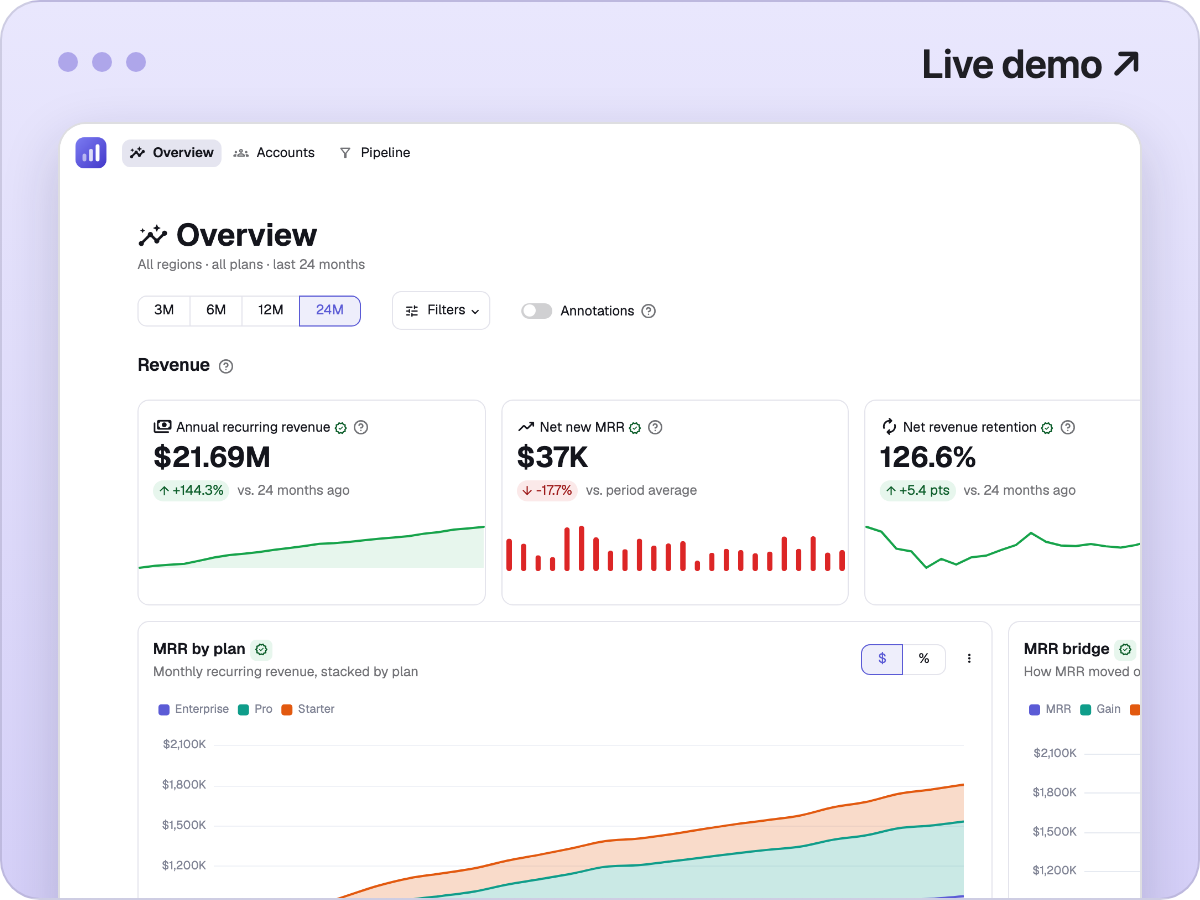
DASHBOARDS KPI dashboards with drill-down and cross-filtering Revenue, product metrics, and operating dashboards that stay fast over large data. Coming from a BI tool? Move your dashboards to Streamlit, and modernize them on the way. Try the live demo → |
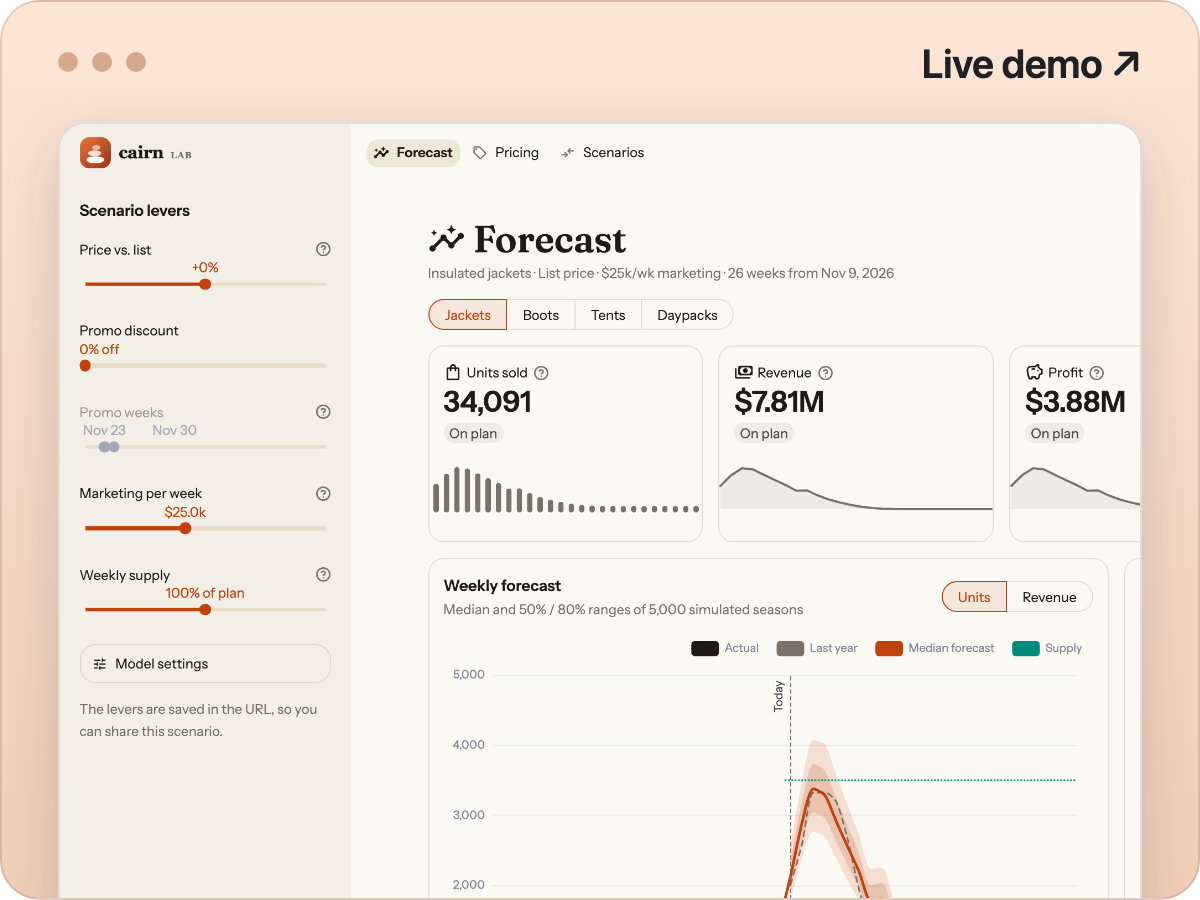
FORECASTING APPS Simulations and models with what-if levers Forecasts, scenario planning, pricing and demand simulators, and risk models. The computation and the interface are the same Python. Try the live demo → |
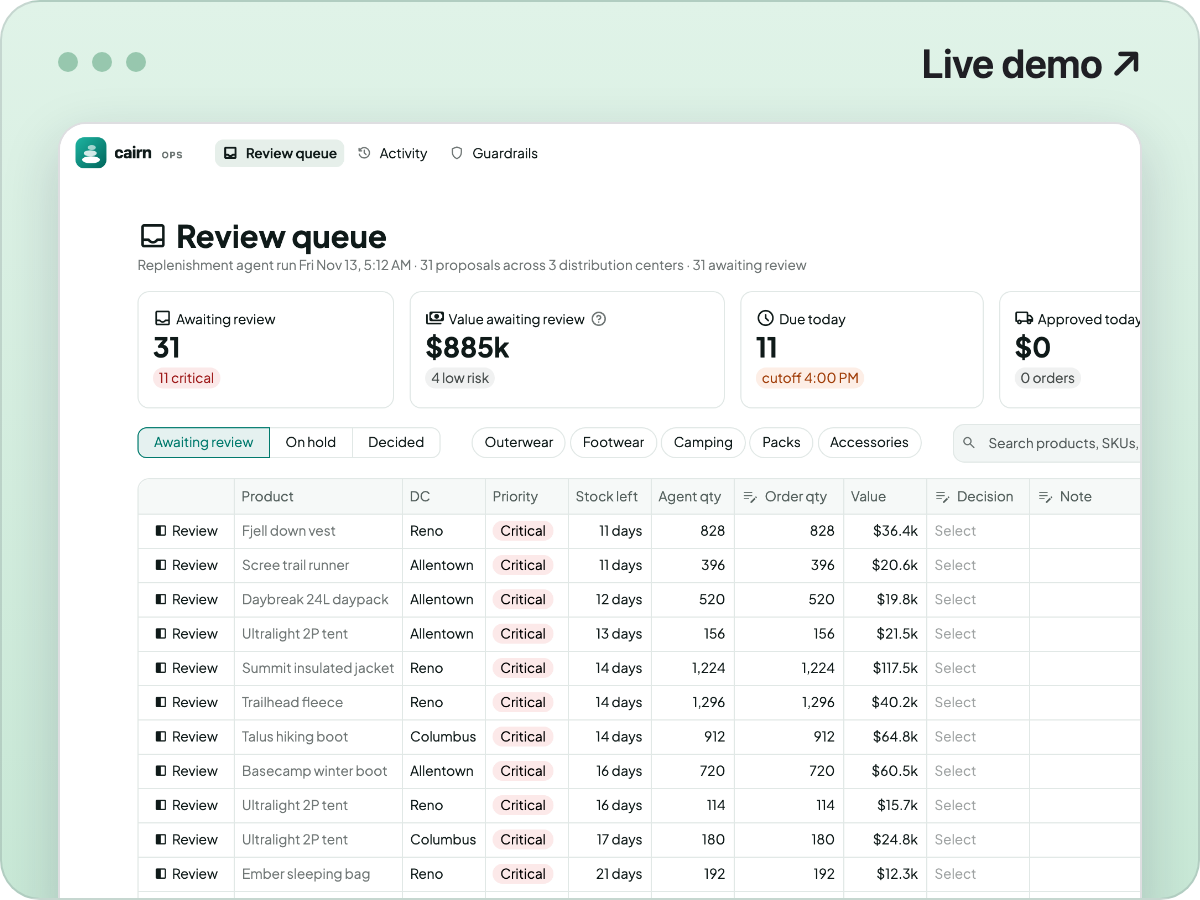
WORKFLOW APPS Review queues, approvals, sign-offs, and writeback Approve what an AI agent proposes, sign off on a forecast, or triage data quality. Editable tables ( st.data_editor) and forms put the decision in the same
app as the data.Try the live demo → |
The source for all three is in streamlit/demos.
Streamlit is also great for AI chat and agent apps
over your data (st.chat_input, st.write_stream, st.status), ML and model tools, and
internal data tools. For more ideas, see
the apps each team asks for, from finance to supply
chain.
pip install streamlitRun streamlit skills in
your project folder. It installs our expert skills for Claude Code and any agent that
reads the shared .agents skills folder, matched to your Streamlit version. So your agent
follows current best practices instead of whatever it memorized two versions ago.
Then ask, and mention Streamlit so the agent picks up the skills (in Claude Code,
/developing-with-streamlit works too):
Build a Streamlit app that forecasts demand from
sales.csv, with what-if levers for price and growth.
Here's a complete app: a demand forecast that planners can adjust and submit for sign-off.
Save it as streamlit_app.py and run streamlit run streamlit_app.py:
import sqlite3

import numpy as np
import pandas as pd
import streamlit as st

st.title("Demand plan")


@st.cache_data
def load_actuals() -> pd.DataFrame:
    # Swap in your own query, e.g. st.connection("snowflake").query("...")
    months = pd.date_range("2025-01-01", periods=12, freq="MS")
    units = 1_000 + 40 * np.arange(12) + np.random.default_rng(0).normal(0, 50, 12)
    return pd.DataFrame({"month": months, "actual": units.round()})


actuals = load_actuals()
growth = st.slider("Monthly growth (%)", -5.0, 10.0, 2.0, step=0.5)

months = pd.date_range("2026-01-01", periods=6, freq="MS")
baseline = actuals["actual"].iloc[-1] * (1 + growth / 100) ** np.arange(1, 7)
forecast = pd.DataFrame({"month": months, "forecast": baseline.round()})

# Planners edit the forecast, and the chart follows
plan = st.data_editor(forecast, disabled=["month"], hide_index=True)
st.line_chart(pd.concat([actuals, plan]), x="month")

if st.button("Submit for sign-off", type="primary"):
    with sqlite3.connect("plans.db") as db:  # Or your warehouse
        plan.to_sql("plans", db, if_exists="append", index=False)
st.success(f"Submitted {len(plan)} months for sign-off.")Generating an app is cheap. Owning it isn't. An agent can write a React frontend, a Python backend, and the API between them in an afternoon. Then someone has to review all three, keep them in sync, and patch them for years. With Streamlit, it's one layer of Python, and the plumbing is our job. See how it compares to custom stacks and BI tools.
- Made for data. Hand a pandas, Polars, Snowpark, or PySpark dataframe straight to a table or chart. Tables load rows as you scroll, so they stay fast on large data. Native charts cover nearly every visualization, from KPI sparklines to maps and diagrams, and ECharts, Altair, and built-in charts switch to faster rendering on their own as the data grows.
- Fast dashboards. Wrap a section in
@st.fragment, and only that section reruns when people use it. Cached queries can refresh in the background (@st.cache_data(ttl=..., refresh_mode="background")), so nobody waits on a stale query. Chart and table selections (on_select) let people cross-filter and drill down, and filters bound to the URL (bind="query-params") make every view shareable. - Free on the logic. Opinionated on the design. Write any logic you like, with any Python library. The look comes from Streamlit: native charts, tables, and filters, styled by one brand theme that all your apps share. App number 200 looks like it belongs with app number one, no matter who, or what, built it.
- Stable for years. Breaking changes are extremely rare. Most apps written years ago still run on the latest release, and every upgrade brings them new features, speed, and security fixes.
- Built for agents. Agents drive the running app without a browser, read the numbers
back as data, and leave tests behind for CI
(
AppTest). And every app is also a tool: Claude, ChatGPT, Cursor, or any other MCP client can use it with the same logic and access rules as a person in the browser. There's no second API to build. More in Streamlit for agents. - Enterprise-ready. Sign-in is built in (
st.login), and security scans run on every change, with fixes in regular releases. Streamlit targets WCAG 2.2 Level A and AA for its commands and default themes, and publishes an ongoing audit, known gaps included. Run it in your own cloud, on Community Cloud, or natively inside Snowflake. More in Streamlit for the enterprise. - Escape hatches. Need a bespoke screen? Drop in a
custom component
written in React or anything else. Need a webhook or your own API route? Add it with
st.App.
Deploy, manage, and share your apps for free on
Community Cloud. Connect a GitHub repository, pick your app
file, and your app gets its own streamlit.app URL.
Sign up here.

- Docs to learn how Streamlit works
- Community forum for questions and help
- Blog for tips from developers and creators
- Components to extend Streamlit
Thanks for your interest in helping improve Streamlit!
We have paused accepting pull requests from outside the Streamlit maintainer team. You can still make a valuable contribution by reporting bugs, requesting features, improving or upvoting existing issues, commenting on open specs, creating custom components, and contributing to streamlit-extras.
Read our contribution guide for details.
Streamlit is completely free and open-source and licensed under the Apache 2.0 license.