

A native macOS browser. A little more room for the web.
Sidebar tabs · Spaces · Split View · Reader · Easels
Download Vane · Website · Documentation · Contribute
macOS 26+ · Built with Swift & WebKit · MIT licensed


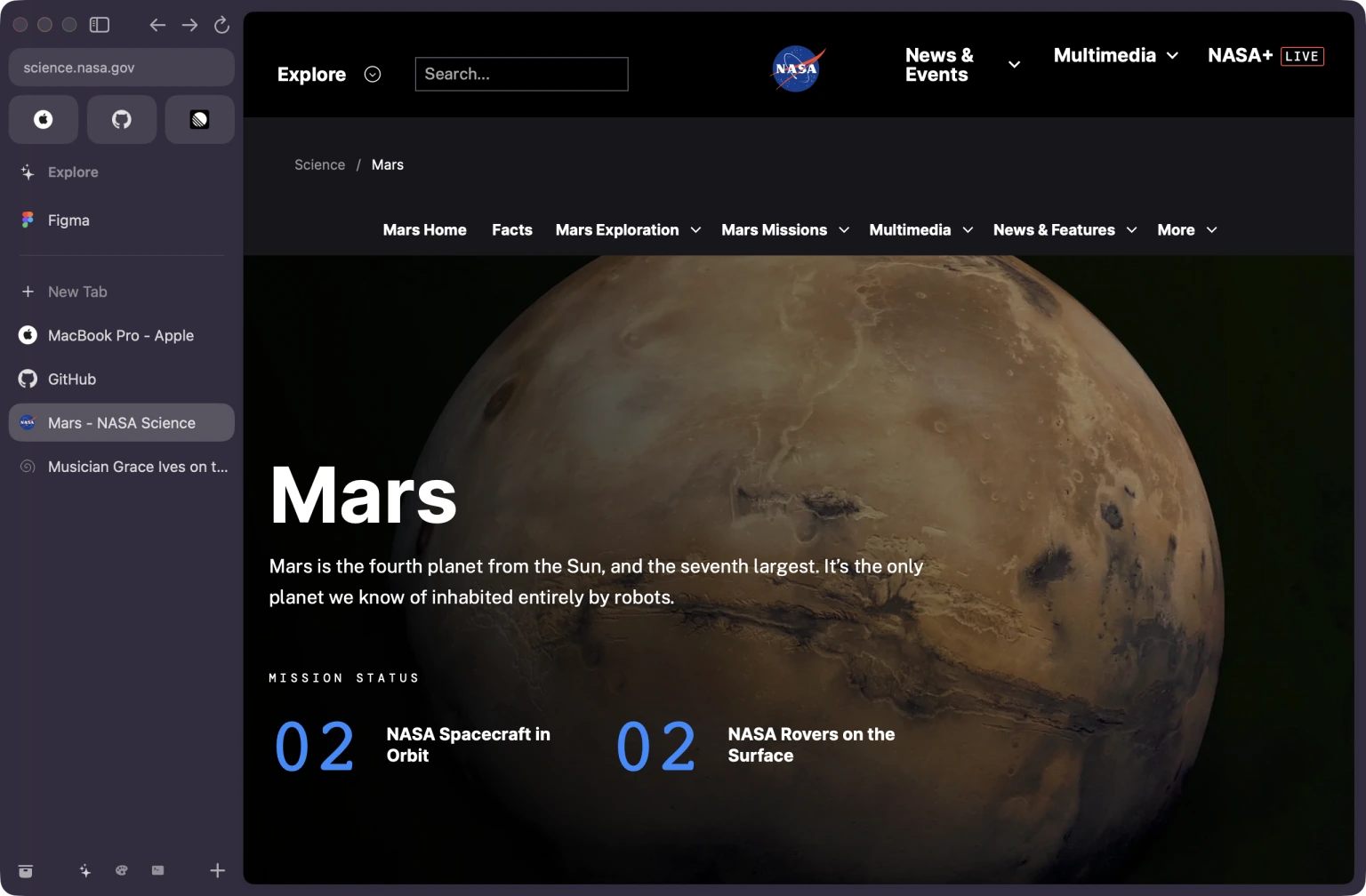
Spaces, favourites, and the web in one native window. About this screenshot.
Vane is a browser built with Swift, SwiftUI, AppKit, and Apple's WebKit. It keeps your tabs in a sidebar, sorts them into Spaces, and adds tools for reading, collecting, and reshaping the web.
Vane is in active development. These docs follow
main, so a feature may land here a little before it reaches a release. Check the limits before making Vane your only browser.
- Download
Vane.dmgfrom the latest release. - Open it and drag Vane to Applications.
- Open Vane. You can skip the welcome, or use it to import from another browser.
Vane updates itself. Choose Vane → Check for Updates… to check now. To try early builds, switch Settings → General → Update channel to Nightly; switching back to Stable waits for the next stable release rather than downgrading. How releases work.
| Browsing | Sidebar tabs, Favourites, pinned tabs, nested folders, Split View, Peek, Little Vane, private windows, and Translate. |
| Organizing | Spaces and Space templates, Tidy Tabs, Library, bookmarks, and searchable history. |
| Reading | Reader, an offline reading queue, find on page, and page capture. |
| Media | Picture in Picture, a sidebar mini-player, and Pause All Media. |
| Making it yours | Easels, per-site Boosts, themes, app icons, the Streamlined style, custom search engines, and rebindable shortcuts. |
| Your data | Profiles, Keychain passwords with Touch ID, passkeys, imports from Arc, Chrome and others, backups, and optional iCloud sync. |
| Extensions | Chrome Web Store and Safari extensions, content blocking with filter lists, GitHub Live Folders, and AI features with your own keys or ChatGPT plan. |
| Action | Shortcut |
|---|---|
| New tab or search | ⌘ T |
| Address bar | ⌘ L |
| Reopen closed tab | ⇧ ⌘ T |
| Find on page | ⌘ F |
| Library | ⇧ ⌘ L |
| History | ⌘ Y |
| Show Toolbar | ⇧ ⌘ D |
Swipe across the sidebar to change Spaces. Every shortcut can be changed in Settings → Shortcuts. The browsing guide covers the rest.
| Guide | Covers |
|---|---|
| Everyday browsing | Tabs, Spaces, windows, search, shortcuts, Library, downloads, and media. |
| Reading and customization | Reader, Easels, capture, Boosts, templates, appearance, and Battery Saver. |
| Profiles, data, and privacy | Passwords, imports, backups, website data, iCloud, and private browsing. |
| Extensions and integrations | Extensions, content blocking, site permissions, AI, and GitHub Live Folders. |
| Development | Building, testing, and project structure. |
The documentation index lists everything, including the compatibility and reliability records. The privacy policy explains what Vane stores and sends. There is also a visual field guide on the website.
You need macOS 26 or later and Xcode 26 or later.
git clone https://github.com/notnaki/vane.git
cd vane
./make-app.sh        # or ./make-app.sh debug for a faster build
open Vane.app
make-app.sh builds the app with its helpers, icons, and resources and signs it
for local use. Local builds don't include iCloud sync or passkeys, which need
Vane's provisioning profile. See development
for tests and the CLI.
Vane renders pages with the system WebKit, so site support follows your macOS version.
- Not every site works. Netflix (4K and Dolby Vision), Spotify, and Disney+ (720p) play, but some sites and sign-ins still break. See the compatibility record.
- Extensions are WebKit extensions. Vane installs from the Chrome Web Store and fills in many Chrome-only APIs, but not every extension will work.
- Folder uploads are off on macOS 27.0.x because of a WebKit crash. Single files upload normally.
- Password autofill is heuristic. It can't reach closed shadow roots or cross-origin frames. iCloud Passwords aren't available to third-party browsers.
- Unsaved form text can be lost in a crash. See draft protection and crash recovery.
- Some features use private WebKit APIs, which a macOS update can break.
Bug reports, documentation fixes, and focused code changes are welcome. Start with the contributor guide.
To report a problem from inside Vane, choose Help → Report a Problem…. You can attach recent diagnostic events (event names and error codes only, never URLs or page content), preview the report, and open a prefilled GitHub issue. Nothing is sent without you. You can also use the issue templates. Report security issues privately under the security policy.
MIT. See LICENSE. Bundled fonts are credited in Sources/Vane/EaselFonts.