
A local-first, experimental AI agent ecosystem engineered for speed, privacy, and absolute developer control.
The core philosophy of ProtoAgent is simple: Decouple the Brain from the Frontends. Cloud subscriptions and bundled API plans are great for one-off chats, but when you start running complex, multi-agent autonomous loops, your quotas for Claude and Gemini go out pretty fast. Agentic coding requires hundreds of iterative steps, which means it fundamentally belongs on local compute. ProtoAgent is designed to give you that premium, autonomous coding assistant experience—entirely for free, running on your own hardware.
ProtoAgent isn't just a script; it's a unified, modular ecosystem. By keeping the heavy orchestration logic centralized, every time the core gets smarter, all of your development environments get the upgrade instantly.
Powered by protolink • Python
If LangChain is the massive, heavy enterprise framework for cloud models, protolink is the lightning-fast, minimalist alternative engineered strictly building autonomous agents using a simple intuitive API, powered by the Agent-to-Agent (A2A) protocol.
- Small-Model Optimized: Cloud agents use massive system prompts filled with complex XML tags that instantly confuse smaller local models. Protolink acts as a buffer, specifically hand-holding 7B/8B parameter models (like Qwen, Llama 3) through strict multi-agent loops (Planner ➔ Coder ➔ Critic) without them hallucinating or breaking syntax.
- Context Loom: ProtoAgent builds a local, source-cited Context Pack from the active workspace before the agent deck runs. This gives smaller models a compact evidence map instead of a giant hidden repo dump.
- ProtoLink-native context control: Every model is configured with a typed
LLMModelProfile; live context events drive the Rust meter, while persistent per-agent history is described, compacted, and reset through ProtoLink state APIs. - Agnostic: It doesn't care what UI you are using. It receives prompts and emits lifecycle-aware task events plus typed action payloads.
Check out the Protoagent 📚 whitepaper.
📝 Check out this article on Level Up Coding on Medium, for lessons learned while building this project: Building My Own Local “Claude Code”: What I Learned Demystifying Agentic Coding under the Hood
Embedded via PyO3 • Rust A blazing-fast, gorgeous terminal wrapper for developers who live in the shell.
- The Experience: Think of this as a purely local, offline version of Claude Code or Clive.
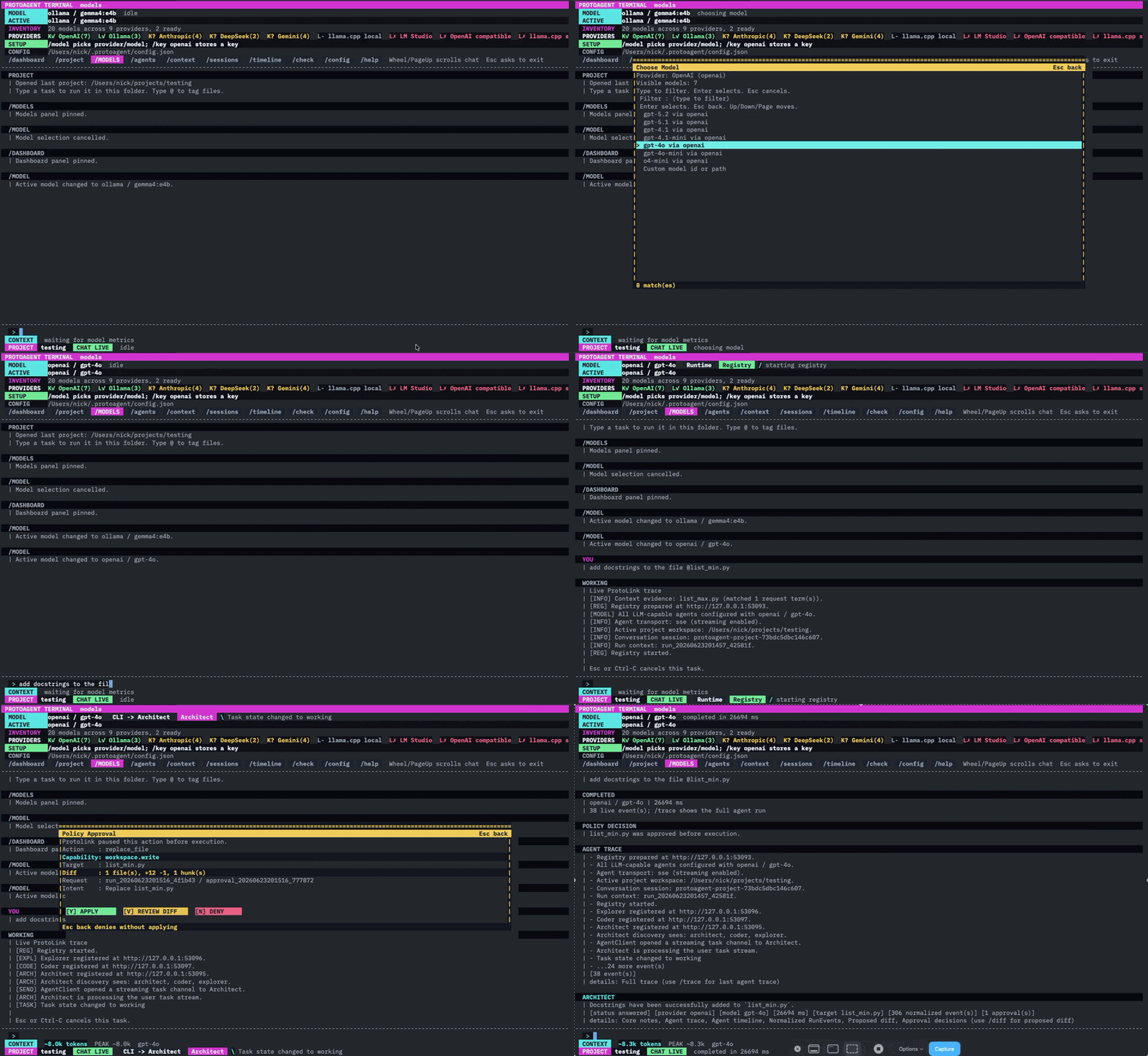
- Zero Overhead: Because it's written in Rust, it launches instantly. It intercepts the Python core's output to render smooth progress spinners and forces an interactive
[Y/n]approval prompt before the agent is allowed to execute any bash commands or modify your files.
The following animation shows a demo of a simple Task handled by the ProtoAgent CLI.
Native Integration • Python/Rust A specialized server that implements the Agent Client Protocol (ACP) to bring the ProtoAgent core directly into your IDE.
- The Experience: Think of this as your local, ultra-reliable alternative to Cline or Aider.
- Universal Support: Hook it seamlessly into Zed, PyCharm, JetBrains, or any editor that supports modern agent protocols. Your editor handles the chat UI; ProtoAgent handles the heavy multi-agent routing in the background and hands back clean, perfectly formatted file diffs.
- Rust toolchain (Cargo 1.80+)
- Python 3.12+
- A local LLM runner (Ollama, LM Studio, etc.)
Clone the monorepo and initialize the isolated Python environment. This ensures the Protolink engine has everything it needs to run the background routing.
git clone https://github.com/yourusername/protoagent.git
cd protoagent

# Initialize the Brain
python3 -m venv .venv
source .venv/bin/activate
pip install "protolink[http,llms]>=0.6.3"
To spin up the high-performance Rust interface (make sure your .venv is active so Rust can embed the Python logic!):
cd cli
cargo run
To pipe the local orchestration engine directly into your code editor via ACP, append the server path to your editor's configuration (e.g., settings.json in Zed):
{
  "lsp": {
    "proto-acp": {
      "binary": {
        "path": "${workspace_root}/.venv/bin/python",
        "arguments": ["${workspace_root}/acp/server.py"]
      }
    }
  }
}
ProtoAgent strictly respects your system boundaries. Workspace writes are prepared as typed Protolink runtime actions before execution.
Immutable Rule: Coder tools declare
workspace.write. ACapabilityPolicyrequires approval, theRunActioncarries atext/x-diffpreview artifact, and the Rust CLI returns a correlatedApprovalDecisionbefore Protolink executes the write. During a running TUI task, Esc or Ctrl-C requests Protolink task cancellation.
Local doesn't just mean free; it means total control.