In this project, we are solving the Reacher environment from Unity. This task is part of Udacity Deep reinforcement learning nanodegree (See Installation in order to install the project correctly)
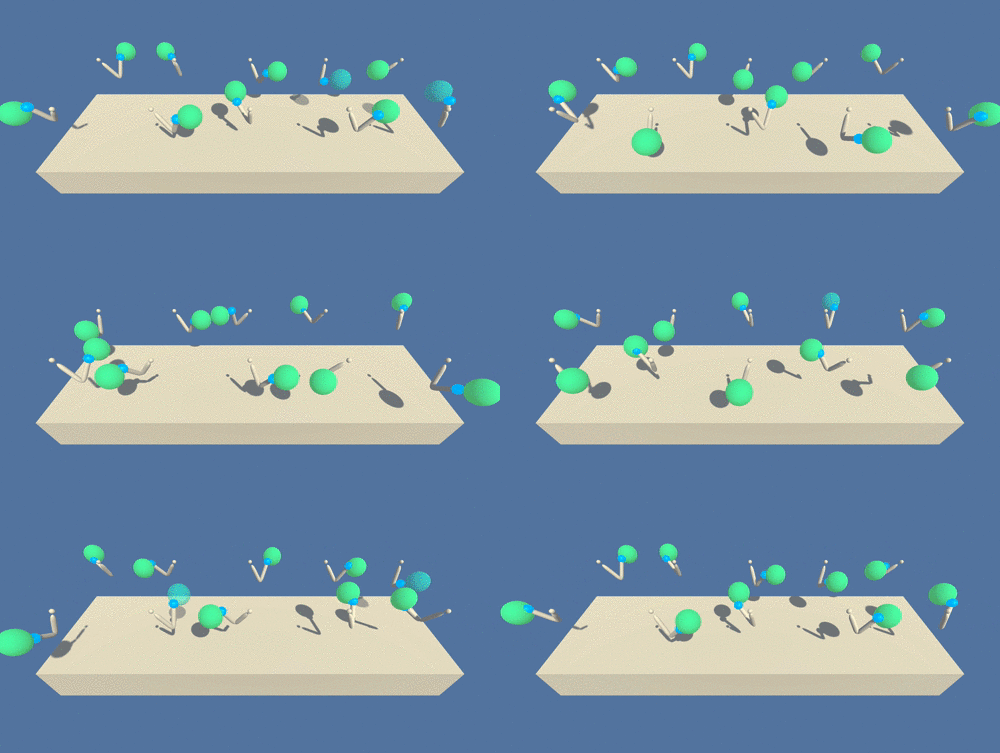
In this environment, a double-jointed arm can move to target locations. A reward of +0.1 is provided for each step that the agent's hand is in the goal location. Thus, the goal of our agent is to maintain its position at the target location for as many time steps as possible.
The observation space consists of 33 variables corresponding to position, rotation, velocity, and angular velocities of the arm. Each action is a vector with four numbers, corresponding to torque applicable to two joints. Every entry in the action vector should be a number between -1 and 1.
For this project, we worked only with a single agent in order to slove the Unity environment. There is also a second version with 20 identical agents that we could solve, however we focused on solving task with only one agent
The task is episodic, and in order to solve the environment, your agent must get an average score of +30 over 100 consecutive episodes.
-
Download the environment from one of the links below. You need only select the environment that matches your operating system:
- Version 1: One (1) Agent
- Linux: click here
- Mac OSX: click here
- Windows (32-bit): click here
- Windows (64-bit): click here
(For Windows users) Check out this link if you need help with determining if your computer is running a 32-bit version or 64-bit version of the Windows operating system.
(For AWS) If you'd like to train the agent on AWS (and have not enabled a virtual screen), then please use this link (version 1) or this link (version 2) to obtain the "headless" version of the environment. You will not be able to watch the agent without enabling a virtual screen, but you will be able to train the agent. (To watch the agent, you should follow the instructions to enable a virtual screen, and then download the environment for the Linux operating system above.)
- Version 1: One (1) Agent
-
Place the folder in the home working directory of
p2_continuous-control/folder, and unzip (or decompress) the file. -
install requirements by
pip install -r requirements.txt- We are using ShangtonZhang github repository, that is used as our base and we are adjusting the agent to our Unity Environment as ShangtonZhang repo is used strictly with OpenAI tasks
The DDPG model could be found in ddpg_model.py module. It receives a parent BaseAgent class from ShangtonZhang repository.
Training is done in ddpg_runner.py. Agent receives hyperparameters that are defined in utils.py
Final results are saved into results folder. We can find the trained agent model, as well
with used normalizer and graph of final results.
In order to only run trained model in evaluation model, run model_evaluation.py.