


A Python application to extract Kindle annotations from PDS files and embed them back into the original PDF with pixel-perfect positioning. Kindle devices do not export PDF files with annotations; instead, they create separate proprietary .pds and .pdt files that contain annotations but are incompatible with standard PDF readers. This tool bridges this gap, allowing you to view your Kindle annotations directly within any PDF viewer.
The application was tested using Kindle Paperwhite (6th generation). Newer devices may require adjustments due to changes in their internal formats, and they are likely to use an internal SQlite database. This repo contains code one can use to calibrate the algorithm if needed (for this, we need a set of files with their annotations from a Kindle device).
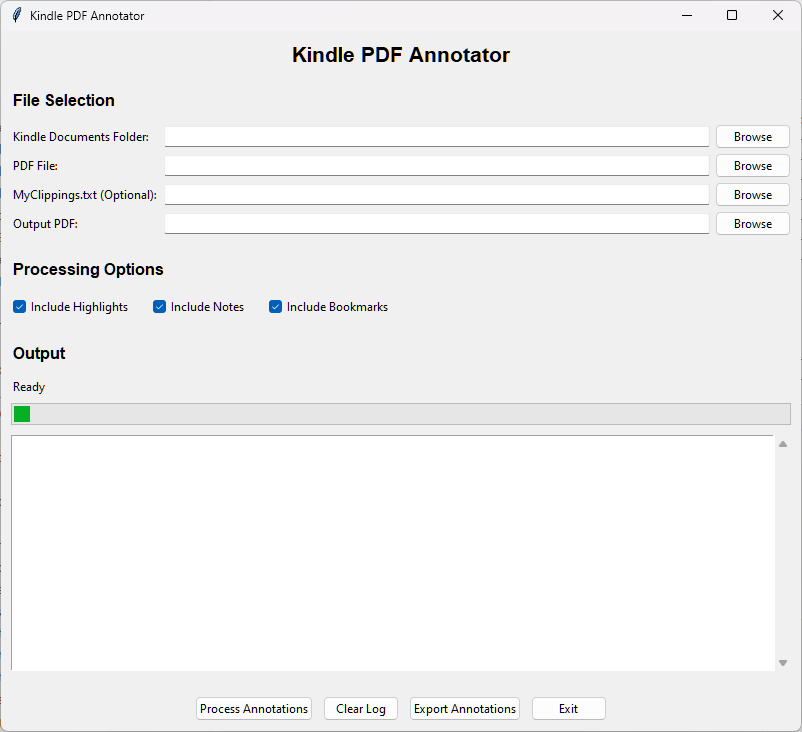
- Complete Annotation Support: Extracts and preserves notes, highlights, and bookmarks from Kindle
- Intelligent Note/Highlight Unification: Automatically merges notes with their corresponding highlights based on position matching
- Intelligent Text-Based Matching: Primary strategy using normalized text search with comprehensive ligature handling
- Language-Independent Ligature Support: Handles f-ligatures (fi, fl, ff, ffi, ffl), st-ligatures (st), ae-ligatures (æ, Æ), oe-ligatures (œ, Œ)
- Fuzzy Matching Fallback: Uses Levenshtein distance (85% threshold) for long texts with minor variations
- Precise Amazon Coordinate System: Converts Kindle coordinates to PDF coordinates with sub-point accuracy
- Multiple Input Sources: Processes both PDS files (
.pds) andMy Clippings.txt - Accurate Positioning: Uses precise coordinate system with 0.1-0.5 point precision
- Correct Highlight Sizing: Uses actual Kindle annotation dimensions instead of fixed rectangles
- PDF Navigation Bookmarks: Creates real PDF bookmarks visible in all PDF viewers
- GUI and CLI: Both graphical interface and command-line tool available
- Comprehensive Testing: 167 unit tests covering note unification, coordinate conversion, text matching, multi-column layouts, and end-to-end integration
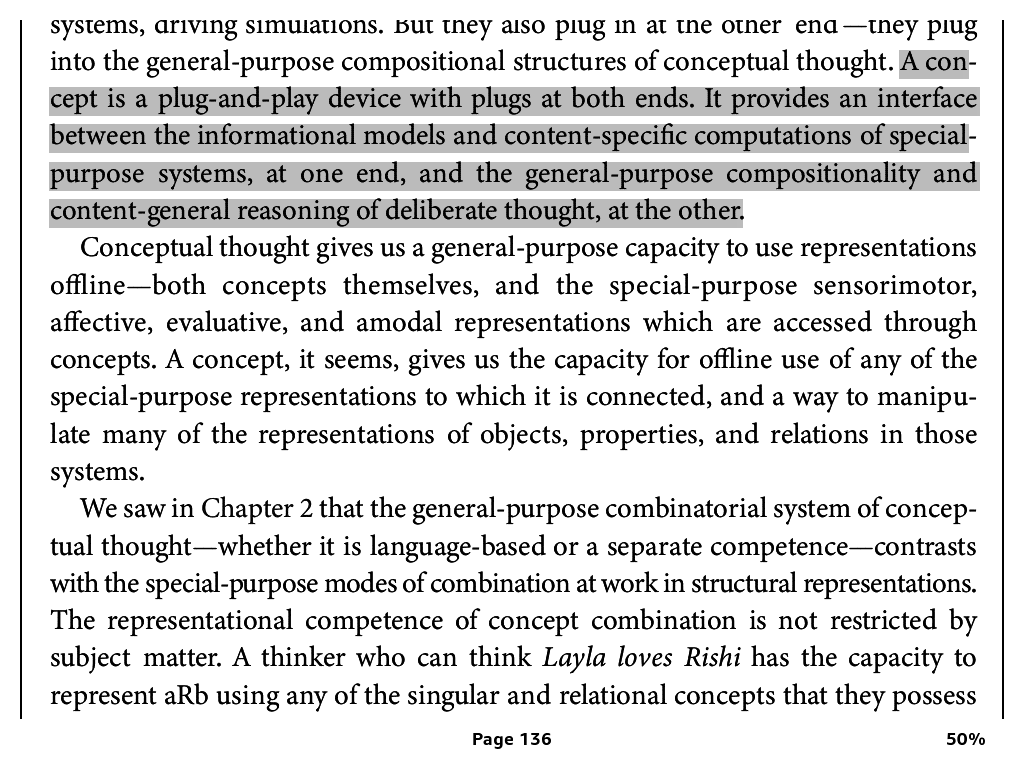
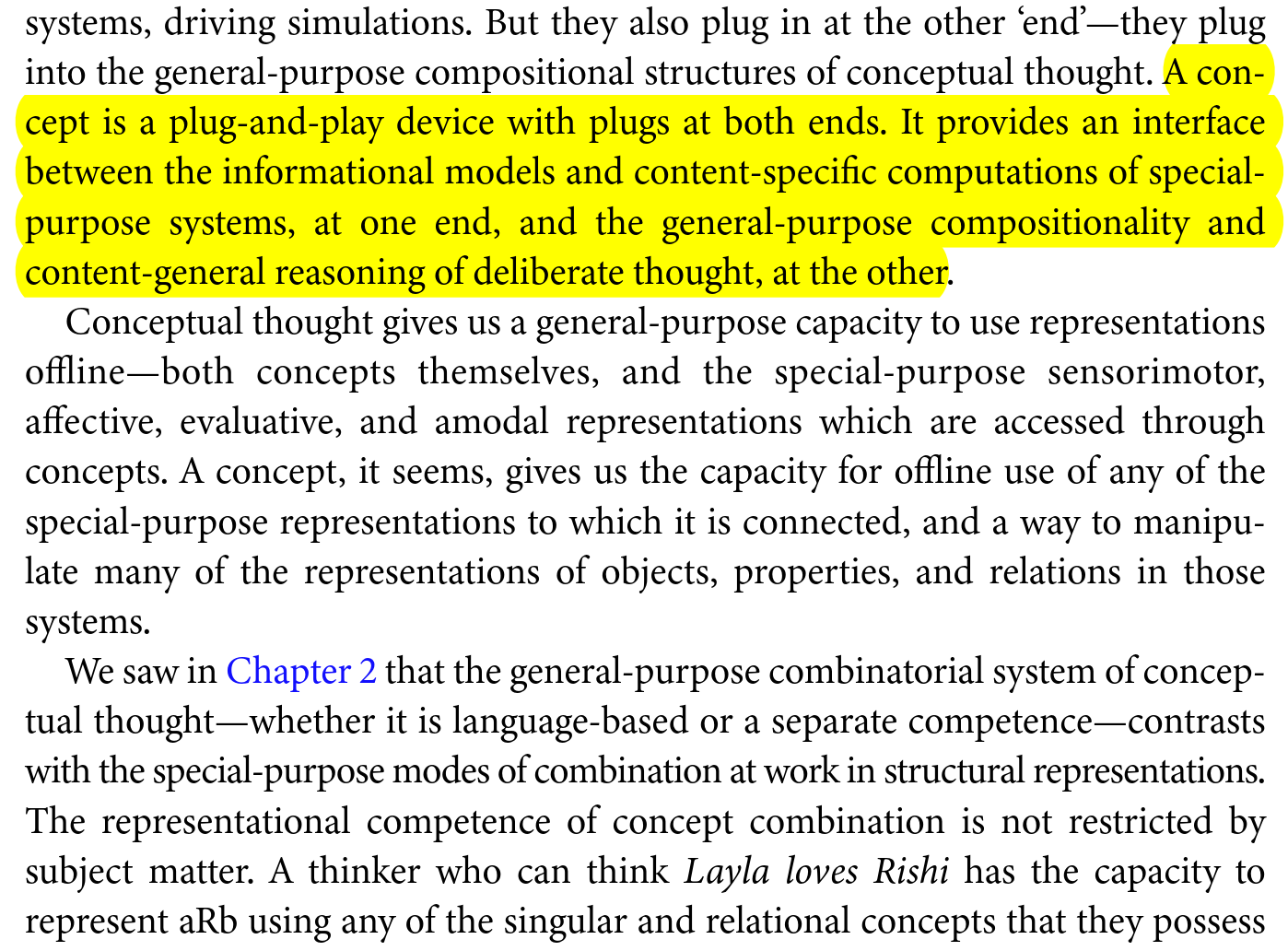
Install the package using pip:
pip install kindle-pdf-annotator- Clone the repository
- Install dependencies:
pip install -r requirements.txt - Run:
python main.py(GUI) orpython cli.py --help(CLI)
If installed from PyPI:
kindle-pdf-annotator-guiIf running from source:
python main.pyIf installed from PyPI:
kindle-pdf-annotator --kindle-folder "path/to/book.sdr" --pdf-file "book.pdf" --output "annotated.pdf"If running from source:
python cli.py --kindle-folder "path/to/book.sdr" --pdf-file "book.pdf" --output "annotated.pdf"kindle-pdf-annotator/
├── main.py # GUI application entry point
├── cli.py # Command-line interface
├── src/
│ ├── kindle_parser/ # Kindle file parsing modules
│ │ ├── amazon_coordinate_system.py # Core coordinate conversion & text matching
│ │ ├── clippings_parser.py # MyClippings.txt parser
│ │ ├── krds_parser.py # KRDS file parser (PDS/PDT)
│ │ └── pds_parser.py # PDS file parser
│ ├── pdf_processor/ # PDF annotation creation
│ │ ├── amazon_to_pdf_adapter.py # Convert to PDF annotator format
│ │ ├── column_aware_highlighting.py # Multi-column layout support
│ │ └── pdf_annotator.py # PDF annotation creation
│ ├── gui/ # GUI components
│ │ └── main_window.py # Main application window
│ └── utils/ # Utility modules
│ ├── file_utils.py # File handling utilities
│ └── location_encoder.py # Location encoding utilities
├── tests/ # Unit tests (165 tests)
│ ├── test_integration_end_to_end.py # End-to-end pipeline tests
│ ├── test_note_highlight_unification.py # Note/highlight merging tests
│ ├── test_cropbox_coordinate_conversion.py # CropBox handling tests
│ ├── test_krds_parser.py # KRDS parser tests
│ ├── test_page_9_highlights.py # Core functionality test
│ ├── test_highlighted_text_validation.py # Text coverage validation
│ ├── test_multi_line_highlight.py # Multi-line annotation tests
│ ├── test_snake_highlight.py # Complex highlight tests
│ └── test_parsers.py # Legacy parser tests
├── scripts/ # Development and debugging tools
│ ├── debug_krds.py # KRDS file debugging
│ ├── diagnose_imports.py # Import diagnostics
│ ├── dump_pdf_tokens.py # PDF content analysis
│ └── find_content_in_pdf.py # PDF text search
├── examples/sample_data/ # Sample Kindle files for testing
└── LICENSE # GPL v3 license
- Launch:
python main.py - Select Kindle
.sdrfolder (contains PDS and PDT files) - Choose PDF file to annotate
- Optional: Select MyClippings.txt file
- Process and save annotated PDF
# Basic usage
python cli.py --kindle-folder "book.sdr" --pdf-file "book.pdf" --output "result.pdf"

# With MyClippings.txt and JSON export
python cli.py --kindle-folder "book.sdr" --pdf-file "book.pdf" --output "result.pdf" \
--clippings "MyClippings.txt" --export-json "annotations.json" --verboseThe tool uses a validated coordinate conversion formula for placing annotations:
- Formula:
PDF_points = (KRDS_units / 100) × 72 - Accuracy: Median error of 10.94 pts (0.15 inches) validated on 346 real highlights
- CropBox Support: Automatically handles cropped PDFs by subtracting crop offsets
- Units: KRDS uses hundredths of an inch (100 = 1 inch), PDF uses points (72 = 1 inch)
This formula was empirically validated against production-annotated PDFs and outperforms alternative coordinate systems by 26x. For technical details, see docs/COORDINATE_SYSTEM.md.
- Note/Highlight Unification: Automatically merges notes with their corresponding highlights based on position matching
- Matches notes at highlight START or END positions (5pt tolerance)
- Unified annotations render as highlights with note content
- Preserves both highlight text and note content in PDF
- Text-Based Matching: Primary annotation strategy using normalized full-page text extraction
- Ligature Normalization: Strips all ligatures to first character (fi→f, æ→a, œ→o, st→s) matching Kindle's
My Clippings.txtbehavior - Text Normalization Pipeline:
- Ligature stripping (all common types)
- Hyphenation removal at line breaks
- Whitespace normalization (newlines → spaces)
- Period normalization (adds space after periods before capitals)
- Fuzzy Matching: Levenshtein distance with sliding window for texts >50 characters (85% similarity threshold)
- Coordinate System: Uses Amazon's inches×100 encoding with linear mapping as fallback
- Positioning Accuracy: 0.1-0.5 point precision (sub-millimeter level)
- Highlight Sizing: Extracts actual width/height from Kindle position data
- Multi-line Highlight Support: Correctly handles highlights spanning multiple lines with proper quad detection
The project includes 165 comprehensive unit tests covering:
- Note/highlight unification (start/end position matching, tolerance validation)
- Coordinate system conversion and CropBox handling
- KRDS parser functionality
- Text-based matching with ligature normalization
- Fuzzy matching with Levenshtein distance
- Multi-line and multi-column highlight support
- Complex "snake" highlight patterns
# Run all tests (165 tests)
python -m pytest tests/ -v

# Run core functionality tests
python -m pytest tests/test_unified_note_rendering.py tests/test_note_highlight_unification.py tests/test_cropbox_coordinate_conversion.py -v

# Test specific functionality
python tests/test_page_9_highlights.py
python tests/test_krds_parser.py

# Test ligature handling and fuzzy matching
python -m pytest tests/test_fuzzy_ligature_matching.py -v -s

# Test note/highlight unification
python -m pytest tests/test_unified_note_rendering.py -v

# Test complex highlight patterns
python -m pytest tests/test_snake_highlight.py -vGPL v3 - This project is inspired by and uses code from the GPL-licensed Kindle annotation research by John Howell (see https://github.com/K-R-D-S/KRDS) and must be distributed under GPL terms.
- Python 3.8+
- PyMuPDF (fitz) for PDF processing
- tkinter for GUI (included with Python)
- See
requirements.txtfor complete dependencies