
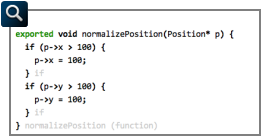
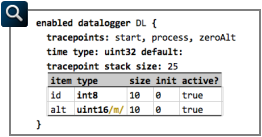
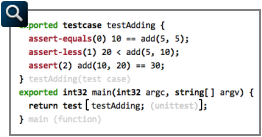
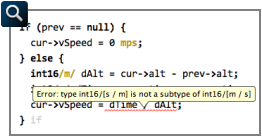
mbeddr aims at creating a different way of developing embedded software systems. Instead of using archaic modeling tools and manually written C code, we use the Open sSurce JetBrains MPS language workbench to create an integrated approach to embedded development, where C programming, DSLs, domain specific extensions to C, product line variability, requirements traceability and model checking are supported directly.
We developed an implementation of C in MPS, which can be used as a basis for domain-specific extensions. The old development progress is documented in our blog page. For some more information about the project, visit http://mbeddr.com/mps-platform-docs/mbeddr/ or the old homepage at http://mbeddr.com.
Old demos
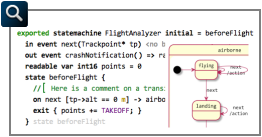
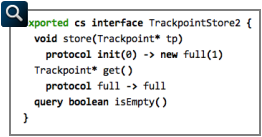
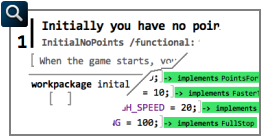
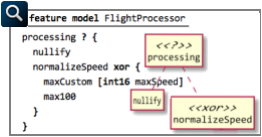
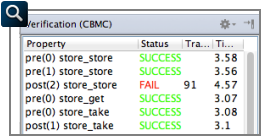
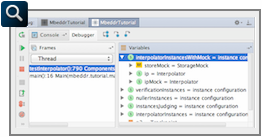
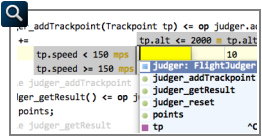
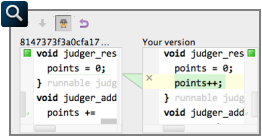
Platform sources, issues, changelog, Maven publications, and release distributions are maintained in MPS-extensions. See its platform changelog and releases.
The project consists of the following subprojects in the code/languages subfolder:
- com.mbeddr.build contains all the build scripts except for the platform
- com.mbeddr.cc contains all cross-cutting languages, such as product line engineering or tracing.
- com.mbeddr.core contains the core languages of mbedd,r including all interfaces and the C implementation.
- com.mbeddr.doc.aspect contains the code for the
documentationtool at the lower left corner. - com.mbeddr.doc contains the code for the documentation language.
- com.mbeddr.ext contains extensions to the C language.
The code/solutions folder contains some examples for the mbeddr C languages.
Use com.mbeddr:mbeddr in your Maven or Gradle build. The master branch builds against the MPS master. The mbeddr platform is built and published by MPS-extensions as com.mbeddr:platform, using the same version as de.itemis.mps:extensions. Mbeddr has its own independent version.

| MPS version | nexus status |
|---|---|
| master |  |
| 2024.1 | ,'2024.1')%5D%5Blast()%5D) |
| 2023.2 | ,'2023.2')%5D%5Blast()%5D) |
| 2022.3 | ,'2022.3')%5D%5Blast()%5D) |
| 2022.2 | ,'2022.2')%5D%5Blast()%5D) |
| 2021.3 | ,'2021.3')%5D%5Blast()%5D) |
| 2021.2 | ,'2021.2')%5D%5Blast()%5D) |
| 2021.1 | ,'2021.1')%5D%5Blast()%5D) |
| 2020.3 | ,'2020.3')%5D%5Blast()%5D) |
| 2020.2 | ,'2020.2')%5D%5Blast()%5D) |
| 2020.1 | ,'2020.1')%5D%5Blast()%5D) |
| 2019.3 | ,'2019.3')%5D%5Blast()%5D) |
Run ./gradlew build to build and test mbeddr. The build downloads the published platform ZIP and extracts it under code/build/dependencies/com.mbeddr.platform for language builds and MPS project libraries. ./gradlew :com.mbeddr:extractPlatformZip prepares those libraries before opening a source project in MPS. To consume a particular MPS-extensions publication, pass -PmbeddrPlatformVersion=<published-version>; this selects the platform dependency and leaves mbeddr's own version unchanged.
By default the build uses the platform version that the mbeddrPlatform library pins in gradle/libs.versions.toml.
Run ./gradlew migrate remigrate for migrations of the mbeddr C project. The tutorial source ZIP remains part of mbeddr releases; platform distribution assets are available from MPS-extensions releases.
When you open a PR, the build on TeamCity needs to be approved by a colleague at itemis, and a PR review is necessary. If this doesn't happen, please ask in the Slack channel. Often, builds fail at the following step: Check for dirty files.
If that happens, some migrations were not executed in the project. Run ./gradlew migrate remigrate or gradlew.bat migrate remigrate on the command line to execute them and commit the changes. You can also copy the diff from the build log and apply it with git apply as a patch. You need to strip the line numbers, though:
- Mac:
pbpaste | sed 's/^.\{13\}//' | git apply - Windows Powershell:
Get-Clipboard | ForEach-Object { $_ -replace '^.{13}', '' } | git apply - Linux solution 1:
xclip -o | sed 's/^.\{13\}//' | git apply - Linux solution 2:
xsel --clipboard --output | sed 's/^.\{13\}//' | git apply
Please select the correct target branch for the PR. The master branch builds against the MPS master and is most likely not the branch you want to contribute to. After the PR is merged, a bot will automatically open a PR to merge the changes into the next maintenance branch. You don't have to do anything at the last step.
The Renovate bot updates the dependencies automatically for the master branch or optionally other branches and creates PRs for those changes. The configuration can be found at renovate.json5. The documentation for the configuration can be found at https://docs.renovatebot.com/configuration-options/.