
Three interactive knowledge-graph views for your notes, docs or any linked data:
| Graph | What it shows | |
|---|---|---|
| 🕸️ | 2D Knowledge Graph | An Obsidian-style live 2D graph. Switch between the Links you wrote and the Graphify graph of ideas found inside your notes. |
| 🧊 | 3D Knowledge Graph | The same two sources as a living 3D web you can fly around, with particles running along the lit links. |
| 🌌 | 3D Semantic Graph | Every note placed by meaning: notes about similar things sit together, in clusters you can search by meaning. |
Framework-free, with React and Vue components, single-file scripts for plain HTML and iOS/macOS web views, and the tools that turn a folder of Markdown notes into graph data.
▶ Live demo: The Meridian Archive (a fictional starship's knowledge vault, generated for this project)
Created by Hung Ngo. MIT licensed. If you use it, please credit it (see Credit).
Give it your notes, or anything with links between items, and it draws them three ways. Every screenshot below is the live demo running on The Meridian Archive, the fictional sample data that ships with the package.
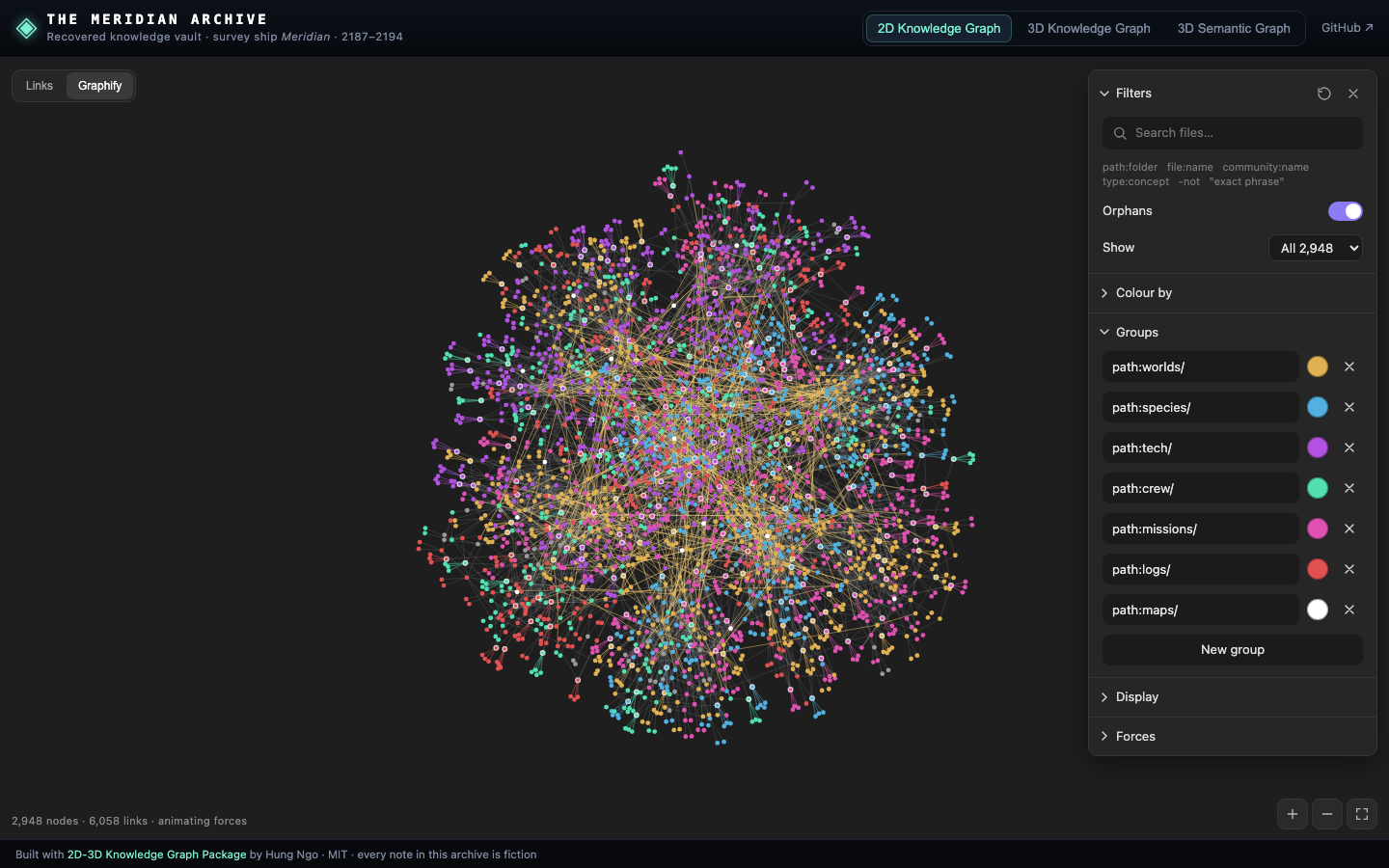
A live, Obsidian-style map of your notes. Each dot is a note and each line is a link. Related notes pull together and unrelated ones drift apart, so the structure of your knowledge appears by itself. Drag nodes, zoom, and hover to light up a note's neighbours.
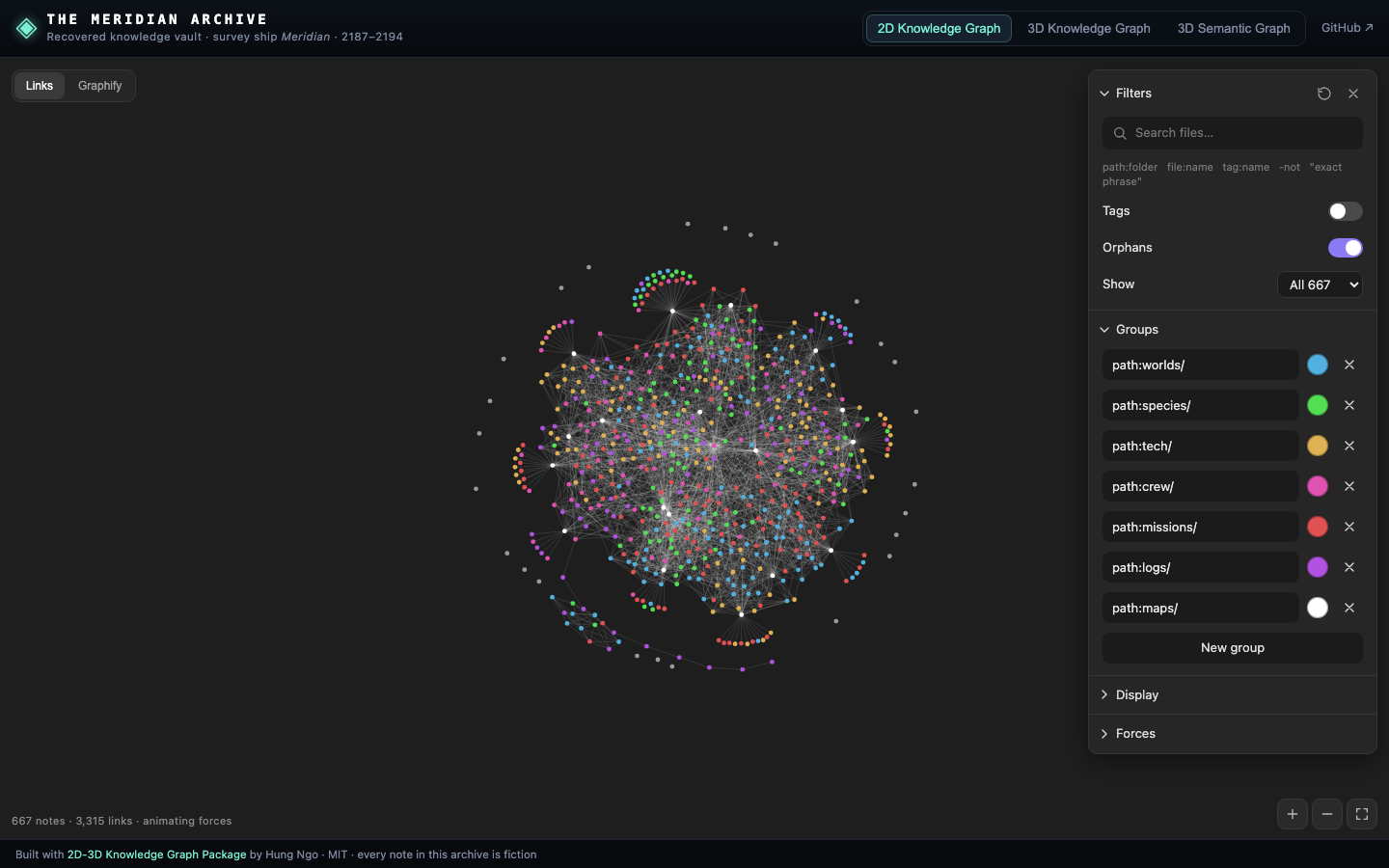
The switch at the top left changes the source:
- Links draws the links you wrote. Topic maps become big hubs, notes that hang off a single hub form rings, and orphans float at the edge.
- Graphify draws the ideas that Graphify found inside your notes (people, places, concepts, reasons, studies) and the links it inferred between them (warm-tinted lines).
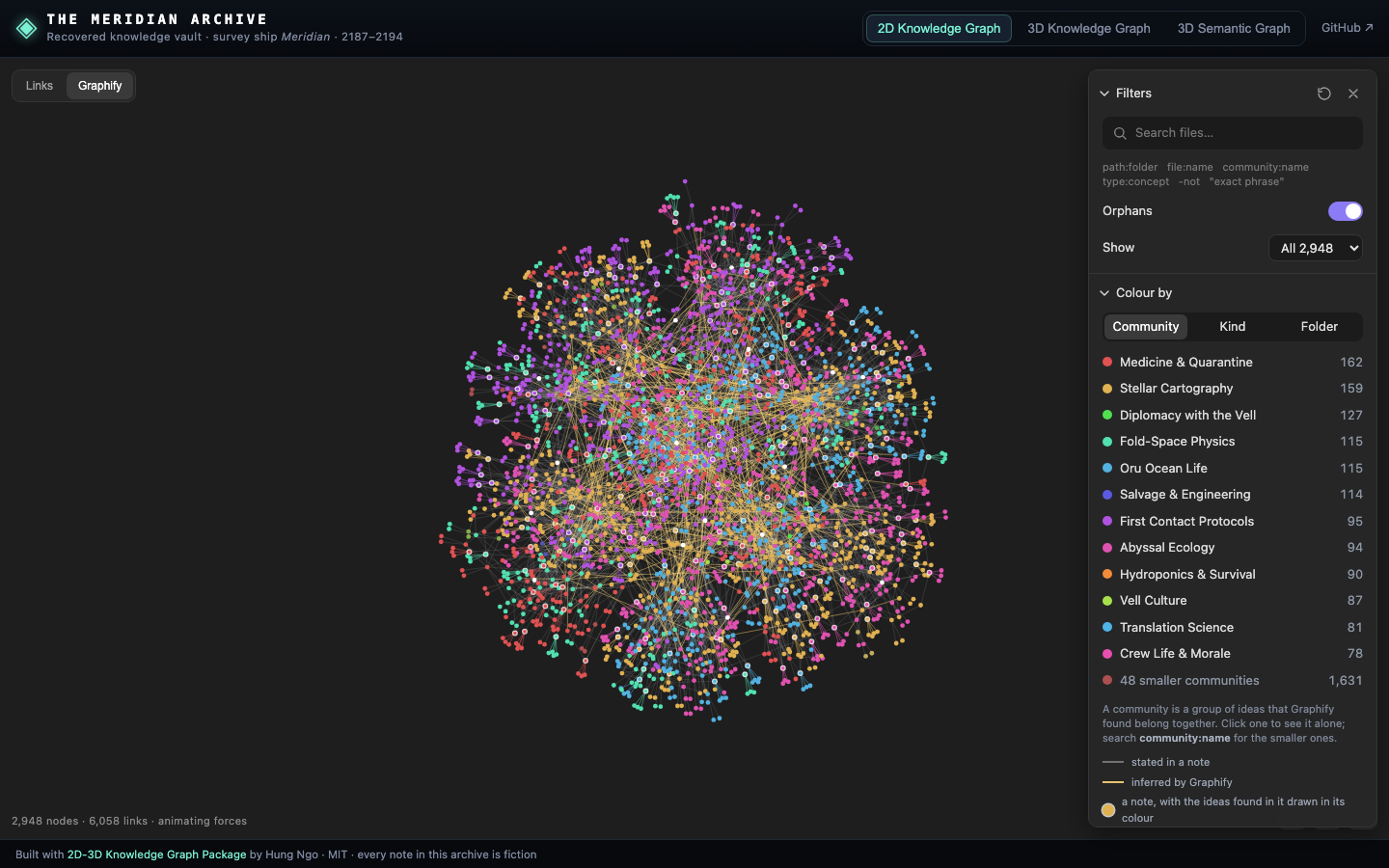
Colour by community shows which ideas belong together, with a legend you can click to focus on one:
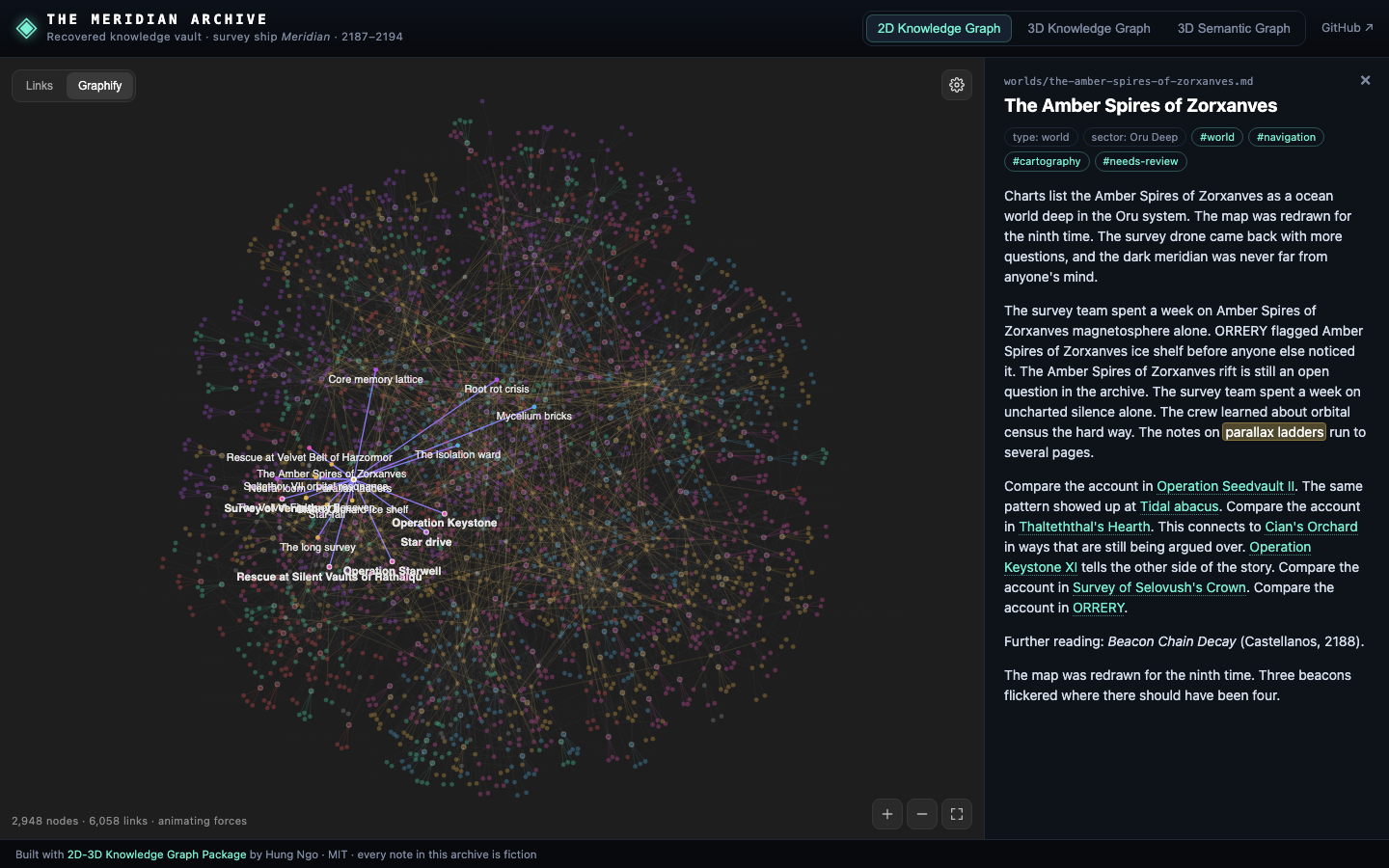
Click any node to open its note. A Graphify idea opens the note it came from, with the passage that mentions it highlighted:
The settings panel has Filters (a search language: path:, tag:, community:, -not…), Colour by, Groups (colour anything a query matches), Display (node size, labels, Hubs mode) and Forces. A force animation gently breathes the layout, with Play, Pause, Stop and speed controls.
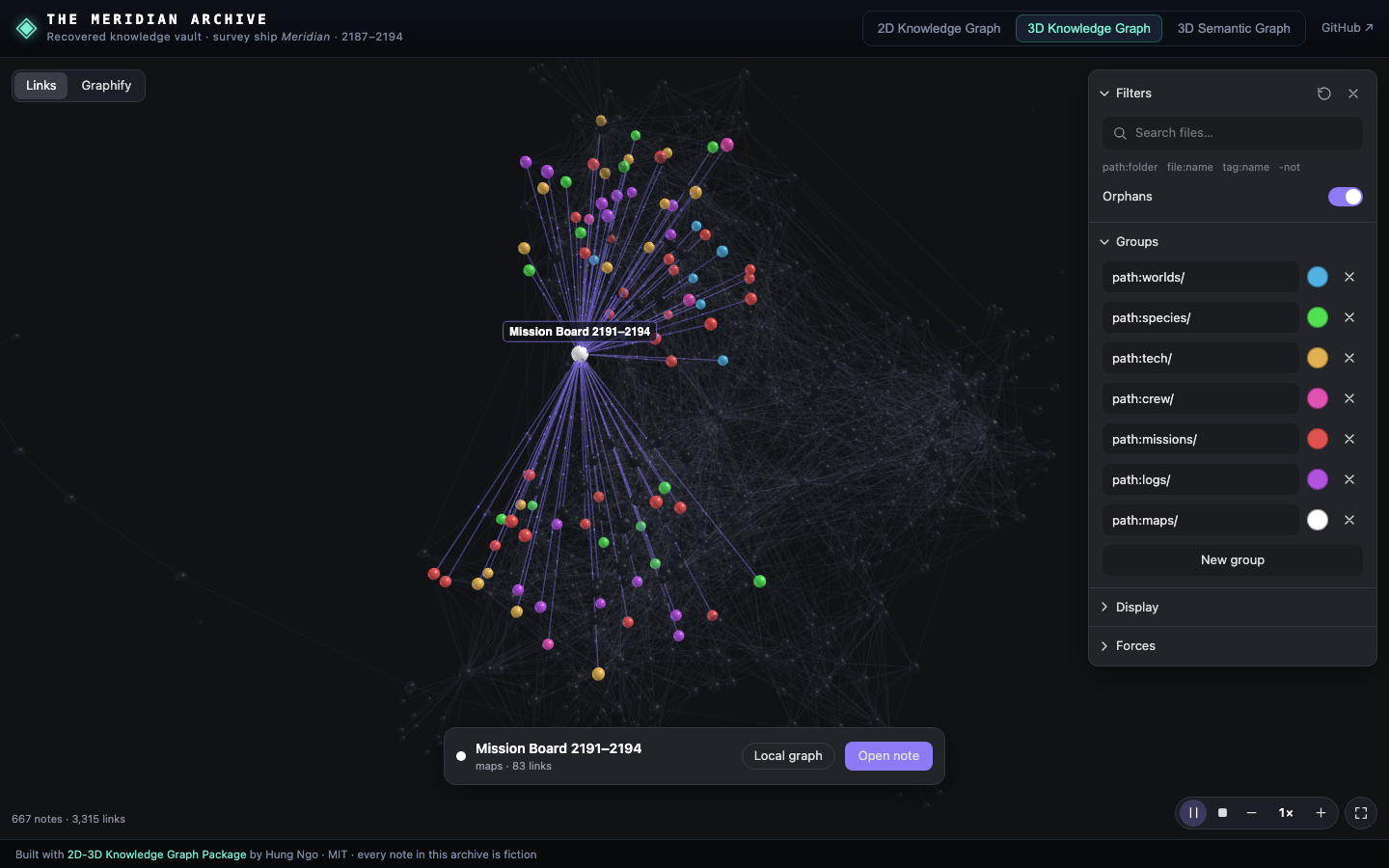
The same two sources as a living 3D web you can orbit, zoom and fly through. Hover or tap a note to light it, its neighbours and their links, with particles running along them and names floating above.
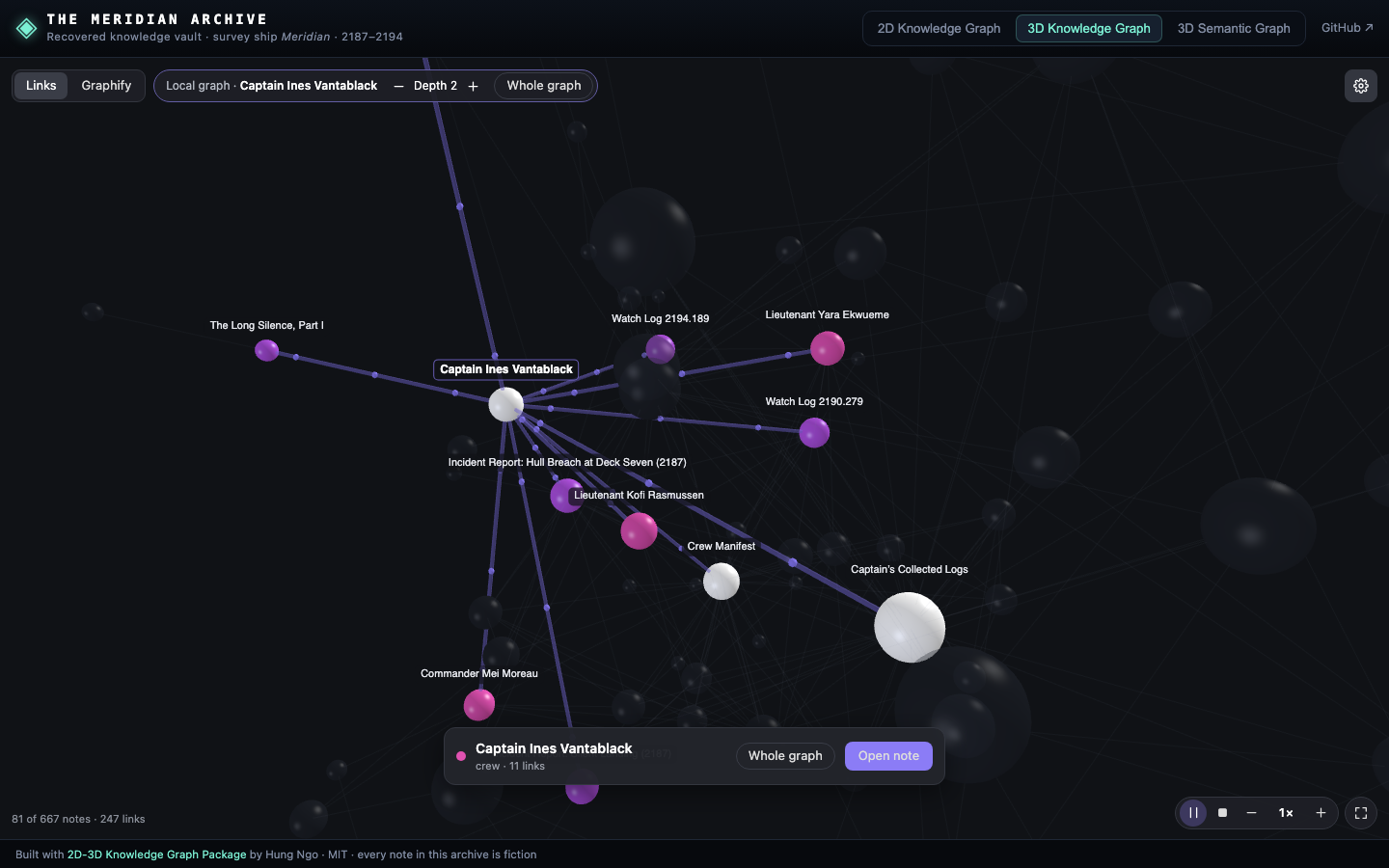
Local graph focuses on one note and its neighbourhood, one to four links out. Here, the captain of the Meridian, two steps out:
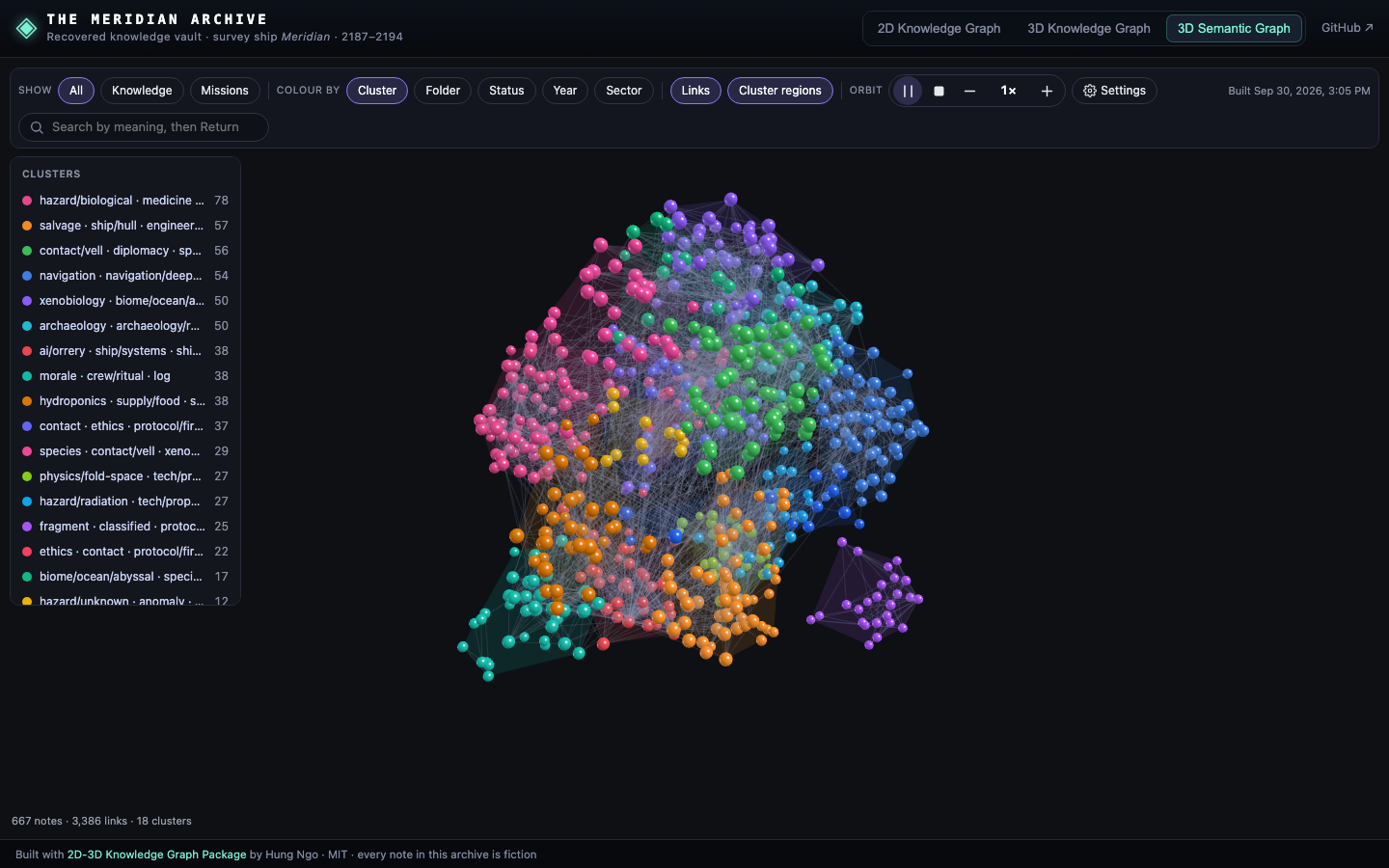
Every note is embedded with a language model and placed in 3D, so notes about similar things sit together, whether or not anyone linked them. The notes form named clusters with shaded regions, like continents of topics.
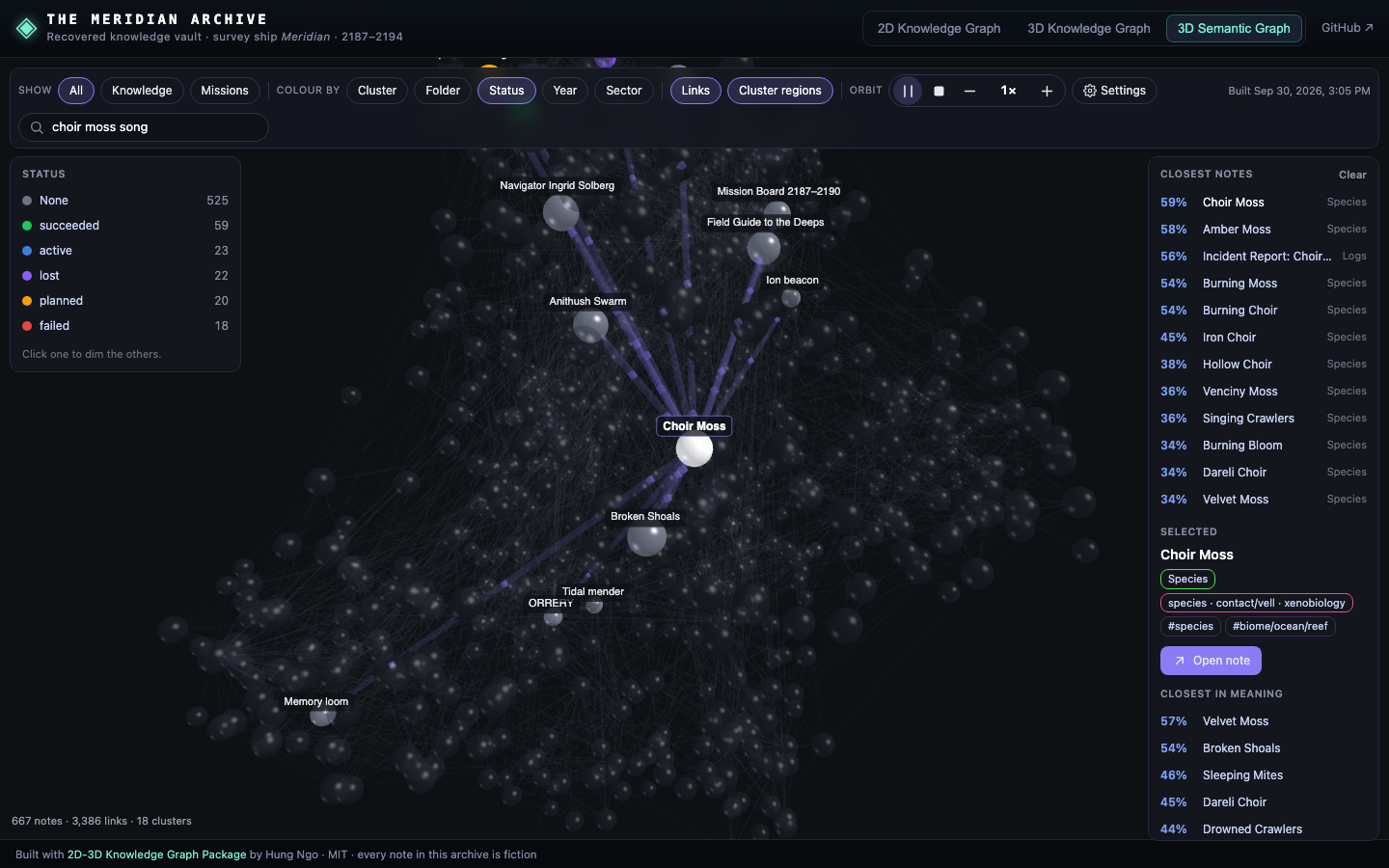
Search by meaning, see the closest notes in meaning to any note, colour by any field you have (here, mission status), and narrow to a scope such as Knowledge or Missions:
- React and Vue components, plain JavaScript for anything else, and single-file scripts for plain HTML pages and iPhone or Mac apps.
- Tools that make the data from a folder of Markdown notes, such as an Obsidian vault.
- Settings are saved as they change, and each graph reopens as you left it.
- Phone-friendly layout and touch controls.
destroy()removes every canvas, timer and listener.
npm install github:hungnv26/2d-3d-knowledge-graph three 3d-force-graph d3-forceIt installs straight from GitHub, built files included; there is no npm registry release. Pin a version with github:hungnv26/2d-3d-knowledge-graph#v0.1.0.
three, 3d-force-graph and d3-force are peer dependencies, so your app shares one copy. React and Vue are optional.
import { createStaticSemantic } from '2d-3d-knowledge-graph'
import { KnowledgeGraph2D, KnowledgeGraph3D, SemanticGraph3D } from '2d-3d-knowledge-graph/react'

const sources = [
  { id: 'links', label: 'Links', settingsKey: 'app.links', groups: [{ query: 'path:projects/', color: '#52b1e0' }] },
  { id: 'graphify', label: 'Graphify', settingsKey: 'app.graphify', graphify: true, groups: [] },
]
const graphs = { links: '/data/links.json', graphify: '/data/graphify.json' }

<div style={{ height: 600 }}>
  <KnowledgeGraph2D sources={sources} graphs={graphs} onOpen={(t) => openNote(t.note, t.quote)} />
</div>
<KnowledgeGraph3D sources={sources} graphs={graphs} onOpen={...} />
<SemanticGraph3D semantic={createStaticSemantic('/data/semantic.json')} categories={[{ id: 'folder', label: 'Folder', field: 'folder' }]} onOpen={...} /><KnowledgeGraph2D :sources="sources" :graphs="graphs" @open="openNote($event.note, $event.quote)" />Import it from 2d-3d-knowledge-graph/vue. The props are the same as in React.
import { createHost, mountKnowledge } from '2d-3d-knowledge-graph'

const host = createHost({
  graphs: { links: '/data/links.json', graphify: '/data/graphify.json' }, // data, URLs or async loaders
  onOpen: (t) => openNote(t.note, t.quote),
})
const page = mountKnowledge(document.getElementById('graph'), host, { sources, sourceKey: 'app.source' })
// later: page.destroy()
The element needs a size, for example position: relative; height: 600px. The graph fills it.
<div id="app"></div>
<script>
  window.KnowledgeGraphConfig = { sources: [{ id: 'links', label: 'Links', settingsKey: 'kg.links', url: 'links.json', groups: [] }] }
  addEventListener('knowledgegraph:open', (e) => console.log(e.detail.note))
</script>
<script src="https://cdn.jsdelivr.net/gh/hungnv26/2d-3d-knowledge-graph@v0.1.0/dist/standalone/knowledge-graph.js"></script>
Also available: force3d-graph.js and semantic-graph.js. Each is one file with its libraries and styles inside, and fills the page. The same scripts run in an iOS or macOS WKWebView: see examples/ios-wkwebview.
Turn a folder of Markdown notes, such as an Obsidian vault, into the three data files (after installing the package as above):
# Links graph: [[wikilinks]], relative .md links, tags and titles
npx kg-links ./notes --out links.json

# Graphify graph, from Graphify's output (https://github.com/Graphify-Labs/graphify)
npx kg-graphify ./notes/graphify-out/graph.json --notes ./notes --out graphify.json

# Semantic layout: embeddings (local Ollama by default) -> UMAP 3D -> clusters
uv run node_modules/2d-3d-knowledge-graph/tools/semantic/build.py ./notes --out semantic.json --fields status,year
Or produce the JSON yourself from a database or an API. The formats are small and documented in docs/data-formats.md, with JSON Schemas in schemas/.
The repository is written for coding agents as well as people. Point Claude Code, Cursor, Codex or any agent at it and ask, for example:
Add the 2D and 3D knowledge graphs from github.com/hungnv26/2d-3d-knowledge-graph to my Next.js app. Build the graph from my notes in
content/, and open a note in my existing/notes/[slug]page when a node is clicked.
Add the 3D Semantic Graph to my Vue app using my
/api/documentsendpoint, coloured bystatus.
The agent should read AGENTS.md, a step-by-step integration guide with the mistakes to avoid. llms.txt is a one-page summary. Claude Code users can also install the skill in skills/add-knowledge-graphs.
- Host and options:
createHost,mountKnowledge,mount3D,mountSemanticand the React and Vue props - Data formats: Links and Graphify graphs, semantic layouts
- Recipes: Next.js, a Markdown folder, Obsidian, a REST API, a server-side semantic search
- The sample data: The Meridian Archive and how it is generated
npm install
npm run build          # dist/: ES modules, React, Vue, standalone scripts, types
npm test               # unit tests (tools, host, sample data)
npm run test:e2e       # browser tests (Playwright) against the demo and examples
npm run demo           # the Meridian Archive demo on http://127.0.0.1:8792
npm run sample-data # regenerate the archive (deterministic)This project is MIT licensed. The licence requires keeping the copyright notice, Copyright (c) 2026 Hung Ngo, in copies of the code.
If it helps you, please also credit it where people can see it, for example on an About or credits page:
Knowledge graphs by 2D-3D Knowledge Graph Package by Hung Ngo
It learns from, and thanks:
- the Obsidian 3D Graph plugin by AlexW00 (MIT);
- the Obsidian 3D Semantic Graph plugin (MIT);
- Graphify (Apache-2.0), whose output format it reads;
- three.js, 3d-force-graph and d3-force.
See NOTICE. Obsidian is a trademark of Dynalist Inc. This project is not affiliated with Obsidian.
MIT © 2026 Hung Ngo