Creatio Command Line Interface (crtcli) — A command-line tool for interacting with Creatio and Creatio packages, focusing on enhancing the developer experience.
A tiny clio utility alternative.
crtcli is under researching & development. The CLI interface may change, so exercise caution when using it in scripts and remember to check for updates.
Download the archive from release page for your platform, extract it, and run executable from terminal.
To use crtcli from anywhere, add the directory containing the executable to your system's PATH environment variable.
curl -sfL https://raw.githubusercontent.com/heabijay/crtcli/main/install-unix.sh | shiwr -useb https://raw.githubusercontent.com/heabijay/crtcli/main/install-windows.ps1 | iexOptions:
-
--help | -h— Print help for any command. -
--version | -V— Print crtcli version. -
--completions <SHELL>— Generate shell completions config for your shell. This config should be added to your shell configuration file or folder. Currently, this completions config is getting generated using the 'clap_complete' crate.Possible values: bash, elvish, fish, powershell, zsh
Defaults: trying to autodetect
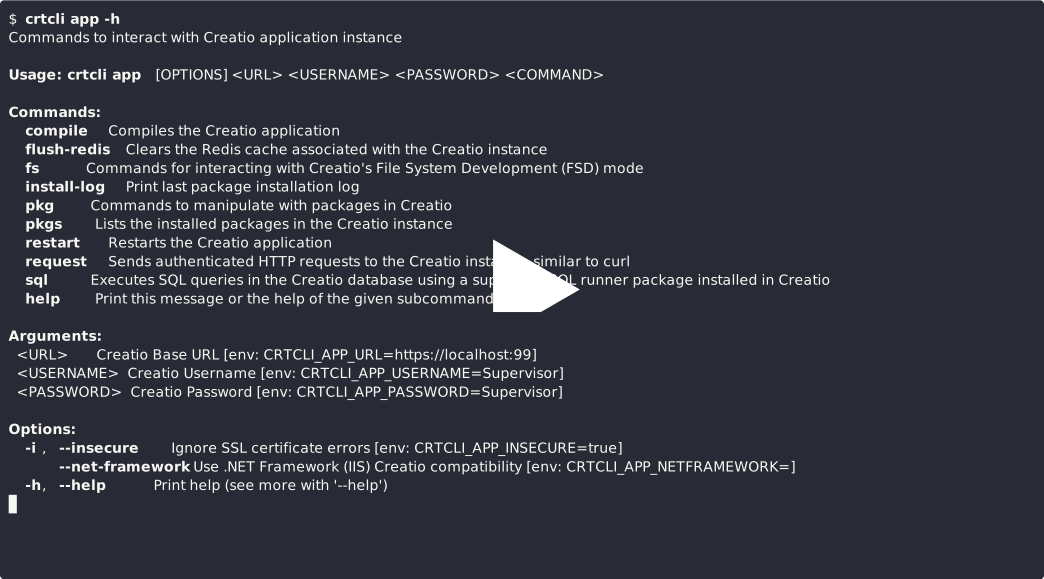
Commands to interact with Creatio application instance.
Please check .env files and .crtcli.toml for simplified commands usage.
Aliases: a (full command: crtcli a ...)
Arguments:
-
[URL/APP](env:CRTCLI_APP_URL) — The base URL of the Creatio instance or an app alias defined in .crtcli.toml.- If the value starts with "http://" or "https://", it is treated as a direct URL
- Otherwise, it is treated as an alias name.
If this argument is omitted,
crtcliuses the default application. The default can be specified by theCRTCLI_APP_URLenvironment variable or thedefault_appproperty in .crtcli.toml. -
[USERNAME](env:CRTCLI_APP_USERNAME) — Creatio Username.Defaults:
Supervisor -
[PASSWORD](env:CRTCLI_APP_PASSWORD) — Creatio Password.Defaults:
Supervisor
Options:
-
--insecure | -i(env:CRTCLI_APP_INSECURE) — Bypass SSL certificate verification. Use with caution, primarily for development or testing environments. -
--net-framework | --nf(env:CRTCLI_APP_NETFRAMEWORK) — Use .NET Framework (IIS) Creatio compatibilityBy default, crtcli primary uses .NET Core / .NET (Kestrel) API routes to operate with remote. However, some features like "app restart" works by different API routes in both platforms.
For OAuth 2.0 authentication (instead of username and password):
-
--oauth-url(env:CRTCLI_APP_OAUTH_URL) — (OAuth 2.0) Creatio OAuth URL (Identity Server). -
--oauth-client-id(env:CRTCLI_APP_OAUTH_CLIENT_ID) — (OAuth 2.0) Creatio OAuth Client ID. -
--oauth-client-secret(env:CRTCLI_APP_OAUTH_CLIENT_SECRET) — (OAuth 2.0) Creatio OAuth Client Secret.
Other options:
--clear-session-cache— (Command) Revoke all cached sessions to use a new session in the future.
Examples:
-
crtcli app https://localhost:5000 Supervisor Supervisor1 -i [COMMAND]— Executes the specified [COMMAND] on an insecure Creatio instance athttps://localhost:5000using theSupervisorusername andSupervisor1password. -
crtcli app https://production.creatio.com \
  --oauth-url https://production-is.creatio.com \
  --oauth-client-id A3F4C1B0E2D5F8A7B6C9D0E1F2A3B4C5 \
  --oauth-client-secret 8F3C7E1B0D6A5F9E2C4B7D0A1E3F6C9B5A8D7E6F1C0B3A2D5E7F9C1B0D6A5F9E \
  --net-framework \
  [COMMAND]
— Executes the specified [COMMAND] on the
https://production.creatio.comCreatio instance, using .NET Framework (IIS) compatibility and OAuth 2.0 authentication via thehttps://production-is.creatio.comIdentity Server, with Client ID_A3F4C..._and Client Secret_8F3C7..._. -
crtcli app [COMMAND]— Executes the specified [COMMAND] on the default Creatio instance (configured via environment variables ordefault_appin .crtcli.toml). -
crtcli app prod [COMMAND]— Executes the specified [COMMAND] on the Creatio instance configured with theprodalias in .crtcli.toml. -
crtcli app --clear-session-cache— Clears all cached sessions. New sessions will be created as needed.
Compiles the Creatio application (equivalent to the "Build" or "Rebuild" action in the Creatio Configuration section).
Options:
-
--force-rebuild | -f— Perform a rebuild instead of a standard build. -
--restart | -r— Restart the Creatio application after successful compilation.
Examples:
-
crtcli app https://localhost:5000 Supervisor Supervisor -i compile— Compiles the Creatio instance at insecure https://localhost:5000. -
crtcli app compile -fr— Compiles the default Creatio instance, using a forced rebuild and restarting afterward. Check app command to configure default Creatio instance.
Clears the Redis cache associated with the Creatio instance.
Examples:
-
crtcli app https://localhost:5000 -i flush-redis— Flushes the Redis cache for the insecure Creatio instance at https://localhost:5000 using default Supervisor:Supervisor credentials. -
crtcli app flush-redis— Flushes the Redis cache for the default Creatio instance.
Commands for interacting with Creatio's File System Development (FSD) mode.
Print if File System Development mode is enabled for the Creatio instance.
Examples:
-
crtcli app https://localhost:5000 Supervisor Supervisor -i fs check— Checks the File System Development mode status for the insecure Creatio instance at 'https://localhost:5000'. (Returns True/False) -
crtcli app fs check— Checks if File System Development mode is enabled on the default Creatio instance. Check app command to configure default Creatio instance.
Unload packages from Creatio database into filesystem.
Arguments:
-
[PACKAGES]— A space-separated or comma-separated list of package names to pull. If omitted, all* packages from database will be pulled.* Creatio pulls only unlocked packages that you can modify in Creatio Configuration.
Examples:
-
crtcli app https://localhost:5000 -i fs pull— Pulls all packages from database into filesystem at insecure Creatio 'https://localhost:5000' using Supervisor:Supervisor credentials. -
crtcli app fs pull UsrPackage— Pulls the 'UsrPackage' package from the database to the filesystem on the default Creatio instance. Check app command to configure default Creatio instance. -
crtcli app fs pull UsrPackage UsrPackage2|crtcli app fs pull UsrPackage,UsrPackage2— Pulls the 'UsrPackage' and 'UsrPackage2' packages from the database to the filesystem on the default Creatio instance. Check app command to configure default Creatio instance.
Load packages from filesystem into Creatio database.
Arguments:
-
[PACKAGES]— A space-separated or comma-separated list of package names to push. If omitted, all* packages from filesystem will be pushed.* Creatio pushes only unlocked packages that you can modify in Creatio Configuration.
Examples:
-
crtcli app https://localhost:5000 Supervisor Supervisor -i fs push— Pushes all packages from filesystem into database at insecure Creatio 'https://localhost:5000'. -
crtcli app fs push UsrPackage— Pushes the 'UsrPackage' package from the filesystem to the database on the default Creatio instance. Check app command to configure default Creatio instance. -
crtcli app fs push UsrPackage UsrPackage2|crtcli app fs push UsrPackage,UsrPackage2— Pushes the 'UsrPackage' and 'UsrPackage2' packages from the filesystem to the database on the default Creatio instance. Check app command to configure default Creatio instance.
Print last package installation log.
Options:
--watch— Watch for and display installation log updates in real-time.
Examples:
-
crtcli app https://localhost:5000 -i install-log— Gets the last package installation log from the insecure Creatio instance at 'https://localhost:5000' using Supervisor:Supervisor credentials. -
crtcli app install-log— Gets the last package installation log from the default Creatio instance. Check app command to configure default Creatio instance. -
crtcli app prod install-log --watch— Watch for install log updates in real-time at prod (alias) Creatio instance. Check .crtcli.toml
Commands to manipulate with packages in Creatio.
Many of these commands will attempt to infer the target package name(s) or package folder(s) from the current working directory if it's a package folder (contains a descriptor.json file) or from workspace.crtcli.toml if present.
Aliases: p (full command: crtcli app p ... or crtcli a p ...)
Compiles a specific package within the Creatio instance.
Arguments:
-
[PACKAGE_NAMES]— A space-separated or comma-separated list of package names to compile.Defaults: If omitted, crtcli will try to determine the package name(s) from the current directory (by looking for workspace.crtcli.toml or descriptor.json).
Note: When multiple packages are specified, crtcli currently prefers to use
app compile. If you need to compile packages separately, use a command chain like:crtcli app pkg compile {PACKAGE_NAME} && crtcli app pkg compile {PACKAGE_NAME2}.
Options:
-
--force-rebuild | -f— Perform a rebuild package instead of a standard build package. -
--restart | -r— Restart the Creatio application after successful package compilation.
Examples:
For example current folder is '/Creatio_8.1.5.2176/Terrasoft.Configuration/Pkg/UsrPackage' which is package folder.
-
crtcli app https://localhost:5000 Supervisor Supervisor -i pkg compile UsrCustomPkg -f— Rebuilds package 'UsrCustomPkg' at insecure Creatio 'https://localhost:5000'. -
crtcli app pkg compile -r— Compiles the package in the current directory on the default Creatio instance and restarts the application. Check app command to configure default Creatio instance. -
crtcli app prod pkg compile UsrCustomPkg UsrCustomPkg2 -r|crtcli app prod pkg compile UsrCustomPkg,UsrCustomPkg2 -r— In current crtcli behavior, the following commands execute the fullcrtcli app prod compile -ron prod (alias) Creatio instance. Check .crtcli.toml
Downloads packages from the Creatio instance as a zip archive.
Aliases: d, dl (full command: crtcli app pkg dl ... or crtcli a p d ...)
Arguments:
-
[PACKAGES]— A space-separated or comma-separated list of package names to download.Defaults: If omitted, crtcli will try to determine the package name(s) from the current directory (by looking for workspace.crtcli.toml or descriptor.json).
Options:
-
--output | -o <PATH>— Output path where the downloaded package archive will be saved. Use '@-' or '-' value to write data to stdout.If a directory is provided: The archive will be saved there with an auto-generated name.
If a file path is provided: The archive will be saved with that name.
Defaults: Current directory with an auto-generated name:
-
For a single package:
{PackageName}_YYYY-MM-DD_HH-mm-ss.zip -
For multiple packages:
Packages_YYYY-MM-DD_HH-mm-ss.zip
-
Examples:
For example current folder is '/Creatio_8.1.5.2176/Terrasoft.Configuration/Pkg/UsrPackage' which is package folder.
-
crtcli app https://localhost:5000 -i pkg download UsrCustomPkg— Downloads package 'UsrCustomPkg', from insecure Creatio 'https://localhost:5000' using Supervisor:Supervisor credentials, to current directory. -
crtcli app pkg download -o /backups/MyPackage.zip— Downloads the package from the current directory from the default Creatio instance to the '/backups' folder with the filename 'MyPackage.zip'. Check app command to configure default Creatio instance. -
crtcli app pkg download UsrPkg1 UsrPkg2|crtcli app pkg download UsrPkg1,UsrPkg2— Downloads the 'UsrPkg1' & 'UsrPkg2' packages from the default Creatio instance to the current folder with the filename 'Packages_2024-12-01_21-00-00.zip'. Check app command to configure default Creatio instance.
Commands/aliases to simplify manipulate with packages insides File System Development mode (FSD) location.
They are designed to be used from within a package directory located under the Creatio file system packages path, for example:
<Creatio_Dir>/Terrasoft.Configuration/Pkg/<Package_Name>
And, of course, in this scenario, your Creatio should have File System Development mode enabled.
Unload package in current folder from Creatio database into filesystem and applies any configured transforms (see pkg apply).
Alternative to:
crtcli app fs pull "{package_name}" # {package_name} is inferred from the current directory
crtcli pkg apply .
Options:
-
--package-folder <PACKAGE_FOLDERS>— Package folders where package was already pulled previously.Defaults: Current directory, or package folders from workspace.crtcli.toml if present.
Sample: <Creatio_Dir>/Terrasoft.Configuration/Pkg/<Package_Name>
And here you can use transforms from pkg apply command.
* Check package.crtcli.toml to configure default apply transforms.
Examples:
For example current folder is '/Creatio_8.1.5.2176/Terrasoft.Configuration/Pkg/UsrPackage' which is package folder inside in Creatio (FSD mode enabled).
-
crtcli app https://localhost:5000 Supervisor Supervisor -i pkg fs pull— Pulls package 'UsrPackage' to filesystem from Creatio (using FSD) at insecure 'https://localhost:5000' and tries to apply configured transforms to it (for example from package.crtcli.toml file if exists). -
crtcli app pkg fs pull -S true— Pulls the package from the current directory from the default Creatio instance (using FSD) and applies a sorting transform. Check app command to configure default Creatio instance. -
crtcli app pkg fs pull --package-folder ../UsrPackage --package-folder ../UsrPackage2 -cr— Pulls the 'UsrPackage' and 'UsrPackage2' packages from the default Creatio instance (using FSD) and applies a sorting transform. Check app command to configure default Creatio instance.
Load package(s) in current folder from filesystem into Creatio database and optionally compiles it.
Alternative to:
crtcli app fs push "{package_name}" # {package_name} is inferred from the current directory
crtcli app pkg compile "{package_name}" -r
Options:
-
--package-folder <PACKAGE_FOLDERS>— Package folders where package was already pulled previously.Defaults: Current directory, or package folders from workspace.crtcli.toml if present.
Sample: <Creatio_Dir>/Terrasoft.Configuration/Pkg/<Package_Name>
-
--compile-package | -c— Compile package in Creatio after successful push. -
--restart | -r— Restart the Creatio application after successful push (and package compilation in Creatio).
Examples:
For example current folder is '/Creatio_8.1.5.2176/Terrasoft.Configuration/Pkg/UsrPackage' which is package folder inside in Creatio (FSD mode enabled).
-
crtcli app https://localhost:5000 -i pkg fs push— Pushes package 'UsrPackage' from filesystem to Creatio (using FSD) at insecure 'https://localhost:5000' using Supervisor:Supervisor credentials. -
crtcli app pkg fs push -cr— Pushes the package from the current directory to the default Creatio instance (using FSD), compiles it, and restarts the application on success. Check app command to configure default Creatio instance. -
crtcli app pkg fs push --package-folder ../UsrPackage --package-folder ../UsrPackage2 -cr— Pushes the 'UsrPackage' and 'UsrPackage2' packages to the default Creatio instance (using FSD), compiles the application, and restarts it on success. Check app command to configure default Creatio instance.
Installs a package archive (.zip or .gz) into the Creatio instance.
Aliases: i (full command: crtcli app i ... or crtcli a i ...)
Arguments:
-
<FILEPATHS>(required) — Paths to the package archive files. (Use single '@-' or '-' value to read data from stdin)Note: When multiple file paths are specified, all packages will be combined into a single package archive file.
Options:
-
--restart | -r— Restart the Creatio application after successful installation. -
--compile-package | -c— Compile the package in Creatio after successful installation. -
--force | -f(sql) — Overrides changed packages & schemas in the database. Use this if you've modified schemas in an unlocked package within Creatio, and the installing process is preventing updates to those schemas.Under the hood, this option executes the following SQL script before package installation to mark all package schemas as unchanged:
UPDATE "SysPackage"
SET "IsChanged" = False, "IsLocked" = False
WHERE "UId" = '{package_uid}';

UPDATE "SysSchema"
SET "IsChanged" = False, "IsLocked" = False
WHERE "SysPackageId" IN (SELECT "Id" FROM "SysPackage" WHERE "UId" = '{package_uid}');

UPDATE "SysPackageSchemaData"
SET "IsChanged" = False, "IsLocked" = False
WHERE "SysPackageId" IN (SELECT "Id" FROM "SysPackage" WHERE "UId" = '{package_uid}');

UPDATE "SysPackageSqlScript"
SET "IsChanged" = False, "IsLocked" = False
WHERE "SysPackageId" IN (SELECT "Id" FROM "SysPackage" WHERE "UId" = '{package_uid}');

UPDATE "SysPackageReferenceAssembly"
SET "IsChanged" = False, "IsLocked" = False
WHERE "SysPackageId" IN (SELECT "Id" FROM "SysPackage" WHERE "UId" = '{package_uid}');
-
--force-and-clear-localizations | -F(sql) — Same as -f but also clears localization data. Use this if you want to remove outdated or unwanted localization strings. — This options makes resources diffs less trashy during pull/push workflow.Under the hood, this option executes the following SQL script before package installation:
-- SQL script from --force (-f) command here --

-- Then:

DELETE FROM "SysLocalizableValue"
WHERE "SysPackageId" IN (
    SELECT "Id" FROM "SysPackage" WHERE "UId" = '{package_uid}'
);

DELETE FROM "SysPackageResourceChecksum"
WHERE "SysPackageId" IN (
    SELECT "Id" FROM "SysPackage" WHERE "UId" = '{package_uid}'
);

DELETE FROM "SysPackageDataLcz" WHERE "SysPackageSchemaDataId" IN (
    SELECT "Id" FROM "SysPackageSchemaData" WHERE "SysPackageId" IN (
        SELECT "Id" FROM "SysPackage" WHERE "UId" = '{package_uid}'
    )
);

DELETE FROM "SysPackageSchemaData"
WHERE "SysPackageId" IN (
    SELECT "Id" FROM "SysPackage" WHERE "UId" = '{package_uid}'
);
-
--clear-schemas-content(sql) — Clears existing schema content and checksums before installation. Use this if schema content (e.g., C# code) is not updating correctly from the package.Under the hood, this option executes the following SQL script before package installation:
DELETE FROM "SysSchemaContent" WHERE "SysSchemaId" IN (
  SELECT "Id" FROM "SysSchema" WHERE "SysPackageId" IN (
      SELECT "Id" FROM "SysPackage" WHERE "UId" = '{package_uid}'
  )
);

UPDATE "SysSchema"
SET "Checksum" = '',
    "MetaData" = NULL,
    "Descriptor" = NULL,
    "CreatedOn" = NULL,
    "ModifiedById" = NULL,
    "CreatedById" = NULL,
    "ModifiedOn" = NULL,
    "ClientContentModifiedOn" = NULL
WHERE "SysPackageId" IN (
    SELECT "Id" FROM "SysPackage" WHERE "UId" = '{package_uid}'
);
-
--disable-install-log-polling— Disables the display of the installation log updates in real-time.
* (sql) — Requires an installed sql runner package in Creatio that is supported by crtcli. Please check app sql command documentation.
Examples:
-
crtcli app https://localhost:5000 Supervisor Supervisor -i --net-framework pkg install /repo/UsrPackage-latest.zip— Installs package archive '/repo/UsrPackage-latest.zip' at insecure Creatio 'https://localhost:5000' using .NET Framework (IIS) compatibility. -
crtcli app pkg install UsrPackage.gz -fcr— Executes SQL to mark all 'UsrPackage' schemas as unchanged, installs the 'UsrPackage.gz' package on the default Creatio instance, compiles the package, and restarts Creatio after successful installation. Check app command to configure default Creatio instance. -
crtcli app pkg install UsrPackage.gz -Fr— Executes SQL to mark all 'UsrPackage' schemas as unchanged, clears all localization data for 'UsrPackage' schemas, installs the 'UsrPackage.gz' package on the default Creatio instance, and restarts it after successful installation. Check app command to configure default Creatio instance. -
crtcli app prod pkg install UsrPackage.gz repos/UsrPackage2.gz UsrPackageCollection.zip— Combines packages in UsrPackageCollection.zip, UsrPackage.gz UsrPackage3.gz to single "Package.zip" package archive and installs it into prod (alias) Creatio instance at once. Check .crtcli.toml
Print installed package information by Package UId.
Arguments:
<PACKAGE_UID>(required) — UId of the package.
Options:
--json— Display the output in JSON format.
Examples:
-
crtcli app https://localhost:5000 -i pkg get-uid ae8519c2-2aac-4a00-aa61-b0ffaac99ea3— Prints information about package 'ae8519c2-2aac-4a00-aa61-b0ffaac99ea3' at insecure Creatio 'https://localhost:5000' using Supervisor:Supervisor credentials.stdout:
ActionsDashboard (ae8519c2-2aac-4a00-aa61-b0ffaac99ea3) | Id: 96adf8f9-652d-4382-843c-d91ff737478c | Created on: 2020-05-27T12:09:53.095 | Modified on: 2022-10-04T15:37:06.000 | Maintainer: Terrasoft | Type: 0 -
crtcli app pkg get-uid ae8519c2-2aac-4a00-aa61-b0ffaac99ea3 --json— Prints information about package 'ae8519c2-2aac-4a00-aa61-b0ffaac99ea3' from the default Creatio instance in JSON format. Check app command to configure default Creatio instance.stdout:
{"id":"96adf8f9-652d-4382-843c-d91ff737478c","uId":"ae8519c2-2aac-4a00-aa61-b0ffaac99ea3","name":"ActionsDashboard","type":0,"maintainer":"Terrasoft","createdOn":"2020-05-27T12:09:53.095","modifiedOn":"2022-10-04T15:37:06.000"}
Execute SQL to make packages locked if it is unlocked in Creatio.
UPDATE "SysPackage"
SET "InstallType" = 1
WHERE "Name" = '{package_name}';
* Requires an installed sql runner package in Creatio that is supported by crtcli. Please check app sql command documentation.
Arguments:
-
[PACKAGE_NAMES]— A space-separated or comma-separated list of package names to lock.Defaults: If omitted, crtcli will try to determine the package name(s) from the current directory (by looking for workspace.crtcli.toml or descriptor.json).
Examples:
For example current folder is '/Creatio_8.1.5.2176/Terrasoft.Configuration/Pkg/UsrPackage' which is package folder.
-
crtcli app https://localhost:5000 Supervisor Supervisor -i pkg lock UsrCustomPackage UsrCustomPackage2|crtcli app https://localhost:5000 Supervisor Supervisor -i pkg lock UsrCustomPackage,UsrCustomPackage2— Locks package 'UsrCustomPackage' and 'UsrCustomPackage2' at insecure Creatio 'https://localhost:5000'. -
crtcli app pkg lock— Locks the package in the current directory on the default Creatio instance. Check app command to configure default Creatio instance.
Downloads packages from Creatio, unpacks it to a destination folders, and applies configured transforms. This is a more efficient alternative to manually downloading, unpacking, and applying transforms.
Alternative to:
crtcli app pkg download "{package_name}" --output "tmp-pkg.zip"
crtcli pkg unpack "tmp-pkg.zip" --destination . --merge
crtcli pkg apply .
rm "tmp-pkg.zip"
but faster due to in memory processing, merging only changes and more feature-rich.
Arguments:
-
[PACKAGE:DESTINATION]— Packages to pull and their destination folders (comma-separatedPackageName:DestinationFolderpairs)Defaults:
- Package: Tries to determine package name from destination folder (From file ./descriptor.json)
- Destination: Current directory if not specified, or the folder with the same name as the package if left empty.
Examples:
UsrPackagemeans "UsrPackage" to current folder.UsrPackage:.means "UsrPackage" to current folder.UsrPackage:means "UsrPackage" to "./UsrPackage" folder (e.g. destination is empty).UsrPackage:/repos/UsrPackagemeans "UsrPackage" to "/repos/UsrPackage" folder.:./repos/UsrPackagemeans "UsrPackage" (inferred from the destination folder) to "./repos/UsrPackage" folder.
* When workspace.crtcli.toml present, it uses packages and their package folders from it.
Options:
-
--smart-merge— Enables smart merge strategies that ignore insignificant differences caused by downloading packages from different Creatio instances.This option helps improve package version control diffs when working with Creatio without File System Development (FSD) mode.
The following changes are ignored:
-
Schemas/**/descriptor.json
- $.Descriptor.ModifiedOnUtc (!)
- $.Descriptor.Caption
- $.Descriptor.DependsOn (Missing property equals to an empty array)
-
Schemas/**/*.cs (Missing file equals to an empty file)
* Same functionality as the
--smart-mergeoption in the pkg unpack command. -
And here you can use transforms from pkg apply command.
* Check package.crtcli.toml to configure default options and apply transforms.
Examples:
For example current folder is '/Creatio_8.1.5.2176/Terrasoft.Configuration/Pkg/UsrPackage' which is package folder.
-
crtcli app https://localhost:5000 -i pkg pull UsrCustomPackage:/repos/UsrCustomPackage -S true— Downloads package 'UsrCustomPackage', from insecure Creatio 'https://localhost:5000' using Supervisor:Supervisor credentials, and unpacks it into /repos/UsrCustomPackage folder with sorting transform. -
crtcli app pkg pull— Downloads the package from the current directory from the default Creatio instance and unpacks it into the current folder, merging with default transforms applied. Check app command to configure default Creatio instance. -
crtcli app pkg pull --smart-merge— Downloads the package from the current directory from the default Creatio instance and unpacks it into the current folder using smart merge with default transforms applied. Check app command to configure default Creatio instance. -
crtcli app pkg pull UsrPackage2— Downloads the 'UsrPackage2' package from the default Creatio instance and unpacks it into the current folder, merging with default transforms applied. Check app command to configure default Creatio instance. -
crtcli app https://customer-dev.creatio.com -i pkg pull UsrPackage1: UsrPackage2:— Downloads the 'UsrPackage1' and 'UsrPackage2 'packages from insecure Creatio 'https://customer-dev.creatio.com' using Supervisor:Supervisor credentials, and unpacks them into the './UsrPackage1' and './UsrPackage2' folders, respectively, merging with default transforms applied. Check app command to configure default Creatio instance. -
crtcli app pkg pull UsrPackage3:/repos/Pkg3 UsrPackage2:/repos/Pkg2— Downloads the 'UsrPackage3' and 'UsrPackage2' packages from the default Creatio instance and unpacks them into the '/repos/Pkg3' and '/repos/Pkg2' folders, respectively, merging with default transforms applied. Check app command to configure default Creatio instance. -
crtcli app pkg pull :/repos/Pkg3— Downloads the 'UsrPackage3' package (inferred from the destination folder) from the default Creatio instance and unpacks it into the '/repos/Pkg3' folder, merging with default transforms applied. Check app command to configure default Creatio instance.
Packs packages from a source folders and installs it into the Creatio instance. This is a more efficient alternative to manually packing and installing.
Alternative to:
crtcli pkg pack . --format gzip --output "tmp-package.gz"
crtcli app install "tmp-package.gz"
rm "tmp-package.gz"
but it works faster due to in memory processing and merging only changes and also has additional features.
Arguments
-
<SOURCE_FOLDERS>— Folder containing the package to be packed and installed. You can specify multiple source folders to install several packages at once.Defaults: Current directory or package folders from workspace.crtcli.toml if present.
Options:
Here you can use options from app pkg install command like --restart, --compile-package, --force, ...
Examples:
For example current folder is '/Creatio_8.1.5.2176/Terrasoft.Configuration/Pkg/UsrPackage' which is package folder.
-
crtcli app https://localhost:5000 Supervisor Supervisor -i pkg push /repos/UsrCustomPackage— Packs and installs package 'UsrCustomPackage' into insecure Creatio 'https://localhost:5000'. -
crtcli app pkg push -Fcr— Packs and installs the package from the current directory on the default Creatio instance, executing SQL scripts to mark schemas as unchanged, cleaning up schema localization, compiling the package, and restarting the application after installation. Check app command to configure default Creatio instance. -
crtcli app prod pkg push /repos/UsrCustomPackage1 /repos/UsrCustomPackage2— Packs and installs packages 'UsrCustomPackage1' and 'UsrCustomPackage2' into prod (alias) Creatio instance at once. Check .crtcli.toml
Execute SQL to make packages unlocked if it is locked in Creatio.
UPDATE "SysPackage"
SET "InstallType" = 0
WHERE "Name" = '{package_name}';
* Requires an installed sql runner package in Creatio that is supported by crtcli. Please check app sql command documentation.
** Note: To be able to edit the unlocked package, ensure that the Maintainer in the package matches the Maintainer system setting in Creatio. You may need to log out and log back in after change the Maintainer system setting.
Arguments:
-
[PACKAGE_NAMES]— A space-separated or comma-separated list of package names to unlock.Defaults: If omitted, crtcli will try to determine the package name(s) from the current directory (by looking for workspace.crtcli.toml or descriptor.json).
Examples:
For example current folder is '/Creatio_8.1.5.2176/Terrasoft.Configuration/Pkg/UsrPackage' which is package folder.
-
crtcli app https://localhost:5000 -i pkg unlock UsrCustomPackage UsrCustomPackage2|crtcli app https://localhost:5000 -i pkg unlock UsrCustomPackage,UsrCustomPackage2— Unlocks package 'UsrCustomPackage' and 'UsrCustomPackage2' at insecure Creatio 'https://localhost:5000' using Supervisor:Supervisor credentials. -
crtcli app pkg unlock— Unlocks the package in the current directory on the default Creatio instance. Check app command to configure default Creatio instance.
Lists the installed packages in the Creatio instance.
Options:
--json— Display the output in JSON format.
Examples:
-
crtcli app https://localhost:5000 Supervisor Supervisor -i pkgs— Prints list of installed packages at insecure Creatio 'https://localhost:5000'.stdout:
ActionsDashboard (UId: ae8519c2-2aac-4a00-aa61-b0ffaac99ea3) AnalyticsDashboard (UId: 02abeaad-7dcc-4f15-86c9-cd6090362e82) Approval (UId: 1eefea8c-efe3-53d9-6397-3aac9cc9e785) ... -
crtcli app pkgs --json— Prints a list of installed packages from the default Creatio instance in JSON format. Check app command to configure default Creatio instance.stdout:
[{"uId":"ae8519c2-2aac-4a00-aa61-b0ffaac99ea3","name":"ActionsDashboard"},{"uId":"02abeaad-7dcc-4f15-86c9-cd6090362e82","name":"AnalyticsDashboard"},{"uId":"1eefea8c-efe3-53d9-6397-3aac9cc9e785","name":"Approval"},...
Restarts the Creatio application.
Important: If your Creatio instance is running on .NET Framework (IIS), you must use the --net-framework flag with the app command. Otherwise, the restart will not be executed, and you won't receive an error.
Examples:
-
crtcli app https://localhost:5000 -i --net-framework restart— Restarts Creatio application at insecure 'https://localhost:5000' using Supervisor:Supervisor credentials and .NET Framework (IIS) compatibility. -
crtcli app dev restart— Restarts Creatio application using the 'dev' alias from .crtcli.toml. -
crtcli app restart— Restarts the default Creatio application. Check app command to configure default Creatio instance.
Sends authenticated HTTP requests to the Creatio instance, similar to curl.
Aliases: req (full command: crtcli app req ... or crtcli a req ...)
Arguments:
-
<METHOD>(required) — HTTP method (e.g., GET, POST, PUT, DELETE, etc.). -
<URL>(required) — URL to request (can be absolute or relative to the Creatio base URL).
Options:
-
--anonymous | -a— Send the request without authentication. -
--data | -d <DATA>— Request body data (for methods like POST). Use '@-' or '-' value to read data from stdin. -
--header | -H <HEADER>— Add a custom header to the request (format: Key: Value). The default Content-Type is application/json. -
--output | -o <FILE>— Save the response body to a file.
Examples:
-
crtcli app https://localhost:5000 Supervisor Supervisor -i request GET 0/rest/UsrService/UsrMethod— Sends an authenticated GET request to 'https://localhost:5000/0/rest/UsrService/UsrMethod' at insecure Creatio. -
crtcli app request POST 0/rest/UsrService/UsrPostMethod -d '{"request": "test"}'— Sends an authenticated POST request to '0/rest/UsrService/UsrPostMethod' on the default Creatio instance with the body '{"request": "test"}'. Check app command to configure default Creatio instance. -
crtcli app request POST 0/rest/UsrService/UsrPostMethod -d -— Sends an authenticated POST request to '0/rest/UsrService/UsrPostMethod' on the default Creatio instance with a body read from stdin. Check app command to configure default Creatio instance.stdin & stdout:
Enter request data below: (Press Ctrl+D to finish) -=-=- -=-=- -=-=- -=-=- -=-=- {"date":"2025-01-01"} -=-=- -=-=- -=-=- -=-=- -=-=- HTTP/2.0 200 OK Content-Length: 62 Content-Type: application/json; charset=utf-8 { "UsrPostMethodResult": 0.02379281219143697 } -
crtcli app request GET 0/ServiceModel/PublicService.svc/UsrPubMethod -a -H "X-Access-Token: 123"— Sends an anonymous GET request to '0/ServiceModel/PublicService.svc/UsrPubMethod' on the default Creatio instance with a custom header 'X-Access-Token: 123'. Check app command to configure default Creatio instance.
Executes SQL queries in the Creatio database using a supported SQL runner package installed in Creatio.
Beta: this command is still under development.
Supported SQL packages:
-
cliogate (Version 1.1.1.2 or greater)
Install using the one-line command
Shell:
curl -sfL https://github.com/user-attachments/files/19712683/cliogate_1.1.1.2.zip | crtcli app pkg install @- -rPowerShell:
(iwr -useb https://github.com/user-attachments/files/19712683/cliogate_1.1.1.2.zip).Content | crtcli app pkg install - -r
-
SqlConsole
Arguments:
-
[SQL]— SQL query to execute.Defaults: If omitted and the --file option is not used, crtcli will prompt you to enter the query from standard input (press Ctrl+D to finish).
Options:
-
--file | -f <FILE>— Read the SQL query from a file. -
--runner | -r <RUNNER>— Specify the SQL runner to use.Possible values: cliogate, sql-console
Defaults: Autodetect
-
--json— Display the results in JSON format.
Examples:
-
crtcli app https://localhost:5000 -i sql 'SELECT COUNT(*) FROM "SysPackage"'— Executes SQL query 'SELECT COUNT(*) FROM "SysPackage"' at insecure Creatio 'https://localhost:5000' using Supervisor:Supervisor credentials with automatically detected sql runner.stdout:
[ { "count": 359 } ] -
crtcli app sql— Executes an SQL query from stdin on the default Creatio instance using an automatically detected SQL runner. Check app command to configure default Creatio instance.stdin & stdout:
Enter SQL query below: (Press Ctrl+D to finish)
-=-=- -=-=- -=-=- -=-=- -=-=-

select count(*) from "Contact"

-=-=- -=-=- -=-=- -=-=- -=-=-

[
  {
    "count": 13
  }
]
-
crtcli app sql -r sql-console -f query.sql— Executes the SQL query from the 'query.sql' file on the default Creatio instance using thesql-consolerunner. Check app command to configure default Creatio instance.
Establishes TCP tunnels via the Creatio instance to access internal services, such as database or Redis connections.
Requires crtcli.tunneling package installed and "CanManageSolution" operation permission for the user in Creatio.
Download crtcli.tunneling_v0.1.1.zip
Install using the one-line command
Shell:
curl -sfL https://github.com/user-attachments/files/22113792/crtcli.tunneling_v0.1.1.zip | crtcli app pkg install @- -rPowerShell:
(iwr -useb https://github.com/user-attachments/files/22113792/crtcli.tunneling_v0.1.1.zip).Content | crtcli app pkg install - -rThis feature is primarily a proof of concept (PoC) and is provided mainly for demonstration purposes. Exercise caution when using it, as we cannot guarantee its complete security, stability, or reliability. By using it, you acknowledge that there may be potential risks, such as security risks, data issues, or unexpected behavior, and you agree to proceed at your own risk.
crtcli.tunneling_showcase.mp4
Options:
-
--connection-strings— Print defined connection strings in the Creatio configuration and exit. (ConnectionStrings.config file configuration) -
-L <[bind_address:]port:host:host_port>— Local port forwarding rule(s) in the format [bind_address:]port:host:host_port. (SSH like format)
Examples:
-
Use case: You want to connect to the Creatio database from your local machine using DataGrip, DBeaver, or any other database client.
For this example, we assume that you already have the crtcli app credentials configuration, so we will omit app command arguments to focus on the tunnel command.
Step 1. Download the crtcli.tunneling package from the link above, install it, and restart the Creatio instance.
crtcli app pkg install crtcli.tunneling.zip -r
Step 2: List all configured connection strings at the Creatio instance.
crtcli app tunnel --connection-strings
Listing connection strings at https://localhost:99:
db
Server=db;Port=5432;Database=creatio;User ID=postgres;password=postgres;Timeout=500; CommandTimeout=400;MaxPoolSize=1024;

redis
host=redis;db=0;port=6379
...
Step 3: Start a TCP tunnel to the Creatio database using crtcli.
In Step 2, we also received the "db" connection string, which is the Creatio database connection string. From that string, we can extract:
db_host=db
db_port=5432
db_database=creatio
db_user=postgres
db_password=postgres
Therefore, we need to create a tunnel to db:5432.
crtcli app tunnel -L 2222:db:5432
Step 4: Connect to the Creatio database using DataGrip, DBeaver, or any other database client.
Because we specified in Step 3 that we want to map the local port 2222 to the Creatio database port 5432, we can connect to the Creatio database from our local machine using the address "localhost:2222".
So, the connection parameters look like this:
db_host=localhost
db_port=2222
db_database=creatio
db_user=postgres
db_password=postgres
Commands for working with Creatio package files (.zip, .gz) or package folders locally, without interacting with a Creatio instance.
Aliases: p (full command: crtcli p ... or crtcli p ...)
Applies transformations to the contents of a package folders.
This is useful for standardizing package structure, cleaning up localization files, and improving version control diffs, etc.
Arguments:
-
[PACKAGE_FOLDERS]— Paths to the package folders.Defaults: Current directory or package folders from workspace.crtcli.toml if present.
Options:
-
--file | -f <FILE>— Apply transforms only to a specific file within the package folder. The path should be relative to the package folder or absolute (but still within the package folder). Useful for pre-commit git hooks. -
--check— Checks for potential changes without applying them, exiting with a non-zero code if changes are needed. Could be useful for pre-commit git hooks or CI workflows.
Transforms (also options):
-
--apply-sorting | -S <true/false>— Sorts the contents of specific files within the package. This is useful when you work with any VCS cause it prevents you from check some inconsistent diffs. (Recommended)Affects:
- descriptor.json
- Data/**/*.json
- Data/**/Localization/*.json
- Resources/**/resource.*.xml
- Files/*.csproj
-
--apply-sorting-comparer <COMPARER>— Configures the sorting comparer for the--apply-sorting | -Stransform, which will be used to sort strings.This is necessary for sorting
Resources/**/resource.*.xmlfiles when working on Creatio with different database types.Possible values:
alnum(aliases:psql,postgresql) (default) — An alphanumeric comparer, pretending to be equivalent to PostgreSQL collation comparing/ordering. This means that it ignores non-alphanumeric characters when comparing. This option is the best when your primary Creatio database is PostgreSQL.std(aliases:standard,mssql) — A standard comparer, which uses all characters in a string and compares bytes byte by byte. This option is the best when your primary Creatio database is Microsoft SQL Server.
Defaults:
alnum -
--apply-localization-cleanup | -L <EXCEPT-LOCALIZATIONS>— Removes localization files except for the specified cultures (comma-separated list). (Recommended)Affects:
- Data/**/Localization/data.*.json
- Resources/**/resource.*.xml
-
--apply-bom-normalization <add/remove>— Normalizes a Byte Order Mark (BOM) in package schema files (.json / .xml) by adding or removing BOM bytes.Affects:
- descriptor.json
- Assemblies/**/*.json
- Data/**/*.json
- Data/**/Localization/*.json
- Resources/**/resource.*.xml
- Schemas/**/descriptor.json
- Schemas/**/metadata.json
- Schemas/**/properties.json
- SqlSchemas/**/descriptor.json
-
--apply-post-csproj-pkg-refs-regenerate <true/false>— Regenerates the package assembly "Files/*.csproj" based on the dependencies in descriptor.json.Affects:
- Files/*.csproj
* Check package.crtcli.toml to configure default apply transforms.
Examples:
-
crtcli pkg apply --apply-sorting true— Applies sorting transform to the current package folder. -
crtcli pkg apply /Creatio_8.1.5.2176/Terrasoft.Configuration/Pkg/UsrPackage /Creatio_8.1.5.2176/Terrasoft.Configuration/Pkg/UsrPackage2 -S true -L 'en-US,uk-UA'— Applies sorting and localization cleanup transforms to packages '/Creatio_8.1.5.2176/Terrasoft.Configuration/Pkg/UsrPackage' and '/Creatio_8.1.5.2176/Terrasoft.Configuration/Pkg/UsrPackage2'. Localization cleanup deletes all localization files in this folder except for 'en-US' and 'uk-UA' cultures.
Creates a package archive (.zip or .gz) from package folders.
Included Paths:
Assemblies/*Data/*Files/*Resources/*Schemas/*SqlScripts/*descriptor.json
Excluded: Hidden folders and files (names starting with .).
Aliases: p (full command: crtcli pkg p ... or crtcli p p ...)
Arguments:
-
[PACKAGE_FOLDERS]— Source folders containing the package files to be packaged.Defaults: Current directory, or package folders from workspace.crtcli.toml if present.
Options:
-
--output | -o <PATH>— Output path where the output package archive will be saved.If a directory is provided: The archive will be saved there with an auto-generated name.
If a file path is provided: The archive will be saved with that name.
Defaults: Current directory with an auto-generated name:
-
For a single package:
{PackageName}_YYYY-MM-DD_HH-mm-ss.zipfor zip format and{PackageName}.gzfor gzip -
For multiple packages:
Packages_YYYY-MM-DD_HH-mm-ss.zip
-
-
--format <FORMAT>— Archive format.Possible values: gzip (gz), zip
Defaults: zip
-
--compression <COMPRESSION>— Compression level (fast, normal, best)Possible values: fast, normal, best
Defaults: fast
Examples:
For example current folder is '/Creatio_8.1.5.2176/Terrasoft.Configuration/Pkg/UsrPackage' which is package folder.
-
crtcli pkg pack— Packs current folder as package and outputs package file 'UsrPackage_2024-12-01_21-00-00.zip' to current directory. -
crtcli pkg pack /Creatio_8.1.5.2176/Terrasoft.Configuration/Pkg/UsrPackage2 /Creatio_8.1.5.2176/Terrasoft.Configuration/Pkg/UsrPackage3 --format zip --compression best— Packs folders '/Creatio_8.1.5.2176/Terrasoft.Configuration/Pkg/UsrPackage2' and '/Creatio_8.1.5.2176/Terrasoft.Configuration/Pkg/UsrPackage3' as package archive and outputs package file 'Packages_2024-12-01_21-00-00.zip' to current directory. -
crtcli pkg pack -o /backups/ --format gzip --compression best— Packs current folder as package and outputs package file 'UsrPackage.gz' with the best compression preset to '/backups/' folder. -
crtcli pkg pack -o /backups/UsrPackage-latest.zip— Packs current folder as package and outputs package file 'UsrPackage-latest.zip' to '/backups/' folder. If file already exists — it will be replaced.
Extract a single package from a package archive (.zip or .gz). To extract multiple packages from a zip archive, use pkg unpack-all.
Aliases: u (full command: crtcli pkg u ... or crtcli p u ...)
Arguments:
<PACKAGE_FILEPATH>(required) — Path to the package archive file.
Options:
-
--destination | -d <DESTINATION_FOLDER>— Destination folder where the extracted package files will be saved.Defaults: '{Filename without extension}' folder in current folder. If this folder already exists — creates a new one with suffix '_1' and so on.
-
--package | -p <PACKAGE_NAME>— If the archive is a zip file containing multiple packages, specify the name of the package to extract. -
--merge | -m— If destination_folder already exists you will receive error about this by default. However, you can use this merge option to extract to same exist folder with overwriting only different files. -
--smart-merge— Enables smart merge strategies that ignore insignificant differences caused by downloading packages from different Creatio instances.This option helps improve package version control diffs when working with Creatio without File System Development (FSD) mode.
The following changes are ignored:
-
Schemas/**/descriptor.json
- $.Descriptor.ModifiedOnUtc (!)
- $.Descriptor.Caption
- $.Descriptor.DependsOn (Missing property equals to an empty array)
-
Schemas/**/*.cs (Missing file equals to an empty file)
* Check package.crtcli.toml to enable this option by default.
** Same functionality as the
--smart-mergeoption in the app pkg pull command. -
And here you can use transforms from pkg apply command.
Examples:
-
crtcli pkg unpack UsrPackage_2024-12-01_21-00-00.zip— Extracts single package from 'UsrPackage_2024-12-01_21-00-00.zip' file to folder './UsrPackage_2024-12-01_21-00-00/' -
crtcli pkg unpack UsrPackage.gz -d /repos/UsrPackage -mS true— Extracts single package from 'UsrPackage.gz' file to folder './repos/UsrPackage' with merging and sorting transform. -
crtcli pkg unpack UsrMultiplePackages_2024-12-01_21-00-00.zip -d UsrPackageSources -p UsrPackage— Extracts single package 'UsrPackage' (file UsrPackage.gz) from 'UsrMultiplePackages_2024-12-01_21-00-00.zip' file to folder './UsrPackageSources/'. -
crtcli pkg unpack UsrPackage_2024-12-01_21-00-00.zip -d /repos/UsrPackage -S true --smart-merge— Extracts single package from 'UsrPackage_2024-12-01_21-00-00.zip' file to folder './repos/UsrPackage' with smart merging strategies and sorting transform.
Extract all packages from a zip archive.
Aliases: ua (full command: crtcli pkg ua ... or crtcli p ua ...)
Arguments:
<PACKAGE_FILEPATH>(required) — Path to the zip package archive file.
Options:
-
--destination | -d <DESTINATION_FOLDER>— Destination folder where the extracted package files will be saved.Defaults: '{Filename without extension}' folder in current folder. If this folder already exists — creates a new one with suffix '_1' and so on.
-
--merge | -m— If destination_folder already exists you will receive error about this by default. However, you can use this merge option to extract to same exist folder with overwriting only different files. -
--smart-merge— Enables smart merge strategies that ignore insignificant differences caused by downloading packages from different Creatio instances. Check the pkg unpack command documentation for more information.
And here you can use transforms from pkg apply command.
Examples:
For example, file 'MyPackage.zip' contains one 'UsrPackage' package, and file 'MyMultiplePackages.zip' contains 'UsrPackage1' package and 'UsrPackage2' package.
-
crtcli pkg unpack-all MyPackage.zip— Extracts packages from 'MyPackage.zip' file to folder './MyPackage/'.The output folder structure will be:
- MyPackage/
- UsrPackage/
- ...
- UsrPackage/
- MyPackage/
-
crtcli pkg unpack-all MyMultiplePackages.zip -d /repos/ -mL 'en-US'— Extracts packages from 'MyMultiplePackages.zip' file to folder '/repos/' with merging and localization cleanup transform except 'en-US' culture.The output folder structure will be:
- /repos/
- UsrPackage1/
- ...
- UsrPackage2/
- ...
- UsrPackage1/
- /repos/
crtcli supports .env files for storing environment variables, simplifying command usage by avoiding repetitive argument entry.
Locations: '.env' in current directory or any parent folders.
Variables:
-
CRTCLI_APP_URL— The base URL of Creatio instance by default. -
CRTCLI_APP_USERNAME— Creatio username by default. -
CRTCLI_APP_PASSWORD— Creatio password by default. -
CRTCLI_APP_INSECURE— Set to 'true' to disable SSL certificate validation by default. -
CRTCLI_APP_NETFRAMEWORK— Set to 'true' if your Creatio instance is running on .NET Framework (IIS) by default.
For OAuth 2.0 authentication (instead of username and password):
CRTCLI_APP_OAUTH_URL— The OAuth URL (Identity Server).CRTCLI_APP_OAUTH_CLIENT_ID— The OAuth Client ID.CRTCLI_APP_OAUTH_CLIENT_SECRET— The OAuth Client Secret.
Examples:
For example, current folder is '/Creatio_8.1.5.2176/Terrasoft.Configuration/Pkg/UsrPackage' which is package folder inside in Creatio.
You could have a .env file at /Creatio_8.1.5.2176/.env with the following content:
CRTCLI_APP_URL=https://localhost:88
CRTCLI_APP_USERNAME=Supervisor
CRTCLI_APP_PASSWORD=Supervisor@1
CRTCLI_APP_INSECURE=true
Now, from within /Creatio_8.1.5.2176/Terrasoft.Configuration/Pkg/UsrPackage or any of its parent directories, you can run commands like:
-
crtcli app pkgs— This will list the packages from https://localhost:88 because $CRTCLI_APP_URL is defined in the .env file. -
crtcli app ...— Any other app command will similarly use the environment variables from the .env file.
The .crtcli.toml file is an optional configuration file that allows you to configure crtcli's for use across multiple nested folders.
Location: .crtcli.toml in the current directory and any parent directory.
Priority: *../.crtcli.toml < ./.crtcli.toml < *../.env < ./.env < "Environment variables" < "Command line arguments"
Check toml syntax here.
Parameters:
-
root— (Optional) If set totruein any .crtcli.toml file, then crtcli will not use any parent directory .crtcli.toml configurations after it. -
default_app— (Optional) The default app alias to use when an application is not specified via command-line arguments or theCRTCLI_APP_URLenvironment variable. -
apps— (Optional) A collection of application aliases and their configurations. -
apps.<alias>.url— The base URL of the Creatio instance. -
apps.<alias>.username— (Optional) The username for authentication. -
apps.<alias>.password— (Optional) The password for authentication. -
apps.<alias>.insecure— (Optional) Set totrueto disable SSL certificate validation. -
apps.<alias>.net_framework|apps.<alias>.netframework— (Optional) Set totrueif your Creatio instance is running on .NET Framework (IIS).
For OAuth 2.0 authentication (instead of username and password):
apps.<alias>.oauth_url— The OAuth URL (Identity Server).apps.<alias>.oauth_client_id— The OAuth Client ID.apps.<alias>.oauth_client_secret— The OAuth Client Secret.
Examples:
-
For example, if the current folder is
/Creatio_8.1.5.2176/Terrasoft.Configuration/Pkg/UsrPackage, which represents a package folder in Creatio, you could have the following files with the specified content:-
/Creatio_8.1.5.2176/Terrasoft.Configuration/.crtcli.toml:
[apps.local]
url = "https://local-in.creatio.com"
username = "Supervisor"
password = "54321"
insecure = true

[apps.dev]
url = "https://development.creatio.com"
username = "Supervisor"
password = "Supervisor@1"
insecure = true
net_framework = true
-
/Creatio_8.1.5.2176/.crtcli.toml:
default_app = "local"

[apps.local]
url = "https://local.creatio.com"
username = "Supervisor"
password = "12345"
insecure = true

[apps.dev]
url = "https://development-old.creatio.com"
username = "Supervisor"
password = "Supervisor@1"
insecure = true

[apps.prod]
url = "https://production.creatio.com"
oauth_url = "https://production-is.creatio.com"
oauth_client_id = "my-client-id"
oauth_client_secret = "my-client-secret"
With this configuration, you can use the defined aliases directly as the URL parameter:
-
crtcli app pkgs- Lists packages from thehttps://local-in.creatio.cominstance. Since an app was not specified,crtcliuses thedefault_app("local") from the parent.crtcli.tomland resolves its configuration from the nearest config file. -
crtcli app http://localhost:81 compile— Compiles thehttp://localhost:81Creatio instance using the defaultSupervisor:Supervisorcredentials. -
crtcli app dev restart— Restarts the development Creatio instance (insecure .NET Framework basedhttps://development.creatio.comwithSupervisor:Supervisor@1credentials). -
crtcli app prod pkg download CrtBase— Downloads theCrtBasepackage from the production Creatio instance using OAuth 2.0 authentication (with thehttps://production-is.creatio.comIdentity Server, Client IDmy-client-id, and Client Secretmy-client-secret).
-
The package.crtcli.toml file is an optional configuration file that allows you to customize crtcli's behavior for a specific package.
Location: ./package.crtcli.toml within the package folder.
Check toml syntax here.
Parameters:
-
apply— Configuration settings for apply-related operations. -
apply.sorting = <true/false>— Enables or disables the sorting transformation by default in the pkg apply command. -
apply.sorting_comparer = <comparer>— Specifies the comparer to use for the sorting transformation in the pkg apply command. -
apply.localization_cleanup = <except-localizations>— Configures the localization cleanup transformation (defining exceptions) by default in the pkg apply command. -
apply.bom_normalization = <add/remove>— Controls Byte Order Mark (BOM) normalization (adding or removing it) for package schema files in the pkg apply command. -
apply.post_csproj_pkg_refs_regenerate = <true/false>— Enables or disables the regeneration of package assembly project files (Files/*.csproj) in the pkg apply command. -
pull— Configuration settings for pull-related operations. -
pull.smart_merge = <true/false>— Enables or disables the smart merge strategy by default for the app pkg pull command. -
unpack— Configuration settings for unpack-related operations. -
unpack.smart_merge = <true/false>— Enables or disables the smart merge strategy by default for the pkg unpack command and dependent commands (such as app pkg pull).
Examples:
-
For example, current folder is '/Creatio_8.1.5.2176/Terrasoft.Configuration/Pkg/UsrPackage' which is package folder inside in Creatio.
You could have a package.crtcli.toml file in this directory with the following content:
[apply]
sorting = true
localization_cleanup = ["en-US", "uk-UA"]
post_csproj_pkg_refs_regenerate = true

[pull]
smart_merge = true
The package folder structure would look like:
- /Creatio_8.1.5.2176/Terrasoft.Configuration/Pkg/UsrPackage
- Data/*
- Resources/*
- Schemas/*
- ...
- descriptor.json
- package.crtcli.toml
With this configuration:
-
crtcli pkg apply— Will apply sorting, localization cleanup (keeping only en-US and uk-UA cultures) and regenerates package Files/*.csproj because they are enabled in package.crtcli.toml. -
crtcli app pkg pull— Will download UsrPackage, unpack it to current directory using smart merge, and apply the sorting, localization cleanup and regenerates package Files/*.csproj transforms defined in package.crtcli.toml. -
crtcli app pkg fs pull— Will download UsrPackage to the file system and apply the sorting, localization cleanup and regenerates package Files/*.csproj transforms defined in package.crtcli.toml.
- /Creatio_8.1.5.2176/Terrasoft.Configuration/Pkg/UsrPackage
The workspace.crtcli.toml file is an optional configuration file that allows you to easily use crtcli with multiple packages (package folders) at once, preserving idiomatic command syntax.
Location: ./workspace.crtcli.toml in the current directory.
Check toml syntax here.
Parameters:
-
packages— A collection of packages to operate on. -
packages[].path— The path to the package folder.
Examples:
-
For example, assume the current directory is
/Creatio_8.1.5.2176/Terrasoft.Configuration.You could have a workspace.crtcli.toml file in this directory with the following content:
packages = [
    { path = "Pkg/UsrPackage" },
    { path = "Pkg/UsrPackage2" },
    { path = "Pkg/UsrPackage3" },
]
The current folder structure would look like this:
- /Creatio_8.1.5.2176/Terrasoft.Configuration
- Pkg
- UsrPackage
- ...
- descriptor.json
- package.crtcli.toml
- UsrPackage2
- ...
- descriptor.json
- package.crtcli.toml
- UsrPackage3
- ...
- descriptor.json
- package.crtcli.toml
- UsrPackage
- workspace.crtcli.toml
- Pkg
With this configuration:
crtcli app pkg compile [OPTIONS]— Is equivalent to:crtcli app pkg compile [OPTIONS] \ UsrPackage \ UsrPackage2 \ UsrPackage3
crtcli app pkg download [OPTIONS]— Is equivalent to:crtcli app pkg download [OPTIONS] \ UsrPackage \ UsrPackage2 \ UsrPackage3
crtcli app pkg fs pull [OPTIONS]— Is equivalent to:crtcli app pkg fs pull [OPTIONS] \ --package-folder Pkg/UsrPackage \ --package-folder Pkg/UsrPackage2 \ --package-folder Pkg/UsrPackage3
crtcli app pkg fs push [OPTIONS]— Is equivalent to:crtcli app pkg fs push [OPTIONS] \ --package-folder Pkg/UsrPackage \ --package-folder Pkg/UsrPackage2 \ --package-folder Pkg/UsrPackage3
crtcli app pkg lock [OPTIONS]— Is equivalent to:crtcli app pkg lock [OPTIONS] \ UsrPackage \ UsrPackage2 \ UsrPackage3
crtcli app pkg pull [OPTIONS]— Is equivalent to:crtcli app pkg pull [OPTIONS] \ UsrPackage:Pkg/UsrPackage \ UsrPackage2:Pkg/UsrPackage2 \ UsrPackage3:Pkg/UsrPackage3
crtcli app pkg push [OPTIONS]— Is equivalent to:crtcli app pkg push [OPTIONS] \ Pkg/UsrPackage \ Pkg/UsrPackage2 \ Pkg/UsrPackage3
crtcli app pkg unlock [OPTIONS]— Is equivalent to:crtcli app pkg unlock [OPTIONS] \ UsrPackage \ UsrPackage2 \ UsrPackage3
crtcli pkg apply [OPTIONS]— Is equivalent to:crtcli pkg apply [OPTIONS] \ Pkg/UsrPackage \ Pkg/UsrPackage2 \ Pkg/UsrPackage3
crtcli pkg pack [OPTIONS]— Is equivalent to:crtcli pkg pack [OPTIONS] \ Pkg/UsrPackage \ Pkg/UsrPackage2 \ Pkg/UsrPackage3
- /Creatio_8.1.5.2176/Terrasoft.Configuration
Stay tuned!