Code on this site, is a proof of concept for
Demo App
https://microfrontends.blob.core.windows.net/app/index.html#
| Folder | Description |
|---|---|
| app | Application host. |
| header-component | Header component set up with Create React App |
| layout | Html layout files defining layout for different page styles. |
| list-component | List component set up with Create React App |
| nav-component | Navigation component set up with Create React App |
| pages | |
| Json files that are used for each page configuration | |
| single-component | Single whole page component set up with Create React App |
| template | |
| Templates | for testing locally with, instead of using a function to generate the templates. |
| function.csx | Example azure function to produce the templates |
#Environment Setup Ensure that your environment is set up for Create React App https://github.com/facebook/create-react-app I also used http-server to test locally https://www.npmjs.com/package/http-server
#Building the code Clone this repository. Perform a yarn install and yarn build for each React application
#Running locally. The app, template and components need to be hosted, I use http-server for this. The ports for local development have been hard coded. Suggest hosting the apps in the following sequence
From the repo root (You will need a separate command window for each command)
http-server ./app http-server ./template –cors=”*” http-server ./header-component/build http-server ./nav-component/build http-server ./single-component/build http-server ./list-component/build http-server ./content-component/build
Then, in a browser http://localhost:8080/index-local.html
#Setting up in Azure
I’m not going to got through how to configure everything in Azure. But will provide details of what has been configured.
-
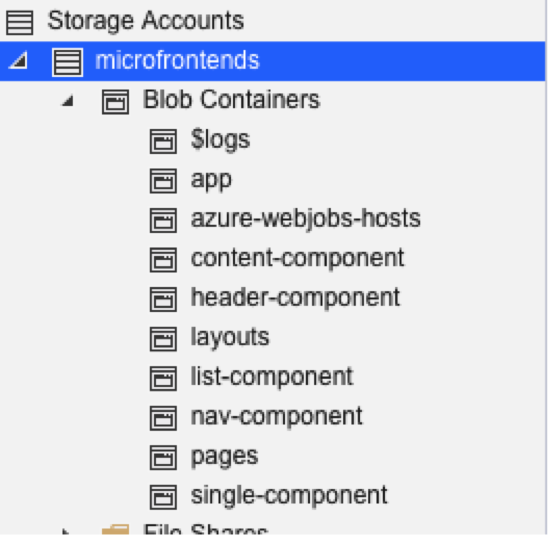
Hosting the app. Upload the files in to blob storage. The containers were configured as follows.
-
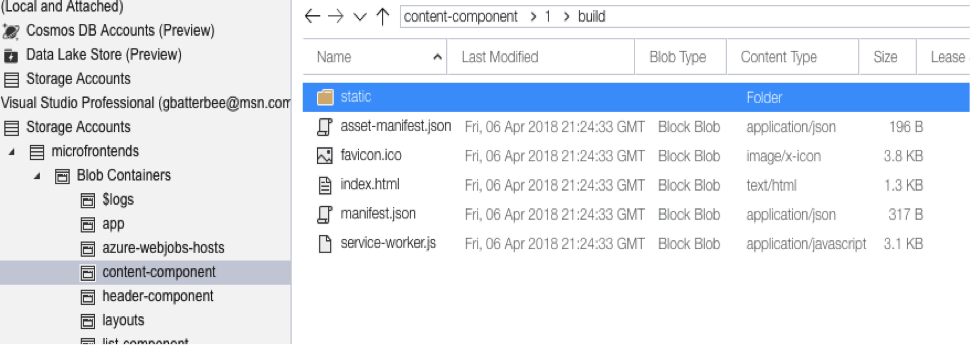
Folder structure for the React apps
-
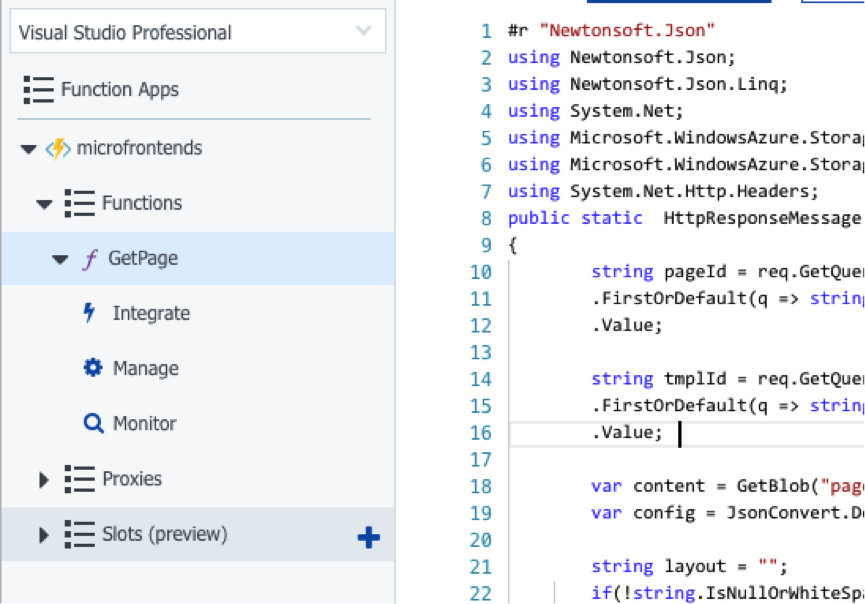
Create an Azure function as follows. Provide your own blob connection details. CORS for the Azure Function will need to be configured for * or the host application domain.
-
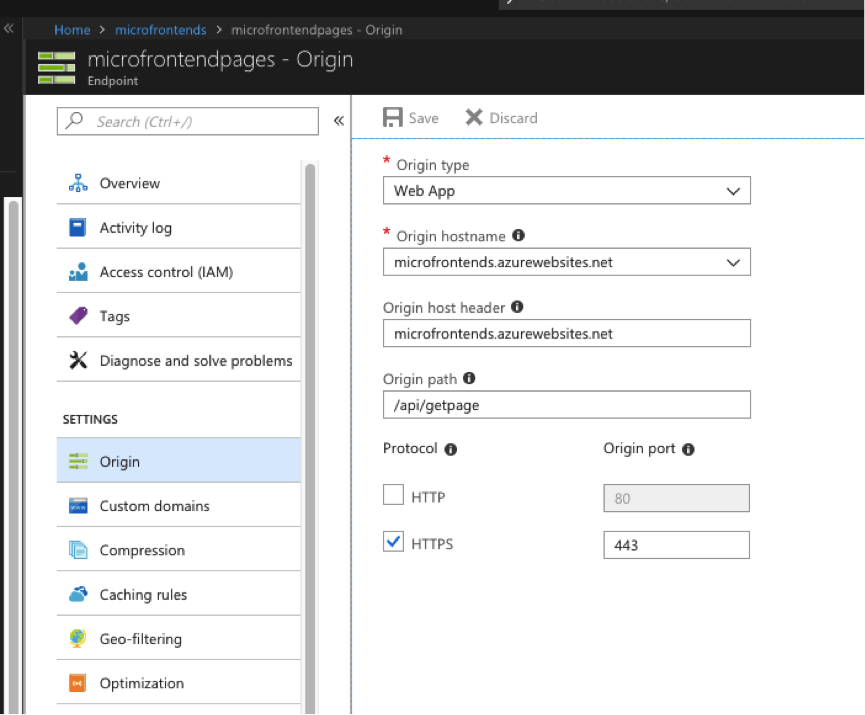
Set up the CDN for the Azure function. I also set up caching to cache every request including querystrings
-
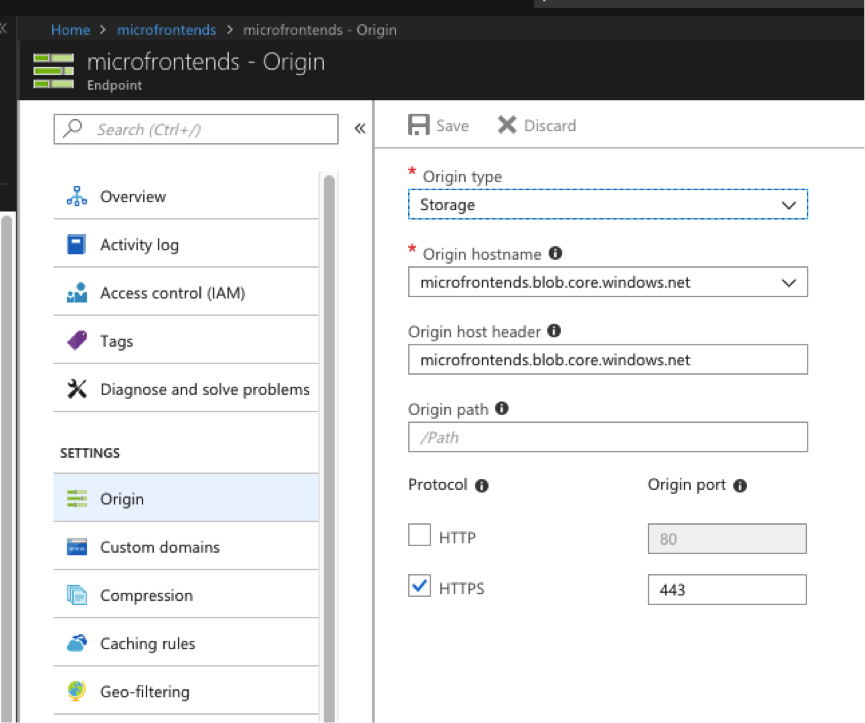
Set up the CDN for the Blob storage
-
Run the app, from Blob storage – or your own host https://microfrontends.blob.core.windows.net/app/index.html#