Repository navigation
Linux desktop app: tray, panel, Mail, Logs, Settings and Dumps #18
Description

Flock has a menu bar app on macOS and a tray app on Windows. On Linux there's only the CLI and the daemon (#12), so Linux users have no panel, no Mail or Dumps windows, and no Settings.
Approach
A Go app, flock-app, in linux/, a Go module of its own:
- Wails v3 on GTK 3 and WebKitGTK (
webkit2gtk-4.1, built with thegtk3tag). That's the default WebKitGTK on Arch, Ubuntu 22.04+ and Fedora. - The pages are plain HTML and JS, embedded with
go:embed, with no npm build. - They reach the daemon's API through its unix socket, as the CLI does, so the app needs no token.
- Its own module keeps the cgo and GUI dependencies out of the CLI's module and THIRD_PARTY_NOTICES. It still imports
flock/internal/.... - Tray icon through StatusNotifierItem: KDE, waybar (Hyprland, Sway), and GNOME with the AppIndicator extension.
Screenshots
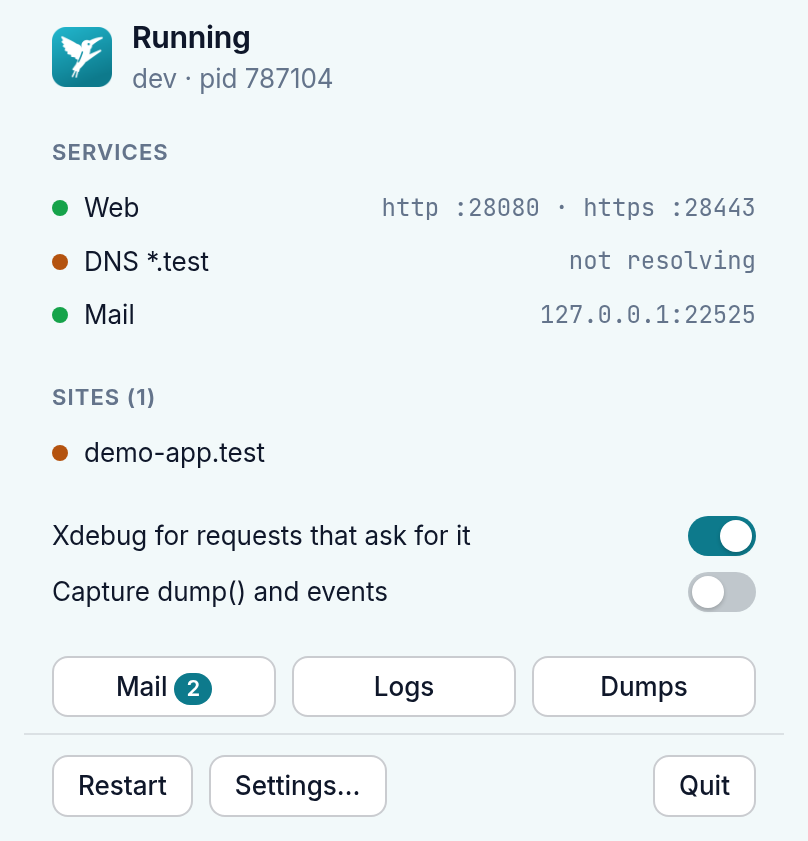
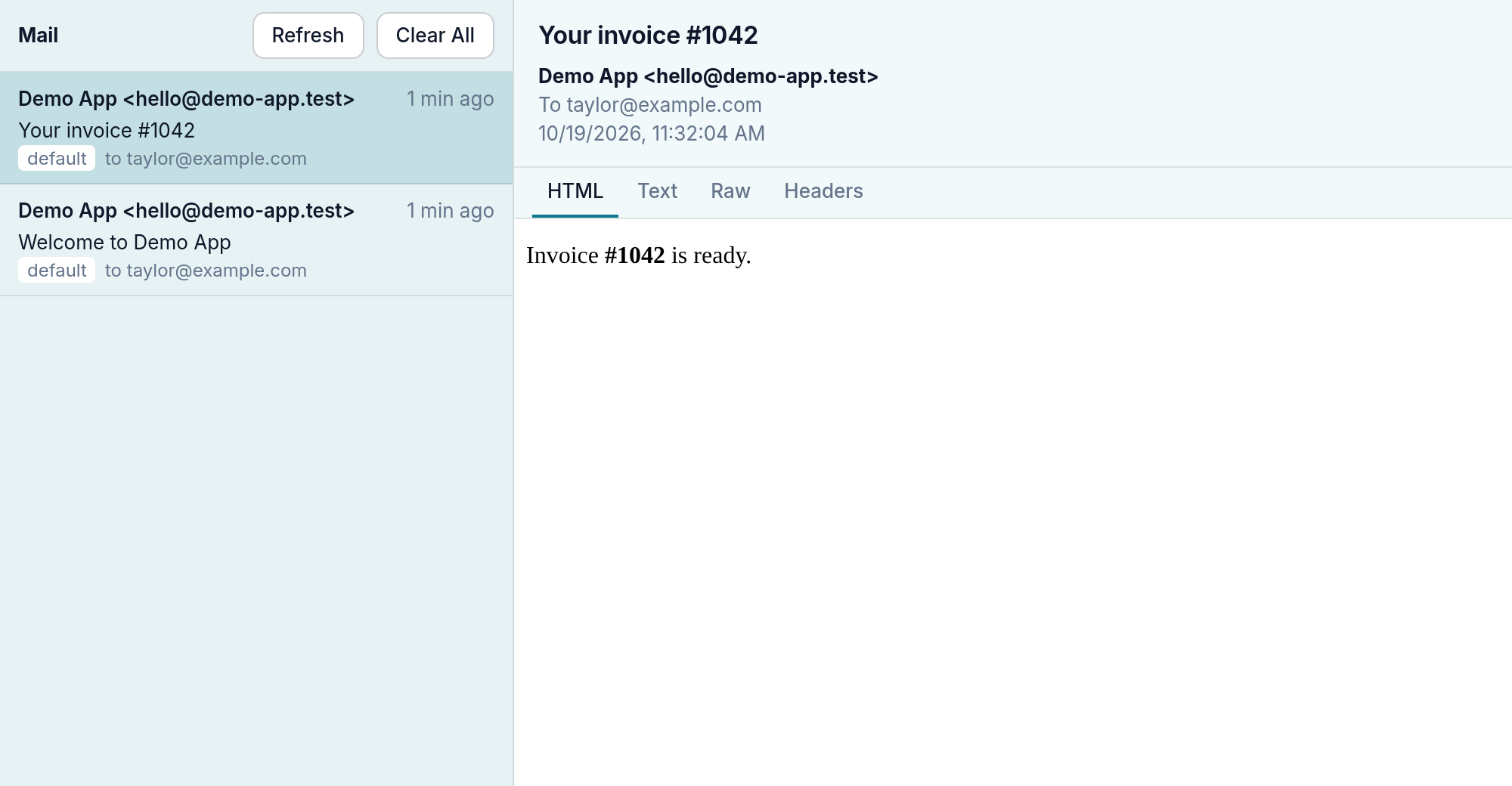
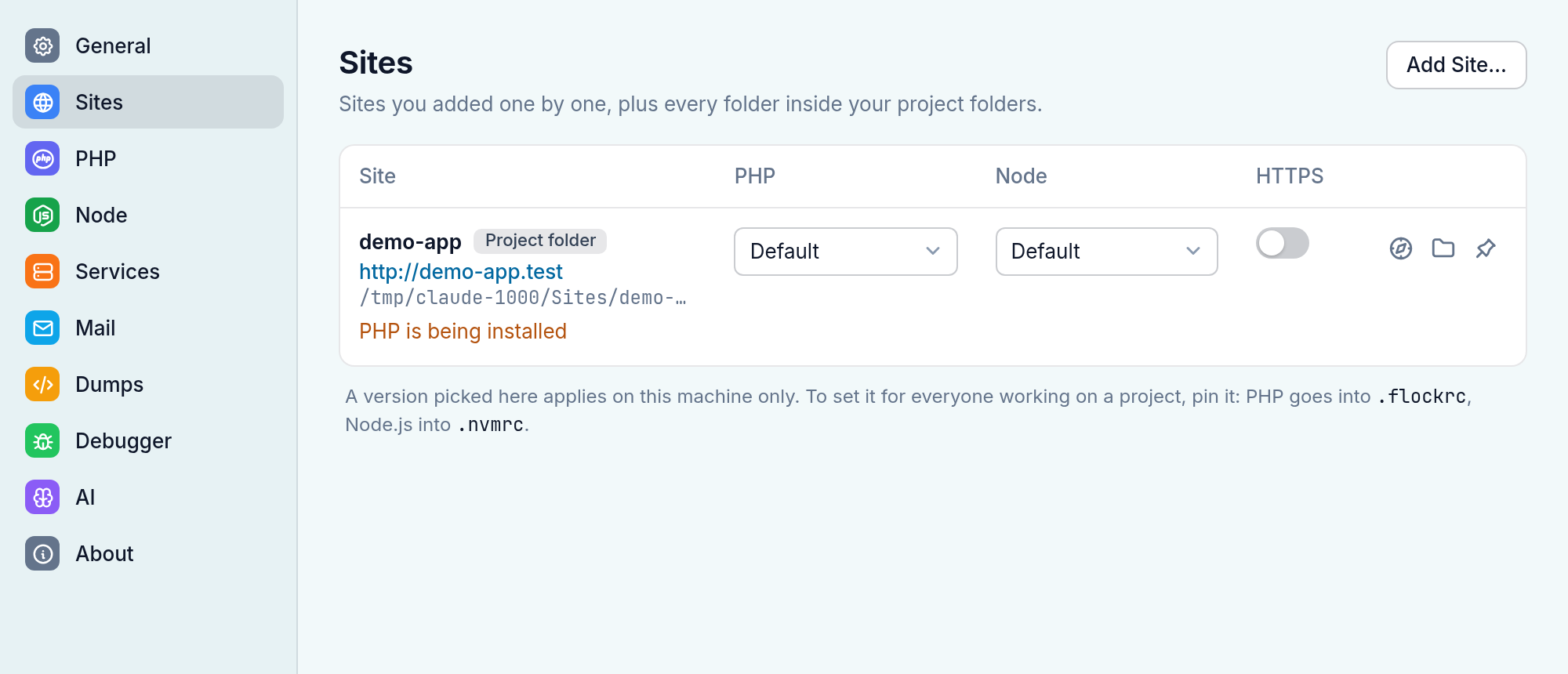
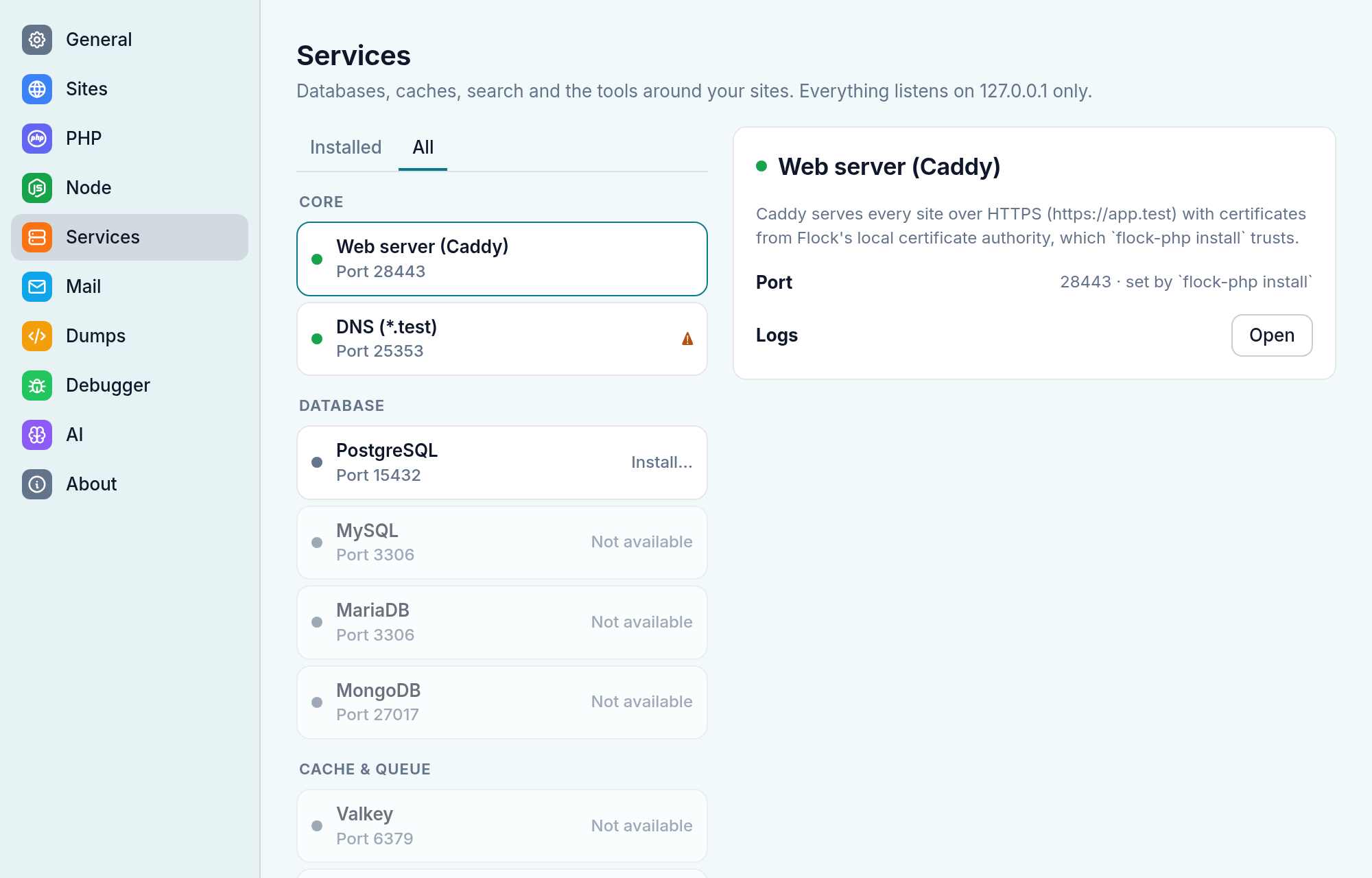
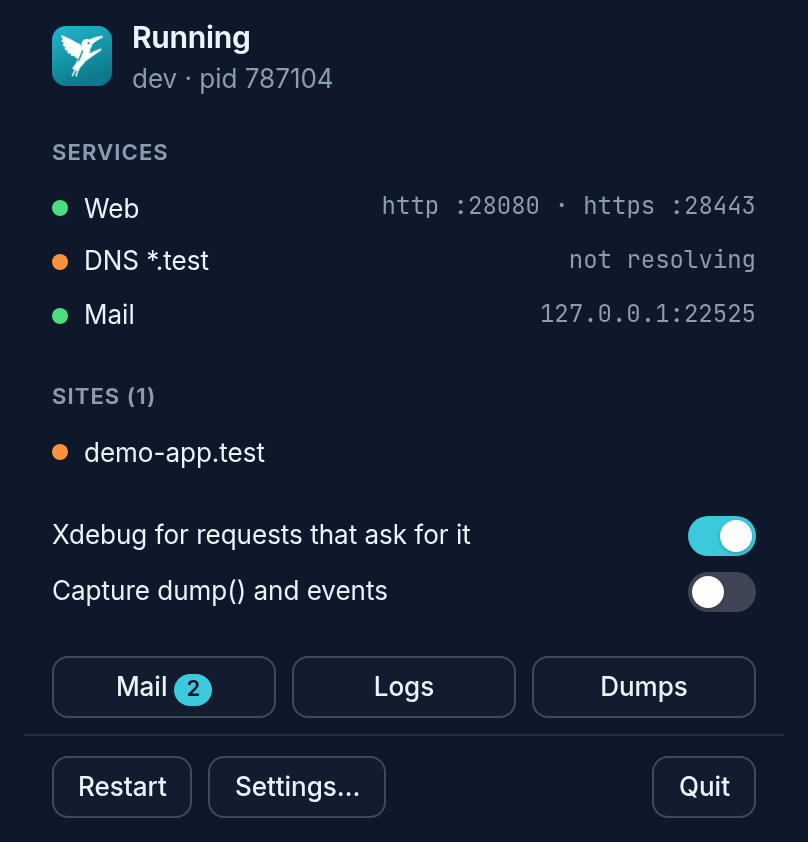
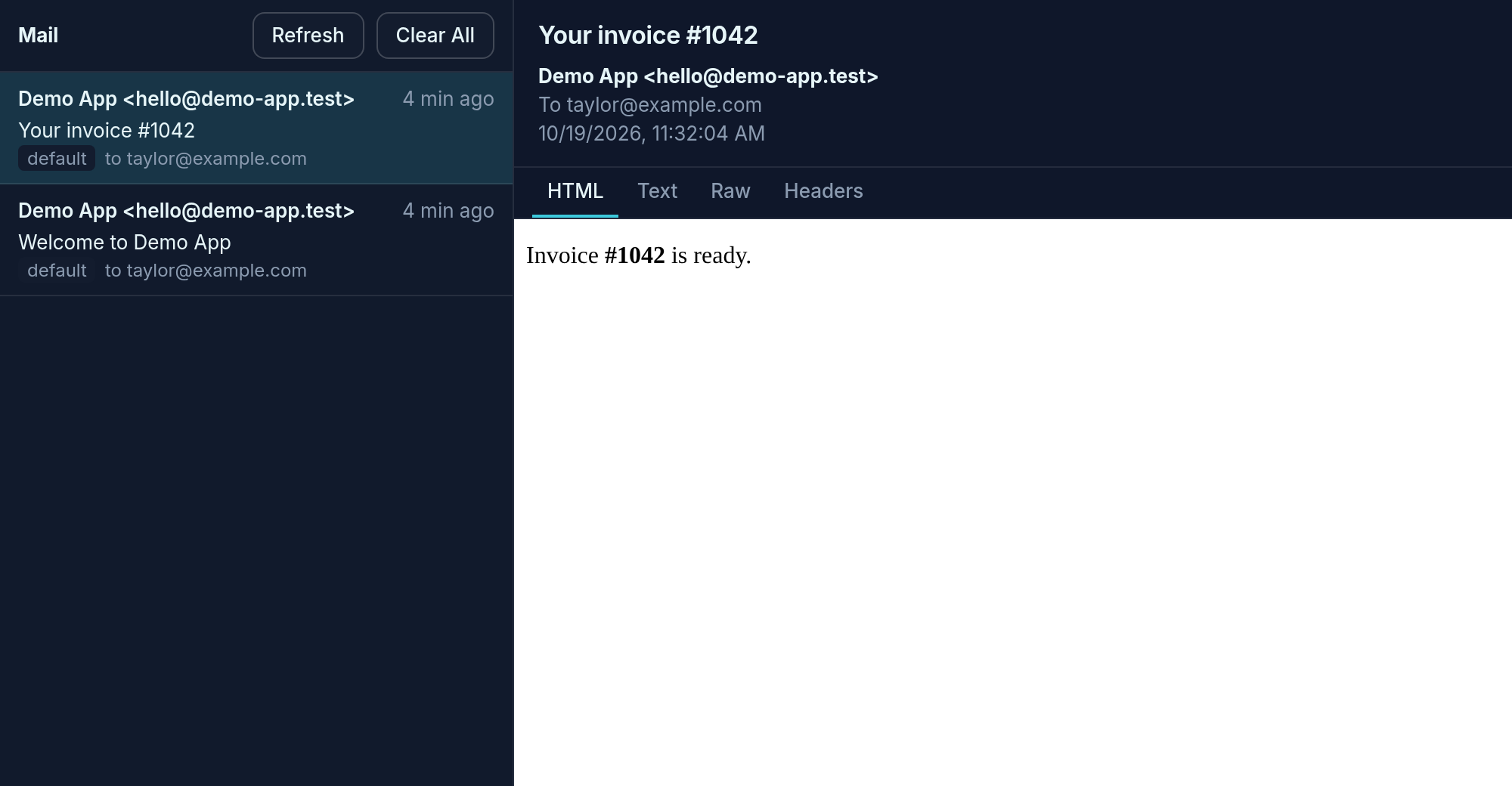
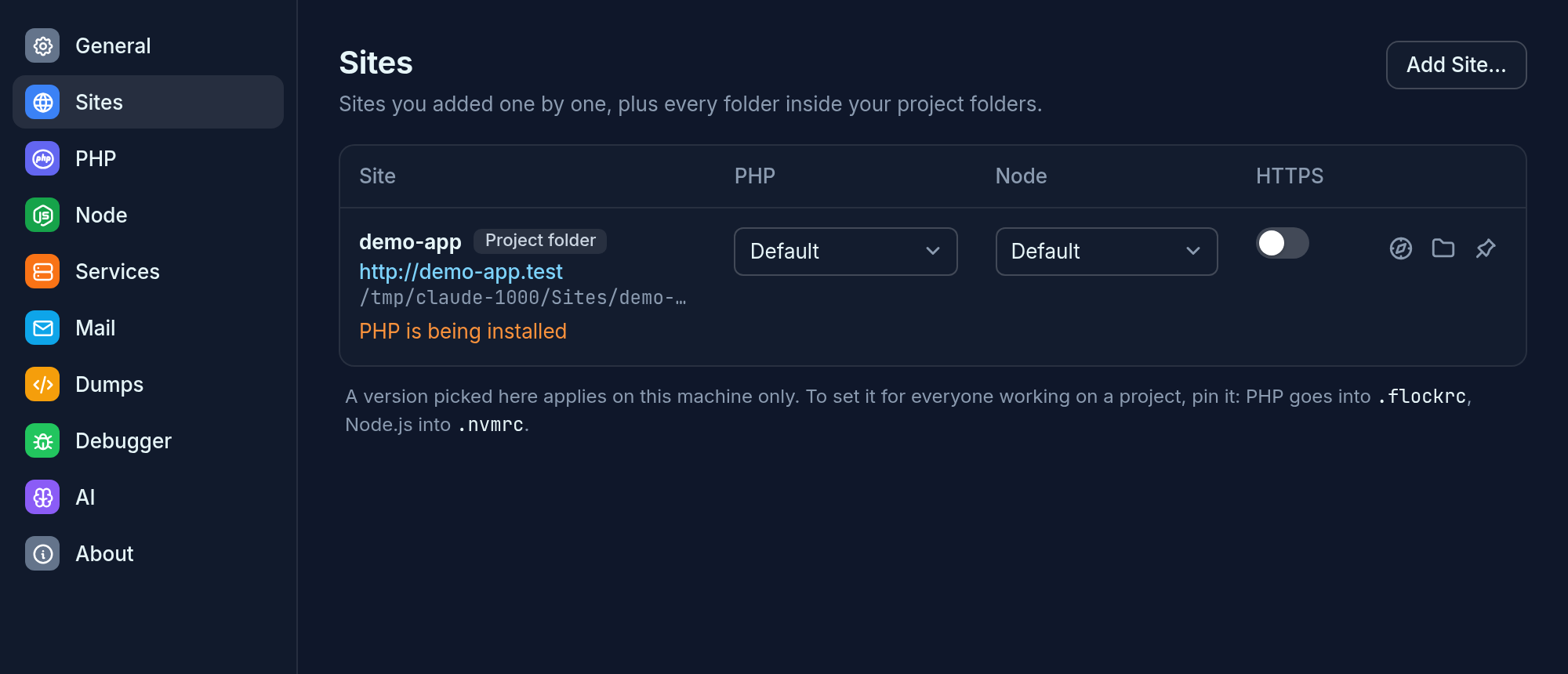
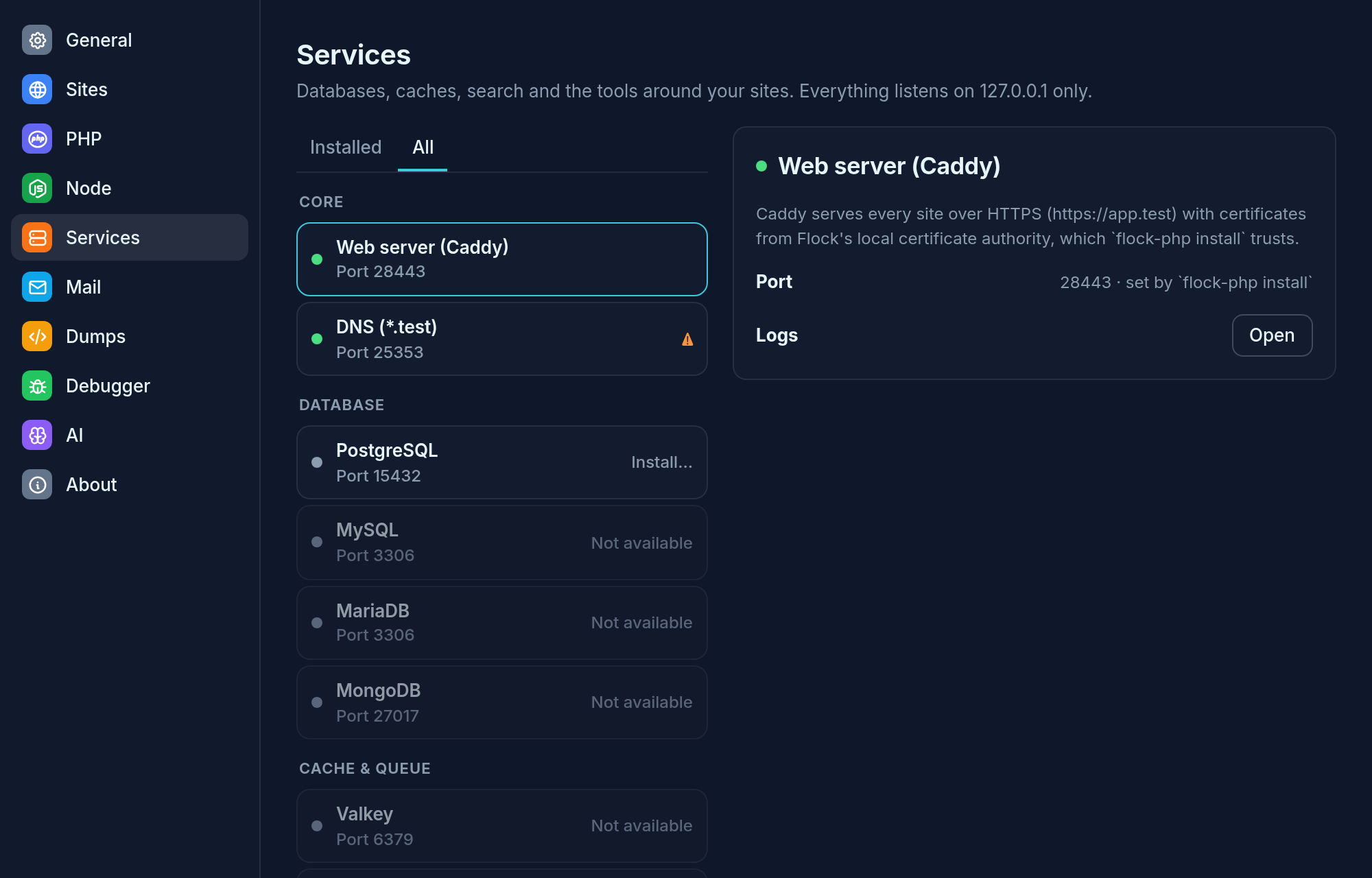
Panel, Mail, and Settings (Sites, Services), in light mode and dark mode. Both follow the desktop.
Milestones
1. Tray, panel, Mail, Logs (done, draft PR to follow)
- Tray icon with the running, warning and stopped states; menu with Open Flock, Mail, Logs, Restart, Quit
- Panel: status, services, sites (open in browser), the Xdebug and dump-capture toggles, a mail count; "not running" and "not set up" states
- Mail: list, HTML (no scripts, no remote loads, links open in the browser), Text, Raw, Headers, attachments, Clear All; live through the status poll
- Logs: service and Laravel site logs, search, level filter, auto-refresh, clear
-
flock-app mail/flock-app logsopens that window, in the running app too
2. Settings and Dumps
- Settings → Sites: HTTPS, domains, PHP and Node per site, pins, FrankenPHP/Octane, Boost, extensions
- Settings → PHP, Node, Services (PostgreSQL, catalog services, install jobs and logs)
- Settings → General (parked folders, beta channel), Mail, Dumps, Debugger, AI (MCP clients), About
- Dumps window: timeline, search, capture options, editor links
3. Setup and distribution
- Setup wizard: conflicts check, then
flock-php installwith apkexecprompt instead of a terminal - Autostart (
~/.config/autostart), a.desktopentry with Mail and Logs actions,flock://links - Packaging: AUR
flock-php-app(depends onwebkit2gtk-4.1), release archive, CI build
Known limitations
- Wails v3 is still in beta (v3.0.0-beta.32).
- Its Linux tray ignores
SetTooltip: the StatusNotifierItem tooltip is fixed to "Wails". The app sets the item's title as a workaround. This should be reported upstream. - The tray icons are the white variants made for dark bars. Light bars come later.
Activity
aldoyh commentedon Oct 19, 2026
Hello,
How do I download a linux version?
Nejcc commentedon Oct 19, 2026
Hi @aldoyh, there's no Linux download yet. Every release so far (up to 1.0.0-beta.9) ships only the macOS
.dmgand the Windows installer.Linux support is in progress in three PRs:
install.sh, and an AUR package (flock-php-bin)When #12 and #16 are merged, the next beta will include
flock-<version>-linux-{x64,arm64}.tar.gz. You'll be able to install it with:curl -fsSL https://raw.githubusercontent.com/flock-php/flock/main/install.sh | shOn Arch you'll also be able to use the AUR package. The desktop app comes after that. Until then, Linux has only the CLI.
If you want to try it now, you can build the CLI from the
feat/linux-installbranch withmake linux. Feedback is very welcome, especially from Ubuntu and Fedora.aldoyh commentedon Oct 19, 2026
On it.
Nejcc commentedon Oct 19, 2026
@aldoyh thanks for trying it! There's no release with Linux builds yet, so for now it's built from source. One limitation first: the manifest has no Linux PHP packages yet, so Flock can't install PHP or serve PHP sites on Linux yet. DNS, HTTPS, mail, dumps and the app itself already work.
Dark mode (follows the desktop):
1. Dependencies: Go 1.27+, plus GTK 3 and WebKitGTK 4.1 for the app.
If your distro's Go is older than 1.27, get it from https://go.dev/dl/.
2. Build. The
feat/linux-appbranch has the CLI and daemon from #12 too:3. Set Flock up. This asks for your password once. It installs a systemd user service for the daemon,
.testDNS through systemd-resolved, and a local CA:4. Open the app:
The tray icon needs a StatusNotifierItem host. KDE and waybar have one built in; GNOME needs the AppIndicator extension.
./bin/flock-php uninstallundoes everything (--purgealso deletes data). If something breaks, please pasteflock-php statusand your distro here.lukas-frey commentedon Oct 26, 2026
Hello, thanks for this! However, I have to close this in favor of our own linux PR, which includes a native UI, which we prefer over a web UI.