
Orchestrates specialized agent swarms over native ConPTY pseudo-terminals, self-repairs failing unit tests autonomously, and continuously fine-tunes on verified project patches.
Zero cloud subscriptions. Zero code egress. Zero API token bills.



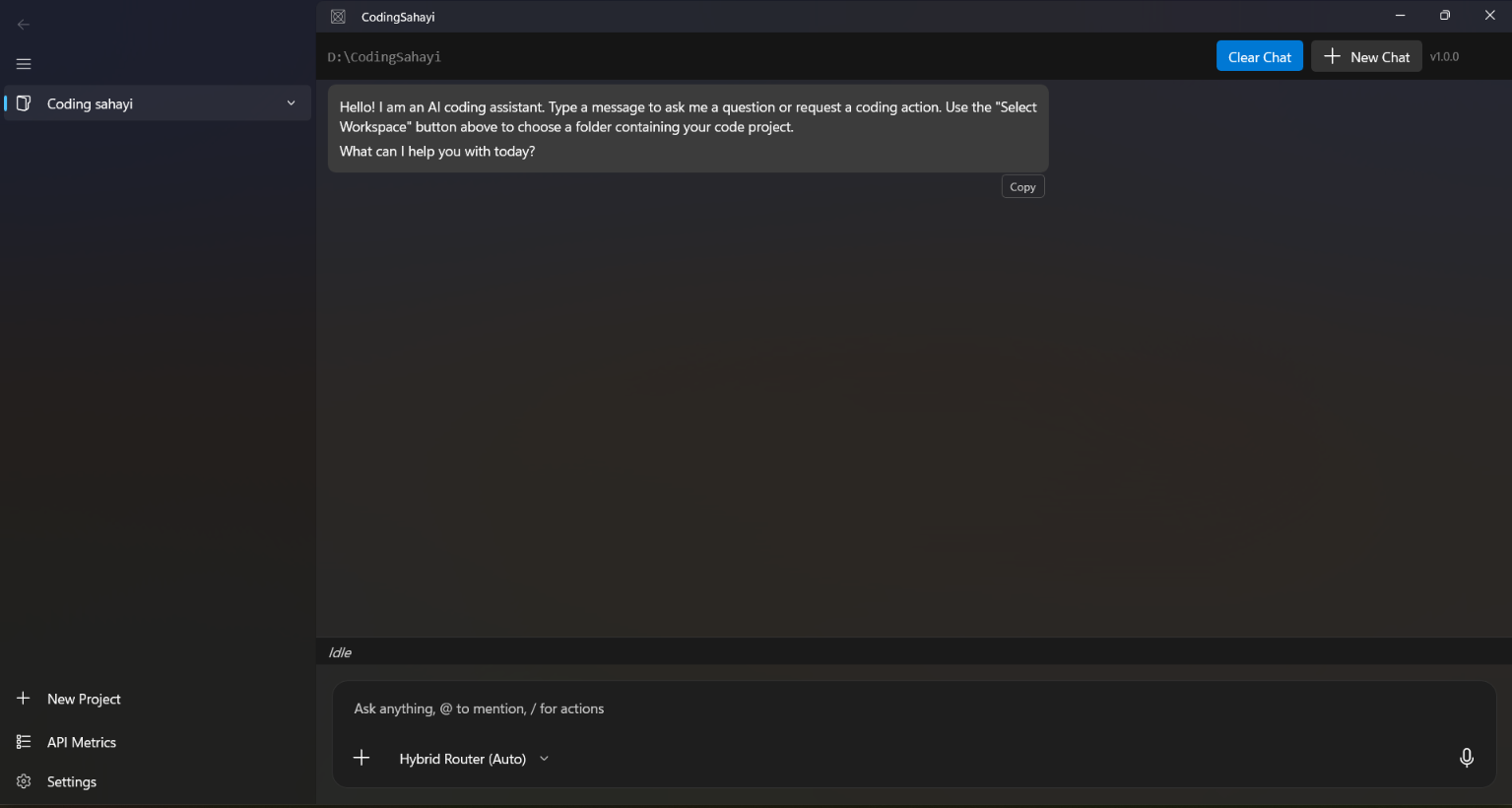
Cloud-hosted AI coding assistants stream entire repositories to external APIs, charge per token, and degrade when compiler or test errors happen. Every failed compile retry becomes paid token churn.
Coding Sahayi moves the entire loop onto your workstation:
- 100% Offline & Private: Inference runs through local endpoints (like
qwen2.5-coder:7bvia Ollama). Code never leaves your machine. - ConPTY Process Execution: Intercepts real compilation and test suite output in background pseudo-terminals via
Pty.Net. - Autonomous Self-Repair: When tests fail, runtime traces are fed back to the swarm to generate targeted fixes until the suite passes.
- Gated Diff Review: Uses DiffPlex for side-by-side diff inspection before any file touches the disk.
- Continuous Local Fine-Tuning: Exports verified passing patches to train local models on your actual codebase idioms.
Rather than relying on one monolithic prompt, Coding Sahayi divides responsibilities across four specialized agents:
graph TD
    A[<b>01 / Architect</b><br/>Analyzes Roslyn AST & Project Graph] -->|Task Decomposition| B[<b>02 / Worker</b><br/>Writes Scoped Code Patches]
    B -->|Proposed Patch| C[<b>03 / Critic</b><br/>ConPTY Terminal & Test Runner]
    C -->|dotnet test Fails| B
    C -->|Suite Green| D[<b>04 / Scribe</b><br/>EF Core SQLite Memory Bank]
    D -->|Continuous Training| E[Local Fine-Tuning Loop]
-
Architect: Analyzes Roslyn AST syntax trees and project dependency graphs to plan atomic tasks before edits begin. -
Worker: Emits surgical code modifications restricted to the target scope to prevent context drift. -
Critic: Spawns an interactive ConPTY session, executes commands, parses structured stack traces, and loops until tests pass. -
Scribe: Serializes verified patches, failing traces, and working solutions into an EF Core SQLite datastore.
-
OS: Windows 10 (Build 19041+) or Windows 11.
-
Runtime: .NET 8.0 SDK.
-
Local Backend: Ollama installed and running.
ollama run qwen2.5-coder:7b
git clone [https://github.com/codingsahayi/codingsahayi.github.io.git]
cd codingsahayi

# Build using the x64 configuration
dotnet restore
dotnet build CodingSahayi.csproj -c Debug -p:Platform=x64
Run the binary:
.\bin\x64\Debug\net8.0-windows10.0.19041.0\CodingSahayi.exe
- Click Select Workspace and pick your project root.
- Ensure the bottom selector is set to
Ollama (Local) (Local | P1). - Run a prompt:
"Run dotnet test, find the failing assertion, and propose a diff to fix it."
| Feature | Cloud AI Tools | Terminal CLI Agents | Coding Sahayi |
|---|---|---|---|
| Hosting | Cloud APIs | Terminal / Local | Native Windows Desktop (WinUI 3) |
| Token Cost | $20–$100+/mo | Varies | $0.00 (Zero Token Bills) |
| Code Privacy | Code sent over wire | Local or Cloud | 100% Local / Offline |
| Test Verification | Manual copy-paste | Headless CLI | Real ConPTY Pseudo-Terminal |
| Safety Gate | Auto-write or inline | CLI confirmation | Interactive Side-by-Side Diff Review |
| Fine-Tuning | Not supported | Complex scripts | In-IDE Continuous Layer Streaming |
CodingSahayi/
├── App.xaml / App.xaml.cs            # WinUI 3 Lifecycle & Bootstrap
├── MainWindow.xaml / .cs             # Shell, Layout, and Chat Panels
├── AgentContextManager.cs            # Tool-call Interception & Swarm Loop
├── ToolRegistry.cs                   # Native Action Engine (ConPTY, IO)
├── DiffReviewDialog.xaml / .cs       # DiffPlex Side-by-Side Reviewer
├── Services/
│   ├── ConPtyTerminalService.cs      # Terminal Integration via Pty.Net
│   ├── WorkspaceAnalysisService.cs   # Roslyn AST Codebase Parser
│   └── MemoryBankContext.cs          # EF Core SQLite Local Memory
└── docs/                             # GitHub Pages Documentation & Assets
-
Continuous Fine-Tuning: Developed using concepts from the Soup CLI layer-streaming approach by Alpamys Makazhan (@MakazhanAlpamys).
-
Diff Viewer: Powered by the open-source .NET DiffPlex library.
-
Terminal Engine: Native Windows pseudo-terminal integration enabled by Pty.Net.
Muhammed Shabeer
Partner & Chief Technology Officer, Spectron Solutions Qatar
Enterprise Solutions Architect operating across Doha, Qatar and Mattool (Kerala, India)
-
🌐 Portfolio: muhammedshabeer.github.io
-
🐙 GitHub: @MuhammedShabeer
-
💼 LinkedIn: Muhammed Shabeer
-
📧 Email: muhammedshabeerm@hotmail.com
Distributed under the MIT License. See LICENSE for details.