


Ever wondered who all these connections are? Peer Map shows where your node's peers are, who runs them and what they are.
Your live peers on a world map: their location, the provider that hosts them, and what they run – nodes, pool nodes, wallets, crawlers or scanners. Manual, outbound and inbound connections stay separate.
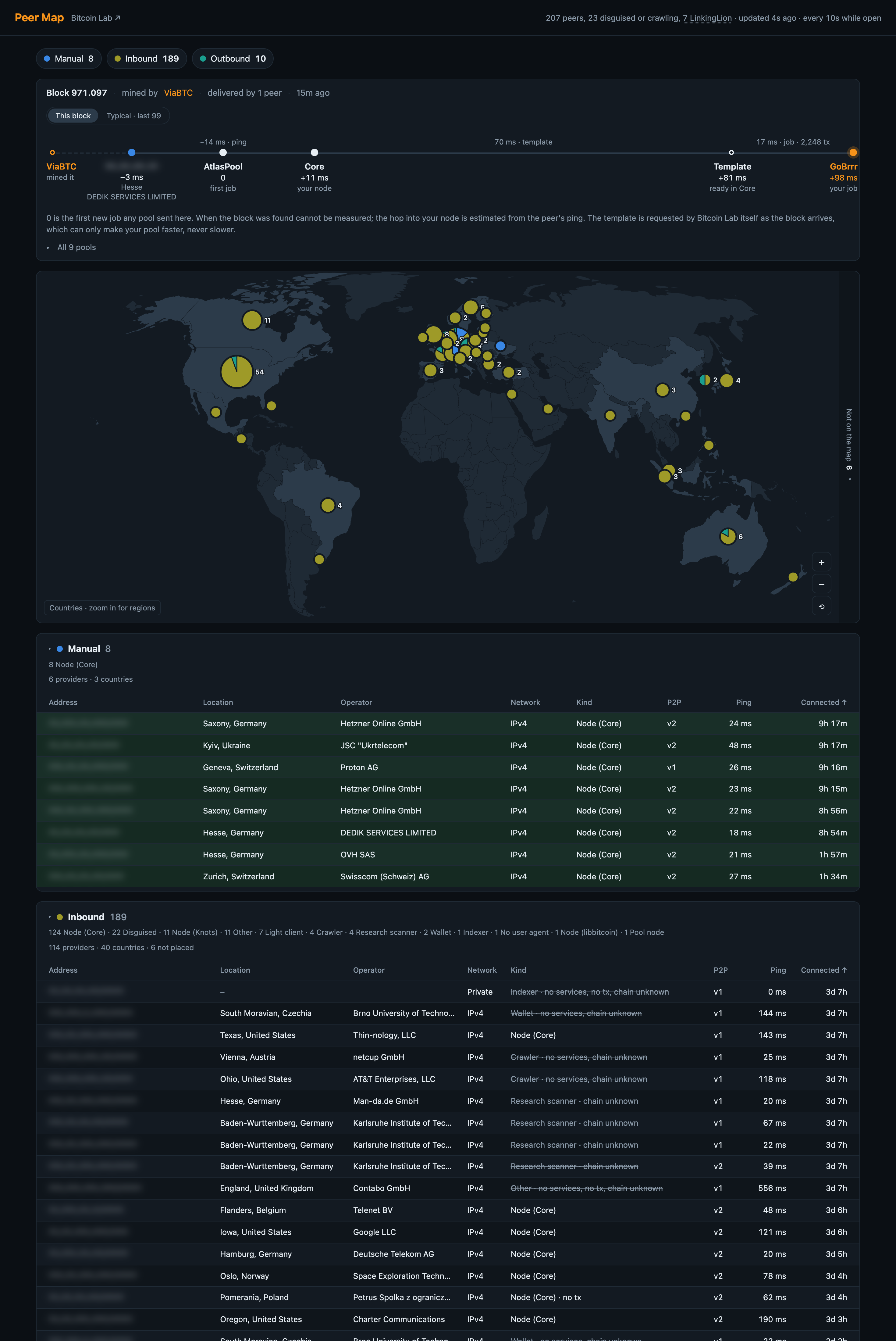
Some peers pretend to be Bitcoin Core or a wallet, but what Core observes doesn't match. Peer Map flags them as disguised. One of them has a name: LinkingLion, tracked by 0xB10C, connects to many nodes and may link transactions to their IP addresses. On my node, a single LinkingLion address opened 5,822 connections under 82 fake wallet names. Peer Map's header counts them separately.
Zoom from countries down to states and regions, click one to filter the tables, or show only manual, outbound or inbound connections.
The three groups show how each connection got there:
| Group | What it means |
|---|---|
| Manual | Connections established through Core's addnode interface |
| Outbound | Connections Core opened automatically – eight full-relay and two block-relay-only |
| Inbound | Connections another peer opened to your node |
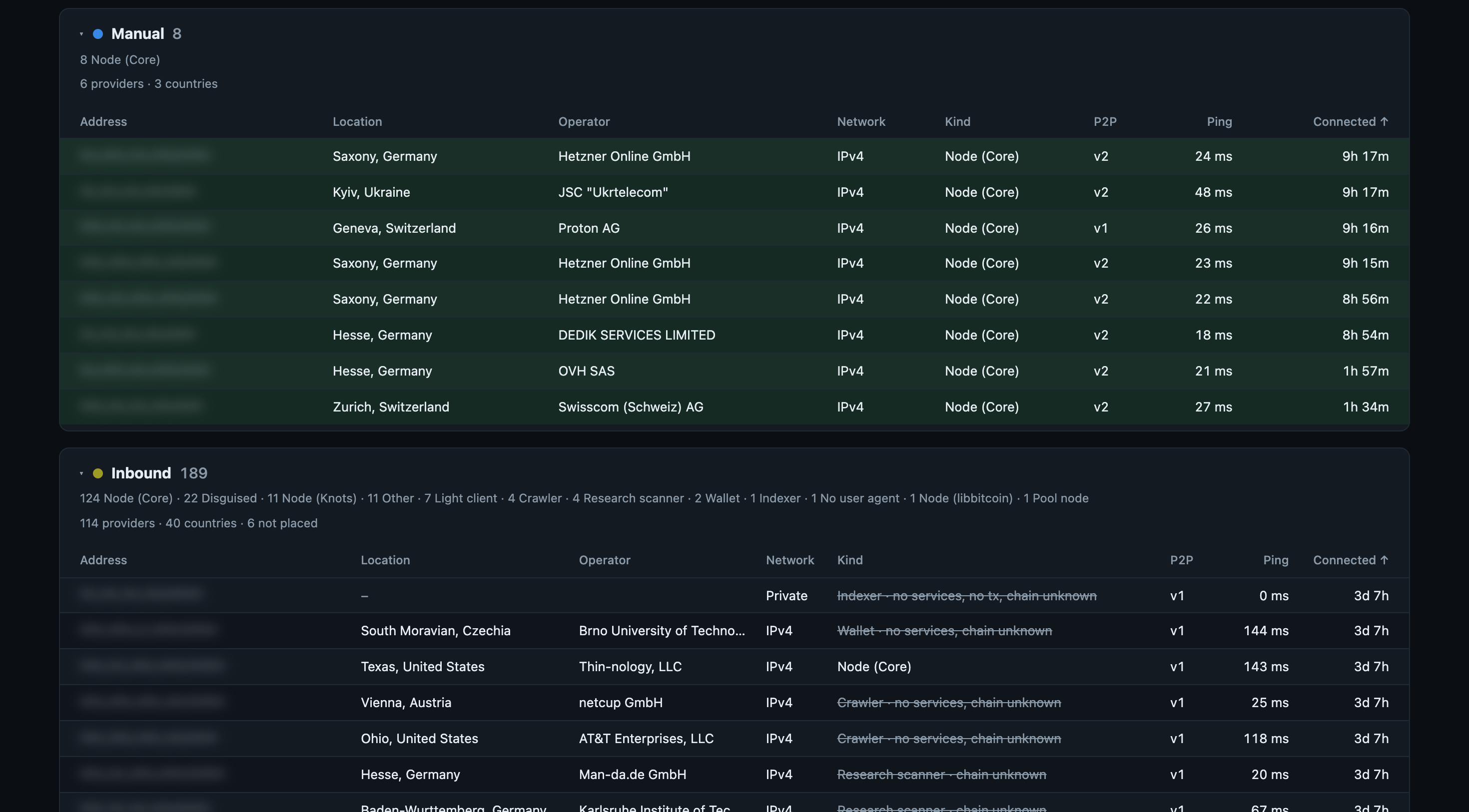
Each table includes the address, location, hosting provider, software, network, P2P transport, ping and time connected. The outbound table also shows which of the two kinds each connection is.
See which networks your peers use. Three peers in three different countries may still be hosted by the same provider. Sort by provider to bring those connections together. The count of providers and countries above each table shows how widely your manual peers, for example, are spread.
Understand the mix of software your peers run. Peer Map recognises node software, pool nodes, wallets, light clients, crawlers and more. Each connection group shows a summary of that mix, with categories not expected to relay blocks marked in the tables.
The labels come from each peer's own user agent, so they are what the peer claims. Next to them, Peer Map shows what Core itself observed: whether the peer offers services, relays transactions and follows a chain Core knows. Together, these details give you a fuller picture of who's connected.
Keep unplaced peers in view. Tor, I2P and CJDNS peers have no public-IP location to plot. On Umbrel, Docker hides the real address of inbound IPv6 peers. These connections are counted in a separate panel beside the map.
The map uses approximate IP locations, with country labels generally more reliable than regional positions.
With Bitcoin Lab installed on the same node, a card above the map follows the newest block: which pool mined it and which of your peers delivered it first. With Stratum Race switched on and your own pool added to it, the card also follows the block all the way to your pool's mining job. The peers that delivered it are starred on the map and turn orange in the peer tables for two minutes; every peer that has ever delivered a block first stays tinted green. Without Bitcoin Lab the card does not appear.
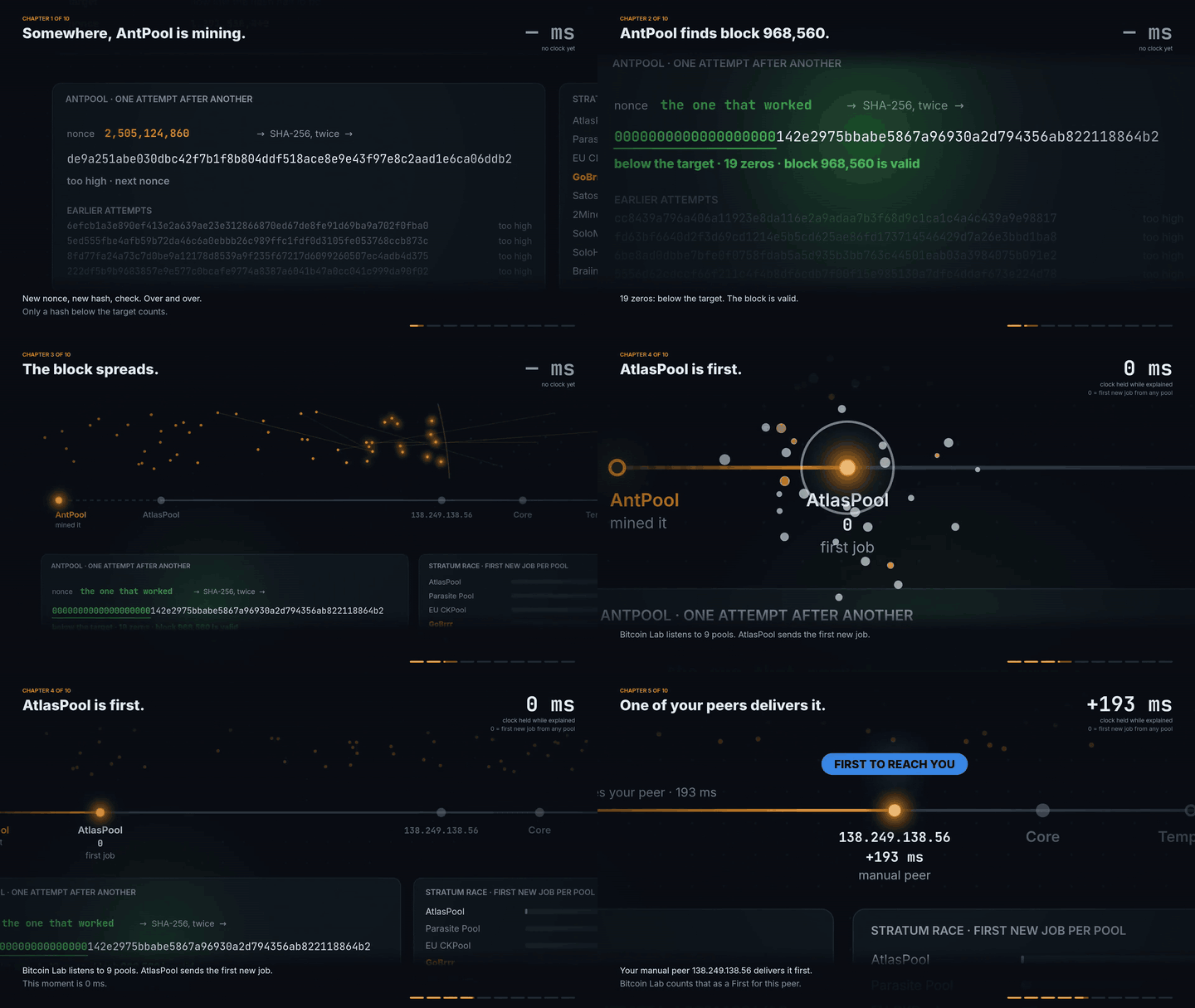
Block 968,560 on my node, from the winning hash to the peer that delivered it first. Watch its whole route to the mining job.
On that route the card draws each stretch to scale – from the first job any pool sent, through your peer, Core and the block template, to your own pool's job – and next to it the typical route over the last hundred blocks. You see which stretch takes the time. The template stretch also shows how many transactions it carried – that is what your own pool's time mostly depends on.
Peer Map reads your current connections. The map, geolocation and ASN data are bundled with the app, so looking up a peer does not send its address to an external service. Block details come from Bitcoin Lab on the same node, fetched alongside the peer list.
The dashboard requests updates only while it is visible. Background tabs stop polling, and a dashboard with no mouse or keyboard activity for 30 minutes pauses until you resume it.
There is no background collection job or stored peer history. The app is a single static Go binary using only the standard library, and on my node, with around 200 peers connected, it uses about 20 MB of RAM.
Add the Bitcoin Peer Lab community store and install Peer Map. It requires the official Bitcoin Node app. Tested with Bitcoin Core 31.1. Open it from Umbrel or at <your-umbrel>:8791.
Curious which of your peers delivers new blocks first? Bitcoin Lab, in the same store, measures it. Both apps work on their own and complement each other.
- Geolocation: DB-IP, IP to City Lite, CC BY 4.0 — data from October 2026.
- Network providers: DB-IP, IP to ASN Lite, CC BY 4.0 — data from October 2026.
- World map: Natural Earth, public domain.
See geo/SOURCE.md and asn/SOURCE.md for data versions and update instructions.
MIT — see LICENSE.