


Efficiently manages classroom time, exams, and study details on screens.
View Demo
·
Report Bug
·
Request Feature
Table of Contents
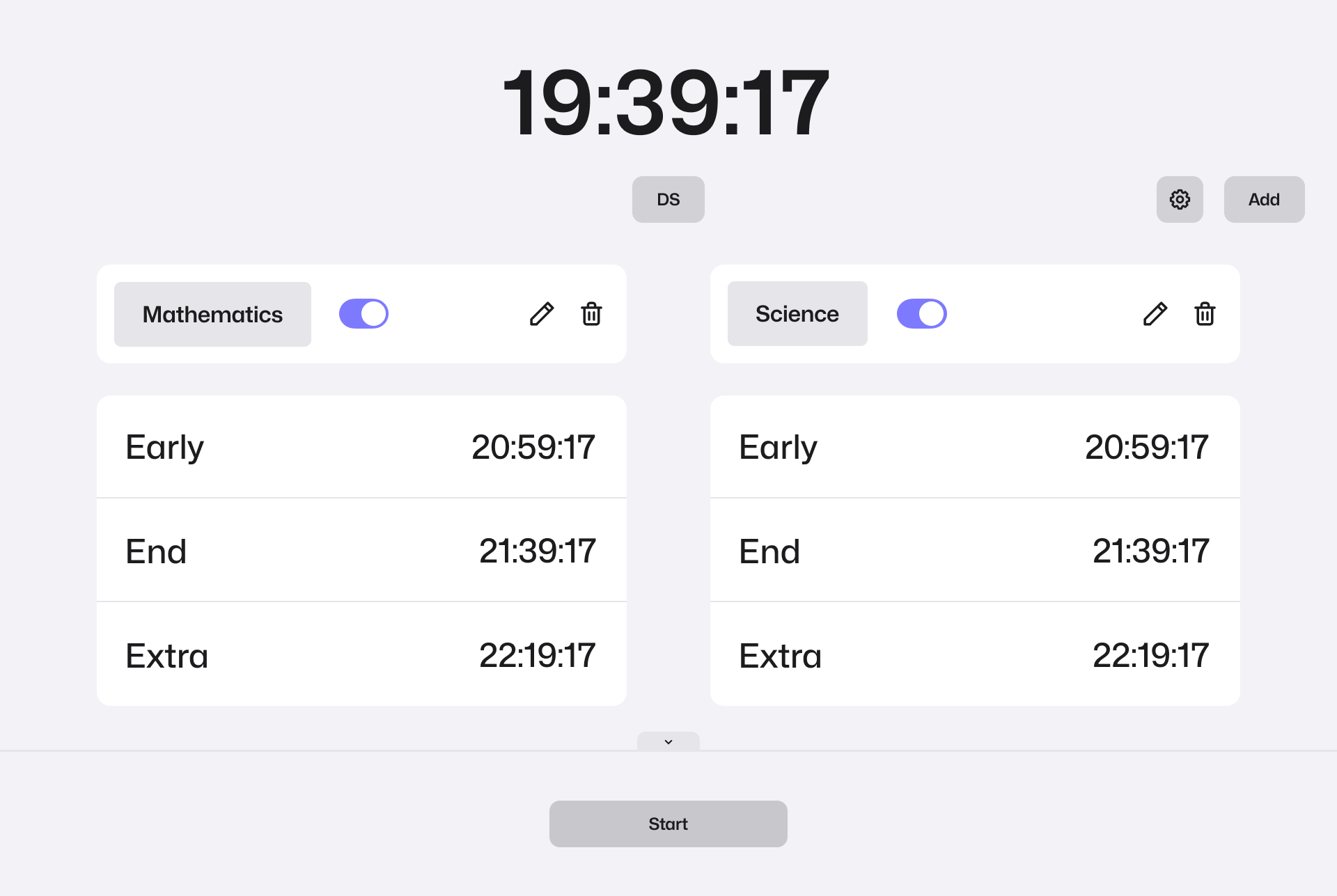
The Exam Time Management App is a powerful tool designed to streamline the management of exam timings and classroom schedules. It is specifically developed to display exam timings and study details on large screens, providing a comprehensive solution for educational institutions.






This is an example of how you may give instructions on setting up your project locally. To get a local copy up and running follow these simple example steps.
-
Install Node.js LTS:
- Download Node.js version 20.10.0 from the official website: NODEJS Downloads
(LINUX) Install Node.js:
- On Ubuntu 22.04, use the following command:
sudo apt install nodejs
-
Install Git:
- Download and install Git from the official website: Git Downloads
-
Install Visual Studio Code:
- Install the Visual Studio Code redistributables. You can find them on the Microsoft website or use the following links:
-
Clone the repository:
git clone https://github.com/awell00/exam_time_manager.git
-
Navigate to the backend and frontend folders:
cd backendcd frontend -
Install npm or pnpm packages: For Backend:
npm install
or
pnpm install
-
Run the frontend with Vite and also backend:
npm run dev
or
pnpm dev
-
Build the project: For Backend and backend:
npm run build
or
pnpm build
-
Run with Docker:
- Build Docker image:
docker build -t exam_time_manager . - Run Docker container:
docker run -p 4000:4000 -d exam_time_manager
- Build Docker image:
- Choose the desired examination room.
- Indicate the new subject by providing its name, duration, and the commencement time along with the class number.
- Initiate the exam by selecting the "add" button.
- Conclude the exam by clicking on the "stop" button when finished.
- Enhance mobile user interfaces across all components.
- Incorporate features related to classroom creation and exam addition processes.
- Enhance both design and code elements for overall improvement.
See the open issues for a full list of proposed features (and known issues).
Contributions are what make the open source community such an amazing place to learn, inspire, and create. Any contributions you make are greatly appreciated.
If you have a suggestion that would make this better, please fork the repo and create a pull request. You can also simply open an issue with the tag "enhancement". Don't forget to give the project a star! Thanks again!
- Fork the Project
- Create your Feature Branch (
git checkout -b feature/AmazingFeature) - Commit your Changes (
git commit -m 'Add some AmazingFeature') - Push to the Branch (
git push origin feature/AmazingFeature) - Open a Pull Request
Distributed under the Apache v2 License. See LICENSE.txt for more information.
Your Name - @AwellTv - awellpro@gmail.com