This project is an agentic, LLM-guided dataset analyzer that performs automated machine learning on tabular data in response to natural-language questions. It interprets what the user wants to know, inspects the dataset, selects an appropriate prediction target and task type, iteratively engineers and critiques features, trains multiple models, evaluates their performance, and finally produces a clear, conversational explanation. The system also tracks prior runs so that follow-up questions can often be answered using existing results rather than rerunning the entire AutoML pipeline. Sample logs are in automl_convo/logs.
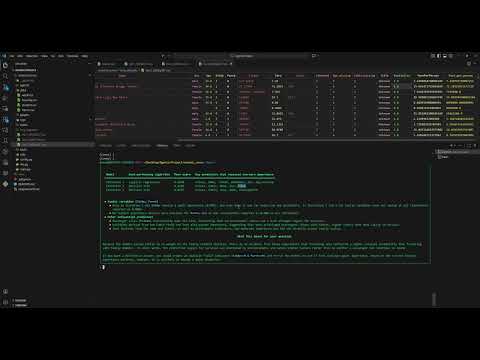
Video link if the embedded video isnt working: https://www.youtube.com/watch?v=TNx-ELM-Ajg
This project uses either Ollama or Portkey as its AI backend. The model used msut be a GPT-OSS thinking model. Configs can be configued in automl_convo/config.py.
To get started, first create a virtual environment and install all dependencies listed in requirements.txt:
python -m venv venv
. venv/Scripts/activate
pip install -r requirements.txt
Next, fill in the correct configuration to specify the backend you will use within automl_convo/config.py. The relevant parts of the config are:
SERVING_METHOD = "ollama"

# If SERVING_METHOD = "portkey"
PORTKEY_BASE_URL = os.getenv("PORTKEY_BASE_URL", "")
PORTKEY_API_KEY = os.getenv("PORTKEY_API_KEY", "")
The project already includes four example datasets:
titanic.csv- Titanic survival datasethousing.csv- Housing prices datasetadult.csv- Adult income / census datasetstudent.csv- Student grades and demographic dataset
You can add your own tabular CSV datasets to
automl_convo/data.
When everything is configured, navigate into the project directory to avoid import issues:
cd automl_convoFinally, run the program:
python main.pyYou can then begin asking questions about any dataset you’ve placed in the data folder, and the conversational AutoML engine will guide the analysis end-to-end.
-
Orchestration Agent This agent interprets the user’s question and the structure of the dataset. It determines which column should be predicted, whether the task is classification or regression, and whether dimensionality reduction should be used. Its decisions guide the direction of the entire AutoML process.
-
Feature Engineering Agent This agent proposes general, domain-agnostic feature transformations such as ratios, sums, missingness indicators, or text-derived features that could improve the model’s ability to detect signal, without relying on dataset-specific assumptions.
-
Feature Critic Agent After each modeling iteration, this agent examines model performance, the existing features, and the transformations applied. It decides whether further feature engineering is likely to yield improvements and suggests additional transformations when appropriate.
-
Analysis Agent This agent synthesizes the results of all iterations using model scores, feature importances, and transformation history and produces a final explanation that directly answers the user’s question without revealing internal reasoning.
-
Previous Results Explainer Agent This agent analyzes the previously engineered datasets and trained model results with respect to a different question asked by the user, if the workflow decides that reusing a previous run is sufficient to answer a user's question.
-
Conversation Meta-Agent This high-level agent determines whether a new question can be answered using previous AutoML results or whether a fresh modeling run is required. It enables efficient multi-turn interaction by reusing results when possible.
-
Profiling Tool This tool analyzes the dataset to identify column types, missingness patterns, and uniqueness counts. It provides structured metadata that informs the downstream agents’ decisions.
-
Preprocessing & Cleaning Tool This tool attempts to minimizes deficiencies within the existing dataset by cleaning and handling improper data for numeric and categorical variables. Also applies dimensionality reduction when specified.
-
Transformation Tool This tool applies all derived transformations specified from the feature engineer agent and constructs a new dataset with said derived features.
-
Model Planning Tool This tool selects a small but diverse set of candidate models appropriate for the determined task type, ensuring that the system explores different modeling philosophies.
-
Training Tool This tool fits the planned models using cross-validation, computes performance metrics, and derives feature importances when the model type permits. Its outputs drive both the critic and the final analysis.