


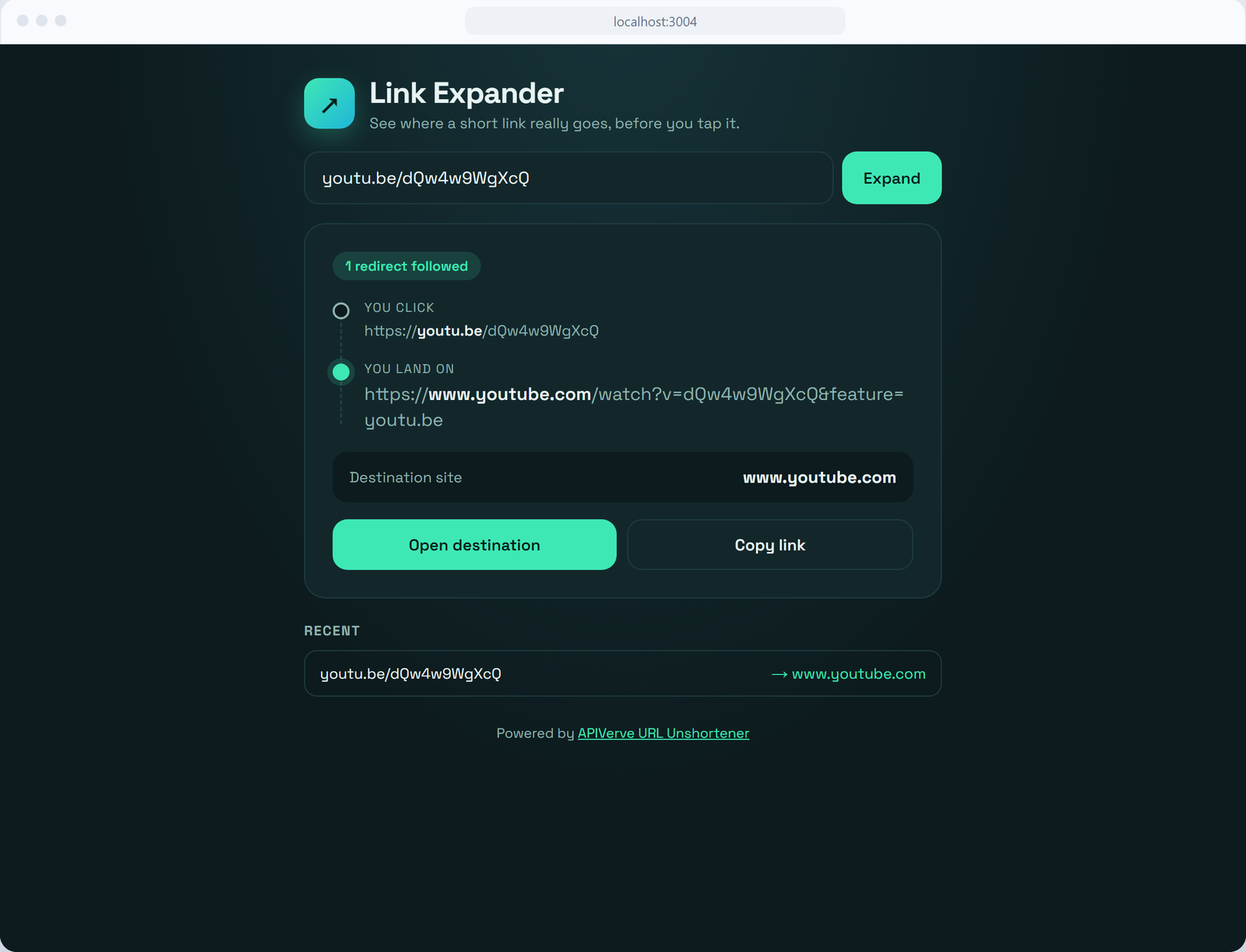
A link expander you can deploy in one click. Paste a short link from bit.ly, t.co, youtu.be or anywhere else, and see where it really goes before you tap it: every hop it passes through, the site you land on, and a button to open or copy the real link. Recent lookups are saved on the device.
This template needs an APIVerve API key. Sign up free, no credit card required.
Click Deploy with Vercel above. Vercel copies this repo to your GitHub account, asks for your APIVERVE_API_KEY, and gives you a live URL about a minute later.
git clone https://github.com/apiverve/link-expander-nextjs-tutorial.git
cd link-expander-nextjs-tutorial
npm install
cp .env.example .env   # then set APIVERVE_API_KEY in .env
npm run dev
Open http://localhost:3000. To see it in a phone and a browser frame side by side, open http://localhost:3000/showcase.html.
- The page (
components/LinkExpander.tsx) sends the pasted link toGET /api/expand?url=…. A?url=in the page address runs a lookup on load, so you can link straight to a result. app/api/expand/route.tschecks the input, then calls URL Unshortener. Your API key stays on the server and never reaches the browser. Answers are cached for 30 minutes, and cached answers don't count against the rate limit.- The page draws the redirect chain from the response: the link you click, any hops in between, and the destination with its domain picked out, so a lookalike domain is easy to spot.
Everything works on a free key: the destination, its domain, whether the link redirected and how many times. Paid plans add redirectChain, every URL in between, which the page draws as extra hops when it's there.
├── app/
│   ├── api/expand/route.ts    # Calls URL Unshortener with your key, cached per link
│   ├── layout.tsx             # Font and page metadata
│   ├── page.tsx
│   └── globals.css            # All of the app's styles
├── components/
│   └── LinkExpander.tsx       # Search, redirect chain, recent links
├── lib/
│   └── apiverve.ts            # Key check, rate limit, cache and the APIVerve call
├── public/showcase.html       # Phone and desktop frames for a hosted demo
└── .env.example               # Copy to .env and add your key
const res = await fetch('https://api.apiverve.com/v1/urlunshortener', {
  method: 'POST',
  headers: { 'x-api-key': process.env.APIVERVE_API_KEY!, 'Content-Type': 'application/json' },
  body: JSON.stringify({ url: 'https://youtu.be/dQw4w9WgXcQ' })
});
const { data } = await res.json();
// data.destination, data.destinationDomain, data.unshortened, data.redirectCount …Once deployed, anyone who finds your URL can use it on your API key. Each visitor can make 10 uncached requests a minute, and repeat lookups come from the cache, which is fine for a demo. Both are kept in memory, so they aren't shared between serverless instances. For production:
- Put the page behind your own sign-in, or
- Move the limit and cache to a shared store such as Upstash Redis, or
- Call the route only from your own backend.
- Check the destination against Phishing Domain Checker and warn before opening it
- Show the destination page's title with URL Title
- Grab a preview image of where it lands with Website Screenshot
- URL Unshortener:
POST https://api.apiverve.com/v1/urlunshortener - Full documentation
- Next.js 16 (App Router) and React 19, in TypeScript
- A Route Handler in
app/api/for the server side, so the key never reaches the browser - Deploys to Vercel as-is, with no configuration
MIT. See LICENSE.