
This demo repo is the first part of a sequence of tutorials
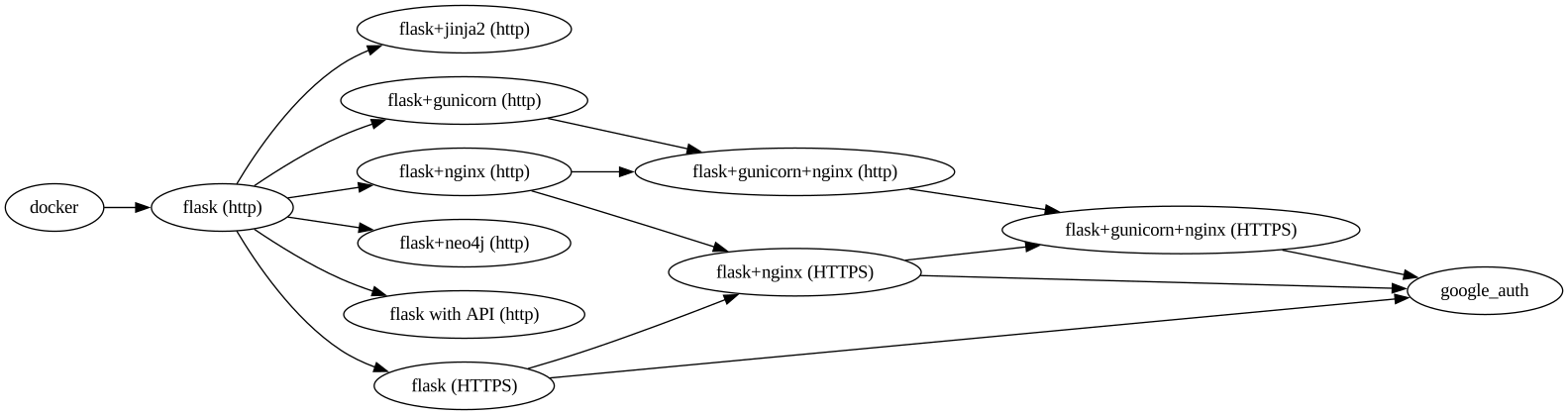
The repo contains a Dockerfile and a Makefile.
The Makefile builds a Docker image and then runs the Docker container.
Everything else in the Physics Derivation Graph relies on these two capabilities.
To use,
make containerwhich puts you inside a Docker container. That's it! The purpose of this is to validate you are able to run a container. The next demos in the sequence then leverage containers.
The next demo to explore is https://github.com/allofphysicsgraph/pdg_essential_demo_flask_website
That might be too concise, so the next sections go into more detail.
generate a key pair
ssh-keygen -t ed25519 -C "YOUREMAILADDRESSHERE@DOMAIN.COM"get content of public key
cat ~/.ssh/id_ed25519.pubIn a browser visit https://github.com/settings/keys
Once the public key is uploaded, validate access using
ssh -T git@github.comwhich should yield
Hi USERNAMEHERE! You've successfully authenticated, but GitHub does not provide shell access.
Commits need an author name and email
git config --global user.email "YOUREMAILADDRESSHERE@DOMAIN.COM"
git config --global user.name "FIRSTNAME LASTNAME"
mkdir allofphysicsgraph
cd allofphysicsgraph/
git clone git@github.com:allofphysicsgraph/pdg_essential_demo_docker.git
cd pdg_essential_demo_docker/
make container
You should get a prompt that looks like
I have no name!@0d454046e5ab:/scratch$
Notice that /scratch/ is in the host's directory even though you're inside the container.
Regarding the prompt: Because the system inside the container cannot map UID 1001 to a textual username, the shell defaults to displaying I have no name!
That could be remedied with
container_live:
	$(container) run -it --rm \
                -v `pwd`:/scratch -w /scratch/ \
                -v /etc/passwd:/etc/passwd:ro \
                -v /etc/group:/etc/group:ro \
                --user $$(id -u):$$(id -g) \
                $(webserver_image) /bin/bash
However, the issue is cosmetic so I'm ignoring it.