An end-to-end computer vision, annotation, and match-cut video production pipeline for WeatherXM community-installed weather stations.
It detects and locks station sensor heads to the exact center of a 1080p canvas, extracts multi-modal visual features (OpenAI CLIP + CIELAB color), solves an optimal transition sequence via Traveling Salesperson Problem (TSP), and renders smooth match-cut video montages across multiple resolutions and creative treatments—accompanied by local browser studios for curation, bounding box annotation, and custom model training.
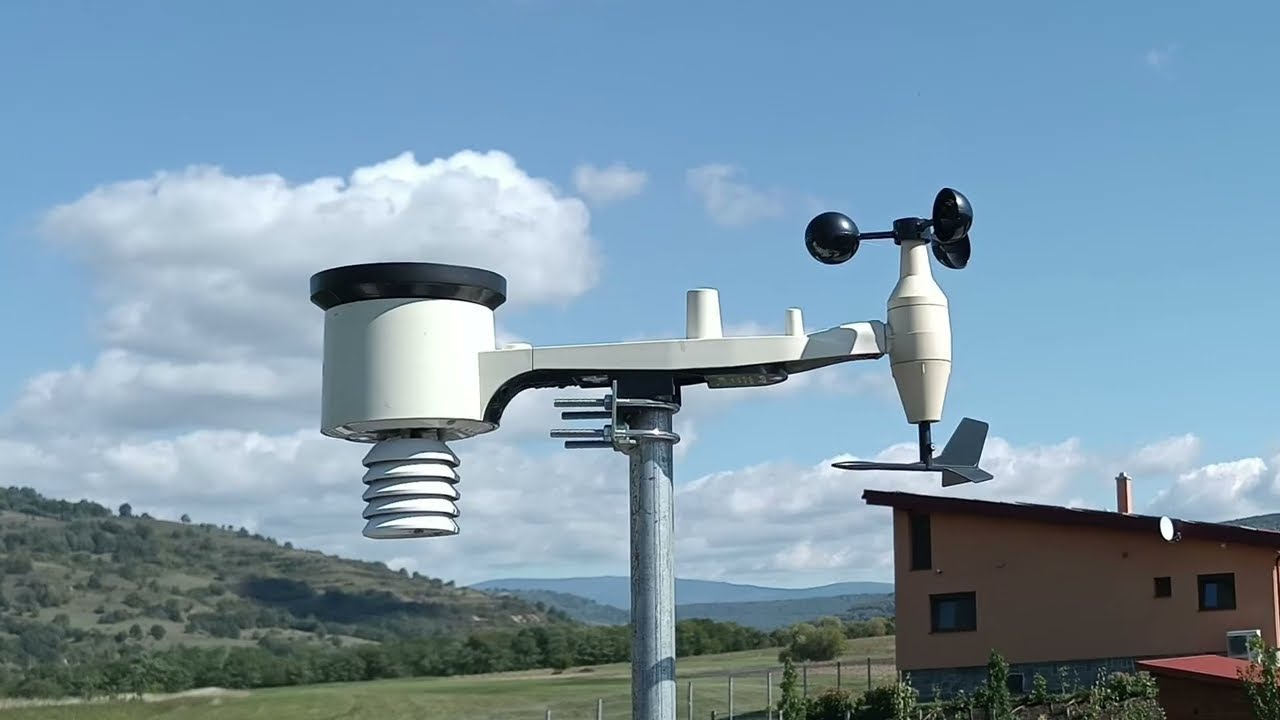
▶ Click to watch the rendered 1080p match-cut montage on YouTube: WeatherXM - global deployments AI station detect slideshow


| Studio | URL | Key Capabilities |
|---|---|---|
| Sequence Reviewer & Flipbook Studio | http://localhost:8080/ |
Live 1080p flipbook player, timeline scrubber with frame jump navigation, sequence presets (TSP, Far-to-Near, Day-to-Night), drag-to-select annotation, "Too High" station exclusion filter, real-time auto-saving, and multi-tier video export (1080p Master + 720p Web) with live FFmpeg progress telemetry and macOS Finder integration. |
| Annotation & Training Studio | http://localhost:8080/training_tool.html |
Bounding box labeling for sensor head units, automatic distance classification (CLOSE_UP to TOO_FAR), dataset export, and in-browser YOLOv8 fine-tuning with live training curves and real-time GPU console. |
-
1080p Full HD Master Tier: Native 1:1 pixel sampling from source frames at ~8,000 kbps MP4 (Apple Silicon
h264_videotoolboxhardware-accelerated) and ~6,000 kbps WebM (libvpx-vp9CRF 20) for crisp fidelity during rapid match-cuts. -
720p Web Streaming Tier: Scaled to
$1280 \times 720$ at 24 fps and ~1,000 kbps (dual MP4 + WebM VP9) with-movflags +faststartfor universal browser compatibility and instant web buffering. -
5 Creative Treatments:
- Version A: 3 frames per photo rhythmic beat (8 fps photo pace @ 24fps)
- Version B: Hyper-speed match-cut (1 frame/photo @ 24fps)
- Version C: Cinematic slow Ken Burns push-in (8 frames/photo — 2× slower than D with optimized bitrate)
- Version D: Subtle push-in motion (Ken Burns zoompan, 4 frames/photo)
- Version E: Fixed Station match-cut (2 frames/photo @ 24fps — 12 fps photo pace)
💡 Watch the Output: Preview the rendered montage on YouTube: WeatherXM - global deployments AI station detect slideshow.
- Interactive Treatment Tickboxes & Presets: Checkboxes for Version A, B, C, D, and E with quick presets (
All,Only C,Only D,None) allow rendering any subset of treatments (e.g. rendering only Version C for fast, targeted exports). - 3-Tier Export Selector: Render Both Tiers, 1080p Master, or 720p Web (3 Parts) with dynamic file counts and bitrate indicators adapting directly to the selected treatments.
- Sub-Frame Progress Telemetry: Live progress bar fed by FFmpeg
-progresspipes displaying frame counts, overall percentage, and current encoding speed (e.g.,25.4x). - Target Folder & Finder Integration: Monospace path display of the export directory with click-to-copy and an instant 📂 Open in Finder button (
POST /api/open_folder).
- Clickable Scrubber Readout (
Frame X / Y [MODE]): Clicking the frame badge in the player smoothly scrolls down to center that photo card in the gallery with an intense glowing cyan pulse border (.card-target-pulse) and focus. - Direct Frame Jump (
[🔢]& Double-Click): Direct modal prompt to input any arbitrary frame number and jump instantly. - Reverse Card-to-Player Jump: Clicking any photo in the gallery or its
🎬 Frame #badge scrubs the flipbook preview player to that frame with zero unwanted page scroll jumping. - Screen-Locked Scrubbing: Scrubbing the timeline slider or stepping single frames pauses playback and updates the preview canvas in real time while keeping the user's viewport locked on the preview player.
- Natural Distance Zoom Presets:
🔭 Far to Near (Growing Station): Orders photos with station tiny in the distance physically growing frame-by-frame using natural un-magnified 1:1 framing.🔍 Near to Far (Shrinking Station): Orders photos descending, starting massive and shrinking into the distance.
- Balanced Distance Presets:
☀️ Day to Night (Balanced Distance)&🌙 Night to Day (Balanced Distance): Isolates photos in the balanced 10%–35% station height band, sorted strictly by brightness while excluding distant/close-up outliers.
- Algorithmic TSP Flow: Solves a Traveling Salesperson Problem minimizing visual shock across OpenAI CLIP semantic embeddings (25%), CIELAB color (55%), and brightness/sky composition (20%).
- Edge / "Too High" Detection: Photos with stations at the top edge are automatically flagged with
⚠️ TOO HIGHand excluded from regular playback. A compact⚠️ 95toggle with mouse hover explanation allows previewing them independently. - Real-Time Auto-Save: All photo exclusions, order selections, and card adjustments persist immediately in the background (
✓ Auto-saved).
- Direct Drag-to-Select: Click and drag directly on any photo card to draw a station bounding box; auto-calculates zoom and offsets to center-lock to 40% height.
- Minimalist Red Center Dot & Ultra-Thin Frame: 4px red center dot and razor-thin transparent guide frame for crystal-clear sensor verification against complex backgrounds.
- Clean Solid Black Padding: Replaced mirror repeats on close-up photos with constant black borders, highlighted in previews with diagonal red zebra hazard stripes.
- Dual Evaluation System (Human vs. AI): Independent tracking of AI detections and human verifications in metadata. Batch re-evaluations protect all human annotations (
🛡️ Protect Human Evaluations).
The repository separates lightweight application code, heavy raw photos, and rendered video assets into specialized branches:
| Branch | Contents | Typical Size | Clone / Hydrate Command |
|---|---|---|---|
main |
Source code, web studios, metadata, configs, and fine-tuned YOLOv8s weights | ~23 MB | git clone https://github.com/WeatherXM/spv-ai-detect.git |
data/photos |
826 high-resolution raw photos | ~841 MB | git checkout origin/data/photos -- photos/ |
data/videos |
Rendered match-cut videos (1080p Master + 720p Web tiers, 20 files) | ~740 MB | git checkout origin/data/videos -- output/ |
# 1. Clone the lightweight main branch
git clone https://github.com/WeatherXM/spv-ai-detect.git
cd spv-ai-detect

# 2. Pull raw photos from the data/photos backup branch
git checkout origin/data/photos -- photos/

# 3. (Optional) Pull pre-rendered video backups from data/videos
git checkout origin/data/videos -- output/# System dependency: Install FFmpeg for video rendering
brew install ffmpeg # macOS
sudo apt install ffmpeg # Ubuntu / Debian
# Python setup (Python 3.10+)
python3 -m venv .venv
source .venv/bin/activate
pip install -r requirements.txtpython server.py 8080
# Open http://localhost:8080/ (Review Studio) or http://localhost:8080/training_tool.html (Annotation Studio)# Run full 5-stage pipeline
python main.py --stage all
# Run video rendering with specific resolution tier
python main.py --stage render --resolution both # Render 1080p + 720p (20 files)
python main.py --stage render --resolution 1080p # Render 1080p Master only (10 files)
python main.py --stage render --resolution 720p # Render 720p Web only (10 files)
# Fast parallel photo re-normalization across all CPU cores
python scripts/renormalize_all.pyflowchart LR
A[Raw Photos<br>photos/] --> B[1. Detect<br>YOLOv8s]
B --> C[2. Normalize<br>1080p Center-Lock]
C --> D[3. Feature Extract<br>CLIP + CIELAB]
D --> E[4. Optimize<br>OR-Tools TSP]
E --> F[5. Render<br>FFmpeg Cuts]
F --> G[MP4 & WebM<br>output/]
C -.-> H[Review Studio<br>:8080/]
H -.->|Nudge / Sequence Override| E
A -.-> I[Annotation Studio<br>:8080/training_tool.html]
I -.->|Verified Labels| J[Train YOLOv8s]
J -.->|Updated Weights| B
- Stage 1 — Detection (
pipeline/detector.py): Locates the sensor head unit using the fine-tuned YOLOv8s model (weights/weatherxm_sensor_head_best.pt), with zero-shot YOLO-World v2 fallback. - Stage 2 — Normalization (
pipeline/normalizer.py): Centers each sensor head at(50% width, 50% height)and scales it to40%canvas height (or 1:1 natural scaling for distance zoom modes). Boundaries are padded with solid black borders (cv2.BORDER_CONSTANT). Flaggedis_too_highphotos are auto-excluded. - Stage 3 — Feature Extraction (
pipeline/feature_extractor.py): Computes a pairwise visual distance matrix balancing CIELAB color distributions (55%), CLIP semantic embeddings (25%), brightness/saturation (10%), and sky/ground composition (10%). - Stage 4 — Sequence Optimization (
pipeline/sequence_optimizer.py): Solves the smoothest transition path as a Traveling Salesperson Problem (TSP) using Google OR-Tools with 2-Opt local search fallback, or applies user-selected presets (zoom far-to-near, color gradient, etc.). - Stage 5 — Video Rendering (
pipeline/video_renderer.py): Renders hardware-accelerated MP4 (h264_videotoolbox/libx264) and WebM (libvpx-vp9) videos across 5 treatments and multiple resolution profiles (1080p & 720p) with live progress telemetry and non-blocking file logging.
| Path | Description | Role |
|---|---|---|
photos/ |
826 high-resolution raw photos | Backed up on data/photos branch |
output/ |
Rendered match-cut videos (1080p & 720p) | Backed up on data/videos branch |
metadata/weatherxm_photos_metadata.json |
Master registry of all photos | Stores dual AI/human bounding boxes, distance tiers, and flags |
metadata/training_annotations.json |
Curated training annotations | 238 verified ground truth labels for YOLO fine-tuning |
metadata/sequence.json |
Algorithmic TSP playback sequence | Optimized playback order minimizing visual shock |
metadata/sequence_override.json |
Curated playback sequence | Active sequence overrides & sort presets from Review Studio |
metadata/review_exclusions.json |
Reviewer exclusions catalog | Persistent record of user-excluded photos |
weights/weatherxm_sensor_head_best.pt |
Custom YOLOv8s weights | Fine-tuned detector weights (~21 MB) |
pipeline/ |
Core computer vision modules | Detection, normalization, feature extraction, TSP solver, video renderer |
review_tool.html |
Local Review & Flipbook Studio | Interactive sequence inspector, timeline scrubber, and render triggers |
training_tool.html |
Local Annotation & Training Studio | Bounding box annotation, distance categorization, live training monitor |
server.py |
Local web server & API | Serves browser studios, handles normalization, and runs video render jobs |
config.yaml |
Configuration | Canvas dimensions, alignment targets, feature weights, resolution profiles |