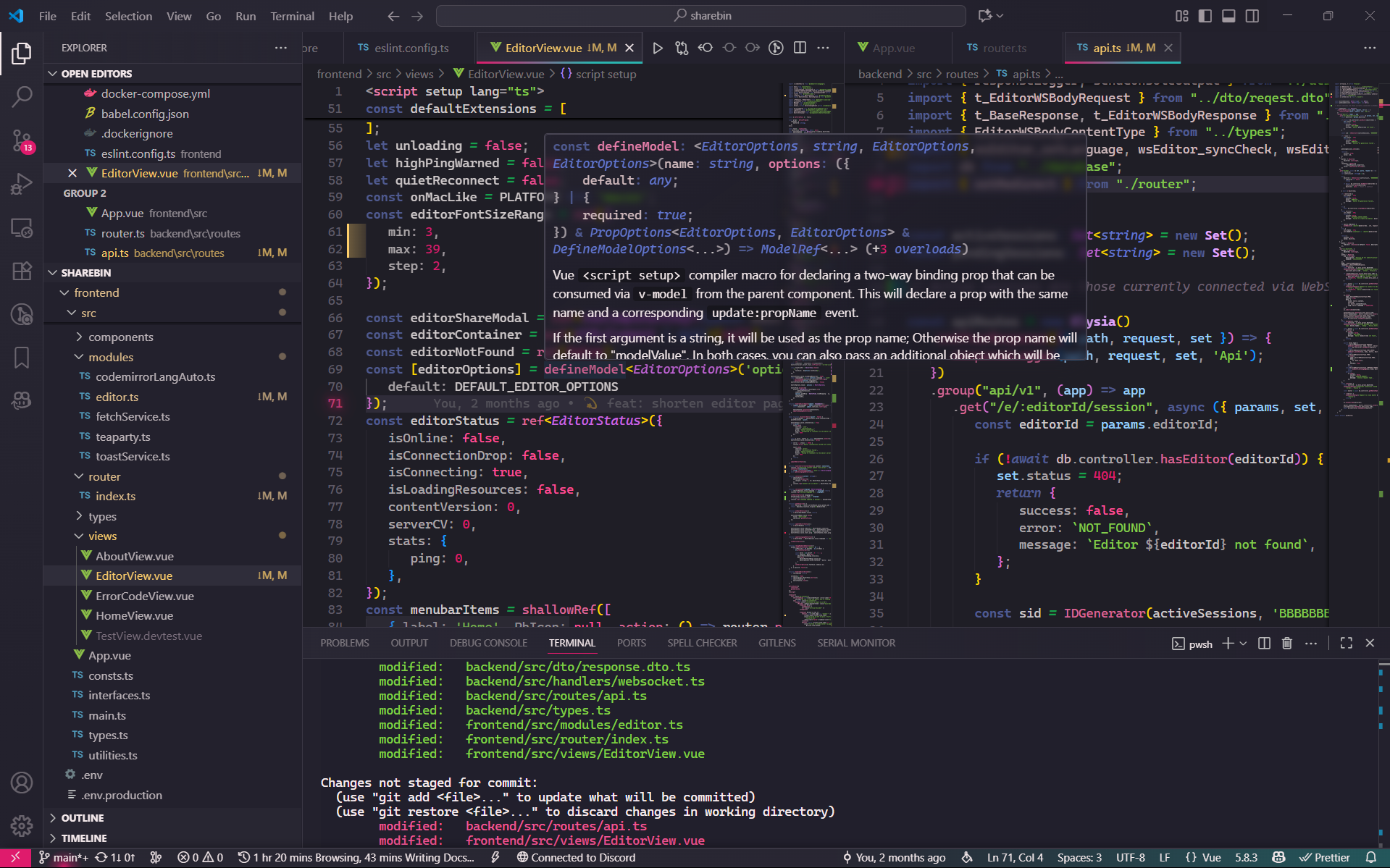
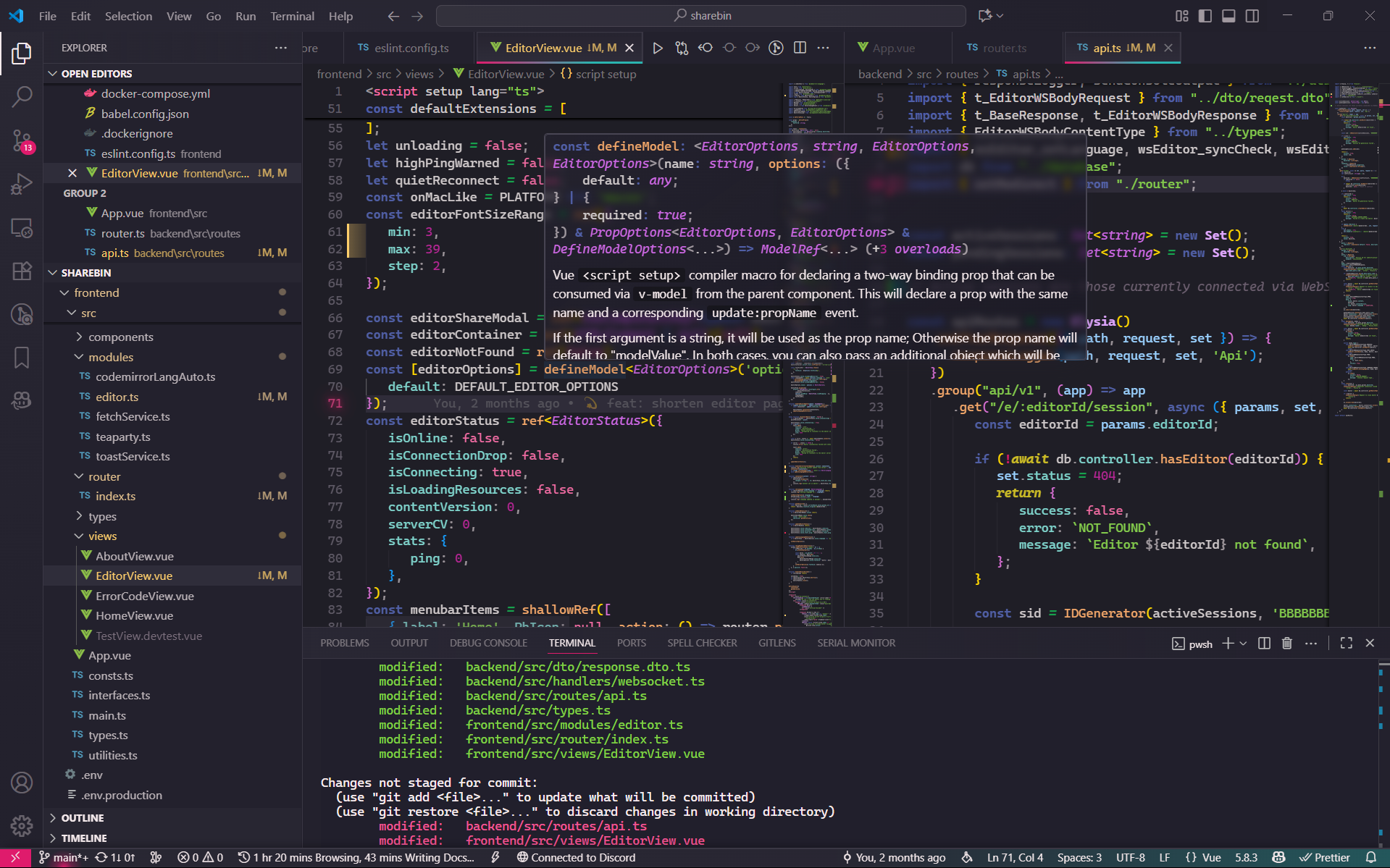
VS Code theme focused on frosted glassmorphism with vibrant colors.
A theme inspired by the beauty of luxury "Perfumes" (especially the ones from Montelli family) and their intricate designs.
Important
This theme is a work in progress and may not be as stable as it should be.
- Modern and minimalistic design with a focus on elegance and perceived simplicity.
- Glassmorphism effect with frosted glass elements and subtle gradients.
- Dark mode with vibrant colors.
You can install the theme directly from the VS Code Marketplace here.
-
Clone the repository
git clone https://github.com/Type-Delta/vs-perfume.git cd vs-perfume -
Build and Install the extension
npm install
CSS overrides are required to achieve the glassmorphism effect.
Please note that every time VS Code updates, you would need to re-enable the custom CSS and JS extension again. As it modifies the core files of VS Code and would be reverted on every update.
This step is recommended BUT OPTIONAL and the theme would look good without it.
-
Install the Custom CSS and JS extension from the VS Code marketplace.
-
Open VS Code settings (Ctrl+,). And search for
vscode_custom_css.imports. -
Add a path to the
vs-overwrite.cssfile in the repository. In your settings.json, it should look like this:"vscode_custom_css.imports": [ "https://raw.githubusercontent.com/Type-Delta/vs-perfume/refs/heads/master/dist/vs-overwrite.css", ],
-
Open the command palette (
Ctrl+Shift+Por⌘+Shift+P) and run "Enable Custom CSS and JS" command.
It's recommended to use the Catppuccin Icons with this theme for a more cohesive look, but hey, it's up to you!
If you want to use the Catppuccin icons with this theme, you can install the Catppuccin Icons extension from the VS Code marketplace.
Then, add the following line to the vscode_custom_css.imports setting in your settings.json:
What this does is tweak those icons to better match the overall aesthetic of the Perfume theme.
Note
All screenshots are taken with the CSS overrides enabled.