Repository navigation
Map: popups, data and controls users can't see (follow-ups to #86) #88
Description

Found while fixing #86 (PR #87). Each problem was measured in the app.
| # | What's wrong | Proposed fix | Plan | Screenshot |
|---|---|---|---|---|
| 1 | Facility squares cover samples and wells. On the Penobscot and Knox samples question, 45 of 60 samples are fully hidden. | Draw samples and wells above the squares. A sample dot is smaller than a square, so both stay visible and clickable. | Doing | Added with the fix |
| 2 | Map panels and the "saved results" banner cover popups near the map's edges, close button included. | Open popups, and fit results, clear of the panels. | Example first | 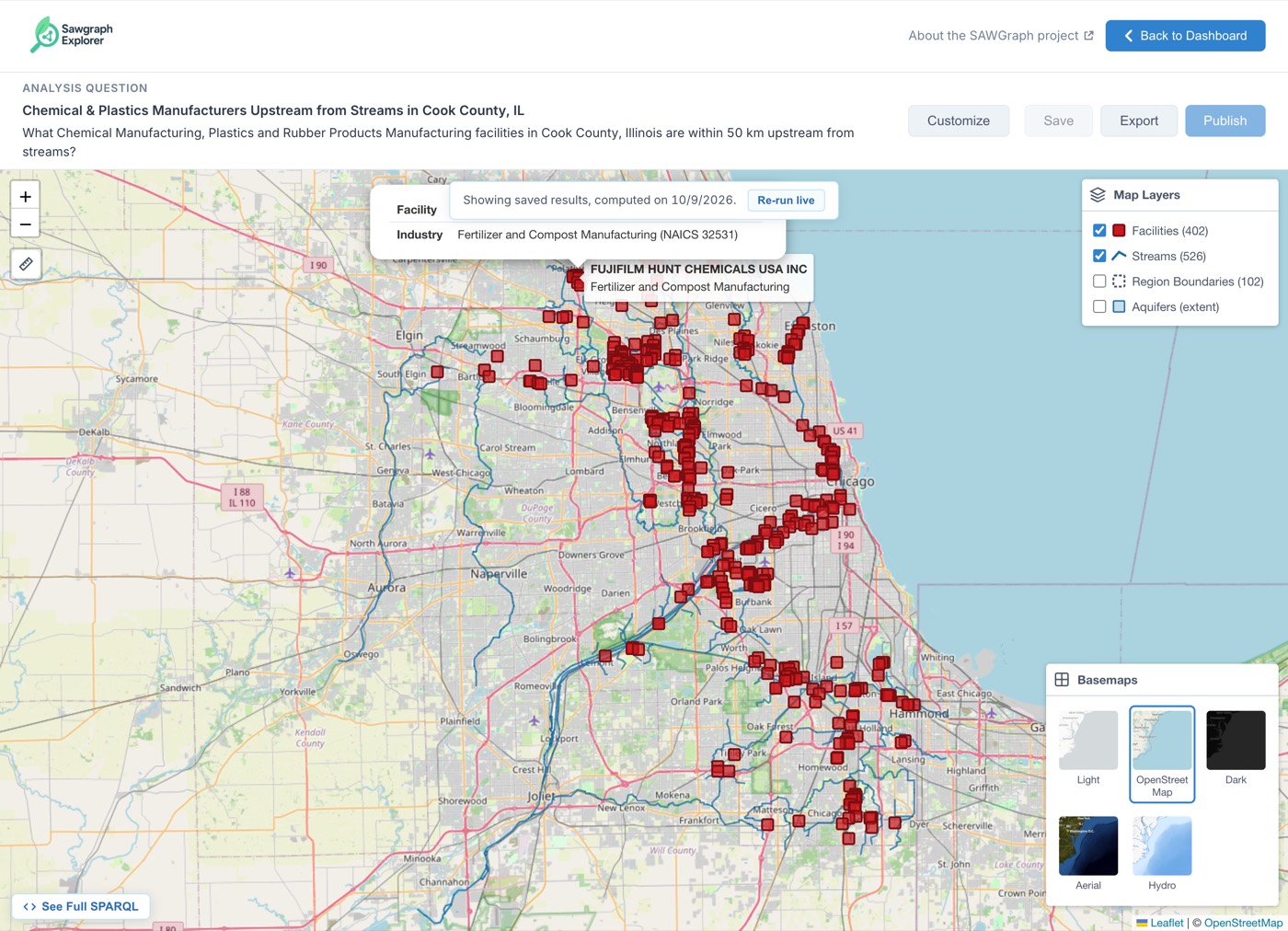 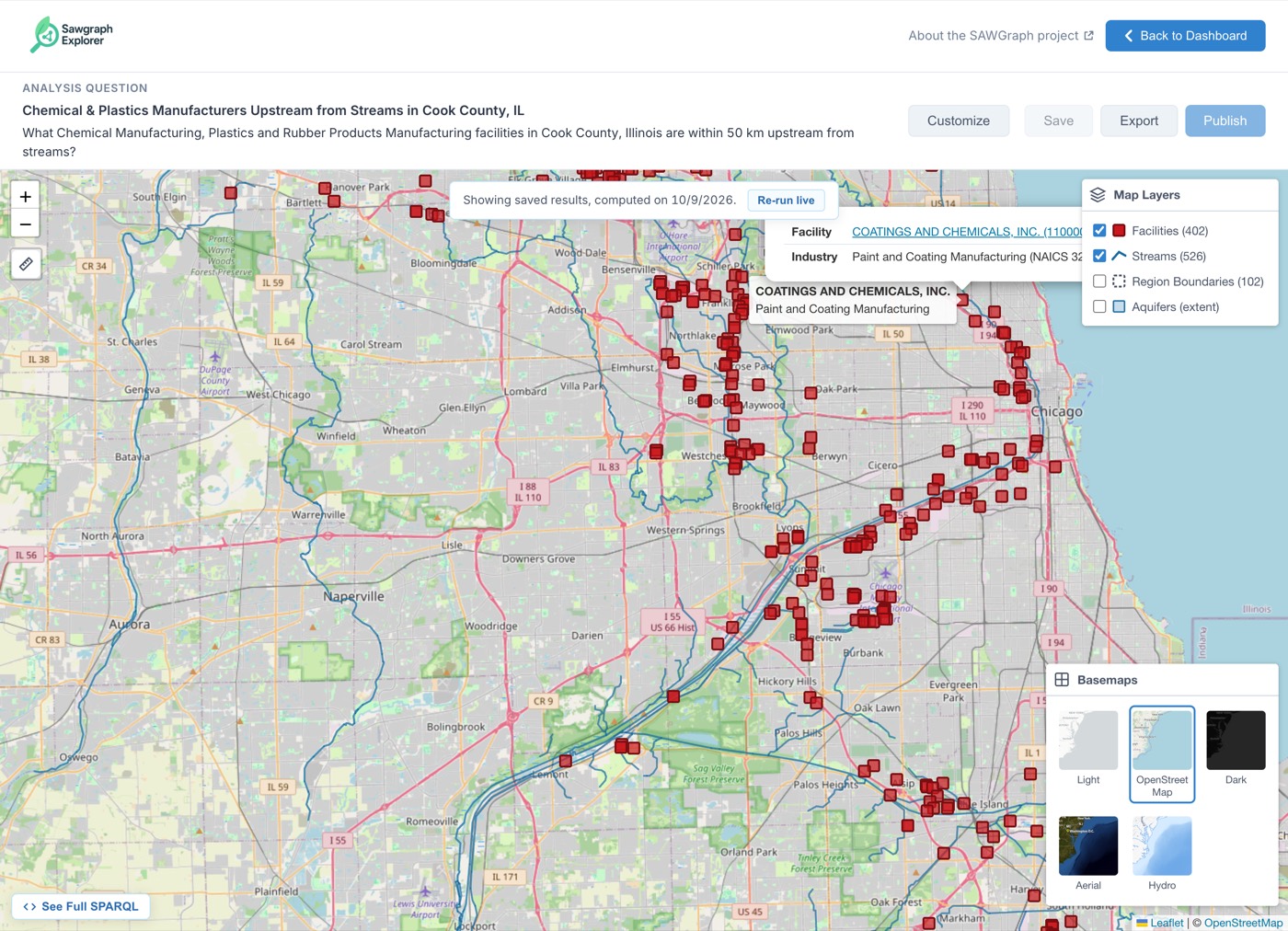 |
| 3 | On small screens, popups run off the map, close button included (162px cut off on a phone). Sample popups have two scroll bars. | Keep each popup inside the map, with one scroll bar. | Doing | 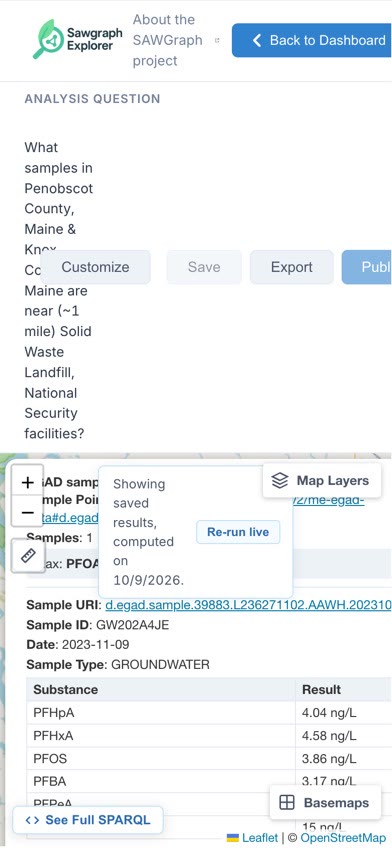 |
| 4 | Map controls stay on top of the Save and Publish dialogs and can still be clicked. | Show the dialogs above everything, map included. | Doing | 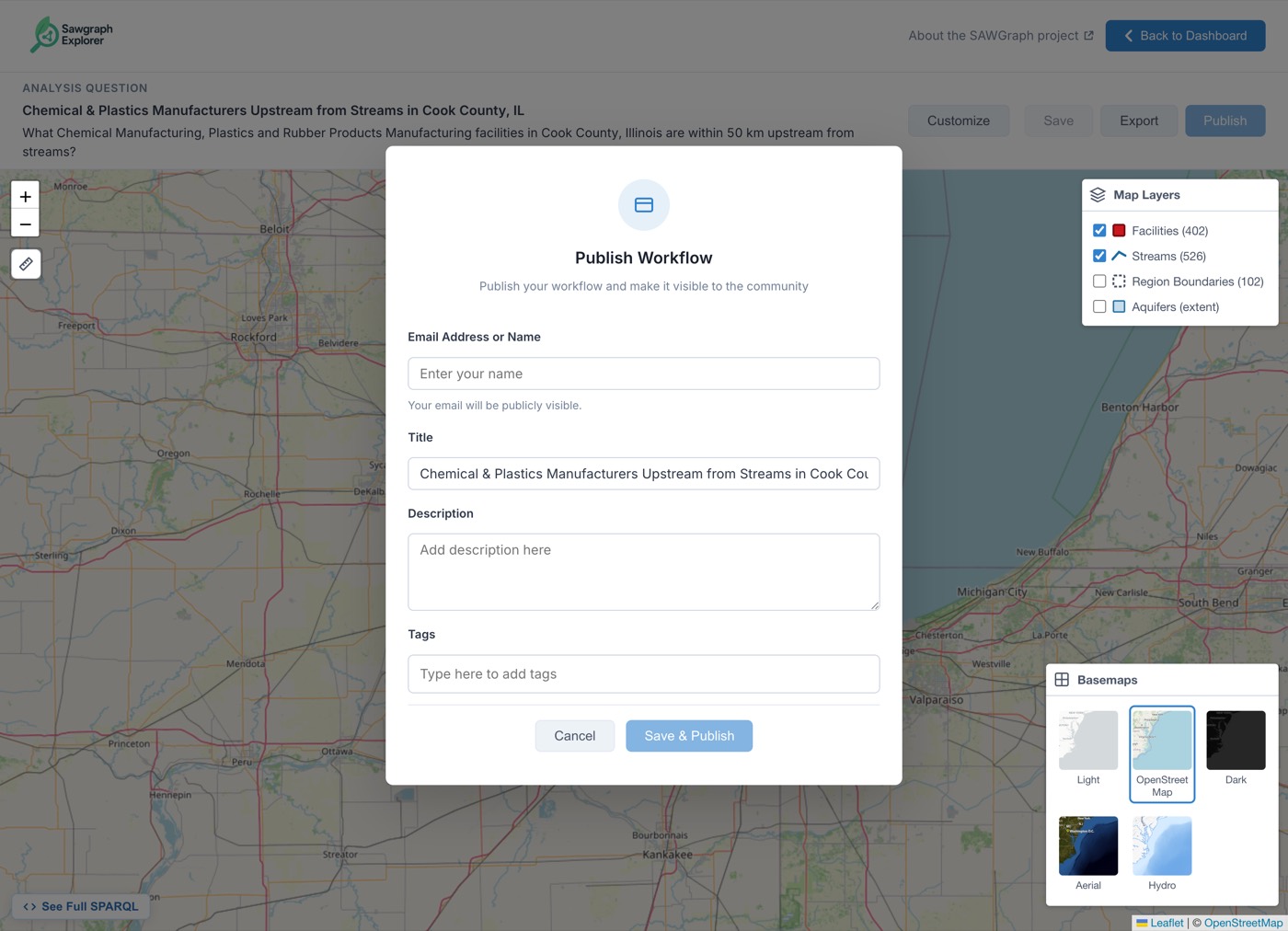 |
| 5 | Stream lines are hard to see: 2.48:1 contrast on the default basemap, under 1.7:1 on Dark and Aerial. The minimum is 3:1. | Line colors per basemap. | Not now | 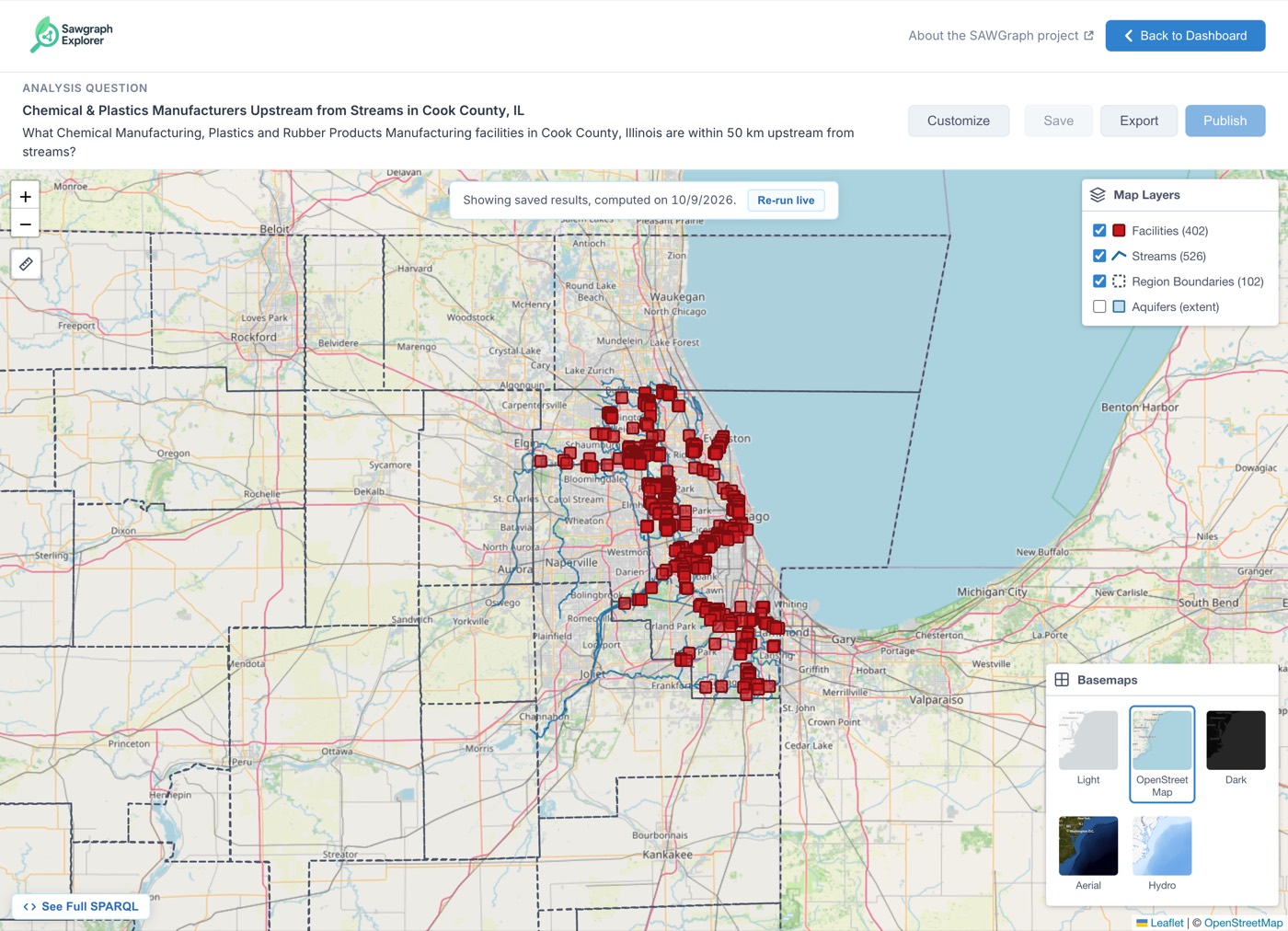 |
| 6 | Which layer is on top depends on which one was toggled last. Lakes cover streams, and the measuring line runs under the squares. | Give each layer a fixed place in the stack. | Doing | 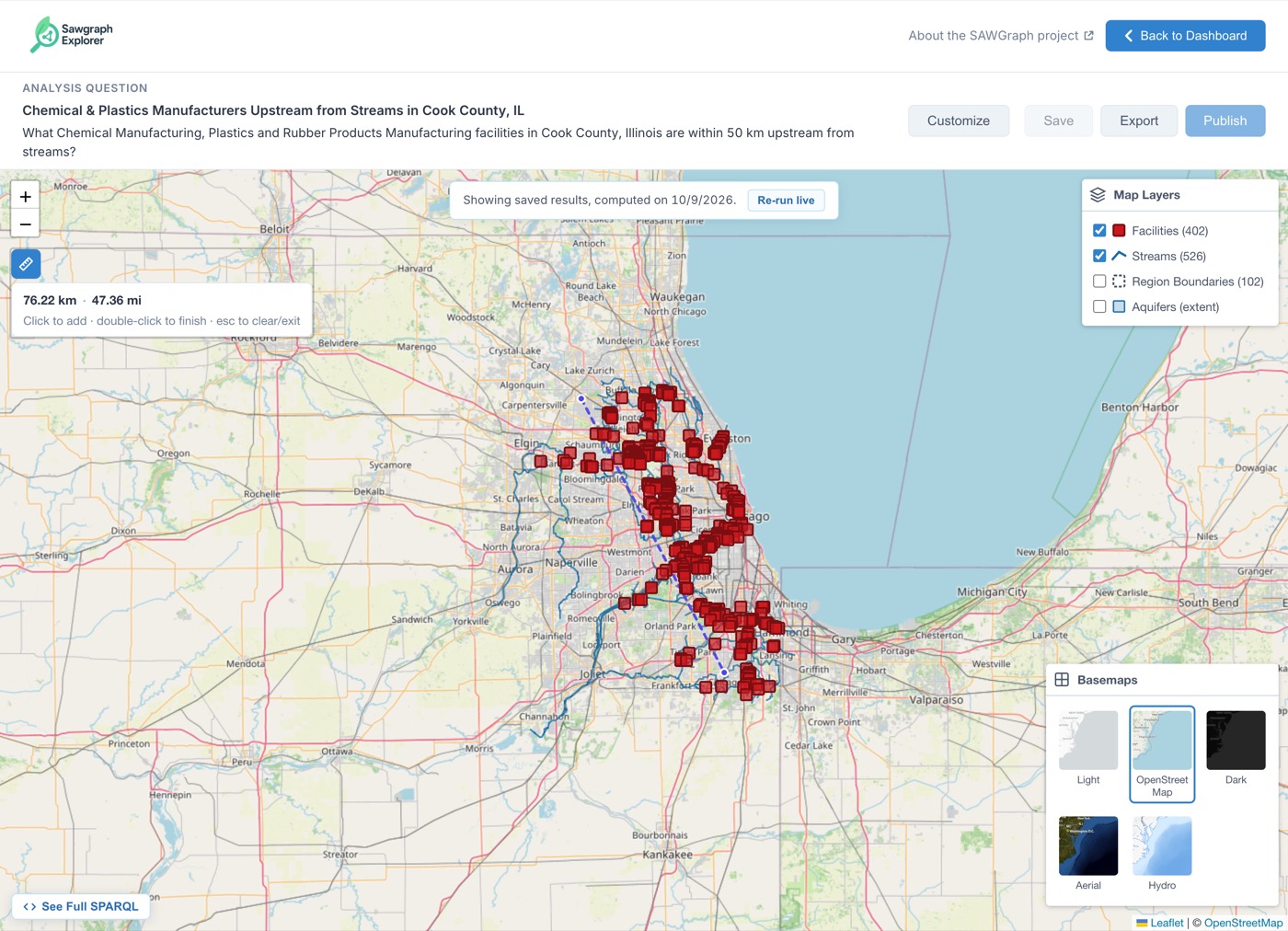 |
| 7 | When a result has no data layers, county outlines are drawn twice, and the checkbox can't hide them. | Draw them once, controlled by the checkbox. | Doing | None (found by a test) |
Not in this round: 12 facilities that share a location with another facility can't be clicked.
Activity
Before and after screenshots for PR #90 (issue #88)
revert(map): drop the answer-on-top rule for samples and wells
Merge pull request #90 from SAWGraph/bug/map-visibility-88
prayaslashkari commentedon Nov 10, 2026
Triage
Why item 1 won't change the stacking order. Measured on the development deploy, 2026-11-10, Penobscot and Knox samples question:
Most hidden samples are covered by other samples: the 60 samples sit on 43 points, one of them holding 13. Raising samples frees 1 and hides every facility, so samples stay under the squares. Reaching stacked markers is #153.
Other follow-ups: the popup link check from the #90 security review is #155. The 12 Cook facilities that share a location are part of #153.
#90 is on
developmentbut not yet onmain. This issue can close once it reaches production.prayaslashkari commentedon Nov 17, 2026
Closing: every item in the triage above is resolved. Items 2, 3, 4, 6 and 7 were fixed in #90. Item 1 won't change the stacking order; stacked markers shipped in #158 (#153). Item 5 moved to #154, closed 2026-11-11. The popup link check is tracked in #155.