
Permission-aware command palette engine for React. Works with cmdk or Base UI. Auto-discover routes, fuzzy search with synonyms, RBAC filtering, frecency ranking, CLI tooling. The Quick Start stack (provider, register hook, cmdk adapter and shortcut) is about 8.3 kB min + brotli on top of React and cmdk.



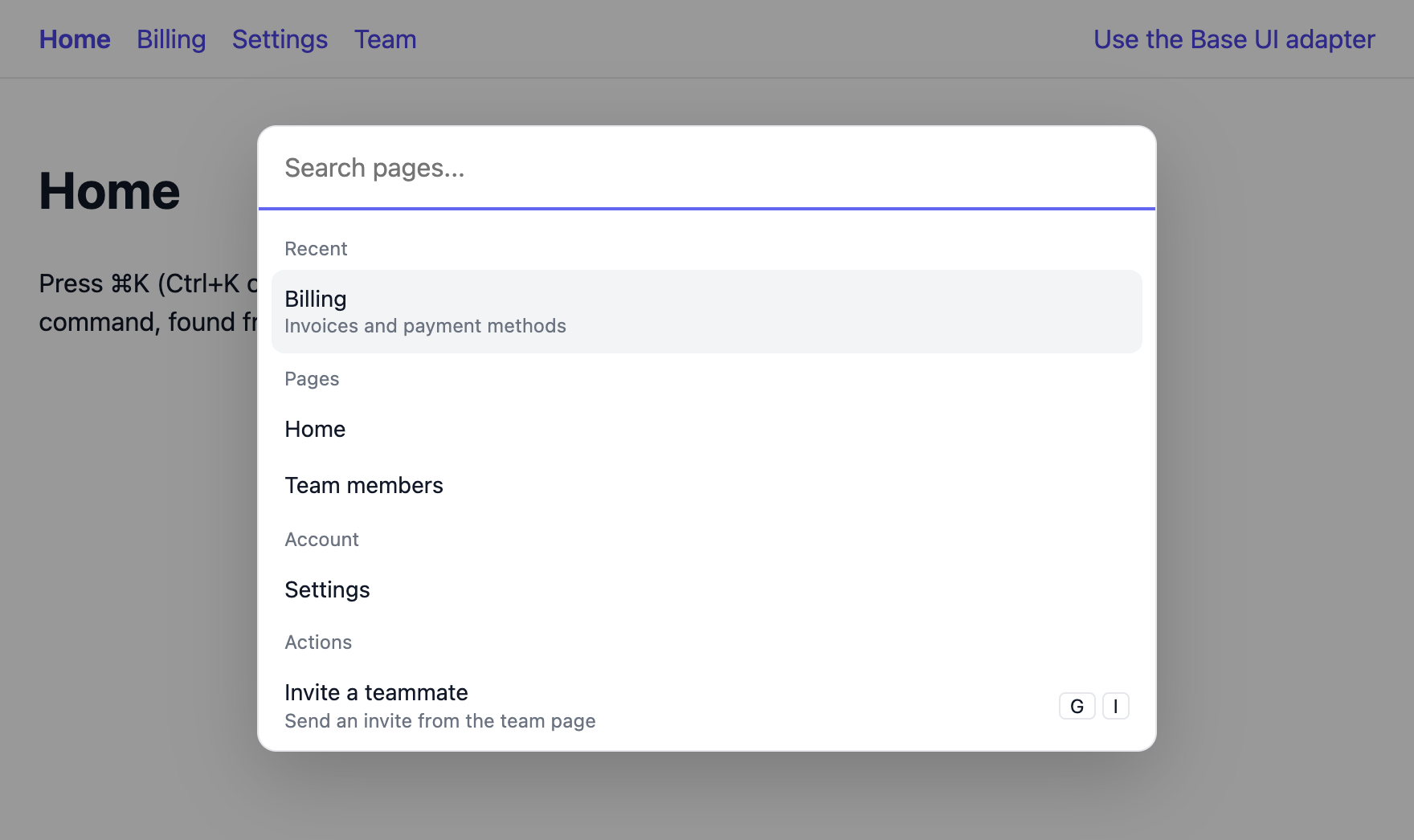
Live demo: press Cmd+K (Ctrl+K) on the docs site. Runnable apps are in Examples.
Docs: Getting started, the full guide (everything on one page), API reference.
cmdk gives you beautiful, accessible command menu primitives. But building a production command palette requires more:
| Feature | cmdk | cmdk-engine |
|---|---|---|
| Composable UI components | Yes | Yes (via the cmdk or Base UI adapter) |
| Route auto-discovery | No | Yes — CLI scanner + runtime adapters |
| RBAC / permission filtering | No | Yes — any/all modes |
| Frecency ranking | No | Yes — exponential decay algorithm |
| Keyword synonyms | No | Yes — bidirectional, ranked below direct matches |
| Smart route exclusion | No | Yes — auth, error, dynamic routes auto-filtered |
| Deterministic sorting | Open upstream issues (#264, #375) | Yes — frecency > priority > registration order |
| First item auto-select | Open upstream issue (#280) | Yes — auto-selects the first enabled item on every result update and on every open |
| Dynamic content updates | Open upstream issue (#267) | Yes — reactive pub/sub registry |
| Async / server-side sources | No | Yes — debounced, abortable, one load per query |
| CLI tooling | No | Yes — scan, init, validate |
| UI-agnostic core | No | Yes: one engine under cmdk or Base UI, zero runtime deps |
cmdk-engine owns all filtering (shouldFilter={false}), solving the sorting and selection bugs in cmdk while keeping its composable UI primitives.
npm install cmdk-engine cmdkOr use bun add, pnpm add or yarn add. For the Base UI adapter, install @base-ui/react instead of cmdk. It needs React 18 or 19, and the core engine has no runtime dependencies. Every optional peer and supported version is under Requirements.
One file, with the cmdk adapter. Paste it into a React app, then press Cmd+K (Ctrl+K on Windows and Linux):
// App.tsx
import { CommandEngineProvider, useCommandRegister } from 'cmdk-engine/react'
import { CommandPalette, useCommandPaletteShortcut } from 'cmdk-engine/adapters/cmdk'

// Define config once, outside the component.
const config = { onNavigate: (href: string) => window.location.assign(href) }

function Commands() {
  useCommandRegister([
    { id: 'home', label: 'Home', href: '/' },
    { id: 'billing', label: 'Billing Overview', href: '/billing', keywords: ['invoices'], group: 'Billing' },
  ])
  return null
}

function Palette() {
  useCommandPaletteShortcut() // Cmd+K / Ctrl+K. Must be inside the provider.
  return <CommandPalette dialog placeholder="Search..." />
}

export default function App() {
  return (
    <CommandEngineProvider config={config}>
      <Commands />
      <Palette />
      {/* your app */}
    </CommandEngineProvider>
  )
}
The palette starts closed. Cmd+K opens it, typing "invoices" narrows the list
to Billing Overview, and Enter goes to /billing and closes the palette. It
has no styles until you add some (see Styling). In a Next.js App
Router project, put 'use client' at the top of this file.
useCommandPaletteShortcut() binds Cmd+K / Ctrl+K. Call it in a component
inside CommandEngineProvider, like Palette above: without it nothing
opens the dialog, and in the component that renders the provider it throws.
Next steps: split it into files, navigate with your router, handle errors, or build your own UI with the hooks.
- Route discovery: turn your React Router config into commands at runtime, or scan a React Router or Next.js app with the CLI. React Router, Next.js, CLI
- Access control: show each user only the commands they can use, with permissions in any/all modes and
whenchecks. RBAC - Search: fuzzy matching that tolerates typos, takes words in any order and ignores accents, plus synonyms. Or plug in match-sorter or your own engine. Search, Synonyms
- Ranking: frecency puts frequent and recent commands first, with a Recent group. Commands for the current page get a boost, and ties keep a stable order. Frecency, Context boosting
- Nested commands and groups: sub-menus with breadcrumbs, and group headings in the order you choose. Nested commands, Groups
- Async sources: mix registered commands with server results, debounced, abortable and loaded once per query. Async sources
- Your UI: the cmdk or Base UI adapter, a shadcn/ui registry item, or headless hooks for a fully custom palette. Adapters, shadcn/ui, Hooks
- Also: i18n, search history, palette events for analytics, exported types, and how to test your palette. i18n, Search history, Events, Types, Testing
- Docs site: Getting started, Core, Search, Nested commands, Adapters, Next.js, CLI, API, Styling, shadcn/ui, Examples.
- GUIDE.md: the whole reference on one page.
- CHANGELOG.md: what changed in each release. Read "Check before upgrading" first.
This repo ships an Agent Skill that teaches coding agents (Claude Code, Codex, Cursor, Copilot, Gemini CLI and more) to add a cmdk-engine palette to a React app: install, setup, commands and groups, the shortcut, ranking, SSR and styling.
npx skills add Priyans-hu/cmdk-engine # add -g for all projectsThen ask your agent to "add a Cmd+K command palette".
See CONTRIBUTING.md for guidelines.
If you find cmdk-engine useful, please consider giving it a star on GitHub. It helps others discover the project.