
Privacy-First Protective DNS Resolver & DoH / DoT Server
Protect your first hop on the internet · Dual-Engine: Cloudflare Workers Edge or Standalone Server (VPS / Linux / macOS / Windows)





ObexDNS (formerly DNS Worker) is a high-performance, privacy-first protective DNS resolution system built with a Dual-Engine Architecture. It can be deployed either as a zero-maintenance serverless application on Cloudflare Workers edge network, or run completely independent of Cloudflare as a standalone server on your own VPS, home server, or bare-metal machine (Linux, macOS, Windows) with native SQLite storage.
Whether you need global edge resolution across 300+ cities or 100% self-hosted data sovereignty with classic UDP 53 and native Android Private DNS (DoT 853), ObexDNS provides an enterprise-grade resolver with granular filtering, instant local-first analytics, and post-quantum end-to-end encrypted query logs.
| Feature / Capability | 🖥️ Standalone Server / VPS (Cloudflare-Free) | ☁️ Cloudflare Workers Edge |
|---|---|---|
| Primary Use Case | Complete data sovereignty, home lab, direct router DNS, Android DoT | Zero-maintenance, global low-latency edge resolution |
| Hosting & Runtime | Linux / VPS / macOS / Windows (Node.js >= 22.5.0) |
Cloudflare Workers Edge Network (300+ PoPs worldwide) |
| Storage Backend | Native Node.js SQLite (node:sqlite) on local NVMe/SSD |
Cloudflare D1 (Global distributed serverless database) |
| Supported Protocols | UDP 53 (RFC 1035) + DoT 853 (RFC 7858) + DoH (RFC 8484) | DoH (RFC 8484 over HTTPS) |
| Data Sovereignty | 100% Self-Sovereign — zero cloud vendor lock-in | Edge-encrypted; hosted on Cloudflare infrastructure |
| Router & LAN DNS | Direct UDP 53 listener (point router/LAN DNS directly to server) | Requires a DoH client, proxy, or stub resolver upstream |
| Android Private DNS | Native DoT 853 with SNI Profile routing (<profile_key>.dns.example.com) |
Supported via DoH URL or third-party DNS app |
| Zero-Knowledge PQC E2EE | ✅ NIST FIPS 203 P256-MLKEM768 + Passkey WebAuthn | ✅ NIST FIPS 203 P256-MLKEM768 + Passkey WebAuthn |
| Local-First Web UI | ✅ In-browser SQLite WASM + OPFS 0ms instant analysis | ✅ In-browser SQLite WASM + OPFS 0ms instant analysis |
| Maintenance & Scaling | Simple systemd service (npm run service-create:linux) |
Zero server maintenance; scales automatically |
| Cost | Runs on existing VPS or home server hardware | Free tier for personal usage |
- DNS over HTTPS (DoH / RFC 8484): Performs DNS queries over encrypted HTTPS connections. ObexDNS exposes DoH endpoints compatible with all modern browsers, operating systems, and stub resolvers.
- DNS over TLS (DoT / RFC 7858): Encrypts DNS queries directly over TLS on dedicated port 853. ObexDNS Standalone mode natively routes incoming DoT requests to isolated user profiles using TLS Server Name Indication (SNI), making it ideal for Android 9+ native Private DNS.
- Classic UDP DNS (RFC 1035): Standard plaintext DNS on port 53. ObexDNS Standalone mode provides ultra-low latency LAN resolution directly compatible with home routers and legacy network equipment.
- 🌐 Dual-Engine Deployment: Run serverless on Cloudflare Workers edge, or run standalone on any VPS / home server with zero Cloudflare dependency.
- ⚡ Full-Stack Protocol Support:
- Classic UDP 53: Standard RFC 1035 DNS for routers and LAN devices.
- DoT 853 (DNS over TLS): RFC 7858 encrypted DNS with TLS SNI profile routing (
<profile_key>.dns.example.com), natively compatible with Android Private DNS. - DoH (DNS over HTTPS): RFC 8484 encrypted DNS over HTTP/2 and HTTP/3.
- 🚀 Ultra-fast Resolution: Edge-accelerated caching and multi-tier memory pipelines for sub-millisecond query responses.
- 🗒️ Multi-Profile Management: Create independent configurations with isolated endpoints, rules, and upstream settings.
- 🛡️ Granular Filtering:
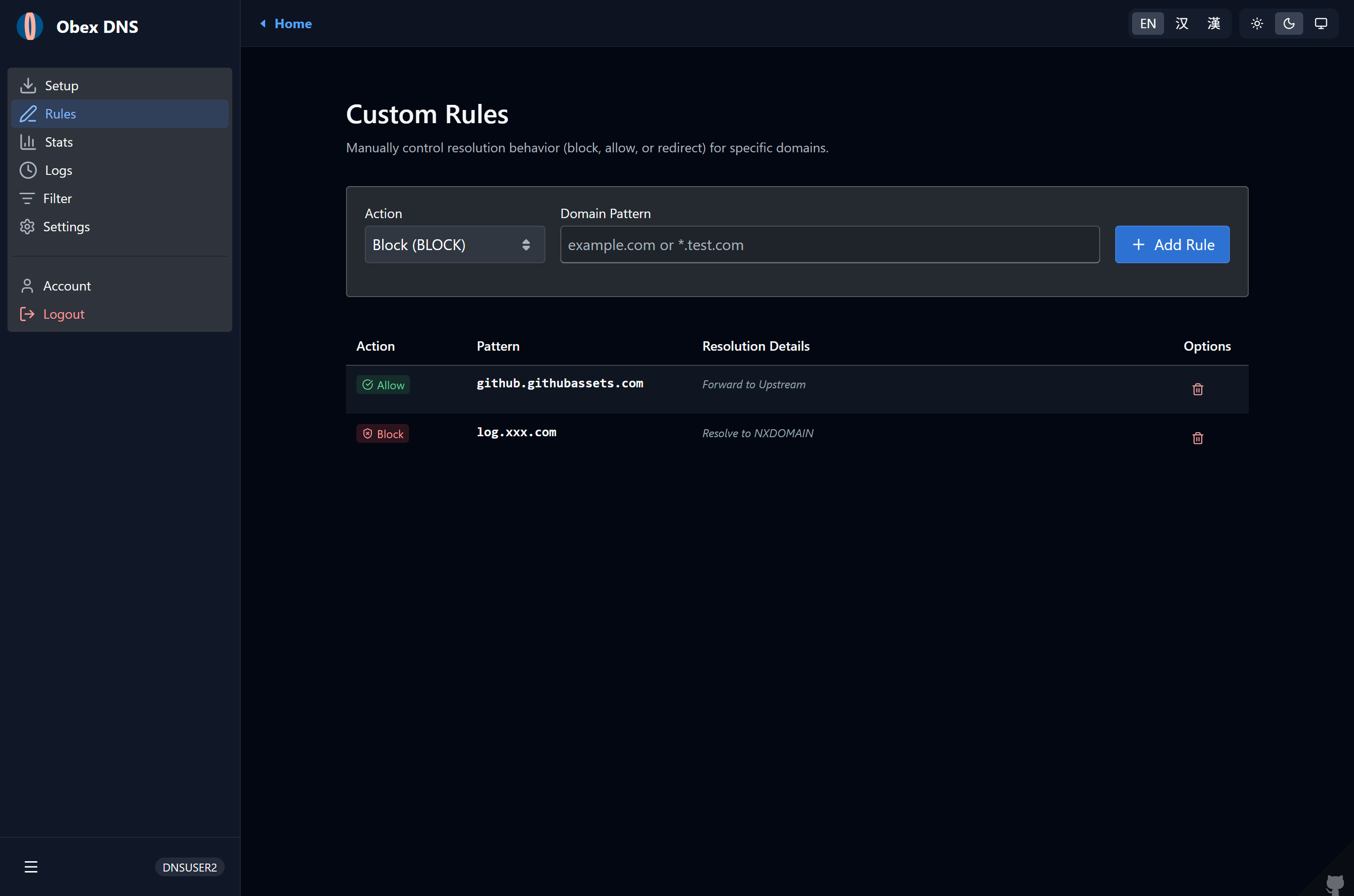
- Allow/Block Lists: Exact domain and wildcard subdomain matching.
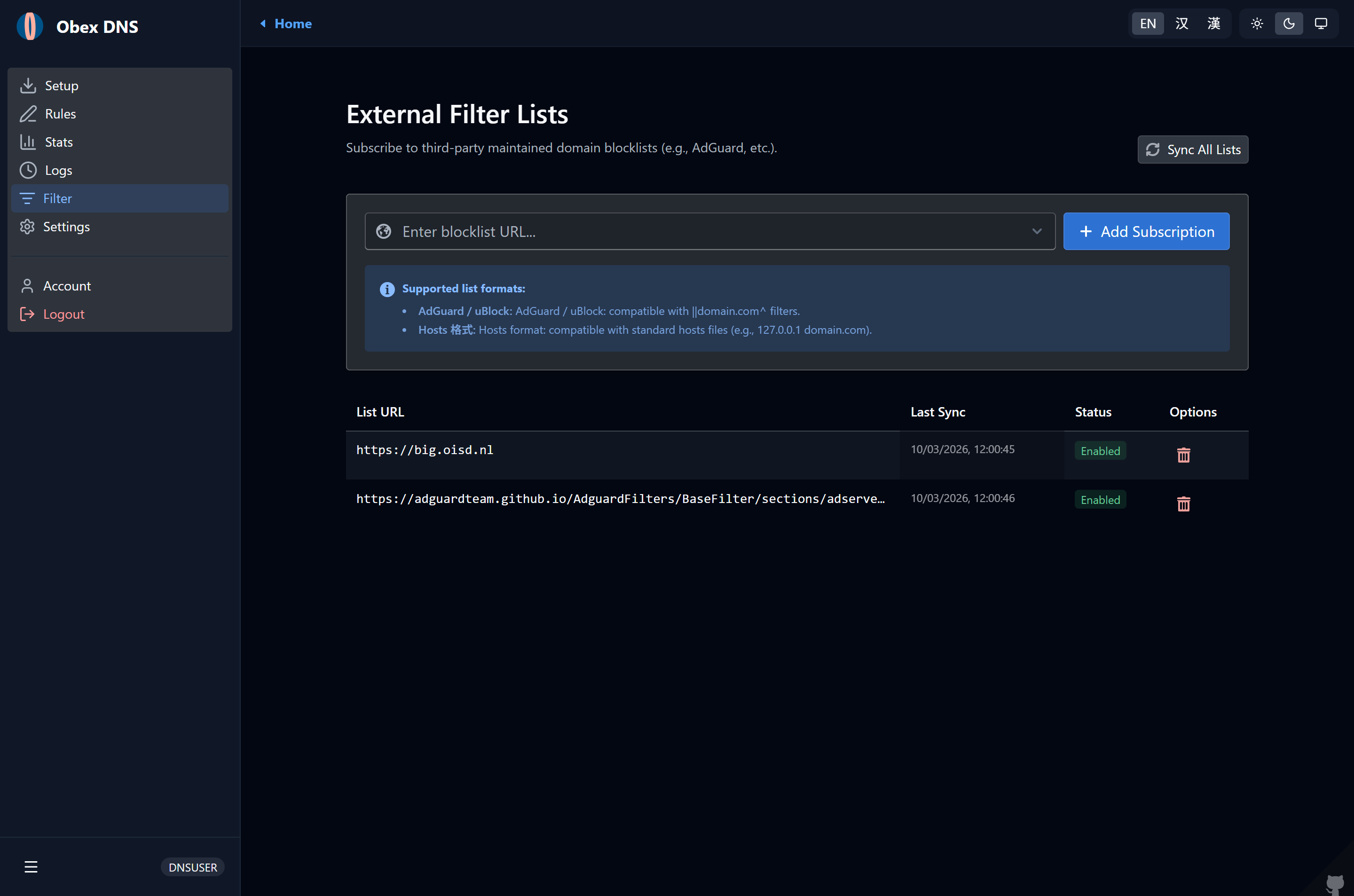
- Third-Party Rule Sets: Subscribe to external blocklists (AdGuard, EasyList, hosts syntax) with fast Bloom filter matching.
- Custom Redirections: Override A, AAAA, TXT, and CNAME records with custom answers.
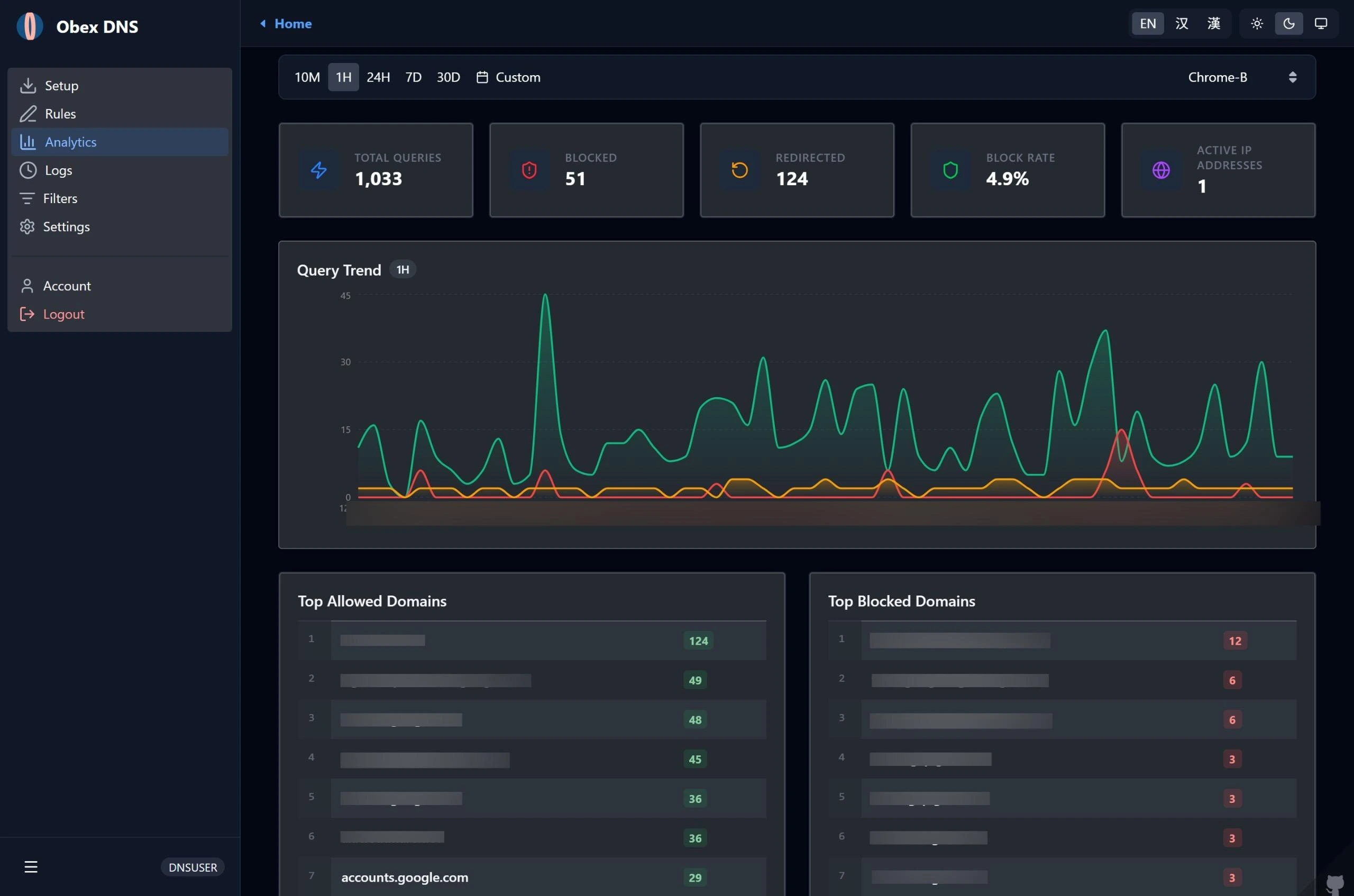
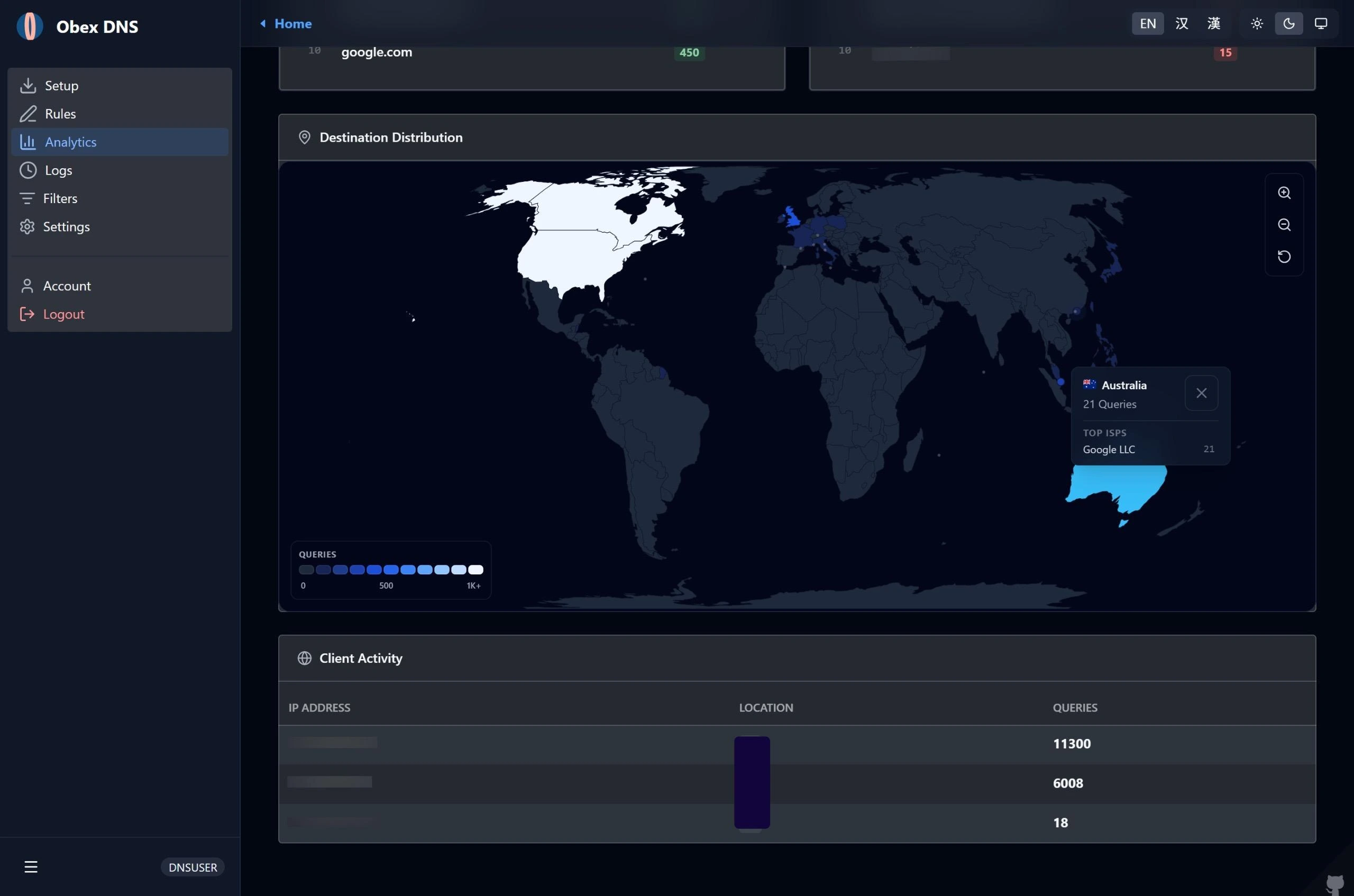
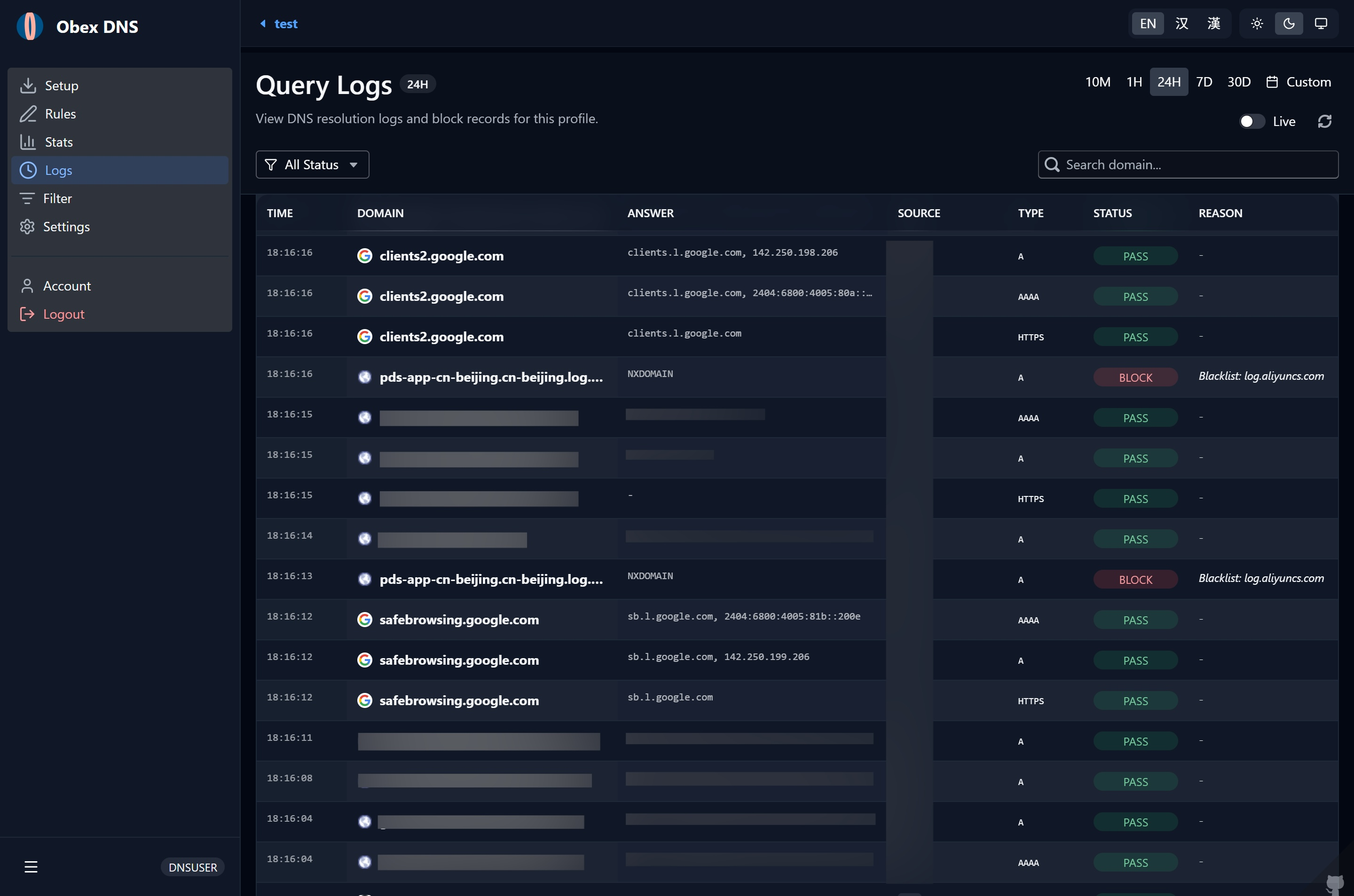
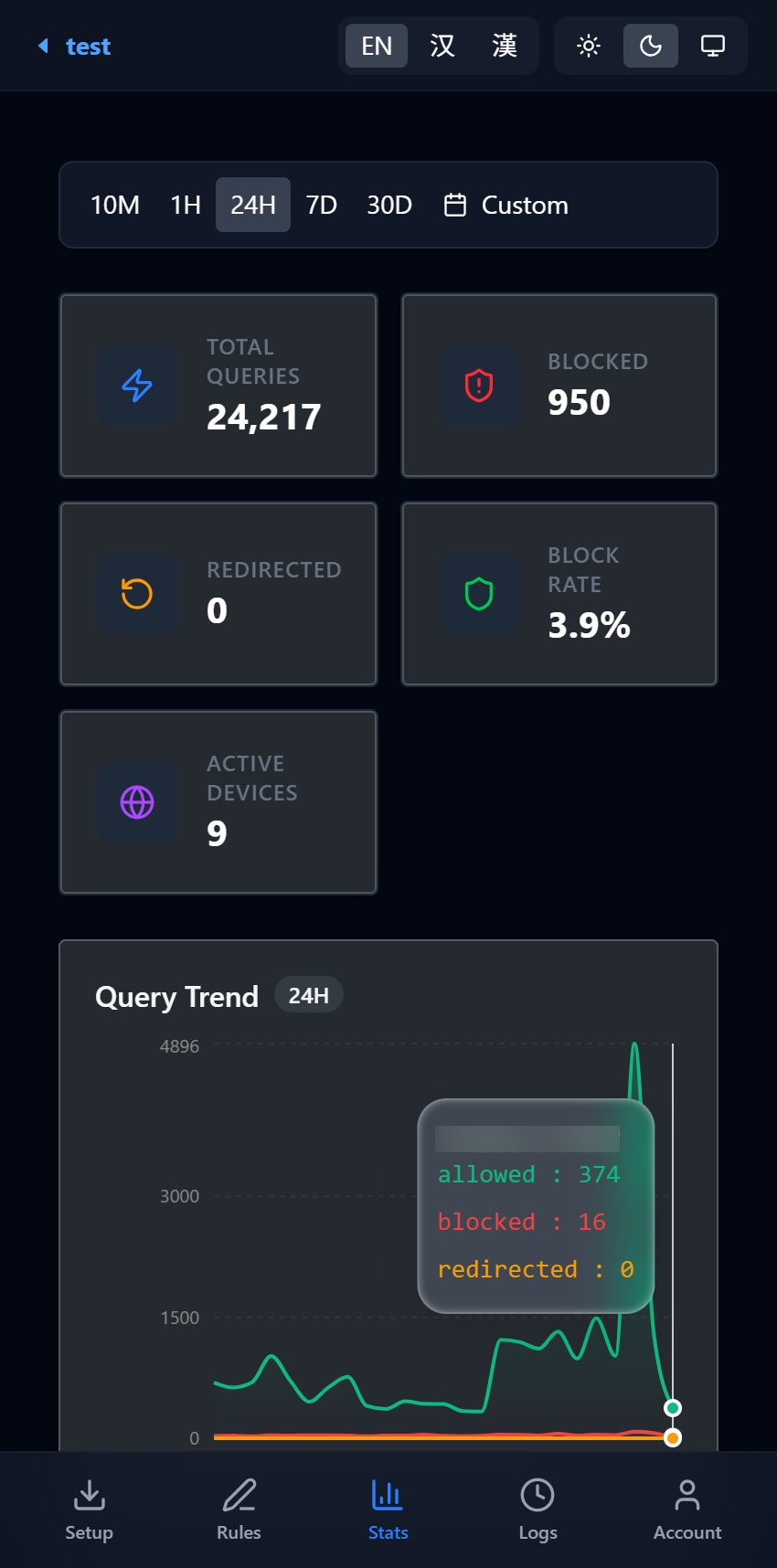
- 📊 Real-time Stats & Logs: Visual dashboard recording query type, hit reason, client geo-location, and upstream latency.
- 🔐 Privacy Controls: Flexible ECS (EDNS Client Subnet) management (Forward, Custom, or Hidden).
- 🔒 Rewrite ECH & ECH Fronting: Automatically injects/rewrites Encrypted Client Hello (ECH) parameters and outer SNI for HTTPS (Type 65) / SVCB (Type 64) queries to eliminate plaintext SNI leakage (Note: ECH rewriting is supported for domains proxied by Cloudflare).
- ⚡ Local-First Architecture: Embedded in-browser SQLite (WASM + OPFS) and Web Workers deliver instant 0ms log filtering and aggregation without cloud queries. Background bidirectional sync keeps data aligned while saving database read quotas.
- 🛡️ Post-Quantum Zero-Knowledge E2EE: Hardware Passkey (WebAuthn) and Recovery Key protected End-to-End Encryption for query logs. Implements NIST FIPS 203 P256-MLKEM768 hybrid lattice cryptography with hourly rotating KEM DEKs. Persistent storage holds only irreversible ciphertexts; decryption occurs strictly on your authorized client devices.
- 🌗 Modern UI: High-density management panel with dark mode, built with React + BlueprintJS.
DNS Worker redefines personal DNS observability by combining local-first browser computation with cutting-edge post-quantum cryptography:
- Instantaneous 0ms Queries: Resolution logs and analytical charts render immediately from an in-browser SQLite database powered by Origin Private File System (OPFS) and Dedicated Web Workers.
- Quota Preservation & Offline Analytics: High-frequency filtering, pagination, and multi-dimensional analytics run locally without issuing remote D1 read queries, drastically reducing Cloudflare D1 quota consumption and enabling full offline inspection.
- Smart Bidirectional Sync: Automatically reconciles local storage with remote D1 in the background with zero UI freeze.
- Zero-Knowledge Cloud Storage: Sensitive log fields (domains, client IPs, answers, geo locations, and upstream servers) are encrypted before reaching persistent cloud storage. Cloudflare Workers and D1 database store only ciphertexts.
- Quantum-Resistant Hybrid Lattice KEM: Adopts the NIST FIPS 203 standardized P256-MLKEM768 (ML-KEM-768 + ECDH P-256) hybrid algorithm, defending user query logs against future "Harvest Now, Decrypt Later" quantum attacks.
- Decoupled Hourly Envelope Encryption: Automatically encapsulates and provisions hourly Data Encryption Keys (DEK), compressing KEM database overhead by ~80% while sustaining hot-path pipeline encryption throughput of 20,000+ queries/second.
- Hardware Passkey Protection: The private key seed is wrapped with hardware Passkeys (WebAuthn PRF) and single-use self-rotating Recovery Keys; no plaintext secret ever touches the server.
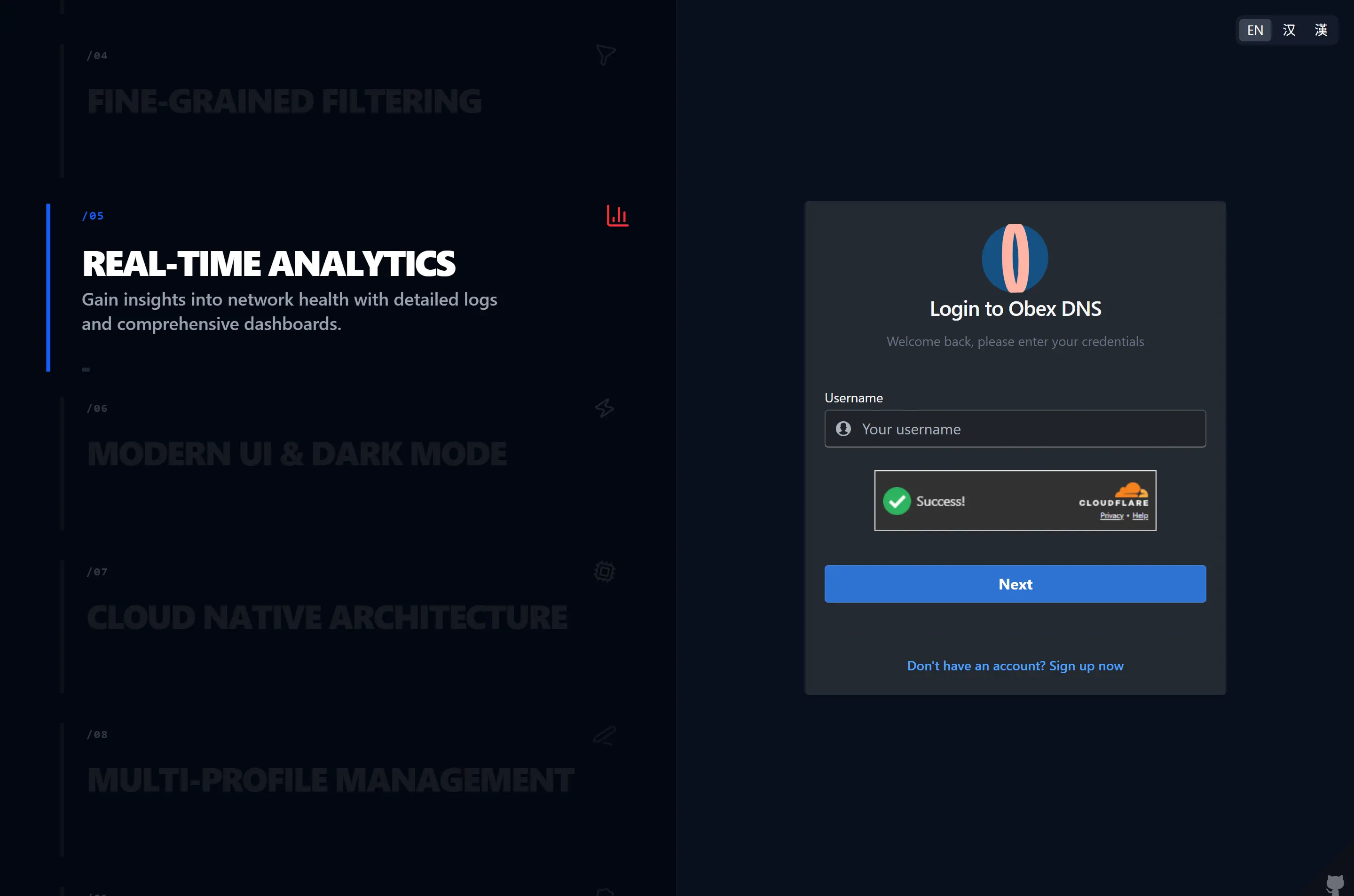
| User Login |
|---|
 |
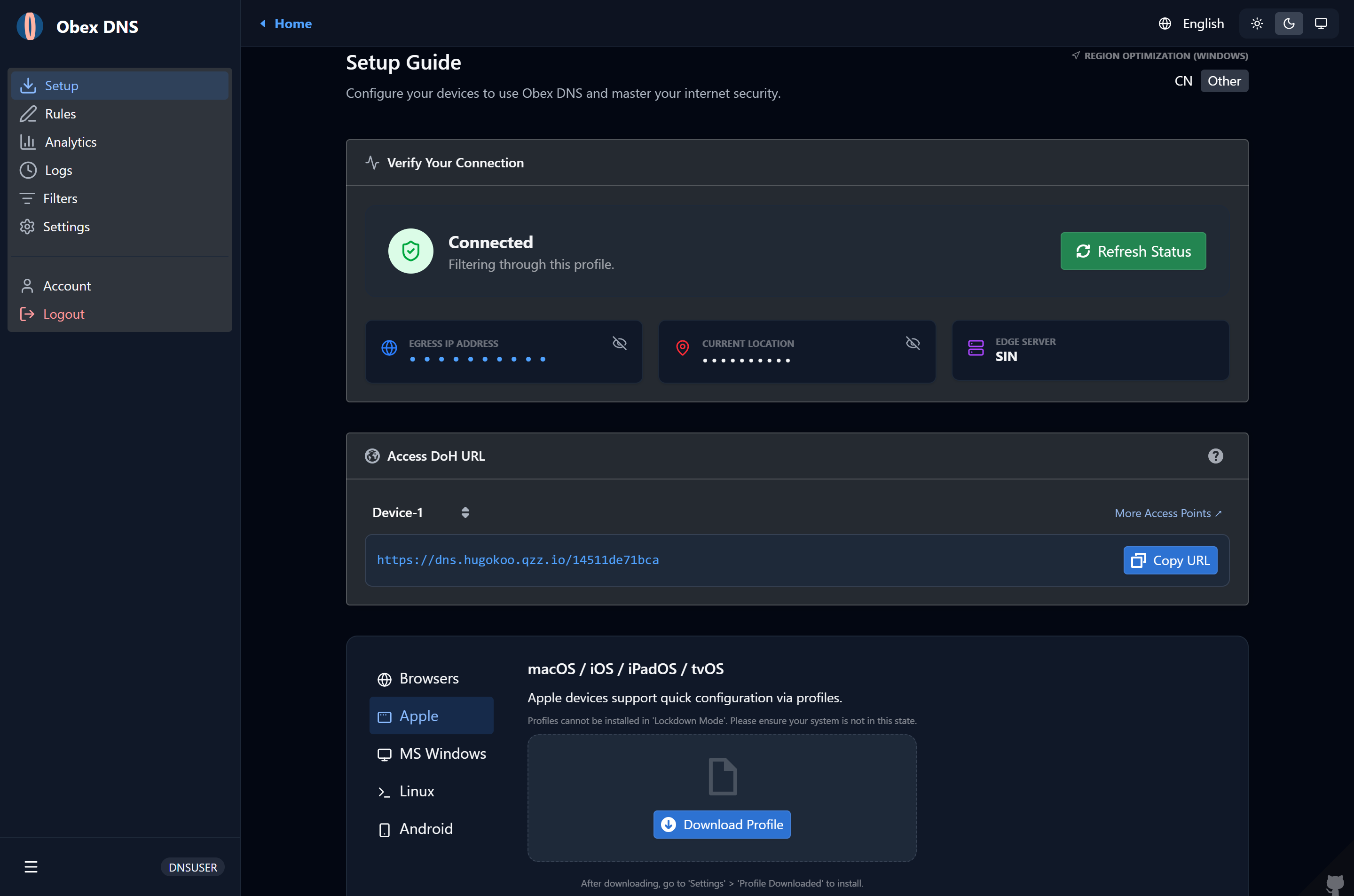
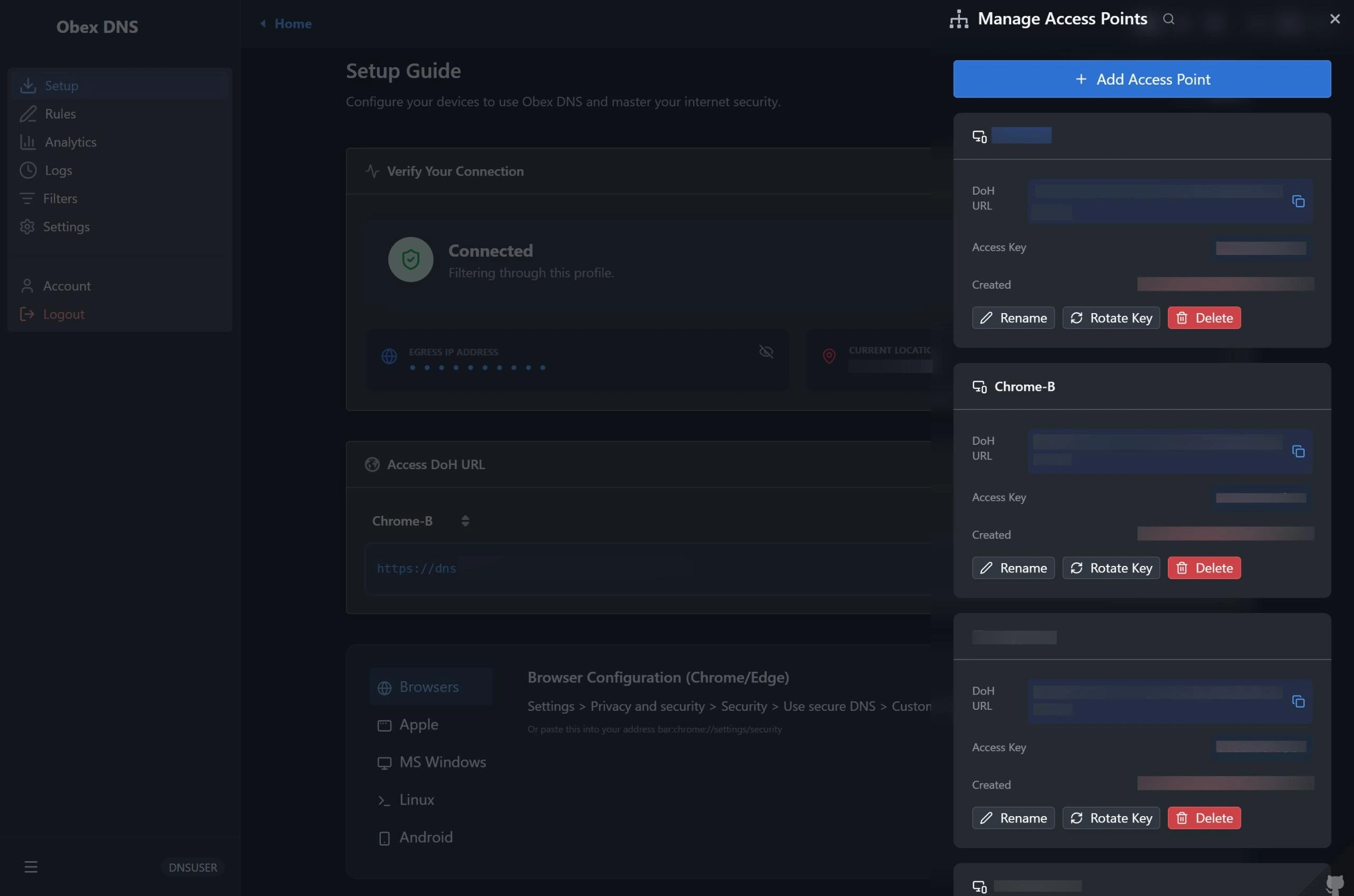
| Setup Guide | Endpoints |
|---|---|
 |
 |
| Real-time Analytics | Request Destinations |
|---|---|
 |
 |
| Rule Management | External Filters |
|---|---|
 |
 |
| Resolution Logs | Log Detail |
|---|---|
 |
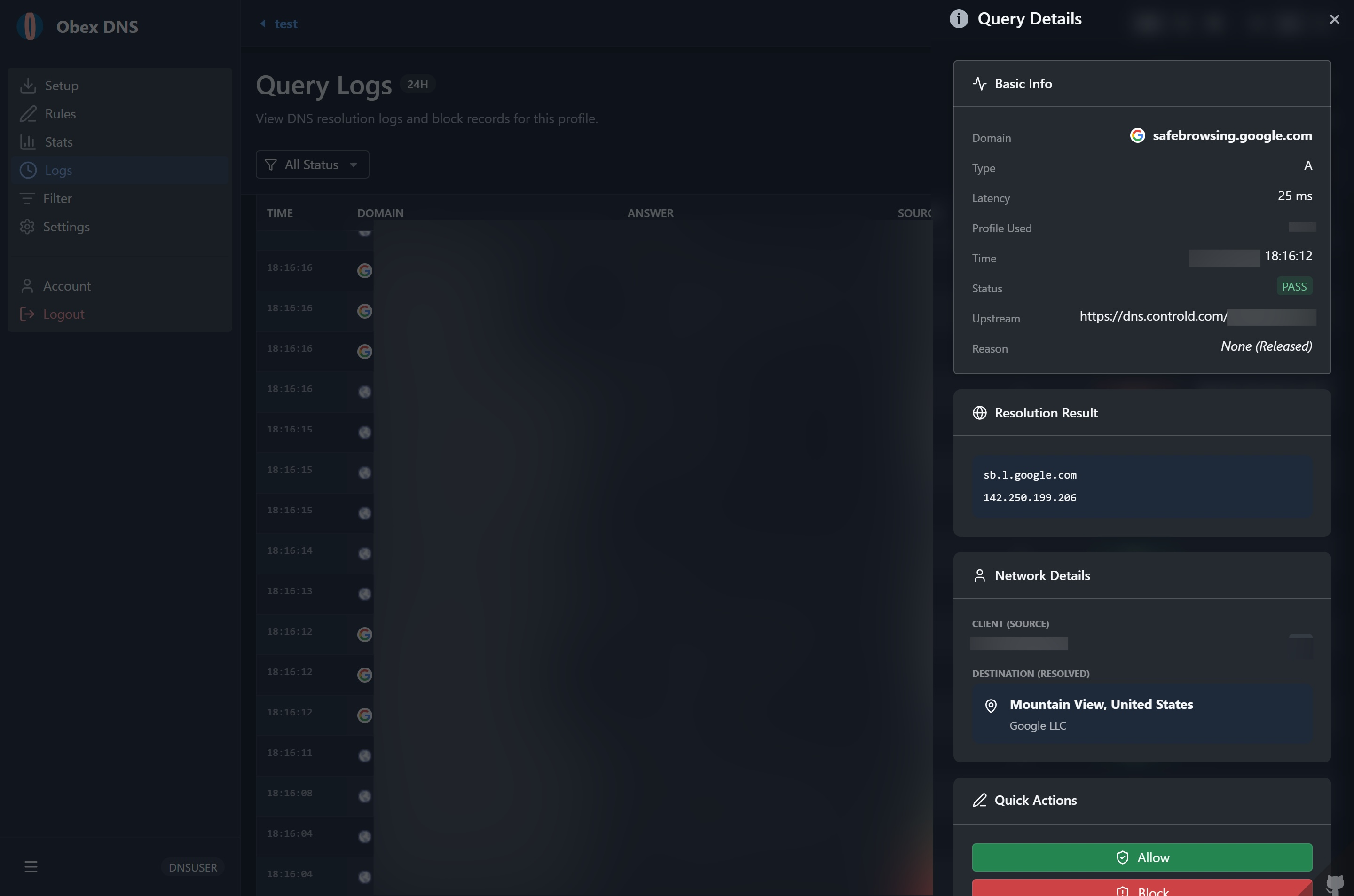 |
| Profile Settings | Profile Select |
|---|---|
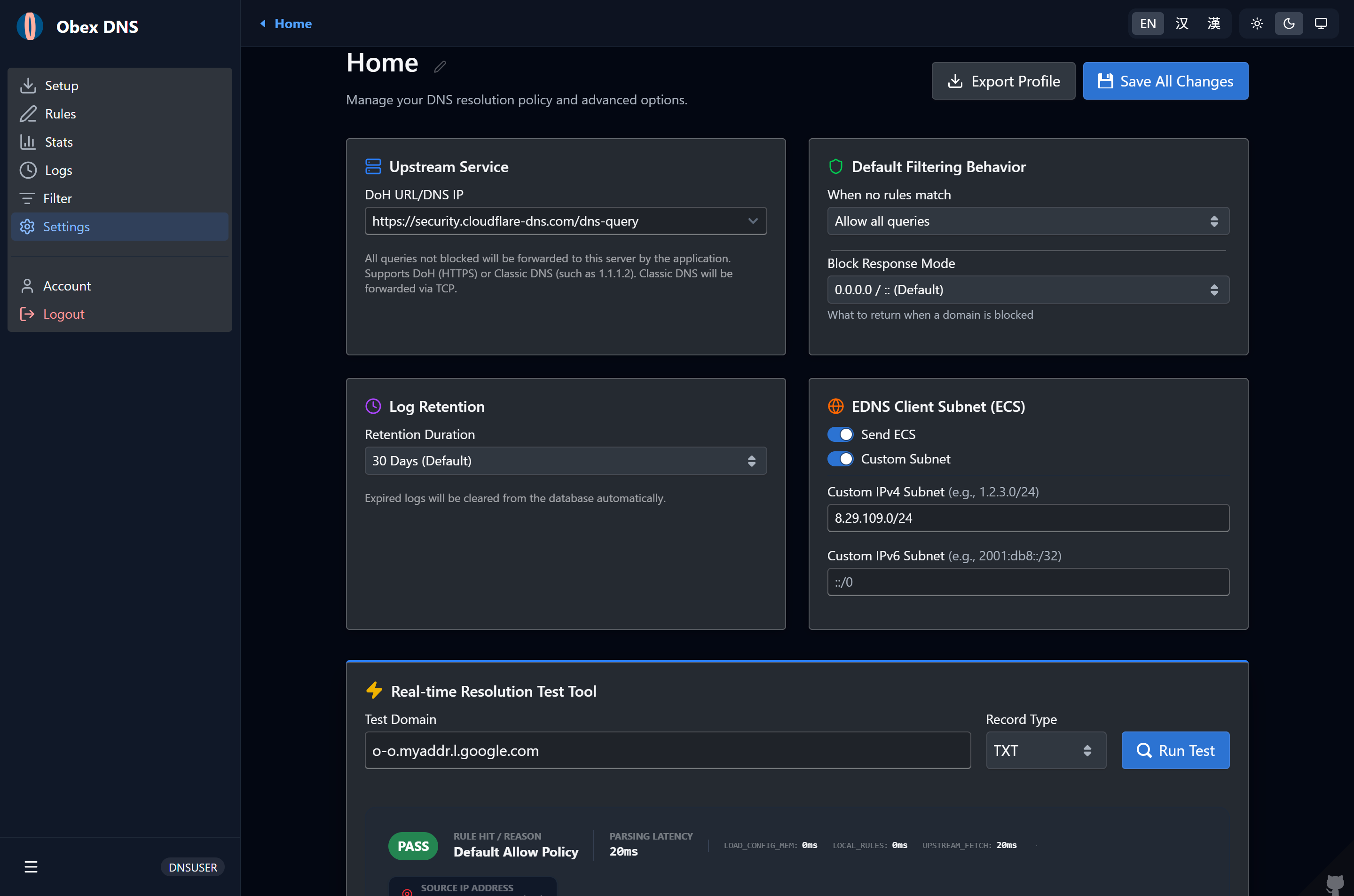 |
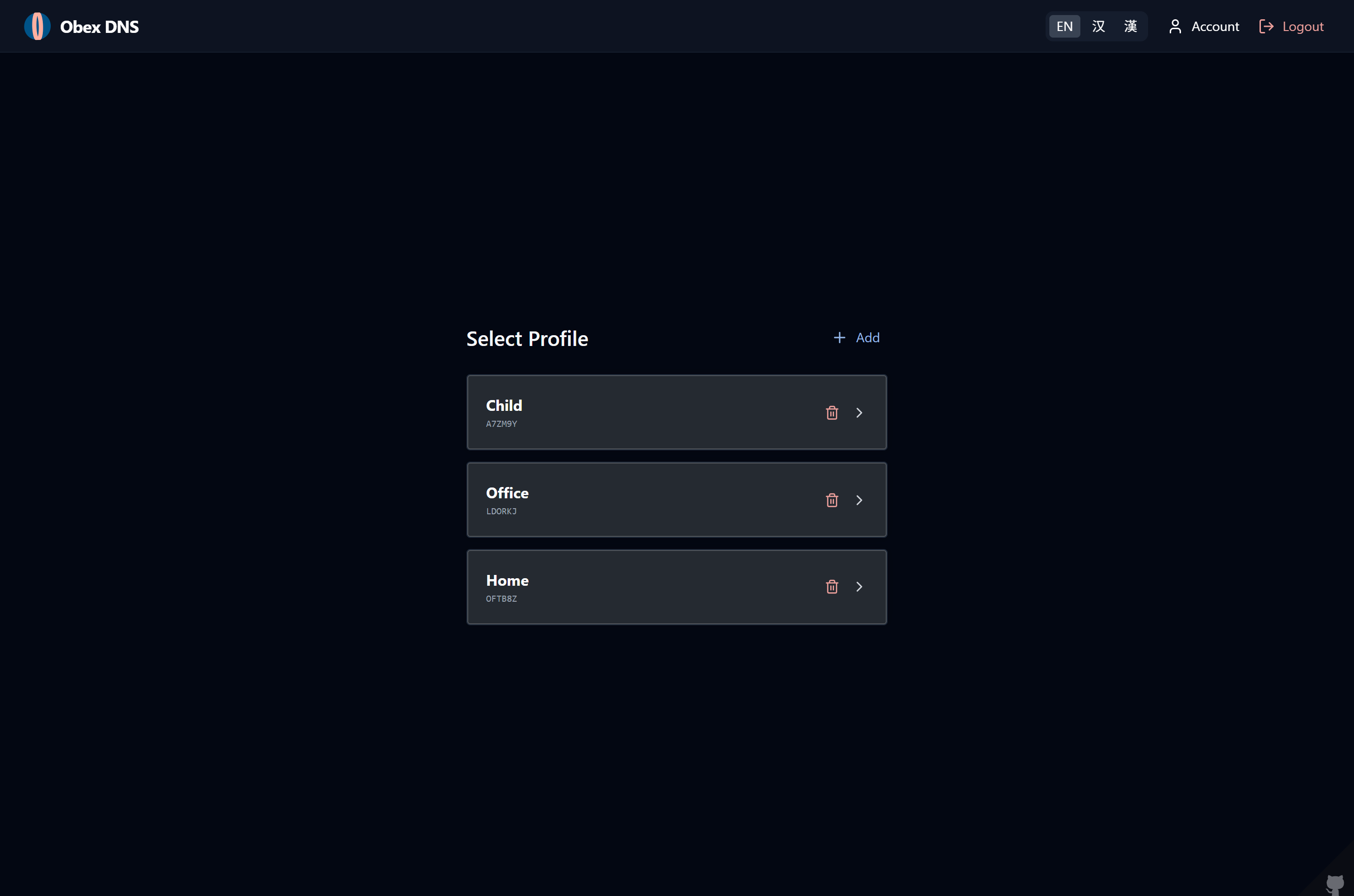 |
| Mobile Logs | Mobile Stats |
|---|---|
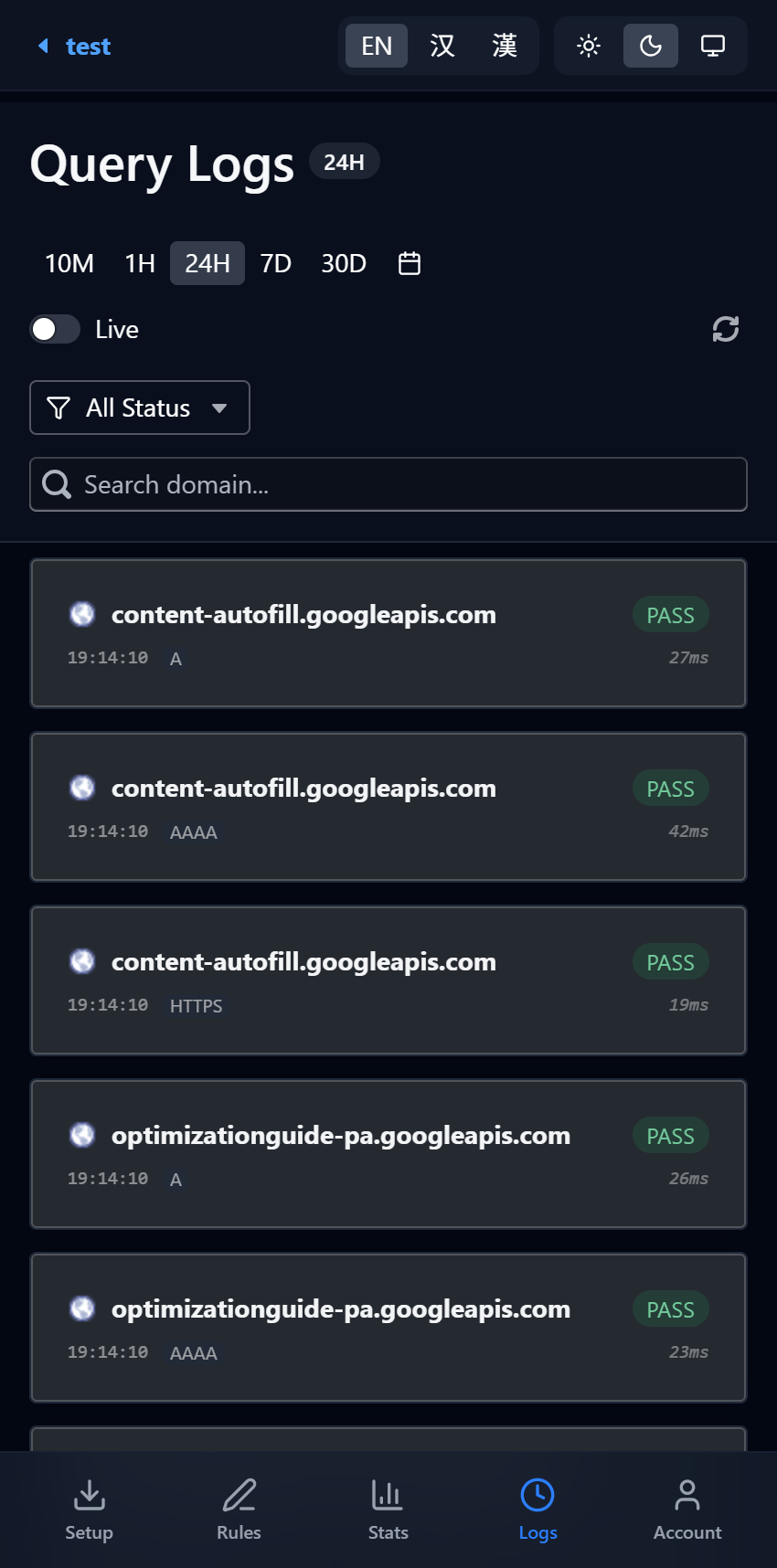 |
 |
├── src/
│   ├── index.ts          # Cloudflare Worker entry point, handles HTTP routing & DoH
│   ├── serverfull/       # Standalone Server entry point (UDP 53, DoT 853, HTTP 3000)
│   │   ├── index.ts      # Serverfull CLI & Master bootstrap
│   │   ├── udp.ts        # Classic RFC 1035 UDP 53 DNS Server
│   │   ├── dot.ts        # RFC 7858 DoT 853 Server with SNI Profile routing
│   │   ├── http.ts       # Web Dashboard & DoH HTTP server
│   │   └── db.ts         # Native Node.js SQLite (node:sqlite) adapter & migrator
│   ├── types.ts          # Type definitions
│   ├── api/              # API Controllers (Auth, Account, Profiles)
│   ├── lib/              # Core logic (RBAC, Rule filtering, PQC Crypto, DEK manager)
│   ├── models/           # Database models (Unified D1 & SQLite)
│   ├── pipeline/         # DNS Resolution Pipeline (Unified core business logic)
│   └── utils/            # Utilities (Cache, GeoIP, DNS Codec, Bloom Filter)
├── web/                  # React/BlueprintJS UI frontend (Local-First WASM + OPFS)
│   ├── public/           # Public static files
│   ├── src/              # Frontend source code
│   │   ├── assets/       # Static assets (images, icons, etc.)
│   │   ├── components/   # Reusable UI components
│   │   ├── i18n/         # Internationalization (i18n) configuration
│   │   ├── layouts/      # Layout components (dashboard layout, etc.)
│   │   ├── routes/       # Frontend routing configuration
│   │   ├── services/     # Centralized API service wrappers (Auth, Account, Profiles, etc.)
│   │   ├── views/        # Main pages / views (dashboard, logs, settings, setup, etc.)
│   │   └── utils/        # Utility helpers and functions
│   └── package.json      # Frontend dependencies configuration
├── static/               # Compiled static resources
├── scripts/              # Automation scripts (e.g., Linux systemd service generator)
├── migrations/           # Unified SQL Database migration scripts
└── wrangler.toml         # Cloudflare deployment configuration
When a DNS request arrives, it goes through the following processing stages:
- Memory Cache Check: Checks if a valid response for the query exists in the edge node's memory.
- Config Loading: Layers profile settings loading from Memory -> Cache API -> Database (D1 or SQLite).
- Local Rule Matching:
- Whitelist: If hit, forwards directly to upstream and returns.
- Redirection: If hit, returns custom records.
- Blacklist: If hit, returns NXDOMAIN, 0.0.0.0, or a custom result.
- External List Filtering:
- Use a Bloom filter for fast filtering.
- Upstream Resolution: If none of the above hit, requests the upstream DoH server based on configuration, with optional ECS support.
- Async Logging & Caching: Asynchronously records resolution logs (with optional PQC E2EE encryption), fetches target GeoIP, and writes results to various cache levels.
ObexDNS offers two deployment methods tailored to different operational needs:
- Option A: 🖥️ Standalone Server / VPS (Cloudflare-Free, Full Sovereignty) — Best if you want complete control, classic UDP 53 for routers, and native Android DoT 853 on your own machine.
- Option B: ☁️ Cloudflare Workers Edge (Serverless, Zero Maintenance) — Best if you want a globally distributed, zero-cost, zero-maintenance DoH resolver on 300+ edge PoPs.
Run ObexDNS directly on any Linux, Windows, or macOS host with Node.js >= 22.5.0 (using built-in node:sqlite). No Cloudflare account, tokens, or external databases required.
- Classic UDP DNS (Port 53): Standard RFC 1035 UDP DNS resolution service for routers or system DNS settings.
- DNS over TLS / DoT (Port 853): RFC 7858 encrypted DNS, natively supported by Android 9+ "Private DNS", with SNI-based Profile routing (e.g.
<profile_key>.dns.example.com). - Web Dashboard & DoH (Default Port 3000): Full-featured React management dashboard and REST API.
- Local SQLite Database: Automatically executes schema migrations out-of-the-box without cloud dependencies.
| Environment Variable | Description | Default / Example |
|---|---|---|
SERVERFULL_TLS_KEY_PATH |
Absolute path to TLS private key file (PEM format, alias: SERFULL_TLS_KEY_PATH) |
/etc/letsencrypt/live/example.com/privkey.pem |
SERVERFULL_TLS_CERT_PATH |
Absolute path to TLS certificate chain file (PEM format, alias: SERVERFULL_TLS_PUB_PATH) |
/etc/letsencrypt/live/example.com/fullchain.pem |
SERVERFULL_UDP_PORT |
Classic UDP DNS listening port | 53 |
SERVERFULL_DOT_PORT |
DoT (TLS) listening port | 853 |
SERVERFULL_HTTP_PORT |
HTTP Web Dashboard & DoH listening port | 3000 |
SERVERFULL_HOST |
Listening host IP | 0.0.0.0 |
SERVERFULL_DB_PATH |
Local SQLite database file path | ./data/dns_worker.sqlite |
SERVERFULL_DEFAULT_PROFILE_KEY |
Default Profile key when no SNI or profile identifier is provided | First created profile |
JWT_SECRET |
Session authentication token secret key | Auto-generated secure random string |
- Clone repository and install dependencies:
git clone https://github.com/Obein/DNS-Worker.git obexdns
cd obexdns
npm install- Configure environment variables:
The project provides an out-of-the-box configuration template
.env.serverfull. You can modify it directly or copy it to.env:
cp .env.serverfull .env
nano .env- Build frontend and start Standalone Server:
npm run start:serverfull- Production deployment as a Linux systemd background service:
sudo npm run service-create:linux
sudo systemctl start dns-worker
sudo systemctl status dns-worker
This generates /etc/systemd/system/dns-worker.service configured with CAP_NET_BIND_SERVICE privileges to bind privileged ports 53 and 853 without running as root, with automatic restart on reboot.
Run ObexDNS across 300+ edge locations worldwide on Cloudflare Workers and D1 database.
- Fork this repo: Click the
Forkbutton at the top right to clone the repository to your own GitHub account. - Create D1 Database: Log in to the Cloudflare dashboard, go to
Workers & Pages>D1, and create a new database (e.g., nameddns_worker_db), and copy the created database ID. - Configure Database ID: In your forked repository, edit the
wrangler.tomlfile and replacedatabase_idwith the ID of the database you just created. - Create Worker: Go to Cloudflare dashboard
Workers & Pages>Create application. - Import from GitHub & Complete Initial Deployment: On the deployment page, select
Continue with GitHub, connect your forked project, and complete the authorized deployment. Under the Build & Deploy settings, configure as follows:- Build command:
npm run build - Deploy command:
npm run deploy - Root directory (Path):
/
⚠️ Note: Environment variables entered in the initial project setup wizard are only injected into the build container and will not take effect as runtime secrets. Proceed with the "Deploy" button directly, and configure runtime secrets in your Worker's settings after the initial deployment finishes. - Build command:
- Configure JWT Secret: After the initial deployment completes, go to Cloudflare Dashboard ->
Workers & Pages-> click on your Worker ->Settings->Runtime variables and secrets(orVariables and secrets) -> clickAdd. Set the Name toJWT_SECRET, choose typeSecret, input a secure random string as Value, and clickDeploy(orSave and Deploy). - Configure KEK for Envelope Encryption (Optional): In the same
Settings>Runtime variables and secretssection after deployment, to enable server-side envelope encryption for sensitive credentials (such as TOTP keys and recovery keys) in D1, add a variable namedKEK_v1, typeSecret, and input a secure key value. When you need to rotate the KEK key, add a new secretKEK_v(N+1)(e.g.KEK_v2->KEK_v3, etc.) sequentially.
- Node.js: v18.x or later (v22.5.0+ recommended)
- Package Manager: npm
- Cloudflare Account: Workers and D1 permissions required
# 1. Clone repository and install dependencies
npm install

# 2. Initialize and migrate local D1 database
npm run db:setup
npm run db:migrate:dev

# 3. Configure local environment variables (.dev.vars)
echo "JWT_SECRET=your_secure_random_string_here" > .dev.vars
echo "KEK_v1=your_secure_kek_v1_key_string" >> .dev.vars

# 4. Start local development server
npm run dev

# 5. Deploy to Cloudflare Workers
npm run deployIf you wish to deploy the project using Cloudflare Pages (Advanced Mode):
Warning
Not Recommended: This project is primarily a DNS resolution service, which is highly sensitive to response latency. Workers, as lightweight edge functions, are much better suited for low-latency DoH resolution tasks compared to Pages Functions. Standard Worker deployment also offers simpler routing and binding management. We strongly suggest deploying via Workers instead.
- Create a D1 Database, copy its ID, and paste it into the
database_idfield inwrangler.toml. - In the Cloudflare Dashboard, go to
Workers & Pages>Create application>Pages>Connect to Git. - Select your forked repository, and configure the build settings:
- Framework preset:
None - Build command:
npm run build:pages - Build output directory:
static
- Framework preset:
- After the initial deployment, go to the Pages project's Settings > Functions > D1 database bindings, and add a binding:
- Variable name:
DB - D1 database: Select your
dns_worker_dbdatabase.
- Variable name:
- Redeploy the Pages project for the bindings to take effect.
- Cloudflare Workers & D1 Database
- Node.js (Native
node:sqliteEngine)
- React & Blueprint (Modern high-density UI)
- Tailwind CSS
- NIST FIPS 203 (ML-KEM-768 Post-Quantum Cryptography)
- wa-sqlite (WebAssembly SQLite & OPFS Local-First Storage)
This project is licensed under the AGPLv3 License.
ObexDNS gives you full control over your DNS resolution — with zero compromises on privacy, performance, or flexibility. By supporting both a high-efficiency standalone Node.js server and Cloudflare Workers global edge, it delivers an enterprise-grade Protective DNS system that is:
- Dual-Engine Versatility: Run completely Cloudflare-free on your own VPS with classic UDP 53 & DoT 853, or deploy globally on Cloudflare Workers edge for zero-maintenance DoH.
- Full-Stack Protocol Support: Classic UDP 53 for routers, Android Private DNS (DoT 853 with SNI profile routing), and DoH (RFC 8484).
- Post-Quantum E2EE: Protects sensitive DNS query logs using NIST FIPS 203 P256-MLKEM768 lattice cryptography and hardware Passkeys (WebAuthn).
- Local-First Speed: Instant 0ms log filtering and analytics in your browser via SQLite WASM + OPFS, eliminating unnecessary database read quotas.
- Granular Governance: Multi-profile isolation, custom record redirection, ECH parameter rewriting, and Bloom-filter-accelerated adblocking subscriptions.
Whether protecting a single device, an entire home network, or a distributed organization, ObexDNS provides an elegant, self-sovereign alternative to commercial DNS filtering services.
If ObexDNS is useful to you, please consider giving it a ⭐