
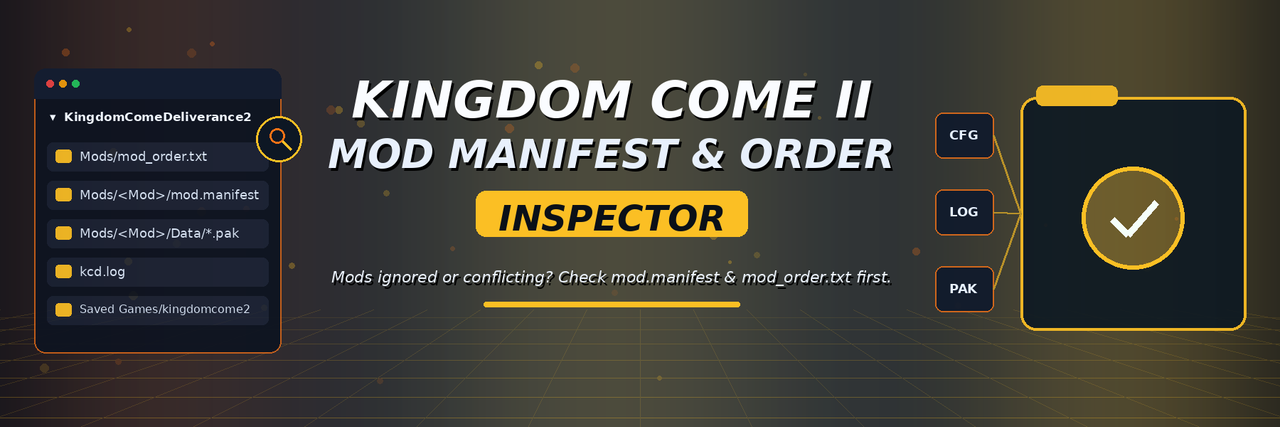



Kingdom Come: Deliverance II ignoring your installed mods? Two mods overwriting the same UI or combat table, or infinite loading screens after a game update? Inspect your Mods folder structure and mod_order.txt before reinstalling.
KCD2 Mod Order Inspector focuses on CryEngine's mod discovery rules in Kingdom Come: Deliverance II: each mod folder must expose mod.manifest at its immediate root, mod_order.txt controls override priority when multiple .pak files touch the same XML tables, and player playline saves reside separately in Saved Games\kingdomcome2.
This project is aimed at Kingdom Come: Deliverance II on Windows (Steam). It concerns Mods directory hierarchy, mod.manifest validation, mod_order.txt formatting, and local save backups—not redistributing mods or editing .whs saves.
| Symptom / Error | Likely Cause | Recommended Check |
|---|---|---|
Mod extracted into Mods\ is ignored in-game |
Double-nested archive folder (Mods\Mod\Mod\mod.manifest) |
Ensure mod.manifest sits directly inside Mods\<ModName>\ |
| Two mods overwrite the same UI or combat table | Missing or unsorted Mods\mod_order.txt load order |
Verify mod_order.txt lists mod IDs in explicit override order |
| Broken menus or infinite load after patch | Outdated .pak table override inside Mods\<Mod>\Data\ |
Isolate Mods\ folders and inspect kcd.log for mount errors |
| Protecting playline saves before overhaul mods | Persistent script edits written into .whs save files |
Back up %USERPROFILE%\Saved Games\kingdomcome2\saves |
Download KCD2ModCheck.zip — Latest GitHub Release (Windows x64)
View All Releases & Changelog · Report an Issue
- Scans every subfolder in
KingdomComeDeliverance2\Modsand verifies a rootmod.manifestexists. - Flags double-nested archive folders that CryEngine silently skips on startup.
- Checks
Mods\mod_order.txtand scanskcd.logfor.pakmount or XML parse errors. - Locates
%USERPROFILE%\Saved Games\kingdomcome2\savesand counts active playline.whsfiles.
[KCD2ModCheck] Auditing Kingdom Come: Deliverance II Mods & Saves...
[OK]   Game Install     : D:\SteamLibrary\steamapps\common\KingdomComeDeliverance2
[OK]   mod_order.txt    : Present (6 entries)
[OK]   Mods\UnlimitedSaving : OK (mod.manifest at root)
[WARN] Mods\BetterUI        : WARN - mod.manifest nested inside BetterUI\BetterUI\!
[OK]   Saved Games      : C:\Users\Player\Saved Games\kingdomcome2\saves (19 .whs files)
The release ZIP is named KCD2ModCheck.zip; the Windows executable inside is named KCD2ModCheck.exe.
- Close Kingdom Come: Deliverance II before moving or checking game files.
- Click Download KCD2ModCheck.zip above.
- Right-click the downloaded archive and choose Extract All.
- Open the extracted folder and run
KCD2ModCheck.exe. - Review the reported locations and status checks before making any changes to your files.
- Restart Kingdom Come: Deliverance II and verify behavior after applying any recommended fixes.
Requirements: Windows 10 or 11 (64-bit), a Windows Steam installation of Kingdom Come: Deliverance II, and access to Saved Games.
- Read-only & standard user permissions:
KCD2ModCheck.exeruns without administrator rights and does not modify game binaries, system registry keys, or Windows Defender settings. - Windows SmartScreen: Because this is an independent open-source utility without a commercial EV code-signing certificate, Windows SmartScreen may show "Windows protected your PC" on first launch. Click More info → Run anyway after verifying the release checksum on the Releases page.
Extracting archives with 'Extract to folder' often creates double-nested paths like Mods\MyMod\MyMod\mod.manifest. CryEngine ignores any mod whose mod.manifest is not directly inside Mods\<ModFolder>\.
When Mods\mod_order.txt is absent, the game loads mods alphabetically by folder name. Adding mod_order.txt enforces explicit load priority so patches and compatibility overrides load last.
Mods that replace UI .gfx or database .xml tables inside Data\*.pak frequently conflict with updated base game .pak archives after a patch.
Local playline saves (*.whs) are stored under %USERPROFILE%\Saved Games\kingdomcome2\saves. Backing up this directory protects your campaign before testing heavy mods.
On Windows Steam installations, mods live inside the game directory while saves live in your user profile:
%ProgramFiles(x86)%\Steam\steamapps\common\KingdomComeDeliverance2\Mods\
Inside that structure, key files and subdirectories typically look like this:
KingdomComeDeliverance2\
├── kcd.log
└── Mods\
    ├── mod_order.txt
    └── YourModFolder\
        ├── mod.manifest
        └── Data\
            └── YourMod.pak

%USERPROFILE%\Saved Games\kingdomcome2\saves\
If you use Steam Workshop subscriptions alongside manual Mods folders, check kcd.log in the root game directory to see the exact order in which CryEngine mounted each .pak.
If your issue still persists, work through these checks in order:
- Close Kingdom Come: Deliverance II completely. Exit the game and allow Steam Cloud sync to finish before modifying
ModsorSaved Games. - Back up
%USERPROFILE%\Saved Games\kingdomcome2. Copy your entirekingdomcome2save folder to a dated backup folder in Documents. - Check every mod folder for a root
mod.manifest. Ensure no mod has an extra wrapper folder hiding itsmod.manifestandDatasubfolder. - Verify
mod_order.txtentries. Confirm each line inMods\mod_order.txtmatches the exact mod ID defined inmod.manifest. - Inspect
kcd.logfor mount errors. Openkcd.login the root game directory to confirm your mods mounted without XML parse errors. - Isolate outdated
.pakmods after game updates. Temporarily moveModssubfolders out and reintroduce them one by one after an official patch. - Restart the game cleanly. Launch via Steam and verify mod behavior on a test save before overwriting your main playline.
Always keep a dated copy of %USERPROFILE%\Saved Games\kingdomcome2 outside your user profile before removing mods that add items, perks, or quests.
A clear mod audit checks every subfolder in KingdomComeDeliverance2\Mods for a valid root mod.manifest, verifies mod_order.txt presence, scans kcd.log for mount warnings, and confirms your Saved Games\kingdomcome2 backup target.
Where do Kingdom Come: Deliverance II manual mods go?
Place each mod folder inside steamapps\common\KingdomComeDeliverance2\Mods\ so that mod.manifest is directly inside Mods\<ModFolder>\.
How does mod_order.txt work in KCD2?
Create a plain-text mod_order.txt inside Mods\ listing mod IDs one per line in the order they should load (later entries override earlier ones).
Where are KCD2 save files stored on Windows?
Local saves are stored under %USERPROFILE%\Saved Games\kingdomcome2\saves\.
Why did my UI break after a KCD2 patch?
UI and localization .pak mods often need updates after official patches; move them out of Mods\ temporarily to confirm.
Does this tool edit .whs save files?
No. It inspects directory structure, manifests, and logs without altering saves.
Are third-party mods bundled with this repository?
No mods or copyrighted game files are included. Download mods directly from their authors.
- BG3-ModSettingsDoctor — Baldur's Gate 3
modsettings.lsx& Script Extender audit - SkyrimSE-SKSEPluginAudit — Skyrim SE
skse64.log& DLL plugin compatibility audit - Starfield-PluginsOrderDoctor — Starfield
Plugins.txt&StarfieldCustom.iniload order check - PBZ-UE4SSLoaderCheck — Phantom Blade Zero
UE4SS.logAOB &~modsloader check
Independent community project. Not affiliated with Warhorse Studios, Deep Silver, Valve, or Steam. All trademarks belong to their respective owners.