

iPlayarr is a companion tool for Sonarr and Radarr, making it easy to integrate get_iplayer for searching and downloading iPlayer content directly. It acts as both an indexer and a download client, allowing seamless automation of TV and movie downloads.


AI Generated Code Update Since releaseing iPlayarr in 2024 I've struggled with the upkeep of the mounting issues. As such, I've been using Claude code to work through the backlog.
Changes it produces are still manually tested and checked
If you prefer not to use AI generated code please stick to the 0.x.x releases which are prior to this update
I realise it's a polarising topic in software development, but without this, iPlayarr would be receiving no updates at all. Thanks Nikorag
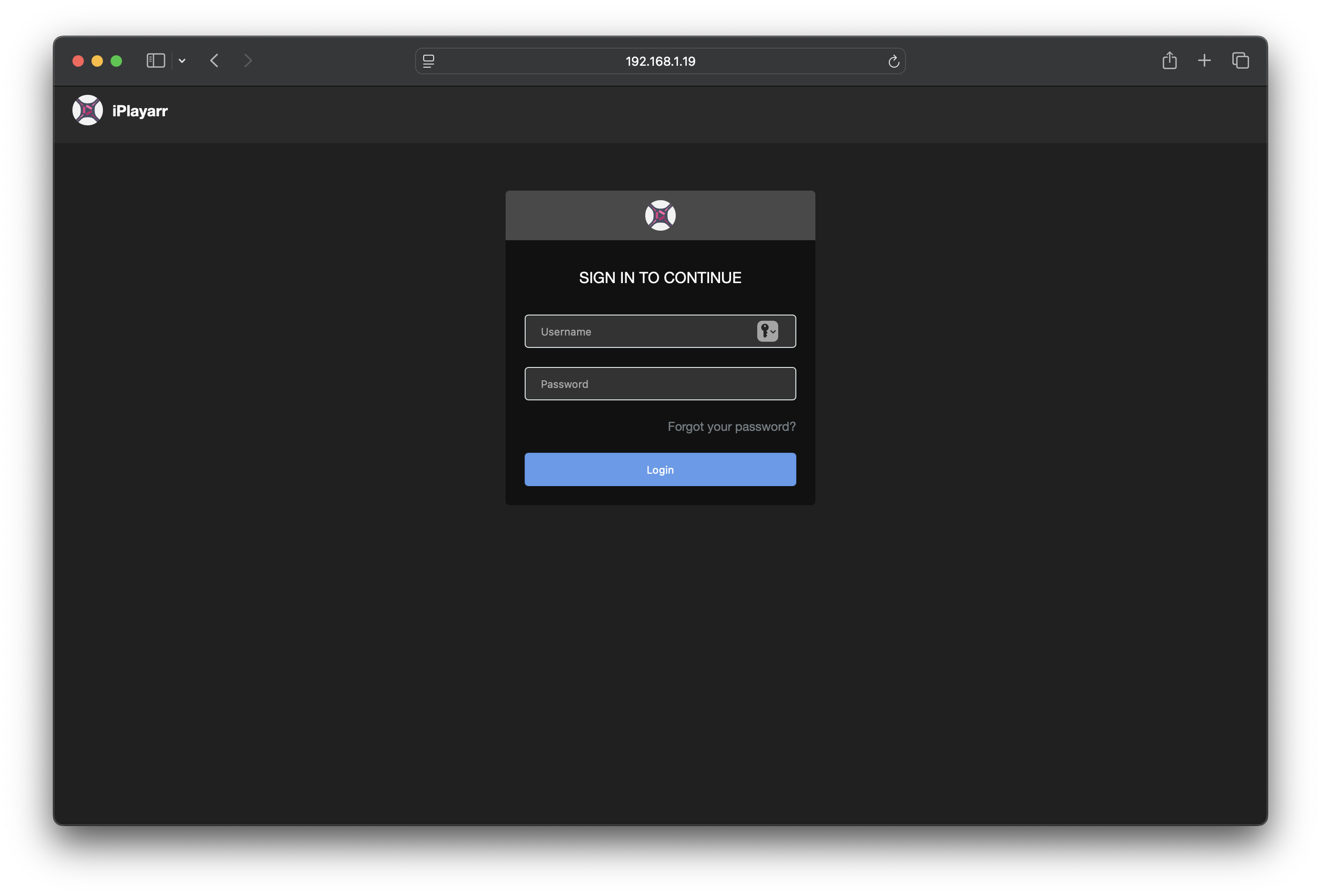
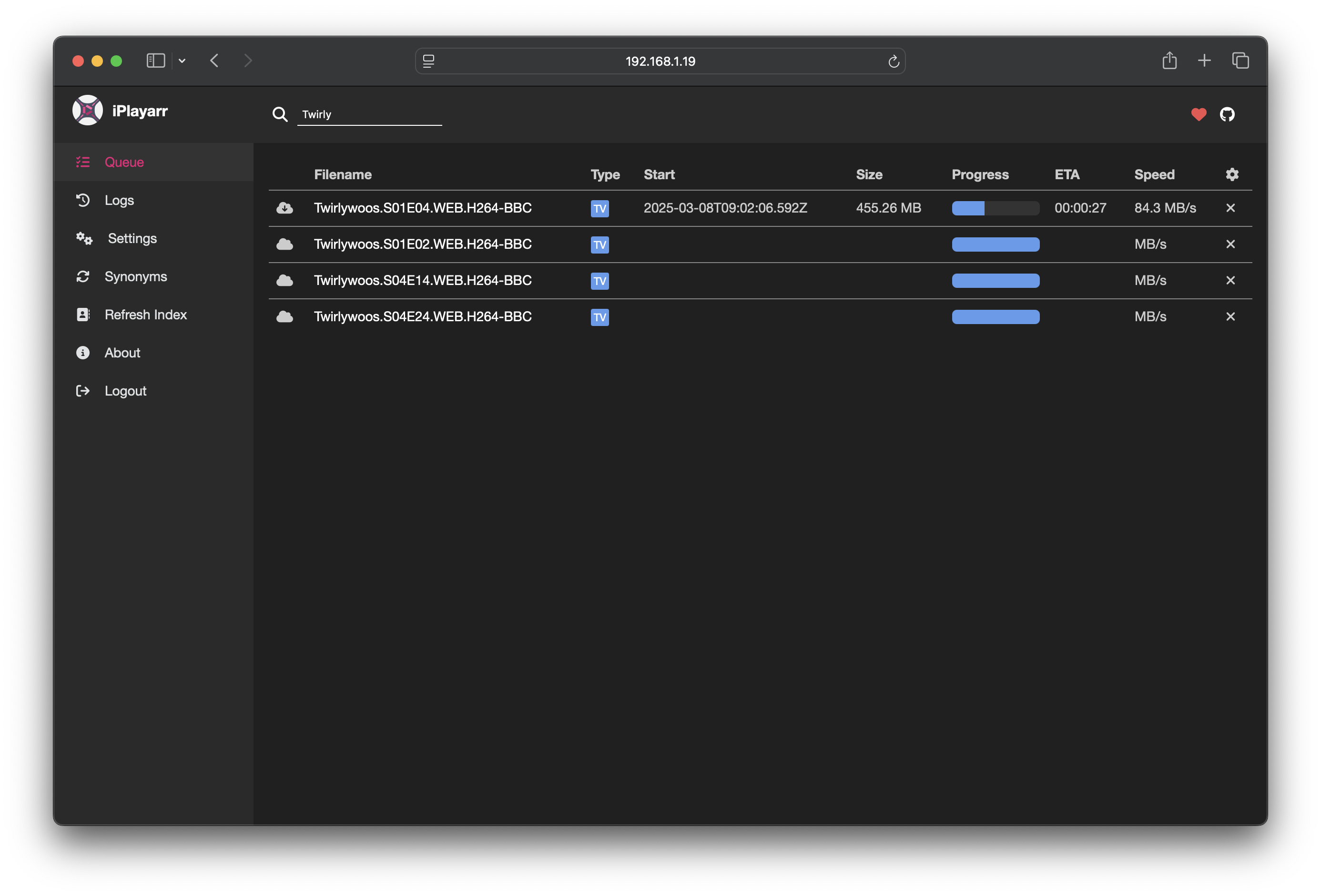
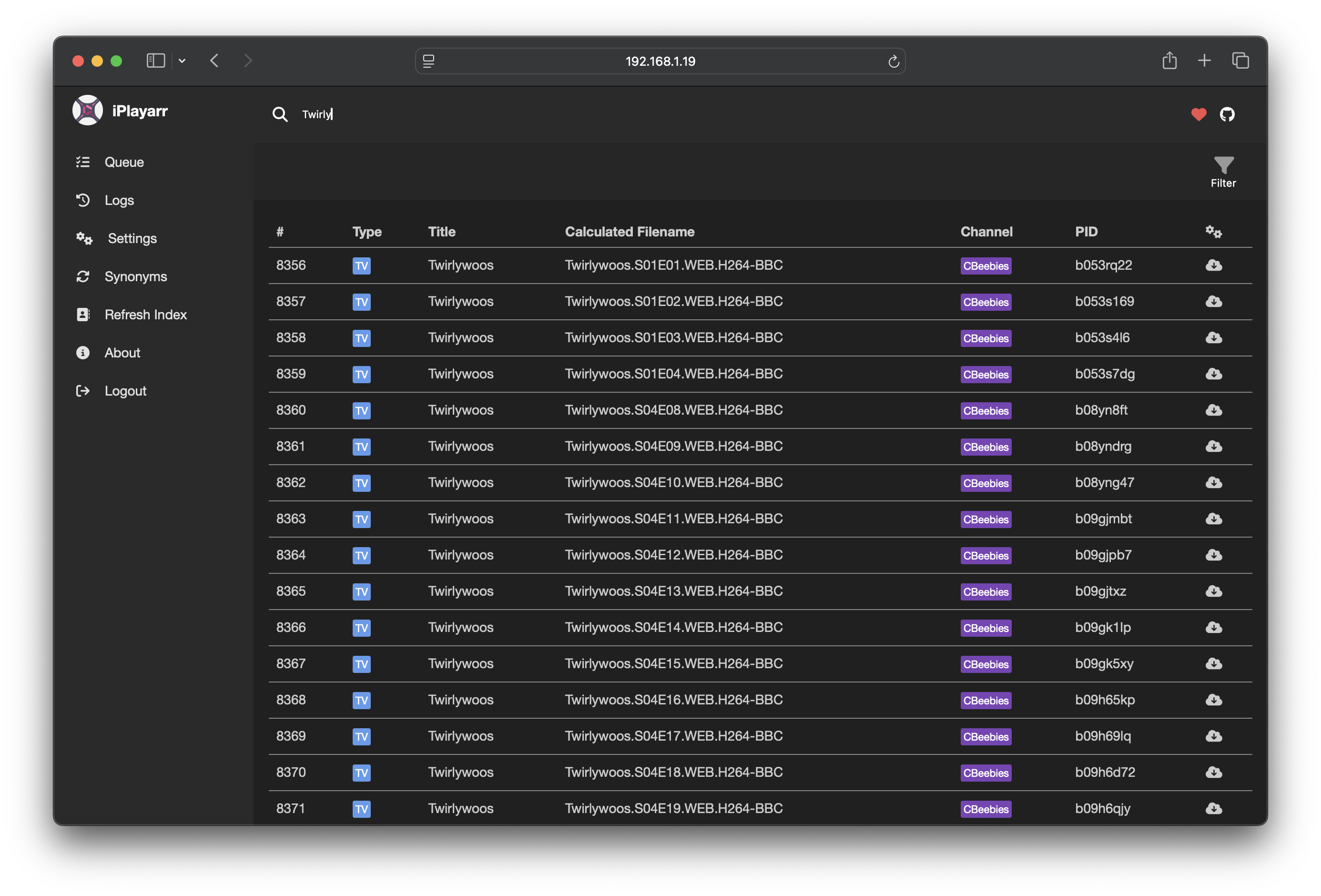
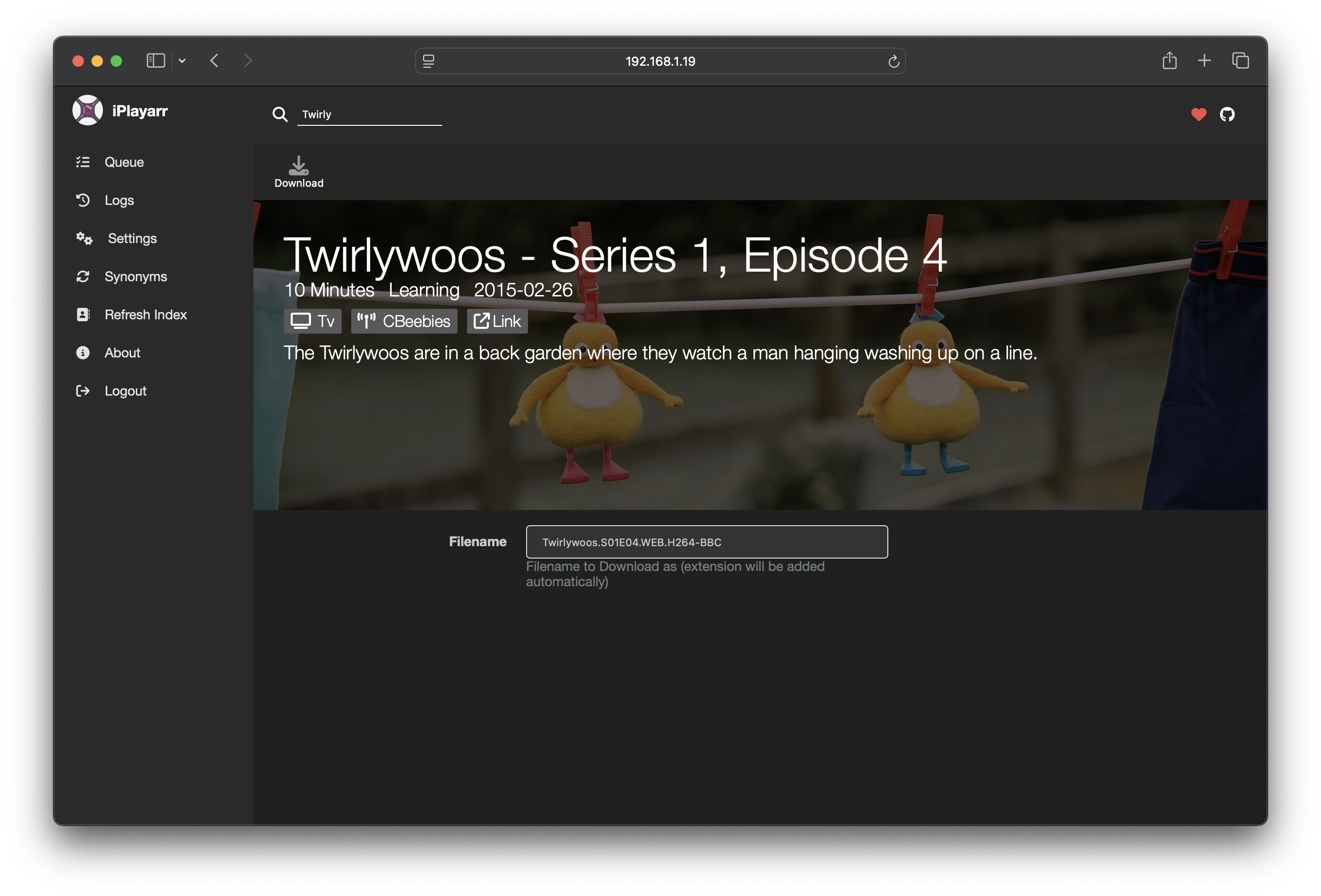
iPlayarr can now serve the live BBC channels to Jellyfin as an M3U tuner with an XMLTV guide, either redirecting Jellyfin to the BBC or proxying the stream through iPlayarr. See Live TV (Jellyfin).
The Express backend and the separate Vue frontend have been replaced by one Nuxt application. The UI, the API (including the Newznab and SABnzbd endpoints that Sonarr and Radarr talk to) and the background tasks now run in a single process, and the frontend and API are served from the same port, 4404 by default.
What this means for you:
- Nothing to change in Sonarr, Radarr or Prowlarr. API URLs, API keys and the endpoints they use are unchanged.
- You'll be logged out once. Login sessions are handled differently, so you'll need to sign in again after upgrading.
- Live updates use a native websocket (
/_ws) instead of socket.io. If you run iPlayarr behind a reverse proxy, make sure it forwards websocket connections. - Smaller Docker image, as only the production build is shipped.
- Development is simpler:
npm installthennpm run devruns everything onhttp://localhost:4404, see Development Setup.
iPlayarr no longer runs or needs Redis for your data. Settings, apps, synonyms, history, statistics and login sessions are stored in a SQLite file (/config/iplayarr.db in Docker), created automatically with no setup. Postgres is supported too by setting DATABASE_URL. Redis is now optional and only used for caching.
Upgrading from a Redis-based version is automatic, your existing data is imported on first start. See Database and Migrating from Redis for details.
iPlayer offers a wide range of high-quality content, but integrating it with Sonarr and Radarr has always been tricky. iPlayarr solves this problem by:
- Acting as a Newznab-compatible indexer, making iPlayer content searchable within Sonarr/Radarr
- Presenting as a SABnzbd-compatible download client, allowing automatic downloads and post-processing
- Handling the full download lifecycle, from fetching content with get_iplayer to organizing completed files
Unlike torrents and Usenet, iPlayarr operates in a less legally ambiguous space by only downloading content that is freely available for streaming.
This project started as an experiment: Is it possible to integrate iPlayer with Sonarr/Radarr in a clean, automated way?
Most existing solutions rely on torrents or Usenet, but I wanted something that could get media from a reliable source. iPlayarr functions like a personal DVR for iPlayer, making it easier to automate downloads without needing traditional PVR software.
The simplest way to use iPlayarr is via Docker:
docker run -d --name iplayarr \
  -v ./cache:/data \
  -v ./config:/config \
  -v ./logs:/logs \
  -v /path/to/incomplete:/incomplete \
  -v /path/to/complete:/complete \
  --env-file=env-file \
  -p 4404:4404 \
  nikorag/iplayarr:latest
Alternatively, use the bundled Dockerfile:
docker build -t iplayarr .
docker run -d --name iplayarr \
  -v ./cache:/data \
  -v ./config:/config \
  -v ./logs:/logs \
  -v /path/to/incomplete:/incomplete \
  -v /path/to/complete:/complete \
  --env-file=env-file \
  -p 4404:4404 \
  iplayarr
Or use Docker Compose:
services:
    iplayarr:
        image: 'nikorag/iplayarr:latest'
        container_name: 'iplayarr'
        environment:
            - 'API_KEY=1234'
            - 'DOWNLOAD_DIR=/mnt/media/iplayarr/incomplete'
            - 'COMPLETE_DIR=/mnt/media/iplayarr/complete'
            - 'PUID=1000'
            - 'PGID=1000'
        ports:
            - '4404:4404'
        volumes:
            - '/mnt/media:/mnt/media'
            - './cache:/data'
            - './config:/config'
            - './logs:/logs'
You can pre-set the following environment variables, or you can set them in the Settings menu once the container is up.
| Property | Description |
|---|---|
| API_KEY | Api key to secure your iplayarr instance |
| DOWNLOAD_DIR | Download directory for in progress pulls |
| COMPLETE_DIR | Directory to move completed files to |
There's a few more optional settings too:
| Property | Description |
|---|---|
| ACTIVE_LIMIT | How many downloads are allowed simultaneously, defaults to 3 |
| REFRESH_SCHEDULE | Cron expression for when to proactively refresh schedule, defaults to hourly, on the hour |
| HIDE_DONATE | If you don't like the Kofi donate links you can hide them |
| PUID | User ID iPlayarr runs as. Set it to the same ID as Sonarr/Radarr, see Permissions |
| PGID | Group ID iPlayarr runs as. Set it to the same ID as Sonarr/Radarr |
| URL_BASE | Serve iPlayarr under a URL prefix such as /iplayarr, see Reverse proxy |
| DATABASE_URL | Use Postgres instead of SQLite, see Database |
| REDIS_HOST | Use Redis for caching instead of memory, see Caching |
Upgrading from a Redis-based version? Nothing to do, see Migrating from Redis.
Authentication
The default details are:
| Username | Password |
|---|---|
| admin | password |
Sonarr and Radarr link
Info: The best way to add iPlayarr to Sonarr or Radarr is to use the "Apps" section of the web UI in iPlayarr
iPlayarr presents itself as both an indexer and a download client on port 4404. You can configure it automatically from the Apps page or manually as follows:
Add iPlayarr manually as a Download Client
- Go to Settings > Download Clients in Sonarr/Radarr.
- Add a new SABnzbd client with the following details:
| Property | Value |
|---|---|
| Name | iPlayarr |
| Host | Your_Docker_Host |
| Port | 4404 |
| API Key | API_KEY from above |
| Category | iplayer |
- Test and save.
Add iPlayarr manually as an Indexer
- Go to Settings > Indexers in Sonarr/Radarr.
- Add a new Newznab indexer with these settings:
| Property | Value |
|---|---|
| Name | iPlayarr |
| URL | http://Your_Docker_Host:4404 |
| API Key | API_KEY from above |
| Download Client | iPlayarr (created above) |
To serve iPlayarr under a path, for example https://example.com/iplayarr, set URL_BASE (like Sonarr and Radarr's URL Base):
environment:
    - 'URL_BASE=/iplayarr'
iPlayarr then serves the web UI, the API (Newznab and SABnzbd endpoints) and the websocket only under that path, so the proxy should pass the path through unchanged (don't strip the prefix). For nginx:
location /iplayarr/ {
    proxy_pass http://iplayarr:4404;   # no trailing slash, so /iplayarr/... is forwarded as-is
    proxy_set_header Host $host;
    proxy_set_header X-Forwarded-Proto $scheme;
    proxy_http_version 1.1;
    proxy_set_header Upgrade $http_upgrade;       # the live queue/log updates use a websocket
    proxy_set_header Connection "upgrade";
}
Things that include the prefix automatically once it is set:
- Sonarr/Radarr entries created from the Apps page get the matching indexer API path and download client URL Base. Entries you created by hand need the same values (
/iplayarr/apifor the indexer,iplayarrfor the download client's URL Base). - Live TV playlist and guide URLs, and the OIDC callback URL (
<callback host>/iplayarr/auth/oidc/callback, so update it in your identity provider). - The session cookie is limited to the prefix.
If your proxy strips the prefix instead, leave URL_BASE unset: the UI and API work, but links iPlayarr builds itself (Live TV playlists, NZB download links) won't include the prefix. If you don't use Docker, NUXT_APP_BASE_URL does the same thing.
If downloads finish but Sonarr or Radarr can't import them (they sit in the complete folder, or "Import failed, path does not exist or is not accessible"), it is almost always one of these:
PUIDandPGIDdon't match. iPlayarr writes the finished file as the user and group inPUID/PGID. Set them to the same values Sonarr/Radarr run as (check theirPUID/PGID, orid <user>on the host), otherwise they may not be able to read or move the file. This is especially common on Synology and other NAS systems, where containers run as root by default.- iPlayarr was added to Sonarr/Radarr by hand. Use the Apps page to create the indexer and download client instead: it sets them up with the settings iPlayarr expects. Hand-made entries have caused files to be left behind on Synology.
- Different paths in different containers. iPlayarr reports the complete folder to Sonarr/Radarr, so that same path has to exist inside the Sonarr/Radarr container (mount the same host folder at the same container path, or add a Remote Path Mapping in Sonarr/Radarr).
- Too many simultaneous downloads. The default limit is 3 (
ACTIVE_LIMIT, or Download Limit in Settings). A few Synology users have found that setting it to1stopped imports failing, then raising it again if it stays reliable. This is a workaround reported by users rather than a known fix, so treat it as something to try.
To access the web frontend, visit http://Your_Docker_Host:4404.
From here, you can manage settings, view logs, and monitor downloads.
The Diagnostics page runs a set of health checks and shows what needs attention: database connectivity, whether the BBC iPlayer API is reachable, the installed get_iplayer version (and whether a newer release exists), yt-dlp and ffmpeg when your settings need them, free space and write access on the download and complete directories, and the outcome of the last search, download and index refresh. The same report is available as JSON at /json-api/diagnostics for logged in users.
iPlayarr exposes metrics in the Prometheus text format at /metrics. Authenticate with your API_KEY, either as a bearer token or as ?apikey=. A logged in browser session also works, and with AUTH_TYPE=none the endpoint is open.
scrape_configs:
    - job_name: iplayarr
      metrics_path: /metrics
      authorization:
          credentials: <your API_KEY>
      static_configs:
- targets: ['Your_Docker_Host:4404']| Metric | Type | Description |
|---|---|---|
iplayarr_info{version} |
gauge | Build information |
iplayarr_uptime_seconds |
gauge | Seconds since start-up |
iplayarr_queue_items{status} |
gauge | Items in the download queue (downloading, queued) |
iplayarr_searches_total{source,outcome} |
counter | Searches by backend (native, get_iplayer) and result |
iplayarr_search_duration_seconds_total{source} |
counter | Time spent searching |
iplayarr_downloads_total{outcome} |
counter | Finished downloads (completed, failed, cancelled) |
iplayarr_index_refreshes_total{outcome} |
counter | Schedule index refreshes |
iplayarr_upstream_errors_total{service} |
counter | BBC search errors that were handled and returned no results |
iplayarr_last_search_success_timestamp_seconds |
gauge | Unix time of the last successful search |
iplayarr_last_download_success_timestamp_seconds |
gauge | Unix time of the last successful download |
process_resident_memory_bytes |
gauge | Resident memory |
Counters are held in memory and reset when iPlayarr restarts. The two last_*_success gauges only appear once something has succeeded, so an alert such as time() - iplayarr_last_download_success_timestamp_seconds > 604800 won't fire straight after a restart. Searches answered from the cache aren't counted.
iPlayarr can serve the live BBC channels (BBC One, Two, Three, Four, News, Parliament, CBBC, CBeebies, BBC Scotland, BBC ALBA and S4C) to Jellyfin as an M3U tuner with an XMLTV programme guide.
- In iPlayarr, go to Settings → Live TV (Jellyfin), set Live TV Enabled? to Enabled, make sure an API Key is set, and save.
- In Jellyfin, go to Dashboard → Live TV and add an M3U Tuner with the playlist URL shown in iPlayarr's settings, e.g.
http://iplayarr:4404/tv/<API_KEY>/playlist.m3u. - Add an XMLTV guide provider with
http://iplayarr:4404/tv/<API_KEY>/guide.xml, then map the channels. They share ids with the playlist, so Jellyfin normally matches them automatically.
How the video reaches Jellyfin is your choice:
| Mode | What happens | Use it when |
|---|---|---|
| redirect | iPlayarr answers with a redirect and Jellyfin streams directly from the BBC (the default) | Jellyfin is on a UK connection. It's the lightest option, iPlayarr carries no video |
| proxy | iPlayarr fetches the stream and relays every playlist and segment to Jellyfin | Jellyfin can't reach the BBC itself (not in the UK, or restricted), only iPlayarr can |
Set the default in Settings → Stream Delivery (LIVE_TV_MODE). To use a different mode for one Jellyfin tuner, add ?mode=redirect or ?mode=proxy to the end of its playlist URL, e.g. http://iplayarr:4404/tv/<API_KEY>/playlist.m3u?mode=proxy.
Notes:
- The BBC only serves live streams to UK IP addresses, so whichever machine connects to the BBC (Jellyfin in redirect mode, iPlayarr in proxy mode) must be in the UK.
- The URLs contain your API key, so treat them like a password. Changing the API key changes the URLs, and the tuner must be updated in Jellyfin.
- Streams are whatever the BBC offers for live viewing, up to 720p. The guide covers yesterday, today and tomorrow and refreshes hourly.
- If you run iPlayarr behind a reverse proxy, forward the
Host(orX-Forwarded-Host/X-Forwarded-Proto) headers, as they're used to build the stream URLs in the playlist.
| Property | Description |
|---|---|
| LIVE_TV_ENABLED | true to enable Live TV (default false) |
| LIVE_TV_MODE | Default delivery: redirect (default) or proxy |
To run iPlayarr locally for development:
- Node.js (see
.node-versionfor current version) - Docker (optional, only needed for a local Postgres or Redis instance)
- Install dependencies:
npm install-
By default the dev server uses a local SQLite file at
./config/iplayarr.db, so there's nothing else to run. To develop against Postgres, see the Database section (npm run serve:postgresstarts a local one). -
Start the development server:
npm run deviPlayarr is a single Nuxt application: the Vue frontend lives in app/ and the API (Nitro server routes, websocket and background tasks) in server/. Everything is served from http://localhost:4404.
| Script | Description |
|---|---|
npm run build |
Build for production (output goes to .output) |
npm start |
Run the production build (port 4404 unless PORT is set) |
npm test |
Run tests with coverage |
npm run lint |
Run ESLint |
npm run prettier |
Check code formatting |
iPlayarr stores its settings, apps, synonyms, history, statistics and login sessions in a database. By default this is a SQLite file that is created automatically and doesn't require any additional setup. In Docker it lives in the /config volume (/config/iplayarr.db), so make sure that's mounted.
To use Postgres instead, set DATABASE_URL. The schema is created and upgraded automatically on startup.
| Property | Description |
|---|---|
| DATABASE_URL | Postgres connection string, e.g. postgres://user:password@host:5432/iplayarr. If unset, SQLite is used |
| DATABASE_SSL | Set to true to connect to Postgres over TLS |
| SQLITE_PATH | Location of the SQLite file (default /config/iplayarr.db in Docker, ./config/iplayarr.db otherwise) |
services:
    iplayarr:
        image: 'nikorag/iplayarr:latest'
        environment:
            - 'DATABASE_URL=postgres://iplayarr:secret@postgres:5432/iplayarr'
        depends_on:
            - postgres
    postgres:
        image: postgres:16-alpine
        environment:
            - 'POSTGRES_USER=iplayarr'
            - 'POSTGRES_PASSWORD=secret'
            - 'POSTGRES_DB=iplayarr'
        volumes:
            - './postgres:/var/lib/postgresql/data'
Back up SQLite by copying the iplayarr.db file (plus -wal/-shm files if present, ideally with the container stopped), or Postgres with pg_dump.
Search results, schedule and metadata lookups are cached in memory by default. This cache is cleared when iPlayarr restarts, and rebuilds itself as needed.
If you would prefer a persistent or shared cache, you can optionally point iPlayarr at a Redis instance by setting the following. Redis is only used for caching, never for your data.
- REDIS_HOST
- REDIS_PORT (optional, default 6379)
- REDIS_PASSWORD (optional)
- REDIS_SSL (optionally 'true')
If REDIS_HOST isn't set, the in-memory cache is used.
Earlier versions of iPlayarr kept all their data in Redis (either the copy bundled in the container, or an external one via REDIS_HOST). Upgrading is automatic: on first start, iPlayarr imports your existing data and then carries on as normal.
What is migrated: settings, apps, synonyms, history, cached off-schedule series, search/grab statistics. Logged-in sessions aren't carried over, so you'll need to log in again. Search/schedule/metadata caches and the live log buffer aren't migrated, they simply rebuild.
- Bundled Redis (the default): keep your
/configvolume mounted as before. iPlayarr reads the olddump.rdbfrom it, using a temporary, throwaway Redis process on a copy of the file. Yourdump.rdbis never modified and is left in place as a backup, once you're happy you can delete it. - External Redis (
REDIS_HOSTset): leave theREDIS_*variables as they are. Your data is imported once from that instance, which is then (if you keepREDIS_HOST) used purely as the cache. If you don't want a Redis cache, remove the variables after the first successful start.
The migration only runs once (it's recorded in the database) and never overwrites anything that already exists in the new database. If it can't read your old data, iPlayarr stops with an error rather than starting empty, and nothing is changed. Fix the problem and restart, or set SKIP_REDIS_MIGRATION=true to deliberately start from scratch.
| Property | Description |
|---|---|
| SKIP_REDIS_MIGRATION | Set to true to skip importing old Redis data |
| REDIS_DATA_DIR | Where to look for the old bundled dump.rdb (default /config) |