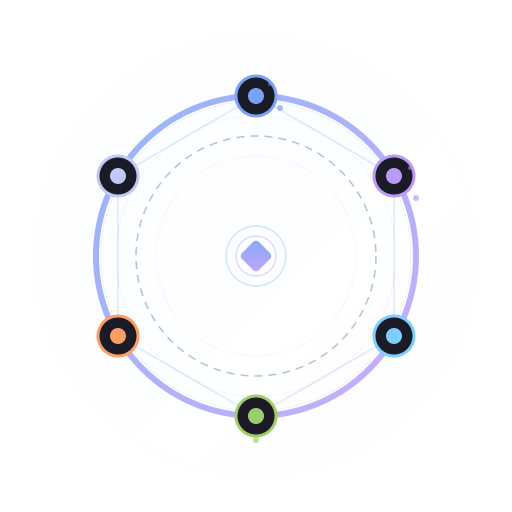
agent-roundtable 是面向 AI Agent 团队的多智能体圆桌讨论引擎:让多个 Agent 围绕同一问题顺序发言、追踪共识分歧,并自动生成结构化会议记录与结论。





pip install agent-roundtableagent-roundtable 是一个可嵌入任意 AI Agent 系统的 Python 包。你只管选人、定话题,它负责管理多 Agent 圆桌讨论、顺序发言、共识/分歧追踪,并沉淀结构化会议记录与结论。
| 你想快速确认的事 | Roundtable 的答案 |
|---|---|
| 它解决什么问题? | 让多个 Agent 像开会一样围绕同一议题发言、记录和收敛 |
| 包名和导入名是什么? | 安装 agent-roundtable,代码里 import roundtable |
| 能不能独立使用? | 可以,核心库只依赖 Python 标准库和 SQLite |
| 能不能接 Agent 框架? | 可以,通过 adapter 接入 Hermes Agent 或任意 Agent 系统 |
| 输出是什么? | 讨论状态、convergence score、共识/分歧、结构化 summary 与结论 |
当你已经有多个 Agent / 角色,但缺少一个“会议协议层”时,就适合引入 Roundtable:
- 创建会议:定义 topic、participants 和 max_rounds。
- 顺序发言:记录每个 Agent 在每一轮的观点。
- 观察收敛:查看状态、共识度、共识点和分歧点。
- 沉淀结论:生成 summary,结束讨论并留下可追溯决策。
- 技术方案评审:让架构师、后端、运维、安全角色分别发言,沉淀决策依据
- 产品决策讨论:让产品、设计、开发、增长角色讨论 MVP 边界和优先级
- 代码 Review 辩论:让不同 Agent 从质量、安全、性能角度审查实现方案
- 需求澄清:让多个专家角色围绕模糊需求追问、反驳和收敛
- 多 Agent 工作流:作为 coordinator 的讨论协议层,记录过程和结论
PyPI 发布后,请使用正式包名安装:
pip install agent-roundtable发布前或需要验证当前分支时,可从源码安装:
git clone https://github.com/MoyuFamily/agent-roundtable.git
cd agent-roundtable
pip install -e .
说明:本项目的 PyPI 包名是
agent-roundtable。PyPI 上的roundtable/roundtable-ai不是本项目,请勿使用pip install roundtable或pip install roundtable-ai安装本项目。
让 Claude Code、Cursor、Windsurf、Codex、WorkBuddy 等不同平台的 agent 加入同一个圆桌:
pip install "agent-roundtable[mcp]"
python -m roundtable.skills.mcp-roundtable.install --platform=auto
任意 agent 可以做协调者并通过 invitation 把其他 agent 拉进来。Codex / WorkBuddy 没有原生 MCP,推荐直接用内置 Codex 入口启动 HTTP 桥:
python -m roundtable.codex也可以在 Python 里手动启动 roundtable.mcp.bridges.codex.CodexBridge 或 roundtable.mcp.bridges.GenericBridge。详见 docs/architecture.md。
例如:让后端架构师、运维工程师、产品经理三个 Agent 讨论数据库选型,Roundtable 负责管理轮次、记录观点、追踪收敛并生成结论。
from roundtable import RoundtableCore

core = RoundtableCore()

# 1. 创建讨论
result = core.create_discussion(
    topic="选择数据库:PostgreSQL vs MySQL vs TiDB",
    participants=[
        {"profile": "backend_architect", "role": "后端架构师", "display_name": "Backend Architect"},
        {"profile": "ops_engineer", "role": "运维工程师", "display_name": "Ops Engineer"},
        {"profile": "product_manager", "role": "产品经理", "display_name": "Product Manager"},
    ],
    max_rounds=3,
)
disc_id = result["discussion_id"]

# 2. 参与者发言
core.speak(disc_id, "backend_architect", "PostgreSQL 的 JSON 和事务能力更适合复杂业务建模。")
core.speak(disc_id, "ops_engineer", "MySQL 运维经验和工具链更成熟,团队上手成本低。")
core.speak(disc_id, "product_manager", "从迭代速度看,我们需要优先保证未来功能扩展能力。")

# 3. 查看讨论状态(含收敛度)
status = core.status(disc_id)
print(f"Convergence: {status['convergence_score']}")

# 4. 生成结构化总结
summary = core.summarize(disc_id, compact=True)
print(summary["structured_summary"])

# 5. 结束讨论
core.end_discussion(disc_id, conclusion="选择 PostgreSQL,优先支持复杂数据结构和长期扩展。")from roundtable.adapters.generic import Roundtable
rt = Roundtable(db_path="/tmp/discussions.db")
result = rt.init(topic="...", participants=[...])
# 所有方法返回 dict — 错误以 {"error": "msg"} 返回,永不抛异常def my_send(platform, chat_id, message):
print(f"[{platform}:{chat_id}] {message}")
rt = Roundtable(send_fn=my_send)
result = rt.init(
topic="架构评审",
participants=[...],
notifications={
"enabled": True,
"channels": [
{"platform": "feishu", "chat_id": "oc_xxx"},
{"platform": "slack", "chat_id": "#engineering"},
],
"events": ["round_end", "concluded"],
},
)| 特性 | 说明 |
|---|---|
| 🧑⚖️ 圆桌讨论模型 | 用 topic、participants、rounds 管理多 Agent 讨论流程 |
| 📊 收敛追踪 | 自动计算每轮共识度(convergence score),量化讨论进展 |
| 🧾 结构化总结 | 输出共识、分歧、决策建议和结论,适合沉淀会议记录与决策文档 |
| 🔌 框架无关 | 独立运行,或通过 adapter 接入任何 Agent 框架 |
| 🔔 实时通知 | 讨论事件推送到飞书、Slack 或任意消息平台 |
| 🛡️ 错误安全 | Generic adapter 所有方法返回 dict,永不抛异常 |
| 🗂️ SQLite 持久化 | 讨论记录持久存储,随时回溯 |
| 🪶 零依赖核心 | 核心库只用 Python 标准库(sqlite3 + dataclasses) |
Roundtable 可以独立作为 Python 库使用,也可以作为 Hermes Agent 的 toolset 使用,让多个 Agent 通过工具调用参与同一场结构化讨论。
# Hermes 配置
toolsets:
  - roundtable
安装 Hermes Agent 后,Roundtable 可注册讨论相关工具,AI Agent 能够创建、参与、读取、总结和结束讨论。
src/roundtable/
├── __init__.py       # 公共 API
├── core.py           # 业务逻辑层
├── db.py             # SQLite 存储层
├── models.py         # 数据模型(dataclass)
├── notify.py         # 通知分发
├── exceptions.py     # 异常定义
└── adapters/
    ├── hermes.py     # Hermes Agent 适配器
    └── generic.py    # 通用 Python API(错误安全)
将圆桌讨论嵌入到任意网页、博客或文档中:
<iframe
  src="https://roundtable.izmw.me/embed/<token>"
  width="100%" height="600" frameborder="0"
  style="border:1px solid #334155;border-radius:12px"
  sandbox="allow-scripts allow-same-origin allow-popups">
</iframe>/embed/:token提供精简视图:无顶部导航、无分享/导出按钮、无回放控件- 支持实时 SSE 推送,嵌入页面可实时看到新发言
- 密码保护的讨论会显示"在新标签页打开"提示
- 分享弹窗中可一键复制嵌入代码
- 发布
agent-roundtable到 PyPI - 补充 CLI 示例和端到端 Demo
- 增强结构化总结模板
- 补充更多 Agent 框架 adapter
- 增加讨论结果导出能力
- Fork 本仓库
- 创建特性分支:
git checkout -b feature/amazing-feature - 编写测试并确保通过:
pytest tests/ -v - 提交代码:
git commit -m 'feat: add amazing feature' - 推送并创建 PR
- Python 3.10+,使用 type hints
- 核心库零外部依赖(stdlib only)
- 所有异常继承
RoundtableError - 所有公共方法返回 JSON-serializable dict
| 成员 | 角色 | 说明 |
|---|---|---|
 饼哥 饼哥 |
产品总监 | 十年产品老兵,擅长把模糊需求变成可落地的 MVP,信奉「用户要的不是钻头,是墙上的洞」 |
 像素姐 像素姐 |
设计总监 | UI/UX 与品牌视觉体系设计,专注交互细节与用户体验优化,信奉「细节决定品质感」 |
 码飞 码飞 |
技术总监 | 全栈开发与系统架构设计,主导技术选型、性能优化和 AI/ML 工程化落地 |
 小赫 小赫 |
协调者 | 团队任务统筹与进度管理,确保产品→设计→开发流程高效运转 |