
A modern, actively-maintained community fork of Binot — rebuilt for the Material 3 Expressive + AI era.


👉 Please support the original creator of Binot: github.com/DENSLnetion/Binot
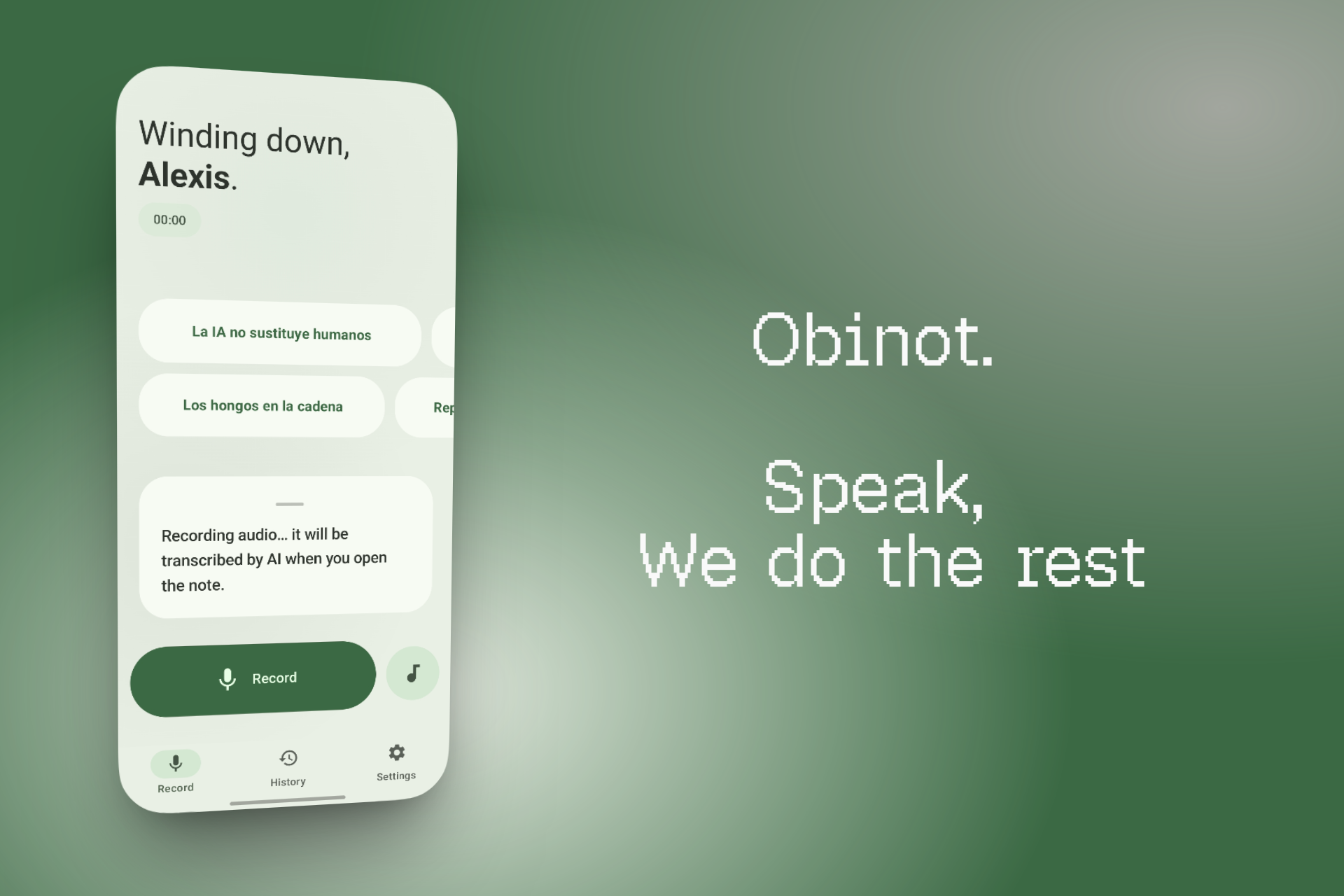
Obinot is a native Android app that turns spoken words into clean, structured Markdown notes. Speak naturally and let AI tidy, summarize, analyze, or translate the result — all stored locally, all under your control.
It is a community-maintained fork of Binot, originally created by @DENSLnetion and released under the MIT License. The original stopped working when AI providers retired the hardcoded model names. This fork migrates to current models, adopts Material 3 Expressive, and adds quality-of-life features.
Obinot is distributed as a completely independent app (com.obinot.app) so both Binot and Obinot can coexist on the same device. Data portability is preserved: .binot notes and .binotbak backups are fully cross-compatible.
- 🎙️ Voice capture — Fast mode (on-device) or Accurate mode (full audio + AI transcription). Background recording, live waveform, optional live transcript.
- 🤖 Multi-provider AI — Bring your own Gemini or Groq API key, or use Dynamic mode to route tasks automatically and stretch free quotas.
- 🧠 Tidy · Summary · Analyze — Clean up rough transcripts, extract key points, or identify sentiments and action items. 23 output languages.
- 💬 Chat about any note — Ask follow-up questions directly from the reader. The conversation is saved with the note and travels in backups.
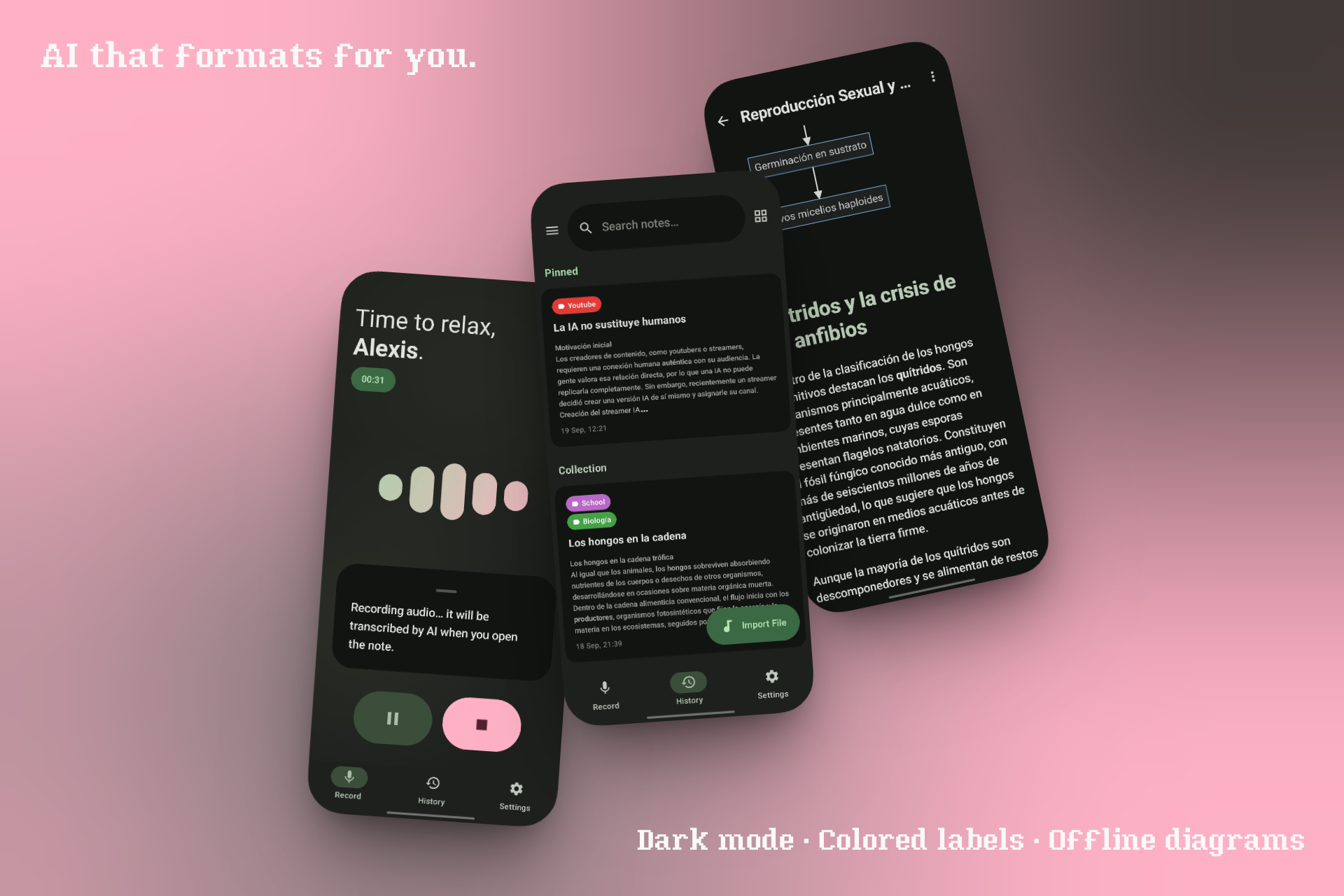
- 📖 Custom Markdown reader — Headers, lists, tables, code blocks, blockquotes, links, and offline RaTeX math (block + inline) + Mermaid diagrams. Long-press any formula block to copy its LaTeX source.
- ✏️ Markdown summary editor — Edit AI-processed summaries in raw Markdown with a live preview toggle.
- ✅ Interactive checkboxes — Tappable Markdown checklists that persist.
- ✏️ Highlights with notes — Select any text to highlight it and attach a personal note.
- 🔍 Full-text search — Room FTS4 with prefix matching, instant across the entire database.
- 🏷️ Colored labels — Assign a color to each label for easy scanning.
- 🗂️ Local-first organization — Custom labels, multi-select, pin, duplicate, trash with recovery.
- 📦 Export & backup —
.binotnotes,.obinotbakfull backups, legacy Binot 1.x backups, Markdown export. - ✨ Material 3 Expressive — Spring physics, animated bouncy components, wavy audio progress bar, 7 color palettes, dark + AMOLED themes, adaptive layouts for phone and tablet.
- 🌐 English + Spanish — In-app language picker, plus system-level per-app locale on Android 13+.
Obinot installs as a separate app from Binot 1.x. To bring your data over:
- Open Binot 1.x → Settings → Data & System → Backup.
- Save the
.binotbakfile. - Open Obinot → Settings → Data & System → Import.
- Select the backup.
Notes, audio, labels, preferences, and any AI chat history saved with notes are restored. API keys are not included (re-enter once in Obinot).
What's in a backup vs. a
.binotexport? Full backups (.obinotbak) include everything: notes, audio, labels, preferences, and the AI chat history attached to each note. Single-note.binotexports include only the note's content, audio, and labels — not the chat history. This is intentional:.binotis a portable note format, not a conversation archive.
Latest APK: github.com/LexicoON/Obinot/releases — ships as Obinot-vX.Y.Z.apk.
For the original Binot: DENSLnetion/Binot/releases.
Requires JDK 21 and Android SDK with API 37.
git clone https://github.com/LexicoON/Obinot.git
cd Obinot
./gradlew assembleDebug
Release builds need signing keys via environment variables (KEYSTORE_PATH, STORE_PASSWORD, KEY_PASSWORD). CI injects them from GitHub Secrets.
Obinot has no servers, no accounts, and no telemetry. All notes, audio, and settings stay on your device. AI features send data directly from your device to your chosen provider using your own API key. Crash logs are saved locally and only shared if you explicitly tap "Share".
Full policy: privacy_policy.md. Play Store data safety notes: data_safety.md.
Obinot is distributed under two licenses, depending on which part of the code you're looking at:
- The original Binot codebase is licensed under the MIT License. Copyright © 2026 DENSLnetion. See LICENSE.
- The fork-specific code (new features, modifications, and everything added on top of the original) is licensed under the Apache License 2.0. Copyright © 2026 LexicoON. See LICENSE-OBINOT.
Obinot also bundles third-party libraries under their own permissive licenses:
- RaTeX — MIT License. Native LaTeX rendering engine (Rust core + Android JNI bindings), used for block and inline math.
- Mermaid — MIT License. Diagram rendering, bundled as a JS asset.
- Jetpack Compose, Room, Retrofit, Moshi, MaterialKolor, and other AndroidX / Kotlin libraries — Apache License 2.0 or MIT, as declared by their respective maintainers.
This project is a fork of Binot, originally created by DENSLnetion. The original was released under MIT, and that license is preserved in full. We are deeply grateful to DENSLnetion for creating Binot and releasing it under an open license, which made this fork possible.
If you enjoy Obinot, please also consider starring and supporting the original project: 👉 github.com/DENSLnetion/Binot