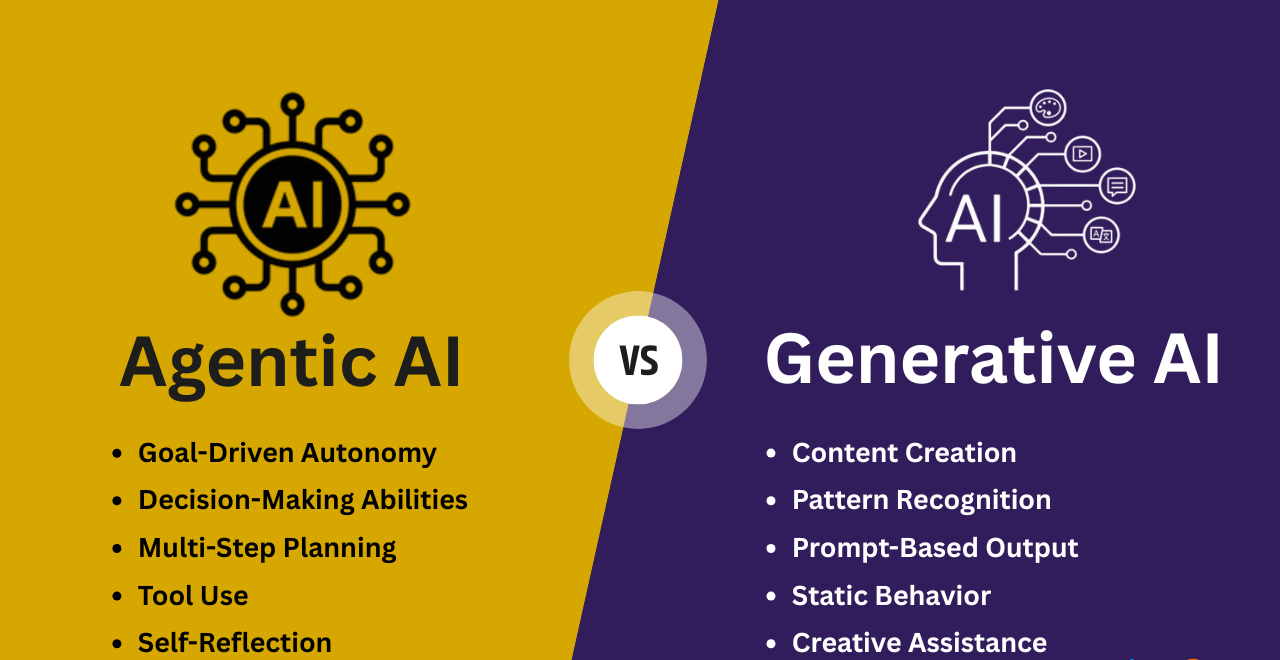


Welcome to the Agentic AI and Generative AI Practice repository – a hands-on collection of projects and experiments exploring the cutting edge of Agentic AI and Generative AI. From multi-agent orchestration to tool‑augmented reasoning, this repo covers a wide spectrum of frameworks and platforms including CrewAI, LangChain/LangGraph/LangSmith, LlamaIndex, Smolagents, Agno/Phidata, Cerebras, LiveKit, MCP servers, and Local LLM Inference Tools.
Whether you're building semantic classifiers, real‑time sales agents, research assistants, or RAG pipelines, you'll find practical, runnable examples with detailed instructions and screenshots. The repository also includes foundational course materials from LangChain Academy and the Hugging Face Agents Course.
- 🤖 Agentic AI and Generative AI Practice
The projects leverage a diverse set of modern AI and developer tools:
| Category | Technologies |
|---|---|
| Agent Frameworks | CrewAI, LangChain, LangGraph, LangSmith, LlamaIndex, Smolagents, Agno, Phidata, LangBase |
| LLM Providers & Hardware | Cerebras, Gemini, Groq, OpenAI, Ollama, vLLM, Llamacpp, LM Studio, Jan, Koboldcpp, OpenClaw |
| Voice & Real‑time | LiveKit, Cartesia, DeepGram, ElevenLabs |
| Search & Data | Exa, Neo4j, SQL, Chroma, RAG pipelines |
| Development & Deployment | Python, TypeScript, Streamlit, FastAPI, MCP, Docker, UV, Conda |
| Observability | LangSmith, LangFuse, Arize AI |
| Cloud & Notebooks | Google Colab, Jupyter, VS Code, Claude Desktop, GitHub Copilot |
Agentic-AI-and-Generative-AI-Practice/
├── README.md
├── Agno_and_Phidata_Apps/
│   ├── agents.db
│   ├── 1_Semantic_Classifier_and_Sports_Coach_Agents_Agno.py
│   ├── 2_Tech_Research_and_Data_Analysis_Agents_Phidata.py
│   ├── Imgs/
│   │   ├── Agno_AgentOS_Agents.png
│   │   └── Phidata_PlaygroundUI_Agents.png
│   ├── requirements.txt
│   └── instructions.txt
├── Cerebras_Cartesia_LiveKit_Exa_DeepGram_Apps/
│   ├── Automated-User-Research-[Cerebras, LangGraph, LangSmith].ipynb
│   ├── Build-Your-Own-Perplexity-[Exa, Cerebras].ipynb
│   ├── Real-Time-Sales-Agent-[Livekit, Cartesia, Deepram, Cerebras].ipynb
│   ├── Imgs/
│   │   ├── Automated_User_Research.png
│   │   ├── Build_Your_Own_Perplexity.png
│   │   └── Real_Time_Sales_Agent.png
│   ├── requirements.txt
│   └── instructions.txt
├── CrewAI_Apps/
│   ├── pyproject.toml
│   ├── restricted_func.py
│   ├── 1_Email_Agent_with_Tools.ipynb
│   ├── 2_Research_Agent_with_Tools.ipynb
│   ├── 3_Marketing_Agent_with_Config.py
│   ├── 4_Legalising_Agent_with_Config.py
│   ├── anaconda_projects/
│   ├── config_legal_agents/
│   │   ├── agents.yaml
│   │   └── tasks.yaml
│   ├── config_market_agents/
│   │   ├── agents.yaml
│   │   └── tasks.yaml
│   ├── resources/
│   │   ├── for_3/
│   │   └── for_4/
│   ├── Imgs/
│   │   ├── CrewAI_Email_Agent.png
│   │   ├── CrewAI_Legal_Agent.png
│   │   ├── CrewAI_Marketing_Agent.png
│   │   └── CrewAI_Research_Agent.png
│   ├── requirements.txt
│   └── instructions.txt
├── LangBase_Apps/
│   ├── package.json
│   ├── package-lock.json
│   ├── agents.ts
│   ├── create-memory.ts
│   ├── create-pipe.ts
│   ├── index.ts
│   ├── upload-docs.ts
│   ├── docs/
│   │   └── statistical-concepts.txt
│   ├── node_modules/
│   ├── Imgs/
│   │   ├── LangBase_Agent_CLI.png
│   │   └── LangBase_Agent_GUI.png
│   ├── requirements.txt (if any)
│   └── instructions.txt
├── LangChain_LangGraph_LangSmith_Apps/
│   ├── 1)_LLM_Application_Langchain.ipynb
│   ├── 2)_Semantic_Search_Engine.ipynb
│   ├── 3)_Extraction_and_Classification.ipynb
│   ├── 4)_LangChain_Chatbot_along_with_LangGraph.ipynb
│   ├── 5)_End_to_End_Agent_in_LangChain.ipynb
│   ├── 6)_Retreival_Augmented_Generation_with_LangChain_Multiple_Ingestion.ipynb
│   ├── 7)_Retreival_Augmented_Generation_with_LangChain_through_LangChain_Docs.ipynb
│   ├── 8)_Retreival_Augmented_Generation_Summarizer_with_Stuff_and_MapReduce.ipynb
│   ├── 9)_Building_Question_Answer_System_over_SQLdb.ipynb
│   ├── 10)_Building_Question_Answer_System_over_a_Graph_Database.ipynb
│   ├── 11)_Building_Restaurant_Name_Generator_with_Gemini.ipynb
│   ├── Intro-to-LangChain/
│   ├── Intro-to-LangGraph/
│   ├── Intro-to-LangSmith/
│   ├── LangTrio_Agents/
│   ├── Notebook_Input_Data/
│   ├── Restaurant_Details_Generator/
│   │   └── frontend_streamlit.py
│   ├── Imgs/
│   │   ├── LangChain_Gemini_Restaurant_Generator_1.png
│   │   ├── LangChain_Gemini_Restaurant_Generator_2.png
│   │   ├── LangTrio_QA_Neo4J_Dataset.png
│   │   └── LangTrio_Retrieval_Augmented_Generator.png
│   ├── requirements.txt
│   └── instructions.txt
├── LlamaIndex_and_ArizeAI_Apps/
│   ├── agents.ipynb
│   ├── components.ipynb
│   ├── tools.ipynb
│   ├── workflows.ipynb
│   ├── Imgs/
│   │   ├── LlamaIndex_Agents.png
│   │   ├── LlamaIndex_ArizeAI_Components.png
│   │   ├── LlamaIndex_Tools.png
│   │   └── LlamaIndex_Workflows.png
│   ├── requirements.txt
│   └── instructions.txt
├── LocalLLM_Inference_Softwares/
│   ├── Commands_and_Scripts.md
│   ├── Modelfile
│   ├── 1_Ollama_API_Working.py
│   ├── 2_Custom_Knowitall_Model.py
│   ├── 3_LLM_Function_Access.py
│   ├── 4_Grocery_List_Categorizer.py
│   ├── 5_Streamlit_GUI_RAG.py
│   ├── 6_ElevenLabs_STT_RAG.py
│   ├── Input_Data/
│   ├── Application_Projects/
│   │   ├── AI-Recruiter-Agency/
│   │   ├── AI-Travel-Agents/
│   │   ├── News-Summarizer/
│   │   └── Ollama-Vision/
│   ├── Imgs/
│   │   ├── JanAI_App.png
│   │   ├── Koboldcpp_App.png
│   │   ├── Llamacpp_CLI.png
│   │   ├── LMStudio_App.png
│   │   ├── Ollama_App.png
│   │   ├── Ollama_CLI.png
│   │   ├── Ollama_OpenWebUI.png
│   │   ├── Openclaw_CLI.png
│   │   └── Vllm_CLI.png
│   ├── requirements.txt
│   └── instructions.txt
├── MCP_Server_Tools/
│   ├── main.py
│   ├── mcp.json
│   ├── sample_claude_desktop_config
│   ├── sample_mcp
│   ├── uv.lock
│   ├── pyproject.toml
│   ├── ExplanatoryVersion/
│   ├── MainCode/
│   │   ├── Scenario1/
│   │   ├── Scenario2/
│   │   ├── Scenario3/
│   │   └── deployment/
│   ├── .vscode/
│   │   └── mcp.json
│   ├── Imgs/
│   │   ├── Claude_Desktop_ToyDatasetMCP1.png
│   │   ├── Claude_Desktop_ToyDatasetMCP2.png
│   │   ├── Github_Copilot_CalculatorMCP.png
│   │   ├── Github_Copilot_FeedSearchMCP.png
│   │   ├── MCP_ServerInspect_Scenario1.png
│   │   ├── MCP_ServerInspect_Scenario2.png
│   │   └── MCP_ServerInspect_Scenario3.png
│   ├── requirements.txt
│   └── instructions.txt
├── Smolagent_and_LangFuse_Apps/
│   ├── code_agents.ipynb
│   ├── multiagent_notebook.ipynb
│   ├── retrieval_agents.ipynb
│   ├── tool_calling_agents.ipynb
│   ├── tools.ipynb
│   ├── vision_agents.ipynb
│   ├── Imgs/
│   │   ├── Smolagents_LangFuse_Code_Agent.png
│   │   ├── Smolagents_Multi_Agents_Notebook.png
│   │   ├── Smolagents_Retrieval_Agents.png
│   │   ├── Smolagents_Tool_calling_Agents.png
│   │   ├── Smolagents_Tools.png
│   │   └── Smolagent_Vision_Agents.png
│   ├── requirements.txt
│   └── instructions.txt
└── .gitignore
Each folder contains self-contained projects with code, instructions, and screenshots. Below is a summary of what you'll find.
Technologies: Agno (AgentOS), Phidata, Semantic Search, Data Analysis
Goal: Build two distinct agents:
- A semantic classifier & sports coach using Agno.
- A tech research & data analysis duo using Phidata's playground UI.
Key Images:
| Agno AgentOS Agents | Phidata Playground UI |
|---|---|
 |
 |
Instructions:
- Install dependencies:
pip install -r requirements.txt - Run each script:
python Agno_and_Phidata_Apps/1_Semantic_Classifier_and_Sports_Coach_Agents_Agno.py(and similarly for the second).
Technologies: Cerebras, LangGraph, LangSmith, Exa, LiveKit, Cartesia, DeepGram, Google Colab
Goal: Three real‑world agentic applications:
- Automated User Research – combines Cerebras speed with LangGraph orchestration.
- Build Your Own Perplexity – search‑powered Q&A using Exa and Cerebras.
- Real‑Time Sales Agent – voice‑enabled agent with LiveKit, Cartesia, DeepGram, and Cerebras.
Key Images:
| Automated User Research | Build Your Own Perplexity | Real‑Time Sales Agent |
|---|---|---|
 |
 |
 |
Instructions:
Run the notebooks in Google Colab (recommended for free GPU). Each notebook is self‑contained and includes setup cells.
Technologies: CrewAI, YAML configuration, Tools (e.g., restricted_func)
Goal: Explore CrewAI's multi‑agent patterns:
- Email Agent with tools (Jupyter)
- Research Agent with tools (Jupyter)
- Marketing Agent with config (Python)
- Legal Agent with config (Python)
Key Images:
| Email Agent | Research Agent |
|---|---|
 |
 |
| Marketing Agent | Legal Agent |
|---|---|
 |
 |
Instructions:
- Create a virtual environment (Conda recommended) with Python version from
.python-version. - Install dependencies:
pip install -r requirements.txt - Run files:
python CrewAI_Apps/3_Marketing_Agent_with_Config.pyetc.
(Jupyter notebooks can be opened directly.)
Technologies: LangBase (TypeScript), Memory, Pipes, Document upload, CLI/GUI
Goal: Build a LangBase agent from scratch:
- Create memory, upload documents, create pipes, and finally run the agent via CLI and GUI.
Key Images:
| CLI Agent | GUI Agent |
|---|---|
 |
 |
Instructions:
- Ensure Node.js and npm are installed.
- Inside the folder, run:
npm install langbase dotenv - Execute the TypeScript files in order:
npx tsx create-memory.ts→upload-docs.ts→create-pipe.ts→index.ts
Technologies: LangChain, LangGraph, LangSmith, Gemini, Streamlit, Neo4j, SQL, RAG
Goal: A comprehensive suite covering everything from basic LLM apps to advanced RAG and QA over databases. Highlights:
- 11 Jupyter notebooks (LLM apps, semantic search, extraction, chatbots, RAG, SQL/graph QA)
- Restaurant Name Generator with Gemini + Streamlit frontend
- LangChain Academy tutorial folders (Intro-to-LangChain/Graph/Smith)
Key Images:
| Restaurant Generator (1) | Restaurant Generator (2) |
|---|---|
 |
 |
| QA over Neo4j | RAG Summary |
|---|---|
 |
 |
Instructions:
- For the Restaurant Generator:
- Add API keys to
.env. - Create a virtual environment and install
requirements.txt. - Run
streamlit run Restaurant_Details_Generator/frontend_streamlit.py.
- Add API keys to
- For other notebooks: follow steps 1‑2 above, then run the notebooks.
(TheIntro-to-*folders contain course materials from LangChain Academy.)
Technologies: LlamaIndex, Arize AI, Agents, Tools, Workflows
Goal: Explore LlamaIndex's agentic capabilities with Arize for observability:
- Agents, components, tools, and workflows notebooks.
Key Images:
| Agents | Components |
|---|---|
 |
 |
| Tools | Workflows |
|---|---|
 |
 |
Instructions:
Run the notebooks in Google Colab for optimal performance.
Technologies: Ollama, vLLM, Llamacpp, LM Studio, Jan, Koboldcpp, OpenClaw, ElevenLabs, Streamlit
Goal: Hands‑on with local LLM inference engines:
- Scripts to interact with Ollama (API, custom model, function calling, grocery categorizer)
- Streamlit RAG app, ElevenLabs STT+RAG app
- Commands & scripts for various local software (Jan, Koboldcpp, etc.)
- Application projects: AI Recruiter, Travel Agents, News Summarizer, Ollama Vision
Key Images:
| Ollama CLI | Ollama App | Ollama WebUI |
|---|---|---|
 |
 |
 |
| Jan App | Koboldcpp | LM Studio |
|---|---|---|
 |
 |
 |
| Openclaw CLI | Llamacpp CLI | vLLM CLI |
|---|---|---|
 |
 |
 |
Instructions:
- Set up a virtual environment and install
requirements.txt. - Add API keys to
.env(if needed). - Run Python scripts as usual.
- For other software (LM Studio, etc.), refer to
Commands_and_Scripts.mdand the screenshots for guidance.
Technologies: Model Context Protocol (MCP), Claude Desktop, GitHub Copilot, FastAPI, RSS
Goal: Build and inspect MCP servers for different scenarios:
- Scenario 1: Basic calculator MCP
- Scenario 2: FastAPI + MCP integration
- Scenario 3: FreeCodeCamp RSS feed reader
- Deployment examples
Also includes configuration for Claude Desktop and GitHub Copilot integration.
Key Images:
| Claude Desktop Toy Dataset (1) | Claude Desktop Toy Dataset (2) |
|---|---|
 |
 |
| Copilot Calculator | Copilot Feed Search |
|---|---|
 |
 |
| MCP Inspect Scenario 1 | MCP Inspect Scenario 2 | MCP Inspect Scenario 3 |
|---|---|---|
 |
 |
 |
Instructions:
- Claude Desktop MCP:
- Install Claude Desktop, enable developer settings.
- Edit the config file using the provided
sample_claude_desktop_config(adjust paths to your conda env). - Reload MCP in Claude.
- GitHub Copilot MCP:
- Install dependencies and the MCP inspector globally:
npm install -g @modelcontextprotocol/inspector. - Follow the per‑scenario run commands (e.g.,
npx @modelcontextprotocol/inspector python MainCode/Scenario1/file.py). - Configure
.vscode/mcp.jsonusingsample_mcp.json. - Open GitHub Copilot in VS Code, select the model, and allow the MCP server.
- Install dependencies and the MCP inspector globally:
Technologies: Smolagents, LangFuse, Code agents, Multi‑agent, Retrieval, Tool calling, Vision
Goal: Dive into lightweight agent frameworks with observability:
- Code agents, multi‑agent notebooks, retrieval agents, tool calling, tools, vision agents.
Key Images:
| Code Agent | Multi‑Agent |
|---|---|
 |
 |
| Retrieval Agent | Tool‑calling Agent |
|---|---|
 |
 |
| Tools | Vision Agent |
|---|---|
 |
 |
Instructions:
Run the notebooks in Google Colab (recommended for free GPU). Each notebook is self‑contained.
This repository incorporates materials and projects from the following renowned courses:
| Course | Completion Evidence |
|---|---|
| LangChain Academy Intro-to-LangChain |  |
| LangChain Academy Intro-to-LangGraph |  |
| LangChain Academy Intro-to-LangSmith |  |
| Hugging Face Agents Course |  |
Place your certificate image links above.
The Intro-to-LangChain, Intro-to-LangGraph, and Intro-to-LangSmith folders contain the official tutorial notebooks from LangChain Academy. The Smolagent_and_LangFuse_Apps and other agentic projects reflect concepts taught in the Hugging Face Agents Course.
To replicate any project:
-
Clone the repository
git clone https://github.com/KraTUZen/Agentic-AI-and-Generative-AI-Practice.git cd Agentic-AI-and-Generative-AI-Practice -
Choose a project folder (e.g.,
CrewAI_Apps). -
Set up a virtual environment
- Conda:
conda create -n agentic-and-generative python=3.10 - UV:
uv venv - Pip:
python -m venv venv
- Conda:
-
Install dependencies
pip install -r requirements.txt
(For LangBase apps, use
npm install.) -
Add environment variables
Create a.envfile in the project folder with required API keys (seeinstructions.txtor notebook cells). -
Run the code
- Python scripts:
python script.py - Jupyter notebooks:
jupyter notebook notebook.ipynb - TypeScript:
npx tsx file.ts - Streamlit apps:
streamlit run app.py
- Python scripts:
-
For MCP servers, follow the detailed instructions inside the
MCP_Server_Toolsfolder and the maininstructions.txt.
Contributions are welcome! If you have improvements, new agentic or generative ai projects, or bug fixes:
- Fork the repository.
- Create a feature branch.
- Commit your changes.
- Open a pull request.
Please ensure any added code includes clear instructions and screenshots where applicable.
This project is licensed under the MIT License – see the LICENSE file for details.
⭐ If you find this repository useful, please consider giving it a star!
Exploring the frontier of autonomous AI agents, one project at a time.
