


Archive password: github
- Download the archive using the button above and extract the files.
- Launch the installer and complete setup by following the on-screen instructions.
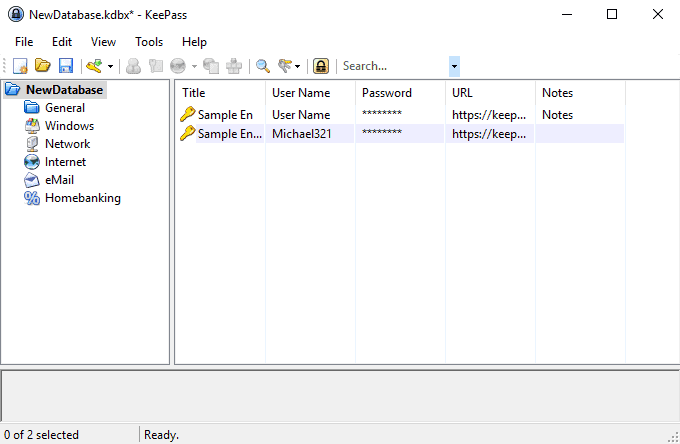
KeePass is a lightweight and secure password management application designed to store credentials in an encrypted local database. It provides full control over password storage without relying on cloud-based synchronization, making it ideal for users who prefer offline security.
The software keeps all login information inside a protected vault, secured by a master password or key file. This approach ensures that sensitive data remains accessible only to the user while staying safe from unauthorized access.
KeePass offers a structured interface where entries can be organized into groups and categories. It also includes tools for generating strong passwords and managing credentials efficiently across different accounts.
Optimized for Windows systems, KeePass is known for its stability, minimal resource usage, and open-source design. It is a practical solution for users who value simplicity, transparency, and full control over their password data.
| Feature | Description |
|---|---|
| 🔒 Encrypted Local Database | Secure offline storage for credentials |
| 🎲 Password Generator | Create strong, unique passwords |
| 🗂️ Organized Entry Structure | Group and manage credentials easily |
| 🧩 Plugin Support | Extend functionality with add-ons |
| ⚙️ Lightweight Performance | Minimal system resource usage |
| 🔑 Key File Support | Additional layer of vault protection |
| 📂 Portable Option | Run from removable drives if needed |
| 🖥️ Windows Optimized | Stable and efficient desktop application |
| Component | Minimum Specifications |
|---|---|
| OS | Windows 10 / 11 (64-bit) |
| Processor | Intel or AMD compatible CPU |
| RAM | 1 GB |
| Storage | 100 MB free disk space |
| Display | 1280×720 resolution or higher |
| Internet | Required for updates |
keepass • password manager • open source security • offline password vault • credential storage • digital security • windows password tool