

Bring your BMW's live data into Home Assistant — straight from BMW CarData, no third-party cloud in between.





BMW CarData is BMW's own telematics service: an MQTT stream that pushes vehicle data in real time and a REST API for on-demand snapshots. This integration talks to both directly, using your personal BMW client ID. There is no intermediate server and no MyBMW screen-scraping — Home Assistant is the only client, and it's read-only (CarData cannot command the car).
Every descriptor BMW sends becomes a native entity — charge level, doors, tire pressures, the 12 V battery — each with a proper device class, unit and translated states. On top of that the integration derives a charging history & cost ledger, battery-health learning, a trip journal, a real-range figure measured from your own driving rather than predicted, long-term statistics for the Energy dashboard, and CSV and printable-HTML export (the report prints to PDF from any browser) — all from the stream, spending no API quota. A bundled Lovelace card and a cached vehicle image put a good-looking dashboard one card away — the card registers itself, you just place it.
It can also hand that live charge level to your charge controller: the evcc / wallbox bridge publishes the car's state of charge over MQTT, so evcc or openWB can charge on a figure that arrives as the car reports it instead of polling a rate-limited vendor API — and it reads your wallbox's own meter back, to record what each charge really drew from the grid.
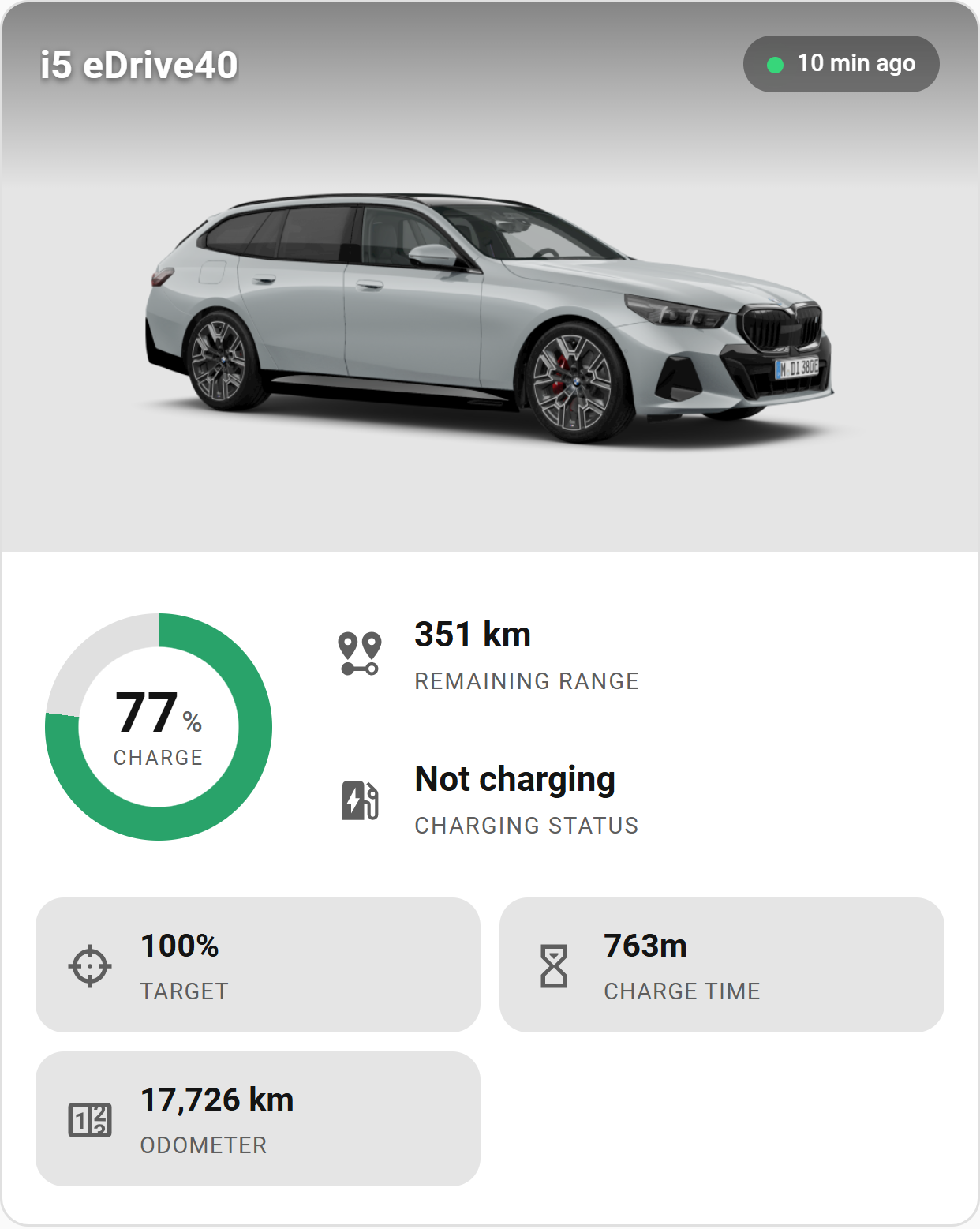
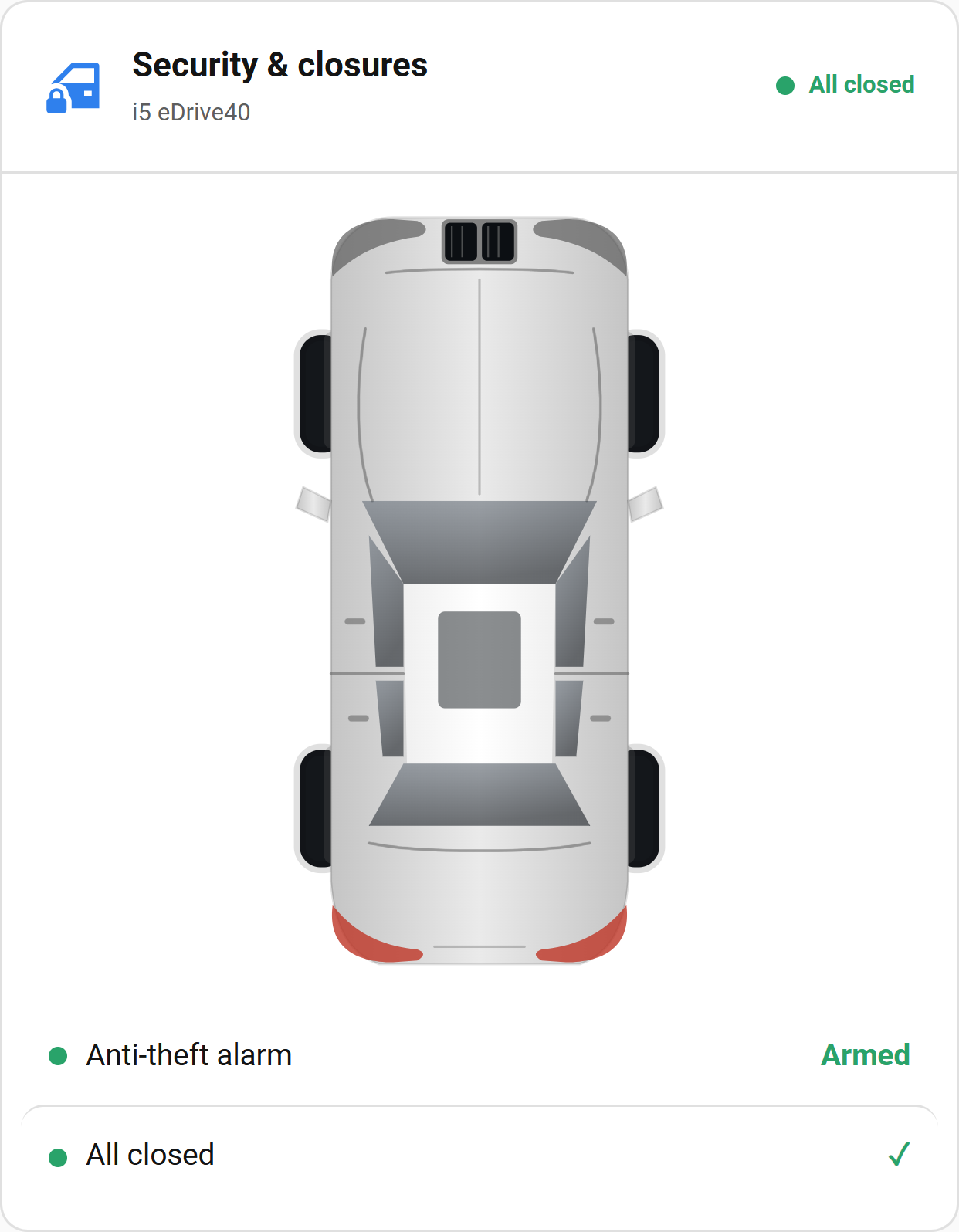
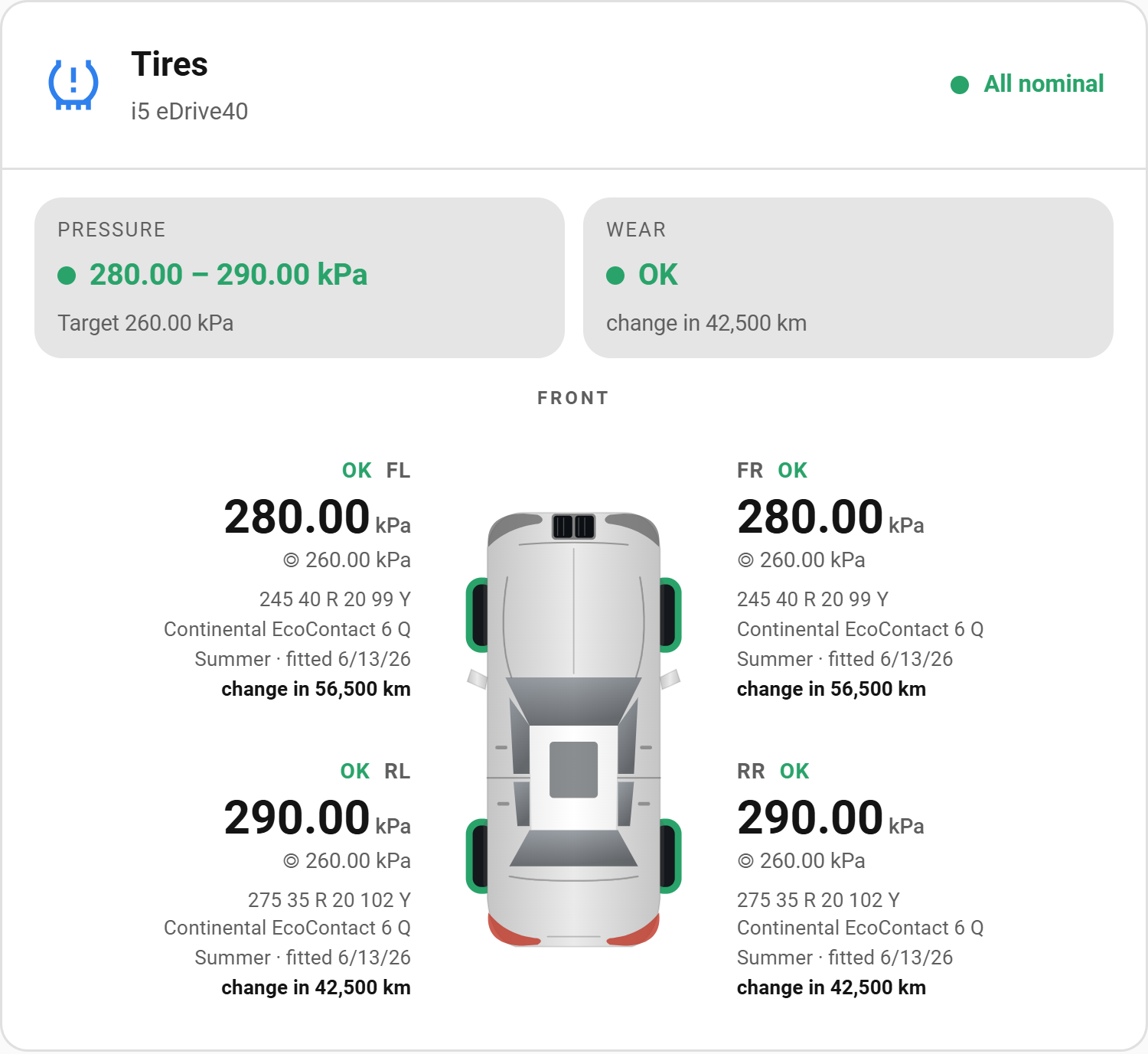
Status — actively developed. A spare-time project, verified against a limited number of vehicles and Home Assistant versions, so expect the odd rough edge on a model it hasn't met yet. It is read-only by design — CarData cannot command the car — so treat what it reports as informational rather than as the trigger for a safety-critical automation. Track
main; other branches may be broken at any time.
📖 Full documentation → justchr.github.io/BavarianData
The complete manual — every screen, card view, setting, service and feature — lives on the website (also in the Wiki; German: Handbuch). The website also runs the real card on a demo car and lists every descriptor BMW CarData can send. This README is the quick overview.
- Getting started · The dashboard card · Settings · Services · Troubleshooting
- What's new — every stable release, newest first.
- Coming from the old BMW Connected Drive integration? → Switching to BMW CarData
- A BMW account with a car that supports CarData (BMW streams no data for BMW Motorrad motorcycles).
- CarData API and CarData Streaming subscribed in the BMW portal, and a client ID generated for this integration.
- Home Assistant 2026.3 or newer, with HACS.
Five steps — the Wiki has the detail and screenshots for each.
- Set up BMW CarData in the portal —
generate a client ID and give it both scopes (
cardata:api:readandcardata:streaming:read). Don't touch Data Selection yet. - Install via HACS — BavarianData is in the HACS default store: search for it in HACS, install, and restart Home Assistant.
- Add & authorize — Settings → Devices & Services → Add Integration → BavarianData, paste the client ID, and approve the device on BMW's site. If BMW says access denied even though your login worked, that's a known BMW-side quirk with a workaround.
- Choose which data to stream — turn the fields on with the one-click Activate BMW data bookmarklet — guided and manual setup use the same one, manual after you pick the clusters. Then trigger a lock/unlock to prompt the first update.
- Add the card to a dashboard — the integration doesn't create a dashboard of its own. Open any dashboard, Add card → BavarianData Card, and it finds your vehicle by itself.
Stream selection ("Datenauswahl") has no CarData API. Guided setup and
Configure → Choose streamed data hide this behind the one-click Activate
BMW data bookmarklet, which flips the fields on for you in the browser. If you
instead want to drive it yourself, the bavariandata.activate_stream_fields
service replays the exact request the portal sends when you save, replacing
the whole selection in one call. Because that endpoint authenticates with your
browser session (not the integration's token, and behind BMW's bot-defense),
you supply a captured portal session — a manual, occasional tool that spends
no API quota. See
Services → activate_stream_fields.
- Bugs in the integration → Issues.
- BMW-side registration trouble, setup help, or general questions → Discussions.
- Enjoying it? BavarianData is a spare-time project: a ⭐ star here, a GitHub Sponsors contribution or a coffee on Ko-fi keeps it going.
The descriptor catalogue, metadata, translations and reference docs are all
generated from BMW's exports by the pipeline in tools/ — see
tools/README.md before hand-editing any generated file.
Released under the MIT License. This integration began as a
continuation of the public-domain
bmw-cardata-ha by JjyKsi;
that project carried no licensing restrictions, and the original author is
credited in NOTICE out of respect for their work.
The MIT License covers the code, not the name "BavarianData" or its logo. A
modified copy published as its own project needs its own name, domain and logo;
see NOTICE.
"BMW", "Mini", "Rolls-Royce", and "CarData" are trademarks of their respective owners. This is an independent, community-built integration and is not affiliated with, endorsed by, or sponsored by BMW Group. Use at your own risk; see the warranty disclaimer in the LICENSE.