





Slotify is an educational, full-stack appointment booking application inspired by Reservio.
This project was built for learning purposes and as a portfolio piece, showcasing modern web development practices, clean architecture, and deployment strategies.
⚠️ This is not a commercial project. It is intended purely for educational purposes.
Frontend repo - https://github.com/Jaros-777/slotify-frontend
Backend repo - https://github.com/Jaros-777/slotify-backend
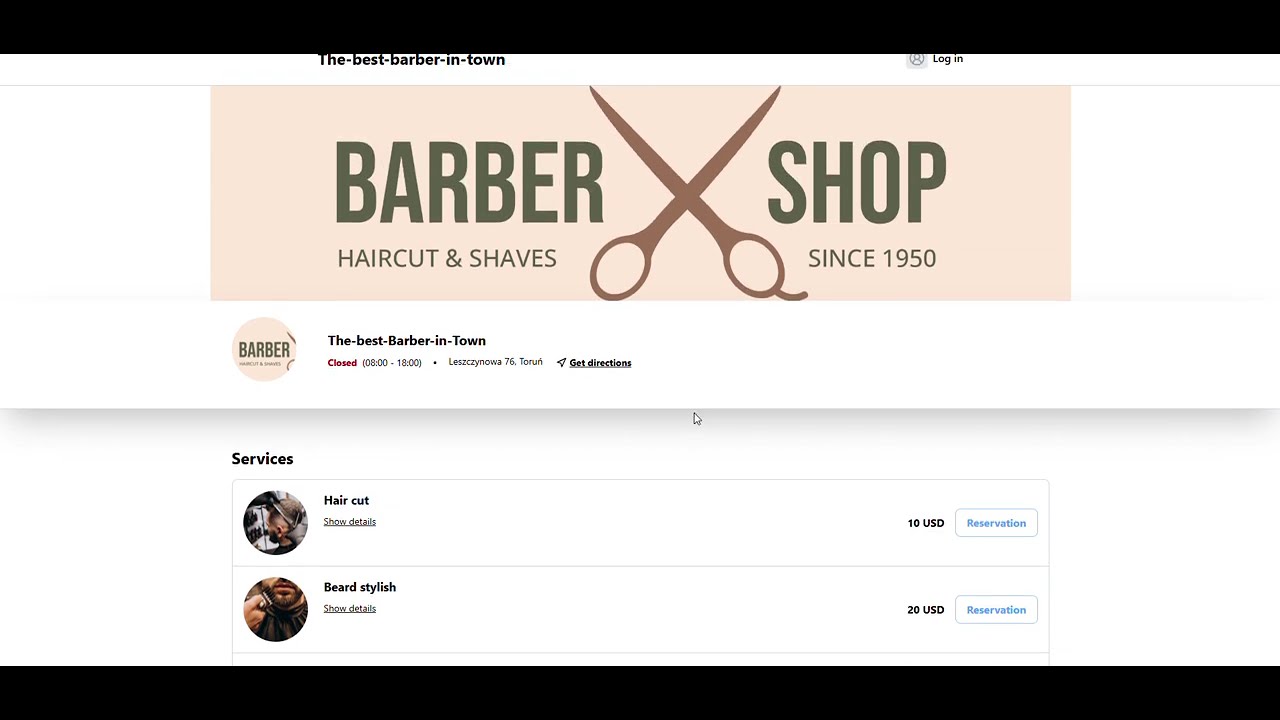
- 🧑🤝🧑 User registration, login, and account management
- 📅 Create, edit, and delete bookings
- 🕒 View available time slots and manage appointments
- 📱 Mobile view available only on Home and Booking pages
- 💻 Admin interface desktop-only
- 🛎️ Customers can book services online
- 🌴 Vacation mode for users
- 📋 Client list with CSV export
- 🎨 Responsive design and clean UI
- 🏗️ Full-stack separation: Frontend + Backend
- 🐳 Easy setup with Docker Compose or manual setup
- 🧹 Clean, modular, and maintainable codebase for learning purposes


- Framework: React.JS + TypeScript + Vite
- Styling: Tailwind CSS / SCSS
- Containerization: Docker
- API Requests: Axios


- Language: Java 21
- Framework: Spring Boot 3.x
- Database (local): PostgreSQL, Supabase (only for storage profiles and services pictures)
- Database (prod): Supabase
- Build Tool: Maven
- Containerization: Docker

- Docker & Docker Compose for containerized setup
- Environment variables for configuration
- Ready for local development and deployment
You can run the full Slotify application using Docker Compose. Follow these steps carefully.
Clone the main repo, as well as frontend and backend repositories:
# Main repo
git clone https://github.com/Jaros-777/Slotify.git
cd Slotify

# Frontend repo
git clone https://github.com/Jaros-777/slotify-frontend.git frontend

# Backend repo
git clone https://github.com/Jaros-777/slotify-backend.git backend
Make sure the folder structure looks like this:
Slotify/
├─ slotify-frontend/      <-- React frontend project
├─ slotify-backend/       <-- Spring Boot backend project
└─ docker-compose.yml-
Locate the file named:
docker-compose.example.yml -
Rename it to remove ".example":
mv docker-compose.example.yml docker-compose.yml -
Edit paths if needed in
docker-compose.ymlto point to the correct frontend and backend folders. For example:
services:
  backend:
    build:
      context: ./backend    # <- make sure this points to your backend folder or paste full path e.g. C:\Users\User\Desktop\slotify-backend

  frontend:
    build:
      context: ./frontend   # <- make sure this points to your frontend folder or paste full path e.g. C:\Users\User\Desktop\slotify-frontend
This step is important if you cloned the repos into custom folder names.
Build and start all services:
docker-compose up --build
- Backend will be available at: http://localhost:8080
- Frontend will be available at: http://localhost:3000
To run frontend or backend separately, please go to the respective repositories for setup instructions:
- Frontend repo - https://github.com/Jaros-777/slotify-frontend
- Backend repo - https://github.com/Jaros-777/slotify-backend
Each repo contains detailed instructions on installation, environment variables, and running locally.
- This project is a portfolio and educational project, not intended for production.
- Designed to showcase modern web development practices and full-stack architecture.
Filip Jarocki - GitHub profile
This project is licensed under the MIT License. See LICENSE for details.