
🌐 Company Site - Here
🤗 Hugging Face - Here
🛟 Help Center - Here
🐳 Docker Hub - Here
Drop Android AAR + iOS framework → run on a physical phone (~15 min after Flutter is installed). Jump: Quick Start · Get the runtimes · Run the demo · License · Integrate
Use this for the example app (check each box in order).
- Clone ID-Document-Recognition-Flutter
-
flutter doctorclean; Flutter 3.44+, Dart 3.3+, JDK 17 - Download runtimes — Get the runtimes
- Android:
documentreadersdk.aar→example/android/libdocsdk/ - iOS:
docsdk.framework→ios/Frameworks/docsdk.framework - Repo root:
dart run tool/bootstrap.dart - iOS (macOS):
cd example/ios && pod install→ set your Xcode Signing Team - Keep demo ids: Android
com.faceplugin.documentreader/ iOScom.faceplugin.documentreader.app(until 12 Aug 2027) -
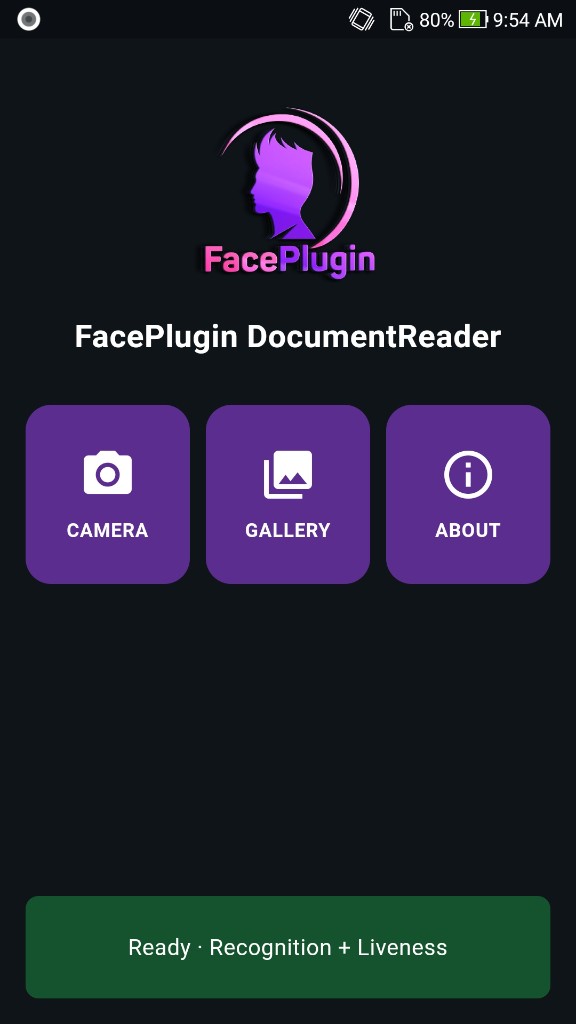
cd example && flutter runon a physical phone - Home status bar shows Ready → Camera / Gallery / About
Own app? → Setup on your own app (AAR:
android/libs/). Full integration: https://doc.faceplugin.com
FacePlugin ID Document Recognition SDK for Flutter is a fully on-device identity verification plugin for Android and iOS. Scan ID cards, passports, and driver licenses with OCR, MRZ, barcode and QR extraction, live camera overlay, gallery front/back, authenticity / document liveness, and Result / Security / Images / Raw JSON. Package: document_reader_sdk. The repository root is the plugin; example/ is the demo UI.
All processing stays on the device. No biometric data is sent to FacePlugin cloud — built for KYC, eKYC, and cross-platform mobile onboarding.
Native binaries are not on GitHub. Download them from Google Drive (links below).
| Feature | Supported |
|---|---|
| ID Card, Passport, and Driver License recognition | ✓ |
| MRZ, Barcode, QR, and OCR data extraction | ✓ |
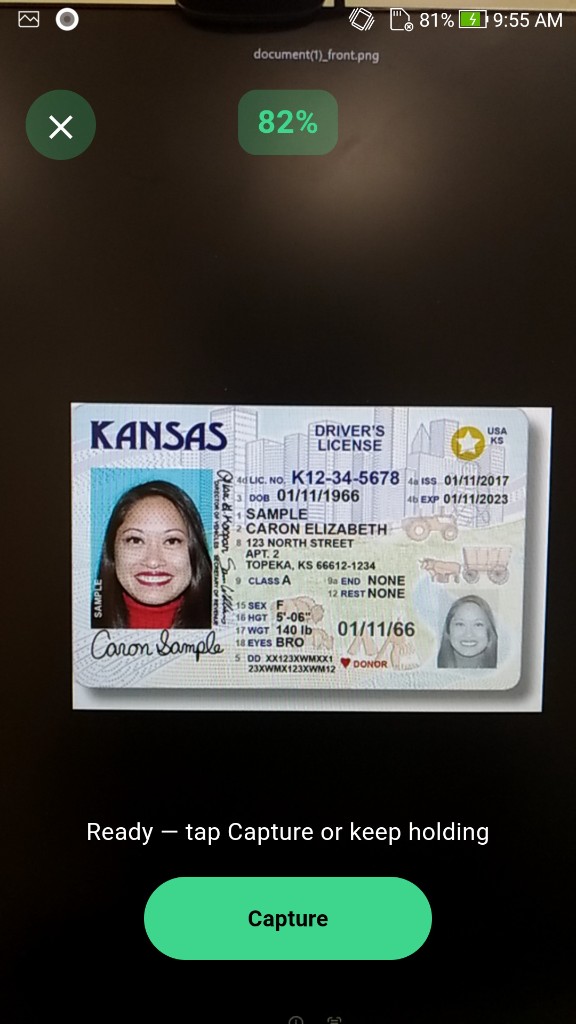
| Live camera locate overlay + Capture | ✓ |
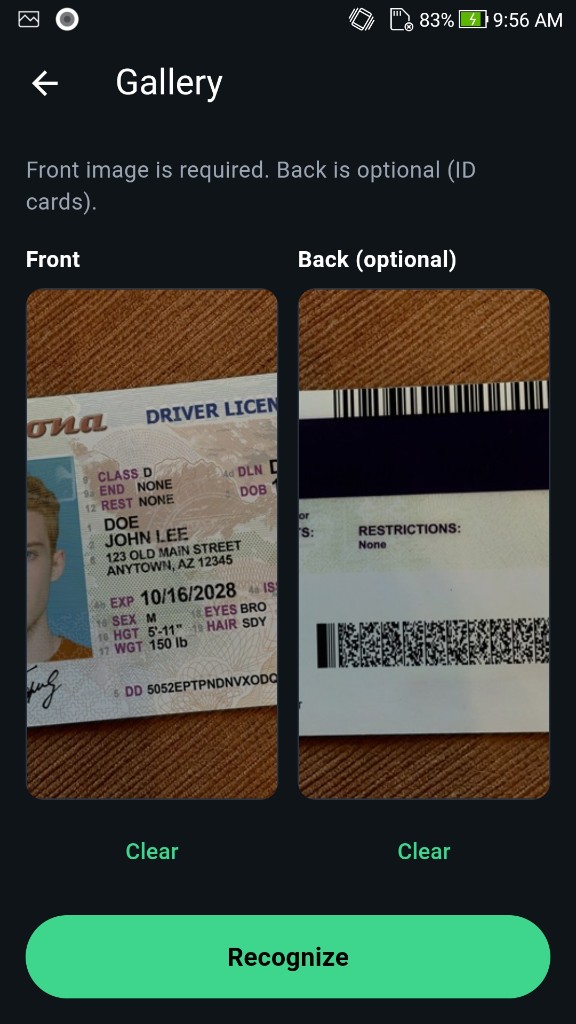
| Gallery (front required, back optional) | ✓ |
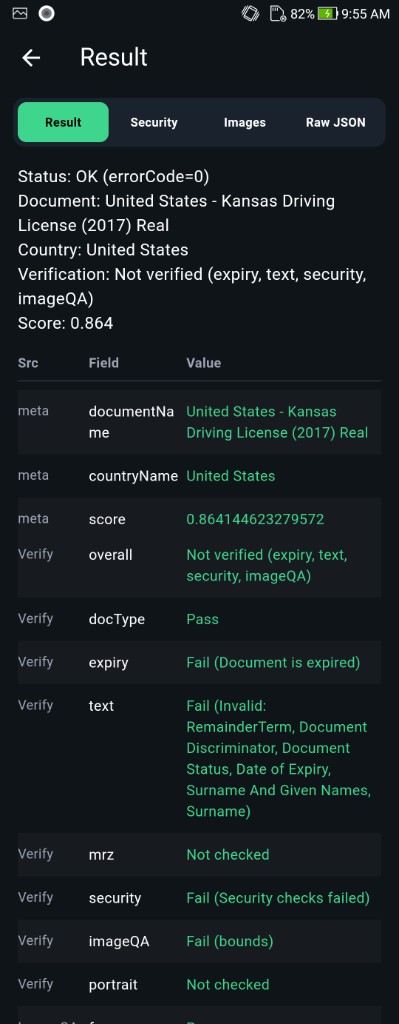
| Result (fields, Security, images, JSON) | ✓ |
| Authenticity / Security (document liveness) | ✓ |
| About | ✓ |
| Platform | Repository |
|---|---|
| Android | ID-Document-Recognition-Android |
| iOS | ID-Document-Recognition-iOS |
| Windows | ID-Document-Recognition-Windows |
| Linux / Docker | ID-Document-Recognition-Docker |
| React Native | ID-Document-Recognition-React-Native |
| Flutter | ID-Document-Recognition-Flutter (this repo) |
| Ionic Capacitor | ID-Document-Recognition-Ionic-Capacitor |
| Ionic Cordova | ID-Document-Recognition-Ionic-Cordova |
| Linux / Docker (Liveness-Only) | ID-Document-Liveness-Detection-Docker |
| Step | What you need |
|---|---|
| 1 | Flutter 3.44+ (pubspec.yaml), Dart 3.3+, JDK 17. iOS: macOS + Xcode 15+. Prefer a physical phone |
| 2 | Android documentreadersdk.aar and iOS docsdk.framework — Get the runtimes |
| 3 | Demo licenses are in example/lib/core/constants/license.dart (Android com.faceplugin.documentreader, iOS com.faceplugin.documentreader.app, valid until 12 August 2027). Request a new key only if you change applicationId / bundle id — SDK License |
Camera and Gallery unlock when the status bar shows Ready.
| Item | Android | iOS |
|---|---|---|
| Host | Windows / macOS / Linux; JDK 17 | macOS only; Xcode 15+, CocoaPods |
| Flutter | 3.44+ (flutter: ">=3.44.0"); Dart 3.3+ |
Same |
| OS | minSdk 24; plugin compileSdk 36; Android 10+ recommended |
15.0 (Podfile / IPHONEOS_DEPLOYMENT_TARGET) |
| Device | Physical phone (emulator limited) | Physical iPhone |
| Camera | Rear camera | Rear camera, autofocus |
| Demo id | com.faceplugin.documentreader |
com.faceplugin.documentreader.app |
The example disables SwiftPM (enable-swift-package-manager: false) because path folder names often differ from document_reader_sdk (flutter#186881).
Binaries are gitignored. Copy them before your first build.
Download: DocumentReader Android runtime (Google Drive)
For the example app, place the AAR here:
ID-Document-Recognition-Flutter/
└── example/
    └── android/
        └── libdocsdk/
            └── documentreadersdk.aar    ← required
For your own app (after integration), copy the AAR here instead:
YourApp/
└── .../
    └── document_reader_sdk/
        └── android/
            └── libs/
                └── documentreadersdk.aar    ← required
Gradle fails fast if the AAR is missing (example/android/libdocsdk/ for the demo, or android/libs/ for your app).
Download: DocumentReader iOS runtime (Google Drive) — unzip if needed.
Engine is nested inside docsdk.framework/Frameworks/ (dcrcore.framework). Place:
ios/Frameworks/docsdk.framework/     ← from Drive
ios/Frameworks/docsdk.xcframework/   ← from bootstrap / pod install
On macOS, after copy: dart run tool/bootstrap.dart or cd example/ios && pod install.
git clone https://github.com/Faceplugin-ltd/ID-Document-Recognition-Flutter.git
cd ID-Document-Recognition-Flutter- Android:
example/android/libdocsdk/documentreadersdk.aar - iOS:
ios/Frameworks/docsdk.framework
See Get the runtimes.
dart run tool/bootstrap.dartcd example/ios && pod install && cd ../..Set your Signing Team in Xcode. Keep bundle id com.faceplugin.documentreader.app for the demo license.
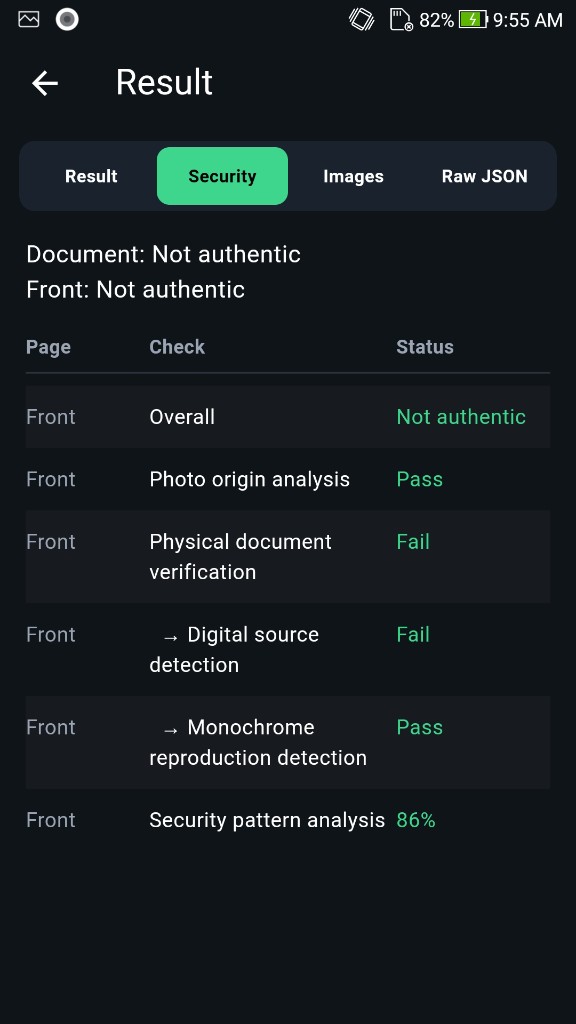
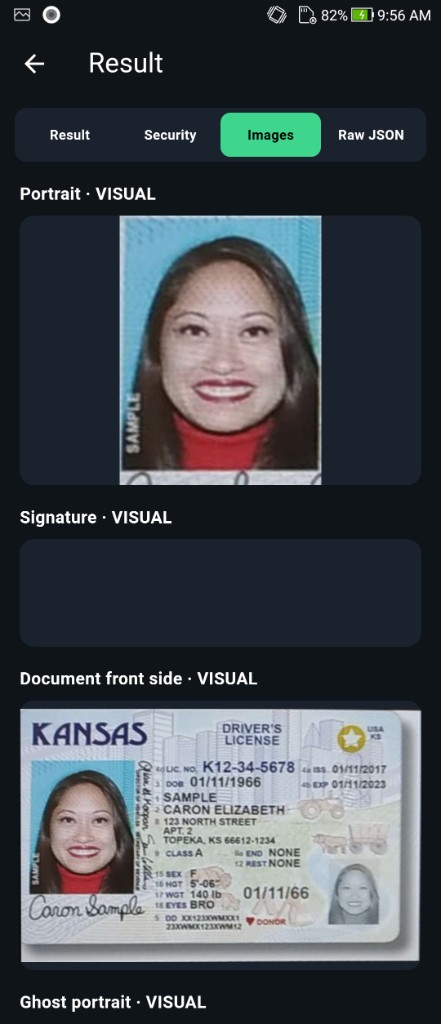
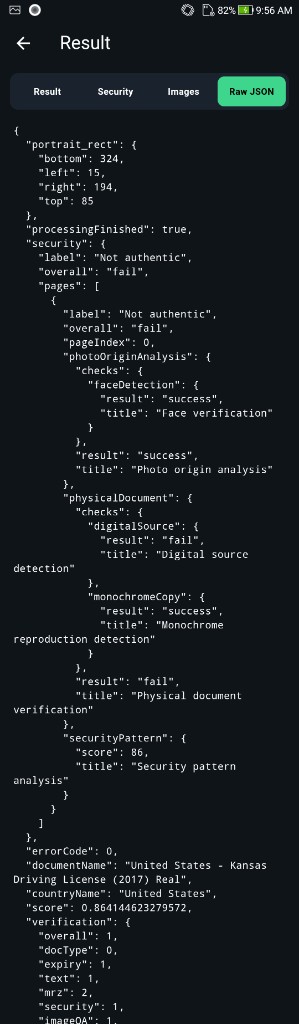
cd example && flutter runHome status → Ready, then Camera / Gallery → Result (home: one row under title — Camera | Gallery | About). Camera uses a live locate overlay; tap Capture when score ≥ 50% to run on-device OCR, MRZ, barcode, and authenticity checks. Gallery: Front required, Back optional. Result tabs: Result / Security / Images / Raw JSON.
| Platform | Identifier |
|---|---|
Android applicationId |
com.faceplugin.documentreader |
| iOS bundle id | com.faceplugin.documentreader.app |
Licenses are offline and bound to your applicationId / bundle identifier.
The sample app already includes a valid key for com.faceplugin.documentreader (Android) / com.faceplugin.documentreader.app (iOS) (until 12 August 2027). You only need a new key if you use a different applicationId or bundle identifier.
The code below shows how to use the license:
ID-Document-Recognition-Flutter/example/lib/services/sdk_service.dart
Lines 25 to 39 in 9286b7e
Please contact us to get a license for your own app.
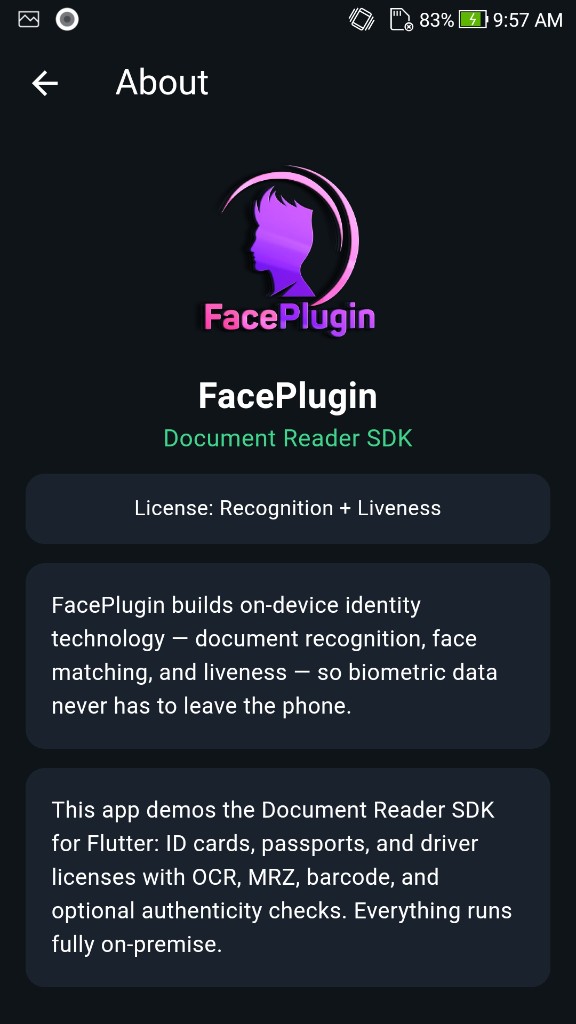
After activation, getLicenseStatus reports what the key unlocks. Home shows the same summary on the status bar (for example Ready · Recognition + Liveness). About shows License: ….
| Capability | Meaning |
|---|---|
| Recognition | OCR, MRZ, barcode/QR, and document type classification |
| Liveness (authenticity) | Document authenticity: physical document, security patterns, photo origin, barcode format |
Typical labels:
- Recognition + Liveness — full identity verification (Result + Liveness tabs)
- Recognition — OCR, MRZ, and barcode only; Security stays empty / not checked
- Liveness — authenticity / document liveness only; OCR/MRZ/barcode stays empty / not checked
- Not licensed — until you activate
You need the document_reader_sdk package, the native runtimes, and a few lines of Dart. You do not need the example screens.
dependencies:
  document_reader_sdk:
    git:
      url: https://github.com/Faceplugin-ltd/ID-Document-Recognition-Flutter.git
Then flutter pub get, cd ios && pod install, and rebuild the native app.
| Platform | Copy to |
|---|---|
| Android AAR | <document_reader_sdk>/android/libs/documentreadersdk.aar |
| iOS framework | <document_reader_sdk>/ios/Frameworks/docsdk.framework |
import 'package:document_reader_sdk/document_reader_sdk.dart';

Future<void> boot() async {
  final machine = await getMachineCode(); // FPMC1.…
  final act = await setActivation('FP1.…'); // bound to applicationId / bundle id
  if (act != sdkSuccess) {
    print(await lastLicenseError());
    return;
  }
  final code = await init();
  if (code != sdkSuccess) return;

  final locateJson = await locateDocument(imagePath);
  final resultJson = await recognize(frontPath, backPath, true);
}
Full wiring, permissions, and result JSON: https://doc.faceplugin.com
Call order: getMachineCode → setActivation → init → getLicenseStatus → recognize / locateDocument. Status 0 (sdkSuccess) means activate / init succeeded.
| API | Description |
|---|---|
getMachineCode() / setActivation(license) / init() / deinit() |
License + engine lifecycle |
getLicenseStatus() |
Recognition / Liveness flags + label |
locateDocument(image) |
Live locate JSON + corner geometry |
recognize(front, [back, authenticity]) |
OCR / MRZ / barcode — canonical JSON |
documentRecognition(front, [back]) |
OCR / MRZ / barcode only |
documentLiveness(front, [back]) |
Authenticity / security only |
recognizeResult(...) |
Typed DocResult |
lastLicenseError() |
Last license error string |
Status codes: sdkSuccess (0), sdkLicenseInvalid (1), sdkLicenseExpired (2), sdkNotActivated (3), sdkInitFailed (4).
Image input: file path, file:// URI, content URI, or base64 / data: URL.


