Releases: ClarkCodes/CinemaTickets
CinemaTickets v1.6-public-stable

What's New
This is a compilation of changes made in this version, these changes were proposed onto trying to get closer to a real world application, to real cases of use scenarios, this target is not yet complete of course, but I will try to do a little more about it in every future version to eventually fullfill it.
Unique Contributor - Author - Developer
The unique developer in this project until this version is myself.
- Current version: 1.6-public-stable by @ClarkCodes
Full Changelog: https://github.com/ClarkCodes/CinemaTickets/commits/CinemaTickets--v1.6-public-stable
Technical Upgrades:
- Java Platform upgraded to version OpenJDK 17.0.2
- Gradle upgraded to version Gradle 7.4.1
- IDE used for development upgraded to version Apache NetBeans 13
- Third Party libraries upgraded, FlatLaf and all its dependencies updated to version 2.1, Salamander upgraded to version 1.1.3
Cinema Tickets uses FlatLaf libraries and its dependencies as a graphical user interface themes and SVG icons manager for a smooth and professional look and feel. You can find these libraries on their website: https://www.formdev.com/flatlaf/
New features:
Main Window
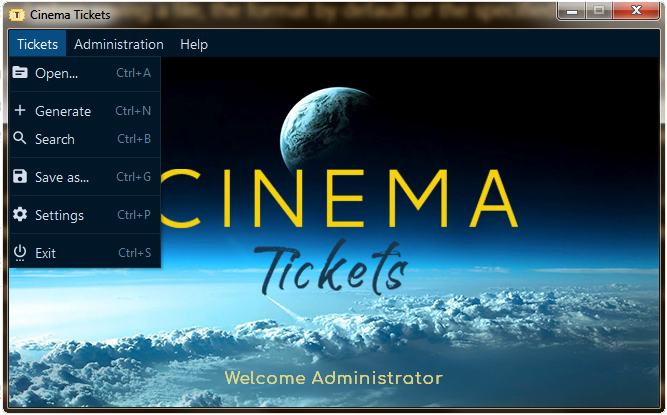
Edit and Delete menus have been removed from main window, given its functionalities have been transferred to the search window, now the search window only have one mode to be open, search mode now has all functionalities integrated whether to search, edit or delete tickets, as it is in real world apps, this way these tasks are more intuitive and efficient.

Search Window
New search movie criterias added, introduced and enabled those that were pending and disabled in previews versions, also the search window has been redesigned for a better user experience, a more intuitive and natural look, edit and delete tickets capabilities have been integrated, so this means that when you double click on a ticket in the tickets table, the edit ticket window opens for you to be able to modify its information and update that ticket, and when you press the delete key when you have a ticket selected in the tickets table you can delete that ticket, same functionalities can be accessed if you right click on a ticket in the tickets table.

User Settings
A set of new features have been added, to make a better and richer user experience:
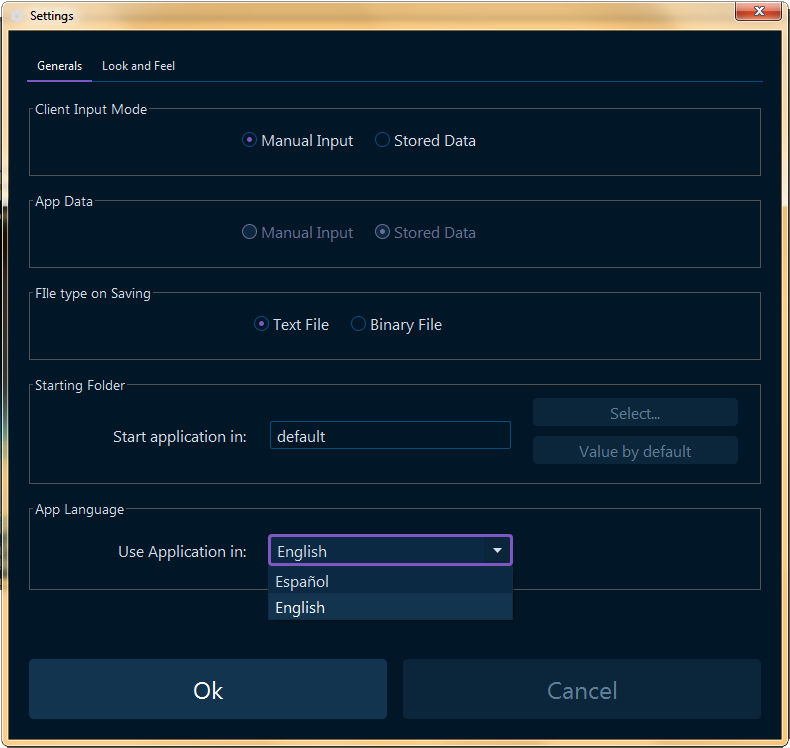
- Support for binary files added, Cinema Tickets now supports text and binary files for open and save tickets files operations. A new setting is available in Settings window to specify the file format to save Cinema Tickets files, when opening Cinema Tickets files, the file type is determined in real time to properly open the file, so you can choose any text or binary Cinema Tickets file and open it normally, the application will recognize and open it, and when saving a file, the format by default or the specified user setting is used to save the Cinema Tickets file.
- Customizing starting folder feature for application added, you can now set a specific folder in your PC, this way the application starts open and save dialogs in this folder, the app sets the folder you specified only when it starts and when you change and apply this feature on settings window, so you can navigate to other folders from this location and the application will remember it until you close it, but if you specified a starting folder of course the application will remember this location when you open it again, given that settings are persistent.
- Manual Client Input capability added, in settings now you can select the manual input mode for client and with this you can manually enter the client information when you are generating a new ticket, so you are no longer limited to the clients stored, nevertheless, you can also use the stored mode if you only want to test a ticket generation quickly.
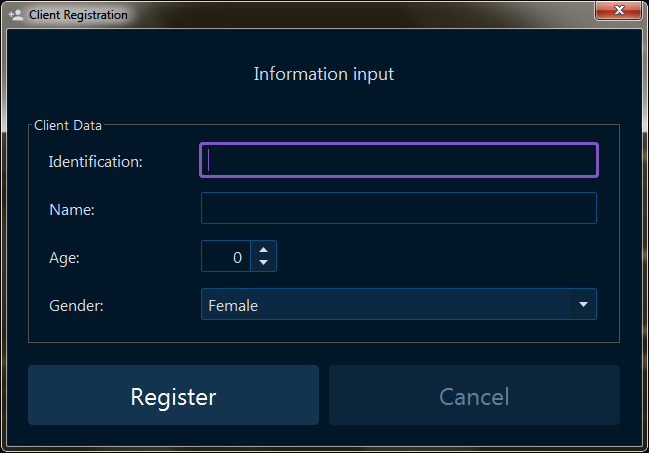
Cinema Tickets in different languages
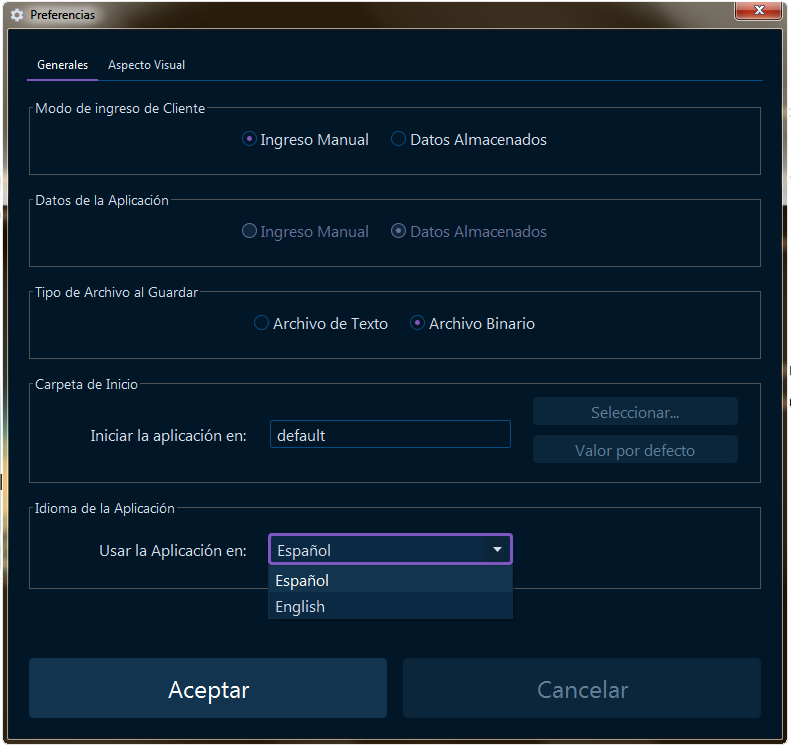
Internationalization capabilities added - Cinema Tickets is now in English and Spanish languages, so you can enjoy this application in the way that is more like you, this setting is available in the Settings window and language change in runtime is supported.
Settings window with all mentioned settings:

English and Spanish comparison:

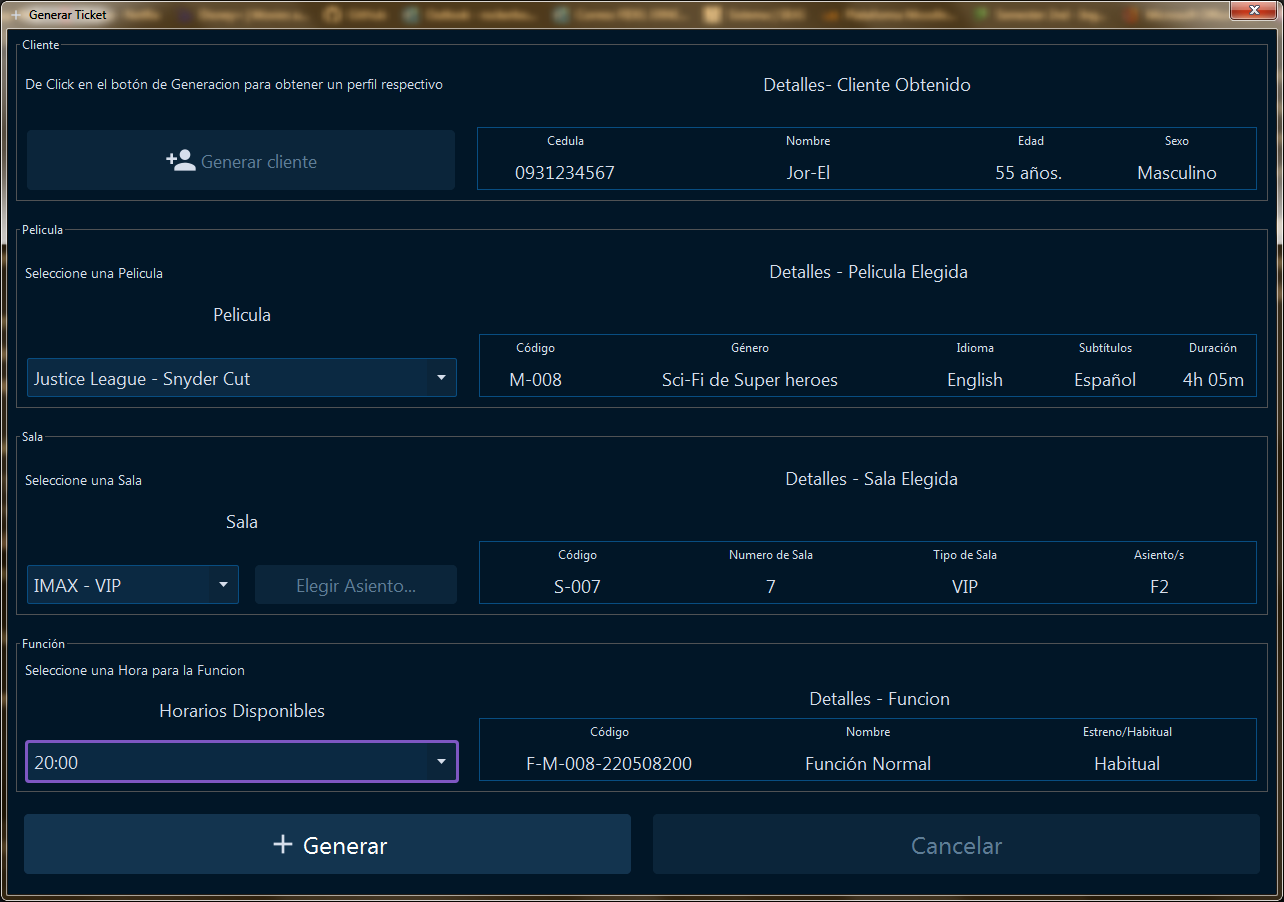
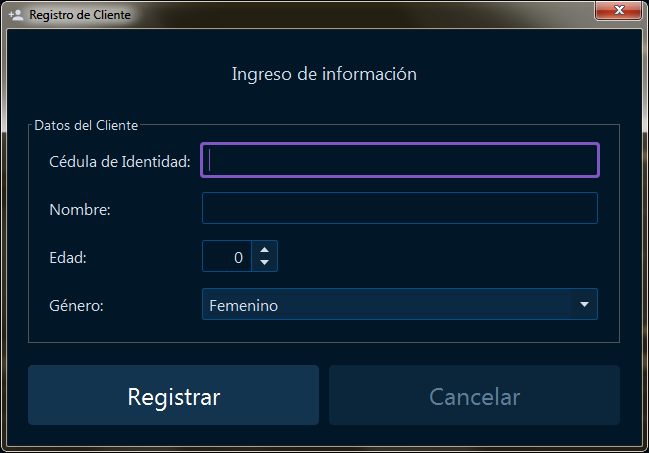
Code refactoring changes, improvements and optimizations
Many code refactoring changes, simplifications, improvements and optimizations around almost all the code base have been made, some of them are:
- Tickets search engine optimized
- Opening and saving Cinema Tickets files operations optimized
- About project window, known before as about developer was updated and redesigned
Many of the refactoring and optimizations were made to the code logic behind for a better application functioning, so that is probably where most of the work in this version resides, at the end, effort has been invested in all the application entirely.
Important Technical Note:
This application was developed with Java 17.0.2 and Gradle 7.4.1 specified versions, in order to execute this application properly, it is mandatory to have the specified Java and Gradle versions or greater, otherwise this application could not execute properly or just not even run.
Documentation
More documentation to classes and methods that were not documented before was added as JavaDoc, excluding windows components events methods, classes attributes and those considered as not relevant elements to document.
Finally
This has been an interesting version to make, I like the way this is turning, I try to do my best, but of course I cannot do everything I have on mind in every version because I would probably never finish or it could take too long, so I try to segment those ideas, actually I already have a list of new features and requirements for the next version, as I said before, I will try to make it more as a real world application, to make it a bit more professional in every version, but in order to do this, it requires a reconstruction of many visual and mostly code logic aspects in the application, so this could take some time and effort to make, but it will probably happen a bit more in every future version, but as I always say, some other improvements and new features could possibly appear in further versions, but it is not a guarantee to develop new versions, it is possible but it depends on circumstances.
That is it for now, thank you for reading, for trying this application and for your interest in this project, your comments and recommendations are always welcome, greetings and a huge hug to everyone and... happy coding!... Clark.
Contributors

Assets 2
Version 1.5 - First Public Stable
Cinema Tickets (version 1.5-public-stable)
What's New
The is the first CinemaTickets version that is public, so everything in it is new.
Unique Contributor - Author - Developer
The unique developer in this project until this version is myself.
- Current version: 1.5-public-stable by @ClarkCodes in #1
Full Changelog: https://github.com/ClarkCodes/CinemaTickets/commits/v1.5-public-stable
Recent additions:
- LICENSE.md created
- README.md updated
Features
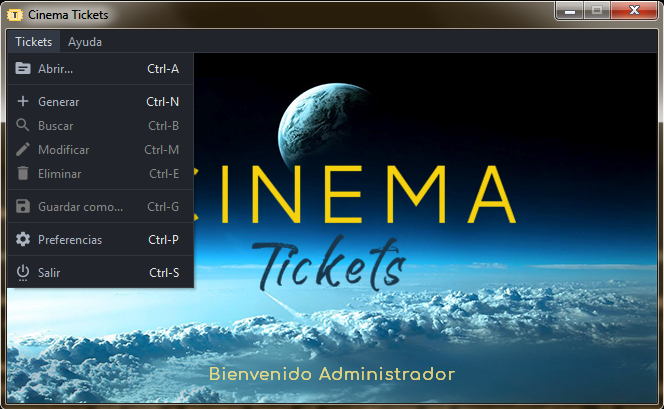
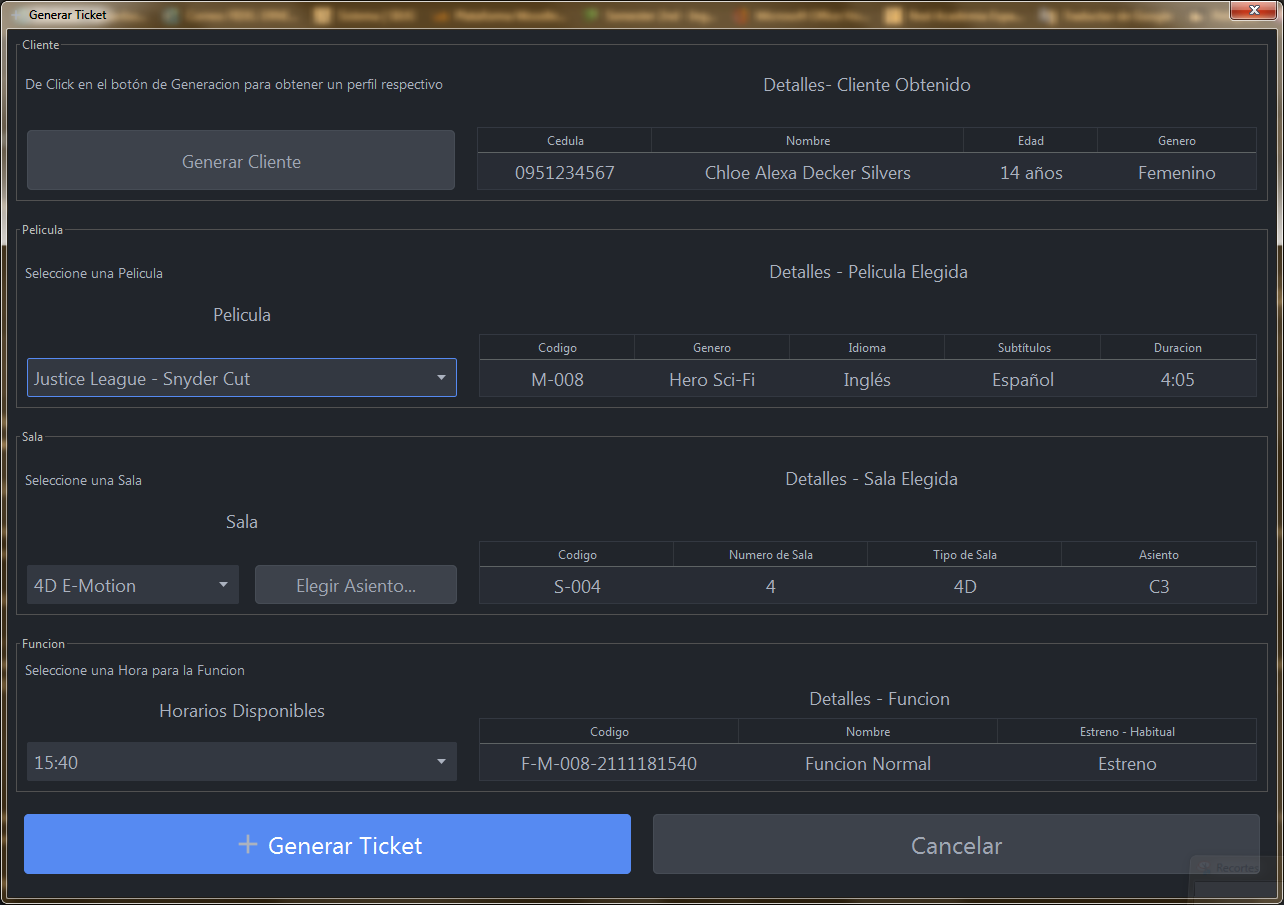
Tickets Creation
You can create Cinema Tickets by clicking on "Generar Ticket" menu item, it will open the tickets generation window, you will be a ble to pick any combination available.
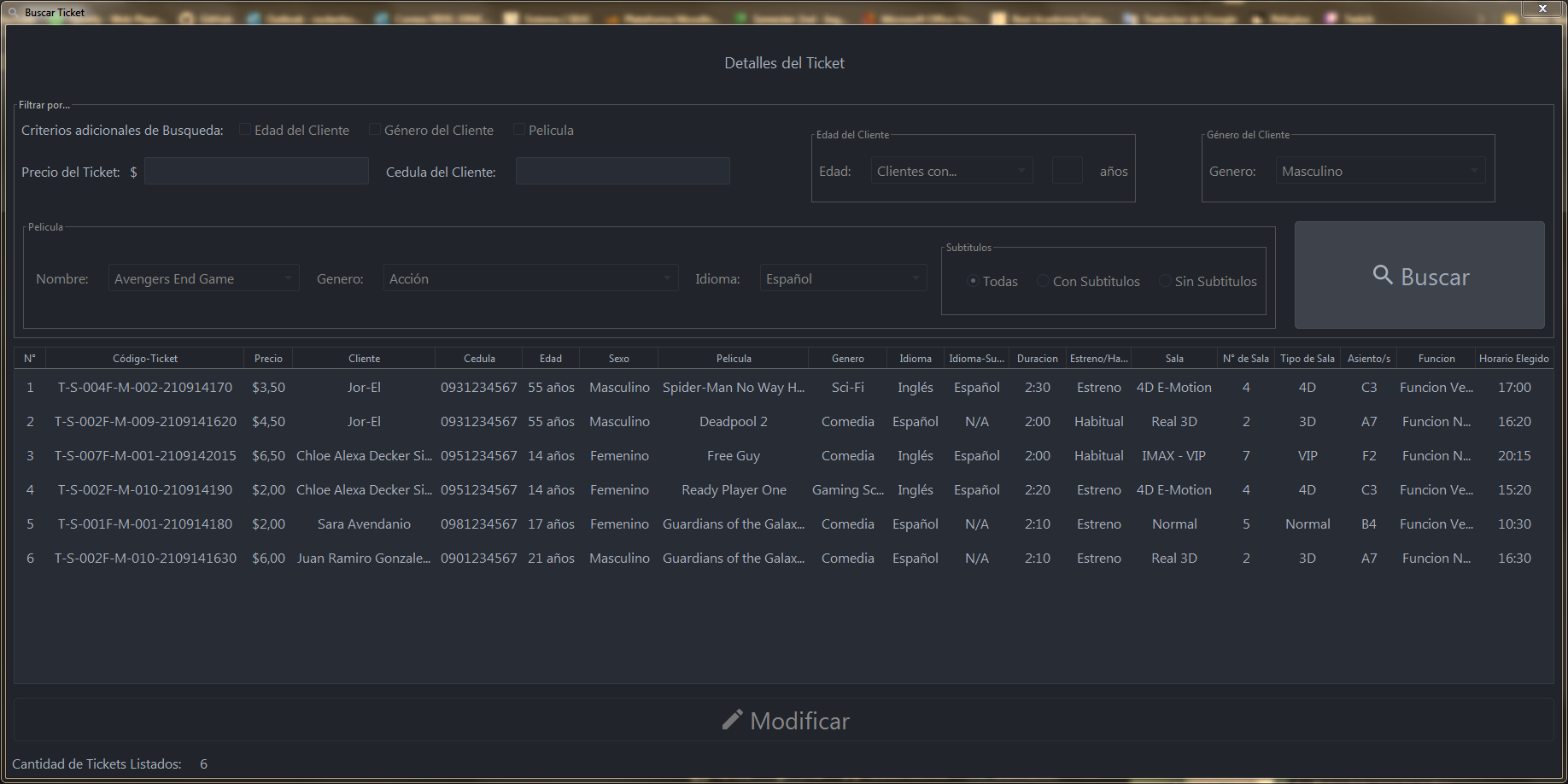
Tickets Search
Searches are available on the "Buscar" menu item, here you can search and filter for tickets with a certain criteria either by ticket's id or by client's id (cédula de ciudadanía). Listing all tickets is available as well just by clearing criteria fields and click on "Buscar" button, this will perform this effect.
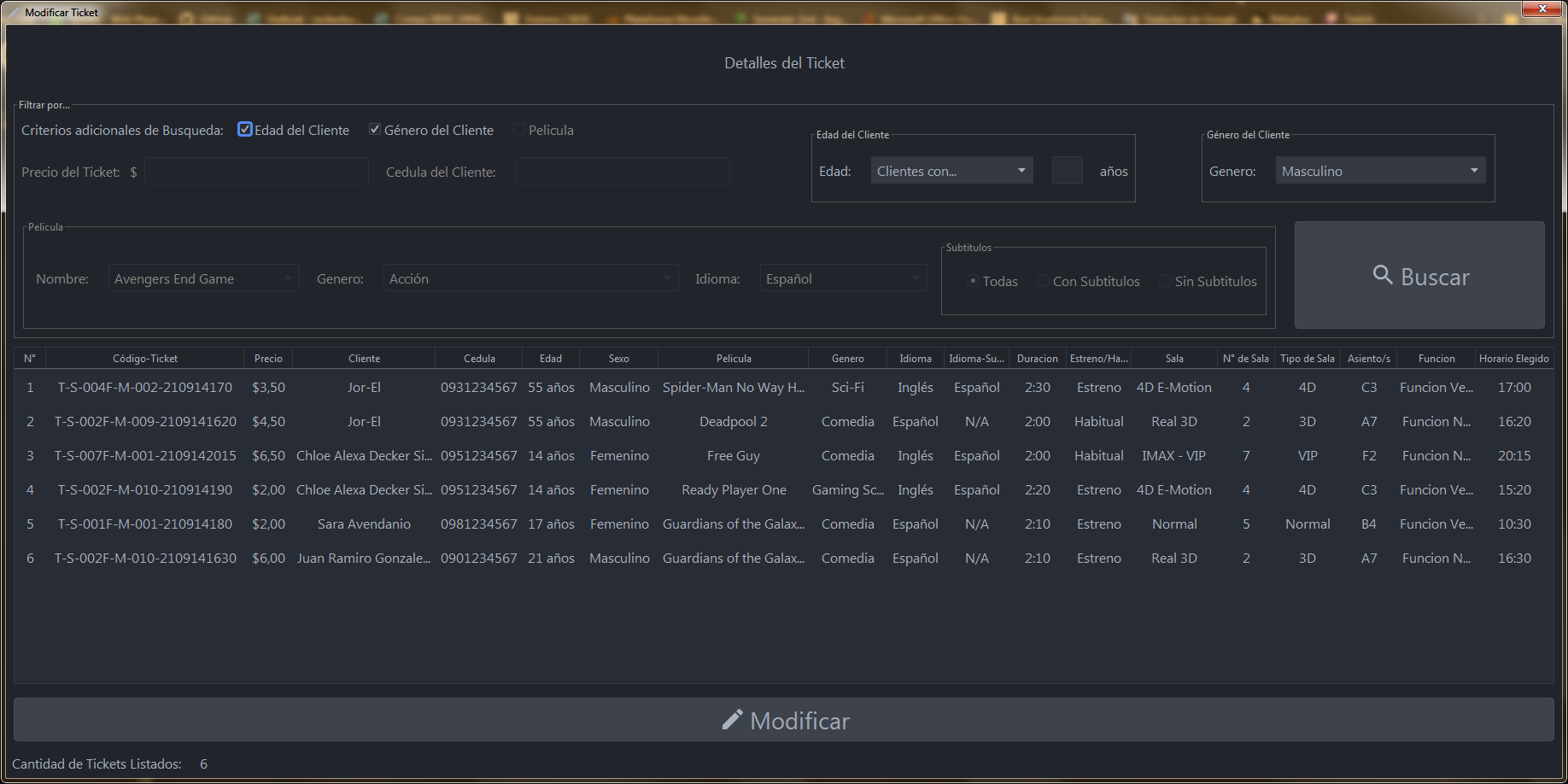
Tickets Modify / Edit / Update
To Modify or edit a ticket, you can click on "Modificar" menu item, this will open the search window in modifying mode, this means the "Modificar" button below will be available, as well as Client's age and gender search/filtering criteria.
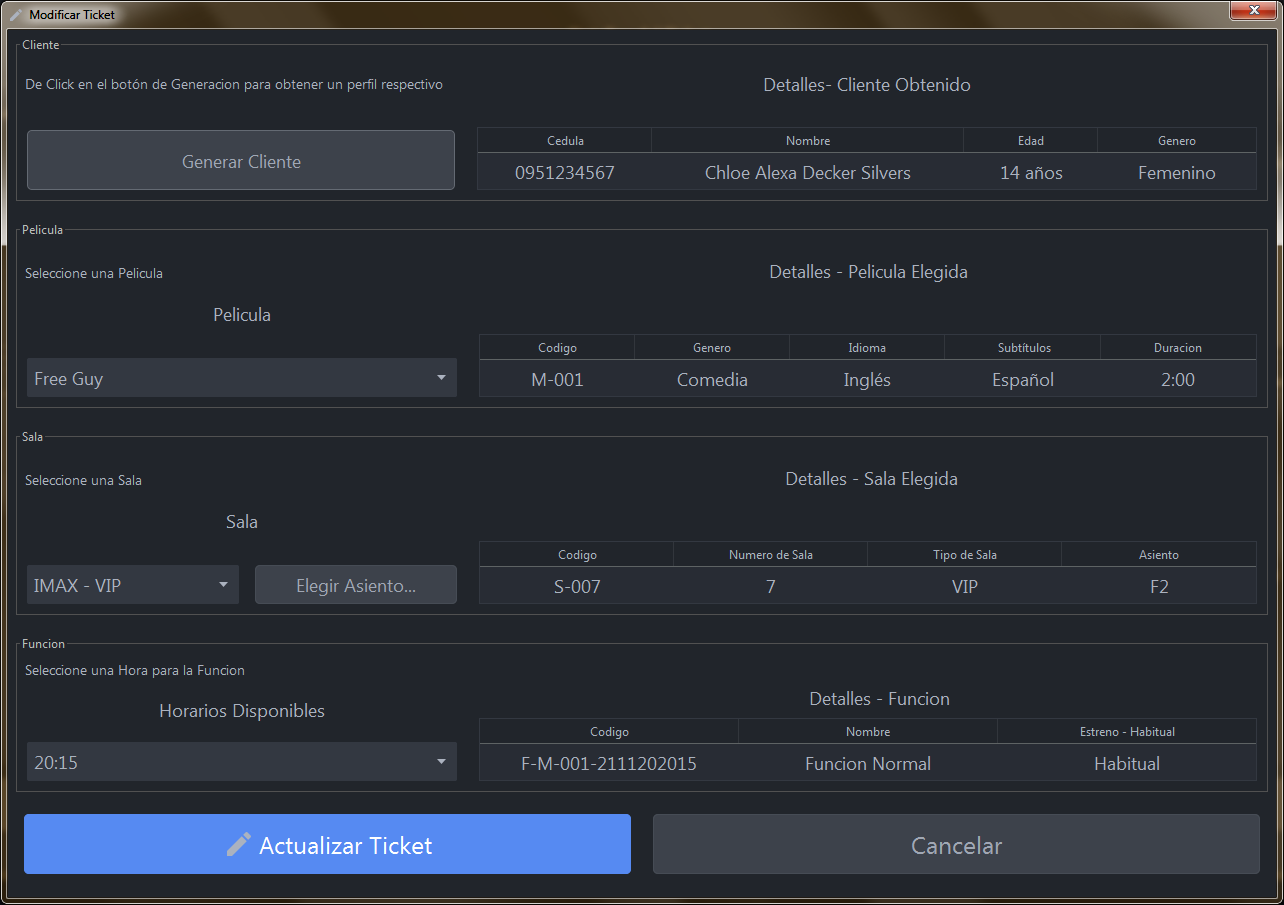
So you can find a ticket to modify it clicking on the button below, this will open the ticket's creation window but on modifying mode as well, where you can edit everything you want.
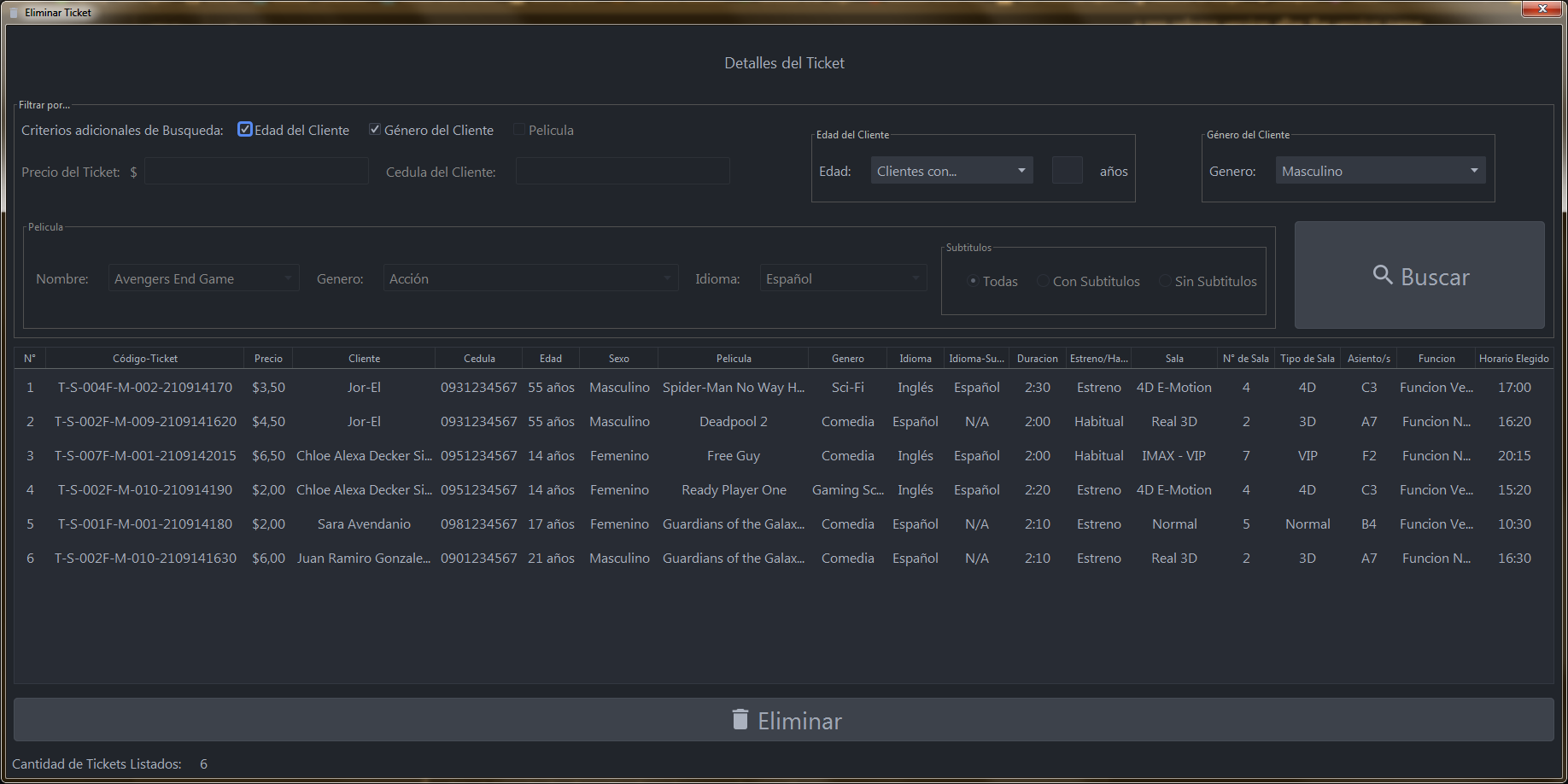
Tickets Deletion
To delete a ticket, select the "Eliminar" menu item, this will bring up the search window but this time on delete mode, age and gender filters are available here as well.
Open and Save CinemaTickets files
You can open a CinemaTickets file clicking on "Abrir" menu item, this will show up the open dialog, find a CinemaTickets file and click on open, this will open the search window with the tickets set in the file.
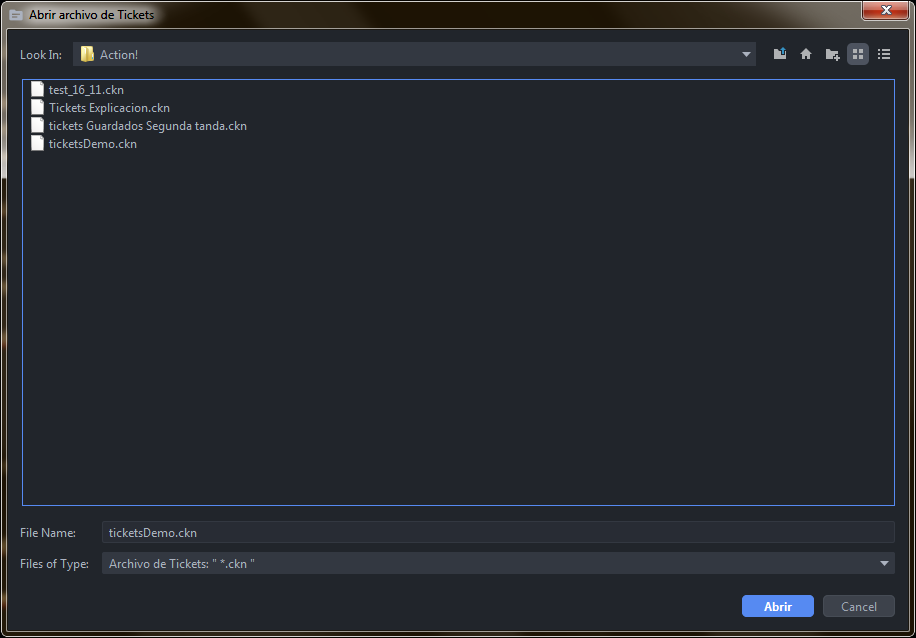
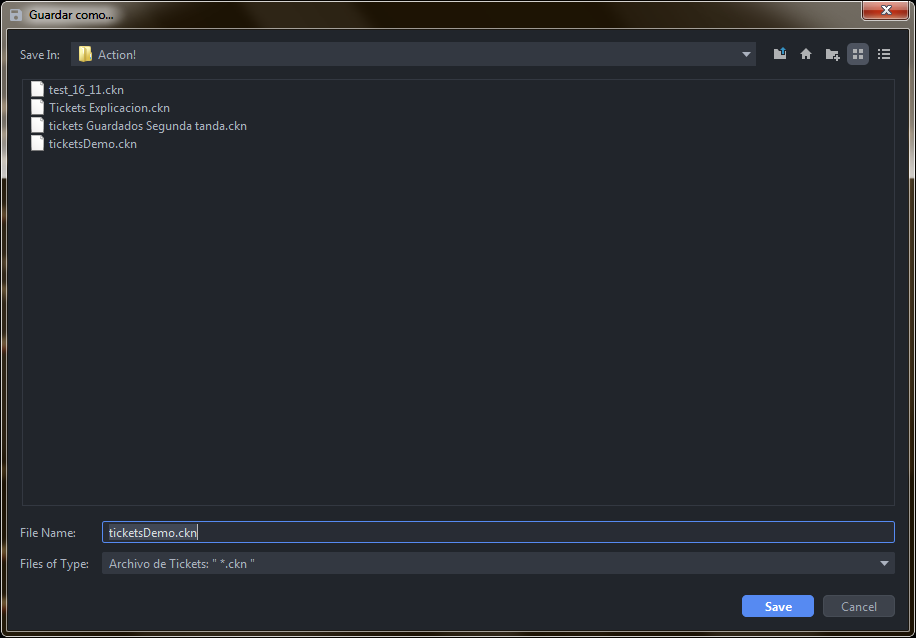
Once you have a set of tickets (at least one ticket) just created or from another file, you can save them in a CinemaTickets file in any location you specify, this is available by clicking on "Guardar como..." menu item.
User Settings
Customization is an important component in today's development, users expect and want that apps they use are adaptive to their tastes and preferences in some way, at some level, mostly having light and dark themes is a really good and expected feature and a great idea to have in an app, all preferences an app can have available for users make it much more rich, flexible and it is an advantage for it, but always keeping consistency of course.
Available by clicking on the "Preferencias" menu item, this feature is supported for a couple of options for now, there could be more in further updates, the most representative setting in this version is the Look and Feel theme choosing.
You can choose visual Look and Feel theme for the application GUI (Graphical User Interface) appearance from a themes list, there are two categories: FlatLaf and IntelliJ Idea themes.
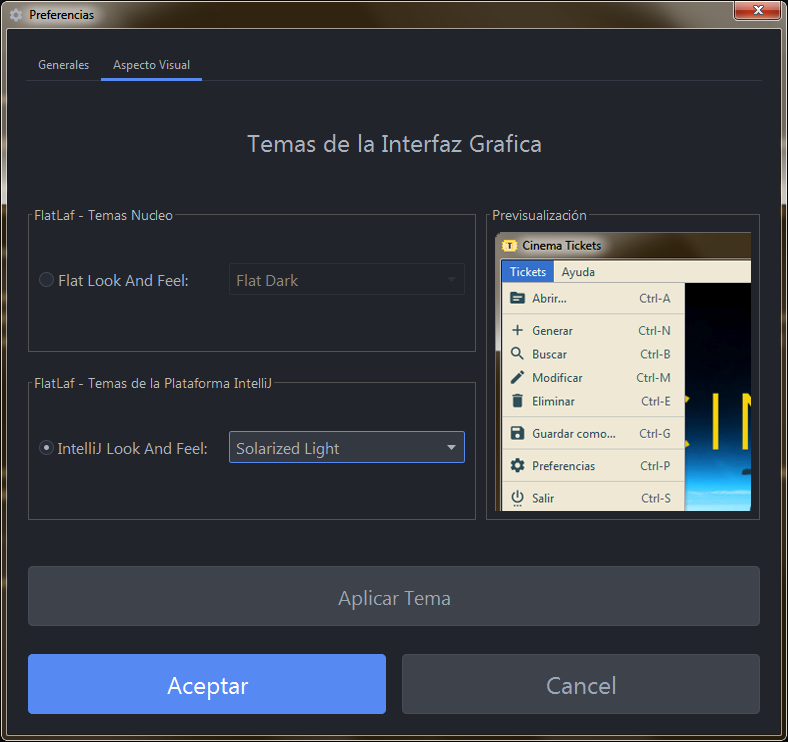
You can pre-visualize the selected theme and decide to apply it clicking on the "Aplicar Tema" button to also see how it looks in seetings window (or you can just click on "Aceptar" button to apply the theme and close the settings window), maybe choose another theme and when you find a theme you like just click on "Aceptar" button to finally keep/apply a theme or click on cancel to keep a previous theme that you had before opening settings window.
To manage aspects like Look and Feel themes and also icons, FlatLaf was implemented in this project, you can open "Atribucion" menu item in the "Ayuda" menu to check out a link to their website, and also links to websites of external resources used in this project.
Finally
Improvements and new features could possibly appear in further versions, but it is not a guarantee to develop new versions, it possible but depends on circumstances.
That is it for now, thank you for reading and for your interest in this project, greetings... Clark.