A multi-agent path finding algorithm that accounts for agents' private incentives in constrained environments [1]. The path-planner utilizes artifical potential fields and resolves conflicts with an auction algorithm. Our approach maximizes agent utility and minimizes the overall time-to-goal of the entire system. The auction planner results in zero collisions and is 20x more efficient than search-based solvers.
- Make sure you have installed Python on your system
- Install NumPy
pip install numpy
- Install Matplotlib
pip install matplotlib
- Follow these steps to install FFmpeg on your system
- Clone the repository
git clone https://github.com/Arya333/SocialMAPF.git
In main.py the following code runs the simulation:
simulator = Simulate(grid, agents, goal_coord, 0, max_sim_steps, finished_agents)
start = time.time()
simulator.run_simulation()
Also in main.py the following code uses FFmpeg to create a video of the simulation from images generated in plot.py:
pro = os.system("ffmpeg -r 1 -f image2 -i ./images/step%d.png -s 1000x1000 -y simulation.avi")
os.system("ffmpeg -i simulation.avi -c:v libx264 -preset slow -crf 19 -c:a libvo_aacenc -b:a 128k -y simulation.mp4")
os.system("ffmpeg -i simulation.mp4 -crf 10 -vf \"minterpolate=fps=10:mi_mode=mci:mc_mode=aobmc:me_mode=bidir:vsbmc=1\" out.mp4")
The first line converts a series of images (time steps of the simulation) in the images folder into an AVI video file. The second line creates an MP4 video file from the AVI file. The last line motion interpolates the MP4 file to make smoother transitions in the simulation. Parameters in these commands can be changed or added to alter the simulation video.
To run a simulation, run main.py. After running a simulation, delete all the images in the images folder as all the images in that folder are used to create the simulation video.
First, set up the grid with the size of the grid (number of rows and columns) and how many agents should be in the grid.
'''
USER INPUT: number of rows for grid
            number of columns for grid
            number of agents
'''
num_rows = 10
num_cols = 10
num_agents = 20
Then, either randomize the goal coordinate or select your own goal coordinate as a list of size 2 (x & y value). The velocities in vels are used by the auction algorithm to determine which agent moves to the goal coordinate based on priority. Entries in vels can be changed so long as the size of the list is the same as num_agents.
# Velocity for each agent is its id in this case
# Velocity is the attribute used in auction algorithm to determine which agent moves to the goal
vels = [i for i in range(1, 1 + num_agents)]
# USER INPUT: goal coordinate
goal_coord = list(np.random.randint(1, num_rows, 2))
The following code randomly assigns agents' initial coordinates in agents_coords_initial. The entries in this list can be changed so long as each coordinate is unique, not the goal coordinate, and the size of agents_coords_initial equals num_agents.
# Set up random agent initialization
agents_coords_initial = []
temp = 0
while temp < num_agents:
    rand_row = random.randint(0, num_rows - 1)
    rand_col = random.randint(0, num_cols - 1)
    if (not (in_agents_coords_initial(rand_row, rand_col) or (rand_row == goal_coord[0] and rand_col == goal_coord[1]))):
        agents_coords_initial.append([rand_row, rand_col])
        temp += 1
Choose the number of static obstacles in the grid during the simulation. The obstacles list contains obstacles' coordinates which are randomly assigned. You can change this list so long as each obstacle's coordinate is unique, isn't an agent's initial coordinate, isn't the goal coordinate, and the size of obstacles equals num_obstacles.
# USER INPUT: number of obstacles
num_obstacles = 30
# Set up obstacles in grid
obs_num_id = num_rows + num_cols
temp = 0
obstacles = [] # List of obstacles coordinates
while temp < num_obstacles:
    rand_row = random.randint(0, num_rows - 1)
    rand_col = random.randint(0, num_cols - 1)
    if (not (in_agents_coords(rand_row, rand_col) or in_obs_coords(rand_row, rand_col) or (rand_row == goal_coord[0] and rand_col == goal_coord[1]))):
        grid[rand_row][rand_col] = Coordinate(obs_num_id, [rand_row, rand_col], None, True)
        obstacles.append([rand_row, rand_col])
        temp += 1
Finally, choose the number of simulation steps. The more steps, the longer the simulation will run for.
# USER INPUT: maximum number of simulation steps
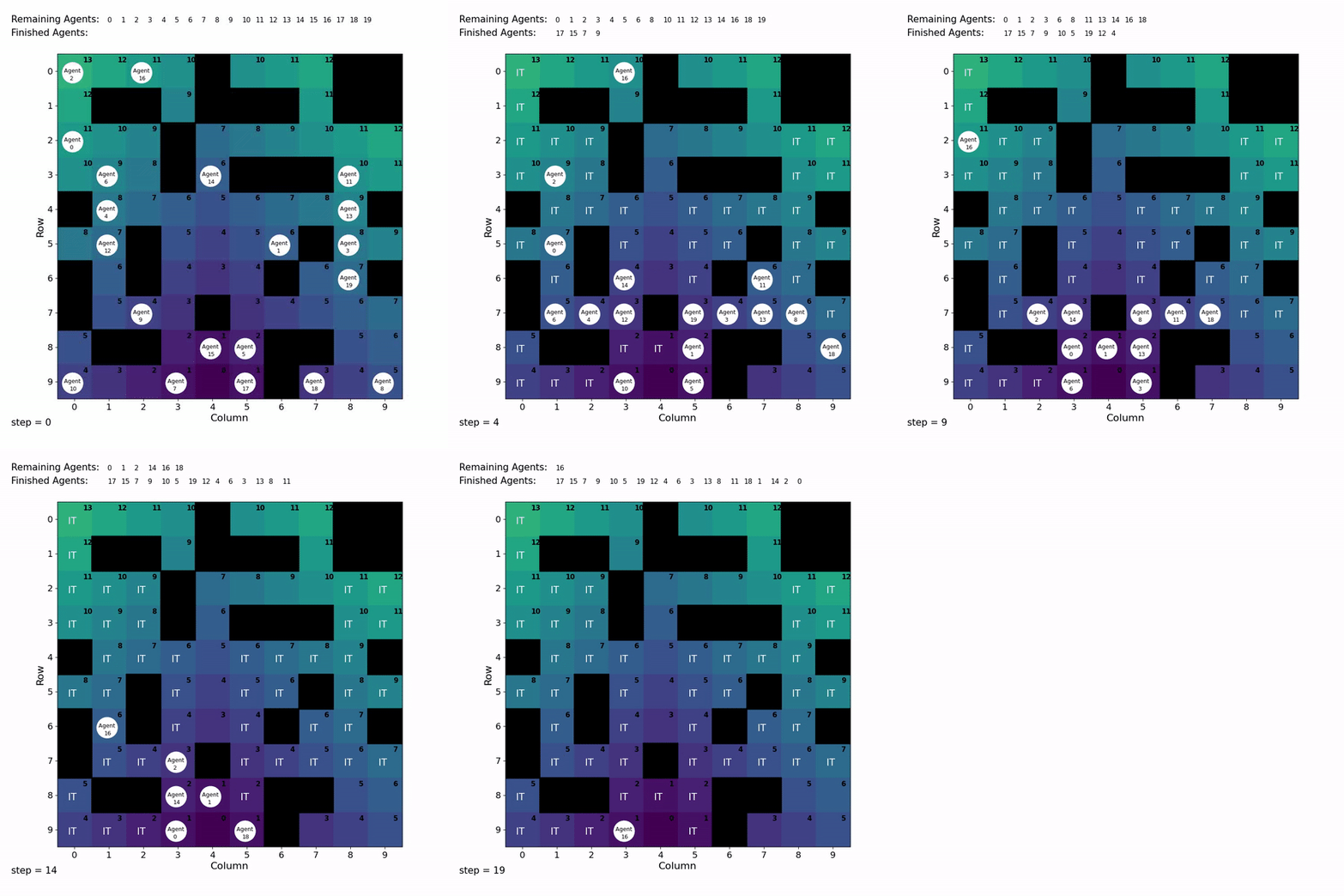
max_sim_steps = 60Simulation without motion interpolation:
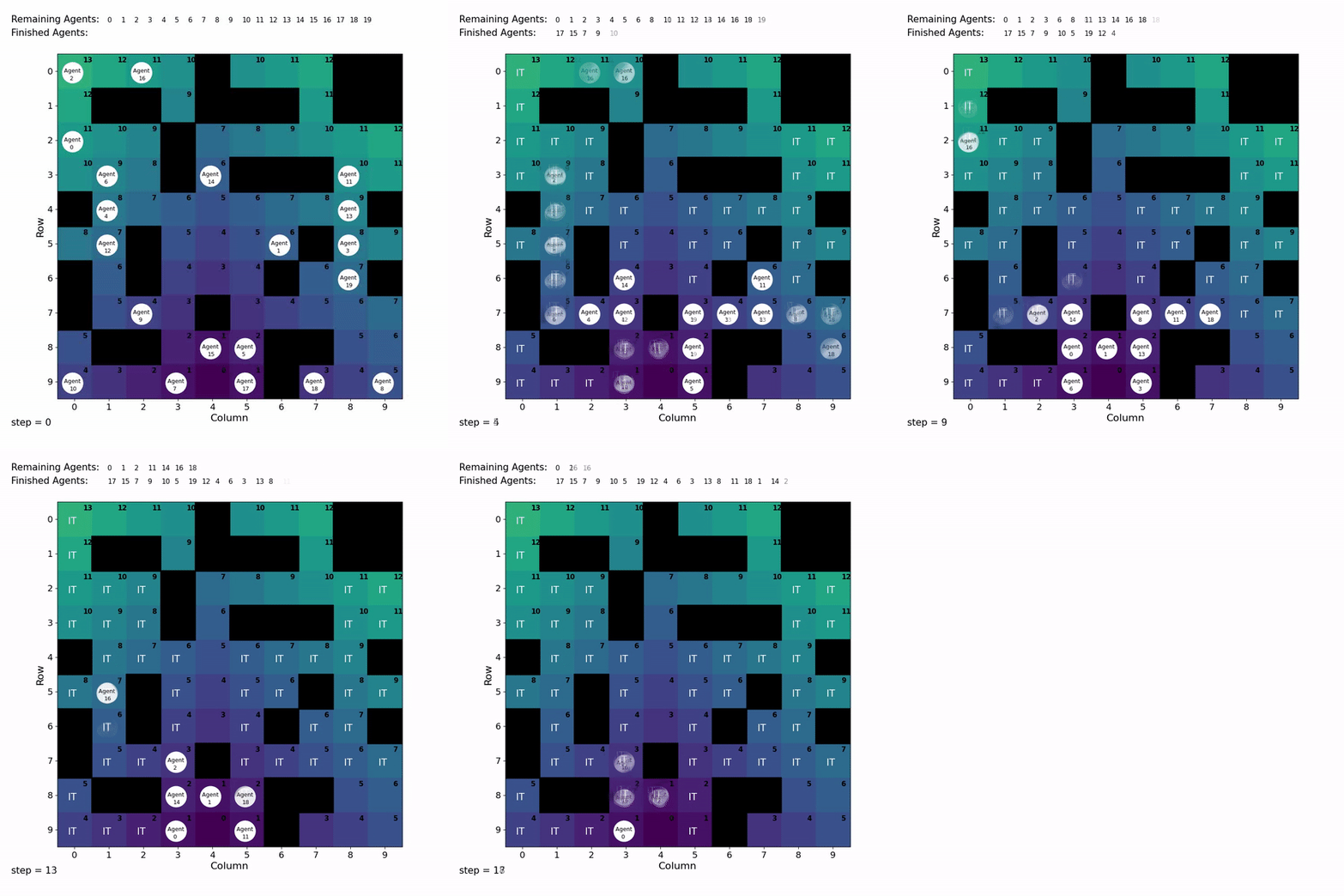
Simulation with motion interpolation:
Thank you so much for your interest in contributing to the project! We recognize that there are many ways to optimize our current algorithm and also add new features to better improve the efficiency and scalability of the path finder. We are always open to new ideas! If you would like to make changes to the project or add new features, please follow these steps:
- Fork the repository
- Create a new branch to work on the feature
- Commit your changes
- Push your changes to the branch
- Create a pull request
[1] Chandra, R., Maligi, R., Anantula, A., & Biswas, J.. (2022). SOCIALMAPF: Optimal and Efficient Multi-Agent Path Finding with Strategic Agents for Social Navigation. https://doi.org/10.48550/arxiv.2210.08390