
PulseRoom is a full-stack social music platform where users can stream music, chat with one another, see who is online, and discover what friends are listening to in real time. It also includes a protected admin dashboard for managing songs, albums, users, and platform statistics.
Live Demo: PulseRoom
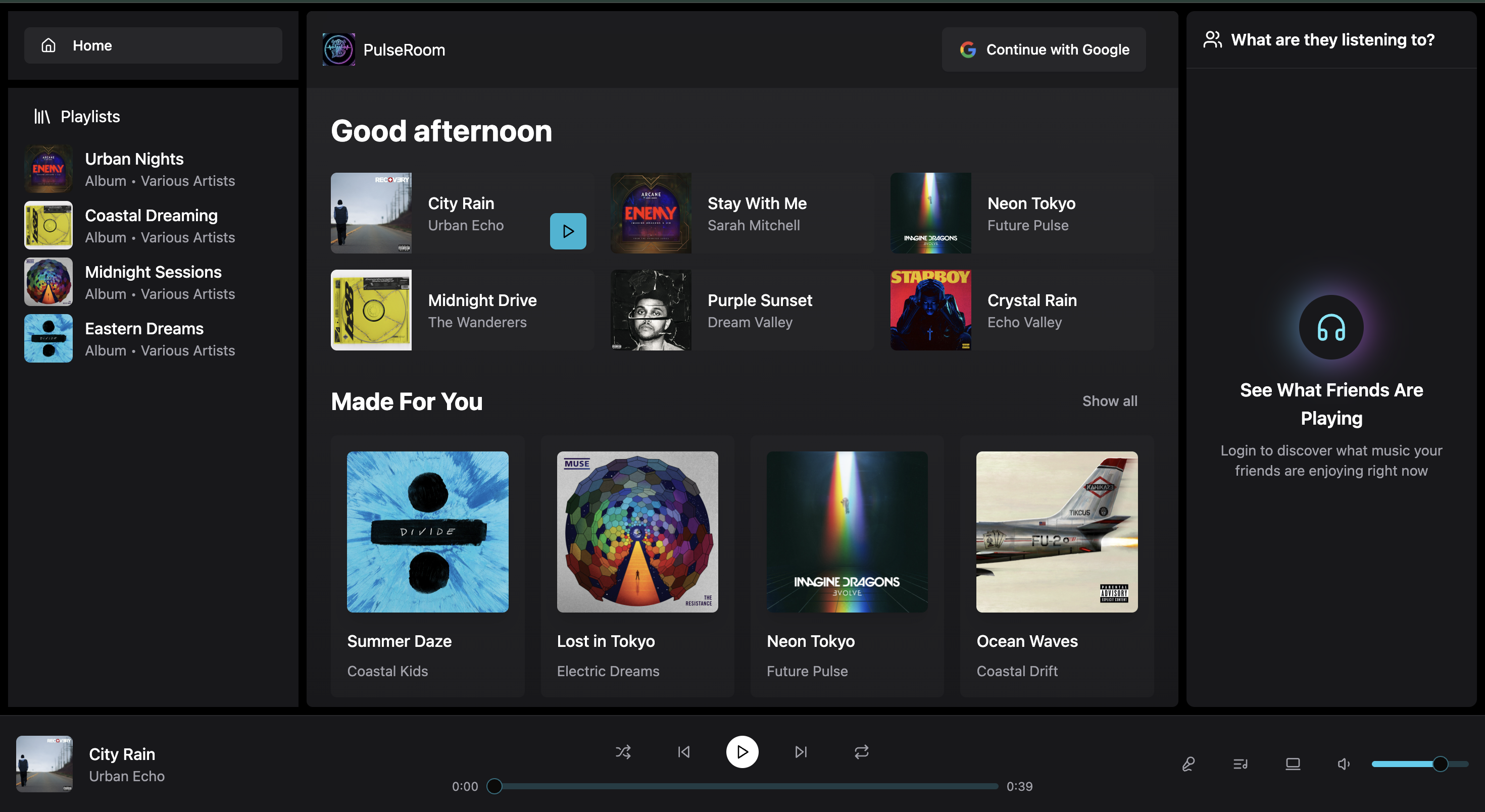
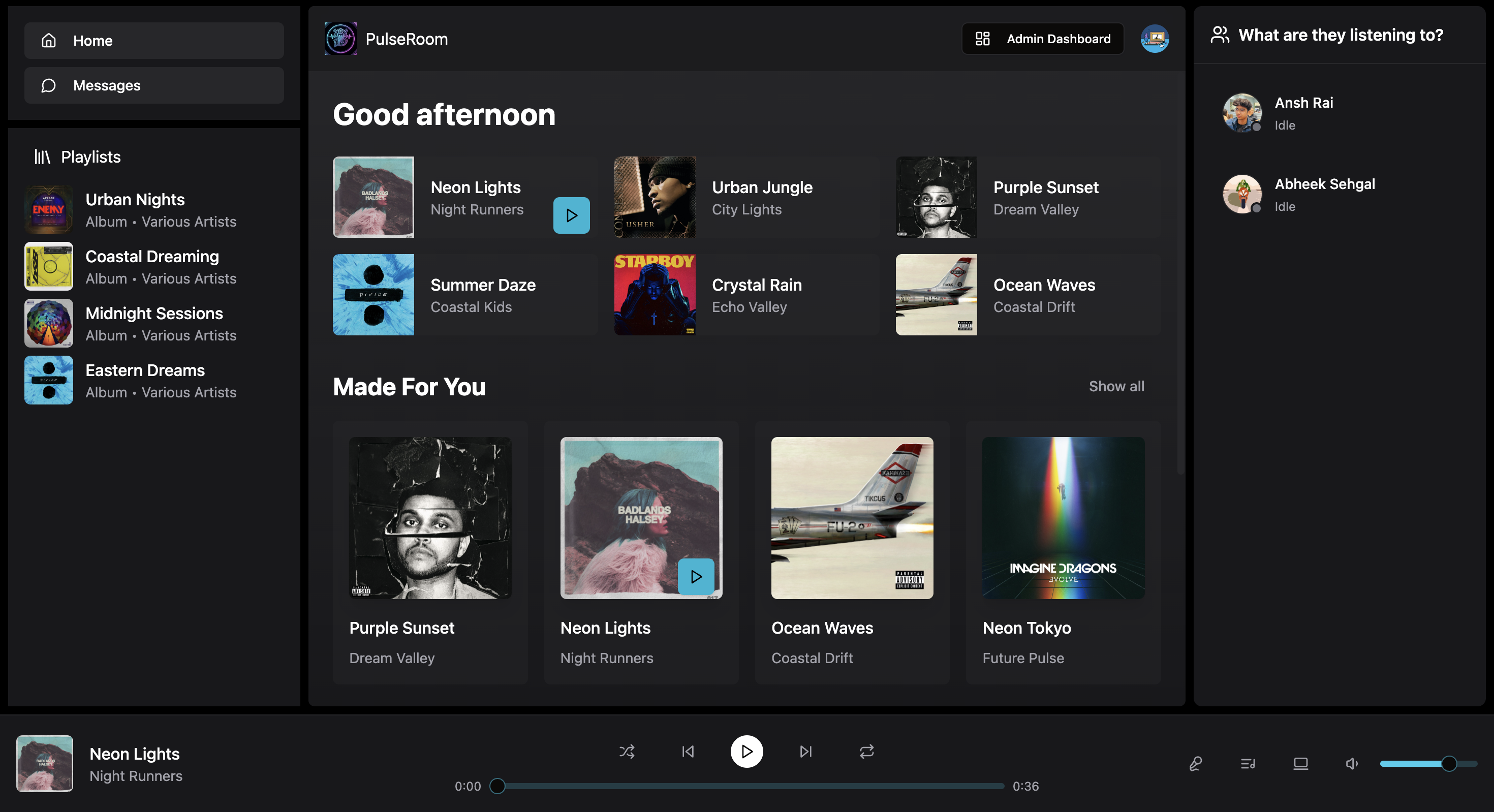
PulseRoom combines music discovery and playback with real-time social interaction.
- Secure Authentication: Sign up and sign in with Google OAuth, powered by Clerk.
- Music and Album Browsing: Explore a library of songs and albums with a focused listening interface.
- Full Audio Playback: Use play, pause, next, previous, volume, and seek controls from the persistent player.
- Real-time Friend Activity: See who is online and what they are currently listening to.
- Real-time Chat: Send direct messages with instant delivery through Socket.IO.
- Listening Activity: Broadcast currently playing and idle states to connected users.
- Protected Admin Dashboard: Manage the platform through the
/adminroute. - Live Statistics: View total users, songs, albums, and unique artists.
- Song Management: Upload audio and artwork, then manage tracks in the library.
- Album Management: Create albums and remove albums or songs when needed.
PulseRoom is built with a modern MERN stack and a TypeScript frontend.
- Framework: React with Vite
- Language: TypeScript
- State Management: Zustand
- Styling: Tailwind CSS
- Real-time Communication: Socket.IO
- UI Components: Shadcn/ui using Radix UI and Lucide React
- Authentication: Clerk
- Runtime: Node.js
- Framework: Express.js
- Database: MongoDB with Mongoose
- Real-time Communication: Socket.IO
- Authentication: Clerk Express SDK
- Media Storage: Cloudinary
- Node.js 18 or later
- npm
- A MongoDB Atlas account or local MongoDB instance
- A Cloudinary account
- A Clerk account
-
Clone the repository:
git clone https://github.com/Anshr23/PulseRoom.git cd PulseRoom -
Set up backend environment variables in
backend/.env:MONGODB_URI=your_mongodb_connection_string PORT=5001 CLIENT_URL=http://localhost:3000 CLERK_PUBLISHABLE_KEY=your_clerk_publishable_key CLERK_SECRET_KEY=your_clerk_secret_key CLOUDINARY_CLOUD_NAME=your_cloudinary_cloud_name CLOUDINARY_API_KEY=your_cloudinary_api_key CLOUDINARY_API_SECRET=your_cloudinary_api_secret ADMIN_EMAIL=your_email_for_admin_access
-
Set up frontend environment variables in
frontend/.env:VITE_CLERK_PUBLISHABLE_KEY=your_clerk_publishable_key VITE_API_URL=http://localhost:5001/api VITE_SOCKET_URL=http://localhost:5001
-
Install dependencies and start both services:
npm install --prefix backend
npm install --prefix frontend
npm run dev --prefix backend
npm run dev --prefix frontend
The frontend runs at
http://localhost:3000and connects to the backend athttp://localhost:5001.
PulseRoom is deployed on Render as two services:
- Static Site: Builds the Vite frontend from the
frontenddirectory and publishesfrontend/dist. - Web Service: Runs the Express API and Socket.IO server from the
backenddirectory.
Root Directory: frontend
Build Command: npm install && npm run build
Publish Directory: dist
Set these frontend environment variables on Render:
VITE_CLERK_PUBLISHABLE_KEY=your_clerk_publishable_key
VITE_API_URL=https://your-backend-service.onrender.com/api
VITE_SOCKET_URL=https://your-backend-service.onrender.com
Add a rewrite from /* to /index.html so React Router routes work on refresh.
Root Directory: backend
Build Command: npm install
Start Command: npm start
Set the backend environment variables from the local setup, using the deployed frontend URL for:
NODE_ENV=production
CLIENT_URL=https://pulseroom-2.onrender.com
The frontend API and Socket.IO URLs should point to the deployed backend service. Clerk redirect URLs and allowed origins should include the deployed frontend URL.
Distributed under the ISC License.