This project is a web application that scrapes trending topics from Twitter using Selenium and displays them on a React frontend. The backend is built with Node.js and Express, and it uses MongoDB to store the scraped data.
- Frontend: React, Vite, Framer Motion
- Backend: Node.js, Express, Selenium WebDriver, MongoDB
- Other: ProxyMesh for proxy management, dotenv for environment variables
- Node.js and npm installed
- MongoDB instance running
- ProxyMesh account for proxy management
-
Navigate to the
backenddirectory:cd backend -
Install the dependencies:
npm install
-
Create a
.envfile in the backend directory and add the following environment variables:MONGODB_URI=your_mongodb_uri TWITTER_USERNAME=your_twitter_username TWITTER_PASSWORD=your_twitter_password TWITTER_VERIFICATION_USERNAME=your_twitter_verification_username PROXYMESH_USERNAME=your_proxymesh_username PROXYMESH_PASSWORD=your_proxymesh_password PORT=3001
-
Start the backend server:
node server.js
-
Navigate to the frontend directory:
cd frontend -
Install the dependencies:
npm install
-
Start the frontend development server:
npm run dev
- Ensure the backend server is running.
- Open your browser and navigate to
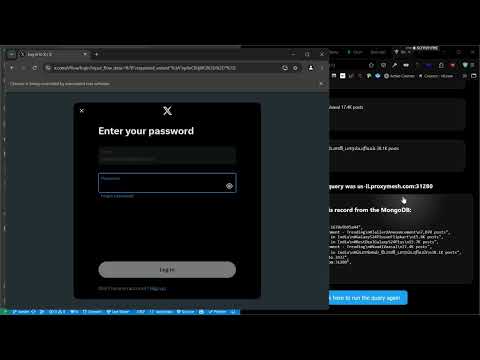
http://localhost:3000. - Click the "Click here to run the script" button to scrape the latest Twitter trends.