English | 简体中文
Build Pake apps online without installing development tools locally.
-
Go to Actions tab in your forked repository
-
Select
Build App With Pake CLI -
Fill in the form (same parameters as CLI options)
-
Click
Run Workflow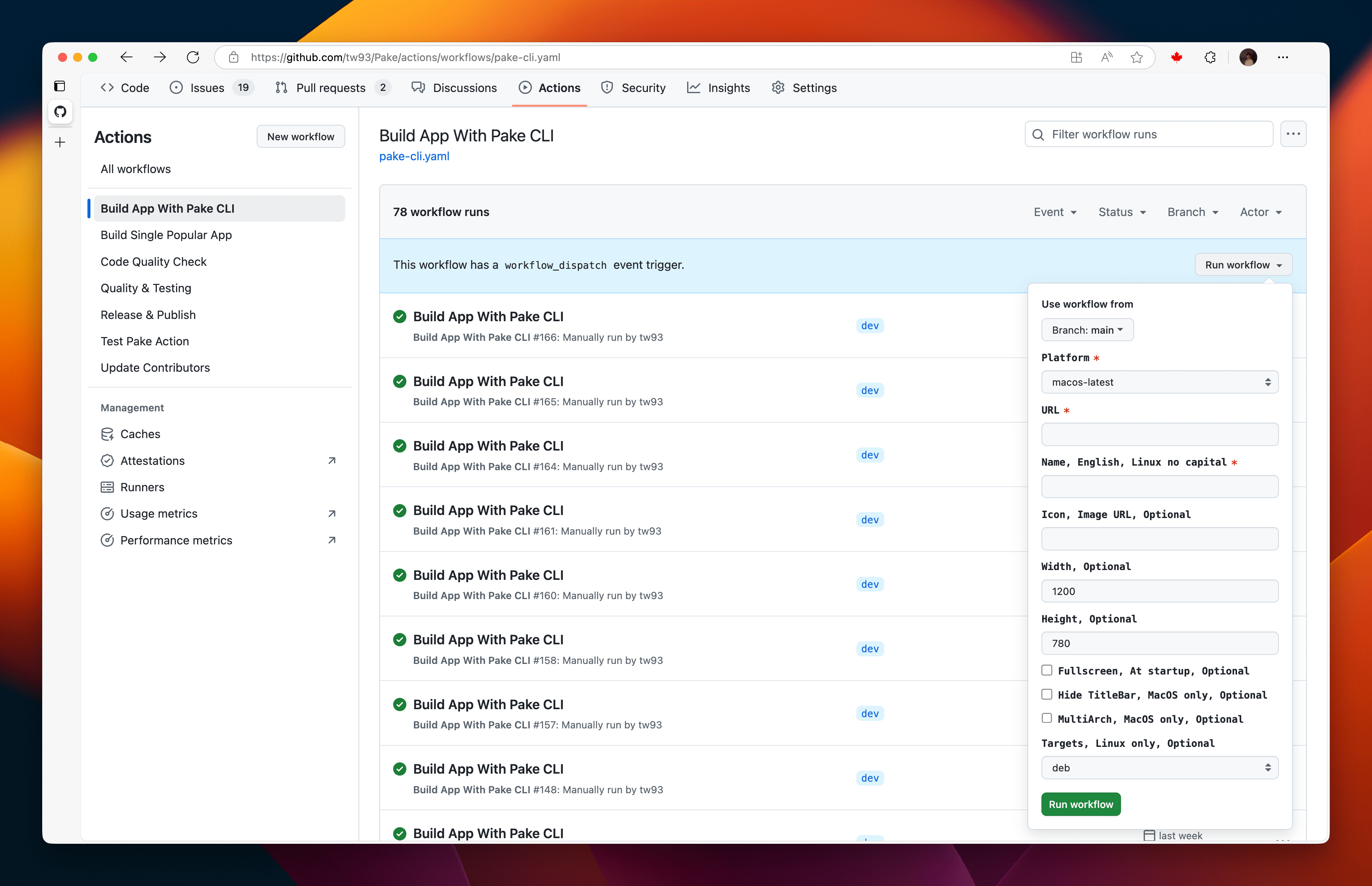
-
Green checkmark = build success
-
Click the workflow name to view details
-
Find
Artifactssection and download your app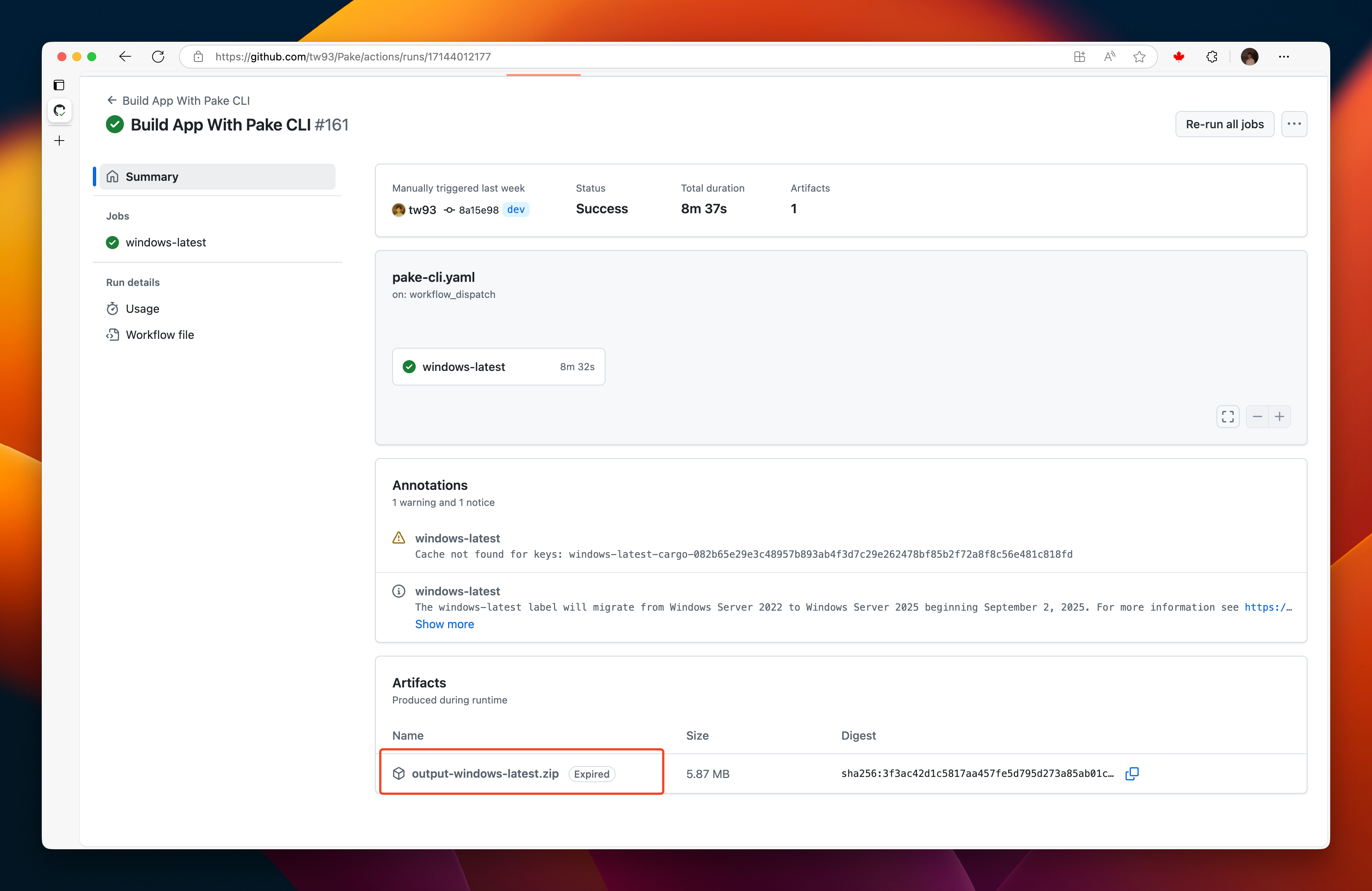
- First run: ~10-15 minutes (sets up cache)
- Subsequent runs: ~5 minutes (uses cache)
- Cache size: 400-600MB when complete
- Be patient on first run - let cache build completely
- Stable network connection recommended
- Enable
Allow sites to open new windowswhen the site launches sign-in, exam, or other flows in a separate window - If build fails, delete cache and retry