First create the workspaces that we need, they were formerly known as environments but was changed since people found it too confusing.
terraform workspace new development
terraform workspace new production
We can then select a workspace and initialise and apply our configuration based on the tfvars for each environment. First we setup the development environment.
terraform workspace select development
terraform plan --var-file=development.tfvars
terraform apply --var-file=development.tfvars
And then we create the production environment.
terraform workspace select production
terraform plan --var-file=production.tfvars
terraform apply --var-file=production.tfvars
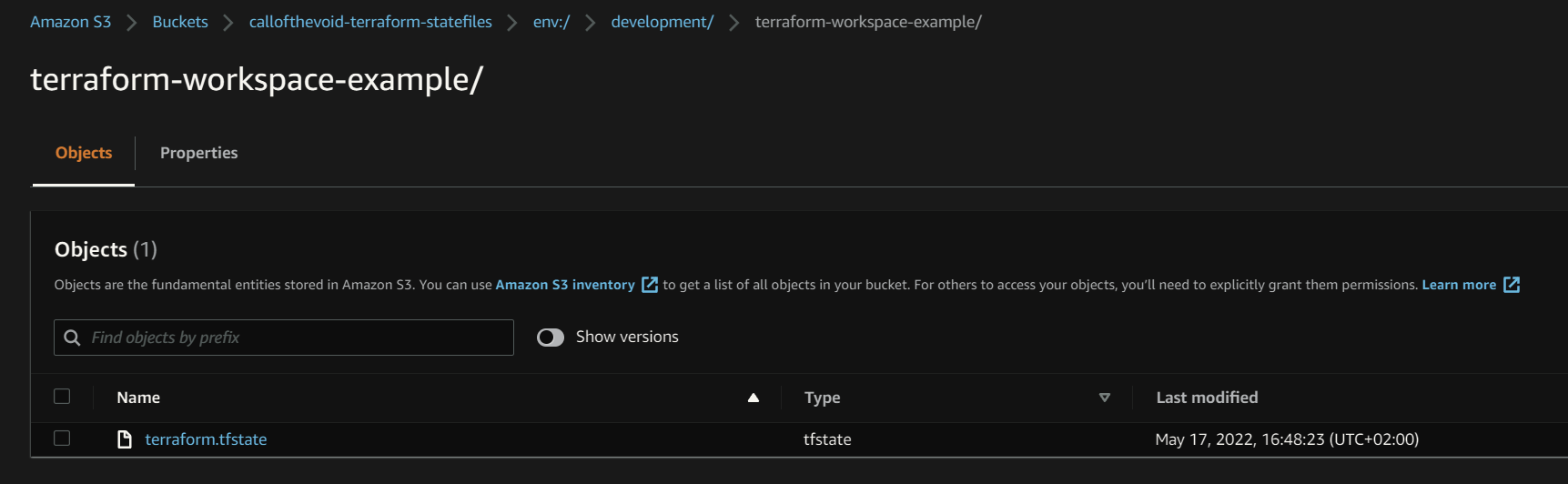
If we go to the S3 bucket containing our remote state files we can see that a new folder structured has been created. It will contain a folder for each environment with a subfolder for each terraform project and its state file.
- env:/
- development/
- terraform-workspace-example/
- terraform.state
- terraform-workspace-example/
- production/
- terraform-workspace-example/
- terraform.state
- terraform-workspace-example/
- development/