$ npm install --save react-native-background-geolocationIf you use already CocoaPods in your react-native project, you can also add the react-native-background-geolocation project to your Podfile.
NOTE The path to node_modules depends on your Podfile location, whether in {root} of the react-native project (node_modules) or {root}/ios (../node_modules). The following instructions assume {root}/ios
- In your
Podfile, make sure thatplatform :ios, '8.0'is set to8.0 - Add the following Pods (Including
Reactif it's not already there)
platform :ios, '8.0'

#use_frameworks!  # <-- comment this out!
pod 'React', :path => '../node_modules/react-native'
pod 'RNBackgroundGeolocation', :path => '../node_modules/react-native-background-geolocation'
pod 'RNBackgroundFetch', :path => '../node_modules/react-native-background-fetch'- Install the new CocoaPods dependency with:
$ pod install- Open your
App.xcworkspace
-
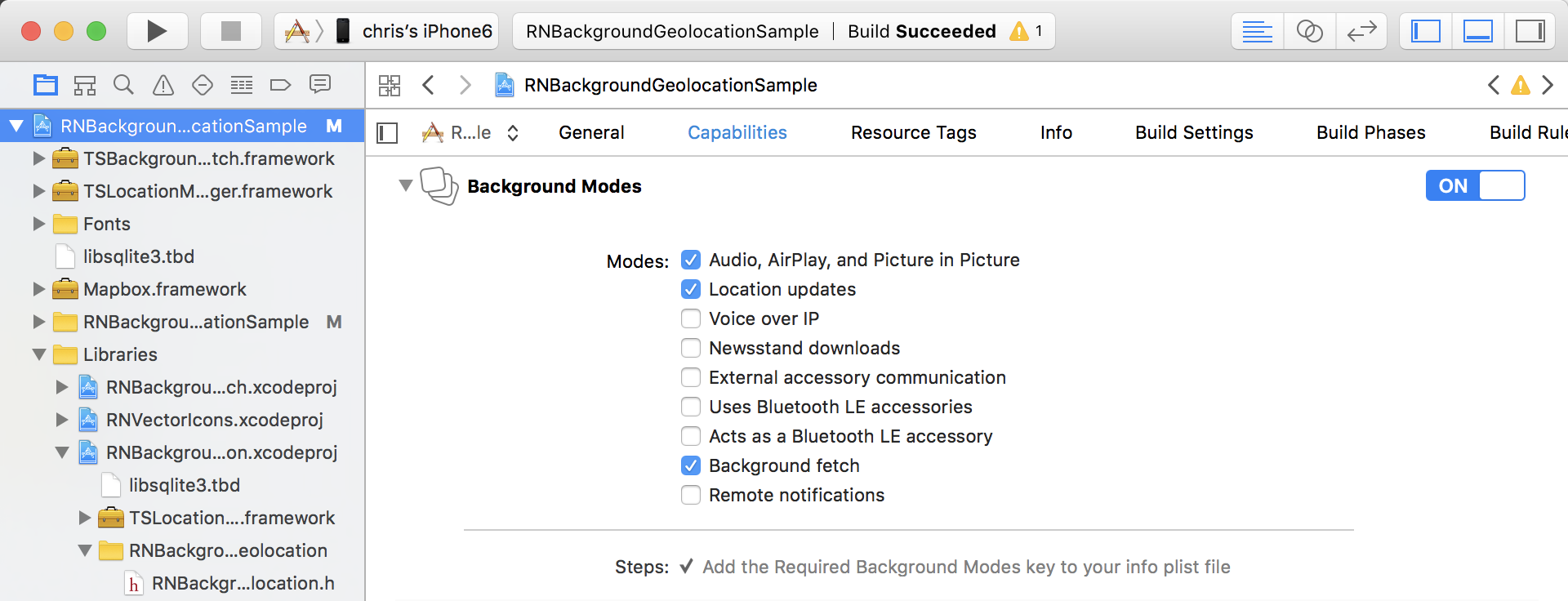
Select the root of your project. Select Capabilities tab. Enable Background Modes and enable the following modes:
-
Location updates
-
Background fetch
-
Audio (optional for debug-mode sound FX)
- Edit
Info.plist. Add the following items (Set Value as desired):
| Key | Value | Description |
|---|---|---|
| NSLocationAlwaysUsageDescription | This app requires background tracking | The value here will be presented to the user when the plugin requests Background Location permission |
| NSMotionUsageDescription | Accelerometer use increases battery efficiency by intelligently toggling location-tracking | The value here will be presented to the user when the app requests Motion Activity permission. |

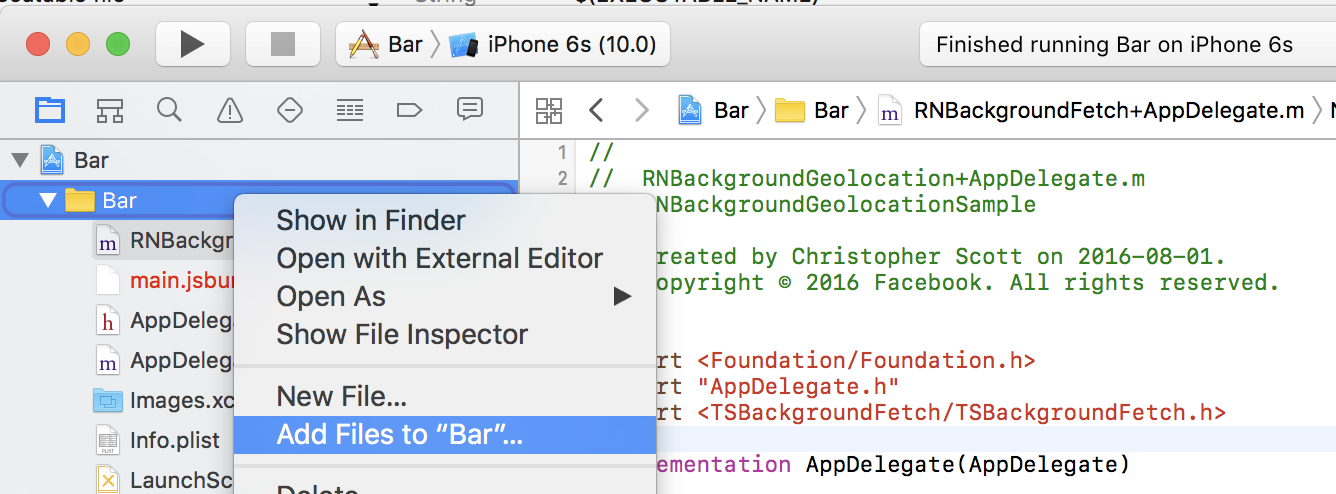
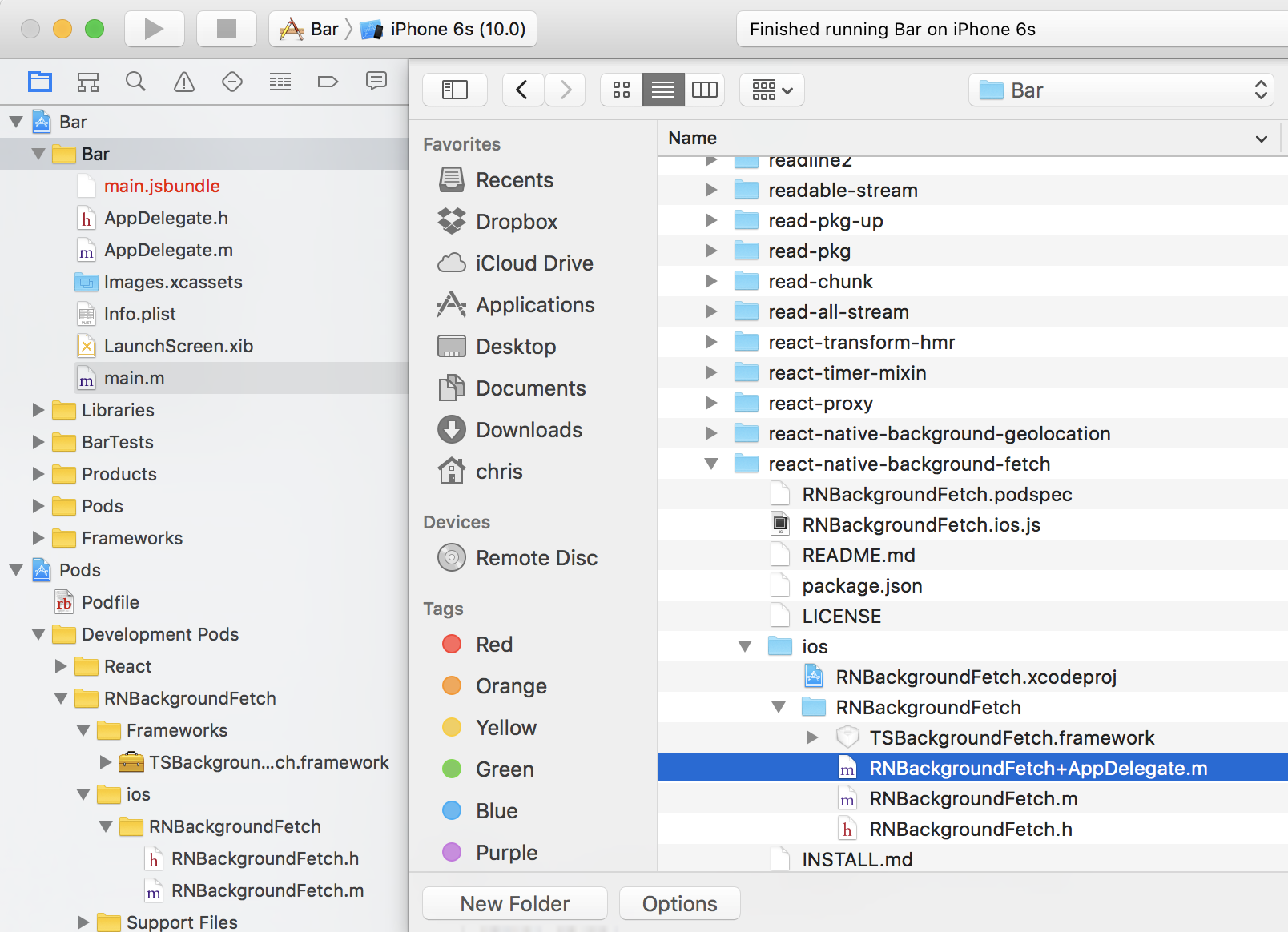
BackgroundFetch implements an AppDelegate method didPerformFetchWithCompletionHandler. You must manually add this file to the same folder where your AppDelegate.m lives:
-
Right click your app's root folder. Select
Add files to.... Select Other. -
Browse to
{YourApp}/node_modules/react-native-background-fetch/ios/RNBackgroundFetch. -
Add the file
RNBackgroundFetch+AppDelegate.m:
Because react-native is only available as npm module (and not as "regular" CocoaPods dependency, see v0.13 release notes for more informations).
So it is required that you import react-native also from a local path.
Ensure that you include React before you include react-native-background-fetch in
your Podfile. Here is a complete working example if you want add your Podfile
in the project root while your generated Xcode project is still in the ios
folder:
Newer versions of react-native might give you error of a missing Yoga dependency.
Unable to satisfy the following requirements:

- `Yoga (= 0.44.0.React)` required by `React/Core (0.44.0)`

None of your spec sources contain a spec satisfying the dependency: `Yoga (= 0.44.0.React)`.
To solve this, just include the path to the Yoga pod.
platform :ios, '8.0'
# pod 'Yoga', :path => '../node_modules/react-native/ReactCommon/yoga' <-- uncomment to solve Yoga error
pod 'React', :path => '../node_modules/react-native'
pod 'RNBackgroundGeolocation', :path => '../node_modules/react-native-background-geolocation'
pod 'RNBackgroundFetch', :path => '../node_modules/react-native-background-fetch'