Hi , I was using JEPLUS 1.7.2 (only around TRNSYS projects) for years until I downloaded today and tried JEPLUS 2.1 .
New features are looking attractive especially collection features that apply now also for TRNSYS as far I saw, great thanks!
However I noticed an issue thus I raise your attention :
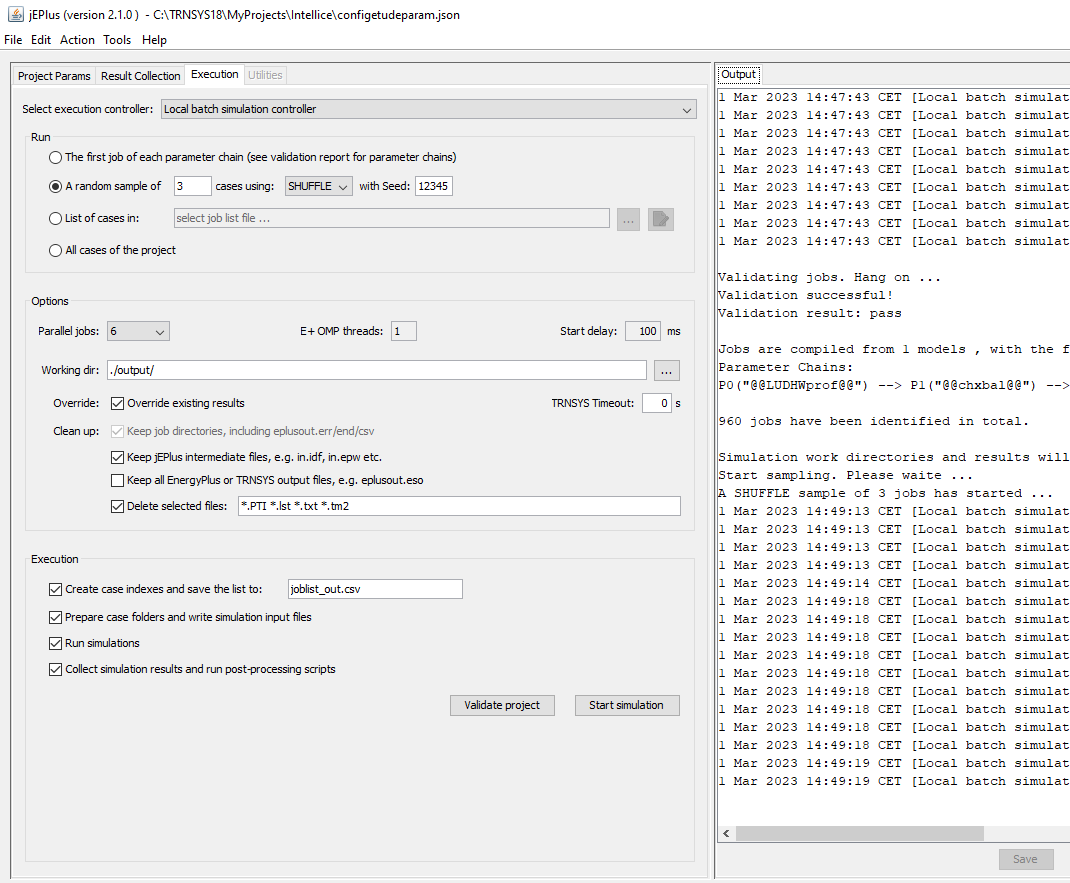
In my current TRNSYS project case, I don't need and don't want JEPLUS at post -processing stage to collect and to concatenate the output files (like trace of every timestep simulation results, heavy files), just want to leave the output files in simulation directories for later on post-processing by Scilab script . I want also to select the input files that I want to keep in simulation directories and those I want to delete, through the dedicated checkboxes and checklists : fine in execution tab.
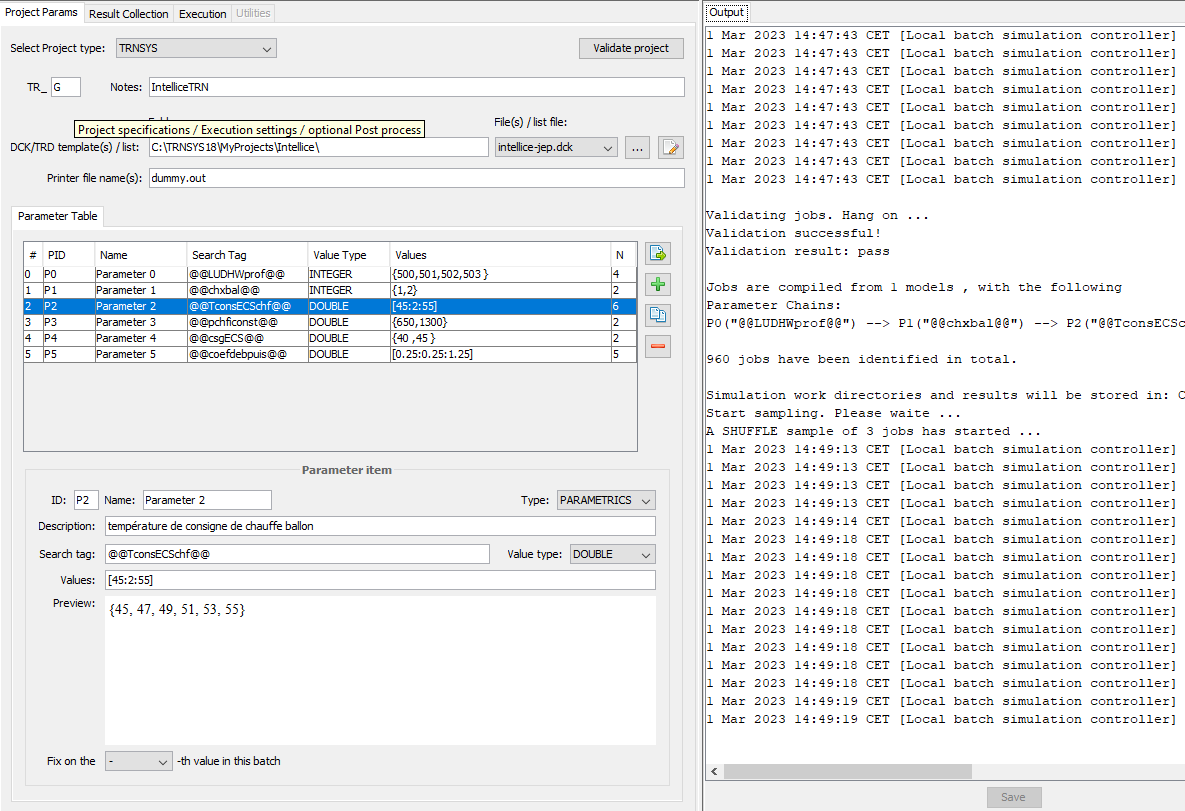
Therefore I initially left "printer file name" empty : in this case, for some reasons, JEPLUS doesn't delete any files from the simulations directories, thus against what is configured in the exectution tab, leading to pointless huge simulation directories... As a workaround for this issue I had to add a dummy printer in my TRNSYS simulation DCK and set the dummy.out in the "printer file name" so that the deletion at post-processing stage is actually performed. Below the screenshot of my current configuration.
thank you for your work, I hope this report might help to solve the issue.
David

Hi , I was using JEPLUS 1.7.2 (only around TRNSYS projects) for years until I downloaded today and tried JEPLUS 2.1 .
New features are looking attractive especially collection features that apply now also for TRNSYS as far I saw, great thanks!
However I noticed an issue thus I raise your attention :
In my current TRNSYS project case, I don't need and don't want JEPLUS at post -processing stage to collect and to concatenate the output files (like trace of every timestep simulation results, heavy files), just want to leave the output files in simulation directories for later on post-processing by Scilab script . I want also to select the input files that I want to keep in simulation directories and those I want to delete, through the dedicated checkboxes and checklists : fine in execution tab.
Therefore I initially left "printer file name" empty : in this case, for some reasons, JEPLUS doesn't delete any files from the simulations directories, thus against what is configured in the exectution tab, leading to pointless huge simulation directories... As a workaround for this issue I had to add a dummy printer in my TRNSYS simulation DCK and set the dummy.out in the "printer file name" so that the deletion at post-processing stage is actually performed. Below the screenshot of my current configuration.
thank you for your work, I hope this report might help to solve the issue.
David