Dash Core wallet docs screenshot audit — v23.x comparison #572

Description

Dash Core Wallet Docs Screenshot Audit — v23.x Comparison
Summary
Systematic comparison of screenshots in the Dash Core wallet documentation (docs/user/wallets/dashcore/) against current Dash Core v23.1.2. This covers the platform-agnostic pages: interface.rst, send-receive.rst, coinjoin-instantsend.rst, advanced.rst, and backup.rst (57 unique images).
Screenshots were last comprehensively updated in different rounds:
- Nov 2024 (docs: update wallet screenshots #414):
options-main,options-network,options-wallet,tools-information,tools-peers,tools-wallet-repair— updated for v22 - Oct 2023 (docs: update coinjoin options screen #307):
options-coinjoin— updated for v19/v20 - Feb 2024 (docs: 20.1 gui updates #343):
overview-discreet,wallet-close-all-confirmation,wallet-close-confirmation— added for v20.1 - Most others: Original 2022 site refresh or earlier — reflecting v18/v19 era
Priority 1 — Significantly Outdated (wrong version or major UI changes)
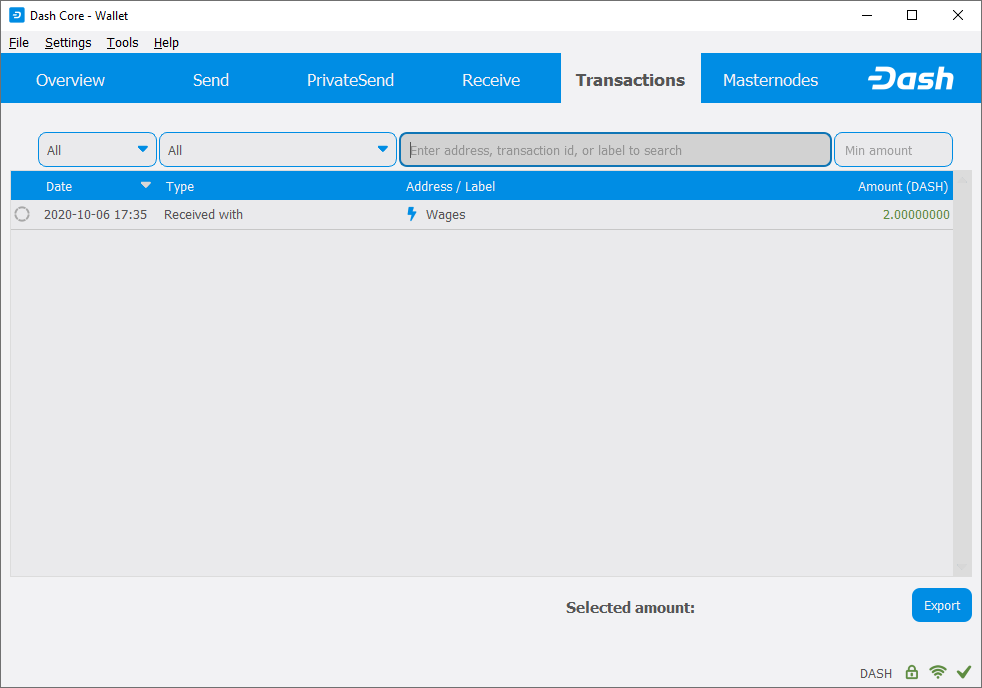
🔴 received.png — Shows v18 "PrivateSend" tab
Page: send-receive.rst
Issue: Shows the old tab layout with "PrivateSend" instead of "CoinJoin" (renamed in v20). Also shows "DASH" instead of testnet "tDASH". The entire tab bar is outdated.
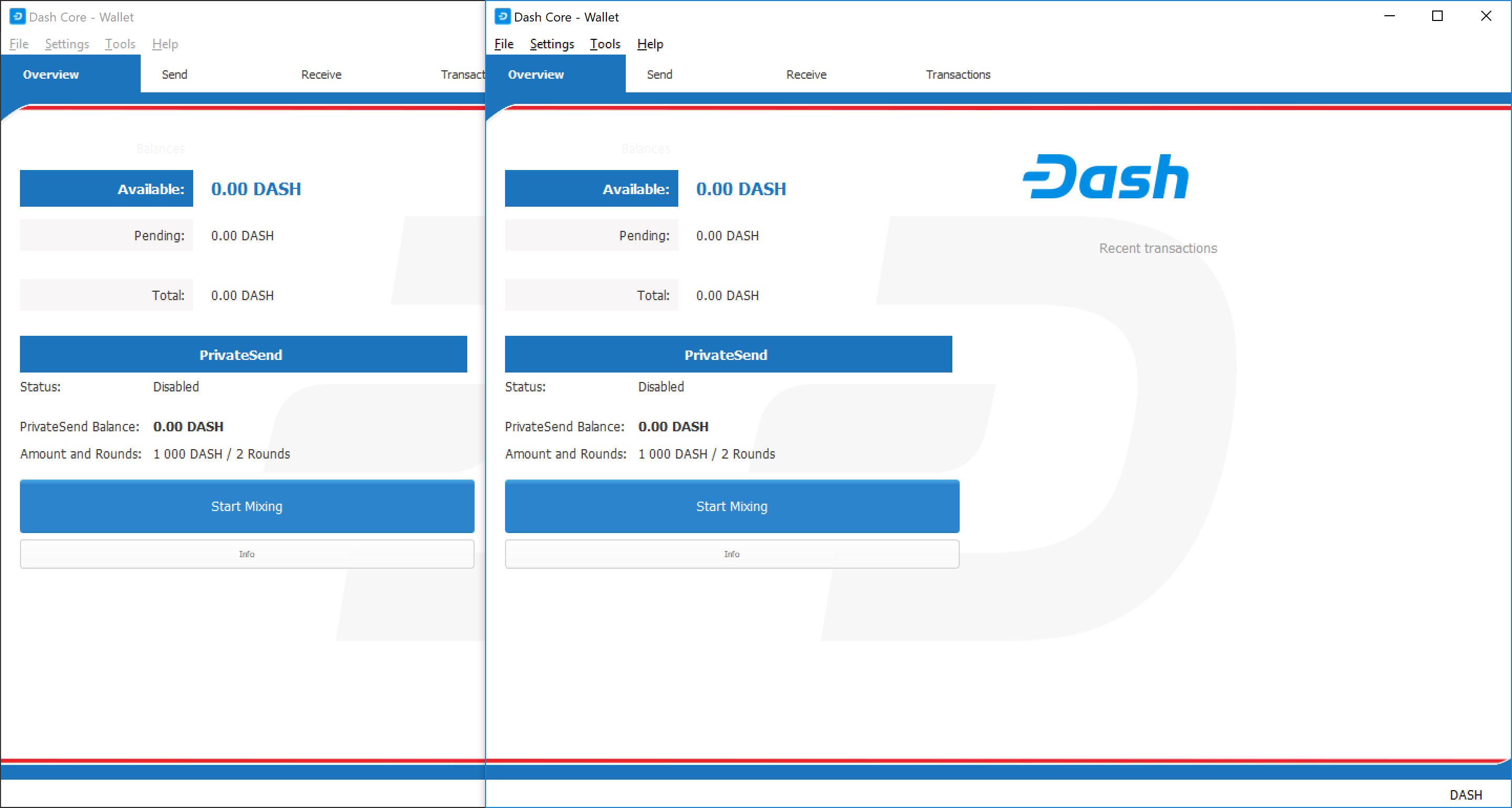
🔴 2wallets.png — Shows v18 "PrivateSend" / "Start Mixing"
Page: advanced.rst
Issue: Shows the old overview tab with "PrivateSend" section, "Start Mixing" button (now "Start CoinJoin"), and the old tab layout without CoinJoin/Masternodes/Governance tabs in the modern style.
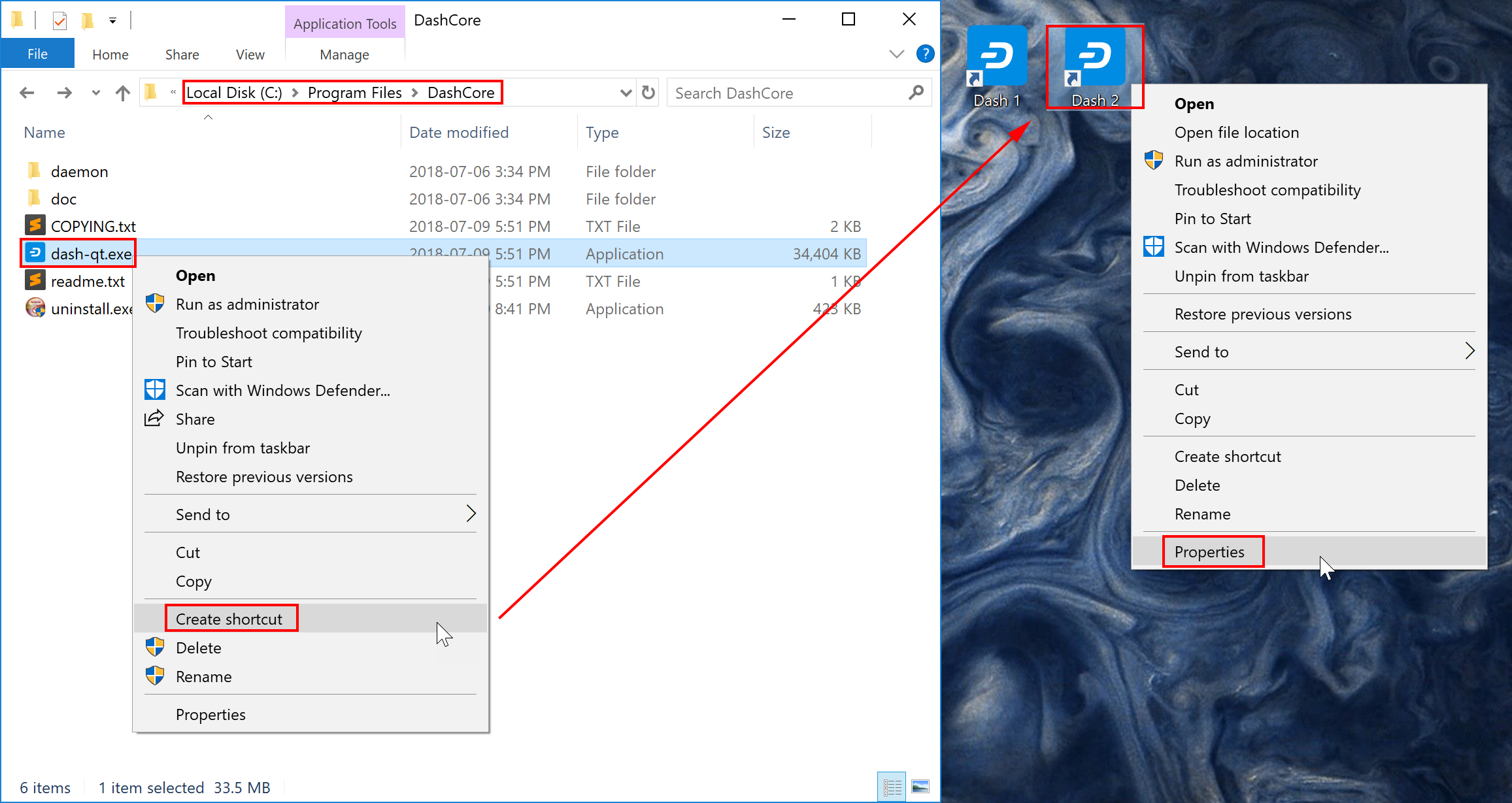
🔴 shortcuts.png — Shows v18 Windows interface with "PrivateSend"
Page: advanced.rst
Issue: Windows desktop showing old Dash Core with "PrivateSend" tab visible in the background wallet window. The entire UI is from v18 era.
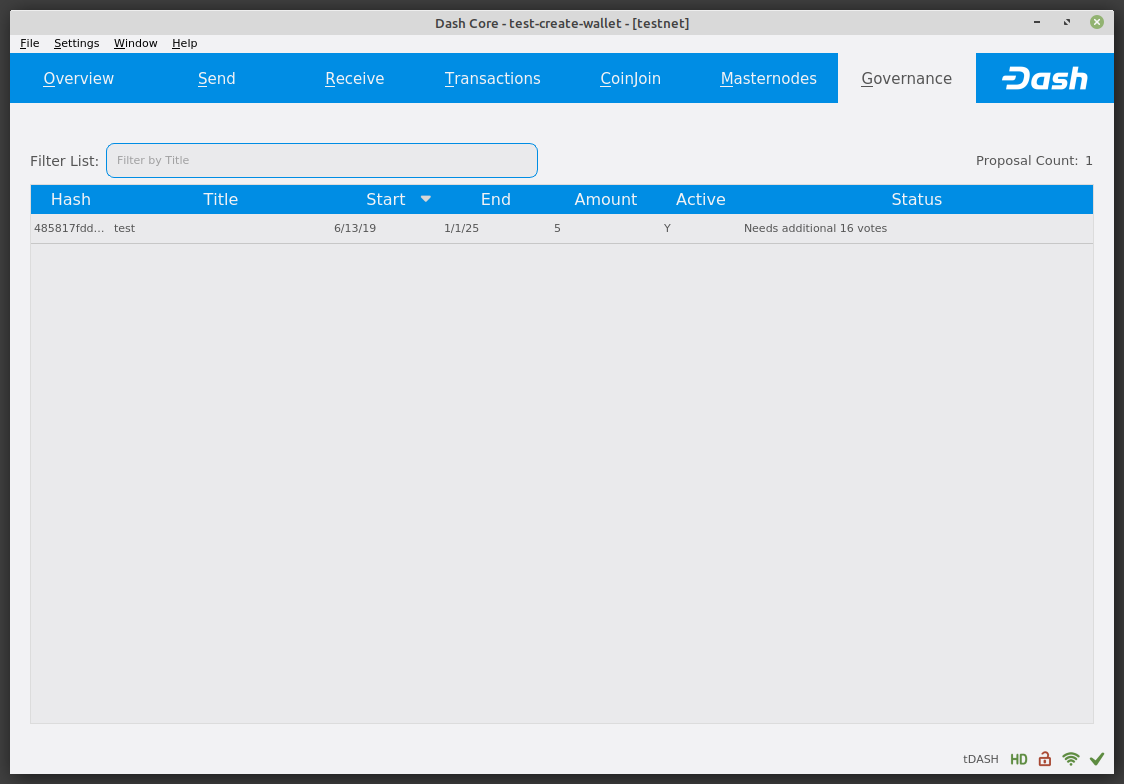
🔴 governance.png — Pre-v23 governance tab layout
Page: interface.rst
Issue: Shows the old governance tab with simple table columns (Hash, Title, Start/End, Amount, Active, Status). v23 has a completely redesigned governance tab (#7110, #7112) with: lifecycle/voting ballot icons, elastic column widths, monospace hashes, reordered columns, proposal creation wizard, and compact voting status with tooltip details.
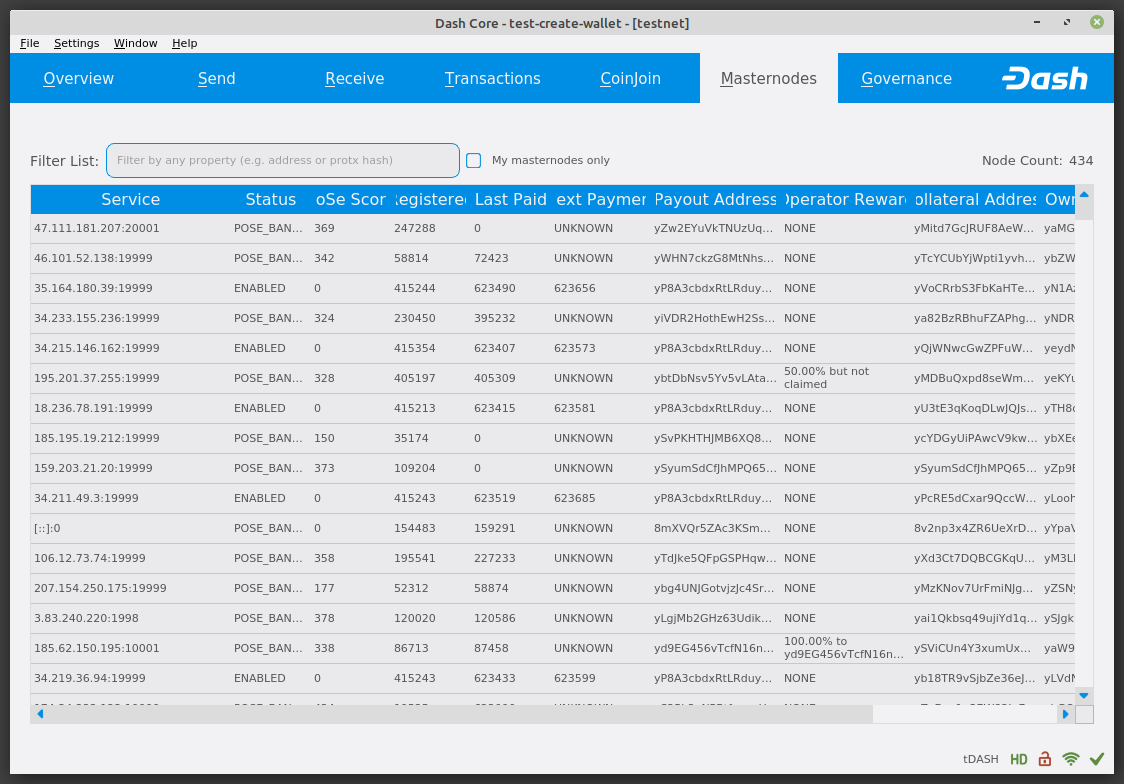
🔴 masternodes.png — Pre-v23 masternode tab layout
Page: interface.rst
Issue: Shows the old masternode list with raw columns (Service, Status, Score, etc.). v23 has a completely redesigned masternode tab (#7116) with: status ban icons, type filtering, "Filter by" context menu replacing address columns, elastic column widths, and a new masternode model.
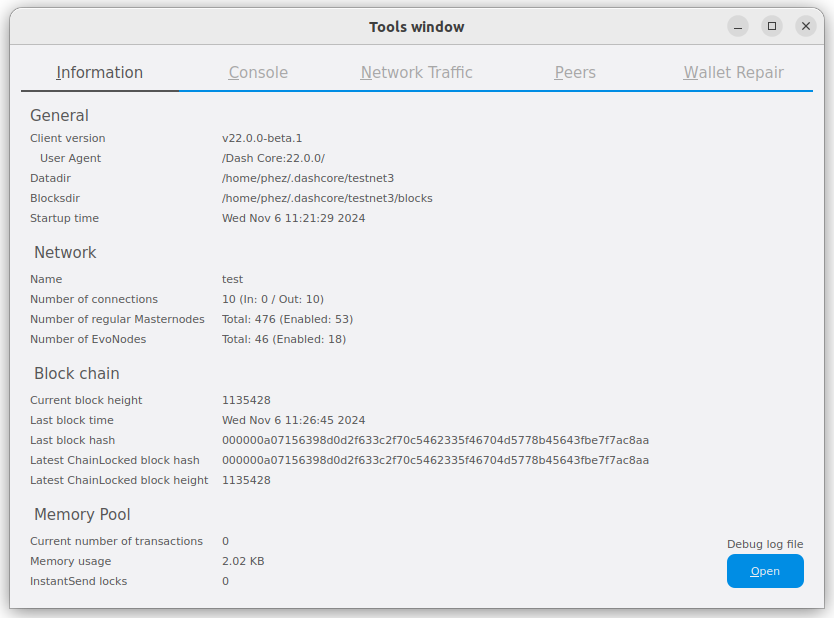
🔴 tools-information.png — Shows v22.0.0-beta.1
Page: interface.rst
Issue: The Information tab explicitly shows "Client version: v22.0.0-beta.1". Needs to show v23.x. Also, v23 adds a new "Local Addresses" section to the Information tab.
Priority 2 — Missing New Features
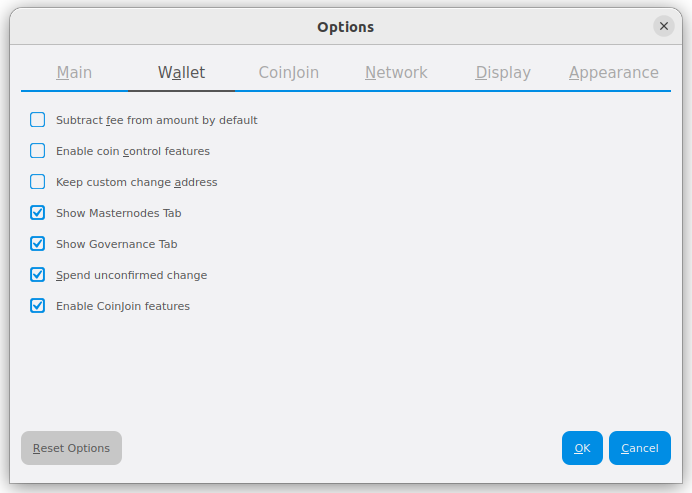
🟡 options-wallet.png — Missing v23 options
Page: interface.rst
Issue: Updated for v22 (#414) but missing new v23 options:
- "Enable PSBT controls" checkbox
- "Show governance clock" checkbox
- "Enable dust attack protection" checkbox with dust threshold spinner (in duffs)
- "External Signer" section with script path
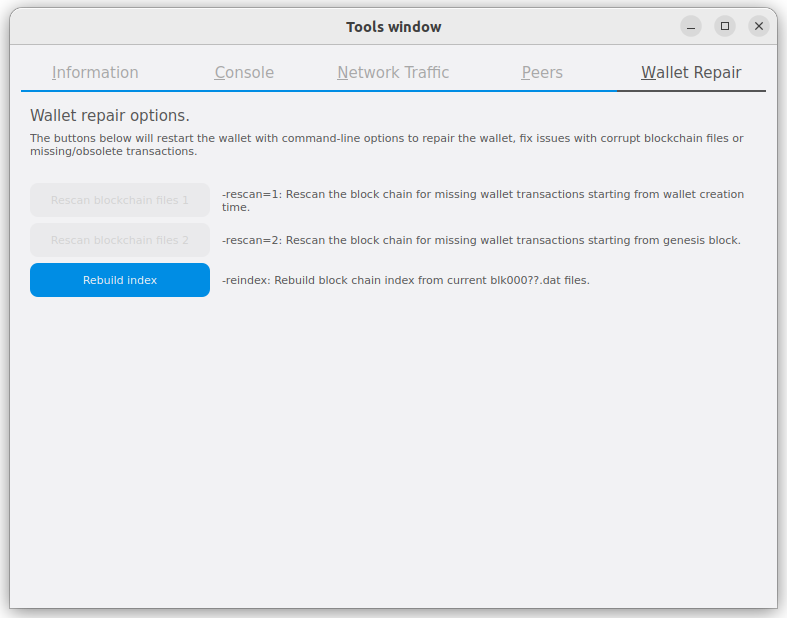
🟡 tools-wallet-repair.png — Changed button labels
Page: interface.rst
Issue: Updated for v22 (#414) but v23 renamed:
- Tab: "Wallet Repair" → "Repair"
- "Rescan blockchain files 1" → "Rescan Chain"
- "Rescan blockchain files 2" → "Rescan Chain (full)"
- Description text simplified (removed
-rescan=1command-line references)
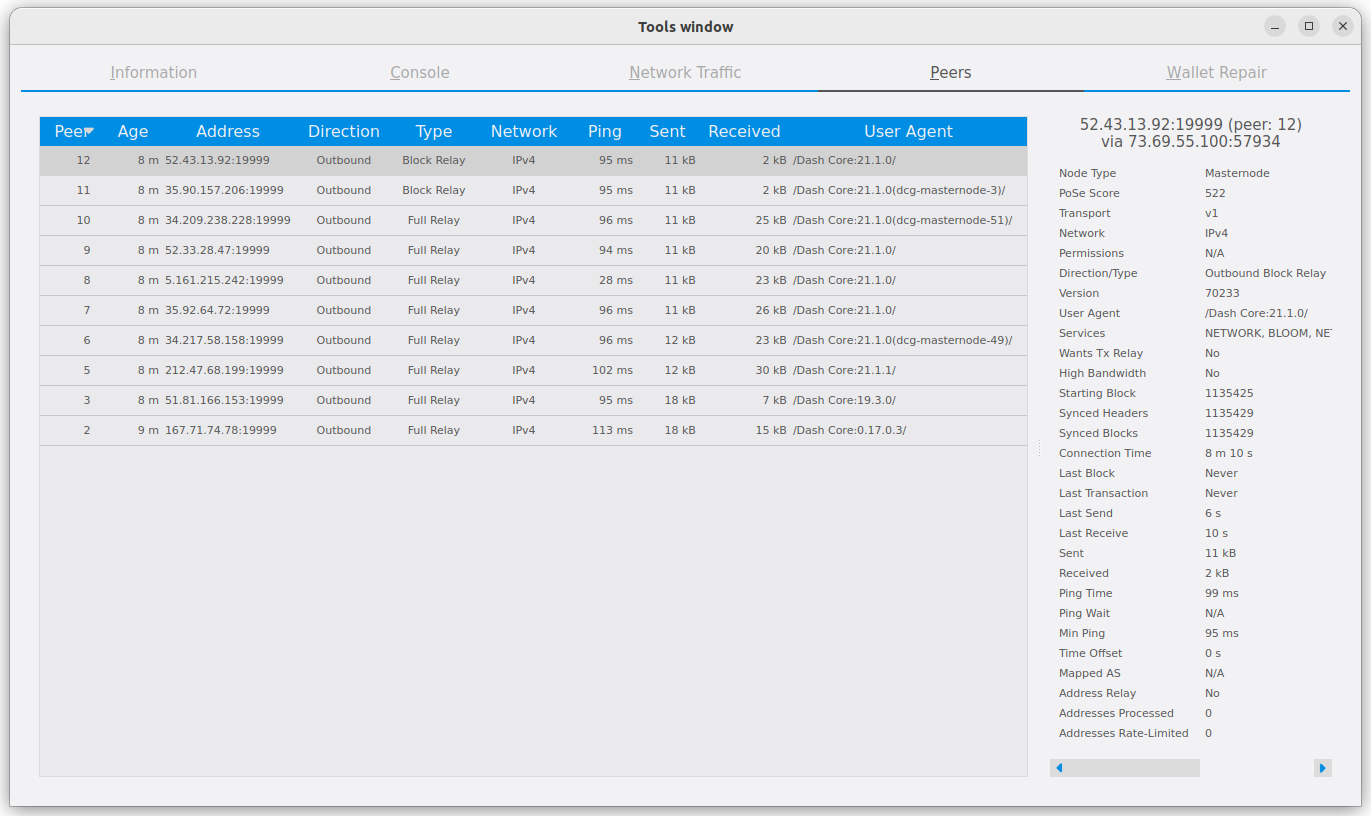
🟡 tools-peers.png — Minor label changes
Page: interface.rst
Issue: Updated for v22 (#414) but v23 renamed "Wants Tx Relay" → "Transaction Relay" in the peer detail panel.
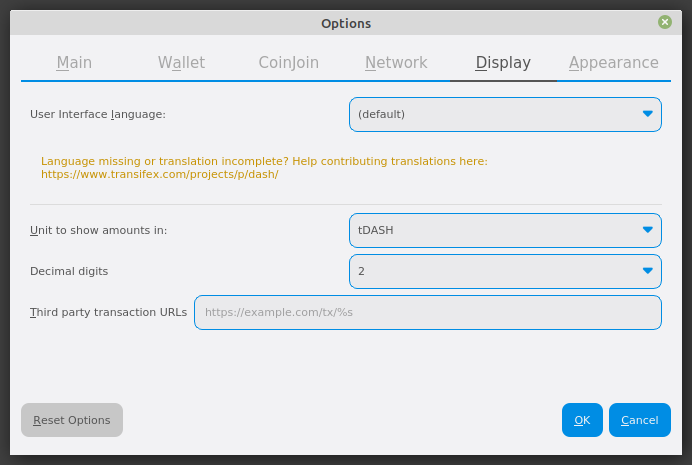
🟡 options-display.png — Minor text change
Page: interface.rst
Issue: "Third party transaction URLs" → "Third-party transaction URLs" (hyphenation). Minor but noticeable.
Priority 3 — Cosmetic / Version Consistency
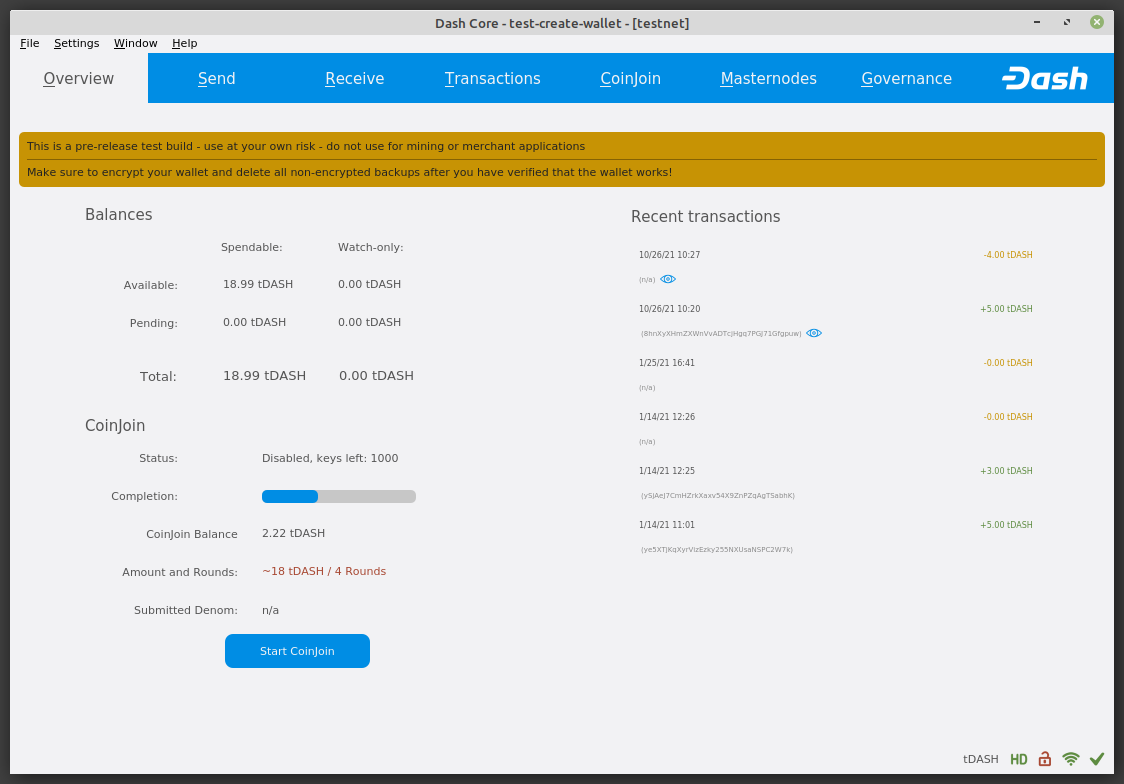
🟢 overview.png — Shows testnet with v19-era layout
Page: interface.rst
Issue: Shows wallet named "test-create-wallet" on testnet. The Overview layout itself hasn't changed dramatically but the status bar in v23 may include a governance cycle clock icon (if enabled). Worth re-capturing for consistency.
🟢 send.png / sendready.png — Generally correct
Page: interface.rst, send-receive.rst
Issue: The Send tab layout hasn't changed significantly between v22 and v23. These are acceptable but could be refreshed for version consistency.
🟢 receive.png — Generally correct
Page: interface.rst, send-receive.rst
Issue: The Receive tab layout is largely unchanged. Acceptable.
🟢 transactions.png — Generally correct
Page: interface.rst
Issue: Transaction list layout is largely unchanged.
🟢 coinjoin.png — CoinJoin overview panel
Page: interface.rst
Issue: Shows CoinJoin tab with mixing status. Layout is largely unchanged since v19+.
🟢 options-main.png / options-network.png / options-appearance.png / options-coinjoin.png — Mostly current
Page: interface.rst
Issue: These were updated in #414 or #307 and are mostly accurate for v23. options-main.png now includes "Subtract fee from amount by default" which was already captured.
🟢 Small status icons (hd.png, locks.png, network-icons.png, sync.png) — Unchanged
Page: interface.rst
Issue: Status bar icons haven't changed visually. Note: v23 adds an optional governance cycle clock icon not shown in current docs, but these specific icon images are fine.
🟢 tools-console.png / tools-network-traffic.png — Unchanged
Page: interface.rst
Issue: Console and network traffic tabs are visually unchanged.
🟢 Backup/restore images — OS-level screenshots
Pages: backup.rst
Issue: backup-wallet.png, backup-save.png, backup-copy.png, restore-copy.png, restore-rename.png, restore-rename-dat.png are Windows file explorer screenshots showing the backup/restore workflow. These are OS-level and not affected by Dash Core version changes. However, they show Windows 10 era UI which is somewhat dated.
🟢 Other send-receive images — Generally acceptable
Pages: send-receive.rst
Issue: confirm.png, sendicons.png, password.png, request-payment.png, receiving-addresses.png, received-notification.png, sent-notification.png, resend-transaction.png — these are mostly version-independent dialogs.
🟢 CoinJoin detail images — Generally acceptable
Pages: coinjoin-instantsend.rst
Issue: mixing.png, mixing-password.png, mixing-progress.png, coinjoin-send.png, coinjoin-transactions.png, coinjoin-addresses.png — CoinJoin UI is largely unchanged since the v19→v20 rebrand.
🟢 Advanced wallet images — Generally acceptable
Pages: advanced.rst
Issue: coin-selection.png, coin-selection-lock.png, coin-selection-locked.png, wallet-open.png, wallet-select-dropdown.png, wallet-close-confirmation.png, wallet-close-all-confirmation.png, datadirs.png, walletfiles.png — mostly version-independent dialogs/features.
Summary Table
| Screenshot | Page | Status | Issue |
|---|---|---|---|
received.png |
send-receive | 🔴 Replace | Shows v18 "PrivateSend" tab |
2wallets.png |
advanced | 🔴 Replace | Shows v18 "PrivateSend" / "Start Mixing" |
shortcuts.png |
advanced | 🔴 Replace | Shows v18 Windows UI |
governance.png |
interface | 🔴 Replace | Completely redesigned in v23 |
masternodes.png |
interface | 🔴 Replace | Completely redesigned in v23 |
tools-information.png |
interface | 🔴 Replace | Shows v22.0.0-beta.1 version string |
options-wallet.png |
interface | 🟡 Update | Missing v23 options (dust protection, PSBT, governance clock, external signer) |
tools-wallet-repair.png |
interface | 🟡 Update | Button/tab labels renamed in v23 |
tools-peers.png |
interface | 🟡 Update | "Wants Tx Relay" → "Transaction Relay" |
options-display.png |
interface | 🟡 Update | "Third party" → "Third-party" |
| Other 47 images | various | 🟢 OK | Acceptable or cosmetic-only differences |
Total: 6 screenshots need replacement, 4 need updates, 47 are acceptable.
Method
This audit was performed by:
- Examining each screenshot in the docs repo with image analysis
- Reviewing Dash Core git history (v19→v23) for all Qt/GUI commits
- Comparing the UI source code (
optionsdialog.ui,debugwindow.ui) between v22 and v23 - Cross-referencing against the screenshot update history in the docs repo
Note: The Dash Core v23.1.2 instance on the QA Air machine was verified running but fresh screenshots could not be captured due to macOS TCC screen recording restrictions via the available automation path. The differences documented above are based on source code analysis which is authoritative for label/feature changes.