LibGL/OpenGL Error #3

Description

Problem
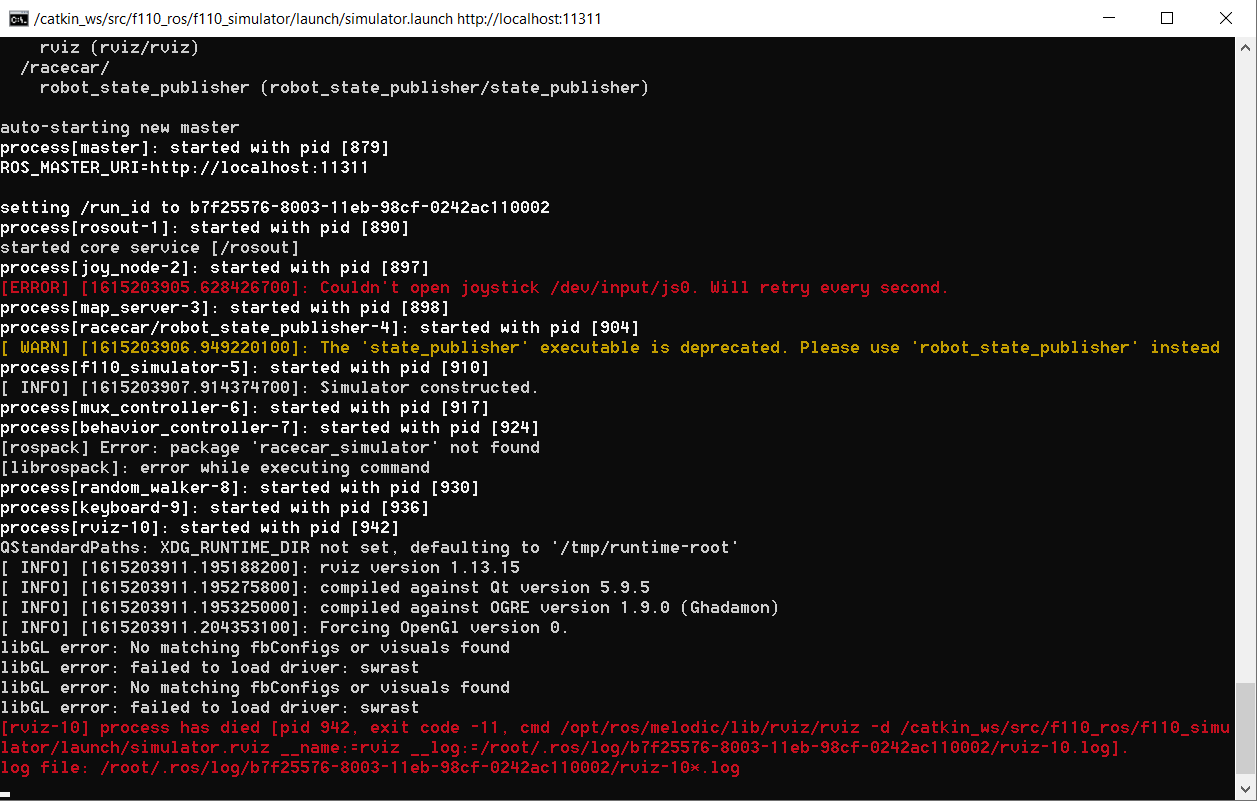
After following all the steps from the tutorial in this repo for Windows 10, I got the following error when starting the simulator with the run-simulator.sh command:
Solution
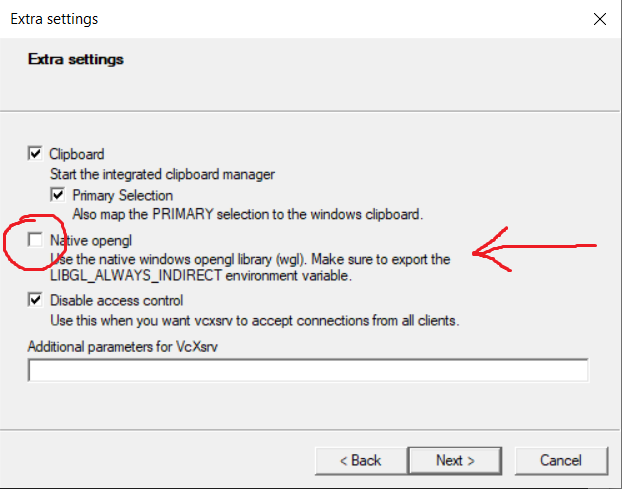
Uncheck the Native opengl option on the XLaunch Extra Settings page (see below). Disabling this OpenGL functionality seems to be a bit of a hack, and seems to cause the simulator to run slower than usual. But it works...
Not all people will have this option available in XLaunch, as I think XLaunch can sometimes have two different types of server software installed in the background; vcxsrv or xming. This error doesn't seem to be a problem for the xming installation, but it is for vcxsrv (which gives you the option to disable OpenGL as shown below).